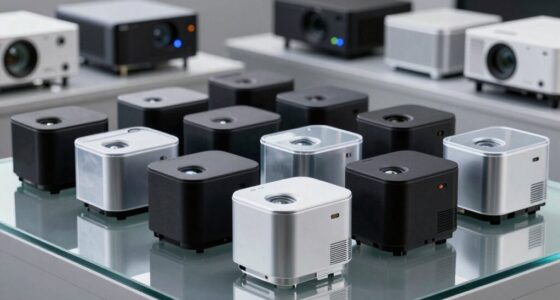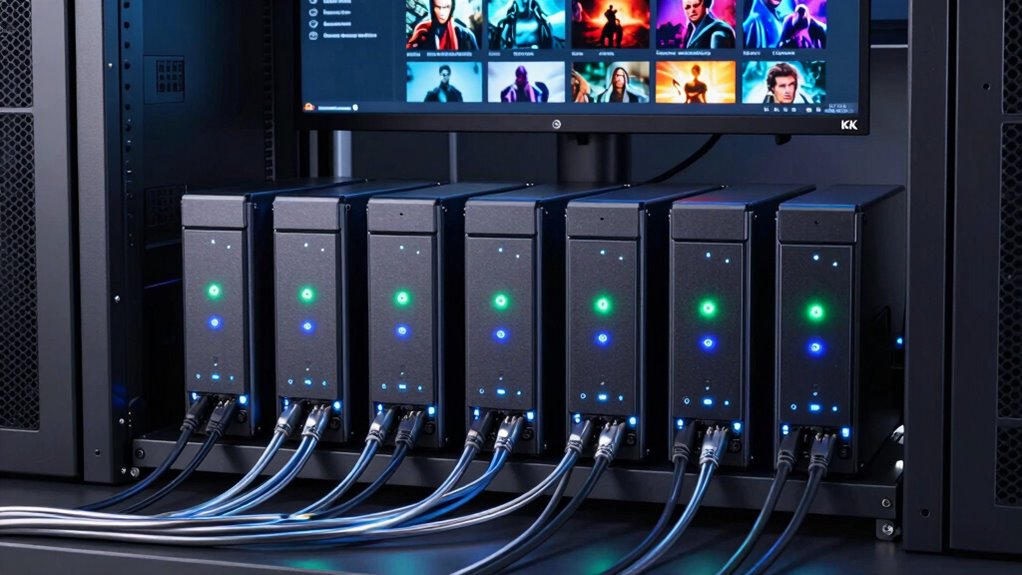

Setting up a NAS for a 4K movie library requires balancing performance, storage capacity, and ease of use. The best models support hardware transcoding to stream high-quality videos smoothly to multiple devices. The Synology DS225+ stands out as the overall best for its robust hardware and user-friendly interface, while the UGREEN NAS DXP4800 offers excellent value for larger households. For those new to NAS, the Yxk Zero1 provides simple setup at a lower cost. Keep in mind, the main tradeoffs involve choosing between raw performance, expandability, and budget. Continue reading for a detailed breakdown of each option and what makes them fit different needs.

Get business pricing on your home office setup
- Business-only prices and quantity discounts
- Tax-exempt purchasing
- Multiple users, one account, clear invoices
Complete the kit


Key Takeaways
- Hardware transcoding support is key for smooth 4K streaming across multiple devices.
- Two-bay NAS models are often sufficient for smaller libraries but limited in expandability.
- Four-bay devices provide more room for future storage growth and RAID configurations.
- User-friendly interfaces and setup processes vary widely, impacting ease for beginners.
- Higher-priced models tend to offer more powerful CPUs and better build quality, justifying their cost for demanding users.
| Synology DS225+ Private Cloud Media Server – 2-Bay NAS with Intel CPU for Hardware Transcoding |  | Best Overall for Small-Scale 4K Media Libraries | Brand: Synology | Model Number: DS225+ | Number of Bays: 2 | VIEW ON AMAZON | See Our Full Breakdown |
| ORICO NAS Storage HS200-2 Bay (Diskless) |  | Best Value for Flexible, High-Capacity 4K Libraries | HDD Slots: 2 | NVMe SSD Slots: 2 | Network Speed: 2.5 GbE (500MB/s) | VIEW ON AMAZON | See Our Full Breakdown |
| UGREEN NAS DXP4800 GT 4-Bay for Creators, Tech Enthusiasts and Office Teams |  | Best for High-Performance Multi-User Environments | Processor: AMD Ryzen Embedded R2514, 4 cores | RAM: 8GB DDR4, expandable to 64GB | Storage Capacity: Up to 144TB | VIEW ON AMAZON | See Our Full Breakdown |
| UGREEN NAS DXP2800 2-Bay for Advanced Home Users, Remote Workers & Creators |  | Best for Demanding Home Use and Remote Work | Processor: Intel N100 Quad-Core | RAM: 8GB DDR5 | Drive Bays: 2 HDD, 2 M.2 NVMe | VIEW ON AMAZON | See Our Full Breakdown |
| UGREEN NAS DH4300 Plus 4-Bay Home Storage for Beginners and Remote Workers |  | Best for Entry-Level Home Users | Capacity: 128TB | Number of Bays: 4 | Processor: High-performance processor | VIEW ON AMAZON | See Our Full Breakdown |
| UGREEN DXP4800 Plus 4-Bay NAS for Families, Creators & Small Teams |  | Best for Small Teams and Creative Professionals | Digital Storage Capacity: 144 TB | Connectivity Technology: Ethernet, HDMI, SATA, USB | Processor: Intel 5-Core CPU | VIEW ON AMAZON | See Our Full Breakdown |
| Asustor Lockerstor 4 Gen2+ AS6704T v2 4-Bay NAS |  | Best for Media Streaming & Content Creation | Processor: Intel Celeron N5105 quad-core | Memory: 4GB DDR4 (expandable up to 16GB) | Network: Dual 5GbE ports | VIEW ON AMAZON | See Our Full Breakdown |
| Yxk Zero1 2-Bay Desktop NAS for Home & Personal Storage (Diskless) |  | Best for Simple Personal Use | Number of Bays: 2 | Connectivity: 2.5GbE | Weight: 2 kg | VIEW ON AMAZON | See Our Full Breakdown |
| nas devices for 4k movie librarie | Processor | RAM |
|---|---|---|
| Synology DS225+ Private Cloud | Intel CPU | — |
| ORICO NAS Storage HS200-2 Bay | — | — |
| UGREEN NAS DXP4800 GT 4-Bay fo | AMD Ryzen Embedded R2514, 4 cores | 8GB DDR4, expandable to 64GB |
| UGREEN NAS DXP2800 2-Bay for A | Intel N100 Quad-Core | 8GB DDR5 |
| UGREEN NAS DH4300 Plus 4-Bay H | High-performance processor | 8GB LPDDR4X |
| UGREEN DXP4800 Plus 4-Bay NAS | Intel 5-Core CPU | 8GB DDR5 |
| Asustor Lockerstor 4 Gen2+ AS6 | Intel Celeron N5105 quad-core | — |
| Yxk Zero1 2-Bay Desktop NAS fo | — | — |
More Details on Our Top Picks
Synology DS225+ Private Cloud Media Server – 2-Bay NAS with Intel CPU for Hardware Transcoding
The Synology DS225+ stands out as the best overall choice for those managing modest 4K movie collections at home or small offices. Its support for hardware transcoding ensures smooth playback across various devices, a feature that outperforms many entry-level models like the Yxk Zero1, which lack hardware acceleration. While its two-bay design limits total storage compared to larger setups like the DS425+, this makes it easier to manage and set up. The robust data protection, including RAID and snapshots, offers peace of mind for valuable media libraries. However, the need to purchase drives separately and the technical expertise required for setup are notable tradeoffs. Ideal for users who want reliable 4K streaming without extensive storage needs and are comfortable with some technical setup.
Pros:- Supports hardware-accelerated 4K media streaming and transcoding
- Robust data protection features including RAID and snapshots
- Fast transfer speeds up to 282 MB/s for quick backups and access
Cons:- Limited to 2 bays, restricting maximum storage capacity
- Requires technical knowledge for setup and management
- No drives included, adding to initial costs
Best for: Home users and small offices needing a straightforward, reliable media server with hardware transcoding.
Not ideal for: Users with very large libraries or those preferring a plug-and-play experience without setup complexity.
- Brand:Synology
- Model Number:DS225+
- Number of Bays:2
- Processor:Intel CPU
- Maximum Transfer Speed:282 MB/s
- Supported Cameras:Up to 30 IP cameras
- Warranty:3 years
Our verdict“This NAS suits small-scale 4K media libraries for users comfortable with some setup and wanting reliable performance.”
ORICO NAS Storage HS200-2 Bay (Diskless)
The ORICO HS200 offers impressive flexibility for those who want to customize their 4K movie library with up to 64TB of storage and multiple OS support, like TrueNAS or Windows 11. Its dual HDD and NVMe slots make it more expandable than the DS225+ but require manual setup, which can be daunting for less experienced users. Compared with the UGREEN DXP2800, which focuses on power and multi-device support, the ORICO provides a more customizable environment but demands more technical skill for configuration and ongoing updates. Its support for high-speed 2.5 GbE network enhances streaming and transfers, yet users must buy drives separately, adding to initial costs. This pick is best for those comfortable with DIY NAS building and who need large, flexible storage options.
Pros:- Supports up to 64TB of storage with flexible drive choices
- Features AI photo management and 4K media streaming capabilities
- Multiple OS support allows customization and multi-user access
Cons:- Requires manual setup and ongoing management
- Hardware is diskless, so additional drives are necessary
- Software support depends on user updates and community support
Best for: DIY enthusiasts or tech-savvy home users needing large, flexible storage for 4K media collections.
Not ideal for: Beginners or users seeking an out-of-the-box solution without manual setup and configuration.
- HDD Slots:2
- NVMe SSD Slots:2
- Network Speed:2.5 GbE (500MB/s)
- USB Ports:2 USBA, 1 USBC
- HDMI:1
- Max Storage:64TB
- Supported OS:TrueNAS, Windows 11, Ubuntu 24, Debian 12
Our verdict“Ideal for experienced users who want maximum storage flexibility and are comfortable with setup and maintenance.”
UGREEN NAS DXP4800 GT 4-Bay for Creators, Tech Enthusiasts and Office Teams
The UGREEN DXP4800 GT is tailored for creators, small businesses, and power users who require high multitasking capacity. Its AMD Ryzen Embedded R2514 processor and up to 144TB storage support demanding workflows like large-scale media processing, virtual machines, and surveillance. Unlike the Synology DS425+ which emphasizes simplicity and security, this model offers extensive expansion, including dual 10GbE ports and advanced virtual machine support, but at the cost of a more complex setup and higher initial investment. Its non-ECC RAM may concern users handling critical data, yet its performance and scalability make it ideal for technical environments where speed and capacity are paramount.
Pros:- Powerful AMD Ryzen processor for multitasking and media processing
- Expandable storage up to 144TB with multiple bays and NVMe support
- Dual 10GbE ports for ultra-fast data transfer and network redundancy
- Built-in surveillance and virtualization capabilities
Cons:- Drives not included, increasing initial cost
- Complex setup for advanced features like Docker and surveillance
- Pre-installed RAM is non-ECC, less suitable for critical data
Best for: Small businesses, content creators, and IT professionals needing a powerful, expandable NAS for heavy workloads and 4K media.
Not ideal for: Casual users or those seeking a simple, plug-and-play media server without advanced features.
- Processor:AMD Ryzen Embedded R2514, 4 cores
- RAM:8GB DDR4, expandable to 64GB
- Storage Capacity:Up to 144TB
- Network:Dual 10GbE ports
- Connectivity:USB 3.2, USB-C, HDMI, SD card
- Security:TLS/SSL, RSA, AES, SHA-512
Our verdict“Best suited for users needing a robust, scalable NAS capable of handling large media and multi-user workloads.”
UGREEN NAS DXP2800 2-Bay for Advanced Home Users, Remote Workers & Creators
The UGREEN DXP2800 strikes a balance for high-end home users, creators, and remote workers needing large digital libraries and AI-powered surveillance. Its Intel N100 quad-core CPU and DDR5 RAM deliver robust performance for demanding tasks like 4K media management and multi-device data handling. While its 2-bay design limits maximum storage to around 80TB, it compensates with support for M.2 NVMe SSDs, boosting speed and responsiveness. Unlike the more complex DXP4800+, this model offers easier setup for tech-savvy users focused on media and remote work, but the need to buy drives separately and verify compatibility can be a hurdle. Ideal for those who want a high-performance, versatile NAS without extensive enterprise features.
Pros:- Powerful quad-core CPU and DDR5 RAM for demanding workloads
- Supports large storage capacity up to 80TB
- AI features for surveillance and media organization
- Supports multiple OS and device types
Cons:- HDDs and SSDs need to be purchased separately
- Requires technical setup and drive compatibility checks
- No included drives, adding to overall cost
Best for: Advanced home users and remote workers managing large media libraries and surveillance needs.
Not ideal for: Beginners or users seeking an all-in-one, out-of-the-box media server with minimal setup.
- Processor:Intel N100 Quad-Core
- RAM:8GB DDR5
- Drive Bays:2 HDD, 2 M.2 NVMe
- Max Storage:80TB
- Networking:2.5GbE
- Supported OS:Multiple including Windows, TrueNAS
Our verdict“Great choice for tech-savvy users who need a high-performance, flexible NAS for media and remote work tasks.”
UGREEN NAS DH4300 Plus 4-Bay Home Storage for Beginners and Remote Workers
The UGREEN NAS DH4300 Plus stands out for its ease of setup and user-friendly features, making it an ideal choice for newcomers or those with basic media needs. Unlike the more advanced Asustor Lockerstor 4 Gen2+, this device lacks support for virtual machines and Wi-Fi, focusing instead on simple, secure storage with AI-powered photo organization. This tradeoff means it’s less flexible for tech-savvy users but perfect for home users who prioritize straightforward media access and automatic backups. Its 8GB RAM and 2.5GbE port support smooth access, yet the absence of Wi-Fi might limit remote flexibility. While it supports Docker containers, virtual machines aren’t an option, and disks are sold separately. This pick makes the most sense for beginners or remote workers seeking affordable, secure storage without complex features.
Pros:- Easy to set up and access from multiple devices and platforms
- Automatic photo backup with AI-powered organization
- Cost-effective long-term storage compared to cloud plans
Cons:- Does not support Wi-Fi connectivity, limiting remote access options
- Virtual machines are not supported, reducing flexibility for advanced users
Best for: Home users and remote workers needing simple, reliable storage with minimal setup.
Not ideal for: Power users or those wanting virtual machine support or Wi-Fi connectivity, as it lacks these features.
- Capacity:128TB
- Number of Bays:4
- Processor:High-performance processor
- Network:2.5GbE port
- RAM:8GB LPDDR4X
- Supports:Docker, no virtual machines
Our verdict“This device suits beginners and remote workers seeking straightforward, secure storage without advanced virtualization features.”
UGREEN DXP4800 Plus 4-Bay NAS for Families, Creators & Small Teams
The UGREEN DXP4800 Plus provides high storage capacity and fast transfer speeds, making it suitable for data-heavy households and small business teams. Compared with the simpler Yxk Zero1, this model offers 144TB of space, multi-gigabit Ethernet ports, and support for virtual machines, which enhances its versatility for creative workflows and collaboration. Its hardware configuration with 10GbE and USB 3.2 supports rapid data movement, ideal for multimedia editing or team sharing. However, the setup is more complex, requiring some technical familiarity, and drives are sold separately. This makes it less appealing to beginners or those seeking plug-and-play solutions. Its broad feature set is a clear advantage for users who demand both high capacity and performance, but the complexity could be a barrier for less tech-savvy buyers. This makes it a strong choice for professionals and large households with demanding storage needs.
Pros:- High storage capacity up to 144TB suitable for large media libraries
- Fast data transfer with 10GbE and USB ports
- Supports Docker, virtual machines, and AI photo organization for advanced workflows
Cons:- Drives are sold separately, increasing initial cost
- Setup complexity may challenge less experienced users
Best for: Small teams, creators, or families managing large media libraries and collaborative projects.
Not ideal for: Users seeking an easy, plug-and-play setup or those on a tight budget, as drives are not included and setup is complex.
- Digital Storage Capacity:144 TB
- Connectivity Technology:Ethernet, HDMI, SATA, USB
- Processor:Intel 5-Core CPU
- RAM:8GB DDR5
- Network Ports:1x 10GbE, 1x 2.5GbE
- Uses:Business, Office, Multimedia, Home, Personal
Our verdict“This NAS is best suited for small teams or creators who need high capacity and fast performance but are comfortable with technical setup.”
Asustor Lockerstor 4 Gen2+ AS6704T v2 4-Bay NAS
The Asustor Lockerstor 4 Gen2+ offers advanced media capabilities with hardware 4K transcoding, dual 5GbE ports, and HDMI output, making it a top pick for media streaming and small-scale content creation. Its support for both SATA and NVMe SSDs provides flexible storage options, and its expandable RAM up to 16GB ensures smooth handling of intensive tasks. Compared with the more straightforward UGREEN NAS DH4300 Plus, this model is geared toward tech-savvy users needing hardware transcoding and rich media features. Its setup can be challenging, especially for beginners, and the price point isn’t listed but is generally higher. This device excels at delivering seamless 4K playback and media management but may be overkill for simple backup needs. This NAS makes sense for users prioritizing media performance and media editing capabilities.
Pros:- Hardware 4K transcoding for smooth media playback
- Supports both SATA and NVMe SSDs for flexible storage upgrades
- HDMI output for direct media viewing
Cons:- Setup can be complex for beginners
- Price is likely higher than basic NAS options
Best for: Media enthusiasts, small content creators, or users needing hardware-accelerated 4K transcoding.
Not ideal for: Users seeking a straightforward, budget-friendly storage solution without media processing features, as it involves a complex setup.
- Processor:Intel Celeron N5105 quad-core
- Memory:4GB DDR4 (expandable up to 16GB)
- Network:Dual 5GbE ports
- Storage Slots:4 M.2 NVMe SSD + 4 bays for SATA HDD/SSD
- Video Output:HDMI
- Supported RAID:0/1/5/6/JBOD
Our verdict“Ideal for media-focused users who need robust 4K transcoding and playback features, despite a more involved setup process.”
Yxk Zero1 2-Bay Desktop NAS for Home & Personal Storage (Diskless)
The Yxk Zero1 offers a compact, straightforward storage option for personal users who primarily want to back up and access media at home. Its 2-bay design and 2.5GbE connectivity make it faster than many basic NAS units, yet it lacks the complexity of larger systems like the UGREEN DXP4800 Plus. This device is ideal for those new to NAS or with modest media libraries, but it doesn’t support enterprise-grade features or virtual machines. The absence of included hard drives means users must purchase drives separately, adding to initial costs. Its small size and quiet operation make it suitable for living spaces but limit its capacity and scalability. Overall, it’s a user-friendly choice for personal backups and media sharing, especially for beginners or casual users.
Pros:- Easy to set up and operate, suitable for beginners
- Fast 2.5GbE connectivity for quick data access
- Compact and quiet, ideal for home environments
Cons:- Hard drives are not included, increasing initial expense
- Limited to personal use, not suitable for business or large-scale media libraries
Best for: Home users seeking simple, personal storage for photos, videos, and backups without the need for advanced features.
Not ideal for: Power users or those with large media libraries, as it offers limited capacity and no support for virtual machines or advanced sharing.
- Number of Bays:2
- Connectivity:2.5GbE
- Weight:2 kg
- Drive Compatibility:Hard drives purchased separately
- Supported Platforms:Windows, macOS, iOS, Android
Our verdict“This NAS is perfect for personal users who want simple, private storage with reliable performance and minimal fuss.”

How We Picked
These NAS devices were selected based on their ability to handle 4K media libraries effectively, focusing on performance, expandability, and ease of use. We prioritized models equipped with hardware transcoders or powerful CPUs capable of real-time 4K processing, ensuring smooth playback without buffering. Reliability, build quality, and user interface were also key factors, as they influence long-term satisfaction and maintenance. The ranking reflects a balance between cost, scalability, and features tailored towards 4K media management, helping buyers find the best fit for their specific needs.| nas devices for 4k movie librarie | Processor |
|---|---|
| Synology DS225+ Private Cloud | Intel CPU |
| ORICO NAS Storage HS200-2 Bay | — |
| UGREEN NAS DXP4800 GT 4-Bay fo | AMD Ryzen Embedded R2514, 4 cores |
| UGREEN NAS DXP2800 2-Bay for A | Intel N100 Quad-Core |
| UGREEN NAS DH4300 Plus 4-Bay H | High-performance processor |
| UGREEN DXP4800 Plus 4-Bay NAS | Intel 5-Core CPU |
| Asustor Lockerstor 4 Gen2+ AS6 | Intel Celeron N5105 quad-core |
| Yxk Zero1 2-Bay Desktop NAS fo | — |
Factors to Consider When Choosing Nas Devices For 4k Movie Libraries
Choosing the right NAS for a 4K movie library involves understanding several important factors. The ideal device should support hardware transcoding for smooth streaming, especially if multiple users will access content simultaneously. Storage capacity and scalability determine how many high-resolution movies you can store now and in the future. Ease of setup and management can make a significant difference for less technical users. Considering these aspects will help you avoid common pitfalls like underpowered hardware or limited upgrade paths, ensuring your investment remains relevant as your library grows.Performance and Hardware Transcoding
For 4K movie libraries, hardware transcoding is essential. It allows your NAS to convert high-bitrate videos into formats compatible with different devices on the fly, reducing buffering and playback issues. Look for models with Intel or AMD CPUs that explicitly support hardware transcoding, as software solutions often fall short for demanding 4K content. Investing in a device with this capability ensures smooth streaming across smart TVs, tablets, and smartphones, even with multiple concurrent viewers.
Storage Capacity and Expandability
While a 2-bay NAS might suffice for small libraries, larger collections benefit from 4-bay or higher models, offering more room for growth. Consider how much space you need now and how much you might require in the future, especially if you plan to add more 4K movies over time. RAID configurations provide redundancy, protecting your library against drive failures. Think about models with easy drive replacement and potential for expansion to future-proof your setup.
Ease of Use and Management
A user-friendly interface simplifies setup and ongoing maintenance, especially for those unfamiliar with NAS systems. Features like mobile apps, intuitive dashboards, and automatic updates reduce the learning curve. For beginners, a device with straightforward setup processes and minimal management requirements can save time and frustration. More advanced users might prioritize additional control and customization options, which can come at the expense of simplicity.
Build Quality and Reliability
A robust build ensures your NAS remains operational over years of use. Look for reputable brands with solid warranties and good customer support. Noise levels and power consumption are also worth considering if the device will be placed in a living space. While premium models tend to offer better durability and stability, budget options can be adequate if they meet your performance needs and have good reviews for reliability.
Budget and Value
Balancing budget with features is essential. Higher-priced models typically include faster processors, better hardware transcoding, and more expandability options, justifying the cost for demanding users. Conversely, budget-friendly options can fulfill basic streaming needs but might lack future-proofing. Identify your must-have features and choose a model that offers the best value within your budget, avoiding overspending on unnecessary extras or risking underperformance with cheaper options.
Frequently Asked Questions
Do I need hardware transcoding for my 4K movies?
Hardware transcoding is highly recommended for 4K movies, especially if you plan to stream to multiple devices or different formats. It allows the NAS to convert high-bitrate 4K videos into compatible streams on the fly, reducing buffering and playback issues. Without hardware support, the NAS relies on software transcoding, which can strain the system and cause playback hiccups, particularly on less powerful devices. Investing in a NAS with hardware transcoding ensures smoother, more reliable streaming experiences.
Can a two-bay NAS handle a large 4K movie library?
Two-bay NAS devices are suitable for small to medium-sized libraries, typically up to a few terabytes, depending on drive capacity. They are cost-effective and easier to set up but have limited expansion options. If your collection grows beyond initial expectations or if you want RAID redundancy for data protection, a four-bay or larger model makes more sense. For most users with extensive 4K libraries, starting with a four-bay device provides better scalability and peace of mind.
Are NAS devices suitable for remote access to 4K movies?
Yes, most modern NAS devices support remote access via apps or web portals, allowing you to stream your 4K movies from anywhere. However, performance depends on your internet upload speeds and the NAS’s hardware capabilities. For seamless remote streaming, choose a model with hardware transcoding and fast network interfaces like 10GbE or at least Gigabit Ethernet. Proper setup, including port forwarding and security measures, is essential to ensure safe and smooth access to your library.
What is the benefit of a diskless NAS for a 4K library?
A diskless NAS offers flexibility to choose your own drives, which can be advantageous if you want to use high-capacity, enterprise-grade disks or already own drives. It also allows for upgrading drives over time without replacing the entire unit. However, it requires extra effort to set up and configure drives initially. For a 4K library, this setup can be cost-effective and customizable but demands more technical know-how, making it better suited for experienced users.
How much storage do I need for a 4K movie library?
4K movies typically require between 20 to 100 GB each, depending on quality and length. If you plan to store dozens of movies, a NAS with at least 4-8 TB of usable capacity is a good starting point, with room for growth. Always consider future additions to your library and choose a device with expandable storage options. Using larger drives or RAID configurations can help maximize capacity while maintaining data safety.
Conclusion
For most users, the Synology DS225+ stands out as the best overall choice, offering a strong balance of performance, ease of use, and expandability. Those prioritizing value and larger storage capacity should consider the UGREEN NAS DXP4800, especially for families or small teams. Beginners or casual viewers might find the Yxk Zero1 more approachable due to its straightforward setup at a lower price point. Power users needing premium features and maximum performance should look at the Asustor Lockerstor 4 Gen2+.
Fall Picks
fall essentials
As an affiliate, we earn on qualifying purchases.