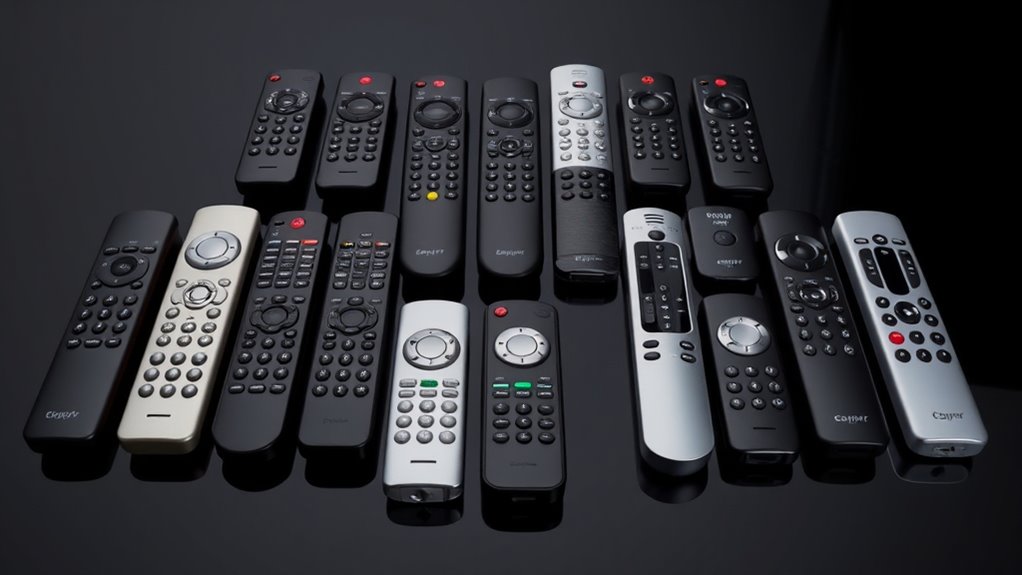

Luxury universal projector remotes range from simple replacements for a specific projector brand to hub-based systems that coordinate an entire home theater. My best overall pick is the SofaBaton X1S with Hub for buyers who want app control and one-click scenes; the SofaBaton X2 stands out for its touchscreen approach, while the Epson and BrightLink remote is a focused choice for compatible projectors. The main tradeoff is between broad device control and the straightforward reliability of a dedicated replacement remote. Compatibility, setup demands, and whether you need a hub matter more than a long feature list. Read on for the full breakdown and guidance on choosing the right level of control.

Get business pricing on your home office setup
- Business-only prices and quantity discounts
- Tax-exempt purchasing
- Multiple users, one account, clear invoices
Complete the kit


Key Takeaways
- Hub-based control sets the luxury picks apart: the SofaBaton X1S and X2 are geared toward coordinating multiple devices, while the projector-specific options focus on direct control.
- The X2 prioritizes interface over simplicity: its touchscreen and hub suit buyers who want a more guided control surface, but that approach may be more than a single-projector setup needs.
- Brand-specific remotes can be the better fit: the Epson and BrightLink option and Anderic RR3720 make more sense when projector compatibility matters more than managing a full entertainment system.
- The U3 models sit between basic replacements and hub systems: app customization and macro features can add flexibility, but buyers should verify which control methods work with their devices.
- Two X1S listings call for careful comparison: check the exact included hub, app features, and package details rather than assuming the similarly named entries are identical.
| SofaBaton X1S Smart Universal Remote Control with Hub, One-Click Scenes |  | Best Overall for a Connected Projector Theater | Maximum supported devices: 60 | Connectivity: Bluetooth, infrared, Wi-Fi | Maximum range: 40 feet | VIEW ON AMAZON | See Our Full Breakdown |
| Universal Projector Remote Control for Epson and BrightLink Series |  | Best for Epson Projector Owners | Compatible projectors: Epson BrightLink, PowerLite, Home Cinema, EX/EB/VS/EMP series | Maximum supported devices: 18 | Connectivity: Infrared | VIEW ON AMAZON | See Our Full Breakdown |
| Universal Projector Remote Control |  | Best for Multi-Brand Projector Compatibility | Compatible brands: Epson, Optoma, Samsung, Panasonic, ViewSonic, InFocus, BenQ, Sanyo, NEC, Toshiba, Sony, Hitachi, Mitsubishi | Connectivity: Infrared | Buttons: 30 | VIEW ON AMAZON | See Our Full Breakdown |
| SofaBaton X2 Universal Remote with Touch Screen, Hub, and App |  | Best Premium Interface | Maximum supported devices: 50 | Connectivity: Bluetooth, infrared, radio frequency, Wi-Fi | Maximum range: 40 feet | VIEW ON AMAZON | See Our Full Breakdown |
| Anderic RR3720 Universal Projector Remote |  | Best Simple Replacement | Compatible devices: Projector | Connectivity: Infrared | Buttons: 26 | VIEW ON AMAZON | See Our Full Breakdown |
| SofaBaton U3 Universal Remote Control |  | Best for Mixed-Device Setups | Connectivity: Bluetooth, IR, RF | Device compatibility: Over 6,000 brands and 500,000+ devices | IR range: 40 feet | VIEW ON AMAZON | See Our Full Breakdown |
| SofaBaton U3 Universal Remote Control with One Touch Macros, App Customization, IR/Bluetooth/RF Compatibility, Voice Control, Backlit LCD |  | Best for Rechargeable Simplicity | Maximum supported devices: 30 | Connectivity: Bluetooth, infrared, radio frequency | Maximum range: 40 feet | VIEW ON AMAZON | See Our Full Breakdown |
| SofaBaton X1S Universal Remote with Hub & App |  | Best Premium Hub-Based Pick | Maximum supported devices: 50 | Connectivity: Bluetooth, infrared, Wi-Fi | Maximum range: 40 feet | VIEW ON AMAZON | See Our Full Breakdown |
| luxury universal projector remote | Connectivity | Maximum range | Maximum supported devices | Buttons |
|---|---|---|---|---|
| SofaBaton X1S Smart Universal | Bluetooth, infrared, Wi-Fi | 40 feet | 60 | — |
| Universal Projector Remote Con | Infrared | 33 feet | 18 | 30 |
| Universal Projector Remote Con | Infrared | 33 feet | — | 30 |
| SofaBaton X2 Universal Remote | Bluetooth, infrared, radio frequency, Wi-Fi | 40 feet | 50 | — |
| Anderic RR3720 Universal Proje | Infrared | 30 feet | — | 26 |
| SofaBaton U3 Universal Remote | Bluetooth, IR, RF | — | — | — |
| SofaBaton U3 Universal Remote | Bluetooth, infrared, radio frequency | 40 feet | 30 | — |
| SofaBaton X1S Universal Remote | Bluetooth, infrared, Wi-Fi | 40 feet | 50 | 25 |
More Details on Our Top Picks
SofaBaton X1S Smart Universal Remote Control with Hub, One-Click Scenes
For a projector setup that also includes a TV, receiver, and streaming gear, I’d put the SofaBaton X1S ahead of the simpler infrared remotes here. Its hub, IR blasters, Bluetooth, and Wi-Fi support let one remote coordinate more devices, while one-touch activities can reduce a multi-step startup to a single action. App customization and Alexa or Google Assistant compatibility add flexibility that the Anderic RR3720 and Epson-focused remote don’t offer. The tradeoff is a more involved setup: programming activities and controls through an app can take patience, and the 60-device ceiling may not suit unusually large systems. It also depends on rechargeable power rather than replaceable AAA batteries. I’d choose it for a feature-rich home theater, not for someone who just needs basic projector power and menu buttons.
Pros:- Hub with IR blasters, Bluetooth, and Wi-Fi supports a broad mix of entertainment devices.
- One-touch activities and customizable controls can simplify switching between viewing setups.
- Voice control works with Alexa and Google Assistant.
- Rechargeable battery, backlit controls, and a digital display support regular use in a dark theater.
Cons:- App-based setup and customization may be more involved than the no-programming Epson remote.
- Supports up to 60 devices, which can limit exceptionally large systems.
- Rechargeable power may not suit buyers who prefer swapping in standard batteries.
Best for: Home-theater owners combining a projector with multiple audio and video devices who want scenes, hub control, and voice-assistant support.
Not ideal for: Buyers who want a simple, ready-to-use projector-only remote or prefer physical setup without an app.
- Maximum supported devices:60
- Connectivity:Bluetooth, infrared, Wi-Fi
- Maximum range:40 feet
- Control options:Android app, iOS app
- Battery:Rechargeable Li-Polymer
- Backlit:Yes
- Display:Digital display
- Voice control:Alexa and Google Assistant compatibility
Our verdict“Choose the X1S if you want a hub-based remote to coordinate a projector theater, and skip it if basic projector control is all you need.”
Universal Projector Remote Control for Epson and BrightLink Series
If my projector is an Epson BrightLink, PowerLite, or a listed home cinema model, this remote offers a direct, low-fuss alternative to the app-driven SofaBaton X1S. Its key advantage is no programming required, so it can suit a buyer who wants familiar projector controls without building activities or configuring a hub. It also lists compatibility across several Epson families and supports up to 18 devices, which is broader than a single-projector replacement. That convenience comes with narrow brand fit: it’s not the right pick for a mixed-brand theater or for someone seeking smart-home control. Infrared also needs a clear path to the projector, unlike the X1S’s hub-based options. With no backlight or customization listed, it favors straightforward operation over the more polished, flexible experience expected from a luxury universal remote.
Pros:- Designed for a range of Epson projector families, including BrightLink and PowerLite.
- No programming is required for compatible models.
- Lightweight 1.9-ounce design is easy to handle.
- Supports up to 18 devices and has a listed range of 33 feet.
Cons:- Infrared control can be interrupted when the remote lacks a clear path to the projector.
- No backlit buttons or app-based customization are listed.
- Its Epson-oriented compatibility is less useful for mixed-brand projector setups than the SofaBaton X1S.
Best for: Epson BrightLink, PowerLite, or listed Epson projector owners who want a simple replacement remote without programming.
Not ideal for: Owners of non-Epson projectors or home theaters needing hub control, customizable scenes, or smart-home integration.
- Compatible projectors:Epson BrightLink, PowerLite, Home Cinema, EX/EB/VS/EMP series
- Maximum supported devices:18
- Connectivity:Infrared
- Buttons:30
- Maximum range:33 feet
- Batteries:2 AAA
- Dimensions:5 × 1.9 × 0.5 inches
- Weight:1.9 ounces
Our verdict“Pick this remote for straightforward control of a compatible Epson projector, but choose a hub-based option for a broader luxury theater setup.”
Universal Projector Remote Control
This remote’s strongest case is its stated compatibility with a long list of projector brands, including Epson, Optoma, BenQ, Sony, and Panasonic. That makes it a more plausible fit for a mixed-brand household than the Epson BrightLink and PowerLite remote, which is aimed at Epson families. Setup is required, though, so it trades the Epson model’s no-programming convenience for broader stated reach. Once configured, its 33-foot infrared range suits ordinary rooms, but line of sight still matters; a blocked sensor can make the range less useful. This is a basic projector controller, not a luxury theater hub: there’s no listed app, touchscreen, or activity control like the SofaBaton X2. I’d consider it when brand coverage matters more than smart integrations, while checking model compatibility before relying on it.
Pros:- Lists compatibility with a broad selection of projector brands.
- Instructions are provided for setup across supported models.
- 33-foot stated range is suitable for typical room layouts.
- Uses two AAA batteries rather than a proprietary rechargeable pack.
Cons:- Requires initial configuration for the projector.
- Infrared needs a reasonably clear line of sight.
- Lacks the touchscreen, hub, and customizable activities offered by the SofaBaton X2.
Best for: Households with projectors from varied brands that need a basic infrared remote and are comfortable completing initial setup.
Not ideal for: Buyers seeking verified no-setup operation, hub-based control, or a premium interface with scenes and smart-home features.
- Compatible brands:Epson, Optoma, Samsung, Panasonic, ViewSonic, InFocus, BenQ, Sanyo, NEC, Toshiba, Sony, Hitachi, Mitsubishi
- Connectivity:Infrared
- Buttons:30
- Maximum range:33 feet
- Batteries:2 AAA
- Color:White
- Setup:Initial configuration required
Our verdict“Choose this for broad stated projector-brand coverage on a basic budget-conscious setup, not for luxury theater automation.”
SofaBaton X2 Universal Remote with Touch Screen, Hub, and App
Among these five, the SofaBaton X2 makes the clearest case for a premium, all-in-one theater controller. Its touchscreen and backlit buttons are useful when a projector room is dark, while IR, Bluetooth, Wi-Fi, and RF support give it wider device reach than the infrared-only Anderic RR3720. Custom activities, button remapping, and smart-home compatibility can bring projector, audio, and streaming controls together rather than leaving each device on its own remote. The compromise is a more involved system: app configuration is part of the experience, and larger spaces may need additional IR blasters or repeaters. Its 50-device limit is also lower than the X1S’s 60. I’d favor the X2 for buyers who value its screen and broad control formats; the X1S may suit those prioritizing a higher device count.
Pros:- IR, Bluetooth, Wi-Fi, and RF support a wider range of control needs than infrared-only remotes.
- Touchscreen and backlit buttons make controls easier to find in a dark theater.
- Customizable activities and button remapping can consolidate multi-device routines.
- Compatible with Alexa, Google Assistant, and Home Assistant.
Cons:- App configuration and smart-home integration add setup work.
- Larger homes may need additional IR blasters or repeaters.
- Supports up to 50 devices, fewer than the X1S’s listed 60.
Best for: Projector-theater owners who want a touchscreen, backlit controls, smart-home links, and support for varied device connection types.
Not ideal for: People who want a simple projector replacement remote, dislike app setup, or need support for more than 50 devices.
- Maximum supported devices:50
- Connectivity:Bluetooth, infrared, radio frequency, Wi-Fi
- Maximum range:40 feet
- Supported device types:DVD/Blu-ray player, home theater, projector, streaming device, television
- Battery:1 lithium-ion polymer
- Color:Black and silver
- Controls:Touchscreen and backlit buttons
- Voice and smart-home compatibility:Alexa, Google Assistant, Home Assistant
Our verdict“Choose the X2 if a touchscreen and broad smart-home control matter more than the X1S’s higher device capacity.”
Anderic RR3720 Universal Projector Remote
The Anderic RR3720 is the straightforward choice in a group led by hub-based remotes: it’s an infrared controller with 26 buttons, programming instructions, and stated compatibility with most projector brands. For someone replacing a lost remote and wanting basic projector operation, that simplicity may be preferable to configuring activities on the SofaBaton X2. The tradeoff is substantial for a luxury-focused roundup: it supports only one device and offers no listed app, touchscreen, or smart-home control. Its 30-foot range is also shorter than the 33-foot range listed for the multi-brand remote, and it requires two AAA batteries that aren’t included. I’d treat it as a practical single-projector replacement, not as the centerpiece of a connected home theater with a receiver and streaming devices.
Pros:- Designed for compatibility with most projector brands.
- Programming instructions are included to guide setup.
- Lightweight 2.56-ounce design is easy to handle.
- One-year warranty is listed.
Cons:- Supports only one device, unlike the multi-device SofaBaton remotes.
- Requires two AAA batteries, which are not included.
- Infrared control and a 30-foot range are less flexible than hub-based options.
Best for: Projector owners who want a simple infrared replacement remote for one compatible projector and don’t need broader theater control.
Not ideal for: Home-theater owners who want to control a projector alongside a receiver, television, or streaming device from one remote.
- Compatible devices:Projector
- Connectivity:Infrared
- Buttons:26
- Maximum range:30 feet
- Batteries:2 AAA, not included
- Color:Black
- Weight:2.56 ounces
- Warranty:1 year
Our verdict“Pick the RR3720 for basic single-projector replacement control, but choose the SofaBaton X1S or X2 for a coordinated theater system.”
SofaBaton U3 Universal Remote Control
The SofaBaton U3 is the most flexible fit here when a projector is only one part of a mixed control setup. Its IR, Bluetooth, and RF support covers a broader range of device types than a projector-specific remote, while the app lets you customize controls and build global macros. It can also link to three Bluetooth devices at once, a useful distinction from the U3 version listed with support for up to 30 devices but without that simultaneous Bluetooth detail. At 40 feet, its IR range suits many living rooms, though projector placement and line of sight still matter. The tradeoff is compatibility: it does not support Apple TV, Fire TV, or Wi-Fi-only devices, and voice control depends on a device with native Google Assistant support.
Pros:- IR, Bluetooth, and RF support can combine control of different device types.
- App-based setup and customization allow controls to match a mixed home theater.
- Global macros can simplify multi-step activities.
- Can control three Bluetooth devices simultaneously.
Cons:- Does not support Apple TV, Fire TV, or Wi-Fi-only devices.
- Google Assistant voice control depends on compatible native device support.
- Some features may depend on app updates or a cloud connection.
Best for: Home theater owners who want one customizable remote for an IR-controlled projector plus compatible Bluetooth or RF equipment.
Not ideal for: Buyers whose setup relies on Apple TV, Fire TV, or Wi-Fi-only devices, or who need voice commands without Google Assistant-compatible equipment.
- Connectivity:Bluetooth, IR, RF
- Device compatibility:Over 6,000 brands and 500,000+ devices
- IR range:40 feet
- Simultaneous Bluetooth devices:3
- Control features:Global macros, Air Mouse mode, voice control
- App support:SofaBaton app for setup and customization
Our verdict“Choose the U3 if your projector setup mixes compatible IR, Bluetooth, and RF devices and you value customization over broad streaming-device support.”
SofaBaton U3 Universal Remote Control with One Touch Macros, App Customization, IR/Bluetooth/RF Compatibility, Voice Control, Backlit LCD
This U3 version is a practical pick for buyers who want a rechargeable, screen-equipped remote for a projector and other compatible home electronics. It supports IR, Bluetooth, and RF, and its stated capacity of up to 30 devices makes it better suited to a large collection of components than a basic projector handset. Compared with the other U3 in this roundup, this listing calls out a 2.4-inch LCD and rechargeable battery, while the other specifies simultaneous control of three Bluetooth devices and names its 40-foot IR range. Custom macros can reduce button presses across a routine, but full customization requires app setup. It still cannot control Wi-Fi devices, and the charging dock is a separate accessory, so its rechargeable design does not make charging entirely hands-off.
Pros:- Supports up to 30 devices across IR, Bluetooth, and RF.
- Rechargeable lithium-ion polymer battery avoids disposable battery replacements.
- 2.4-inch LCD provides a display for remote operation.
- Customizable macros can streamline repeated device routines.
Cons:- Wi-Fi devices are not supported.
- Full customization requires app setup.
- Charging dock is sold separately.
Best for: Projector owners with several compatible IR, Bluetooth, or RF components who prefer a rechargeable remote with an LCD and custom macros.
Not ideal for: Buyers who need Wi-Fi-device control, want to configure everything without an app, or expect a charging dock to be included.
- Maximum supported devices:30
- Connectivity:Bluetooth, infrared, radio frequency
- Maximum range:40 feet
- Display:2.4-inch LCD
- Battery:Rechargeable lithium-ion polymer
- Control:Button control and voice control
- Color:Black
Our verdict“Pick this U3 when rechargeable convenience and an LCD matter more than Wi-Fi compatibility or dock-included charging.”
SofaBaton X1S Universal Remote with Hub & App
The SofaBaton X1S is the strongest choice in this group for a more integrated theater setup, pairing the handheld remote with a 360-degree hub and Wi-Fi connectivity. That hub can help when equipment is tucked into cabinets or does not face the seating area, giving it an advantage over the U3 remotes, which emphasize direct IR, Bluetooth, and RF control. The X1S also supports one-touch activities and voice control through Alexa and Google Assistant, so a projector viewing routine can involve fewer separate commands. Its listed capacity reaches 50 devices, although the setup process may take more patience than a projector-specific remote. It is not a guaranteed fit for every device, and buyers should note the battery details are inconsistent in the provided specs, which list both two AA batteries and a lithium-ion polymer battery.
Pros:- 360-degree hub can reach equipment that is not aimed directly at the remote.
- Wi-Fi connectivity joins IR and Bluetooth control.
- One-touch activities and Alexa or Google Assistant voice control simplify routines.
- Supports up to 50 devices and includes backlit buttons with Raise to Wake.
Cons:- Setup may be complex for buyers unfamiliar with app-based smart remotes.
- The stated 50-device limit may be restrictive for unusually large systems.
- Provided battery information is inconsistent, listing both two AA batteries and lithium-ion polymer.
Best for: Home theater owners with cabinet-hidden components or a larger mixed-device system who want hub-based control and app-configured activities.
Not ideal for: Buyers seeking a simple projector-only remote, a low-complexity setup, or certainty about the included battery arrangement before purchase.
- Maximum supported devices:50
- Connectivity:Bluetooth, infrared, Wi-Fi
- Maximum range:40 feet
- Compatible device types:Television, DVD/Blu-ray player, home theater, soundbar, streaming device
- Buttons:25
- Voice assistants:Alexa and Google Assistant
- Dimensions:1.8 × 0.7 × 7.4 inches
- Warranty duration:2 years
Our verdict“Choose the X1S for a complex theater where hub coverage and one-touch activities matter more than simple setup.”

How We Picked
I ranked these eight options by how well their control approach fits a luxury projector setup, not by the length of their feature lists. I weighed projector and device compatibility, the usefulness of hubs or apps, ease of everyday operation, and whether a remote is designed for one projector or a broader home theater. Dedicated projector remotes can be the better choice when direct, familiar controls are the priority; hub-based models earn higher placement when their added setup can simplify several devices and routines.
The order also reflects tradeoffs. The SofaBaton X1S leads as a balanced hub-based option, while the X2 serves buyers who want a touchscreen-led experience. U3 variants follow as flexible handheld choices, and projector-specific remotes suit narrower needs rather than whole-room control. Since product names alone cannot confirm device compatibility or package contents, I treat those as items buyers should verify before choosing.
| luxury universal projector remote | Connectivity | Color |
|---|---|---|
| SofaBaton X1S Smart Universal | Bluetooth, infrared, Wi-Fi | — |
| Universal Projector Remote Con | Infrared | — |
| Universal Projector Remote Con | Infrared | White |
| SofaBaton X2 Universal Remote | Bluetooth, infrared, radio frequency, Wi-Fi | Black and silver |
| Anderic RR3720 Universal Proje | Infrared | Black |
| SofaBaton U3 Universal Remote | Bluetooth, IR, RF | — |
| SofaBaton U3 Universal Remote | Bluetooth, infrared, radio frequency | Black |
| SofaBaton X1S Universal Remote | Bluetooth, infrared, Wi-Fi | — |
Factors to Consider When Choosing Luxury Universal Projector Remotes
Before choosing a remote, decide what “universal” needs to mean in your room. A projector-only replacement and a system controller for a projector, receiver, and streaming devices solve different problems. These checks can help you avoid paying for control features your setup cannot use—or buying a simple remote that leaves half your equipment untouched.
Match the Remote to Your Projector’s Control Method
Start with the projector’s model number and the remote’s stated compatibility, not just the brand name. Projectors may rely on infrared, Bluetooth, or network-based commands, and a remote that supports one method may not control a device using another. A universal label does not mean every menu function or command is available. Check whether the remote can handle the functions you use often, such as input selection, power, and menu navigation. If your projector is from Epson or its BrightLink line, compare a dedicated compatible remote with broader systems like the SofaBaton options. A narrow match can be more dependable than a universal remote that requires extra setup for the same basic tasks.
Decide Whether a Hub Solves a Real Room Problem
A hub can help when equipment is hidden in a cabinet, placed across the room, or controlled from more than one location. It can also be useful when one command needs to coordinate several devices. For a projector sitting in clear view with a simple setup, a hub may add pairing and configuration work without improving daily use. Think through where each device is located and which commands must reach it before choosing a hub-based system. Confirm whether the hub communicates with every device you need; a hub does not automatically make incompatible equipment controllable. Buyers who only need projector power and menu access may get a cleaner experience from a dedicated remote.
Choose an Interface You Will Use Every Day
Touchscreens and app control can make it easier to organize many devices, but they are not automatically more convenient than physical buttons. A touchscreen-led remote such as the SofaBaton X2 may appeal if you prefer a customizable control surface, while a more traditional layout can be easier to use without looking down. Backlighting matters in a dark theater, but its usefulness depends on how clearly the controls are arranged. Consider who else will use the remote, including guests or family members who may not want to learn custom layouts. A screen can also require more attention than dedicated buttons when you need a quick volume or input adjustment. Choose the interface that reduces friction for your household, not the one with the most visible features.
Treat Macros as Convenience, Not a Compatibility Fix
Macros can combine repeated commands, such as turning on a projector and selecting an input, into one routine. They are most useful when the equipment responds consistently and the sequence does not change often. A macro cannot make a device understand commands it does not support, and timing problems can leave a system only partly ready. Before relying on a one-touch scene, check how the remote handles devices that are already powered on or take longer to start. Keep essential functions available as individual commands so you can recover when a routine misses a step. This is a worthwhile feature for repeatable multi-device setups, but less important for a single projector.
Compare Similar Listings by What Is in the Box
Several entries here have closely related names, especially the two SofaBaton X1S listings and the two U3 listings. Do not assume a repeated model name guarantees the same package, included accessories, or advertised control methods. Check the listing’s exact model identifier and confirm whether a hub is included when hub-based operation matters to you. Look for the specific connection methods your devices require instead of relying on broad compatibility wording. This extra check can prevent buying a remote that needs a separate component or does not match your intended setup. It is particularly useful when comparing a standalone remote with a bundle.
Pay for Room-Wide Control Only When You Need It
A higher-feature system earns its place when it reduces the number of controls needed across a receiver, streaming device, and projector. If you mainly need a replacement for a missing projector remote, a dedicated model may be a better match and involve less configuration. Estimate how many devices you will actually control and whether they use compatible command types. Also consider the cost in time: app setup, device pairing, and routine building are part of the ownership experience. More control is valuable only when you will use it often. Let the complexity of your theater—not the word “luxury”—set the feature level you choose.
Frequently Asked Questions
Can a universal remote control my projector and the rest of my home theater?
It can, but only when the remote supports the projector’s command method and the other devices in your system. Hub-based models are better suited to coordinating several components, while projector-specific remotes focus on the projector itself. Check compatibility for each device separately rather than assuming that one successful pairing covers the whole room. You may also need a hub or app setup for equipment that is not controlled by direct infrared commands. If you only want basic projector operation, a multi-device system may bring extra setup without much benefit.
Should I choose the SofaBaton X2 or an X1S model?
Choose based on the control experience you want and the package details of the exact listing. The X2 is aimed at buyers who want a touchscreen, hub, and app-centered approach, while the X1S is a hub-based option built around device control and one-click scenes. A screen may help organize a more involved setup, but it can be unnecessary if you prefer physical controls or operate only a few devices. Compare the included hub and supported control methods before deciding, especially since two X1S entries appear in this roundup. The best fit is the one that works with your equipment and feels straightforward for everyone in the household.
Is a projector-specific remote a better choice than a universal model?
A projector-specific remote can be the better choice when you need reliable access to that projector’s core functions and do not want to manage other equipment. It may offer a simpler setup than a hub-based controller, particularly for a compatible Epson or BrightLink model. A universal system makes more sense when you want one control point for multiple devices or need routines across a theater. Check the exact projector model and available commands before buying a replacement, since brand names alone do not confirm compatibility. The right choice depends on whether your problem is replacing one remote or simplifying the whole room.
Do I need Bluetooth or RF control, or is infrared enough?
Infrared can be enough when the projector and other equipment are in clear line of sight and respond to infrared commands. Bluetooth or RF can be useful when a device is concealed, positioned out of view, or needs a different communication method. The remote’s advertised support matters only if your particular devices use that method, so check both sides of the connection. A hub may help with devices in less convenient locations, but it does not remove the need to confirm compatibility. Choose based on your room layout and equipment rather than treating extra connection types as automatic upgrades.
Are macros worth setting up for a projector room?
Macros are useful when you repeat the same multi-device sequence, such as starting the projector, switching an input, and preparing another component. They save repeated button presses but need dependable command timing and compatible devices. If your projector has a long startup time or your routine changes often, a macro may need adjustment and can be less reliable than manual control. Keep individual commands easy to reach so you can correct a missed step. For a single-projector setup, macros may add little; for a stable multi-device routine, they can make everyday operation smoother.
Conclusion
For most buyers building a connected home theater, I recommend the SofaBaton X1S with Hub as the best overall because it combines multi-device control with one-click scenes. The best premium-style interface is the SofaBaton X2 for buyers who want a touchscreen-led system, while the best value-oriented direction is a U3 model for people seeking customizable handheld control without making a hub the centerpiece. For beginners who only need basic projector operation, start with a compatible dedicated remote, such as the Epson and BrightLink option when it matches your model. Choose the Anderic RR3720 or Universal Projector Remote when the exact projector compatibility fits your needs, and verify model and package details before ordering. If you want one controller for a full theater, prioritize the X1S or X2; if you want a straightforward projector replacement, choose the simplest compatible remote.