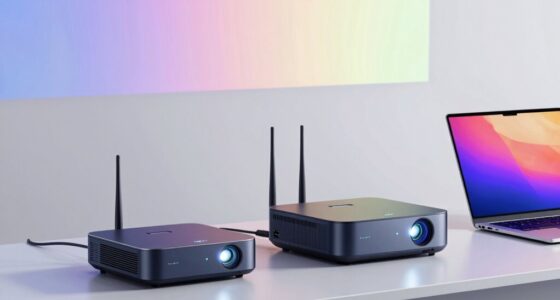
Choosing a long throw projector can be tricky, especially with options that vary in brightness, resolution, and installation flexibility. For large spaces or conference rooms, models like the Epson PowerLite L735U stand out thanks to their exceptional brightness and WUXGA resolution. Meanwhile, the Epson PowerLite L200W offers built-in wireless and a laser light source, making it ideal for dynamic classrooms. However, these features come with tradeoffs—larger size, higher cost, or limited native resolution. Here’s how I’ve sorted through the options to help you find the best fit for your needs.

Get business pricing on your home office setup
- Business-only prices and quantity discounts
- Tax-exempt purchasing
- Multiple users, one account, clear invoices
Complete the kit



Key Takeaways
- High brightness (7000+ lumens) is essential for well-lit environments, but often increases cost and size.
- WUXGA resolution delivers sharp visuals, yet some models compromise on native resolution or require ceiling mounting.
- Built-in wireless and laser light sources add convenience but may raise the price or limit placement options.
- Ceiling mountability offers clean, professional installation, but may be less flexible for portable setups.
- Connectivity variety (HDMI, USB, wireless) enhances compatibility, yet some models restrict to specific ports or setups.
| Epson PowerLite L735U Long Throw 3LCD Projector – 16:10 – Ceiling Mountable |  | Best for High-Brightness, Large Venues | Technology: 3LCD | Resolution: WUXGA | Brightness: 7000 lumens | VIEW ON AMAZON | See Our Full Breakdown |
| Epson PowerLite L520W Long Throw 3LCD Projector – 16:10 – Ceiling Mountable |  | Best for Bright, Versatile Classroom Use | Technology: 3LCD | Brightness: 5200 lumens | Resolution: WXGA | VIEW ON AMAZON | See Our Full Breakdown |
| Epson PowerLite L200W 3LCD WXGA Long-Throw Laser Projector with Built-in Wireless and Miracast |  | Best for Wireless Classroom and Portable Use | Laser Light Source: Yes | Brightness: 4200 lumens | Resolution: WXGA (1280 x 800) | VIEW ON AMAZON | See Our Full Breakdown |
| Epson PowerLite L530U Long Throw 3LCD Projector |  | Best for WUXGA Clarity in Business and Education | Native Resolution: 1920 x 1200 | Maximum Resolution: 1920 x 1080 | Brightness: 5200 lumens | VIEW ON AMAZON | See Our Full Breakdown |
| Epson PowerLite L520U Long Throw 3LCD Projector, WUXGA, 16:10, Ceiling Mountable |  | Best for Bright, Sharp Presentations with USB Convenience | Native Resolution: WUXGA | Brightness: 5200 lumens | Throw Type: Long Throw | VIEW ON AMAZON | See Our Full Breakdown |
| long throw projector | Brightness | Resolution |
|---|---|---|
| Epson PowerLite L735U Long Thr | 7000 lumens | WUXGA |
| Epson PowerLite L520W Long Thr | 5200 lumens | WXGA |
| Epson PowerLite L200W 3LCD WXG | 4200 lumens | WXGA (1280 x 800) |
| Epson PowerLite L530U Long Thr | 5200 lumens | — |
| Epson PowerLite L520U Long Thr | 5200 lumens | — |
More Details on Our Top Picks
Epson PowerLite L735U Long Throw 3LCD Projector – 16:10 – Ceiling Mountable
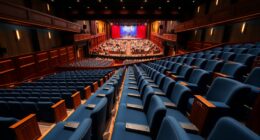
The Epson PowerLite L735U stands out for its exceptional 7000 lumens brightness, making it perfect for spaces with ambient light. Its 3LCD technology ensures vibrant, color-rich images at WUXGA resolution, which is ideal for detailed presentations. Compared with lower-brightness models, this projector handles large, brightly lit rooms without washing out. However, its size and power needs make it less convenient for portability. It’s best suited for permanent installations in conference halls or auditoriums where brightness and image quality matter most.
Pros:- Highest brightness in this lineup at 7000 lumens
- Vivid, detailed images with WUXGA resolution
- Ceiling mountable for professional installation
- Multiple connectivity options including HDMI and USB
Cons:- Large and potentially heavy, less portable
- No specific price info, likely premium cost
- Size may require dedicated mounting space
Best for: Large conference rooms or auditoriums requiring high luminosity
Not ideal for: Portable use or small, dimly-lit spaces
- Technology:3LCD
- Resolution:WUXGA
- Brightness:7000 lumens
- Aspect Ratio:16:10
- Mountable:Ceiling mountable
Our verdict“Best suited for permanent, large-scale installations where brightness and resolution are top priorities.”
Epson PowerLite L520W Long Throw 3LCD Projector – 16:10 – Ceiling Mountable
The Epson PowerLite L520W offers 5200 lumens brightness paired with WXGA resolution, providing a good balance for medium to large classrooms or meeting spaces. Its long throw design allows projection from a distance, reducing shadows during presentations. Compared to the L735U, it’s less bright but more affordable and easier to install, thanks to its ceiling mount compatibility. Its main tradeoff is the lack of built-in speakers and limited wireless features, which may require additional equipment for full multimedia use.
Pros:- High brightness suitable for well-lit rooms
- Long throw capability for large spaces
- Ceiling mountable for clean setup
- Multiple connectivity options including HDMI and USB
Cons:- No built-in speakers, requiring external audio
- Requires ceiling mounting—less portable
- Higher cost for casual users
Best for: Educational environments or conference rooms needing bright, large images
Not ideal for: Home theaters or spaces requiring ultra-high resolution
- Technology:3LCD
- Brightness:5200 lumens
- Resolution:WXGA
- Aspect Ratio:16:10
- Mountable:Ceiling mountable
Our verdict“A solid choice for large, well-lit venues needing reliable brightness and large image size.”
Epson PowerLite L200W 3LCD WXGA Long-Throw Laser Projector with Built-in Wireless and Miracast
The Epson PowerLite L200W introduces laser longevity and wireless sharing, making it a flexible option for educators and presenters on the move. Its 4,200 lumens brightness ensures good visibility in different lighting conditions, and the built-in wireless and Miracast support make content sharing straightforward. Compared to lamp-based models, it’s maintenance-free over 20,000 hours, but its native resolution is limited to WXGA, which may not satisfy high-res content needs. Its tabletop design limits ceiling installation, but that can be an advantage for portable setups.
Pros:- Laser light source with 20,000 hours lifespan
- Built-in wireless and Miracast support
- Bright enough for various lighting conditions
- Portable tabletop design
Cons:- Limited native resolution (WXGA)
- Tabletop placement may need additional setup
- No mention of advanced audio features
Best for: Teachers or presenters needing wireless, flexible projection
Not ideal for: Home theater enthusiasts or high-res media streaming
- Laser Light Source:Yes
- Brightness:4200 lumens
- Resolution:WXGA (1280 x 800)
- Built-in Wireless:Yes
- Display Resolution:WXGA
Our verdict“Ideal for mobile professionals and educational settings prioritizing wireless convenience and long-term maintenance savings.”
Epson PowerLite L530U Long Throw 3LCD Projector
The Epson PowerLite L530U combines WUXGA resolution with 5200 lumens brightness, making it a balanced choice for detailed presentations in larger rooms. Its versatile connectivity, including HDMI, USB, and wireless LAN, supports seamless integration with a range of devices. This model’s main advantage is its high native resolution, but it requires ceiling mounting for optimal use, and its power voltage of 240V may limit portability in some regions. Compared with models with lower native resolution, it offers sharper, more detailed visuals.
Pros:- High 5200 lumens brightness for well-lit spaces
- WUXGA native resolution for sharp images
- Versatile connectivity including wireless LAN
- Long-lasting laser light source
Cons:- Requires ceiling mounting for best results
- Limited to 1080p maximum resolution despite higher native resolution
- 240V power requirement may limit mobility
Best for: Business and education environments needing detailed, large images
Not ideal for: Portable setups or spaces without ceiling access
- Native Resolution:1920 x 1200
- Maximum Resolution:1920 x 1080
- Brightness:5200 lumens
- Contrast Ratio:2,500,000:1
- Connectivity:Ethernet, HDMI, USB, Wi-Fi
Our verdict“A top-tier choice for professional environments demanding detailed, bright projections.”
Epson PowerLite L520U Long Throw 3LCD Projector, WUXGA, 16:10, Ceiling Mountable
The Epson PowerLite L520U offers a bright 5200 lumens output with WUXGA resolution, making presentations crisp and vivid even in large, well-lit rooms. Its USB projection feature simplifies connection from a PC or MacBook, streamlining setup. The ceiling-mountable design supports permanent installations, but the setup may require more space due to its long throw distance. The lack of wireless features in the provided details limits its flexibility for mobile or wireless presentations.
Pros:- High brightness suitable for large, bright spaces
- WUXGA resolution for detailed visuals
- USB projection for quick connectivity
- Ceiling mountable for neat installation
Cons:- Long throw setup requires ample space
- No wireless projection specified
- Limited mobility due to mounting requirements
Best for: Office or educational environments needing reliable, wired projection
Not ideal for: Wireless-centric use or portable setups
- Native Resolution:WUXGA
- Brightness:5200 lumens
- Throw Type:Long Throw
- Mounting:Ceiling mountable
- Connectivity:USB, HDMI
Our verdict“A dependable choice for fixed installations demanding high brightness and clarity.”
How We Picked
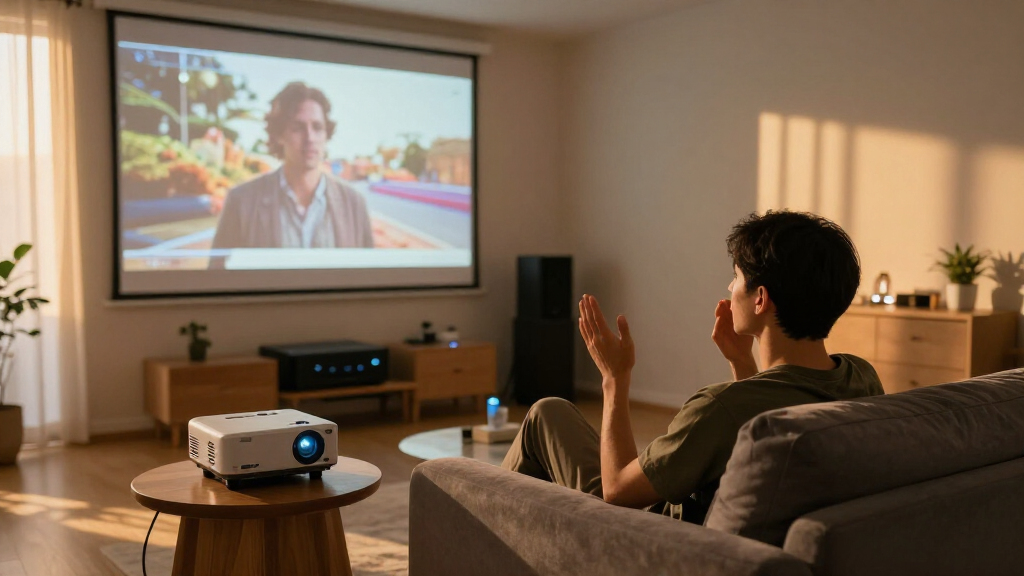
My selection process focused on models that are explicitly designed for long throw distances, prioritizing brightness, resolution, and installation flexibility. I looked at technical specs like lumens and resolution, but also considered ease of use, connectivity, and whether the projector is ceiling-mountable or portable. I compared each model’s tradeoffs—such as size, cost, and feature set—to ensure each serves a distinct niche. The goal was to identify options that perform well in large, well-lit environments while offering different features to suit varying user needs.
| long throw projector | Resolution |
|---|---|
| Epson PowerLite L735U Long Thr | WUXGA |
| Epson PowerLite L520W Long Thr | WXGA |
| Epson PowerLite L200W 3LCD WXG | WXGA (1280 x 800) |
| Epson PowerLite L530U Long Thr | — |
| Epson PowerLite L520U Long Thr | — |
Factors to Consider When Choosing Long Throw Projector
Selecting the right long throw projector involves balancing brightness, resolution, installation flexibility, and additional features like wireless connectivity. The ideal model depends on your environment—whether you need a bright, permanent setup for a large hall, or a portable option for flexible use in classrooms or meetings. Understanding key specifications like lumen output, native resolution, and mounting options helps ensure you choose a projector that fits your space and use case.Brightness and Image Quality
For large, well-lit spaces, a projector with at least 5200 lumens is advisable to prevent washed-out images. WUXGA resolution provides sharp, detailed visuals, especially important for detailed presentations or multimedia. If image clarity in ambient light is your priority, focus on these specs, but be aware that higher brightness and resolution often increase cost and size.
Projection Distance and Mounting
Long throw projectors are designed to project large images from a significant distance, making ceiling mounting a common choice. Consider your room size and available space—models with a maximum throw distance of over 30 feet can cover large areas, but may require dedicated mounting infrastructure. Portable or tabletop models are less common in this category but offer flexibility if space is limited.
Connectivity and Features
Connectivity options like HDMI, USB, and wireless sharing can streamline your setup. Wireless features such as Miracast or built-in Wi-Fi add convenience for quick content sharing, especially in classrooms or conference rooms. Keep in mind that some models prioritize wired connections, which can limit mobility but offer more stable signals.
Installation and Maintenance
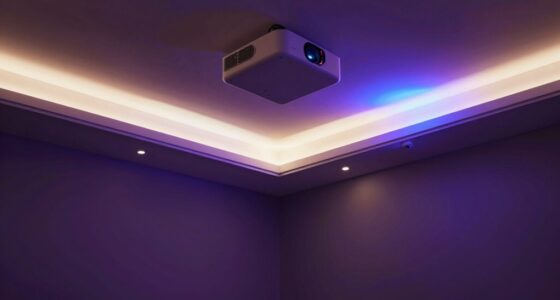
Ceiling mountability provides a clean, permanent setup, ideal for conference centers or auditoriums. However, it also requires more initial effort and space planning. Laser light sources reduce maintenance with longer lifespans, while lamp-based models may need bulb replacements. Consider your willingness to perform maintenance when choosing a model.
Frequently Asked Questions
What is a long throw projector?
A long throw projector is designed to project large images from a significant distance away from the screen or wall. This makes it ideal for large rooms or spaces where the projector cannot be placed close to the display surface, often requiring specific lens or throw ratio considerations.
How bright does a long throw projector need to be?
Brightness is measured in lumens. For well-lit environments, especially large or ambient-lit rooms, a projector with at least 5200 lumens is recommended. Higher brightness ensures clear, vibrant images without washing out, even with ambient light present.
Can I mount a long throw projector on the ceiling?
Yes, most long throw projectors are designed to be ceiling mountable. Ceiling mounting provides a stable, permanent setup that keeps the projector out of the way and aligned for optimal image quality. Check the specific model’s mounting compatibility and throw distance to ensure it fits your space.
Are laser projectors better for long throw setups?
Laser projectors tend to be more reliable and require less maintenance over their lifespan, making them a good choice for long throw setups that are intended to be permanent. They also often offer higher brightness levels, which benefit large or brightly lit rooms.
Is native resolution important for long throw projectors?
Yes, native resolution affects image clarity, especially at larger sizes. WUXGA (1920×1200) or higher native resolutions provide sharper images and better detail, which is particularly noticeable on big screens. Lower resolutions may result in pixelation or less crisp visuals at large sizes.
Conclusion
For large venues or permanent installations where maximum brightness and resolution are priorities, the Epson PowerLite L735U offers outstanding performance despite its size and cost. Educational institutions or mobile presenters will find the Epson PowerLite L200W advantageous due to its wireless features and laser longevity. Budget-conscious users or those with smaller spaces might lean toward models like the Epson PowerLite L520W or L520U, which balance brightness, resolution, and installation flexibility without extensive setup requirements. Ultimately, your choice hinges on your space, mobility needs, and budget.
Halloween Picks
halloween
As an affiliate, we earn on qualifying purchases.