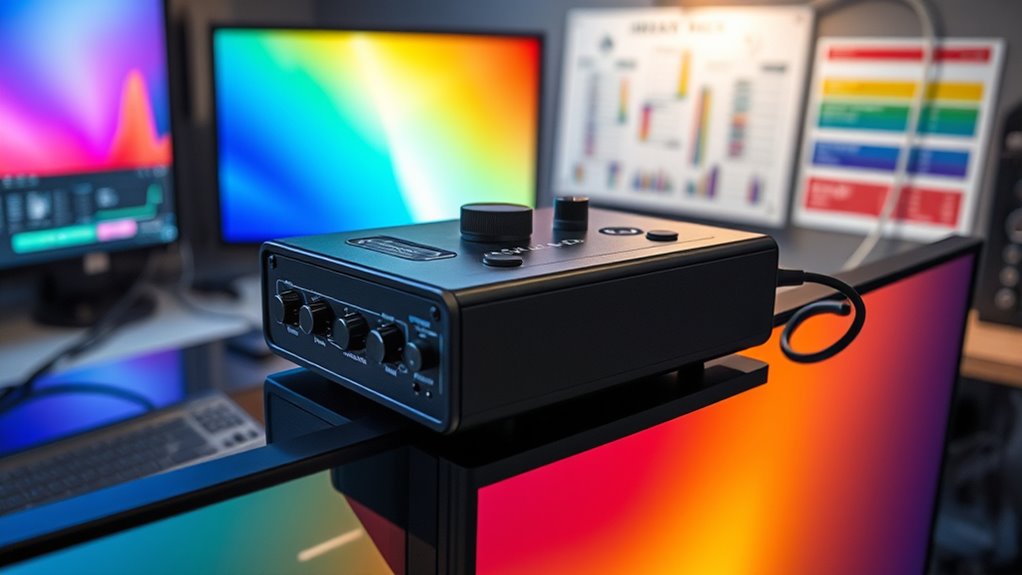
HDR calibration tools are essential for anyone aiming for precise color and contrast on high-dynamic-range displays. The Calibrite Display Plus HL stands out as the overall best for its advanced compatibility with mini LED and OLED screens, offering detailed calibration for professional workflows. The Datacolor SpyderX Elite is a strong choice for photographers seeking quick and accurate adjustments, while the Spyder X2 Photo Studio Kit offers a comprehensive bundle for serious content creators. These tools often involve tradeoffs like cost versus ease of use or compatibility versus feature set. Continue reading for a detailed breakdown of each option to find the best fit for your calibration needs.

Get your home office setup delivered free — and shop member deals
- Fast, free delivery on millions of items
- Access to Prime Big Deal Days deals on October 6–7
- Prime Video, Amazon Music and more included
Complete the kit


Key Takeaways
- The top picks excel in color accuracy, with calibration precision being the primary factor differentiating them.
- Ease of use varies significantly; some tools prioritize simplicity for beginners, while others cater to professionals with advanced features.
- Compatibility with different display types, especially OLED and mini LED, heavily influences choice, with some tools optimized for specific screens.
- Bundles that include multiple calibration sensors or software options tend to offer better value but may be more complex to operate.
- Price range is broad, but investing in higher-end tools generally yields better long-term accuracy and reliability.
| Calibrite Display Plus HL Monitor Calibration Colorimeter for Mini LED OLED and Bright Displays |  | Best for High-Luminance HDR Calibration | Sensor: Advanced HL high luminance sensor | Measurement Range: Up to 10,000 nits | Compatibility: Mini LED, OLED, Apple XDR, projectors | VIEW ON AMAZON | See Our Full Breakdown |
| Datacolor SpyderX Elite Monitor Calibration Tool |  | Best for Fast, Accurate Multi-Display Calibration | Calibration Speed: 1-2 minutes | Color Engine: Lens-based | Monitor Compatibility: Multiple monitors and projectors | VIEW ON AMAZON | See Our Full Breakdown |
| Calibrite Creator Kit with Display 123 Colorimeter and ColorChecker Passport Video 2 |  | Best for Content Creators Needing Color Workflow Integration | Includes: Display 123 colorimeter, ColorChecker Passport Video 2 | Purpose: Monitor calibration, exposure reference, white balance setup, camera matching | VIEW ON AMAZON | See Our Full Breakdown | |
| Calibrite Display 123 Monitor Calibration Colorimeter for Photo Editing and Color Accurate Viewing |  | Best for Easy, Reliable Color Calibration for Photo Editing | Size: 34mm tall x 37mm diameter | Connection: USB C | Supports: 2 displays | VIEW ON AMAZON | See Our Full Breakdown |
| Calibrite Video Photo Kit with Display Plus HL Colorimeter and ColorChecker Passport Video 2 |  | Best for High-Brightness Video and Photo Workflow Calibration | Colorimeter: Display Plus HL | Luminance Capacity: 10,000 nits | Includes: ColorChecker Passport Video 2 | VIEW ON AMAZON | See Our Full Breakdown |
| Datacolor Spyder X Pro Monitor Calibrator |  | Best Overall for Multi-Display Calibration | Color Engine: Lens-based | Calibration Targets: 12 predefined | Monitor Compatibility: Multiple displays including laptops and desktops | VIEW ON AMAZON | See Our Full Breakdown |
| Spyder X2 Photo Studio Kit: Ultimate Photo Color Tool Kit |  | Best for Photographers Seeking All-in-One Color Management | Compatible Devices: Desktop, Kamera, Laptop | Item Hardness: 9H | Material: Tempered Glass | VIEW ON AMAZON | See Our Full Breakdown |
| Datacolor SpyderPro Monitor Calibrator & Screen Color Calibration Tool |  | Best for Professional and Advanced Users | Compatibility: Windows 10/11, macOS 10.14 to 14 | Supported Devices: Unlimited displays, USB-C | Features: Gamma, whitepoint, brightness adjustments, projector calibration | VIEW ON AMAZON | See Our Full Breakdown |
More Details on Our Top Picks
Calibrite Display Plus HL Monitor Calibration Colorimeter for Mini LED OLED and Bright Displays
The Calibrite Display Plus HL stands out for its ability to calibrate ultra-bright displays up to 10,000 nits, making it ideal for professionals working with mini LED, OLED, and high-end HDR monitors. Compared to the SpyderX Elite, which excels in speed and user-friendliness for standard displays, this model offers a broader measurement range but involves a more complex setup process suited for dedicated calibration workflows. Its advanced luminance sensor and comprehensive PROFILER software support multiple standards like Rec.709 and BT.1886, delivering precise results necessary for high-dynamic-range content. However, its specialized design may be overkill for casual users or those with standard monitors, and setup requires familiarity with calibration software and protocols. This pick is best for professionals needing high-luminance calibration with detailed validation, but less so for everyday users.Pros:- Measures displays up to 10,000 nits for true HDR calibration
- Includes advanced PROFILER software for precise adjustments
- Supports multiple HDR and SDR standards for versatile workflows
Cons:- Requires specific hardware and software setup, potentially complex for beginners
- Designed primarily for professional environments, with a higher price point
Best for: Professionals calibrating high-brightness HDR displays, mini-LED, or OLED screens requiring maximum luminance accuracy.
Not ideal for: Casual users or hobbyists with standard SDR monitors, as the device’s complexity and cost outweigh basic needs.
- Sensor:Advanced HL high luminance sensor
- Measurement Range:Up to 10,000 nits
- Compatibility:Mini LED, OLED, Apple XDR, projectors
- Software:Calibrite PROFILER for Mac and Windows
- Connectivity:USB-C with USB A adapter
- Mounting:Built-in 1/4″ mount thread
Our verdict“Best suited for professionals working with ultra-bright HDR displays needing detailed calibration and validation.”
Datacolor SpyderX Elite Monitor Calibration Tool
The SpyderX Elite offers rapid, accurate calibration ideal for photographers and content creators managing multiple monitors. Its lens-based color engine and room-light monitoring outperform older models like the SpyderX Pro in speed and precision, making it a favorite for those needing quick, reliable results. The intuitive interface and automatic profile adjustments simplify complex workflows, but its feature set leans toward professional use, which may be costly for casual users. Unlike the Calibrite Display Plus HL, which targets high-luminance HDR monitors, SpyderX Elite focuses on versatility across a broad range of standard displays, balancing speed and accuracy effectively. It’s a smart choice for users who prioritize speed and multi-monitor consistency but may be less suitable for those working exclusively with HDR or high-brightness screens.Pros:- Fast calibration in 1-2 minutes for multiple monitors
- High color accuracy with lens-based color engine
- Includes room-light monitoring and automatic profile adjustments
Cons:- Designed mainly for professional environments, with a higher price tag
- May be overkill for casual or single-monitor users
Best for: Photographers and videographers needing fast, precise calibration across multiple standard monitors and projectors.
Not ideal for: Users working solely with high-brightness HDR displays or requiring extensive professional validation, as it doesn’t match the luminance range of models like the Calibrite Display Plus HL.
- Calibration Speed:1-2 minutes
- Color Engine:Lens-based
- Monitor Compatibility:Multiple monitors and projectors
- Features:Room-light monitoring, automatic profile changing, SpyderProof evaluation
Our verdict“Ideal for professionals who need quick, reliable calibration across multiple standard displays with an emphasis on speed.”
Calibrite Creator Kit with Display 123 Colorimeter and ColorChecker Passport Video 2
This kit combines the Calibrite Display 123 with the ColorChecker Passport Video 2, making it a strong choice for creators aiming for color accuracy from capture through post-production. Unlike the premium Display Plus HL, which targets high-brightness HDR displays, this kit emphasizes consistent color workflows for photography and videography, including white balance and exposure control. The inclusion of the Passport Video 2 helps verify camera and monitor color matching, streamlining content creation. However, it may require some technical familiarity to operate effectively, and its price could be prohibitive for casual hobbyists. This set is best for professionals or serious enthusiasts who need reliable, integrated calibration and color validation tools, but less so for those focused solely on HDR calibration of high-brightness screens.Pros:- Ensures accurate monitor calibration and color consistency
- Helps match multiple cameras and verify exposure
- Supports integrated color workflows for photo and video
Cons:- Requires technical knowledge to maximize benefits
- Price may be high for casual users or those with limited budgets
Best for: Photographers, videographers, and content creators needing comprehensive color calibration from capture to editing.
Not ideal for: Casual hobbyists or users only interested in basic monitor calibration, as the package targets advanced workflows and may require technical skills.
- Includes:Display 123 colorimeter, ColorChecker Passport Video 2
- Purpose:Monitor calibration, exposure reference, white balance setup, camera matching
Our verdict“Best suited for professional content creators who need comprehensive calibration and color workflow tools for photography and filmmaking.”
Calibrite Display 123 Monitor Calibration Colorimeter for Photo Editing and Color Accurate Viewing
The Calibrite Display 123 excels at providing straightforward calibration for photographers and enthusiasts who want dependable color accuracy. Its compact design and easy-to-follow workflow make it accessible for beginners, yet it offers enough precision for professional photo editing. Compared with the Calibrite Creator Kit, which includes additional tools for video workflows, the Display 123 is more streamlined for single or dual monitor setups focused on still images. Its support for native and photo brightness targets, along with before-and-after comparison features, helps users quickly verify calibration quality. The main tradeoff is its limited support for more than two monitors and lack of advanced HDR luminance calibration, making it less suitable for high-brightness HDR workflows.Pros:- Simple guided calibration workflow for easy use
- Supports calibration of two monitors for consistent color
- Includes before-and-after comparison for verification
Cons:- Limited to two displays, not suitable for large multi-monitor setups
- No detailed HDR luminance calibration or high-brightness support
Best for: Photographers and hobbyists seeking an affordable, user-friendly device for consistent color calibration on up to two monitors.
Not ideal for: High-end professionals working with HDR or multi-monitor setups beyond two screens, as it lacks advanced luminance features and higher capacity.
- Size:34mm tall x 37mm diameter
- Connection:USB C
- Supports:2 displays
- Brightness target options:Native or Photo
Our verdict“Ideal for photographers and enthusiasts needing straightforward, reliable color calibration for up to two screens without complexity.”
Calibrite Video Photo Kit with Display Plus HL Colorimeter and ColorChecker Passport Video 2
This professional kit combines the high-luminance capabilities of the Display Plus HL with the versatile ColorChecker Passport Video 2, making it suitable for environments demanding high brightness and precise color matching. Unlike the Calibrite Creator Kit, which emphasizes workflow integration, this package targets users who need to calibrate displays up to 10,000 nits and verify camera and exposure consistency in high-brightness scenarios. The inclusion of specialized tools helps ensure accurate white balance, exposure, and monitor calibration across challenging lighting conditions. The complexity of setup and use may be a barrier for casual users, but for high-end production environments, this kit offers comprehensive calibration support. It’s a specialized solution for professionals working with HDR content and high-brightness displays, less appropriate for basic SDR or casual editing.Pros:- Supports displays up to 10,000 nits for HDR workflows
- Includes tools for camera, exposure, and white balance calibration
- Ensures consistent color across high-brightness screens
Cons:- May be complex and demanding to operate without technical expertise
- Price and setup complexity may be prohibitive for non-professionals
Best for: High-end video and photo professionals needing accurate calibration in high-brightness environments like OLED or mini-LED screens.
Not ideal for: Casual users or hobbyists who do not require high-brightness calibration or advanced camera matching, as the setup and cost are significant.
- Colorimeter:Display Plus HL
- Luminance Capacity:10,000 nits
- Includes:ColorChecker Passport Video 2
- Purpose:Monitor calibration, white balance, exposure control, camera matching
Our verdict“Best suited for high-end production environments requiring precise calibration of high-brightness HDR displays and camera workflows.”
Datacolor Spyder X Pro Monitor Calibrator
The Datacolor Spyder X Pro stands out for delivering highly accurate color calibration across multiple monitors, making it ideal for professionals managing complex setups. Compared with the SpyderPro, it offers faster calibration and integrated room-light monitoring, which helps maintain consistency in varying lighting conditions. Its user-friendly, single-click calibration process simplifies setup, yet the more advanced features may be unnecessary for casual users who don’t need ongoing multi-screen management. The lens-based color engine ensures precise profiling, but the higher price point reflects its professional-grade capabilities. This tool is perfect for photographers and designers who need reliable, repeatable results across several displays, though beginners with a single monitor may find it more than they require.
Pros:- Highly accurate color calibration for multiple monitors
- Easy to use with quick, single-click calibration
- Includes room-light monitoring for consistent results
Cons:- More expensive than basic calibration tools
- Requires some initial setup for optimal use
Best for: Creative professionals managing multiple monitors demanding consistent color accuracy.
Not ideal for: Casual users or hobbyists who only need basic calibration and won’t utilize advanced features.
- Color Engine:Lens-based
- Calibration Targets:12 predefined
- Monitor Compatibility:Multiple displays including laptops and desktops
- Features:Room-light monitoring, automatic profile changing, quick calibration
Our verdict“This is best suited for professionals who need dependable, multi-monitor calibration with minimal fuss.”
Spyder X2 Photo Studio Kit: Ultimate Photo Color Tool Kit
The Spyder X2 Photo Studio Kit offers a comprehensive set of tools designed for professional photographers who want meticulous color control. Unlike the specialized calibration focus of the Spyder X Pro, this kit includes tools like Spyder Cube, Spyder Checkr, and Spyder LensCal, which help optimize camera performance and ensure color accuracy from capture to display. Its extensive toolkit can be overwhelming for casual users but is invaluable for those looking to manage every aspect of color fidelity. The kit’s detailed calibration options and physical tools make it ideal for studio work and on-location shoots, though the multitude of components means a steeper learning curve. If you need an all-in-one solution for every step of your workflow, this set is a solid investment.
Pros:- Complete set for accurate color management from camera to monitor
- Includes physical tools like Spyder Cube and Checkr for versatile calibration
- Designed for high-end professional workflows
Cons:- Complex setup may be daunting for beginners
- Contains multiple tools, potentially overwhelming for casual users
Best for: Professional photographers and serious enthusiasts who require precise, consistent color management across capture and display.
Not ideal for: Casual users or hobbyists who prefer simple, plug-and-play solutions without managing multiple tools.
- Compatible Devices:Desktop, Kamera, Laptop
- Item Hardness:9H
- Material:Tempered Glass
- Special Features:Hochauflösend Klarheit
- Finish Type:Glänzend
Our verdict“This kit makes the most sense for dedicated photographers who want comprehensive control over their entire color workflow.”
Datacolor SpyderPro Monitor Calibrator & Screen Color Calibration Tool
The Datacolor SpyderPro excels for users needing flexible, detailed calibration across a wide range of display types, including projectors and high-end monitors. Compared with the Spyder X Pro, it supports a broader array of backlight types and offers more advanced options like gamma, whitepoint, and brightness adjustments, making it suitable for demanding color-sensitive tasks. Its user-friendly interface simplifies complex calibration processes, but this complexity can be intimidating for casual users unfamiliar with technical settings. Designed to support multiple displays via USB-C, it suits environments where precision is non-negotiable, such as professional photography, video editing, and design studios. However, the lack of clear pricing details and potential setup complexity mean it’s better suited for those already familiar with calibration workflows.
Pros:- Supports a wide range of display types and multiple monitors
- Offers detailed adjustments for gamma, whitepoint, and brightness
- Compatible with Windows and macOS
Cons:- May be complex for users unfamiliar with calibration parameters
- No specific price information available, which could be a barrier
Best for: Advanced users and professionals requiring detailed, multi-display calibration with extensive customization options.
Not ideal for: Beginners or casual users who prefer straightforward, automatic calibration without diving into detailed settings.
- Compatibility:Windows 10/11, macOS 10.14 to 14
- Supported Devices:Unlimited displays, USB-C
- Features:Gamma, whitepoint, brightness adjustments, projector calibration
- Display Support:Various backlight types
Our verdict“This is aimed at professionals who need thorough, multi-monitor calibration and are comfortable with advanced settings.”

How We Picked
The products were selected based on their calibration performance, build quality, ease of use, compatibility with various display types, and value for money. We prioritized tools that deliver precise color and luminance adjustments, especially for HDR content, and considered both professional-grade solutions and user-friendly options. The ranking reflects a balance between advanced features and accessibility, ensuring options for different levels of expertise and budgets. We also looked at user feedback, software support, and the ability to handle modern display technologies like mini LED and OLED screens.Factors to Consider When Choosing Hdr Calibration Tools
Choosing the right HDR calibration tool involves considering several key factors that impact your calibration quality and workflow. It’s important to match a device’s capabilities with your specific display type and usage needs, whether professional editing or home entertainment. Understanding these factors helps avoid common pitfalls, such as purchasing overly complex tools for simple tasks or underpowered options that can’t handle newer display tech. The following sections highlight the main considerations to keep in mind.Calibration Accuracy and Precision
The core purpose of an HDR calibration tool is to ensure your display reproduces colors and luminance levels accurately. Look for tools with high-precision sensors and software that support detailed calibration curves, especially if working with HDR content. Cheaper or less capable devices may produce less reliable results, leading to color shifts or luminance errors. For professional use, investing in a device with proven accuracy is often worth the extra cost to avoid costly mistakes later.
Display Compatibility
Not all calibration tools work equally well across different screen types, such as OLED, mini LED, or LCD. Some sensors are optimized for specific technologies, so verify compatibility before purchasing. For HDR workflows, ensuring your calibration device can handle high luminance levels and wide color gamuts is critical. Misalignment here can result in inaccurate calibration, undermining your efforts to achieve true HDR performance.
Ease of Use and Software Support
User interface and software usability are often overlooked but are vital for efficient calibration. Beginners benefit from intuitive software with guided workflows, while professionals may prefer advanced controls and detailed reporting. Compatibility with your operating system and regular software updates also enhance reliability. Avoid overly complex tools if you need quick results or if calibration isn’t your primary task.
Bundle Options and Value
Many calibration tools come with bundles including multiple sensors, software, and accessories. These can offer better value but may introduce complexity. Consider what’s included and whether the additional features match your needs. For casual users, a simple sensor with straightforward software suffices, while professionals might benefit from comprehensive kits that support multiple workflows.
Cost and Long-Term Investment
The price range for HDR calibration tools varies widely, reflecting differences in accuracy, features, and build quality. Cheaper options may be tempting but often lack the precision required for serious HDR work. Conversely, premium devices tend to deliver consistent results and greater durability, making them a better long-term investment. Balance your budget with your calibration demands to choose a tool that provides value without overspending.
Frequently Asked Questions
Can I use a regular monitor calibration tool for HDR content?
While many standard calibration tools can handle basic calibration tasks, HDR content requires tools that support high luminance levels and wide color gamuts. Regular tools might not accurately measure the brightness and contrast ranges necessary for true HDR calibration. For the best results, select a device explicitly designed or rated for HDR workflows to ensure your display reproduces HDR content accurately.
Do I need a dedicated calibration device for OLED screens?
Yes, OLED screens have unique characteristics like perfect black levels and specific luminance behavior, making dedicated calibration tools more suitable. Devices that support high dynamic range and can measure very low luminance levels will provide more accurate calibration for OLED displays. Using an incompatible or less capable sensor can lead to improper calibration and compromised picture quality.
Is software support important for HDR calibration tools?
Absolutely. Calibration accuracy depends heavily on the software’s ability to interpret sensor data correctly and provide detailed adjustments. Good software support also means regular updates, compatibility with your OS, and user-friendly interfaces. For HDR calibration, software that handles high luminance and wide color ranges is essential to achieve precise results.
Can I calibrate multiple displays with one tool?
Many calibration tools support multiple displays, especially bundles with several sensors or software licenses. However, calibration consistency across different screens depends on the device’s quality and the calibration process. For professional setups or multi-display environments, investing in a reliable, multi-sensor package ensures uniform color accuracy and simplifies workflow management.
Is it worth paying more for a professional-grade HDR calibration tool?
For those working with high-end HDR content or professional video editing, spending more on a professional-grade device can be justified. These tools typically offer higher accuracy, better build quality, and software features tailored for detailed color workflows. For casual or home use, more affordable options might suffice, but they may lack the precision necessary for critical HDR work.
Conclusion
For general consumers and content enthusiasts, the Datacolor SpyderX Elite offers excellent value with reliable calibration and user-friendly software. Professionals or those working in color-sensitive environments should consider the Calibrite Display Plus HL for its advanced HDR support and high-precision measurements. Beginners will find the Spyder X2 Photo Studio Kit straightforward yet versatile, making it an ideal entry point. High-end users requiring maximum accuracy should look at dedicated, premium solutions that support the latest display technologies. Your choice ultimately hinges on your specific needs, budget, and level of expertise.
As an affiliate, we earn on qualifying purchases.Fall Picks
fall essentials