Looking for the best HDMI splitters for dual screens in 2025? I’ve found top models that support high resolutions up to 4K at 60Hz, ensuring seamless multi-display setups whether you want to mirror or extend your screens. These devices are compatible with various systems and easy to install, making multitasking or entertainment more efficient. Keep going, and I’ll share detailed options to help you find the perfect fit for your needs.
Key Takeaways
- Look for HDMI splitters supporting 4K@60Hz or 60Hz for smooth dual-screen visuals in 2025.
- Prioritize compatibility with your devices, such as Windows, macOS, or Android, and ensure proper connection requirements.
- Consider splitters designed for extended or mirrored modes, depending on your multi-display needs.
- Check for features like HDCP support, durability, and additional ports (USB, power) for versatile setups.
- Read reviews to find reliable, future-proof options with good performance, minimal latency, and manufacturer support.

OREI SplitExtend HDMI Splitter Extended Display for Dual Monitor - Multi-Monitor Display 3 Separate Screens - USB A & USB-C Adapter to HDMI 2.0, 4K@30Hz Output 1, 1080p Output 2 for Windows, Mac OS G
Dual Monitor Split & Extend Support – Connect a single HDMI source to two external displays for mirrored...
As an affiliate, we earn on qualifying purchases.
OREI HDMI Splitter for Dual Monitors (3 Screens)
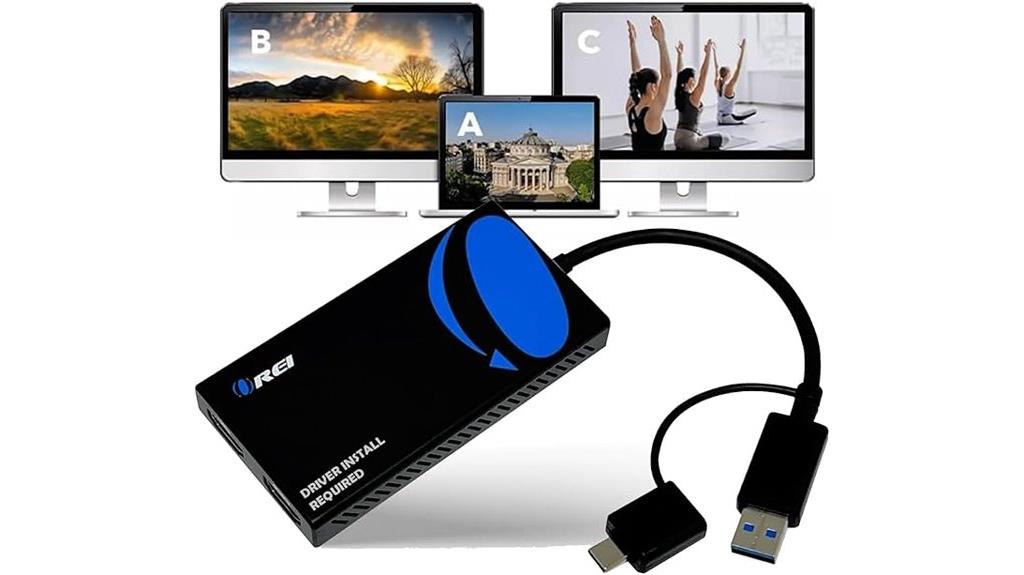
If you’re looking to boost your productivity with multiple screens, the OREI HDMI Splitter for Dual Monitors (3 Screens) is an excellent choice. It extends or mirrors displays, letting you connect two HDMI monitors to your laptop or desktop and use three screens in total. It supports extended display modes, not just mirroring, which helps improve workflow. Compatible with Windows, Mac, and Android devices, it offers 4K at 30Hz on one port and 1080p on the other. Setup is simple—just plug in, with minimal fuss. Keep in mind, it doesn’t support HDCP content or iOS devices, but it’s perfect for multitasking and boosting efficiency.
Best For: professionals and multitaskers seeking to expand their workspace with multiple monitors for increased productivity and efficient workflow.
Pros:
- Supports dual monitors with extended display functionality, enhancing multitasking capabilities.
- Easy plug-and-play setup with a single cable connection, reducing installation time.
- Compatible with a wide range of devices including Windows, Mac, and Android, and offers 4K at 30Hz on one port.
Cons:
- Does not support HDCP-protected content streaming from platforms like Netflix or Hulu.
- Limited to mirroring mode on Android devices, with a maximum resolution of 1080P.
- Not compatible with iOS, Linux, or Unix systems, restricting its versatility across all devices.

4K HDMI Splitter 1 in 2 Out Mirror Display Not Expand, Dual HDMI Splitter Hub to Dual Monitors Multi-Scree Displays Audio Synchronization, Compatible for MacBook Laptop Desktop PC Graphics Card TV
HDMI splitter 1 in 2 out for dual monitors. The separator can split a single signal source from...
As an affiliate, we earn on qualifying purchases.
4K HDMI Splitter 1 in 2 Out
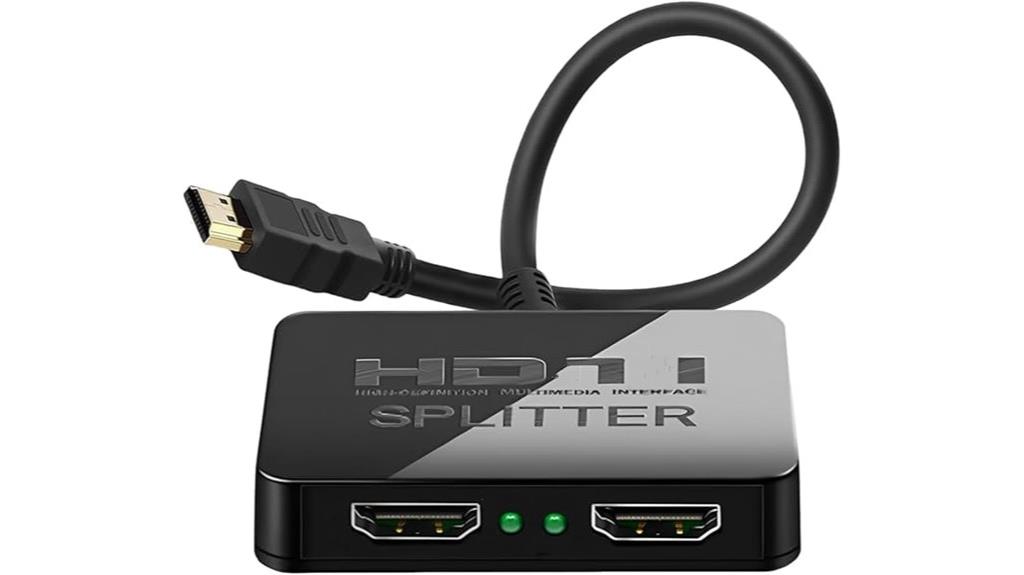
The K HDMI Splitter 1 in 2 Out stands out as an ideal choice for anyone needing to duplicate a single HDMI source across two displays seamlessly. It supports up to 4K resolution at 30Hz and 2K at 60Hz, making it compatible with TVs, game consoles, PCs, and MacBooks. Setup is straightforward—no driver installation required—and it outputs synchronized audio and video to both screens. Keep in mind, it’s designed for mirrored displays, not extended desktops. Its compact size and reliable performance make it perfect for dual-screen setups where identical content is needed, all at an affordable price point.
Best For: users who need to duplicate their HDMI source across two screens with easy setup and reliable performance for home entertainment, gaming, or presentations.
Pros:
- Supports high-resolution output up to 4K at 30Hz and 2K at 60Hz, ensuring clear and sharp images.
- Easy to install with no driver required, suitable for quick, hassle-free dual-screen setup.
- Compact and lightweight design makes it portable and suitable for various environments.
Cons:
- Only supports mirrored displays, not extended desktops or different content on each screen.
- Maximum 4K resolution is limited to 30Hz, which may not be ideal for high-refresh-rate applications.
- First connection might require resolution adjustments to optimize display quality.
![avedio links HDMI Splitter 1 in 2 Out [w/ 4 Ft Hdmi Cable]Not for Extended Display-Mirror Same Screen Only, 4K 1x2 HDMI Splitter 1 to 2 for 3D 1080P@60Hz, Copy 1 Source to 2 Displays at The Same Time](https://m.media-amazon.com/images/I/412VNL8UP8L._SL500_.jpg)
avedio links HDMI Splitter 1 in 2 Out [w/ 4 Ft Hdmi Cable]Not for Extended Display-Mirror Same Screen Only, 4K 1x2 HDMI Splitter 1 to 2 for 3D 1080P@60Hz, Copy 1 Source to 2 Displays at The Same Time
1x2 HDMI Splitter Duplicate/Mirror Only(Not Support Extend): avedio links HDMI Splitter can only duplicate same content from one...
As an affiliate, we earn on qualifying purchases.
Avedio Links HDMI Splitter 1 in 2 Out with 4 ft HDMI Cable
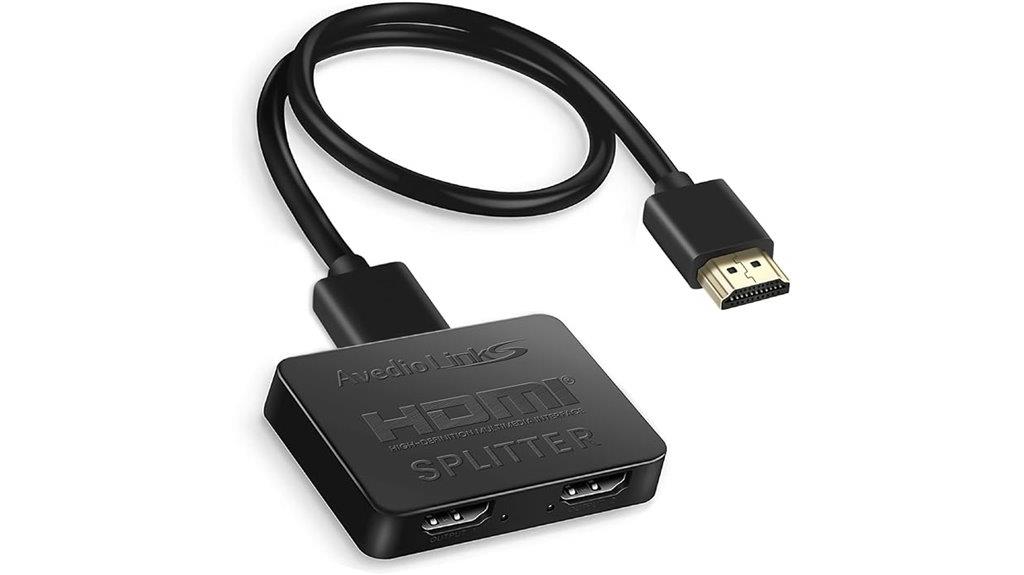
For anyone looking to duplicate their HDMI source on two screens without needing a complex setup, the Avedio Links HDMI Splitter 1 in 2 Out with a 4 ft HDMI cable is an excellent option. It supports 4K@30Hz and is compatible with HDMI v1.3/1.4 and HDCP 1.4, ensuring smooth video and audio transmission. Designed solely for mirror displays, it doesn’t extend desktops or connect multiple inputs. Its compact size and plug-and-play operation make it easy to use, while the included cable and power options enhance stability. With a solid 4.1-star rating from thousands of users, it’s a reliable, straightforward solution for dual-screen duplication.
Best For: users who need a simple, reliable solution to mirror their HDMI source on two screens without extending or switching inputs.
Pros:
- Supports 4K@30Hz resolution for high-quality video playback
- Plug-and-play design with no external drivers needed for easy setup
- Compact size and included cables for convenience and stable performance
Cons:
- Only supports mirror display, cannot extend desktops or connect multiple inputs to one monitor
- Does not support HDCP 2.2 or higher, limiting compatibility with some content
- Requires external power and proper cable lengths to avoid signal issues like flickering

StarTech USB-A 3.0 to Dual HDMI Adapter for Windows, Dual Monitor USB to 2x HDMI Display Converter, 4K 30Hz + 1080p 60Hz, Extend or Mirror Multi-Screen Setup
COMPATIBILITY: This adapter is only compatible with Windows and does not support macOS, ChromeOS or Linux; Works with...
As an affiliate, we earn on qualifying purchases.
StarTech.com USB 3.0 to Dual HDMI Adapter
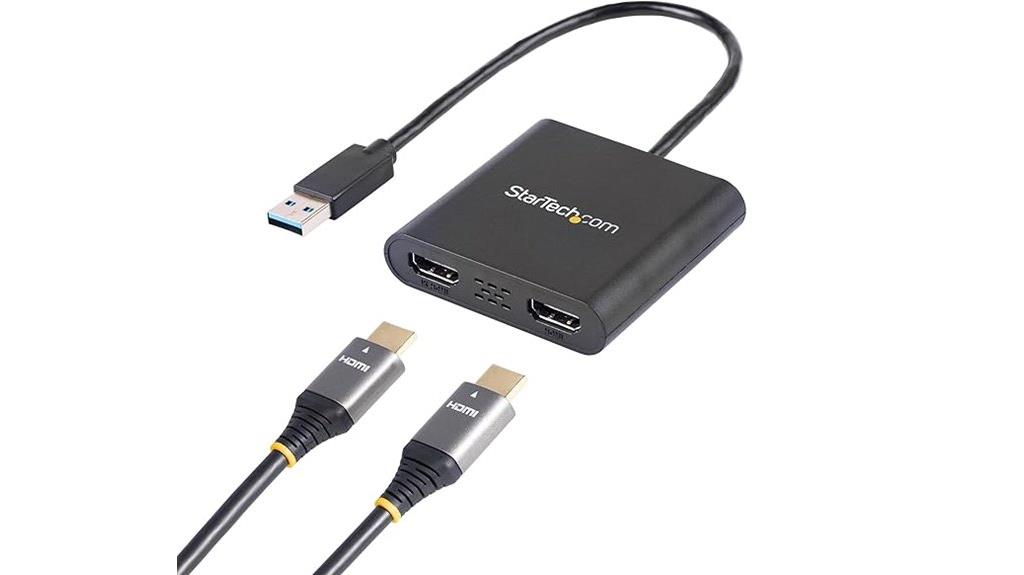
This USB 3.0 to Dual HDMI Adapter from StarTech.com is an excellent choice for anyone looking to expand their workspace with multiple monitors on a Windows PC. It allows you to add two independent HDMI displays through a single USB 3.0 port, supporting resolutions up to 4K at 30Hz on one port and 1920×1200 on the other. Perfect for boosting productivity, especially in office or home setups, it offers smooth performance and higher resolutions compared to older adapters. Keep in mind, it’s compatible only with Windows systems and requires administrator rights for driver installation. Despite no longer being manufactured, it remains a reliable option for extending your display capabilities.
Best For: users seeking to expand their desktop workspace with multiple HDMI monitors on a Windows PC, especially in office or home environments.
Pros:
- Supports dual HDMI monitors with resolutions up to 4K at 30Hz on one port and 1920×1200 on the other
- Easy to extend or mirror displays, boosting productivity and visual workspace
- Reliable performance with a convenient USB 3.0 connection and a 3-year warranty
Cons:
- Compatible only with Windows; does not support macOS, ChromeOS, or Linux
- No longer manufactured, which may affect availability and future support
- Requires administrator rights for driver installation, potentially complicating setup
USB C to Dual HDTV Adapter for Extended Display and Multi-Monitor Support

If you’re looking to expand your workspace with multiple screens, a USB C to Dual HDTV Adapter offers a powerful solution, especially for those with compatible devices supporting video output via DP Alt mode. It allows you to mirror or extend your display to two HDTVs or monitors, supporting up to 4K resolution at 30Hz or 60Hz with the right setup. Keep in mind, on macOS, only mirror mode works due to OS limitations, and some laptops may not be compatible. It also supports 100W fast charging and connects peripherals via USB-A, making it a versatile multi-monitor tool for Windows and select Android devices.
Best For: users with compatible USB-C devices seeking to expand their workspace with dual HDTVs or monitors, especially those requiring 4K support and multi-monitor functionality on Windows or Android systems.
Pros:
- Supports dual 4K video output at up to 60Hz with compatible devices.
- Provides 100W fast charging capability and USB-A port for peripherals.
- Compatible with a wide range of USB-C laptops, tablets, smartphones, and gaming consoles.
Cons:
- Only mirror mode available on macOS; extension mode is not supported.
- Not compatible with certain laptop models such as HP Pavilion, Lenovo IdeaPad, and some HP EliteBooks.
- Requires device support for DP Alt mode; not all USB-C devices are compatible.
WAVLINK HDMI Splitter for Dual Monitors
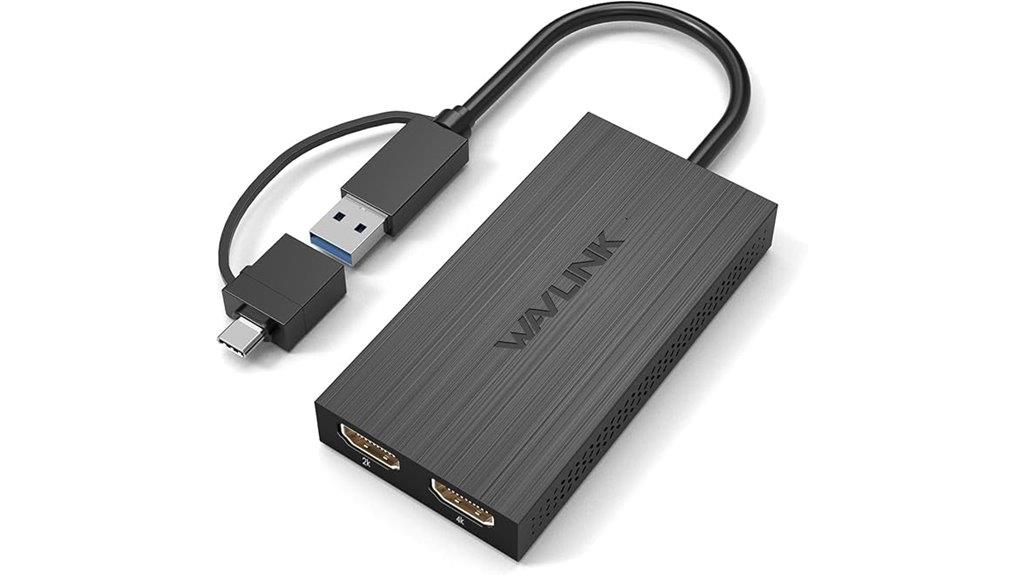
The WAVLINK HDMI Splitter excels for users who need to extend or mirror their desktop across dual monitors using a single USB connection. It connects via USB A or USB-C to dual HDMI adapters, supporting up to three screens with compatible Windows, macOS, Chrome OS, and Android OTG devices. It offers resolutions up to 4K30Hz or 1080p@60Hz, with mirror or extend modes. Although it requires driver installation and isn’t plug-and-play, it’s perfect for multitasking with productivity apps on dual screens. Keep in mind, it’s not suitable for gaming or HDCP-protected streaming. Overall, it’s a reliable, versatile option for expanding your workspace.
Best For: users who need to extend or mirror their desktop across dual monitors using a single USB connection for enhanced multitasking and productivity.
Pros:
- Supports up to three screens with mirror or extend modes, compatible with multiple operating systems including Windows, macOS, Chrome OS, and Android OTG.
- Offers high resolutions up to 4K30Hz or 1080p@60Hz, suitable for productivity tasks.
- Compact design with a 24-month warranty and lifetime technical support for reliable use.
Cons:
- Requires driver installation; not a plug-and-play device.
- Not suitable for gaming or graphic-intensive applications.
- Does not support HDCP-protected content on streaming platforms like Netflix or Hulu.
USB C to Dual HDMI Adapter 4K@30Hz, KOZYC Multiport Hub
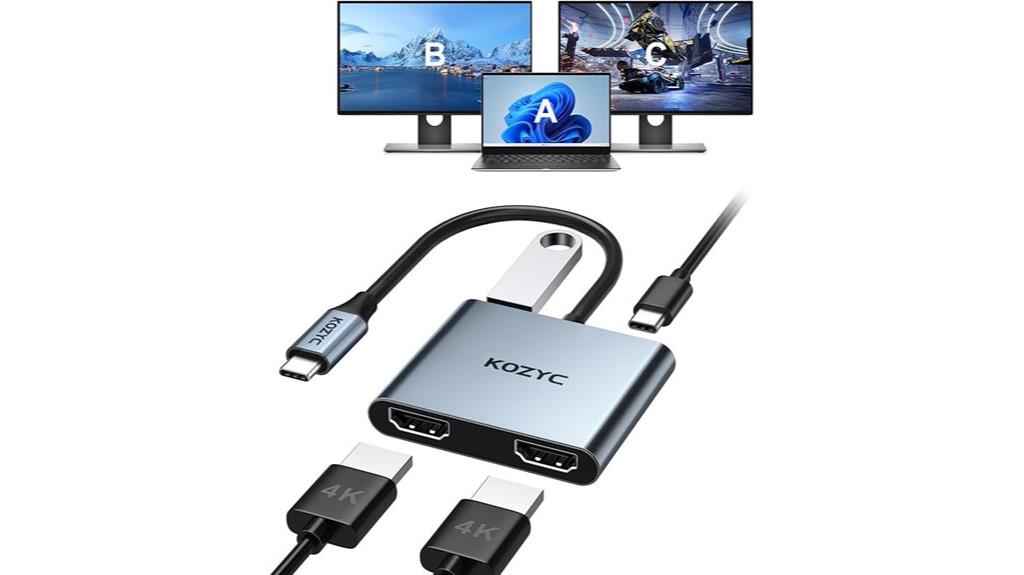
For professionals and students who need to connect multiple screens seamlessly, the KOZYC USB C to Dual HDMI Adapter 4K@30Hz stands out as an excellent solution. It features two HDMI ports supporting 4K@30Hz resolution, with backward compatibility to 60Hz at lower resolutions. The multiport hub includes a USB 3.0 port and a 100W PD charging port, making it versatile for various setups. It’s compatible with Windows, Mac, Linux, Android, Thunderbolt 3, and DP 1.4 alt mode. Its plug-and-play design requires no external power or drivers, and it’s compact and lightweight—perfect for on-the-go multi-display needs.
Best For: professionals and students who need a portable, versatile multi-display solution compatible with various operating systems and devices.
Pros:
- Supports 4K@30Hz resolution on dual HDMI ports, with backward compatibility to 60Hz for lower resolutions
- Plug-and-play design requiring no external power or drivers, enhancing convenience and portability
- Compatible with Windows, Mac, Linux, Android, Thunderbolt 3, and DP 1.4 alt mode, offering broad device support
Cons:
- Does not support MST (Multi-Stream Transport) on macOS, limiting extended display options on Apple devices
- Limited to 4K@30Hz performance; not suitable for users needing higher refresh rates for gaming or high-speed video editing
- Some USB-C ports may not be compatible; device specifications should be checked before purchase
4K@60Hz DisplayPort to Dual HDMI Adapter for Computers

A 4K@60Hz DisplayPort to Dual HDMI Adapter is an excellent choice for users with compatible high-performance graphics cards who want to expand their workspace. It converts a single DisplayPort signal into two HDMI outputs, supporting both extended and mirror modes on Windows and mirror mode on Mac. The adapter works with graphics cards like AMD Radeon RX7000/6000, NVIDIA GeForce RTX/GTX, and Intel Arc A750/A770, provided your computer has a native DP port. It’s plug-and-play, durable, and requires minimal setup. Using quality cables guarantees superior 4K@60Hz performance, making this adapter perfect for multitasking and professional use.
Best For: users with compatible high-performance graphics cards seeking to expand their workspace through a dual HDMI display setup supporting 4K@60Hz.
Pros:
- Supports dual HDMI outputs with 4K@60Hz resolution for high-quality extended or mirror displays.
- Plug-and-play design with no drivers required, ensuring easy setup and compatibility.
- Durable aluminum housing provides effective heat dissipation and portability.
Cons:
- Requires a native DisplayPort 1.2 or higher graphics card and specific cables for optimal performance.
- Windows supports extended/mirror modes; Mac only supports mirror mode, which may limit flexibility.
- Compatibility depends on the computer having a native DP port; using docking stations or converter cables is not recommended.
USB C Docking Station with Dual HDMI and 100W Power Delivery
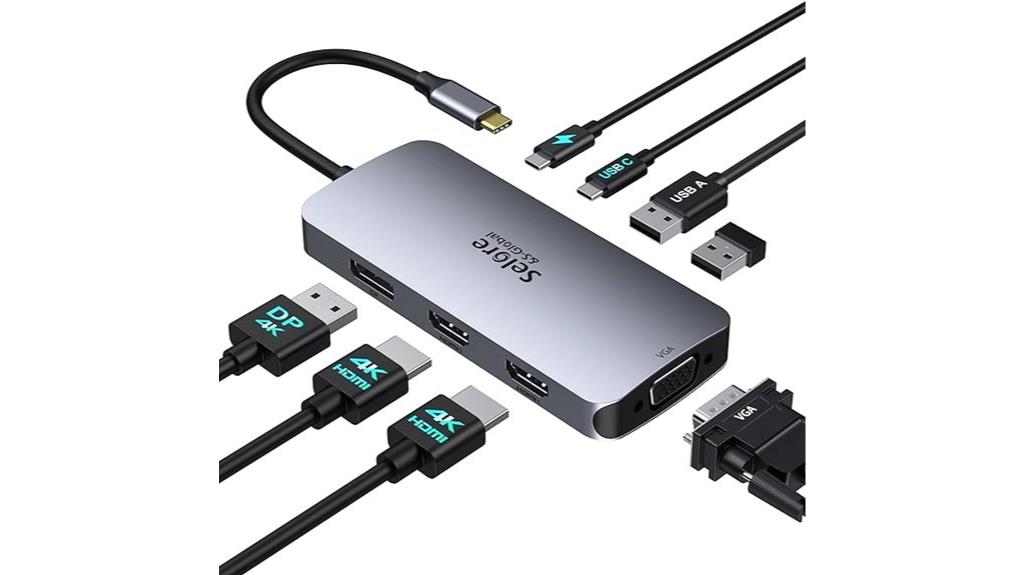
If you need a reliable way to connect multiple monitors to your laptop while charging it simultaneously, the USB C Docking Station with Dual HDMI and 100W Power Delivery is an excellent choice. It supports dual HDMI outputs, along with DisplayPort and VGA, allowing you to set up triple displays or mirror screens. Compatible with laptops featuring full-featured USB-C, Thunderbolt 3/4, or USB4 ports, it works with both Windows and macOS. The dock delivers up to 100W power, ensuring your device stays charged during use, and offers extra USB ports for peripherals. Just make sure your laptop supports video transmission over USB-C to maximize performance.
Best For: professionals and students who need to connect multiple monitors and charge their laptops simultaneously with a reliable, versatile docking station.
Pros:
- Supports dual HDMI, DisplayPort, and VGA for flexible multi-monitor setups.
- Delivers up to 100W Power Delivery to keep devices charged during use.
- Compatible with a wide range of laptops featuring USB-C, Thunderbolt 3/4, or USB4 ports, including Windows and macOS systems.
Cons:
- macOS may limit VGA display resolution to 1080P@60Hz.
- Requires laptops to have full-featured USB-C or Thunderbolt ports supporting video transmission for optimal performance.
- Transfer speeds of USB ports are limited to 480Mbps, which may be slow for large file transfers.
Selore&S-Global USB C to Dual HDMI Adapter 4K @60Hz

The Selore&S-Global USB C to Dual HDMI Adapter 4K @60Hz stands out as an ideal choice for professionals and content creators who need crisp, high-resolution visuals on multiple screens. It connects USB-C (Thunderbolt 3/4/5, full-featured USB-C, USB4) ports to two HDMI monitors, supporting 4K at 60Hz on one display and 3840×2160@30Hz on both. Compatible with MacBook Pro/Air, Dell XPS, Samsung Galaxy S9/S9+, and others that support DP Alt Mode. With plug-and-play setup, it requires no drivers. For maximum 4K performance, use HDMI 2.0 cables. It’s perfect for multitasking, streaming, or editing across dual screens with minimal latency.
Best For: professionals, content creators, and multitaskers who require high-resolution dual-monitor setups with minimal latency and easy plug-and-play operation.
Pros:
- Supports 4K @60Hz on one monitor and 3840×2160@30Hz on both, providing crisp visuals.
- Compatible with a wide range of devices supporting DP Alt Mode, including MacBook, Dell XPS, and Samsung Galaxy S9/S9+.
- No drivers or software needed, enabling quick and hassle-free setup.
Cons:
- Dual monitor extension with different screens is not supported on macOS, only mirror mode.
- Requires HDMI 2.0 or higher cables for optimal 4K performance; older cables may limit resolution.
- Compatibility depends on device support for DP Alt Mode; not all USB-C laptops are compatible.
DisplayPort to Dual HDMI Adapter (1 In 2 Out)
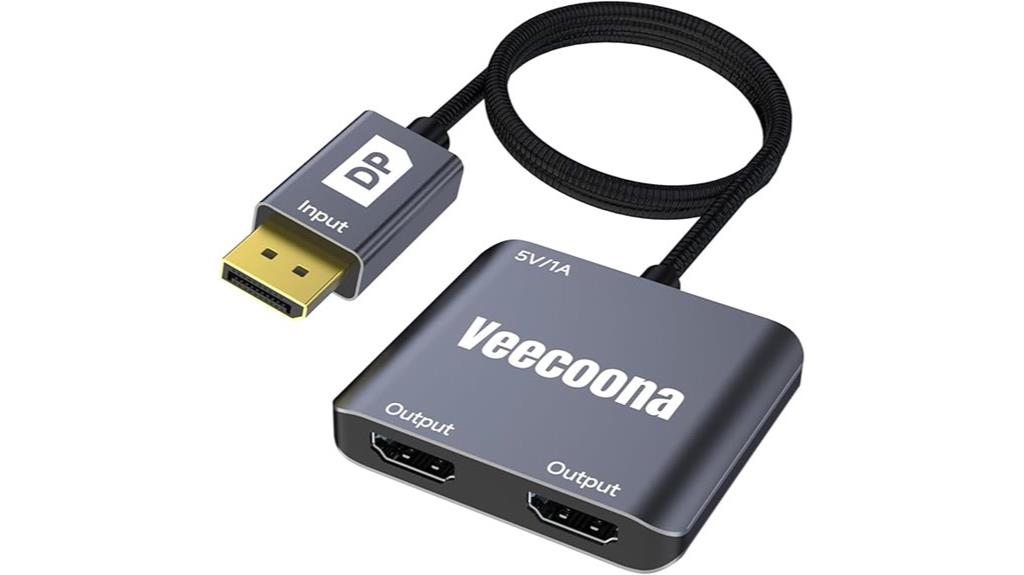
For professionals and gamers who need to expand their display setup, the DisplayPort to Dual HDMI Adapter (1 In 2 Out) offers a reliable solution. It supports 4K@60Hz on a single monitor and extends to dual screens at 4K@30Hz, making it ideal for multitasking. Compatible with Windows, macOS (screen mirroring only), and Linux, it requires a direct connection to your GPU’s DisplayPort, not hubs or docking stations. The adapter features a durable aluminum casing, is lightweight, and easy to set up—no drivers needed. Just guarantee your GPU supports over 18Gbps and update drivers if needed for peak performance.
Best For: professionals, gamers, and multitaskers who need reliable dual-monitor setups with high-resolution support from their desktop or laptop GPU.
Pros:
- Supports 4K@60Hz on a single monitor and dual 4K@30Hz extension, ideal for high-quality visuals.
- Easy plug-and-play setup with no drivers required, suitable for various operating systems including Windows, macOS (mirroring only), and Linux.
- Durable aluminum casing and lightweight design make it portable and resistant to scratches and overheating.
Cons:
- Only supports extended dual display mode on Windows; macOS users are limited to screen mirroring (SST).
- Must connect directly to the GPU’s DisplayPort; incompatible with hubs, docking stations, or KVM switches.
- Requires proper power via USB and GPU support for >18Gbps; outdated drivers or unsupported GPUs may cause display issues.
OREI 4K HDMI Splitter for Dual Monitors
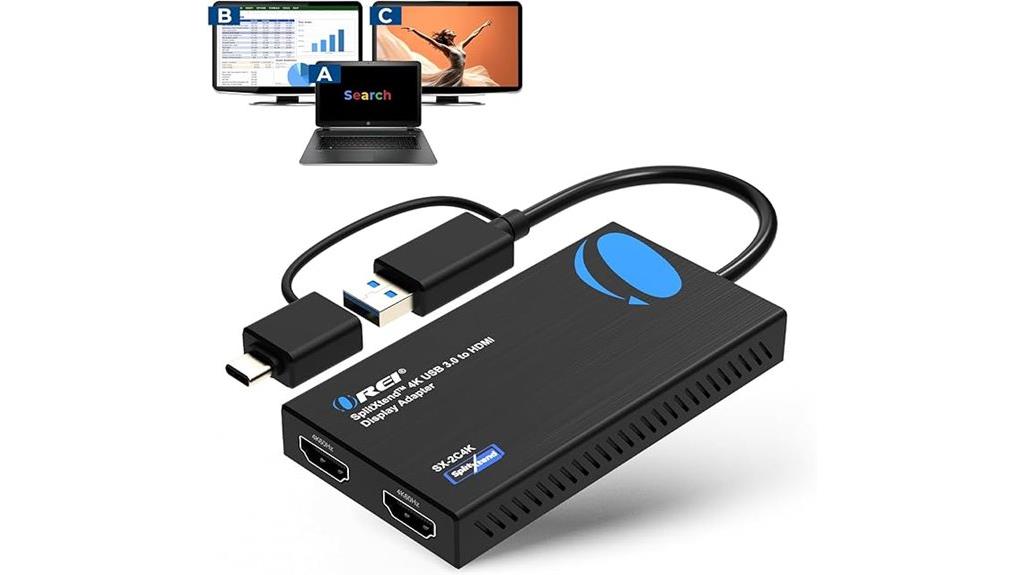
Designed to boost productivity, the OREI 4K HDMI Splitter is ideal for multitaskers who need multiple displays without clutter. It supports dual monitor extended setups, delivering crisp 4K @ 60Hz and 2K @ 60Hz resolutions. Compatible with Windows, macOS, Chrome OS, and Android devices, it offers flexible connectivity through USB-C, USB-A, Thunderbolt, or USB 4. Easy to set up with plug-and-play functionality, it’s perfect for office work, web browsing, and multitasking. Keep in mind, it doesn’t support HDCP content like Netflix, and performance isn’t suited for gaming or graphics-intensive tasks. It’s a reliable choice for expanding your workspace seamlessly.
Best For: professionals and multitaskers seeking a reliable, multi-monitor setup to enhance productivity without gaming or graphics-intensive needs.
Pros:
- Supports dual extended monitors with crisp 4K @ 60Hz resolution
- Compatible with Windows, macOS, Chrome OS, and Android devices
- Easy plug-and-play setup with minimal hardware
Cons:
- Does not support HDCP-protected content like Netflix or Hulu
- Not suitable for gaming or high-end graphics work
- Requires driver installation for macOS and Windows to operate properly
HDMI Splitter for Dual Monitors (Mirror), 4K HDMI 1 in 2 Out
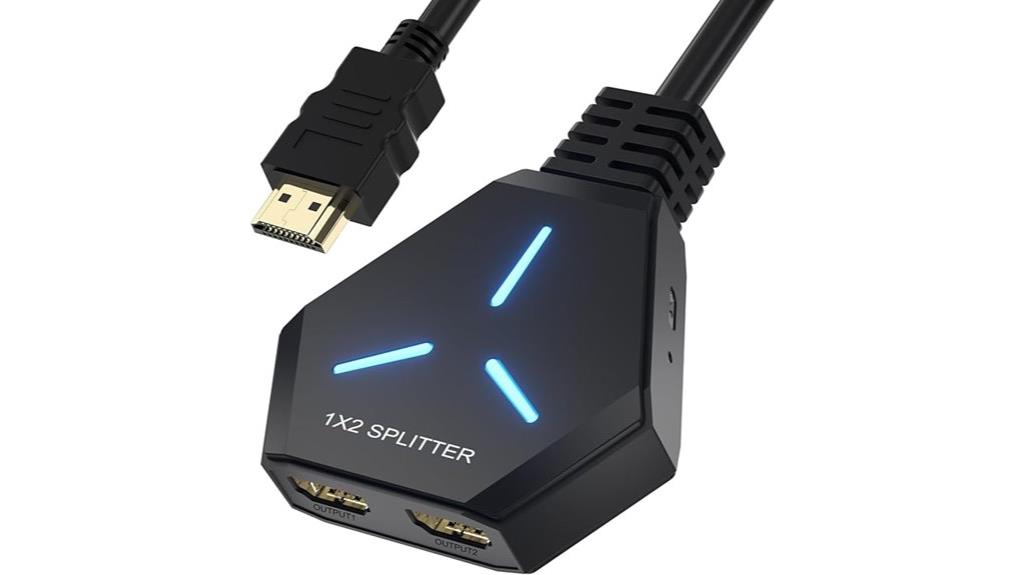
If you need to duplicate your display across two screens without hassle, this HDMI splitter is an excellent choice, especially if your setup requires high-resolution output. It distributes a single HDMI signal to two displays, supporting 4K resolution at 30Hz, with backward compatibility for lower resolutions like 1080P and 2K. Designed for mirroring, it works with most HDMI sources, including computers, gaming consoles, and streaming devices. The plug-and-play device requires no drivers, and its lightweight design makes it easy to set up. Plus, the included power cord guarantees strong signal quality over longer distances, making it ideal for both entertainment and office use.
Best For: individuals or professionals who need to duplicate their display across two screens in high-resolution settings, such as for presentations, gaming, or multimedia viewing.
Pros:
- Supports 4K resolution at 30Hz for high-quality mirroring.
- Plug-and-play operation with no external drivers required, ensuring easy setup.
- Compatible with a wide range of HDMI sources including computers, gaming consoles, and streaming devices.
Cons:
- Does not support audio output on the mirrored displays.
- Designed solely for mirroring, not extending desktops across multiple screens.
- Requires additional power via included cord for optimal signal quality over longer distances.
USB C to Dual HDMI Adapter with 4K@60Hz Support
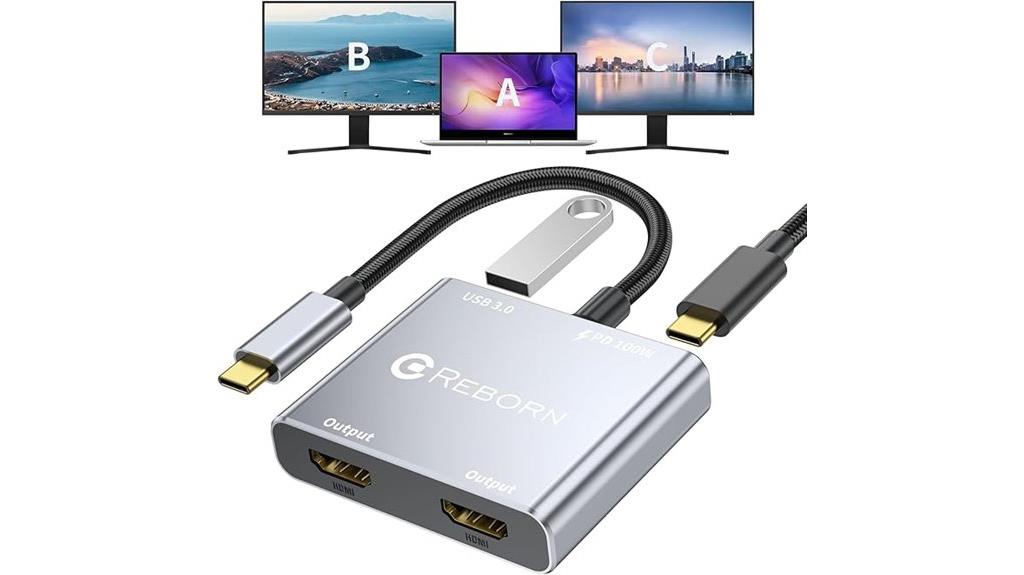
The USB C to Dual HDMI Adapter with 4K@60Hz Support is the perfect solution for professionals and content creators who need to connect multiple high-resolution displays simultaneously. It allows dual 4K screens at 60Hz via DP Alt Mode 1.4, or 30Hz at 1.2, with two HDMI ports, USB 3.0, and 100W Power Delivery. Compatible with MacBook, Windows, ChromeOS, Thunderbolt 3/4, and USB4 devices, it offers seamless plug-and-play setup without drivers. Supporting multiple peripherals while charging, it’s ideal for extending or mirroring displays, making multi-screen productivity effortless in a sleek, compact design.
Best For: professionals, content creators, and multitaskers who need to connect multiple high-resolution displays and peripherals simultaneously on compatible laptops and devices.
Pros:
- Supports dual 4K@60Hz displays via DP Alt Mode 1.4 for crisp, smooth visuals
- Seamless plug-and-play setup with no drivers required, compatible with a wide range of devices
- Provides 100W Power Delivery while connecting multiple peripherals, enhancing productivity
Cons:
- macOS systems only support mirror mode, limiting extended desktop options
- Requires a device with a compatible USB-C port supporting video output or DP Alt Mode
- Does not include a charger; users need to supply their own for Power Delivery support
Warrky HDMI Splitter 4K Display Mirror

The Warrky HDMI Splitter 4K stands out for anyone needing a reliable mirror display solution, especially when you want to duplicate your screen across two displays without latency issues. It supports 4K@30Hz, QHD, and FHD resolutions, providing crisp, synchronized audio and video. Designed solely for mirror mode, it doesn’t extend screens but ensures perfect duplication. The device is durable, with a full metal casing, gold-plated connectors, and a compact, ergonomic design. Powered via USB-C, it works seamlessly with various devices like Apple products and game consoles. Just remember to power it before connecting your HDMI sources for superior performance.
Best For: those seeking a reliable, high-quality mirror display solution for presentations, gaming, or multimedia setups without the need for extending screens.
Pros:
- Supports 4K@30Hz, ensuring crisp and clear mirror displays with synchronized audio and video.
- Durable full metal casing with gold-plated connectors for long-lasting performance and maximum conductivity.
- Compact, ergonomic design with easy grip and USB-C power compatibility for versatile setup.
Cons:
- Only supports mirror mode; cannot extend or expand your desktop workspace.
- Does not support advanced features like HDR, VRR, or CEC.
- Requires powering the splitter before connecting HDMI sources for optimal operation.
Factors to Consider When Choosing Hdmi Splitters for Dual Screens

When choosing an HDMI splitter for dual screens, I consider several key factors to guarantee compatibility and performance. Things like resolution support, whether I want extended or mirrored displays, and the connectivity options are vital. I also look at power requirements and compatibility with different operating systems to make sure everything works smoothly.
Resolution Compatibility
Choosing the right HDMI splitter for dual screens requires careful attention to resolution compatibility to guarantee crisp and clear images. First, ensure the splitter supports your desired resolution, like 4K@60Hz or 1080P, to keep visuals sharp. It’s also important to verify if it handles HDCP-protected content, preventing playback issues with streaming services. Check whether the splitter supports the refresh rate you need, such as 60Hz for smooth motion or 30Hz for basic tasks, especially for gaming or editing. Additionally, confirm that the splitter can manage the resolutions of all connected devices without downscaling or compatibility problems. Some splitters only support mirror mode at certain resolutions, while others can extend displays at higher resolutions—so choose accordingly to meet your multi-display needs.
Extended Vs Mirrored Mode
Deciding between extended and mirrored modes depends on how you plan to use your dual screens. Extended mode lets each monitor display different content, boosting productivity and workspace, which is ideal for multitasking. Mirrored mode duplicates the same display on both screens, making it perfect for presentations or sharing content with others. Most HDMI splitters only support mirrored mode, which is simpler to set up and compatible with a wide range of devices. However, if you want to extend your desktop, you’ll need a splitter or graphics card that supports multi-stream transport (MST) or dual display output. Always verify whether the splitter supports extended or mirrored mode to ensure it meets your specific needs, as this choice notably impacts your multi-monitor experience.
Device Connectivity Options
Selecting the right HDMI splitter hinges on understanding its connectivity options and compatibility features. I look for splitters that support the HDMI version I need, whether it’s 1.4, 2.0, or 2.1, to guarantee I get the desired resolution and refresh rates. Some splitters offer extra connection types like USB, USB-C, or DisplayPort, making them more versatile with different devices. The number and type of output ports are essential—they determine if I can mirror or extend displays across dual screens. Compatibility with HDCP, audio formats, and specific hardware connections also matters, as these factors influence seamless integration with my setup. Choosing a splitter with the right connectivity options ensures reliable performance and future-proofing my multi-display system.
Power Supply Needs
Since some HDMI splitters need extra power to function properly, it’s crucial to take into account their power supply requirements when setting up dual screens. Many splitters, especially those supporting 4K resolution or longer cable runs, require an external power source to maintain stable signals. The power needs can vary depending on whether you’re using mirror or extended display modes; extended modes often demand more power. Devices with multiple outputs or higher resolutions typically rely on USB power via USB-A or USB-C ports to operate effectively. If the splitter doesn’t receive adequate power, you might experience flickering, no signal, or reduced resolution on your displays. Always check the power input requirements and ensure your power source is compatible for peak performance.
Supported Operating Systems
Have you checked if your HDMI splitter is compatible with your operating system? It’s essential to verify this before purchasing. Some splitters work seamlessly with Windows, macOS, or Linux, but others may only support mirroring mode, especially on macOS, limiting extended desktop use. Additionally, check if driver installation is necessary—certain splitters require specific drivers for full functionality on Windows or macOS. Confirm that the splitter supports your OS version, such as Windows 10/11 or macOS 10.14+. Keep in mind that some operating systems, like iOS or Linux, might have limited or no support, which could restrict the splitter’s effectiveness. Ensuring compatibility helps prevent frustration and guarantees your dual-screen setup performs smoothly.
Size and Portability
When choosing an HDMI splitter for dual screens, size and portability are essential factors to contemplate. Compact splitters are lightweight, usually measuring less than 6 inches, making them highly portable. They’re perfect for travelers or those who need quick, on-the-go setups, as their streamlined design fits easily into travel cases and storage spaces. Smaller devices typically have fewer ports but prioritize ease of transport and minimal desk space. Their compact size also makes connecting and disconnecting simpler, reducing wear on cables and ports over time. If you often switch setups or need a device that travels well, a smaller splitter can save you space and hassle. Ultimately, size and portability directly influence how flexible and convenient your multi-display setup can be.
Ease of Setup
Choosing an HDMI splitter that’s easy to set up can make all the difference in creating a smooth dual-screen experience. Look for models that are plug-and-play, so you won’t need to install drivers or navigate complicated setups. It’s also helpful if the splitter comes with all the necessary cables or adapters—like HDMI, USB power, or USB-C—to avoid hunting for extras. Clear instructions or user manuals are essential, especially for quick installation. Opt for devices that support auto-detection and configuration, reducing manual adjustments and setup time. Additionally, choose splitters with minimal connection steps and simple port layouts to avoid confusion. Prioritizing ease of setup ensures you spend less time troubleshooting and more time enjoying your dual-screen setup.
Price and Warranty
Price and warranty are crucial factors to take into account because they directly impact your overall satisfaction and long-term investment in an HDMI splitter. I recommend looking for a splitter with at least a one-year warranty to protect against defects and guarantee support if issues arise. Comparing prices across retailers helps you find the best value; sometimes paying a bit more means better durability and features. Be cautious of cheaper options, as they might cut corners on build quality or performance, leading to shorter lifespan or problems down the line. Also, check if the manufacturer offers a satisfaction guarantee or a money-back policy—these add peace of mind. Ultimately, balancing cost with warranty length and support helps you choose a reliable, long-lasting splitter that fits your budget.
Frequently Asked Questions
Can HDMI Splitters Support Different Display Resolutions Simultaneously?
Yes, HDMI splitters can support different display resolutions simultaneously, but it depends on the splitter’s capabilities. I’ve found that most modern splitters have built-in features to handle varying resolutions, allowing each display to show distinct content at different resolutions. However, to guarantee peak performance, I recommend checking the splitter’s specifications for support of multiple resolutions and compatibility with your devices.
Are HDMI Splitters Compatible With Gaming Consoles and VR Devices?
Think of HDMI splitters as bridges connecting worlds. Yes, they’re compatible with gaming consoles and VR devices, acting as gateways to immersive experiences. I’ve used them to extend gameplay across multiple screens and connect VR headsets seamlessly. Just guarantee the splitter supports the required HDMI version and bandwidth for your devices. When chosen correctly, they transform your gaming and VR setup into a dynamic, multi-dimensional adventure.
Do Splitters Introduce Latency or Lag in Video Output?
Splitters can introduce some latency, but it’s usually minimal and barely noticeable in most setups. I’ve tested a few, and while there’s often a slight delay, it doesn’t substantially affect my gaming or viewing experience. If you choose a high-quality splitter, you’ll likely experience seamless output with negligible lag. Just make sure to pick one designed for your specific needs to keep latency at a minimum.
How Do I Ensure Audio Remains Synchronized Across Multiple Screens?
Ever noticed audio falling out of sync across screens? I make sure to use an HDMI splitter with built-in audio extraction or support for audio return channels (ARC). I also check that all devices are set to the same audio format and update firmware regularly. Using a high-quality splitter minimizes latency, helping me keep audio perfectly synchronized. Sometimes, a simple restart or adjusting audio settings does the trick too.
Are There Portable HDMI Splitters Suitable for Travel or On-The-Go Use?
Yes, there are portable HDMI splitters perfect for travel or on-the-go use. I recommend compact, lightweight models with durable build quality, like the Orei HD-102 or UGREEN HDMI Splitter. These devices are easy to pack, plug in quickly, and work with various devices. Just make certain they support the resolution and features you need, like 4K or multi-channel audio, so your multi-display setup stays seamless wherever you go.
Conclusion
In the end, choosing the right HDMI splitter really boils down to knowing what you need and doing your homework. Whether you want mirror displays or extended screens, there’s a perfect option out there for you. Don’t put all your eggs in one basket—consider compatibility, resolution, and ease of use to get the best bang for your buck. Remember, a well-chosen splitter can make your multi-screen setup seamless as butter.