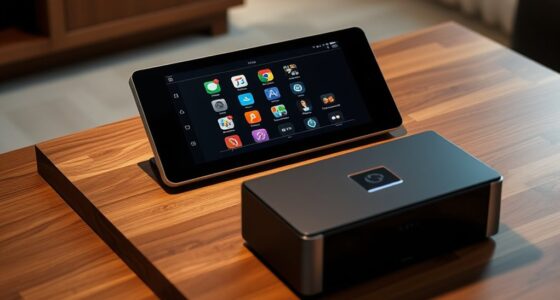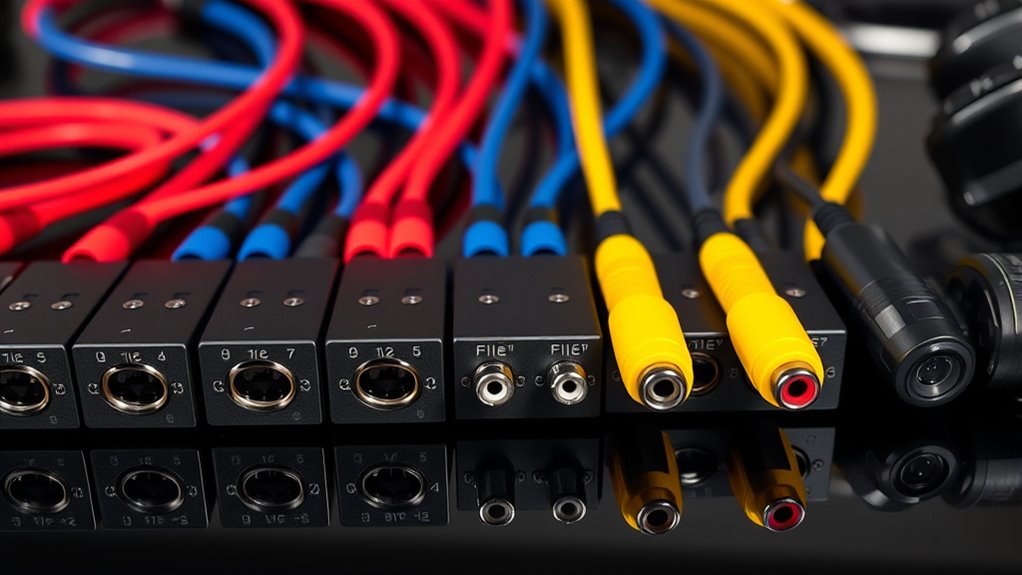

The best audio splitter for most projector setups in this roundup is the 4K@60Hz HDMI 2.0b extractor, with eARC/ARC, optical, and 3.5mm outputs for broader compatibility. For a simpler 4K@30Hz setup, the Avedio Links extractor offers optical and 3.5mm connections, while the HDMI 2.1 4K@120Hz extractor switch is the standout for newer high-refresh sources. The main tradeoffs are video format support, the kind of audio connection your speakers accept, and whether you need to duplicate video or only separate sound. Older composite RCA splitters serve a different purpose from HDMI extractors, so matching the device to your projector’s inputs matters. Read on for the full breakdown and guidance on choosing the right connection path.

Get your home office setup delivered free — and shop member deals
- Fast, free delivery on millions of items
- Access to Prime Big Deal Days deals on October 6–7
- Prime Video, Amazon Music and more included
Complete the kit



Key Takeaways
- The 4K@60Hz HDMI 2.0b extractor is the most versatile pick: its eARC/ARC, optical, and 3.5mm outputs cover more projector audio setups than models with fewer output options.
- HDMI 2.1 support is the key differentiator for high-refresh systems: the 4K@120Hz extractor switch targets newer sources, but buyers should confirm its switching arrangement fits their source and display chain.
- Several HDMI extractors are limited to 4K@30Hz: Avedio Links and the HDMI-to-3.5mm model suit simpler setups, but they are less flexible for higher refresh-rate video.
- The Tendak unit combines audio extraction with 1-in/2-out HDMI distribution: that extra video-splitting function can help when one source needs to feed both a projector and another display.
- The two powered RCA boxes are for composite AV distribution, not HDMI extraction: they make sense for legacy yellow/red/white connections, but cannot take an HDMI source without a separate converter.
| 4K@60Hz HDMI 2.0b Audio Extractor Converter Adapter Splitter |  | Best Overall for Modern Projectors | Maximum resolution and refresh rate: 4Kx2K at 60Hz | HDR: HDR 10 | HDCP: 2.2 | VIEW ON AMAZON | See Our Full Breakdown |
| Avedio Links HDMI Audio Extractor 4K@30Hz Optical & 3.5mm Output |  | Best for Straightforward Optical Audio | Maximum resolution and refresh rate: 4K at 30Hz | HDCP: 1.4 | Audio outputs: Optical and RCA | VIEW ON AMAZON | See Our Full Breakdown |
| HDMI Audio Extractor Splitter, HDMI to 3.5mm Audio Adapter |  | Best Compact Stereo Pick | Maximum input resolution: 4Kx2K at 30Hz | Audio output: 3.5mm | Audio channels: 2 | VIEW ON AMAZON | See Our Full Breakdown |
| 3-RCA Splitter 1 in 4 Out Composite AV Distribution Box |  | Best for Legacy Projector Distribution | Input ports: 1 | Output ports: 4 | Connector type: RCA | VIEW ON AMAZON | See Our Full Breakdown |
| Tendak 1X2 4K HDMI Splitter with Audio Extractor |  | Best for Two-Display Projector Setups | HDMI configuration: 1 input to 2 outputs | Maximum resolution: 4K x 2K at 30Hz | Video support: 3D | VIEW ON AMAZON | See Our Full Breakdown |
| 4K 120Hz HDMI 2.1 Audio Extractor Switch 2 in 1 Out |  | Best for High-Refresh Gaming Projectors | Interface: HDMI 2.1 | Video support: Up to 8K at 60Hz and 4K at 120Hz | Input/output configuration: 2 HDMI inputs to 1 HDMI output | VIEW ON AMAZON | See Our Full Breakdown |
| VPFET HDMI Audio Extractor 4K HDMI to Optical 3.5mm AUX Audio Adapter Splitter Converter Support HDCP Digital DTS 5.1 PCM |  | Best for Simple Optical or Analog Audio Extraction | Interface: Coaxial and optical | Video support: Up to 4K with HDMI 1.4; some devices limited to 1080p | Audio outputs: Optical and 3.5mm AUX | VIEW ON AMAZON | See Our Full Breakdown |
| DTECH Powered 4-Way 3 RCA Splitter Box – 1 In 4 Out Composite Video & Audio Distribution Duplicator with Power Adapter |  | Best for Legacy Multi-Projector RCA Distribution | Input interface: 1 x 3 RCA female (yellow, white, red) | Output interface: 4 x 3 RCA female (yellow, white, red) | Power supply: DC 9V, 500mA | VIEW ON AMAZON | See Our Full Breakdown |
| audio splitters for projector | Audio outputs | Audio output modes |
|---|---|---|
| 4K@60Hz HDMI 2.0b Audio Extrac | Optical Toslink, 3.5mm stereo, HDMI ARC/eARC | TV, 2.0-channel, 5.1-channel |
| Avedio Links HDMI Audio Extrac | Optical and RCA | Pass, 2-channel, 5.1-channel |
| HDMI Audio Extractor Splitter | — | Stereo |
| 3-RCA Splitter 1 in 4 Out Comp | — | — |
| Tendak 1X2 4K HDMI Splitter wi | Optical and left/right stereo | Stereo, 2-channel/5.1-channel |
| 4K 120Hz HDMI 2.1 Audio Extrac | HDMI, SPDIF optical, and 3.5mm stereo | — |
| VPFET HDMI Audio Extractor 4K | Optical and 3.5mm AUX | — |
| DTECH Powered 4-Way 3 RCA Spli | — | — |
More Details on Our Top Picks
4K@60Hz HDMI 2.0b Audio Extractor Converter Adapter Splitter
For a projector setup that needs current video support alongside several ways to route sound, this is the most flexible pick in the group. Its 4K at 60Hz pass-through and HDR 10 support suit smoother, higher-resolution sources better than the Avedio Links extractor or the Tendak splitter, both limited to 4K at 30Hz. Optical and 3.5mm outputs give you options for a receiver, soundbar, or powered speakers, while HDMI ARC/eARC adds a route for compatible equipment. The tradeoff is setup: choosing among TV, 2.0-channel, and 5.1-channel modes can take more fiddling than the simpler stereo-focused adapter. It also needs USB power, and its ARC/eARC features matter only if the connected gear supports them.
Pros:- Passes 4K video at 60Hz with HDR 10 support
- Offers optical, 3.5mm, and HDMI ARC/eARC audio connections
- Supports PCM, Dolby, and DTS formats, including listed HD variants
- Works with projectors, monitors, soundbars, and amplifiers
Cons:- Requires USB power
- Multiple audio modes and ARC/eARC support can make setup less straightforward
- ARC/eARC features depend on compatible connected equipment
Best for: Projector owners connecting a 4K 60Hz source who want both optical and analog audio options for different sound systems.
Not ideal for: Buyers who want a basic, power-free stereo adapter or whose projector and audio gear do not support the needed HDMI ARC/eARC connections.
- Maximum resolution and refresh rate:4Kx2K at 60Hz
- HDR:HDR 10
- HDCP:2.2
- Bandwidth:18 Gbps
- Audio output modes:TV, 2.0-channel, 5.1-channel
- Audio outputs:Optical Toslink, 3.5mm stereo, HDMI ARC/eARC
- Supported audio formats:PCM, LPCM, Dolby Digital, Dolby TrueHD, DTS-HD, DTS
Our verdict“Choose this if your projector setup needs 4K 60Hz pass-through and flexible audio routing; skip it if you only need a simple stereo connection.”
Avedio Links HDMI Audio Extractor 4K@30Hz Optical & 3.5mm Output
The Avedio Links extractor suits a projector owner who wants a direct path from an HDMI source to an optical sound system without paying for features the setup may not use. Its metal housing and plug-and-play design make it a more straightforward fit than the multi-mode B093H3GFR3, though it lacks that model’s 4K 60Hz support and ARC/eARC options. This unit passes video up to 4K at 30Hz and offers optical and RCA audio connections, useful when the speaker system is older or the projector has no convenient audio output. Its limits are clear: no ARC, a restricted set of supported formats, and 4K refresh capped at 30Hz. Check that your source is set to a supported audio format before connecting.
Pros:- Provides optical and RCA audio outputs
- Metal housing and plug-and-play setup
- Supports pass-through up to 4K at 30Hz
- Offers pass, 2-channel, and 5.1-channel output modes
Cons:- Does not support ARC
- 4K pass-through is limited to 30Hz
- Audio format support is limited to PCM, Dolby Digital 5.1, and DTS
Best for: Projector users with a 4K 30Hz source and an optical or RCA sound system who prefer a basic, powered HDMI extractor.
Not ideal for: Owners of 4K 60Hz gaming or video sources, ARC-dependent systems, or audio setups that require formats beyond PCM, Dolby Digital 5.1, and DTS.
- Maximum resolution and refresh rate:4K at 30Hz
- HDCP:1.4
- Audio outputs:Optical and RCA
- Audio output modes:Pass, 2-channel, 5.1-channel
- Supported audio formats:2-channel PCM, Dolby Digital 5.1, DTS
- Supply voltage:5V DC
- Housing material:Metal
Our verdict“Pick this for a simple optical or RCA link to a projector sound system, but choose the B093H3GFR3 if you need 4K 60Hz or ARC/eARC.”
HDMI Audio Extractor Splitter, HDMI to 3.5mm Audio Adapter
This small extractor is the simplest choice here for a projector owner who needs only a 3.5mm stereo feed from an HDMI source. At about 2.75 by 2.16 inches, it takes little room near a projector or source device, and its plug-and-play approach is less involved than the mode selection on the B093H3GFR3. It supports up to 4K at 30Hz, so it can suit films and presentations where 60Hz pass-through is not a requirement. That compactness comes with a narrower job description: it lists two-channel audio, has no ARC/eARC, and may need USB power with low-power devices. Compared with the Avedio Links model, this one is a more minimal stereo option, but it does not list optical or RCA outputs.
Pros:- Compact body measuring 2.75 by 2.16 inches
- Provides a direct HDMI-to-3.5mm stereo audio connection
- Supports input resolutions up to 4K at 30Hz
- Compatible with common consoles and media devices
Cons:- Audio output is limited to two channels
- Does not support ARC or eARC
- May require USB power with low-power source devices
Best for: Projector users who need a compact HDMI-to-3.5mm connection for stereo speakers or headphones and do not need 4K 60Hz.
Not ideal for: Buyers connecting an optical receiver, a 5.1-channel system, or an ARC/eARC setup, or anyone who needs consistent operation without possible USB power.
- Maximum input resolution:4Kx2K at 30Hz
- Audio output:3.5mm
- Audio channels:2
- Audio output modes:Stereo
- Other listed video support:3D, 1080p
- Dimensions:2.75 x 2.16 inches
- Power:USB power may be required for some low-power devices
Our verdict“Choose this for a small, simple stereo setup; choose the Avedio Links extractor instead if you need optical or RCA audio outputs.”
3-RCA Splitter 1 in 4 Out Composite AV Distribution Box
This is the outlier in the roundup, and the right one only when the projector setup already uses composite RCA. Rather than extract sound from HDMI, it duplicates one yellow-video and red/white-audio input across four outputs, so one older source can feed multiple compatible displays. That makes it more useful for legacy AV distribution than the HDMI extractors, including the Avedio Links unit, which is built around an HDMI input. The powered metal box is designed for straightforward connections, but it cannot accept digital HDMI signals and it does not convert formats. RCA cables are not included, adding a separate connection requirement. For a modern 4K projector source, the Tendak splitter is a better match; this unit belongs in a composite-only system.
Pros:- Sends one composite AV input to four outputs
- Color-coded yellow video and red/white audio connections
- Powered metal enclosure
- Plug-and-play setup for compatible RCA equipment
Cons:- Accepts only RCA composite signals, not HDMI or digital audio
- RCA cables are not included
- Does not provide HDMI audio extraction or signal conversion
Best for: Schools, community spaces, or home setups distributing a composite RCA source and stereo audio to as many as four compatible displays or projectors.
Not ideal for: Projector owners using HDMI, digital audio, or modern high-resolution sources who need extraction or format conversion.
- Input ports:1
- Output ports:4
- Connector type:RCA
- Signal type:Composite video and stereo audio
- Compatible devices:DVD players, gaming consoles, projectors, satellite receivers, televisions
- Power source:AC adapter
- Housing material:Metal
Our verdict“Buy this only if your projector system uses composite RCA and needs one source distributed to four outputs; for HDMI sources, choose an HDMI extractor or splitter.”
Tendak 1X2 4K HDMI Splitter with Audio Extractor
The Tendak combines audio extraction with a job the other HDMI options here do not list: sending one source to two HDMI displays. That can help when a projector and a second screen need the same video feed, while optical and left/right audio outputs provide separate sound connections. Its 4K at 30Hz ceiling puts it behind the B093H3GFR3 for high-refresh video, and it is more involved than the compact B0F2M99RGP if you only need stereo audio from one display. The product supports high-resolution audio formats but does not decode them, so the connected receiver or speaker system must handle the format. Source audio settings may also need adjustment, and two outputs will not serve larger multi-display installations.
Pros:- Splits one HDMI input to two HDMI outputs
- Includes optical and left/right audio outputs
- Supports 4K at 30Hz and 3D content
- Lists stereo and 2-channel/5.1-channel audio modes
Cons:- Maximum listed 4K refresh rate is 30Hz
- Does not decode high-definition audio formats
- Limited to two HDMI outputs and may require source audio setting changes
Best for: Projector owners who want to mirror one HDMI source to a projector and a second display while routing audio to optical or stereo equipment.
Not ideal for: Buyers needing 4K 60Hz pass-through, audio decoding in the splitter, or distribution to more than two HDMI displays.
- HDMI configuration:1 input to 2 outputs
- Maximum resolution:4K x 2K at 30Hz
- Video support:3D
- Audio outputs:Optical and left/right stereo
- Audio output modes:Stereo, 2-channel/5.1-channel
- Compatible devices:Projectors, speakers, televisions
- Audio decoding:Does not decode high-definition audio formats
Our verdict“Choose the Tendak when you need both audio extraction and a mirrored second display; for a single projector with 4K 60Hz, the B093H3GFR3 is a stronger fit.”
4K 120Hz HDMI 2.1 Audio Extractor Switch 2 in 1 Out
For a projector setup shared by a console and another HDMI source, this model combines 2-in-1 switching with audio extraction, avoiding a separate source switch. Its HDMI 2.1 support reaches 4K at 120Hz and up to 8K at 60Hz, making it a better fit for high-refresh gaming than the VPFET extractor, which is limited to HDMI 1.4-era 4K support and may fall back to 1080p with some devices. Audio can go out over HDMI, optical, or 3.5mm, with stereo, 5.1, and 7.1-channel modes. The tradeoff is that it only switches two sources to one display; it cannot send one source to two displays. Its guidance to use HDMI 2.1 cables under 10 feet may also constrain projector placement.
Pros:- Supports up to 4K at 120Hz and 8K at 60Hz
- Switches between two HDMI sources while feeding one display
- Offers HDMI, optical, and 3.5mm audio output options
- Supports stereo, 5.1-channel, and 7.1-channel audio
Cons:- Does not distribute one input to two displays
- Best performance calls for HDMI 2.1 cables under 10 feet
- May be more capability than needed for a basic 4K movie projector setup
Best for: Console players switching between two HDMI sources who need high-refresh video and separate audio for a projector sound system
Not ideal for: Buyers who need one source sent to multiple displays, or projector installations with long HDMI 2.1 cable runs
- Interface:HDMI 2.1
- Video support:Up to 8K at 60Hz and 4K at 120Hz
- Input/output configuration:2 HDMI inputs to 1 HDMI output
- Audio outputs:HDMI, SPDIF optical, and 3.5mm stereo
- Audio modes:Stereo, 5.1-channel, and 7.1-channel
- Material:Metal
- Dimensions:4.69 x 2.52 inches
- Compatible devices:PS5, Xbox Series X, PS4 Pro, Apple TV, Fire TV, Nvidia Shield, game capture devices, and desktop PCs
Our verdict“Choose this if your projector is part of a high-refresh gaming setup with two sources; skip it if you need longer cable runs or display duplication.”
VPFET HDMI Audio Extractor 4K HDMI to Optical 3.5mm AUX Audio Adapter Splitter Converter Support HDCP Digital DTS 5.1 PCM
The VPFET is the straightforward pick when a projector receives HDMI video but your sound system needs optical or 3.5mm audio. Its compact aluminum housing and USB power suit a basic, freestanding home theater connection without adding source switching. Compared with the 4K 120Hz HDMI 2.1 Audio Extractor Switch, it is much less suited to current high-refresh gaming: this unit uses HDMI 1.4, lacks 7.1-channel support, and may be limited to 1080p with devices such as Fire TV and PS4/PS5. That narrower capability can be enough for older or modest-resolution projector systems, but buyers should check the source-specific resolution limits before planning around 4K. It also needs a nearby USB power source, unlike a passive adapter.
Pros:- Extracts HDMI audio to optical or 3.5mm output
- Supports DTS 5.1 and PCM 2.0 modes
- Aluminum body in a compact 2.28 x 2.04-inch footprint
- USB-powered operation uses low energy
Cons:- Does not support 7.1-channel audio
- Some listed devices may be limited to 1080p
- Requires USB power during operation
Best for: Projector owners with an HDMI source and an optical or 3.5mm soundbar or receiver who do not need high-refresh video or 7.1-channel audio
Not ideal for: Owners of 4K/120Hz gaming projectors, systems requiring 7.1-channel output, or setups without an available USB power source
- Interface:Coaxial and optical
- Video support:Up to 4K with HDMI 1.4; some devices limited to 1080p
- Audio outputs:Optical and 3.5mm AUX
- Audio modes:DTS 5.1 and PCM 2.0
- Number of channels:5
- Power supply:USB, 4.5–5 volts
- Material:Aluminum
- Dimensions:2.28 x 2.04 inches
Our verdict“Pick the VPFET for a modest projector setup needing optical or analog sound output, but choose the HDMI 2.1 switch for high-refresh gaming or broader channel support.”
DTECH Powered 4-Way 3 RCA Splitter Box – 1 In 4 Out Composite Video & Audio Distribution Duplicator with Power Adapter
This DTECH box serves a different job from the HDMI extractors: it duplicates one composite RCA audio/video source to as many as four destinations. That makes it useful for legacy projectors or multi-room displays already wired with yellow, white, and red RCA connections. Its powered amplifier is intended to help maintain signal over longer runs, whereas the VPFET extracts audio from HDMI but does not distribute composite video to several displays. The tradeoff is substantial for modern setups: this is not an HDMI or digital-audio splitter, and its 50Hz–5.5MHz bandwidth does not suit high-definition projector signals. It also needs the included 9V power supply. Choose it for old AV equipment and repeated feeds, not as a general-purpose companion to a current HDMI projector.
Pros:- Sends one composite RCA source to as many as four outputs
- Powered amplification is designed to support longer signal runs
- Color-coded RCA connections simplify hookup
- Compact box with LED indicators
Cons:- Accepts and outputs composite RCA only, not HDMI or digital formats
- Limited bandwidth is unsuitable for high-definition video
- Requires an external 9V, 500mA power adapter
Best for: Schools, venues, or home users distributing a legacy composite RCA source to several RCA-equipped projectors or displays
Not ideal for: Buyers with HDMI-only projectors, HD or 4K sources, or a need to extract digital audio from an HDMI signal
- Input interface:1 x 3 RCA female (yellow, white, red)
- Output interface:4 x 3 RCA female (yellow, white, red)
- Power supply:DC 9V, 500mA
- Bandwidth:50Hz–5.5MHz
- Video level resistance:0.8–1.0Vp-p / 75Ω
- Audio level resistance:2V RMS / 47KΩ
- Audio frequency:10Hz–20KHz
Our verdict“Choose this only when you need to duplicate a legacy RCA feed to several destinations; HDMI projector owners should use an HDMI-compatible extractor or splitter instead.”

How We Picked
I ranked these options by how directly they solve a projector audio-routing problem: separating sound from an HDMI source, sending it to common speaker connections, or distributing a legacy composite AV signal. Video compatibility mattered because a splitter that caps output at 4K@30Hz may be a poor match for a newer projector or source, even if its audio outputs fit. I also weighed output flexibility, source and display routing, and whether a product’s stated role is clear enough to match to a real setup.
The ranking favors the 4K@60Hz extractor with multiple audio outputs for its broader fit, then separates simpler extractors from devices that add HDMI distribution or newer HDMI 2.1 support. The RCA distribution boxes rank lower for typical modern projector use, not because they cannot split AV, but because they solve a narrower, older-connection problem. Where a product description does not specify a capability, I treat that as a reason to check compatibility rather than assume support.
| audio splitters for projector | Audio output modes | Audio outputs |
|---|---|---|
| 4K@60Hz HDMI 2.0b Audio Extrac | TV, 2.0-channel, 5.1-channel | Optical Toslink, 3.5mm stereo, HDMI ARC/eARC |
| Avedio Links HDMI Audio Extrac | Pass, 2-channel, 5.1-channel | Optical and RCA |
| HDMI Audio Extractor Splitter | Stereo | — |
| 3-RCA Splitter 1 in 4 Out Comp | — | — |
| Tendak 1X2 4K HDMI Splitter wi | Stereo, 2-channel/5.1-channel | Optical and left/right stereo |
| 4K 120Hz HDMI 2.1 Audio Extrac | — | HDMI, SPDIF optical, and 3.5mm stereo |
| VPFET HDMI Audio Extractor 4K | — | Optical and 3.5mm AUX |
| DTECH Powered 4-Way 3 RCA Spli | — | — |
Factors to Consider When Choosing Audio Splitters For Projectors
Before choosing an audio splitter, map the signal path from your source to the projector and speakers. The right device depends on whether sound travels over HDMI, whether your projector passes audio onward, and which inputs your sound system accepts. These checks can prevent a common mismatch: buying a splitter that fits one connection while leaving the actual audio or video route unresolved.
Start With the Source-to-Projector Signal Path
Write down every device between the source and projector, including receivers, soundbars, game consoles, and streaming boxes. An HDMI audio extractor usually sits between an HDMI source and the projector, sending video onward while routing audio separately. If the projector is the source of audio through ARC or eARC, check whether the splitter’s ARC/eARC support matches the direction your system needs. Do not assume that every HDMI socket marked ARC behaves as a standard audio output on an extractor. A device that solves the wrong side of the connection will not fix missing sound, even if its plugs look compatible. Confirm which device supplies the audio signal before selecting a splitter.
Match the Audio Output to Your Speakers
Optical, 3.5mm analog, and RCA connections are not interchangeable without the right conversion. Optical is a digital connection often used by soundbars and AV equipment, while 3.5mm and red/white RCA carry analog stereo audio. Check the speaker or receiver’s available inputs, not just the projector’s outputs. If a device offers several outputs, that gives more setup options, but it does not mean every output can be used at once or carries the same audio format. Also check whether your source sends a format the splitter can pass or decode; PCM stereo is often a safer choice when a receiver does not accept multichannel audio. The best output is the one your audio gear supports reliably.
Choose Video Support for the Whole Chain
A splitter’s video limit matters even when your main goal is better sound. The source, splitter, cables, and projector must all support the resolution and refresh rate you want; the weakest link sets the practical ceiling. A 4K@30Hz device may be adequate for films and basic viewing, but can constrain smoother gaming or newer high-refresh equipment. HDCP compatibility also affects protected streaming content, so check the source and display requirements rather than focusing on resolution alone. If your system uses HDR, specific color formats, or advanced audio return features, verify those individually in the product specifications. Do not infer full HDMI 2.1 feature support from a single high-refresh claim.
Separate Audio Extraction From Video Duplication
Some devices extract audio while passing video to one display; others also split one HDMI input across two displays. Those are different jobs, and a product with “splitter” in its name may not perform both. If you want a projector and television to show the same source, check for an explicit 1-in/2-out video function and review how it handles display resolution differences. When two displays have different capabilities, the shared output can be limited by compatibility or device behavior. If you only need to send sound to speakers, paying for extra video outputs may add complexity without helping. Choose based on the number of destinations you actually need.
Treat Composite RCA as a Legacy Signal Path
Powered 3-RCA distribution boxes handle composite video and analog stereo audio, commonly carried by yellow, red, and white plugs. They can distribute a compatible legacy signal to several displays, but they do not extract audio from HDMI. Buyers sometimes mistake the red-and-white audio plugs for a universal audio splitter; the yellow composite video connection is part of the same older AV path. If the source has HDMI and the projector only accepts composite, a separate converter may be needed, and that adds another device and possible compatibility limits. For a modern HDMI source, an HDMI extractor is usually the more direct category. Pick an RCA box only when your equipment actually uses composite AV.
Check Power, Switching, and Everyday Placement
Powered splitters and extractors need an outlet or USB power source, which can affect placement behind a ceiling-mounted projector or media cabinet. Allow room for cables and access to controls, especially on a unit that switches between multiple HDMI sources. Decide whether you need automatic switching or are comfortable selecting inputs manually; the product details should state how source selection works. Longer HDMI runs can also make cable quality and signal compatibility more relevant than they are in a short desk setup. A compact adapter may be easier to mount, while a powered box can offer more routing options at the cost of another cable and power point. Plan the physical layout before ordering.
Frequently Asked Questions
Can I connect an HDMI audio extractor directly to a projector and a soundbar?
Often, yes: connect the HDMI source to the extractor, send its HDMI output to the projector, and connect the soundbar to a matching audio output. First check whether the soundbar accepts optical or analog audio and whether the extractor provides that connection. Set the source to a supported audio format if the soundbar receives no sound or plays it incorrectly. This arrangement is different from extracting audio from the projector’s own ARC/eARC output, which requires matching ARC/eARC support and correct connection direction. Confirm the signal path in the device instructions before connecting everything.
Will an audio splitter let my projector play sound through Bluetooth headphones?
Not by itself unless the splitter explicitly includes Bluetooth audio transmission, which is not stated for the HDMI extractors in this roundup. These options provide wired outputs such as optical, 3.5mm, or RCA. You may be able to connect a separate Bluetooth transmitter to a compatible analog or digital output, but you will need to check the transmitter’s input type and audio delay. Delay can be distracting when watching dialogue or playing games. If wireless listening is your main need, choose a setup that specifically supports Bluetooth transmission rather than assuming any audio splitter can provide it.
Is a 4K@30Hz extractor enough for a projector used for gaming?
It can work for games that run at 4K@30Hz or for systems configured to output a lower resolution or refresh rate. It may limit a source that is meant to deliver smoother high-refresh video, so compare the extractor’s supported output with both the console or PC and the projector. The 4K@120Hz HDMI 2.1 extractor switch is the more relevant option in this list for a high-refresh chain, though buyers should verify the exact HDMI features they need. Audio format support and HDCP compatibility also matter alongside the headline video rate. Check the full signal chain before settling on a lower-bandwidth model.
Can I use a powered RCA splitter with a streaming stick or modern game console?
Not directly if the source outputs HDMI and the RCA box accepts composite AV. The powered RCA models in this roundup distribute an existing yellow/red/white signal; they do not convert HDMI into composite or extract HDMI audio. A compatible HDMI-to-composite converter would be needed, adding another link that may affect picture quality and format support. For a modern projector setup, an HDMI audio extractor is usually the simpler route when the goal is separate sound. Choose the RCA box when your source already has composite output or your system is built around that connection.
Should I use optical or 3.5mm audio from an extractor?
Choose the connection that matches the sound system and audio format you plan to use. Optical is a digital link suited to receivers or soundbars with optical input, while 3.5mm typically feeds analog stereo equipment or powered speakers. The source, extractor, and audio device must agree on the signal format; optical does not automatically mean every surround format will work. If you only need two-channel sound, a 3.5mm output may be the most straightforward option when your speakers accept it. Check input labels and supported formats on the audio device before choosing between them.
Conclusion
For most modern projector systems, I would start with the 4K@60Hz HDMI 2.0b extractor: its eARC/ARC, optical, and 3.5mm outputs give it the broadest fit in this group. For best value in a straightforward setup, the Avedio Links extractor makes sense when 4K@30Hz is enough and optical or 3.5mm audio covers your needs. The best premium-style choice for newer high-refresh equipment is the 4K@120Hz HDMI 2.1 extractor switch, provided its source-switching layout matches your system. Beginners with a basic HDMI source and wired speakers can favor the simpler HDMI-to-3.5mm extractor, after confirming the 4K@30Hz ceiling is acceptable. For a specific need, choose the Tendak unit when you want HDMI audio extraction plus two video destinations, or either powered RCA box only when you need to distribute legacy composite AV. Match the connections and video limits to your equipment, and the right option becomes much easier to identify.
Fall Picks
fall essentials
As an affiliate, we earn on qualifying purchases.