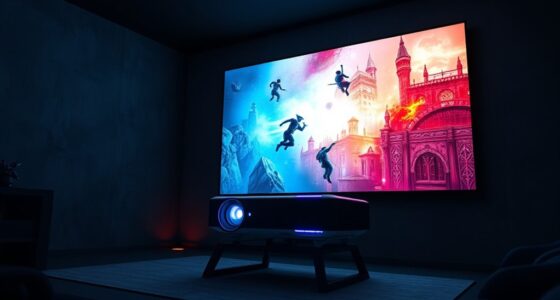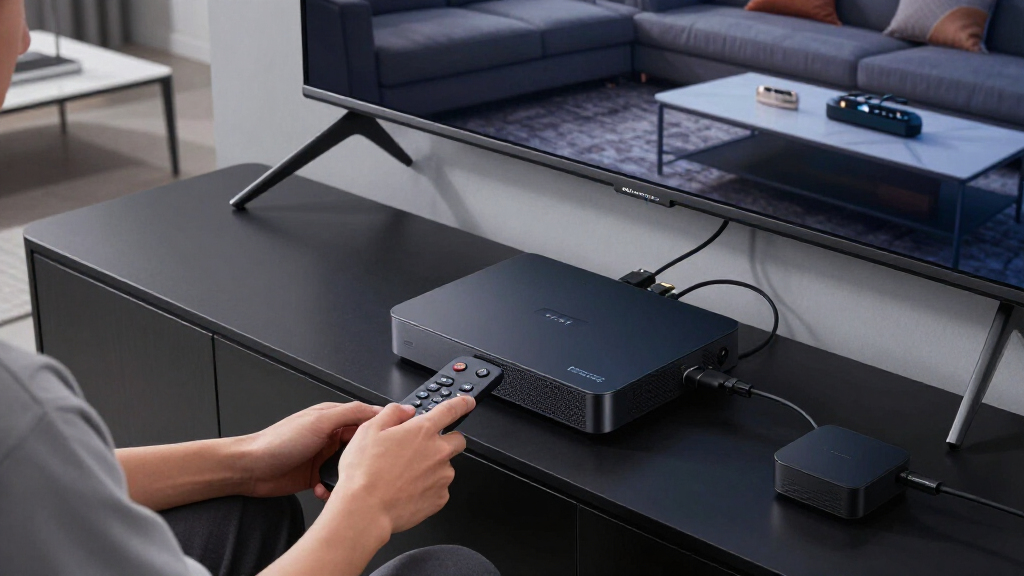

When choosing a 4k media streaming device, the main considerations are performance, compatibility, and features like HDR and Dolby Vision. The Amazon Fire TV Stick 4K Max stands out as the best overall for its speed and broad app support, while the Roku Ultra offers advanced picture quality and a premium remote. Budget-friendly options like the Roku Streaming Stick HD deliver solid 4K performance at a lower price, but with fewer features. The main tradeoffs center around price, ease of use, and the level of streaming quality or additional features. Keep reading for a detailed comparison to find the best fit for your needs.

Get business pricing on your home office setup
- Business-only prices and quantity discounts
- Tax-exempt purchasing
- Multiple users, one account, clear invoices
Complete the kit


Key Takeaways
- Top-tier models like Roku Ultra and TiVo Stream 4K offer the best picture quality and feature sets, but come at a higher price.
- Most devices support HDR10+ and Dolby Vision, though some budget options lack these enhancements, affecting picture vibrancy.
- Remote features such as voice control and backlit buttons are common in premium models; lower-cost devices often omit these comforts.
- Wi-Fi 6 support is becoming standard in higher-end options, improving streaming stability and speed.
- Price-to-value varies widely; the best device depends on balancing features needed with your budget.
| Amazon Fire TV Stick 4K Max (Newest Model) |  | Best Overall Streaming Device for Power Users | Storage: 16GB | Video Resolution: 4K Ultra HD | HDR Support: Dolby Vision, HDR10+ | VIEW LATEST PRICE | See Our Full Breakdown |
| Google TV Streamer 4K with Voice Remote |  | Best for Personalized Content and Smart Integration | Storage: 32 GB | HDR: Yes | Dolby Vision: Yes | VIEW LATEST PRICE | See Our Full Breakdown |
| Roku Ultra Streaming Player – 4K, HDR10+, Dolby Vision & Atmos, Bluetooth & Wi-Fi 6, Rechargeable Voice Remote Pro |  | Best for Cinematic Quality and Versatile Audio | Resolution: 4K | HDR: HDR10+, Dolby Vision | Audio: Dolby Atmos | VIEW LATEST PRICE | See Our Full Breakdown |
| Roku Streaming Stick HD with Voice Remote |  | Best Compact HD Streaming Solution | Resolution: HD | Remote: Voice remote | Wi-Fi: Long-range Wi-Fi | VIEW LATEST PRICE | See Our Full Breakdown |
| Roku Streaming Stick Plus with Voice Remote – 4K & HDR10+ |  | Best Compact 4K & HDR Streaming Device | Resolution: 4K | HDR: HDR10+ | Remote: Voice remote | VIEW LATEST PRICE | See Our Full Breakdown |
| IT’S BRAZILIAN onn 4K Pro Streaming Device with Google TV and Gemini |  | Best Overall for High-Performance 4K Streaming | Storage: 32GB | RAM: 3GB | Video Quality: 4K Ultra HD | VIEW LATEST PRICE | See Our Full Breakdown |
| Roku 3920RW-SW Premiere 4K/HDR Streaming Media Player with HDMI Cable and Remote |  | Best for Simplicity and Versable Streaming | Resolution: 4K, HDR, HD | Connectivity: Wi-Fi | Remote: Standard remote with shortcut buttons | VIEW LATEST PRICE | See Our Full Breakdown |
| Android TV Box 2026 H618 4K Ultra HD Streaming Device with Voice Remote |  | Best for Customization and Smart Home Integration | Processor: Allwinner H618 quad-core ARM Cortex-A53 | Operating System: Android 12.0 | RAM: 2GB | VIEW LATEST PRICE | See Our Full Breakdown |
| Roku Streaming Stick 4K with Voice Remote |  | Best for Compact, Seamless Streaming in Multiple Rooms | Resolution: 4K Ultra HD | HDR: Dolby Vision, HDR10+ | Remote: Voice Remote with TV controls | VIEW LATEST PRICE | See Our Full Breakdown |
| ONN Android TV 4K UHD Streaming Device with Voice Remote and HDMI Cable |  | Best for Budget Android TV with Google Assistant | Resolution: 4K Ultra HD | Operating System: Android TV | Remote Control: Voice remote with Google Assistant | VIEW LATEST PRICE | See Our Full Breakdown |
| Google TV Streamer 4K with Voice Search Remote |  | Best Overall for User-Friendly Smart Features | Resolution: Up to 4K HDR with Dolby Vision | Remote: Voice Search Remote | Storage: 32 GB | VIEW LATEST PRICE | See Our Full Breakdown |
| TiVo Stream 4K – Streaming Media Player with Android TV, 4K UHD, Dolby Vision HDR, Dolby Atmos, Voice Control |  | Best for Centralized Streaming and Live TV Integration | Resolution: 4K UHD | HDR Support: Dolby Vision HDR | Audio: Dolby Atmos | VIEW LATEST PRICE | See Our Full Breakdown |
| Xiaomi TV Stick 4K (2nd Gen) Streaming Media Player with Google TV, Dolby Vision, HDR10+, Atmos, Wi-Fi 6, Bluetooth Remote |  | Best for Portability and Cutting-Edge Connectivity | Resolution: 4K | HDR Support: Dolby Vision, HDR10+ | Processor: 6nm high-performance platform, 2.5GHz quad-core A55 | VIEW LATEST PRICE | See Our Full Breakdown |
| Roku Ultra 2024 (Renewed) 4K Streaming Device with HDR10+, Dolby Vision & Atmos, Wi-Fi 6, Bluetooth, Rechargeable Voice Remote Pro with Backlit Buttons, Free & Live TV |  | Best for Fast, Premium Streaming and Advanced Remote Features | Resolution: 4K | HDR: HDR10+ | Audio: Dolby Atmos | VIEW LATEST PRICE | See Our Full Breakdown |
| 4k media streaming device | Resolution | Remote |
|---|---|---|
| Amazon Fire TV Stick 4K Max | — | — |
| Google TV Streamer 4K with Voi | — | Voice remote with Google Assistant |
| Roku Ultra Streaming Player | 4K | Rechargeable Voice Remote Pro |
| Roku Streaming Stick HD with V | HD | Voice remote |
| Roku Streaming Stick Plus with | 4K | Voice remote |
| IT’S BRAZILIAN onn 4K Pro Stre | — | — |
| Roku 3920RW-SW Premiere 4K/HDR | 4K, HDR, HD | Standard remote with shortcut buttons |
| Android TV Box 2026 H618 4K Ul | — | — |
| Roku Streaming Stick 4K with V | 4K Ultra HD | Voice Remote with TV controls |
| ONN Android TV 4K UHD Streamin | 4K Ultra HD | — |
| Google TV Streamer 4K with Voi | Up to 4K HDR with Dolby Vision | Voice Search Remote |
| TiVo Stream 4K | 4K UHD | Voice remote with Google Assistant |
| Xiaomi TV Stick 4K | 4K | — |
| Roku Ultra 2024 | 4K | Rechargeable Voice Remote Pro with Backlit Buttons |
More Details on Our Top Picks
Amazon Fire TV Stick 4K Max (Newest Model)
The Fire TV Stick 4K Max stands out for its powerful processor and broad app support, making it ideal for users who want seamless navigation and quick access to their favorite streaming services. Compared with the Roku Ultra, it offers better integration with Amazon Prime and gaming support via Xbox Game Pass, but its limited 16GB storage can be a constraint for users who want to install many apps locally. Its support for Wi-Fi 6E ensures fast, reliable streaming, and the included voice remote enhances ease of control. The device excels in delivering 4K Ultra HD with Dolby Vision and Atmos, but subscription fees for some services and the need for separate controllers for gaming can be drawbacks for budget-conscious or casual users.
Pros:- Supports 4K Ultra HD with Dolby Vision and Dolby Atmos for immersive viewing
- Fast processor enables smooth app launches and navigation
- Includes a remote with voice control and dedicated live TV buttons
- Supports gaming via Xbox Game Pass and Amazon Luna
Cons:- Limited 16GB storage can restrict app installation
- Requires separate controllers for gaming, adding to cost
- Subscription fees may apply for some streaming and gaming services
Best for: Power users who want a fast, feature-rich device with gaming capabilities and deep app integration.
Not ideal for: Casual viewers or those with limited budgets, as the device’s gaming options and subscription costs might not justify the investment.
- Storage:16GB
- Video Resolution:4K Ultra HD
- HDR Support:Dolby Vision, HDR10+
- Audio:Dolby Atmos
- Connectivity:Wi-Fi 6E
- Remote Features:Voice control, recents button, dedicated channel buttons
Our verdict“This device suits tech-savvy users seeking a high-performance streamer with gaming support and rich visuals.”
Google TV Streamer 4K with Voice Remote
The Google TV Streamer 4K offers a highly personalized viewing experience with its intelligent recommendations and clean interface, making it ideal for viewers who value tailored content. While it supports 4K HDR with Dolby Vision and Atmos similar to the Roku Ultra, it’s somewhat less versatile in gaming, focusing more on content curation. The remote is intuitive, voice-activated, and allows easy search, but the need to purchase an HDMI 2.1 cable separately can be a minor inconvenience. Its 32GB storage is better than the Fire TV Max but still limited for extensive app use. Compared to Roku’s simpler interface, Google TV provides more integrated smart home features, but this can come with a slightly steeper learning curve for some users.
Pros:- Supports 4K HDR with Dolby Vision for high-quality visuals
- Includes a voice remote with Google Assistant for easy control
- Personalized recommendations based on viewing habits
- Access to over 800 free channels and apps
Cons:- HDMI 2.1 cable sold separately, adding to upfront costs
- Limited storage capacity for app downloads
- Requires additional accessories for some features
Best for: Fans of smart home integration and those who prefer personalized content recommendations.
Not ideal for: Users seeking extensive gaming options or those who prefer an all-in-one entertainment hub without additional accessories.
- Storage:32 GB
- HDR:Yes
- Dolby Vision:Yes
- Dolby Atmos:Yes
- HDMI:HDMI 2.1
- Remote:Voice remote with Google Assistant
Our verdict“Ideal for viewers who prioritize customized content and smart home compatibility over gaming features.”
Roku Ultra Streaming Player – 4K, HDR10+, Dolby Vision & Atmos, Bluetooth & Wi-Fi 6, Rechargeable Voice Remote Pro
The Roku Ultra excels in delivering cinema-quality visuals with support for Dolby Vision, HDR10+, and Dolby Atmos, making it a strong choice for viewers who crave high-end picture and sound. Its rechargeable Voice Remote Pro, with backlit buttons and a lost remote finder, adds convenience. Compared to the Fire TV Max, the Roku Ultra offers a more streamlined interface and broader app support, but it relies on Wi-Fi 6 for optimal performance and requires a compatible network. The built-in Bluetooth also allows private listening via headphones. The main tradeoff is that it’s primarily a streaming device, lacking gaming support and requiring a stable Wi-Fi connection for best results.
Pros:- Supports 4K, HDR10+, Dolby Vision for vivid visuals
- Rechargeable remote with backlit buttons and voice control
- Built-in Bluetooth for private listening
- Wi-Fi 6 support for fast, reliable streaming
Cons:- Remote may be costly to replace if lost
- Requires a Wi-Fi 6 network for optimal performance
- No integrated gaming features
Best for: Home theater enthusiasts seeking top-tier picture quality and flexible audio options.
Not ideal for: Casual viewers who don’t need advanced video formats or who prefer a simpler remote setup.
- Resolution:4K
- HDR:HDR10+, Dolby Vision
- Audio:Dolby Atmos
- Remote:Rechargeable Voice Remote Pro
- Connectivity:Wi-Fi 6, Bluetooth
- Remote Features:Backlit, voice control, lost remote finder
Our verdict“Best suited for users who want cinema-quality visuals with advanced audio and a premium remote experience.”
Roku Streaming Stick HD with Voice Remote
The Roku Streaming Stick HD provides a simple, plug-and-play solution for those who want reliable HD streaming in a tiny package. Its compact design makes it ideal for travel or secondary TVs, but it’s limited to HD resolution, unlike the other 4K options. The voice remote offers quick search and control, and the device supports long-range Wi-Fi, which can be beneficial in larger rooms. Compared to the Plus or Ultra models, it’s more affordable but sacrifices 4K quality and advanced features. Its simplicity appeals to users who prioritize ease of setup and basic functionality, but those with modern 4K TVs will find it falls short in picture quality.
Pros:- Compact and easy to plug into HDMI port
- Voice remote for quick control and search
- Supports long-range Wi-Fi for stable streaming
- Access to a wide range of free content
Cons:- Limited to HD resolution, not 4K
- Potential Wi-Fi connectivity issues in some setups
- Does not support advanced HDR or Dolby Vision
Best for: Travelers or secondary TV users who need a fuss-free HD streaming device.
Not ideal for: Anyone seeking 4K or HDR support, as it only streams in HD resolution.
- Resolution:HD
- Remote:Voice remote
- Wi-Fi:Long-range Wi-Fi
- Power:Powered from TV
- Compatibility:HDMI-enabled TVs
Our verdict“A practical choice for simple HD streaming needs in a portable, easy-to-use package.”
Roku Streaming Stick Plus with Voice Remote – 4K & HDR10+
The Roku Streaming Stick Plus offers a slim profile with support for 4K and HDR10+, making it excellent for users who want high-quality visuals without sacrificing space. Its simple setup and intuitive voice remote provide a smooth experience, and access to Roku’s extensive content library ensures a wide variety of entertainment options. Compared to the Fire TV Stick 4K Max, it might lack some gaming features but compensates with a more straightforward interface and reliable performance. Its reliance on a compatible HDMI port and internet connection are minor tradeoffs for the convenience and quality it offers.
Pros:- Supports 4K and HDR10+ for vivid picture quality
- Compact design that fits behind most TVs
- Voice remote for easy navigation
- Access to a vast library of free and subscription content
Cons:- Dependent on HDMI port availability
- Limited to streaming; no traditional TV tuner
- Streaming quality depends on internet stability
Best for: Users who want a compact, high-quality streaming device with broad content access.
Not ideal for: Gamers or those seeking integrated smart home features, as it focuses primarily on streaming content.
- Resolution:4K
- HDR:HDR10+
- Remote:Voice remote
- Power:Powered from TV
- Compatibility:HDMI port
Our verdict“Ideal for space-conscious users who want reliable 4K HDR streaming with a broad content library.”
IT’S BRAZILIAN onn 4K Pro Streaming Device with Google TV and Gemini
This model stands out for combining stunning 4K Ultra HD visuals with Dolby Vision and Dolby Atmos, making it ideal for viewers who prioritize picture and sound quality. Compared to the Roku Streaming Stick 4K, it offers more immersive audio and better HDR handling, but at the expense of a slightly more complex setup and potentially limited storage for large apps. Its 3GB RAM and WiFi 6 ensure smooth multitasking and reliable connectivity, which is a step up from many budget options. The Find My Remote with backlight adds convenience, though the lack of included batteries or accessories might frustrate some users. This pick is perfect for tech-savvy enthusiasts who want premium features without paying the highest price.
Pros:- Stunning 4K Ultra HD picture with Dolby Vision for vibrant visuals
- Immersive Dolby Atmos sound for a theater-like experience
- Powerful 3GB RAM and WiFi 6 for smooth multitasking and fast connections
Cons:- No included remote batteries or accessories, which could require additional purchases
- Limited 32GB storage might restrict app and media capacity
Best for: Home entertainment enthusiasts who demand top-tier picture and audio quality with reliable connectivity
Not ideal for: Casual viewers seeking a simple, plug-and-play device or those on a tight budget, as it may be more complex and slightly pricier
- Storage:32GB
- RAM:3GB
- Video Quality:4K Ultra HD
- HDR:Dolby Vision
- Audio:Dolby Atmos
- Connectivity:WiFi 6, Ethernet port
Our verdict“This device is best suited for users who want premium 4K visuals and immersive sound in their main home theater setup.”
Roku 3920RW-SW Premiere 4K/HDR Streaming Media Player with HDMI Cable and Remote
The Roku Premiere makes my list for its straightforward setup and broad app support, offering 4K, HDR, and HD streaming that covers most viewing needs. Unlike the more advanced Roku Ultra, it lacks features like a headphone jack or Ethernet port but compensates with an easy-to-use remote with shortcut buttons and included HDMI cable. Its compatibility with voice assistants and Apple AirPlay broadens control options, though the remote’s limited features might disappoint power users. This device is ideal for users seeking reliable, high-quality streaming without extra bells and whistles, but it may fall short for those wanting advanced remote controls or wired connections.
Pros:- Supports 4K, HDR, and HD for versatile high-quality streaming
- Simple setup with included HDMI cable and easy remote
- Compatible with voice control and Apple AirPlay for flexible control
Cons:- Limited remote features compared to higher-end models
- Requires a steady Wi-Fi connection for smooth streaming
Best for: Families or casual viewers wanting a reliable, easy-to-use 4K streaming device with broad app support
Not ideal for: Power users seeking advanced remote features or wired network options, as it offers basic remote control and Wi-Fi only
- Resolution:4K, HDR, HD
- Connectivity:Wi-Fi
- Remote:Standard remote with shortcut buttons
- Included Accessories:High-speed HDMI cable, USB extension cord
Our verdict“This pick is ideal for those who want a straightforward, reliable 4K streamer without extra features or complexity.”
Android TV Box 2026 H618 4K Ultra HD Streaming Device with Voice Remote
Compared with the Roku options, this Android TV box offers a more flexible experience with Android 12.0 and a quad-core processor, allowing users to customize apps and access the Google Play Store easily. Its support for 4K at 60fps with HDR10 ensures vivid, sharp visuals, while dual-band Wi-Fi 6 provides stable internet. The Bluetooth voice remote adds convenience, but the 2GB RAM and 16GB storage may limit multitasking and app storage, making it less suitable for heavy app use. This device appeals to tech enthusiasts who want a customizable, smart home-compatible streaming hub, though it may require external storage and a compatible TV.
Pros:- Supports 4K Ultra HD and HDR10 for vibrant, detailed visuals
- Powerful quad-core processor with Android 12.0 for smooth multitasking
- Dual-band Wi-Fi 6 and Bluetooth 5.4 remote for fast, reliable connectivity
Cons:- Limited internal storage of 16GB, may require external storage
- Adapter not included, adding extra cost and setup step
Best for: Tech-savvy users wanting a customizable Android-based streaming device with smart home features
Not ideal for: Casual viewers or those with limited space for external storage, as internal capacity is limited and setup can be more involved
- Processor:Allwinner H618 quad-core ARM Cortex-A53
- Operating System:Android 12.0
- RAM:2GB
- Storage:16GB ROM
- Video Output:4K@60fps, HDR10
- Wi-Fi:Dual-band Wi-Fi 6
Our verdict“This device is ideal for users who want a highly customizable Android TV experience with smart home integration.”
Roku Streaming Stick 4K with Voice Remote
The Roku Streaming Stick 4K earns its spot for combining a compact design with impressive streaming quality, supporting Dolby Vision and HDR10+ for vibrant visuals. Its long-range Wi-Fi ensures smooth streaming across multiple rooms, making it a flexible choice for households with multiple TVs. Unlike the more feature-rich Roku Ultra, it lacks an Ethernet port and advanced remote controls but remains straightforward for most users. The voice remote with TV controls simplifies navigation, though the device’s performance heavily depends on Wi-Fi stability. This pick suits users who want reliable 4K performance in a tiny package, but it may not satisfy those needing wired connections or advanced remote features.
Pros:- Supports Dolby Vision and HDR10+ for high-quality visuals
- Compact design fits behind TVs without blocking ports
- Long-range Wi-Fi for seamless multi-room streaming
Cons:- No Ethernet port for wired connection options
- Dependent on Wi-Fi stability for best performance
Best for: Home dwellers needing a small, reliable 4K streaming device for multiple rooms or secondary TVs
Not ideal for: Power users or those with unstable Wi-Fi, since it relies heavily on stable wireless connectivity
- Resolution:4K Ultra HD
- HDR:Dolby Vision, HDR10+
- Remote:Voice Remote with TV controls
- Wi-Fi:Long-range Wi-Fi
Our verdict“This device is perfect for users seeking a small, easy-to-use 4K streamer with reliable wireless performance across multiple rooms.”
ONN Android TV 4K UHD Streaming Device with Voice Remote and HDMI Cable
This ONN device offers a straightforward way to access 4K Ultra HD content via Android TV, making it a good choice for those wanting Google ecosystem integration. Its support for casting and Google Assistant voice control provides flexibility, similar to the Google TV streamer, but with a more basic remote. The included HDMI cable simplifies setup, though the device’s limited internal storage of 16GB and the need for an HDMI port on your TV could be constraints for some users. It’s a suitable pick for budget-conscious buyers who want Google’s smart features without extra cost, but it might fall short for those seeking extensive app storage or advanced remote controls.
Pros:- Supports 4K Ultra HD resolution for clear visuals
- Voice remote with Google Assistant for easy control
- Built-in Chromecast for casting content from mobile devices
Cons:- Requires HDMI port on the TV, limiting compatibility
- Limited internal storage and no mention of pre-installed apps
Best for: Budget-minded users who want a simple Android TV device with Google Assistant
Not ideal for: Users with older TVs lacking HDMI or those needing extensive internal storage for apps
- Resolution:4K Ultra HD
- Operating System:Android TV
- Remote Control:Voice remote with Google Assistant
- Included Accessories:HDMI cable
Our verdict“This device is well-suited for budget-conscious users seeking basic Android TV features with Google Assistant support.”
Google TV Streamer 4K with Voice Search Remote
This Google TV Streamer stands out for its personalized content recommendations and high-quality visuals, thanks to support for 4K HDR with Dolby Vision. Compared with the Roku Ultra 2024, it offers a more intuitive interface but falls short on storage — only 32 GB — which can limit app downloads and offline content. Its voice search remote simplifies navigation, making it ideal for casual viewers or families prioritizing ease of use. However, it requires a separate HDMI 2.1 cable and compatible speakers for Dolby Atmos, adding extra cost and setup complexity. For those seeking a straightforward, smart TV experience with vivid visuals, this model is a strong pick.
Pros:- Supports 4K HDR with Dolby Vision for vibrant visuals
- Personalized recommendations enhance viewing experience
- Includes voice search remote for effortless control
- Access to over 800 free channels and multiple streaming services
Cons:- HDMI 2.1 cable sold separately, increasing setup cost
- Limited storage capacity restricts app downloads and offline content
- Requires compatible speakers for Dolby Atmos, adding to setup complexity
Best for: Casual viewers and families who value seamless, personalized content discovery and easy remote control.
Not ideal for: Power users who need extensive local storage or advanced audio configurations, as it offers limited internal space and setup options.
- Resolution:Up to 4K HDR with Dolby Vision
- Remote:Voice Search Remote
- Storage:32 GB
- Connectivity:HDMI 2.1 (cable sold separately)
Our verdict“This model suits viewers who want an easy-to-use, visually stunning streaming device with personalized content, but it’s less ideal for those needing extensive storage or advanced audio options.”
TiVo Stream 4K – Streaming Media Player with Android TV, 4K UHD, Dolby Vision HDR, Dolby Atmos, Voice Control
The TiVo Stream 4K excels at consolidating multiple streaming apps and live TV into a single interface, making it attractive for cord-cutters wanting simplicity. Its support for 4K UHD, Dolby Vision HDR, and Dolby Atmos offers high-quality visuals and immersive sound, comparable to the Xiaomi TV Stick 4K. Unlike the Xiaomi model, it emphasizes a streamlined interface with preloaded apps like Netflix and Disney+, but it provides limited detailed specs, especially regarding storage. This makes it better suited for viewers who primarily stream content rather than offline media. Its reliance on an internet connection is a standard tradeoff, but the lack of detailed specs might concern tech-savvy buyers.
Pros:- Centralizes multiple streaming services and live TV
- Supports 4K UHD, Dolby Vision HDR, and Dolby Atmos for immersive quality
- Google Assistant built-in for voice control and smart home access
- Preloaded with popular apps like Netflix, Prime Video, Disney+, and Peacock
Cons:- Requires a constant internet connection for most features
- Lacks detailed specifications, especially regarding storage capacity
- No mention of offline or local media support
Best for: Users who want a unified platform combining live TV and streaming apps without fuss, especially if they prefer an Android TV interface.
Not ideal for: Those seeking portable devices or offline media options, since it lacks storage details and is primarily internet-dependent.
- Resolution:4K UHD
- HDR Support:Dolby Vision HDR
- Audio:Dolby Atmos
- Remote:Voice remote with Google Assistant
Our verdict“This device makes the most sense for viewers who want all-in-one streaming and live TV access through an Android TV platform, but it’s less suitable for offline media enthusiasts.”
Xiaomi TV Stick 4K (2nd Gen) Streaming Media Player with Google TV, Dolby Vision, HDR10+, Atmos, Wi-Fi 6, Bluetooth Remote
The Xiaomi TV Stick 4K (2nd Gen) offers a compelling blend of portability and performance, supporting 4K resolution with Dolby Vision, HDR10+, and Dolby Atmos. Its Wi-Fi 6 ensures fast, reliable streaming even in busy networks, making it ideal for on-the-go entertainment or secondary TVs. Compared to the Roku Ultra, it provides a more powerful processor and a portable form factor, but it lacks built-in storage, limiting offline use. Its Bluetooth remote with Google Assistant enhances convenience, though some users might find the remote features somewhat limited without additional smart home devices. Overall, this pick suits those wanting a compact device with high-quality visuals and fast connectivity.
Pros:- Supports 4K with Dolby Vision and HDR10+ for vivid picture quality
- Wi-Fi 6 provides faster, more stable streaming performance
- Powerful processor ensures smooth operation
- Ultra-slim and portable design for easy setup anywhere
Cons:- No built-in storage limits offline media options
- Requires HDMI port and compatible TV for setup
- Limited remote features without additional smart devices
Best for: Travelers or those with multiple TVs seeking a portable, high-performance streaming device with quick setup.
Not ideal for: Home users who prioritize extensive app storage or offline media, as it is primarily a streaming device without internal storage.
- Resolution:4K
- HDR Support:Dolby Vision, HDR10+
- Processor:6nm high-performance platform, 2.5GHz quad-core A55
- Wi-Fi:Wi-Fi 6, dual-band
Our verdict“Ideal for users who need a portable, high-speed streaming solution with stunning visuals, but less suited for offline media or storage-heavy use.”
Roku Ultra 2024 (Renewed) 4K Streaming Device with HDR10+, Dolby Vision & Atmos, Wi-Fi 6, Bluetooth, Rechargeable Voice Remote Pro with Backlit Buttons, Free & Live TV
The Roku Ultra 2024 delivers a premium streaming experience with its 4K resolution, HDR10+, and Dolby Vision support, comparable to the Xiaomi TV Stick 4K but with a more robust remote. Its 30% faster interface and Wi-Fi 6 ensure quick navigation and reliable streaming, especially in larger homes. The rechargeable Voice Remote Pro with backlit buttons adds convenience, surpassing the remote features of other models like the Google TV streamer. However, being a renewed product, it might have limited warranty, and some users could prefer a newer remote design. This device is best suited for viewers who prioritize speed, remote control quality, and high-end streaming features.
Pros:- Fast interface with 30% quicker navigation
- Supports 4K, HDR10+, Dolby Vision & Atmos for cinematic quality
- Rechargeable remote with backlit buttons and voice control
- Wi-Fi 6 and Bluetooth ensure strong connectivity
Cons:- Renewed status may limit warranty and support
- Remote requires periodic charging, which can be inconvenient
- Some users may desire more advanced remote features
Best for: Tech-savvy users seeking rapid interface response, reliable connectivity, and premium remote features for high-quality 4K content.
Not ideal for: Budget-conscious buyers wary of renewed products or those who prefer newer remote designs with more advanced features.
- Resolution:4K
- HDR:HDR10+
- Audio:Dolby Atmos
- Remote:Rechargeable Voice Remote Pro with Backlit Buttons
- Connectivity:Wi-Fi 6, Bluetooth
Our verdict“This device suits users who want a fast, feature-rich streaming experience with a premium remote, but it’s less ideal for those avoiding renewed products or remote charging.”
How We Picked
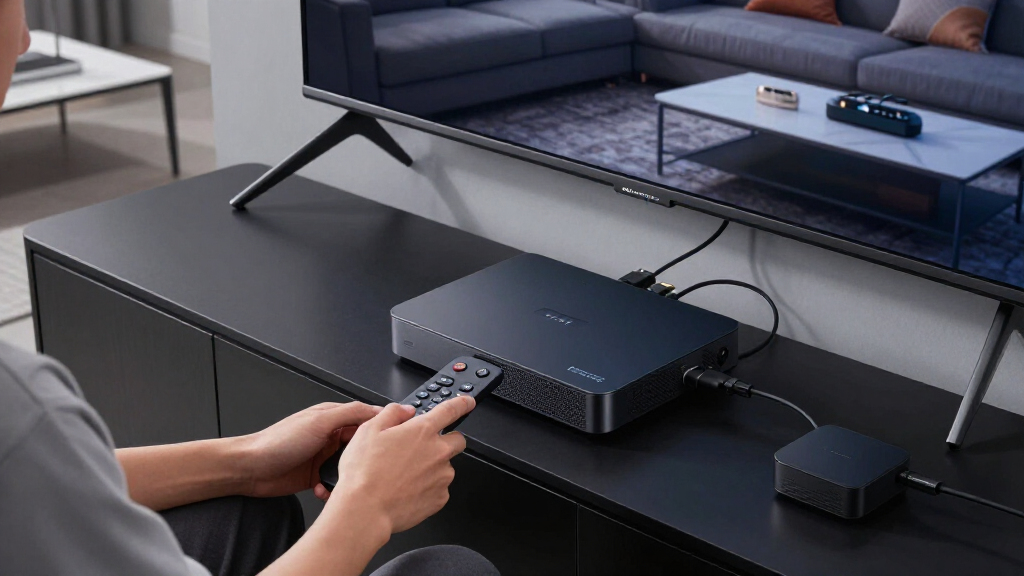
To determine the best 4k media streaming devices, I evaluated each model on key factors that impact everyday use. Performance speed, app compatibility, and picture quality were primary, ensuring smooth streaming and vivid visuals. Build quality and remote features were also considered, as they influence ease of use and longevity. Price and value for money played a significant role, especially in comparing premium versus budget options. The ranking reflects a balance between these factors, favoring devices that deliver excellent performance without unnecessary extras for most users.Factors to Consider When Choosing 4k Media Streaming Devices
Choosing the right 4k media streaming device depends on several important factors. Beyond basic compatibility with your TV, consider performance speed, streaming quality, and remote features. Think about your typical usage—do you want a simple device for casual viewing or a premium option with advanced picture settings? Connectivity options like Wi-Fi 6 can improve reliability, especially in busy networks. Also, consider how much you’re willing to spend, since features like Dolby Vision and Atmos add to the cost but greatly enhance picture and sound quality. Making an informed choice means balancing these factors to match your viewing habits and budget.Performance and User Interface
Fast and responsive performance ensures your streaming is smooth and free of lag. Devices with a snappy user interface make navigation easier, especially when switching between apps or searching for content. Higher-end models often feature more powerful chipsets which can handle 4K HDR content without stuttering. Cheaper options may struggle with complex menus or buffering issues, so consider how much time you’re willing to spend troubleshooting minor delays. Prioritizing performance helps ensure a seamless viewing experience.
Video and Audio Quality
The support for HDR, Dolby Vision, and Dolby Atmos can dramatically improve your home theater experience. Devices that support these formats will deliver richer colors, better contrast, and immersive sound. However, these features usually come at a higher price, so assess whether your TV and sound system also support them. Budget options might only support basic 4K and HDR10, which still look good but lack some of the vividness and depth of premium models. Matching your device’s capabilities with your existing setup maximizes value.
Remote Control and Ease of Use
A good remote enhances your overall experience, especially with voice control and backlit buttons for night viewing. Premium remotes often include dedicated voice assistants, making searches faster and more natural. Cheaper devices may have basic remotes with fewer features, which can frustrate users who rely on voice commands or prefer tactile controls. Consider how often you’ll use voice search or navigate menus—investing in a more capable remote can save time and reduce hassle.
Connectivity and Compatibility
Support for Wi-Fi 6 ensures faster, more stable streaming, particularly in crowded networks or larger homes. Bluetooth capability is also useful for connecting external speakers or game controllers. Compatibility with your TV’s ports, such as HDMI, and integration with smart home ecosystems can influence your choice. Some devices include Ethernet ports for wired connections, which can be more reliable than Wi-Fi. Always verify these options to prevent connectivity issues during peak usage times.
Price and Value
While high-end models offer advanced features, they come with a higher price tag. Budget options often provide excellent 4K streaming but may lack premium extras like Dolby Vision or advanced remote controls. Consider whether you need every feature or if a simpler device meets your basic needs. Sometimes, spending a little more upfront on a device with better performance and future-proofing features saves money in the long run by avoiding upgrades. Balance your expectations with your budget to find the best value.
Frequently Asked Questions
Does my TV need to be 4K to use a 4k streaming device?
Yes, your TV must support 4K resolution to benefit from a 4k streaming device. If your TV is only HD, connecting a 4K device won’t improve picture quality, though it can still offer other features like HDR and smart app support. It’s worth verifying your TV’s specifications before purchasing a 4K device, to ensure you get the full visual benefits. Upgrading your TV alongside a new streaming device can significantly enhance your viewing experience.
Is Wi-Fi 6 necessary for a good streaming experience?
While not strictly necessary, Wi-Fi 6 provides faster speeds and more reliable connections, especially in busy networks with multiple devices. If your home Wi-Fi supports Wi-Fi 6, pairing it with a compatible streaming device can reduce buffering and improve overall stability. For most households with standard Wi-Fi, Wi-Fi 5 (802.11ac) is sufficient, but future-proofing with Wi-Fi 6 can be a smart choice as networks and streaming quality demands increase.
Should I pay more for Dolby Vision and Atmos support?
Investing in devices with Dolby Vision and Atmos can significantly enhance your home theater experience, providing richer visuals and immersive sound. However, to truly benefit, your TV and sound system must also support these formats. If your existing setup lacks compatible hardware, the extra cost may not translate into a noticeable difference. For those with compatible equipment, choosing a device with these features is often worth the investment for premium quality.
Are streaming devices with built-in storage worth it?
Most streaming devices do not emphasize built-in storage, as their primary function is to stream content directly from the internet. Some higher-end models include limited storage for offline content or app installation, but this isn’t a major factor for most users. If you prefer local media storage or want to use your device as a media hub, look for models with expandable storage options. For typical streaming, storage capacity isn’t a critical concern.
How do I decide between a stick and a box-style streaming device?
Stick-style devices are compact, easy to hide behind your TV, and often more affordable, making them ideal for simple setups or secondary rooms. Box-style devices usually offer more ports, better processing power, and advanced remote features, suitable for dedicated home theater setups. Your choice depends on your space, connectivity needs, and whether you prioritize portability or performance. For most casual viewers, a stick provides ample features at a lower price, while a box is better for high-end entertainment setups.
Conclusion
For general use, the Amazon Fire TV Stick 4K Max offers a fantastic balance of performance, features, and price, making it the best overall choice. If you want premium picture quality and a feature-rich remote, the Roku Ultra stands out, especially for experienced home theater enthusiasts. Budget-conscious buyers will find the Roku Streaming Stick HD or Roku Streaming Stick Plus to be reliable options without breaking the bank. New users or those seeking simplicity should consider the Google TV Streamer for straightforward setup. Finally, for those with advanced sound and picture needs, the TiVo Stream 4K or Roku Ultra 2024 offer the most comprehensive features. Your ideal choice depends on your streaming habits, budget, and setup complexity.