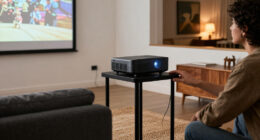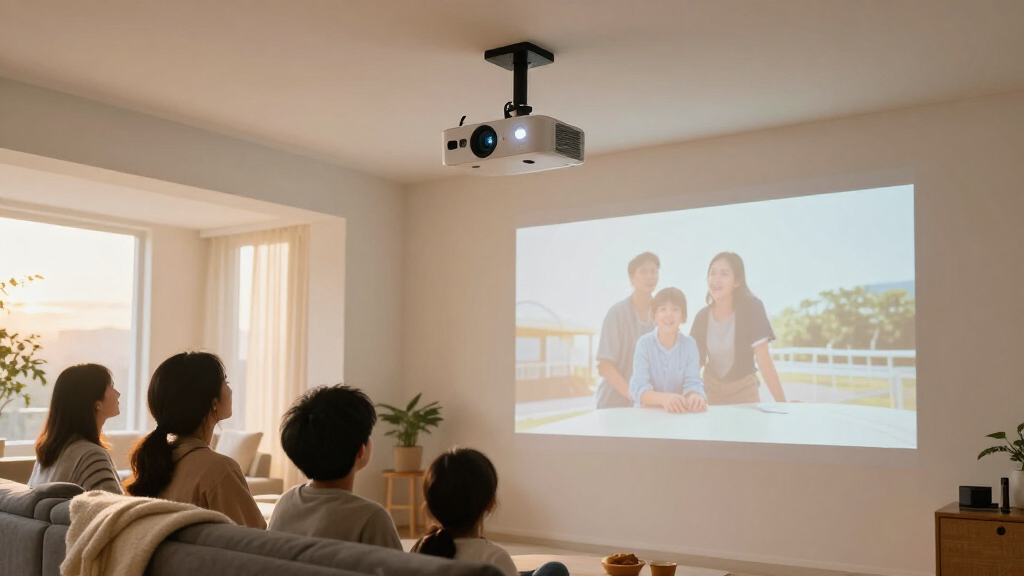
The best overall pick in this 4K projector ceiling mounts roundup is the DYNAVISTA Full Motion Universal Ceiling Projector Mount, thanks to its adjustable height and motion for dialing in projector placement. The VIVO White Adjustable Extending Mount suits rooms that need extra drop, while the PUTORSEN Shelf Mount offers a different route for projectors that lack standard mounting points. The main tradeoffs are ceiling clearance, compatible mounting patterns, installation flexibility, and how much adjustment you need after setup. A mount marketed as universal still needs to match your projector’s attachment points and weight limits. Read on for the full comparison and guidance on choosing a secure fit for your room.

Get business pricing on your home office setup
- Business-only prices and quantity discounts
- Tax-exempt purchasing
- Multiple users, one account, clear invoices
Complete the kit


Key Takeaways
- Adjustable drop and full-motion positioning make the DYNAVISTA the most versatile starting point for rooms where projector alignment may take several adjustments.
- The VIVO extending model and fixed adjustable VIVO model serve different ceiling needs: extra drop can help with taller rooms, while a simpler mount may suit a closer-to-ceiling installation.
- The PUTORSEN shelf mount stands apart from arm-style mounts and may suit a projector without compatible mounting holes, but its shelf format changes how placement and support need to be checked.
- Wall-and-ceiling options from PUTORSEN, PEGZONE, and Mount-It! offer more placement choices, but their added flexibility only helps when the chosen surface and hardware can support the installation.
- Several picks are variations on adjustable universal mounts, so the deciding factors are fit, drop length, cable routing, and finish—not the 4K label by itself.
| DYNAVISTA Full Motion Universal Ceiling Projector Mount, Adjustable Height, Black |  | Best for Long-Drop, Fine Positioning | Material: Alloy steel | Maximum load: 30 lb (13.6 kg) | Arm extension: 23–43.6 in with arm; 8.9 in without arm | VIEW LATEST PRICE | See Our Full Breakdown |
| VIVO White Adjustable Extending Ceiling Projector Mount |  | Best for Moderate Ceiling Drops | Model: MOUNT-VP02W | Material: High-grade steel | Weight capacity: 30 lb | VIEW LATEST PRICE | See Our Full Breakdown |
| VIVO White Adjustable Ceiling Projector Mount (MOUNT-VP01W) |  | Best Compact Direct-Ceiling Mount | Model: MOUNT-VP01W | Material: Alloy steel | Weight capacity: 30 lb | VIEW LATEST PRICE | See Our Full Breakdown |
| PUTORSEN Adjustable Projector Ceiling and Wall Mount Shelf, Black |  | Best for Shelf-Style and Alternate Placement | Model: EMMP0304-01 | Mounting type: Ceiling and wall | Material: Metal | VIEW LATEST PRICE | See Our Full Breakdown |
| WALI Adjustable Universal Projector Mount with Cable Management |  | Best for Multi-Position Installation | Model: PM-005-B | Mounting types: Wall, ceiling, and floor | Material: Iron | VIEW LATEST PRICE | See Our Full Breakdown |
| PEGZONE 3-in-1 Adjustable Projector Ceiling and Wall Mount |  | Best for Flexible Installation | Mounting options: Flush ceiling, extended ceiling, or wall mount | Maximum weight capacity: 44 lb (20 kg) | Tilt: +15°/-15° | VIEW LATEST PRICE | See Our Full Breakdown |
| Adjustable Universal Projector Wall and Ceiling Mount |  | Best for Wide-Angle Adjustment | Material: High-grade steel | Maximum load: 40 lb ceiling-mounted; 20 lb wall-mounted | Tilt: ±30° | VIEW LATEST PRICE | See Our Full Breakdown |
| VIVO Adjustable Ceiling Projector Mount, Black (MOUNT-VP01B) |  | Best for Broad Projector Compatibility | Model: MOUNT-VP01B | Mounting type: Ceiling mount | Maximum weight capacity: 13.6 kg (30 lb) | VIEW LATEST PRICE | See Our Full Breakdown |
| XINLEI PR14W Universal Low-Profile Projector Ceiling Mount |  | Best Low-Profile Pick | Model: PR14W | Mounting type: Ceiling mount | Mounting-hole distance: 2.83–11.42 in | VIEW LATEST PRICE | See Our Full Breakdown |
| PEGZONE 3-in-1 Adjustable Projector Ceiling and Wall Mount |  | Best for Heavy Projectors | Model: HWO1005BK | Mounting options: Flush ceiling, extension arm, or wall mount | Maximum weight capacity: 44 lb (20 kg) | VIEW LATEST PRICE | See Our Full Breakdown |
| Mount-It! Universal Wall or Ceiling Projector Mount, White |  | Best for Flexible Installation | Installation options: Flush ceiling, telescoping ceiling, or wall | Compatible brands: Optoma, BenQ, Epson, ViewSonic | Mounting hole spacing: 8.85–12.40 inches | VIEW LATEST PRICE | See Our Full Breakdown |
| YiePhiot Mini Projector Ceiling and Wall Mount, 175 mm, Black |  | Best for Mini Projectors | Mounting type: Ceiling or wall | Arm length: 17.5 cm | Maximum weight capacity: 5 kg | VIEW LATEST PRICE | See Our Full Breakdown |
| Aurzen Adjustable Ceiling Projector Mount |  | Best for Lightweight Threaded Projectors | Compatible mounting thread: Centered 1/4-inch thread | Ceiling weight capacity: 5.5 pounds (2.5 kg) | Wall weight capacity: 2.2 pounds (1 kg) | VIEW LATEST PRICE | See Our Full Breakdown |
| 4K projector ceiling mount | Tilt | Swivel | Material | Model |
|---|---|---|---|---|
| DYNAVISTA Full Motion Universa | 25° up and down | 90° left to right | Alloy steel | — |
| VIVO White Adjustable Extendin | 15° | 15° | High-grade steel | MOUNT-VP02W |
| VIVO White Adjustable Ceiling | ±15° | ±15° | Alloy steel | MOUNT-VP01W |
| PUTORSEN Adjustable Projector | — | — | Metal | EMMP0304-01 |
| WALI Adjustable Universal Proj | — | — | Iron | PM-005-B |
| PEGZONE 3-in-1 Adjustable Proj | +15°/-15° | +8°/-8° | — | — |
| Adjustable Universal Projector | ±30° | ±30° | High-grade steel | — |
| VIVO Adjustable Ceiling Projec | — | — | — | MOUNT-VP01B |
| XINLEI PR14W Universal Low-Pro | ±15° | ±20° | — | PR14W |
| PEGZONE 3-in-1 Adjustable Proj | +15°/-15° | +8°/-8° | — | HWO1005BK |
| Mount-It! Universal Wall or Ce | — | 360 degrees | — | — |
| YiePhiot Mini Projector Ceilin | — | — | Metal | — |
| Aurzen Adjustable Ceiling Proj | 90 degrees | — | — | — |
More Details on Our Top Picks
DYNAVISTA Full Motion Universal Ceiling Projector Mount, Adjustable Height, Black
The DYNAVISTA is the strongest fit here when the projector needs to hang well below the ceiling and still allow extensive image adjustment. Its arm spans 23 to 43.6 inches, and the head adds 25° tilt, 90° swivel, and 360° rotation, giving more positioning range than the VIVO MOUNT-VP02W’s shorter 15–23-inch extension and narrower swivel. The 30-pound capacity and support for mounting-hole spacing up to 12.1 inches suit many full-size projectors, while included hardware and instructions make the package more installation-ready.
The tradeoff is that this reach can be excessive in rooms needing a close-to-ceiling fit, where the compact VIVO MOUNT-VP01W is a tidier choice. DYNAVISTA is designed for flat ceilings, and the mount may shake if its screws are not firmly tightened. Check projector hole spacing and ceiling structure before choosing it.
Pros:- Long 23–43.6-inch arm supports placement well below the ceiling.
- 25° tilt, 90° swivel, and 360° rotation offer broad image-positioning options.
- Supports projectors up to 30 pounds.
- Includes mounting hardware and instructions.
Cons:- Its long arm is a poor fit for rooms that need the projector close to the ceiling.
- Designed for flat ceilings rather than angled surfaces.
- May shake if screws are not tightened securely.
Best for: Owners of heavier, full-size projectors who need a long ceiling drop and broad aiming adjustments in a room with a flat ceiling.
Not ideal for: Buyers seeking a low-profile mount, installing on a non-flat ceiling, or unable to verify that their projector’s mounting holes fit within the 12.1-inch limit.
- Material:Alloy steel
- Maximum load:30 lb (13.6 kg)
- Arm extension:23–43.6 in with arm; 8.9 in without arm
- Tilt:25° up and down
- Swivel:90° left to right
- Rotation:360°
- Maximum mounting-hole spacing:12.1 in
- Mounting type:Ceiling mount
Our verdict“Choose the DYNAVISTA when long reach and wide aiming adjustment matter more than a compact ceiling profile.”
VIVO White Adjustable Extending Ceiling Projector Mount
The VIVO MOUNT-VP02W suits rooms where a fixed ceiling mount would leave the projector too close to the ceiling, but a long pole like the DYNAVISTA’s 43.6-inch maximum would hang too low. Its 15–23-inch extension offers a middle ground, and the mount supports up to 30 pounds while fitting a stated hole range of 5.25–12.5 inches, plus a separate 1.5 × 1.5-inch mini range. Quick-release hooks can make attaching or removing the projector less cumbersome than a mount without that feature.
Its positioning range is more restrained: 15° tilt and swivel are less flexible than the DYNAVISTA’s tilt and swivel adjustments. The white finish can blend into pale ceilings, but compatibility is not universal; select Epson, Mitsubishi, and LG models are excluded. Confirm your projector’s model and hole pattern before buying.
Pros:- 15–23-inch extension suits moderate drop requirements.
- Supports projectors up to 30 pounds.
- Quick-release hooks simplify attaching and removing the projector.
- Includes 360° rotation and a stated mounting-hole range with a mini-projector option.
Cons:- Select Epson, Mitsubishi, and LG models are incompatible.
- 15° tilt and swivel provide less adjustment range than the DYNAVISTA.
- Not water resistant.
Best for: Home-theater owners with a compatible projector who need a moderate ceiling drop, a white mount, and quick-release hooks for installation or removal.
Not ideal for: Owners of the listed incompatible Epson, Mitsubishi, or LG projectors, or buyers who need the DYNAVISTA’s longer extension and broader swivel range.
- Model:MOUNT-VP02W
- Material:High-grade steel
- Weight capacity:30 lb
- Extension:15–23 in
- Tilt:15°
- Swivel:15°
- Rotation:360°
- Mounting-hole range:5.25–12.5 in; 1.5 × 1.5 in mini range
Our verdict“Pick the VIVO MOUNT-VP02W for a moderate drop and quick-release convenience, provided your projector is on its compatibility list.”
VIVO White Adjustable Ceiling Projector Mount (MOUNT-VP01W)
For a projector that should sit close to the ceiling, the VIVO MOUNT-VP01W is a more compact alternative to the extending MOUNT-VP02W: it places the projector 6 inches from the ceiling rather than hanging it 15–23 inches down. That shorter profile keeps the installation neater in rooms with limited clearance, while ±15° tilt and swivel plus 360° rotation still allow useful image alignment. It supports up to 30 pounds and fits mounting-hole spacing from 5.25 to 12.5 inches with extension arms.
Removing those arms makes it compatible with a 1.5 × 1.5-inch mini pattern, though the extra step may not suit buyers seeking the simplest installation. Compared with the DYNAVISTA, this VIVO offers far less reach and adjustment range, so it is not the pick for a deep ceiling drop. Select Epson, Mitsubishi, and LG models are also listed as incompatible.
Pros:- Six-inch ceiling distance makes for a compact installation.
- Supports projectors up to 30 pounds.
- Tilt, swivel, and 360° rotation help with image alignment.
- Extension arms can be removed to fit the stated mini-projector hole pattern.
Cons:- Offers much less drop than the extending VIVO MOUNT-VP02W or DYNAVISTA.
- Mini projectors require removal of the extension arms.
- Select Epson, Mitsubishi, and LG models are incompatible.
Best for: Home-theater owners with a compatible projector who want a compact, close-to-ceiling installation and moderate angle adjustment.
Not ideal for: Buyers who need a long drop, wider swivel range, or a mount that accommodates an incompatible Epson, Mitsubishi, or LG model.
- Model:MOUNT-VP01W
- Material:Alloy steel
- Weight capacity:30 lb
- Distance from ceiling:6 in
- Mounting-hole range:5.25–12.5 in with extension arms; 1.5 × 1.5 in without arms
- Tilt:±15°
- Swivel:±15°
- Rotation:360°
Our verdict“Choose this VIVO when a close-to-ceiling profile matters more than adjustable drop or wide-angle repositioning.”
PUTORSEN Adjustable Projector Ceiling and Wall Mount Shelf, Black
The PUTORSEN takes a different approach from the projector-specific arm mounts in this group: a 13.77 × 8.66-inch tray supports the device, rather than relying on a set of mounting-hole arms. That makes it a practical candidate for compatible projectors or other electronics that are awkward to attach to a conventional mount. Its ceiling-or-wall installation and 14.17–21.65-inch arm extension also give more placement choices than the close-fitting VIVO MOUNT-VP01W.
The shelf design brings limits. Its 22-pound capacity is lower than the 30-pound ratings of both VIVO mounts and the DYNAVISTA, and buyers need to check that the projector fits securely on the tray. It requires assembly and mounting, and it is not water resistant. Integrated cable management helps organize cords, but the WALI PM-005-B offers a similarly flexible installation approach with a stated maximum projector footprint.
Pros:- Tray design supports devices without relying on a projector mounting-hole pattern.
- Can be installed on either a ceiling or a wall.
- Arm extends from 14.17 to 21.65 inches.
- Integrated cable management helps keep cords organized.
Cons:- 22-pound capacity is lower than the 30-pound ratings of the DYNAVISTA and VIVO mounts.
- Requires assembly and mounting.
- Tray dimensions may not suit every projector footprint.
Best for: Buyers who need a tray-style platform for a compatible projector or electronic device and want the choice of ceiling or wall placement.
Not ideal for: Owners of projectors over 22 pounds or those seeking a mount that secures directly through projector mounting holes.
- Model:EMMP0304-01
- Mounting type:Ceiling and wall
- Material:Metal
- Weight capacity:22 lb
- Tray dimensions:13.77 × 8.66 in
- Arm extension:14.17–21.65 in
- Item weight:2.8 kg
- Water resistance:Not water resistant
Our verdict“Choose the PUTORSEN if a tray and flexible ceiling-or-wall placement matter more than a higher load rating or direct mounting-hole attachment.”
WALI Adjustable Universal Projector Mount with Cable Management
The WALI PM-005-B is the most adaptable placement option in this group: it is specified for ceiling, wall, and floor mounting, while the PUTORSEN supports ceiling or wall installation. Its adjustable reach changes by mounting setup, extending 14.17–22.44 inches for ceiling use or 22.05–31.5 inches for wall use with the tray. Built-in cable storage keeps wiring tidier, and a stated projector limit of 13.7 × 8.6 inches and 22 pounds gives buyers a clear fit check.
That versatility comes with tighter equipment limits than the DYNAVISTA and both VIVO mounts, which each support up to 30 pounds. Buyers should measure the projector rather than assume a universal fit. Like the PUTORSEN, the WALI uses a platform-style approach, so it is better for devices that fit the tray than for those needing a direct mounting-hole connection.
Pros:- Supports ceiling, wall, and floor installation.
- Separate extension ranges help adapt placement to the installation type.
- Built-in cable storage keeps cords contained.
- Includes installation hardware and instructions.
Cons:- Limited to projectors up to 22 pounds and 13.7 × 8.6 inches.
- Its stated size and weight limits make fit checks necessary before purchase.
- Platform-style support may not suit buyers seeking direct mounting-hole attachment.
Best for: Buyers planning a ceiling, wall, or floor setup who have a projector that fits within the stated footprint and weight limits.
Not ideal for: Owners of projectors heavier than 22 pounds or wider than 13.7 × 8.6 inches, and buyers who want a direct mounting-hole mount with a 30-pound capacity.
- Model:PM-005-B
- Mounting types:Wall, ceiling, and floor
- Material:Iron
- Maximum weight capacity:22 lb
- Maximum projector dimensions:13.7 × 8.6 in
- Ceiling installation length:14.17–22.44 in
- Wall installation length with tray:22.05–31.5 in
- Warranty:10 years
Our verdict“Choose the WALI for flexible placement across different mounting positions, as long as your projector fits its tray and load limits.”
PEGZONE 3-in-1 Adjustable Projector Ceiling and Wall Mount
The PEGZONE 3-in-1 is the most adaptable choice here if your room layout may call for a ceiling or wall position. It can sit flush to the ceiling, extend downward, or mount on a wall, while its 44 lb capacity offers more headroom than the 30 lb VIVO MOUNT-VP01B and XINLEI PR14W. Tilt and swivel adjustments help with image alignment, but the modest swivel range is less generous than the ±30° offered by the Adjustable Universal Projector Wall and Ceiling Mount.
The tradeoff is a larger installation footprint and a need to match the projector’s mounting-hole spacing to the stated range before buying. Drilling is required, so this is better for a planned, secure installation than a renter seeking a simple, reversible setup. The included template and hardware help with setup, but do not remove the need to confirm the ceiling or wall structure can carry the load.
Pros:- Three mounting configurations cover flush-ceiling, extended-ceiling, and wall placement.
- 44 lb capacity exceeds the stated limits of the VIVO MOUNT-VP01B and XINLEI PR14W.
- Tilt and swivel adjustments support image alignment.
- Includes cable management, a drilling template, hardware, and instructions.
Cons:- The 8.85–12.44 in mounting-hole range requires a careful compatibility check.
- Installation requires drilling into a suitable structural surface.
- Its swivel adjustment is narrower than the ±30° range on the Adjustable Universal Projector Wall and Ceiling Mount.
Best for: Home theater owners who need to choose between ceiling and wall placement or want the option to adjust the projector’s drop later.
Not ideal for: Renters or buyers with projectors whose mounting holes fall outside the listed 8.85–12.44 in pattern range.
- Mounting options:Flush ceiling, extended ceiling, or wall mount
- Maximum weight capacity:44 lb (20 kg)
- Tilt:+15°/-15°
- Swivel:+8°/-8°
- Ceiling extension range:430–650 mm (16.9–25.6 in)
- Wall mounting range:225–316 mm
- Compatible mounting-hole pattern:8.85–12.44 in
- Material and color:Steel construction; white
Our verdict“Choose this PEGZONE if you want ceiling-or-wall flexibility and need more stated load capacity than the compact VIVO or XINLEI mounts provide.”
Adjustable Universal Projector Wall and Ceiling Mount
This mount’s standout is its ±30° tilt and swivel, giving it more stated aiming range than the ±15° tilt on the PEGZONE and VIVO MOUNT-VP01B. That extra movement can help when the projector’s location is dictated by a room feature rather than the ideal screen position. It also supports flush-ceiling, telescoping-ceiling, and wall installation, with a ceiling load limit of 40 lb.
That flexibility comes with firmer installation constraints than the PEGZONE: the product calls for a hard, solid wall and is not suited to regular drywall or vaulted ceilings. Its wall load limit drops to 20 lb, so buyers planning wall mounting need to check the projector’s weight rather than rely on the ceiling figure. It also excludes mini projectors, making the VIVO MOUNT-VP01B a more adaptable alternative for smaller models.
Pros:- ±30° tilt and swivel provide a wider stated aiming range than the other listed mounts.
- Offers flush-ceiling, telescoping-ceiling, and wall installation.
- Steel construction with a 40 lb ceiling load limit.
- Includes installation hardware and instructions.
Cons:- Not compatible with mini projectors.
- Not suitable for regular drywall or vaulted ceilings.
- Wall-mounted capacity is limited to 20 lb, half its ceiling-mounted limit.
Best for: Home theater owners who need substantial tilt and swivel adjustment and can mount securely to a solid wall or suitable ceiling.
Not ideal for: Mini-projector owners, people mounting to regular drywall or vaulted ceilings, and buyers needing more than 20 lb of wall-mounted capacity.
- Material:High-grade steel
- Maximum load:40 lb ceiling-mounted; 20 lb wall-mounted
- Tilt:±30°
- Swivel:±30°
- Ceiling extension:16.9–25.6 in
- Wall extension:13.8–22.5 in
- Compatibility:Most projectors with 3–4 mounting holes measuring 3 or 4 mm; not compatible with mini projectors
- Installation requirements:Hard, solid wall; not suitable for regular drywall or vaulted ceilings
Our verdict“Pick this model when broad aiming adjustment matters most and your mounting surface meets its specific structural requirements.”
VIVO Adjustable Ceiling Projector Mount, Black (MOUNT-VP01B)
The VIVO MOUNT-VP01B is a straightforward ceiling-only option for buyers who want broad hole-spacing compatibility without an extension arm. Its mounting range reaches 31.8 cm, and the mount supports projectors up to 30 lb. Tilt, swivel, and 360° rotation give several ways to orient the unit; compared with the XINLEI PR14W, it also has a longer stated mounting-hole range, though the XINLEI offers a compact five-inch ceiling clearance.
At 15.2 cm of clearance, this VIVO sits lower than the XINLEI’s five-inch profile, which can matter in rooms where ceiling height is limited. It is not the choice for buyers needing wall installation or a long drop, unlike the PEGZONE 3-in-1. Mini projectors can fit when the extension arms are removed, but that extra step makes compatibility less plug-and-play than a mount designed around the exact projector format.
Pros:- Mounting-hole spacing supports a wide range of projector layouts, up to 31.8 cm.
- Tilt, swivel, and 360° rotation provide multiple alignment adjustments.
- Alloy-steel construction supports projectors up to 30 lb.
- Mini projectors may fit when the extension arms are removed.
Cons:- Ceiling-only design lacks the wall and extended-arm options of the PEGZONE mounts.
- Its 15.2 cm ceiling clearance is higher than the XINLEI PR14W’s five-inch profile.
- Mini-projector installation requires removing the extension arms.
Best for: Buyers with a standard ceiling-mounted projector who need a broad mounting-hole range and adjustable orientation.
Not ideal for: Anyone needing wall mounting, an extended ceiling drop, or a particularly low-profile mount like the XINLEI PR14W.
- Model:MOUNT-VP01B
- Mounting type:Ceiling mount
- Maximum weight capacity:13.6 kg (30 lb)
- Mounting-hole range:5.1–31.8 cm
- Ceiling clearance:15.2 cm
- Tilt and swivel:±15° each
- Rotation:360°
- Material and color:Alloy steel; black
- Warranty:3 years
Our verdict“Choose the VIVO for a flexible ceiling-only fit across varied mounting-hole layouts, but look to the XINLEI if a closer ceiling profile is your priority.”
XINLEI PR14W Universal Low-Profile Projector Ceiling Mount
The XINLEI PR14W earns its place for buyers who want the projector close to the ceiling: its five-inch clearance is lower than the VIVO MOUNT-VP01B’s 15.2 cm. It still provides tilt, swivel, and 360° rotation, so the compact placement does not remove basic image-adjustment options. Its 30 lb capacity matches the VIVO, while the PEGZONE 3-in-1 carries a higher stated load and adds wall-mounting flexibility.
The tradeoff is a narrower compatibility condition: the PR14W requires a projector with four mounting holes, even though its listed hole-distance range spans 2.83–11.42 inches. That makes the hole count worth checking before purchase, not just the spacing. This is also ceiling-only, so buyers who might need a wall mount or extension arm should choose one of the PEGZONE models instead. Installation hardware is included for concrete, brick, or wood-stud ceilings.
Pros:- Five-inch ceiling clearance keeps the projector closer to the ceiling than the VIVO MOUNT-VP01B.
- Hole spacing from 2.83 to 11.42 inches accommodates a range of projector layouts.
- Tilt, swivel, and 360° rotation support positioning adjustments.
- Includes hardware and instructions for concrete, brick, or wood-stud ceilings.
Cons:- Requires a projector with four mounting holes.
- Ceiling-only design lacks the wall and extension options of both PEGZONE mounts.
- The 30 lb limit is lower than the 44 lb capacity listed for the PEGZONE models.
Best for: Buyers who want a compact ceiling installation and have a four-hole projector weighing no more than 30 lb.
Not ideal for: Owners of projectors with fewer than four mounting holes or anyone who needs wall mounting or an extended drop.
- Model:PR14W
- Mounting type:Ceiling mount
- Mounting-hole distance:2.83–11.42 in
- Weight capacity:30 lb (13.6 kg)
- Tilt:±15°
- Swivel:±20°
- Rotation:360°
- Ceiling clearance:5 in
- Material and color:Alloy steel; white
Our verdict“Choose the PR14W for a lower-profile ceiling setup if your projector has four mounting holes and fits its weight limit.”
PEGZONE 3-in-1 Adjustable Projector Ceiling and Wall Mount
This black PEGZONE is the strongest stated-load option in this batch, with a 44 lb capacity and three installation modes: flush ceiling, extension arm, or wall. Those figures match the white PEGZONE B0FDQTB51M, so the distinction is chiefly its black finish for a darker room or a less conspicuous pairing with black equipment. Against the ceiling-only VIVO MOUNT-VP01B and XINLEI PR14W, it offers more placement flexibility and a higher listed capacity.
Its adjustments are more limited than the Adjustable Universal Projector Wall and Ceiling Mount, which specifies ±30° tilt and swivel rather than this model’s ±15° tilt and ±8° swivel. Buyers also need to verify the 8.85–12.44 in mounting-hole pattern and plan for drilling. The supplied cable management can help keep the installation tidy, but the mount’s large dimensions make it less suited to a minimal, close-to-ceiling setup.
Pros:- 44 lb capacity is higher than the 30 lb limits of the VIVO MOUNT-VP01B and XINLEI PR14W.
- Supports flush-ceiling, extended-ceiling, and wall installation.
- Includes cable management and installation hardware.
- Black finish suits darker rooms and black projector setups.
Cons:- Tilt and swivel ranges are narrower than those on the Adjustable Universal Projector Wall and Ceiling Mount.
- Requires checking projector mounting-hole spacing before purchase.
- Large dimensions and drilling requirements make it less suited to a compact or reversible installation.
Best for: Owners of heavier projectors who want a black mount with ceiling-or-wall installation options and a stated capacity up to 44 lb.
Not ideal for: Buyers needing wide-angle adjustment, a compact ceiling-only mount, or a projector with mounting holes outside the listed pattern range.
- Model:HWO1005BK
- Mounting options:Flush ceiling, extension arm, or wall mount
- Maximum weight capacity:44 lb (20 kg)
- Tilt:+15°/-15°
- Swivel:+8°/-8°
- Ceiling extension range:16.9–25.6 in
- Wall mounting range:225–316 mm
- Mounting-hole pattern:8.85–12.44 in
- Material and color:Steel; black
Our verdict“Pick this black PEGZONE when higher stated capacity and three mounting configurations matter more than wide-angle adjustment or a compact profile.”
Mount-It! Universal Wall or Ceiling Projector Mount, White
Three mounting configurations make this Mount-It! a flexible choice for a 4K projector setup that may need to go on a wall, sit close to the ceiling, or hang from a telescoping pole. Its 44-pound capacity and steel construction give it a broader fit for full-size projectors than the lightweight YiePhiot or Aurzen mounts. Tilt, roll, and swivel adjustments help aim the image after installation, while built-in cable management keeps wiring neater. The tradeoff is fit: your projector’s mounting holes must span 8.85–12.40 inches, so check the chassis before choosing it. Its white finish and multiple installation options favor rooms where adaptability matters more than a minimal, single-purpose mount.
Pros:- Supports flush ceiling, telescoping ceiling, and wall installation
- 44-pound capacity suits heavier projectors than the YiePhiot and Aurzen mounts
- Tilt, roll, and 360-degree swivel allow post-installation image aiming
- Built-in cable management helps organize projector wiring
Cons:- Projector mounting holes must be spaced 8.85–12.40 inches apart
- Its 3.6-pound steel construction is less suited to buyers prioritizing a very lightweight mount
Best for: Owners of full-size Optoma, BenQ, Epson, or ViewSonic projectors who want the option to mount on a wall or use either a flush or telescoping ceiling setup.
Not ideal for: Buyers with projectors whose mounting holes fall outside the 8.85–12.40-inch range, or anyone seeking a compact mount for a lightweight mini projector.
- Installation options:Flush ceiling, telescoping ceiling, or wall
- Compatible brands:Optoma, BenQ, Epson, ViewSonic
- Mounting hole spacing:8.85–12.40 inches
- Weight capacity:44 pounds
- Tilt and roll:±15 degrees tilt; ±8 degrees roll
- Swivel:360 degrees
- Ceiling height adjustment:5–25.6 inches
- Wall extension:16.9–25.6 inches
- Material and cable management:Alloy steel; built-in cable management
Our verdict“Choose this Mount-It! if you need a sturdy mount with three installation options and your projector matches its mounting-hole range.”
YiePhiot Mini Projector Ceiling and Wall Mount, 175 mm, Black
The YiePhiot is aimed at a different buyer from the Mount-It!: it is a small-projector mount, with compatibility listed for mini-projector brands such as QKK, DR.J, Anker, VANKYO, and AuKing. Its 17.5 cm arm and ceiling-or-wall mounting flexibility can help place a compact projector without buying a heavier universal bracket designed for larger units. The listed 5 kg capacity is generous relative to its tiny 2.56-ounce listed weight, but buyers should confirm that the projector’s mounting arrangement matches this mount; the supplied data does not specify thread size or adjustment ranges. Unlike the Aurzen, it is not described with detailed tilt or rotation specifications. Skip it for a standard full-size 4K projector unless compatibility is confirmed.
Pros:- Designed for mini projectors from a broad list of named brands
- Can be installed on a ceiling or wall
- 17.5 cm arm offers some separation between projector and mounting surface
- Listed maximum capacity is 5 kg
Cons:- Product data does not specify mounting-thread size or adjustment ranges
- Compatibility is oriented toward mini projectors rather than full-size 4K models
- Not water resistant
Best for: Owners of compatible mini projectors from brands such as QKK, DR.J, Anker, VANKYO, or AuKing who need a compact wall or ceiling mounting option.
Not ideal for: Buyers with full-size 4K projectors or anyone who needs clearly specified tilt, rotation, or projector-thread compatibility before installation.
- Mounting type:Ceiling or wall
- Arm length:17.5 cm
- Maximum weight capacity:5 kg
- Material:Metal
- Color:Black
- Item weight:2.56 oz
- Listed compatible brands:QKK, DR.J, DBPOWER, Anker, VANKYO, AAXA, Jinhoo, PVO, TMY, AuKing
Our verdict“Pick the YiePhiot for a compatible mini projector and a compact ceiling or wall setup, but choose the Mount-It! for a heavier full-size projector.”
Aurzen Adjustable Ceiling Projector Mount
The Aurzen is the most clearly specified option here for a lightweight projector with a centered 1/4-inch thread. Its telescoping 9–15-inch length, 360-degree rotation, and 90-degree tilt give more explicit aiming and reach adjustments than the YiePhiot, whose adjustment details are not supplied. That flexibility has a firm weight limit: it supports up to 5.5 pounds on a ceiling, dropping to 2.2 pounds for wall installation, so the ceiling is the more practical choice for many projectors. Compatibility is narrow as well: M6/M8 and off-center threads are unsupported, and the Aurzen D1 MAX does not fit. Compared with the Mount-It!, this is a lighter-duty, thread-specific solution rather than a universal mount for heavier 4K hardware.
Pros:- 360-degree rotation and 90-degree tilt provide broad aiming adjustment
- Telescoping length adjusts from 9 to 15 inches
- Includes mount base, pole, screw kit, anchors, and manual
- Ceiling capacity of 5.5 pounds suits some lightweight projectors
Cons:- Requires a centered 1/4-inch thread and excludes M6/M8 and off-center threads
- Wall installation is limited to 2.2 pounds
- Not compatible with the Aurzen D1 MAX
Best for: Owners of lightweight projectors with a centered 1/4-inch thread who want a telescoping ceiling mount with substantial angle adjustment.
Not ideal for: Owners of full-size or heavier 4K projectors, the Aurzen D1 MAX, or any projector with an off-center, M6, or M8 mounting thread.
- Compatible mounting thread:Centered 1/4-inch thread
- Ceiling weight capacity:5.5 pounds (2.5 kg)
- Wall weight capacity:2.2 pounds (1 kg)
- Adjustable length:9–15 inches
- Rotation:360 degrees
- Tilt:90 degrees
- Material and color:Metal; black
- Compatibility exclusion:Not compatible with Aurzen D1 MAX; M6/M8 and off-center threads unsupported
Our verdict“Choose the Aurzen for a light projector with the exact supported thread and ceiling installation; choose the Mount-It! if your projector is heavier or needs broader mounting compatibility.”

How We Picked
I ranked these mounts around the practical needs of a 4K projector installation: secure attachment, compatibility with different projector mounting patterns, useful adjustment range, and the ability to place the lens correctly for a room’s screen. I also compared installation formats, including ceiling-only arms, wall-and-ceiling mounts, low-profile designs, and shelf-style supports. Cable management and finish matter too, since a mount can affect both setup effort and the finished room.
The order reflects how broadly useful each design appears from its listed features, balanced against its limitations. Full-motion and adjustable-height designs rank highly because they offer more ways to correct placement; specialized options rank well for the specific installation problem they solve, but are less universal. Product names and category descriptions do not establish load capacity or projector compatibility, so buyers should confirm those details against the manufacturer’s specifications before installation.
| 4K projector ceiling mount | Material |
|---|---|
| DYNAVISTA Full Motion Universa | Alloy steel |
| VIVO White Adjustable Extendin | High-grade steel |
| VIVO White Adjustable Ceiling | Alloy steel |
| PUTORSEN Adjustable Projector | Metal |
| WALI Adjustable Universal Proj | Iron |
| PEGZONE 3-in-1 Adjustable Proj | — |
| Adjustable Universal Projector | High-grade steel |
| VIVO Adjustable Ceiling Projec | — |
| XINLEI PR14W Universal Low-Pro | — |
| PEGZONE 3-in-1 Adjustable Proj | — |
| Mount-It! Universal Wall or Ce | — |
| YiePhiot Mini Projector Ceilin | Metal |
| Aurzen Adjustable Ceiling Proj | — |
Factors to Consider When Choosing 4K Projector Ceiling Mounts
Choosing among 4K projector ceiling mounts is less about resolution than about matching the hardware to your projector, ceiling, and screen geometry. I would settle the fit and placement questions first, then compare convenience features such as finish and cable routing.
Match the Mount to the Projector’s Attachment Points
Check your projector’s manual for its mounting-hole pattern, permitted screw type, and maximum supported load before choosing a mount. A universal label does not mean every projector fits every mounting plate; arm reach and plate geometry can still block access or leave the projector off-center. If the projector has no standard threaded mounting points, a shelf-style option may be more suitable, but only if the shelf’s dimensions and load rating match the device. Avoid relying on the projector’s outer casing as a support surface unless its manufacturer approves that method. This check can prevent a mount that appears compatible on paper from becoming an awkward or unsafe installation.
Measure Drop, Lens Position, and Screen Geometry
Measure from the ceiling surface to the lens position the projector needs, not just to the top of its housing. Ceiling height, screen height, projector offset, and the model’s lens-shift range all affect where the mount should sit. An extending mount can help when a higher ceiling calls for more drop, while a low-profile design may keep a compact room visually tidy. More drop is not automatically better: a longer arm can be more visible and may need extra care to limit movement. Use the projector’s throw and installation guidance to set the target position before drilling.
Choose Ceiling-Only, Wall-and-Ceiling, or Shelf Placement
A ceiling-only mount is a natural choice when the projector belongs above the audience and the ceiling provides a suitable structural fixing point. Wall-and-ceiling designs add placement options, which can help in rooms with obstacles or limited ceiling access, but flexibility does not replace a secure attachment to the right surface. Shelf mounts can solve a compatibility problem for projectors without conventional mounting holes, though they may occupy more visual space and call for careful shelf alignment. Think about seating, door swings, ventilation, and access for maintenance before selecting a format. The best style is the one that reaches the right position without forcing an awkward or unsupported installation.
Treat Structural Support as a Separate Compatibility Check
Do not assume that matching the projector to the mount is enough; the ceiling or wall must also support the combined load. Identify the structural material and locate an appropriate joist, beam, or other approved fixing point rather than fastening into unsupported drywall. Use the fasteners and installation method specified for the surface, since hardware supplied with a mount may not suit every home. If the surface is concrete, masonry, or a suspended ceiling, confirm the correct anchoring approach before work begins. When the structure or load path is unclear, a qualified installer can help avoid damage or a falling projector.
Balance Adjustability Against Stability and Visual Clutter
More joints and adjustment points can make alignment easier, but they also create more hardware to tighten and more opportunity for movement if installation is loose. Full-motion mounts are useful when the projector needs careful aiming or may be repositioned, while a simpler design can keep a settled installation neater. Check how the mount locks tilt and rotation, and whether adjustment requires tools or can be secured after aiming. A white finish may blend into a light ceiling, while black can recede in a darker theater, but neither finish compensates for poor placement. Choose only the adjustment range you expect to use.
Plan Cable Routing, Ventilation, and Future Access
Map the power and video cable route before mounting, including where cables enter the projector and how they reach the source equipment. Built-in cable management can reduce visible wiring, but verify that it accommodates the cable types and connectors you actually use. Leave enough space around the projector’s air intakes and exhaust; a mount that places the unit too close to the ceiling can restrict airflow. Also consider how you will reach the projector for filter cleaning, firmware updates, or troubleshooting without removing the entire mount. A tidy installation should remain serviceable after the initial setup.
Frequently Asked Questions
Will any universal ceiling mount fit my 4K projector?
No. “4K” describes the projector’s image resolution, not a shared mounting standard. Compare the projector’s mounting-hole pattern, screw requirements, weight, and clearance needs with the mount’s published specifications. Also check whether the projector’s lens can be positioned correctly with the mount’s adjustment range. If the projector lacks mounting points, look at a suitable shelf-style support rather than assuming an arm mount will work.
How do I know whether I need an extending mount or a low-profile mount?
Measure the required lens position from the ceiling using your projector’s placement guidance and the screen geometry. An extending design may help when the ceiling is high or the projector needs to sit lower to clear an obstacle. A low-profile mount can suit a standard-height room where the projector can sit close to the ceiling without blocking ventilation. Do not choose by ceiling height alone: lens offset, throw distance, and the projector’s own adjustment range all affect the final position.
Can I attach a projector mount to drywall or a suspended ceiling?
Drywall alone is generally not a suitable structural support for a projector mount, and suspended ceiling tiles are not designed to carry that load by themselves. The installation needs an approved fixing point connected to the building structure, using hardware suited to the surface. A wall-and-ceiling label does not mean the mount can attach safely to any wall or ceiling material. Check the installation instructions and seek professional help if you cannot identify a secure load path.
Is a shelf mount a good choice if my projector has no mounting holes?
A shelf mount can be a practical alternative when the projector does not have compatible threaded mounting points. Check the shelf’s usable dimensions, load limit, edge protection, and how securely the projector will stay in place. The shelf also needs to preserve airflow and provide access to the projector’s ports and controls. Compared with an arm mount, it may be bulkier and can make precise alignment more dependent on shelf placement.
Do cable-management features matter if I plan to hide the wiring?
They can still help keep the section of cable near the projector tidy, even when most wiring runs through a wall or ceiling. Confirm that the mount’s routing path fits your cables and connectors, and avoid tight bends that could strain them. Plan the full route before installation so cables remain accessible for replacement or troubleshooting. Cable channels should never block ventilation or make it difficult to reach the projector’s ports.
Conclusion
For the best overall balance of placement flexibility, I would start with the DYNAVISTA full-motion mount, provided its specifications match the projector and ceiling. The best value-style choice is a straightforward adjustable VIVO or WALI mount for buyers who need a conventional ceiling setup without extra placement options; compare their fit and cable-routing details before deciding. For a premium-style installation focused on flexibility, consider an extending or wall-and-ceiling design when the room genuinely needs its wider placement range. The best choice for beginners is the mount whose instructions, attachment pattern, and installation format clearly match the room—not necessarily the one with the most joints. For a projector without standard mounting holes, the PUTORSEN shelf mount is the more specific option to investigate, while the YiePhiot mini mount targets compact setups. Confirm projector fit, load capacity, and structural support before purchase.