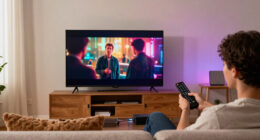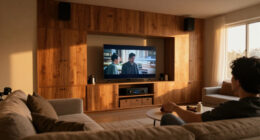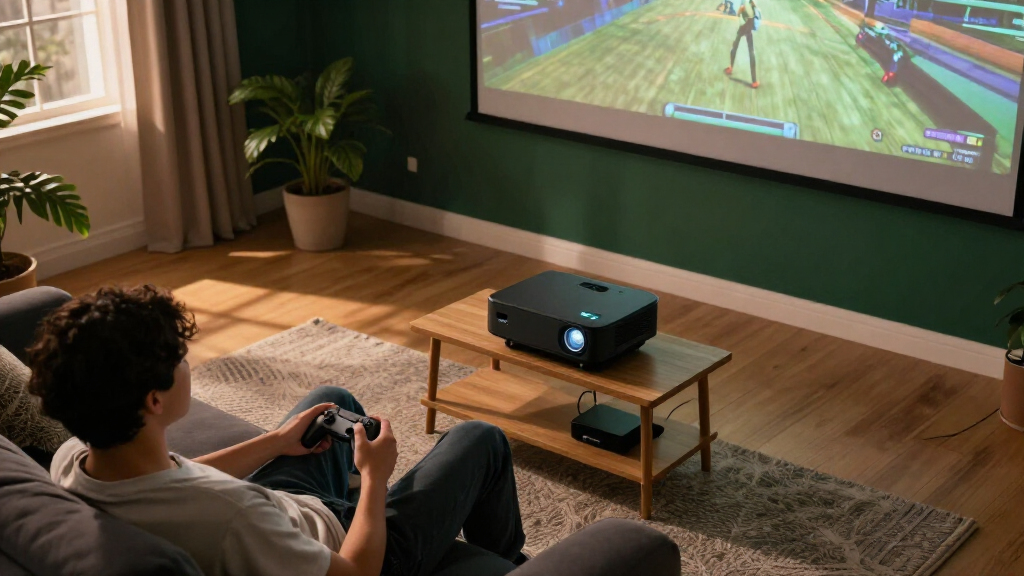
Among these 4K gaming projectors, I rank the BenQ TK710 as the best overall for its combination of 4K HDR, laser light source and gaming-focused design. The BenQ X3100i is a stronger fit for players who want a premium, flexible entertainment setup, while the ViewSonic PX749-4K stands out for buyers prioritizing bright-room play. The tradeoffs are practical: brighter output and gaming responsiveness can matter more than smart features, while placement and throw distance determine whether a projector will work in your room. Some models listed as 4K decode or 4K support use native 1080p imaging, so the label alone does not tell you what you will see. Read on for the full ranking, room-planning advice and picks by buyer type.

Get business pricing on your home office setup
- Business-only prices and quantity discounts
- Tax-exempt purchasing
- Multiple users, one account, clear invoices
Complete the kit


Key Takeaways
- BenQ TK710 leads the roundup as the balanced gaming pick, pairing 4K HDR and laser illumination without the specialized short-throw role of the TK710STi.
- BenQ X3100i and Valerion StreamMaster Plus2 sit at the premium end for buyers seeking more than a basic gaming screen, but their extra capabilities may be unnecessary for a dedicated console setup.
- ViewSonic PX749-4K and PX701-4K make brightness a central comparison; room light and screen size help determine whether that advantage is useful.
- BenQ TK710STi addresses short placement distances, while standard-throw options need more room between projector and screen.
- The ONOAYO ONO5Pro, VIDAA smart projector and X9 Pro emphasize built-in convenience, but buyers should distinguish native 4K imaging from 4K decoding on a 1080p projector.
| BenQ TK710 4K HDR Laser Projector |  | Best Overall | Resolution: 3840 x 2160 (4K UHD) | Brightness: 3200 ANSI lumens | Light source: Laser | VIEW LATEST PRICE | See Our Full Breakdown |
| ViewSonic PX749-4K 4K UHD Gaming Projector |  | Best for Bright Rooms | Resolution: 3840 x 2160 (4K UHD) | Brightness: 4000 ANSI lumens | Display technology: DLP | VIEW LATEST PRICE | See Our Full Breakdown |
| ViewSonic PX701-4K UHD Projector |  | Best Value Gaming Features | Resolution: 3840 x 2160 (4K UHD) | Brightness: 3200 ANSI lumens | Display technology: DLP | VIEW LATEST PRICE | See Our Full Breakdown |
| 4K Smart Projector with VIDAA OS, WiFi 6, Bluetooth 5.4, Dolby Audio, and AI Auto Focus |  | Best for Casual Streaming and Gaming | Native resolution: 1920 x 1080 (1080p) | Maximum resolution support: 3840 x 2160 decoding | Brightness: 550 ANSI lumens | VIEW LATEST PRICE | See Our Full Breakdown |
| ViewSonic LX700-4K 4K UHD Laser Gaming Projector |  | Best for Long-Term Gaming Setups | Resolution: 3840 x 2160 (4K UHD) | Brightness: 3500 ANSI lumens | Light source: Laser | VIEW LATEST PRICE | See Our Full Breakdown |
| Optoma UHD38x 4K UHD Gaming Projector | 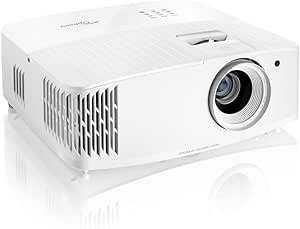 | Best for Competitive Play in Bright Rooms | Resolution: 3840 × 2160 (4K UHD) | Brightness: 4,000 lumens | Input lag: 4.2ms at 1080p | VIEW LATEST PRICE | See Our Full Breakdown |
| BenQ TK710STi 4K HDR Short Throw Home Entertainment Projector | 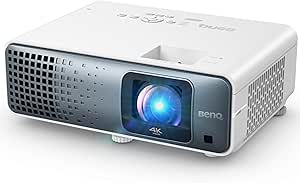 | Best Short Throw Pick | Resolution: 3840 × 2160 (4K UHD) | Brightness: 3,200 ANSI lumens | Light source: Laser, rated for 20,000 hours | VIEW LATEST PRICE | See Our Full Breakdown |
| Valerion StreamMaster Plus2 4K RGB Laser Projector | 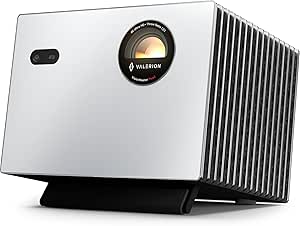 | Best for Color and Streaming | Native resolution: 3840 × 2160 | Display type: RGB laser | Brightness: 2,000 ISO lumens | VIEW LATEST PRICE | See Our Full Breakdown |
| BenQ X3100i True 4K 4LED Gaming Projector |  | Best All-Round Gaming and Entertainment Pick | Native resolution: 3840 × 2160 (4K UHD) | Brightness: 3,300 ANSI lumens | Color gamut: 100% DCI-P3 | VIEW LATEST PRICE | See Our Full Breakdown |
| ONOAYO ONO5Pro 2.0 4K Smart Projector |  | Best for Casual Gaming and Outdoor Setups | Resolution: 4K support; native resolution not specified | Input latency: 18ms in Game Mode | Audio: Dual 60W Dolby Audio speakers | VIEW LATEST PRICE | See Our Full Breakdown |
| X9 Pro Smart Projector with VIDAA OS, Native 1080p, 4K Decoding, Dolby Audio, Wi-Fi 6 and Bluetooth 5.4 |  | Best for Easy Setup and Streaming | Native resolution: 1080p | 4K support: Decodes 4K content | Brightness: 920 ISO lumens | VIEW LATEST PRICE | See Our Full Breakdown |
| BenQ TK700 4K HDR Home Entertainment Gaming Projector |  | Best for Competitive 4K Gaming | Native resolution: 3840 × 2160 (4K UHD) | Display technology: DLP | Brightness: 3,200 ANSI lumens | VIEW LATEST PRICE | See Our Full Breakdown |
| 4K gaming projector | Brightness | Input lag | Refresh rate | Resolution |
|---|---|---|---|---|
| BenQ TK710 4K HDR Laser Projec | 3200 ANSI lumens | 4ms at 1080p/240Hz; 16ms at 4K/60Hz | Up to 240Hz at 1080p | 3840 x 2160 (4K UHD) |
| ViewSonic PX749-4K 4K UHD Gami | 4000 ANSI lumens | 4.2ms | Up to 240Hz | 3840 x 2160 (4K UHD) |
| ViewSonic PX701-4K UHD Project | 3200 ANSI lumens | 4.2ms | Up to 240Hz | 3840 x 2160 (4K UHD) |
| 4K Smart Projector with VIDAA | 550 ANSI lumens | — | — | — |
| ViewSonic LX700-4K 4K UHD Lase | 3500 ANSI lumens | 4.2ms | Up to 240Hz | 3840 x 2160 (4K UHD) |
| Optoma UHD38x 4K UHD Gaming Pr | 4,000 lumens | 4.2ms at 1080p | 240Hz at 1080p; 120Hz at 1080p; 60Hz at 4K | 3840 × 2160 (4K UHD) |
| BenQ TK710STi 4K HDR Short Thr | 3,200 ANSI lumens | 4ms | 240Hz at 1080p | 3840 × 2160 (4K UHD) |
| Valerion StreamMaster Plus2 4K | 2,000 ISO lumens | 4ms | 240Hz; resolution not specified | — |
| BenQ X3100i True 4K 4LED Gamin | 3,300 ANSI lumens | — | 240Hz; resolution not specified | — |
| ONOAYO ONO5Pro 2.0 4K Smart Pr | — | — | — | 4K support; native resolution not specified |
| X9 Pro Smart Projector with VI | 920 ISO lumens | — | — | — |
| BenQ TK700 4K HDR Home Enterta | 3,200 ANSI lumens | 4.2ms fastest mode; 16ms standard mode | — | — |
More Details on Our Top Picks
BenQ TK710 4K HDR Laser Projector
The BenQ TK710 is my most balanced choice for a 4K gaming room that also gets used with some ambient light. Its 3,200 ANSI lumens and laser light source pair useful brightness with a stated 20,000-hour life, while the 4K input lag of 16ms at 60Hz suits console play better than twitch competition. At 1080p, the projector can reach 240Hz with 4ms lag, giving PC players a faster mode when they value response over 4K detail. Compared with the ViewSonic PX749-4K, it gives up brightness and a larger stated image ceiling, but adds a longer-lasting laser source. The 144-inch maximum image and 8.4-foot minimum throw make room planning important, and its listed contrast ratio trails dedicated theater-focused designs.
Pros:- Laser light source is rated for 20,000 hours.
- 3,200 ANSI lumens can handle some ambient light.
- Offers 4K at 16ms input lag and 1080p at 240Hz with 4ms lag.
- Includes lens shift and digital keystone correction for setup adjustment.
Cons:- Needs at least 8.4 feet of throw distance.
- Maximum stated image size is 144 inches.
- Listed 600,000:1 contrast ratio is lower than some dedicated home theater projectors.
Best for: Console and PC players who want a bright 4K laser projector for a medium-sized room and can use 1080p for high-refresh competitive play.
Not ideal for: Players who need a short-throw setup, a screen larger than 144 inches, or the PX749-4K’s higher brightness and 240Hz gaming mode.
- Resolution:3840 x 2160 (4K UHD)
- Brightness:3200 ANSI lumens
- Light source:Laser
- Light source life:20,000 hours
- Input lag:4ms at 1080p/240Hz; 16ms at 4K/60Hz
- Refresh rate:Up to 240Hz at 1080p
- Throw distance:8.4–16.3 feet
- Maximum image size:144 inches
Our verdict“Choose the TK710 for a flexible 4K gaming and entertainment setup when long laser life matters more than a huge screen or the highest brightness.”
ViewSonic PX749-4K 4K UHD Gaming Projector
When a gaming room cannot stay dark, the ViewSonic PX749-4K puts brightness first: its 4,000 ANSI lumens make it the brightest listed pick in this batch. It also combines 4K UHD with a 240Hz refresh rate and 4.2ms input lag, while USB-C offers a direct connection for compatible devices such as a Nintendo Switch. The 1.3x optical zoom gives more placement flexibility than the PX701-4K’s 1.1x zoom, and the PX749-4K supports images up to 300 inches. Its tradeoff is a lamp life listed at 4,000 hours, far shorter than the BenQ TK710’s 20,000-hour laser rating. I would favor this model for a bright, spacious gaming area, but skip it if long-term light-source life or lower power use matters most.
Pros:- 4,000 ANSI lumens suit rooms with moderate ambient light.
- 240Hz refresh rate and 4.2ms input lag support responsive gaming.
- USB-C and Ethernet expand connection options.
- 1.3x optical zoom and keystone correction help with installation.
Cons:- Listed light-source life is 4,000 hours, much shorter than the BenQ TK710’s laser rating.
- 310-watt power draw is relatively high.
- A professional ceiling mount may be needed for a clean permanent installation.
Best for: Gamers using a large, moderately lit room who want high brightness, 4K detail, and a 240Hz mode.
Not ideal for: Buyers prioritizing long light-source life, lower power consumption, or a compact room with limited throw distance.
- Resolution:3840 x 2160 (4K UHD)
- Brightness:4000 ANSI lumens
- Display technology:DLP
- Refresh rate:Up to 240Hz
- Input lag:4.2ms
- Light-source life:4000 hours
- Image size:30–300 inches
- Connectivity:HDMI, USB-C, USB 2.0, Ethernet
Our verdict“Pick the PX749-4K if room brightness and large-screen flexibility matter more to you than light-source longevity.”
ViewSonic PX701-4K UHD Projector
The ViewSonic PX701-4K brings the core gaming combination—4K UHD, 240Hz, and 4.2ms input lag—without adding a laser light source or the PX749-4K’s USB-C and Ethernet connections. Its 3,200 ANSI lumens are suited to some ambient light, and the stated 30-to-300-inch range covers both smaller screens and expansive setups. Auto keystone, four-corner adjustment, and a 1.1x zoom can make positioning easier, though that zoom range is narrower than the PX749-4K’s 1.3x. The 6,000-hour light-source life is also well below the BenQ TK710’s 20,000-hour laser rating. This is a straightforward gaming-first option, but it lacks built-in streaming apps and its DLP display may show a rainbow effect to some viewers.
Pros:- 4K UHD resolution with a 240Hz refresh rate and 4.2ms input lag.
- 3,200 ANSI lumens support use with some room light.
- Auto keystone and four-corner adjustment simplify alignment.
- Supports image sizes from 30 to 300 inches.
Cons:- 6,000-hour light-source life is shorter than the BenQ TK710’s laser rating.
- No built-in streaming apps, so streaming requires an external device.
- DLP rainbow effect may bother some viewers.
Best for: Budget-conscious PC and console gamers who want 4K resolution and a high-refresh mode in a room with enough throw distance.
Not ideal for: Buyers who want a laser light source, built-in streaming apps, USB-C, or who are sensitive to DLP rainbow artifacts.
- Resolution:3840 x 2160 (4K UHD)
- Brightness:3200 ANSI lumens
- Display technology:DLP
- Refresh rate:Up to 240Hz
- Input lag:4.2ms
- Light-source life:6000 hours
- Image size:30–300 inches
- Connectivity:Dual HDMI, USB-A
Our verdict“Choose the PX701-4K for a gaming-focused feature set if you can accept a conventional light source and external streaming device.”
4K Smart Projector with VIDAA OS, WiFi 6, Bluetooth 5.4, Dolby Audio, and AI Auto Focus
This VIDAA projector is the most convenient pick here for people who want streaming built in, but its native resolution is 1080p; 4K describes decoding support, not a native 4K display. That distinction matters for 4K gaming, where the BenQ TK710 and ViewSonic PX701-4K can show finer detail. At 550 ANSI lumens, it is also better suited to a darkened room than the brighter gaming models. VIDAA apps, AI autofocus, and keystone correction make everyday setup and viewing simpler, while the listed 60W audio system reduces the need for separate speakers. MEMC may smooth motion, but the supplied specs do not state gaming input lag or a high refresh rate. I would treat this as a casual entertainment projector, not a direct substitute for the roundup’s native 4K gaming picks.
Pros:- VIDAA OS provides access to built-in apps and live TV channels.
- AI autofocus and keystone correction help simplify setup.
- WiFi 6, Bluetooth 5.4, and HDMI 2.1 with CEC/ARC offer flexible connections.
- Listed 60W Dolby Audio and DTS support provide integrated sound.
Cons:- Native resolution is 1920 x 1080; 4K is decoding support.
- 550 ANSI lumens call for a darkened room.
- No gaming input-lag or high-refresh figure is provided.
Best for: Casual gamers and streamers who want VIDAA apps, easy setup, and a projector for a dark room, and who are comfortable with native 1080p.
Not ideal for: Players seeking native 4K detail, a bright-room image, or specified low input lag and high-refresh gaming performance.
- Native resolution:1920 x 1080 (1080p)
- Maximum resolution support:3840 x 2160 decoding
- Brightness:550 ANSI lumens
- Operating system:VIDAA
- Connectivity:WiFi 6, Bluetooth 5.4, HDMI 2.1 (CEC/ARC), 3.5mm jack
- Audio:Dolby Audio, DTS, 60W
- Image size:Up to 300 inches
- Throw distance:4.5–16.4 feet
Our verdict“Choose this model for built-in streaming and simple casual play, but pick the TK710 or PX701-4K for native 4K gaming.”
ViewSonic LX700-4K 4K UHD Laser Gaming Projector
The ViewSonic LX700-4K suits a fixed gaming room where long light-source life and flexible image placement count as much as speed. Its laser source is rated for 20,000 hours, and the projector pairs 3,500 ANSI lumens with 4K UHD, 4.2ms input lag, and refresh rates up to 240Hz. Compared with the BenQ TK710, it offers a higher stated brightness and a 300-inch maximum image, plus 1.36x optical zoom and lens shift; the BenQ lists the same laser life and specifies input lag separately for 4K and 1080p modes. The LX700’s supplied specs do not identify those mode-specific lag figures. Its larger image potential still depends on having suitable throw distance, and the listed connectivity is relatively spare. A claimed dedicated golf simulation mode may also appeal to players with that use case.
Pros:- Laser light source is rated for 20,000 hours.
- 3,500 ANSI lumens and up to 240Hz suit bright, responsive gaming.
- 4.2ms input lag is listed.
- 1.36x optical zoom, lens shift, and image adjustment options aid installation.
Cons:- Large images require a suitable projection distance and room layout.
- Listed connectivity is limited to HDMI, USB 2.0 Type-A, and 3.5mm audio.
- The supplied input-lag figure is not broken down by resolution and refresh mode.
Best for: Gamers building a permanent, larger-screen room who want a long-life laser source, high refresh rate, and flexible placement controls.
Not ideal for: Buyers with limited projection distance, a need for broad smart connectivity, or a preference for detailed mode-by-mode input-lag specifications.
- Resolution:3840 x 2160 (4K UHD)
- Brightness:3500 ANSI lumens
- Light source:Laser
- Light-source life:20,000 hours
- Refresh rate:Up to 240Hz
- Input lag:4.2ms
- Maximum image size:300 inches
- Optical zoom:1.36x
Our verdict“Pick the LX700-4K for a permanent gaming room where laser longevity, placement controls, and a large image are priorities.”
Optoma UHD38x 4K UHD Gaming Projector
The Optoma UHD38x earns its place for players who put responsiveness and room brightness ahead of newer lighting and streaming features. Its listed 4.2ms input lag and 240Hz mode at 1080p suit fast games, while 4,000 lumens can help the image hold up with some ambient light. Compared with the BenQ X3100i, it offers more stated brightness but lacks that model’s listed Android TV and broader color coverage. The UHD38x also reaches 4K at 60Hz, so its fastest refresh mode comes with a resolution tradeoff. Its lamp lasts a stated 10,000 hours, shorter than the laser life listed for several alternatives, and the supplied connectivity details name USB and RCA without clearly listing HDMI. I’d shortlist it for a bright, console-focused setup where placement can be planned carefully.
Pros:- 4,000-lumen brightness is well suited to rooms with some ambient light
- 4.2ms input lag is listed for 1080p play
- Supports 240Hz at 1080p and 4K resolution at 60Hz
- Portable 10.1-pound design and a stated 10,000-hour lamp life
Cons:- The listed 240Hz mode is at 1080p, while 4K is listed at 60Hz
- Lamp life is shorter than the 20,000-hour laser sources listed for the BenQ TK710STi and X3100i
- The supplied connectivity details list USB and RCA but do not explicitly list HDMI
Best for: Competitive console players who need a bright 4K projector for a room that is not fully dark
Not ideal for: Buyers who want a built-in streaming platform, a long-life laser source, or clearly specified HDMI connectivity
- Resolution:3840 × 2160 (4K UHD)
- Brightness:4,000 lumens
- Input lag:4.2ms at 1080p
- Refresh rate:240Hz at 1080p; 120Hz at 1080p; 60Hz at 4K
- Light source life:10,000 hours
- Image size:33–300 inches
- Weight:10.1 lb
Our verdict“Choose the UHD38x if bright-room visibility and fast 1080p gaming matter more to you than built-in streaming or a laser light source.”
BenQ TK710STi 4K HDR Short Throw Home Entertainment Projector
The BenQ TK710STi suits a gaming room where a long throw distance is difficult but a large image is still the goal. Its short-throw design makes placement more practical in tighter spaces, and its laser light source is listed for 20,000 hours. Like the Optoma UHD38x, it offers a 240Hz mode at 1080p and low listed input lag; the BenQ’s stated 3,200 ANSI lumens are lower than Optoma’s 4,000, so it gives up some brightness headroom. It adds Google-certified Android TV and listed HDMI, Wi-Fi, and AirPlay connectivity for streaming and device flexibility. The tradeoff is placement: the short-throw range is specified as 8.4 to 16.3 feet, so buyers need to check their room geometry before choosing it.
Pros:- Short-throw design can deliver a large image without a conventional long projector run
- 3,200 ANSI lumens and a laser light source rated for 20,000 hours
- 4ms input lag and 240Hz support at 1080p
- Google-certified Android TV with HDMI, Wi-Fi, and AirPlay listed
Cons:- The specified 8.4–16.3-foot placement range calls for careful room measurement
- Its 3,200 ANSI lumens are below the Optoma UHD38x’s stated 4,000 lumens
- The listed 240Hz mode is at 1080p rather than 4K
Best for: Gamers furnishing a compact media room who want short-throw placement, laser longevity, and streaming in one projector
Not ideal for: Buyers with a very bright room or a setup that cannot accommodate the specified short-throw placement range
- Resolution:3840 × 2160 (4K UHD)
- Brightness:3,200 ANSI lumens
- Light source:Laser, rated for 20,000 hours
- Input lag:4ms
- Refresh rate:240Hz at 1080p
- Color coverage:95% Rec.709
- Smart platform:Google-certified Android TV
- Connectivity:HDMI, Wi-Fi, AirPlay
Our verdict“Pick the TK710STi if short-throw placement and built-in streaming matter more than maximum brightness.”
Valerion StreamMaster Plus2 4K RGB Laser Projector
The Valerion StreamMaster Plus2 is the pick for buyers who want gaming to share the screen with color-rich movies and streaming. Its RGB triple-laser system and listed 110% Rec. 2020 gamut give it a broader color focus than the BenQ X3100i’s stated 100% DCI-P3 coverage, while Dolby Vision, HDR10, and IMAX Enhanced support add format flexibility. Gaming specs include 4ms input lag and a 240Hz refresh rate, though the supplied data does not specify the resolution associated with that refresh rate. Google TV, automatic focus and alignment, and multiple casting options simplify everyday use. Compared with the brighter Optoma UHD38x, its 2,000 ISO lumens may be a weaker fit for ambient light. The listed screen-size minimum also differs between the description and specs, so I’d confirm the intended size before planning placement.
Pros:- RGB triple-laser imaging with a stated 110% Rec. 2020 color gamut
- Supports Dolby Vision, HDR10, and IMAX Enhanced
- Lists 4ms input lag and a 240Hz refresh rate
- Google TV, casting, and automatic focus and alignment features
Cons:- 2,000 ISO lumens are below the stated brightness of the Optoma UHD38x and BenQ X3100i
- The listed screen-size minimum conflicts: 40 inches in specs and 50 inches in the description
- The 240Hz listing does not identify the resolution for that refresh rate
Best for: Gamers who also prioritize wide-gamut color, HDR movie formats, and an integrated Google TV setup
Not ideal for: Buyers who need strong brightness in a well-lit room or want a clearly consistent minimum screen-size specification
- Native resolution:3840 × 2160
- Display type:RGB laser
- Brightness:2,000 ISO lumens
- Color gamut:110% Rec. 2020
- Input lag:4ms
- Refresh rate:240Hz; resolution not specified
- Operating system:Google TV
- Connectivity:HDMI 2.1, Wi-Fi 6E, Ethernet, Bluetooth 5.2, USB 3.0
Our verdict“Choose the StreamMaster Plus2 if color range and streaming features matter more to you than brighter-room performance.”
BenQ X3100i True 4K 4LED Gaming Projector
The BenQ X3100i balances gaming performance with features that make it useful after the match ends. Its 3,300 ANSI lumens, 4LED source, and 100% DCI-P3 color gamut support a vivid image, while the stated 4.2ms response time and 240Hz refresh rate target fast play. The listing does not specify the resolution for the 240Hz mode, so buyers should check that detail against their preferred console settings. Compared with the Optoma UHD38x, the X3100i has less stated brightness but adds Android TV, AirPlay, Chromecast, and built-in TreVolo audio with Dolby Atmos support. Vertical lens shift and 1.3x zoom provide some placement flexibility, though the listed throw range tops out at 16.3 feet. Warranty details conflict between two and three years, so I’d verify coverage before purchase.
Pros:- True 4K UHD resolution with 3,300 ANSI lumens and 100% DCI-P3 coverage
- 4.2ms response time and a listed 240Hz refresh rate
- Android TV, AirPlay, and Chromecast support
- TreVolo speakers, Dolby Atmos support, and eARC connectivity
Cons:- The listing does not specify the resolution for its 240Hz refresh mode
- Maximum listed throw distance is 16.3 feet, which may constrain large-room setups
- Warranty information conflicts between two and three years
Best for: Players who want one projector for 4K gaming, streaming, and built-in audio in a dedicated media room
Not ideal for: Buyers who need a longer throw distance, extensive horizontal lens shift, or unambiguous warranty terms
- Native resolution:3840 × 2160 (4K UHD)
- Brightness:3,300 ANSI lumens
- Color gamut:100% DCI-P3
- Response time:4.2ms
- Refresh rate:240Hz; resolution not specified
- Light source:4LED, rated for 20,000 hours
- Throw distance:8.2–16.3 feet
- Audio and streaming:TreVolo speakers, Dolby Atmos support, Android TV
Our verdict“Choose the X3100i if you want a well-equipped gaming and streaming projector and can confirm its refresh mode and warranty details.”
ONOAYO ONO5Pro 2.0 4K Smart Projector
The ONOAYO ONO5Pro 2.0 puts convenience first: it combines a smart TV operating system, auto-focus and keystone features, Wi-Fi 6, and dual 60W Dolby Audio speakers for a flexible indoor or outdoor entertainment setup. Its listed 18ms game-mode latency is higher than the 4ms-class figures on the BenQ TK710STi and Valerion StreamMaster Plus2, so I’d rank it for casual console sessions rather than players focused on competitive response. The supplied data says 4K Support without identifying native 4K resolution, and gives no brightness figure; that makes image performance harder to compare with the clearly specified 4K, lumen-rated options. Its proprietary Smart TV Pro OS may also offer a different app selection from Google TV. This is the convenience pick, with less certain gaming and image detail.
Pros:- Dual 60W Dolby Audio speakers are built in
- AI auto-focus, keystone correction, and obstacle avoidance support quick setup
- Wi-Fi 6, Bluetooth, and HDMI 2.1 are listed
- Smart TV Pro OS 2.0 includes apps and listed live TV channels
Cons:- Listed 18ms game-mode latency is higher than the 4ms-class figures on the BenQ TK710STi and Valerion StreamMaster Plus2
- Product data says 4K Support but does not confirm native 4K resolution
- No brightness rating is supplied, making bright-room suitability difficult to judge
- Proprietary streaming software may have a different app selection from Google TV
Best for: Casual gamers and outdoor movie hosts who value built-in sound, automatic setup, and onboard streaming
Not ideal for: Competitive players or buyers who require confirmed native 4K resolution and a stated brightness rating
- Resolution:4K support; native resolution not specified
- Input latency:18ms in Game Mode
- Audio:Dual 60W Dolby Audio speakers
- Connectivity:Wi-Fi 6, Bluetooth, HDMI 2.1
- Operating system:Smart TV Pro OS 2.0
- Color gamut:98% NTSC
Our verdict“Pick the ONO5Pro 2.0 for convenient casual gaming and built-in sound, but look to a better-specified model for competitive play or confirmed native 4K.”
X9 Pro Smart Projector with VIDAA OS, Native 1080p, 4K Decoding, Dolby Audio, Wi-Fi 6 and Bluetooth 5.4
The X9 Pro makes the most sense for casual gaming and streaming when simple setup and built-in entertainment matter more than native 4K detail. Its automatic focus, keystone correction, obstacle avoidance, and screen fit can reduce the fiddling involved in moving a projector between rooms or outdoors. VIDAA apps, AirPlay 2, and HomeKit add convenient ways to reach content, while the dual 20W speakers mean a separate sound system may not be necessary for everyday viewing.
The key limitation for this roundup is that 4K content is decoded but displayed at 1080p. The BenQ TK700 produces a true 4K image and has a specified 4.2ms fastest-mode input lag, making it the stronger pick for players who prioritize detail or competitive response. The X9 Pro’s brightness is also lower, and its throw distance is unspecified, so room fit takes more guesswork.
Pros:- Automatic focus, keystone correction, obstacle avoidance, and screen fit simplify placement.
- VIDAA OS includes streaming apps and access to over 1,000 live TV channels.
- Dual 20W speakers support Dolby Audio for convenient standalone viewing.
- AirPlay 2, HomeKit, Wi-Fi 6, and Bluetooth 5.4 provide flexible connections.
Cons:- Displays decoded 4K content at native 1080p rather than true 4K resolution.
- At 920 ISO lumens, it is less suited to rooms with substantial ambient light than the BenQ TK700.
- The listed product data does not specify throw distance or projection size.
Best for: Casual console players and streaming-focused households who want automatic picture setup, built-in apps, and onboard audio.
Not ideal for: Players seeking native 4K sharpness, a clearly specified room placement plan, or performance details such as measured input lag.
- Native resolution:1080p
- 4K support:Decodes 4K content
- Brightness:920 ISO lumens
- HDR:HDR10
- Operating system:VIDAA OS
- Speakers:2 × 20W with Dolby Audio
- Wireless:Wi-Fi 6, Bluetooth 5.4, AirPlay 2, and HomeKit
- Image adjustment:Automatic focus, 6D keystone correction, obstacle avoidance, and auto screen fit
- Connections:HDMI with ARC/CEC, USB, and 3.5 mm headphone jack
Our verdict“Choose the X9 Pro for easy setup and streaming convenience if native 4K gaming detail is not your priority.”
BenQ TK700 4K HDR Home Entertainment Gaming Projector
The TK700 earns its place for players who want true 4K resolution and fast response from a gaming-focused projector. Its listed 4.2ms input lag in fastest mode targets responsive play, while 3,200 ANSI lumens give the image more headroom in a moderately lit room than the X9 Pro’s 920 ISO lumens. The TK700 also has a defined standard-throw placement: a 100-inch image at 8.2 feet gives buyers a concrete starting point for planning their space.
Compared with the X9 Pro, this BenQ is much more directly aligned with sharp, responsive console gaming, but it gives up the X9 Pro’s VIDAA streaming system and extensive automatic setup features. Its standard throw needs room, and its lamp is rated for 4,000 hours. The listed contrast ratio is 10,000:1, so buyers prioritizing deeper blacks may prefer a different option in the lineup.
Pros:- Native 3840 × 2160 resolution delivers true 4K image detail.
- Fastest-mode input lag is listed at 4.2ms for responsive gaming.
- 3,200 ANSI lumens help maintain a clear picture in moderately lit rooms.
- Specified standard-throw distance helps with room planning.
Cons:- Standard-throw placement requires more space than a short-throw projector.
- Lamp life is rated at 4,000 hours.
- The listed 10,000:1 contrast ratio may be limiting for buyers focused on dark-scene depth.
Best for: Console and PC players who have room for a standard-throw projector and prioritize native 4K detail, high brightness, and low input lag.
Not ideal for: Gamers with a small room, those who need short-throw placement, or viewers who want a long-life laser light source.
- Native resolution:3840 × 2160 (4K UHD)
- Display technology:DLP
- Brightness:3,200 ANSI lumens
- Input lag:4.2ms fastest mode; 16ms standard mode
- Contrast ratio:10,000:1
- Throw distance:Standard throw; 100-inch image at 8.2 feet
- Connectivity:HDMI 2.0 and USB 2.0 Type A
- Light source life:4,000 hours
- Weight:6.8 lb
Our verdict“Pick the TK700 if responsive native 4K gaming matters more to you than compact placement or built-in streaming.”
How We Picked
I ranked these models around the needs that shape a gaming projector purchase: image resolution, HDR support, brightness for the intended room, gaming responsiveness, placement flexibility, light-source longevity and day-to-day usability. I also separated native 4K projectors from products whose listings describe 4K decoding alongside native 1080p, since those are different image capabilities. Gaming performance claims can vary by resolution and refresh rate, so buyers should confirm the mode they plan to use rather than rely on a single headline figure.
The order favors models that make a strong case as a 4K gaming display across common setups, then gives specialized roles to short-throw, premium and smart-first options. A laser light source or extra streaming functions can be useful, but neither automatically makes a projector better for gaming. I considered whether each feature solves a likely buyer problem, such as fitting a small room or playing with ambient light, and weighed that against tradeoffs in placement, flexibility or resolution clarity.
Factors to Consider When Choosing 4K Gaming Projectors
I would start with the room and the games you play, then narrow the projector features around those needs. A specification only helps when it changes the picture, responsiveness or setup in a way you will notice.
Check Native Resolution Before the 4K Label
Projector listings may use “4K” to describe either the displayed image resolution or the ability to accept and decode a 4K signal. Those are not the same thing: a native 1080p projector can receive a 4K source and still display an image at 1080p. I would check the manufacturer’s resolution specification and confirm how any pixel-shifting system is described. This matters most when you sit close to a large screen or play games with small interface text. A 4K signal can still be useful for compatibility, but it does not by itself prove native 4K imaging. Compare resolution alongside input lag and the refresh modes available at that resolution.
Match Brightness to the Room and Screen
Brightness needs depend on more than a projector’s lumen figure. A large image spreads the available light across more area, while ambient light and a screen’s gain can change perceived contrast. For daylight or shared living rooms, plan how you will control light before paying extra for higher output. In a dark room, contrast and black levels may matter more than chasing the brightest specification. High brightness can also make dark scenes look less convincing if the room or screen setup is poorly suited to it. Check the manual’s recommended screen size and brightness modes, since a quieter or more accurate mode may produce a different result.
Treat Input Lag as a Mode-Specific Number
Input lag affects how quickly your on-screen actions respond, which matters especially in competitive games and rhythm titles. The figure can change with resolution, refresh rate, HDR and image processing, so one advertised number may not describe every way you can play. I would look for measurements or manufacturer claims tied to the exact mode you expect to use. A low-lag 1080p high-refresh mode may suit fast multiplayer better than a higher-resolution mode with more delay. For slower single-player games, image quality and HDR may deserve more weight. Also check whether the projector has a dedicated game mode and what picture adjustments it disables.
Measure Throw Distance Before Choosing a Model
Throw distance determines how far the projector must sit from the screen to create your desired image size. A short-throw projector can solve a room where the couch, furniture or wall leaves little space behind the player. A standard-throw model may be easier to place in a deeper room, but it can be awkward if the required distance puts it in a walkway. Measure both the projector position and the intended screen width, then compare them with the manufacturer’s throw calculator. Zoom and lens shift can make installation more forgiving, though digital keystone correction may alter the image. Treat a product’s compact appearance as separate from its actual throw requirements.
Choose a Light Source for Your Ownership Pattern
Lamp, LED and laser systems differ in upkeep, longevity and how the projector fits into regular use. Laser models can be appealing if you expect frequent play and want to avoid routine lamp replacement, while a lamp model may still suit occasional sessions. Check the stated light-source life and whether that figure assumes an eco or reduced-brightness mode. Fan noise and heat can matter when the projector sits close to the seating area. Replacement parts and service availability also affect long-term convenience. I would weigh those practical factors against image performance instead of treating a light-source type as a direct measure of gaming quality.
Decide Whether Built-In Smart Features Matter
Smart apps, wireless connectivity and onboard audio can simplify casual viewing, especially if the projector will serve as a shared entertainment device. For a gaming-focused setup, a console or streaming box may already handle apps, and an external sound system may outperform built-in speakers. Extra operating-system features are useful only if they support the services and connections you actually use. Check HDMI port count and supported signal formats before assuming every connected device can stay plugged in. Wireless video can add convenience for some sources, but I would use a direct wired connection for a console when responsiveness matters. This helps separate a projector that is versatile for the household from one that earns its place mainly through gaming performance.
Frequently Asked Questions
Does a projector described as 4K decoding display games in native 4K?
Not necessarily. “4K decoding” can mean the projector accepts a 4K signal while displaying at its native 1080p resolution. Check the native resolution specification and the manufacturer’s explanation of any pixel-shifting system. This distinction matters for fine details, text and close viewing on a large screen. If you want native 4K imaging, confirm that the exact model offers it rather than relying on the product title.
Is a short-throw gaming projector worth choosing for a small room?
It can be, if your available projector-to-screen distance is too short for a standard-throw model to make the image size you want. Measure the intended screen width and the available mounting or table position first, then use the projector’s throw calculator. Short throw does not automatically mean easier installation: placement can be sensitive, and the projector may sit close to the players. Compare that tradeoff with a ceiling mount or a smaller image from a standard-throw model. For this lineup, the TK710STi is the dedicated short-throw option to investigate.
Should I prioritize 4K resolution or high refresh rate for gaming?
It depends on the games you play and the modes the projector supports. Competitive shooters and fast multiplayer can benefit more from responsive high-refresh play than from additional image detail. Cinematic single-player games may make 4K HDR more appealing, especially on a large screen. Confirm whether a projector supports your preferred refresh rate at the resolution you intend to use, since a high refresh claim may apply only to a lower resolution. Input lag in that same mode is another key detail.
Can any of these projectors handle gaming in a bright living room?
Brighter models can help, but no projector specification guarantees a convincing picture against strong room light. A smaller screen, curtains and a suitable screen surface can matter as much as choosing a higher brightness rating. The PX749-4K and PX701-4K are the lineup’s brightness-oriented ViewSonic options to compare, while the BenQ TK710 offers a laser-based alternative. I would check brightness by mode as well as the planned screen size. If daytime play is routine, test your room’s light control before deciding how much image contrast you are willing to trade away.
Do I need built-in smart apps and speakers in a gaming projector?
They are useful if the projector will also serve as a simple streaming setup and you want fewer devices around the room. For console gaming, the console can already provide apps, and a separate sound system usually gives you more control over audio. Smart features should not outweigh resolution, response and placement if gaming is the main use. Check the ports you need for a console, receiver and streaming device, since limited connections can create more hassle than a missing app. The smart-first models in this roundup make the most sense when household convenience is a real priority.
Conclusion
I would choose the BenQ TK710 as the best overall option for buyers seeking a balanced 4K gaming projector with laser illumination. For a bright-room setup, compare the ViewSonic PX749-4K and PX701-4K against your screen size and light conditions; the PX749-4K is my best value candidate when its brightness and gaming features match the room. The BenQ X3100i is the best premium pick for buyers who want a flexible entertainment projector, while the Valerion StreamMaster Plus2 suits those drawn to a more feature-rich RGB laser option. Beginners who want straightforward setup and smart functions can start with the VIDAA smart projector, after verifying that its resolution meets their expectations. For a small room, the BenQ TK710STi is the specific short-throw choice; for fast competitive play, compare each model’s lag at your chosen resolution and refresh rate before deciding.
Evergreen bestsellers Picks

Dyson V8 Cyclone Cordless Vacuum

Philips 2200 Series Fully Automatic Espresso Machine with Classic Milk Frother

Ninja AF181 Air Fryer XL, 6.5 Qt, 6-in-1, Dark Grey
As an affiliate, we earn on qualifying purchases.