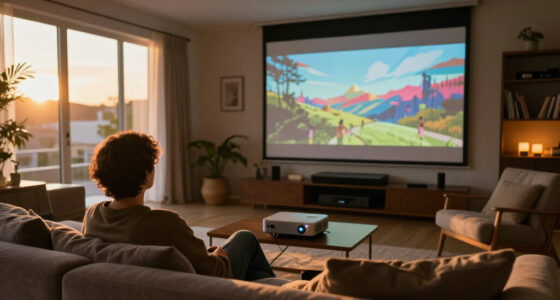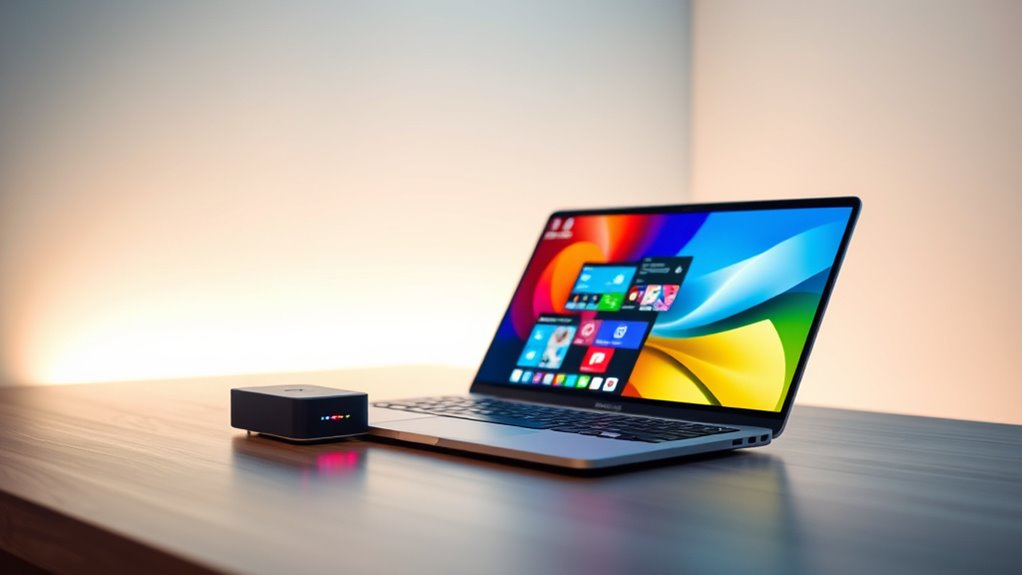

Wireless display adapters for laptops allow you to mirror or extend your screen without cables, offering greater flexibility for presentations, entertainment, or workspace setups. The best options balance high-resolution support, reliable connectivity, and simple setup, but tradeoffs often include range limitations or compatibility issues. The Wireless HDMI Transmitter and Receiver 400FT/120M with 4K Support stands out for its impressive range and 4K clarity, making it ideal for large rooms. Meanwhile, the Belkin ConnectAir Wireless HDMI Display Adapter delivers seamless performance for USB-C laptops, but at a higher price point. The key challenge is choosing a model that matches your device compatibility, space requirements, and budget. Continue reading for a detailed comparison of these 14 adapters to help you find the best fit.

Get business pricing on your home office setup
- Business-only prices and quantity discounts
- Tax-exempt purchasing
- Multiple users, one account, clear invoices
Complete the kit



Key Takeaways
- Range varies significantly; models like the Wireless HDMI Transmitter and Receiver 400FT excel for large spaces, while others suit small rooms or personal use.
- Compatibility is crucial; some adapters work best with specific device types (e.g., USB-C, iPhone, Android), so check your device before buying.
- 4K support offers better image quality, but it can come with increased latency; consider your primary use case—streaming or presentations.
- Ease of setup and stability differ; plug-and-play models save time but may sacrifice some features, while more complex setups offer customization.
- Price ranges widely; investing more often yields better range, resolution, and reliability, but there are budget options that perform well for casual use.
| Wireless HDMI Transmitter and Receiver 400FT/120M with 4K Support |  | Best for Long-Range High-Resolution Streaming | Range: 400ft / 120m | Frequency Bands: 5.8G + 2.4G dual-band | Video Resolution: 4K Ultra HD | VIEW ON AMAZON | See Our Full Breakdown |
| Belkin ConnectAir Wireless HDMI Display Adapter for USB-C Laptop, Tablet |  | Best for Easy, Multi-Device Presentations | Video Resolution: 1080p/60Hz | Range: 131 ft / 40 m | Compatibility: USB-C, HDMI, MacBook, Windows, Android | VIEW ON AMAZON | See Our Full Breakdown |
| Wireless HDMI Display Dongle Adapter 1080P@60Hz Casting for iPhone, iPad, Mac |  | Best for Portable Apple Device Mirroring | Resolution: 1080P@60Hz with 4K decoding | Size: USB flash drive-sized | Wireless Technology: Dual-band 5GHz + 2.4GHz | VIEW ON AMAZON | See Our Full Breakdown |
| j5create ScreenCast 4K HDMI Wireless Adapter Receiver |  | Best for Multi-Standard Compatibility and Signal Coverage | Wireless transmission distance: 50 ft./15 m | Display resolution: 4K | Compatibility: Windows, macOS, iOS, Android | VIEW ON AMAZON | See Our Full Breakdown |
| 2027 Upgraded Wireless HDMI Display Dongle Adapter, Receiver Streaming Media Video/Audio/File HDMI Wireless Extender |  | Best for Short-Range High-Resolution Streaming and Flexibility | Resolution: 4K, 1080P/60Hz | Transmission Distance: 16 feet / 5 meters | Latency: 100ms | VIEW ON AMAZON | See Our Full Breakdown |
| AIMIBO 4K Wireless Display Adapter HDMI Screen Mirroring Dongle for TV |  | Best Overall for Versatile 4K Streaming | Resolution: 4K@30Hz | WiFi Bands: 2.4G/5G | Range: up to 65 ft | VIEW ON AMAZON | See Our Full Breakdown |
| j5create ScreenCast USB-C to HDMI Wireless Display Transmitter and Receiver |  | Best Value for Compact Full HD Streaming | Connectivity: Wireless (Wi-Fi dual-band 2.4 GHz and 5 GHz) | Supported Devices: USB-C devices with video out | Resolution: Full HD 1080p | VIEW ON AMAZON | See Our Full Breakdown |
| Upgraded Wireless HDMI Transmitter and Receiver 328FT/100M Plug and Play |  | Best for Long-Range Wireless Streaming | Transmission Distance: 328 feet / 100 meters | Wireless Protocol: 5G/2.4G HDMI 1.3 | Video Resolution: Supports 4K decoding, 1080P/60Hz | VIEW ON AMAZON | See Our Full Breakdown |
| AIMIBO Wireless HDMI Display Adapter for iPhone and Android |  | Best for Portable Multi-Platform Mirroring | Resolution: 4K Ultra HD | Wireless Range: 65 feet | WiFi Bands: 2.4G/5G | VIEW ON AMAZON | See Our Full Breakdown |
| 4K 1080P Wireless HDMI Display Adapter for iPhone, iPad, Android, and Windows |  | Best for Multi-Platform Streaming with Extend Mode | Supported Resolutions: 4K@30Hz, 1080P@60Hz | Compatibility: iPhone, iPad, Android, Windows | Features: Extend and mirror modes | VIEW ON AMAZON | See Our Full Breakdown |
| Wireless HDMI Transmitter and Receiver 400FT/120M 4K/1080P Ultra HD Video |  | Best for Long-Range, High-Resolution Home and Professional Use | Range: 400ft/120m | Resolution Support: 4K decoding, 1080P@60Hz | Wireless Bands: 5G + 2.4G | VIEW ON AMAZON | See Our Full Breakdown |
| 4URPC 2026 Upgraded Wireless HDMI Transmitter and Receiver 4K Plug and Play |  | Best for Portable 4K Streaming and Travel Compatibility | Resolution: 4K@30Hz | Wireless Bands: 2.4G/5G dual-band | Range: 50ft (15m) | VIEW ON AMAZON | See Our Full Breakdown |
| Wireless HDMI Transmitter and Receiver 328ft/100m Extender 1080P Output |  | Best for Outdoor and Large Indoor Spaces with Long-Range Needs | Range: 328ft/100m outdoor, 165ft/50m indoor | Video Output: 1080P/60Hz, supports 4K decoding | Delay: <0.01s | VIEW ON AMAZON | See Our Full Breakdown |
| 2026 Model 4K Wireless HDMI Display Adapter |  | Best for Compact, Multi-Device Home and Office Use | Resolution: 4K | WiFi Bands: 2.4GHz + 5GHz | Range: Up to 32 ft | VIEW ON AMAZON | See Our Full Breakdown |
| wireless display adapters for laptop | Compatibility | Range | Resolution |
|---|---|---|---|
| Wireless HDMI Transmitter and | — | 400ft / 120m | — |
| Belkin ConnectAir Wireless HDM | USB-C, HDMI, MacBook, Windows, Android | 131 ft / 40 m | — |
| Wireless HDMI Display Dongle A | iPhone, iPad, Mac | — | 1080P@60Hz with 4K decoding |
| j5create ScreenCast 4K HDMI Wi | Windows, macOS, iOS, Android | — | — |
| 2027 Upgraded Wireless HDMI Di | Airplay, Miracast | — | 4K, 1080P/60Hz |
| AIMIBO 4K Wireless Display Ada | iPhone, iPad, Android, Windows, Mac | up to 65 ft | 4K@30Hz |
| j5create ScreenCast USB-C to H | MacBook, iPad Pro, Galaxy S series | — | Full HD 1080p |
| Upgraded Wireless HDMI Transmi | PC, Laptop, Cameras, Smartphone | — | — |
| AIMIBO Wireless HDMI Display A | iOS, Android, Windows, macOS | — | 4K Ultra HD |
| 4K 1080P Wireless HDMI Display | iPhone, iPad, Android, Windows | — | — |
| Wireless HDMI Transmitter and | PC, projector, TV box, camera, monitor | 400ft/120m | — |
| 4URPC 2026 Upgraded Wireless H | USB-C, macOS, Windows, Android | 50ft (15m) | 4K@30Hz |
| Wireless HDMI Transmitter and | Laptops, cameras, set-top boxes, Blu-ray, security cameras | 328ft/100m outdoor, 165ft/50m indoor | — |
| 2026 Model 4K Wireless HDMI Di | AirPlay, Miracast, DLNA | Up to 32 ft | 4K |
More Details on Our Top Picks
Wireless HDMI Transmitter and Receiver 400FT/120M with 4K Support
This system stands out for its impressive 400-foot range, making it ideal for large conference rooms or outdoor setups where wired connections are impractical. Compared with the Belkin ConnectAir, it offers significantly greater distance and supports 4K resolution, but this comes at a higher price and more complex setup. The device’s ZeroDrop technology ensures zero latency, perfect for live gaming or real-time presentations, while dual display modes add versatility. However, its reliance on direct line of sight and more involved installation may frustrate less tech-savvy users. The high cost may be a barrier for casual users or small-scale home use.
Pros:- Extends up to 400 feet with reliable, stable signal
- Supports 4K Ultra HD for crisp visuals
- Zero latency ensures seamless live streaming and gaming
- Dual display modes for mirroring or extending screens
Cons:- Requires clear line of sight for optimal performance
- Setup can be complex for non-technical users
- Higher price point compared to wired HDMI options
Best for: Large venues or outdoor event organizers needing long-range, high-quality wireless video
Not ideal for: Home users with small spaces or budget-conscious buyers seeking simple, plug-and-play solutions
- Range:400ft / 120m
- Frequency Bands:5.8G + 2.4G dual-band
- Video Resolution:4K Ultra HD
- Latency:ZeroDrop technology
- Color Support:HDR, 10-bit 4:2:2
- Display Modes:Mirroring, Extended Screen
Our verdict“This adapter is best suited for professionals needing long-distance, high-resolution streaming with minimal delay, despite its setup complexity and cost.”
Belkin ConnectAir Wireless HDMI Display Adapter for USB-C Laptop, Tablet
This pick makes the most sense for users who prioritize simplicity and device compatibility, offering a straightforward plug-and-play experience without requiring WiFi. While it lacks the 4K support of the Wireless HDMI Transmitter and Receiver 400FT, it excels in ease of use, supporting 1080p/60Hz with a range up to 131 feet, making it suitable for classrooms or office presentations. Its broad device compatibility, including USB-C, MacBook, Windows, and Android, allows multi-user sharing, but the limitation to 1080p might be restrictive for those seeking higher resolution or cinematic quality. Latency may also become noticeable with multiple simultaneous users.
Pros:- Simple plug-and-play setup, no additional apps needed
- Long-range wireless connection up to 131 feet
- Compatible with a broad array of devices and OS
- Supports multiple users simultaneously
Cons:- Limited to 1080p resolution, not 4K
- Requires compatible USB-C and HDMI ports
- Potential latency issues with multiple users
Best for: Professionals and educators needing quick, reliable wireless display options for presentations and collaboration
Not ideal for: Home entertainment enthusiasts wanting 4K streaming or gaming at high resolutions
- Video Resolution:1080p/60Hz
- Range:131 ft / 40 m
- Compatibility:USB-C, HDMI, MacBook, Windows, Android
- Multi-User Support:Up to 8 transmitters
Our verdict“This adapter is ideal for quick, hassle-free wireless sharing in professional or educational settings where 1080p quality suffices.”
Wireless HDMI Display Dongle Adapter 1080P@60Hz Casting for iPhone, iPad, Mac
This compact device shines for its portability and ease of use, especially for Apple users needing quick screen sharing from iPhone, iPad, or MacBook. Its support for 1080p@60Hz along with 4K decoding enhances visual clarity, and dual-band WiFi reduces interference, making it reliable for travel or small meetings. However, some streaming apps like Netflix might block mirroring due to DRM restrictions, limiting its use for certain content. Compatibility issues with the latest iPhone 18 series may require firmware updates, and it cannot receive content—only transmit—limiting its flexibility for dual-way communication.
Pros:- Supports high-quality 1080P@60Hz and 4K decoding
- Compact, portable design ideal for travel
- Dual-band wireless reduces interference
- Plug-and-play setup without apps or Bluetooth
Cons:- Streaming apps like Netflix may block mirroring
- Compatibility issues with the latest iPhone models
- Limited to transmitting, no content reception
Best for: Travel professionals and educators using Apple devices for presentations or quick sharing
Not ideal for: Users needing 4K resolution or streaming from non-Apple platforms with DRM restrictions
- Resolution:1080P@60Hz with 4K decoding
- Size:USB flash drive-sized
- Wireless Technology:Dual-band 5GHz + 2.4GHz
- Compatibility:iPhone, iPad, Mac
- Features:Mirroring & Extended Mode, Portrait/Landscape
Our verdict“This adapter is perfect for Apple device users who need a portable, easy solution for quick screen sharing, despite DRM limitations.”
j5create ScreenCast 4K HDMI Wireless Adapter Receiver
This model excels in environments with diverse device ecosystems. Supporting Miracast, AirPlay, and Chromecast, it caters to Windows, macOS, iOS, and Android users without needing multiple adapters. Its external antenna and compact design enhance signal strength and coverage, making it suitable for conference rooms or mobile use. However, its 50-foot range is more limited compared to the long-range options, and setup may require firmware updates for full feature access. Additionally, Wi-Fi configuration is necessary for AirPlay and Chromecast, which can complicate initial setup.
Pros:- Supports multiple standards including Miracast, AirPlay, and Chromecast
- External antenna improves signal coverage
- Compatible across various OS and devices
- Supports 4K resolution for high-quality streaming
Cons:- Limited to 50 feet range, less ideal for large spaces
- Requires firmware updates for some features
- Wi-Fi setup needed for AirPlay and Chromecast
Best for: Mixed-device environments requiring versatile wireless streaming, such as offices or educational labs
Not ideal for: Home users seeking ultra-long-range streaming or dedicated 4K gaming setups
- Wireless transmission distance:50 ft./15 m
- Display resolution:4K
- Compatibility:Windows, macOS, iOS, Android
- Features:Miracast, AirPlay, Chromecast
Our verdict“This device offers broad compatibility and strong signal coverage for multi-device environments, although its range and setup complexity are considerations.”
2027 Upgraded Wireless HDMI Display Dongle Adapter, Receiver Streaming Media Video/Audio/File HDMI Wireless Extender
This adapter makes sense for users needing reliable wireless HDMI extension within a smaller space, offering 4K and 1080P/60Hz support. Its plug-and-play design simplifies setup for conference rooms, home theaters, or classrooms, without requiring Wi-Fi or apps. The 16-foot range suits environments where mobility is limited but high-quality output is needed. Compared with the 400-foot models, it’s less suitable for outdoor or large-scale setups but excels in tight spaces. Limitations include potential incompatibility with some HDCP-protected content like Netflix, and a latency of around 100ms, which could impact gaming or real-time interactivity.
Pros:- Supports 4K and Full HD streaming
- Plug-and-play, no need for Wi-Fi or apps
- Stable dual-band transmission with low latency
- Cross-platform compatibility with Airplay and Miracast
Cons:- Limited to 16 feet, less suitable for big spaces
- Some HDCP-protected content may be blocked
- Latency around 100ms can affect gaming
Best for: Small conference rooms, home theaters, or classroom environments needing high-res streaming over limited distances
Not ideal for: Large outdoor events or settings requiring long-range wireless transmission
- Resolution:4K, 1080P/60Hz
- Transmission Distance:16 feet / 5 meters
- Latency:100ms
- Compatibility:Airplay, Miracast
Our verdict“This adapter is ideal for close-range, high-resolution wireless streaming in controlled indoor environments, despite some content restrictions and latency.”
AIMIBO 4K Wireless Display Adapter HDMI Screen Mirroring Dongle for TV
This adapter stands out for offering a true 4K@30Hz resolution combined with dual-band WiFi, making it suitable for high-quality streaming and presentations. Unlike some alternatives like the j5create ScreenCast, which maxes out at full HD, this device supports higher resolution, ensuring sharper images. However, its reliance on HDMI display compatibility and lack of built-in speakers mean it’s less ideal for multimedia use without external audio solutions. The setup is straightforward, requiring no drivers, but it may encounter latency issues during extended WiFi use, especially in congested environments. Overall, this pick makes the most sense for users who want reliable 4K mirror or extend capabilities with broad device compatibility.
Pros:- Supports crisp 4K@30Hz resolution for detailed images
- Dual-band WiFi ensures smoother streaming and less interference
- Plug-and-play setup with no need for drivers or apps
Cons:- Limited to HDMI display compatibility, no built-in speakers
- Requires external power via USB, adding to cable clutter
- Potential latency issues during extended streaming sessions
Best for: Home users and professionals needing high-resolution screen sharing without complicated setup
Not ideal for: Gamers or multimedia enthusiasts requiring low latency audio and video synchronization
- Resolution:4K@30Hz
- WiFi Bands:2.4G/5G
- Range:up to 65 ft
- Compatibility:iPhone, iPad, Android, Windows, Mac
- Modes:Mirror, Extend
- Power:USB power source required
Our verdict“Best suited for users who prioritize high-quality 4K streaming and easy setup for various devices.”
j5create ScreenCast USB-C to HDMI Wireless Display Transmitter and Receiver
This set excels in offering a simple, portable solution for full HD streaming, especially for users with USB-C devices like MacBooks and Galaxy S series. Its support for DRM and HDCP 1.4 ensures compatibility with popular streaming services, making it a good alternative to pricier 4K options like the AIMIBO 4K Adapter. However, its maximum resolution of 1080p limits its use for those seeking Ultra HD clarity, and performance can vary depending on Wi-Fi stability. The dual-band Wi-Fi helps mitigate connection drops, but users with incompatible USB-C devices or those demanding 4K should look elsewhere. This device suits those who prioritize portability and reliable HD streaming over 4K resolution.
Pros:- Supports full HD 1080p streaming with DRM and HDCP compliance
- Compact, portable design ideal for on-the-go use
- Dual-band Wi-Fi provides stable connection
Cons:- Limited to 1080p resolution, not suitable for 4K content
- Requires a compatible USB-C device with video out capability
- Performance depends heavily on Wi-Fi environment
Best for: Users with USB-C laptops or tablets seeking a compact, affordable HD streaming tool
Not ideal for: High-end content creators or gamers needing 4K resolution and ultra-low latency
- Connectivity:Wireless (Wi-Fi dual-band 2.4 GHz and 5 GHz)
- Supported Devices:USB-C devices with video out
- Resolution:Full HD 1080p
- Compatibility:MacBook, iPad Pro, Galaxy S series
- Supports DRM/HDCP:Yes
- Includes:USB Type-A extension cable
Our verdict“Ideal for users who want an easy-to-carry HD streaming solution for USB-C devices without the need for 4K resolution.”
Upgraded Wireless HDMI Transmitter and Receiver 328FT/100M Plug and Play
This set offers an impressive wireless range of up to 328 feet, ideal for large spaces like conference rooms or home theaters. Its support for 4K decoding and 1080P/60Hz streaming makes it versatile for high-quality video, surpassing many short-range adapters like the AIMIBO 4K Adapter. Yet, its lack of WiFi or internet dependency means it’s less suited for streaming from online platforms requiring DRM or HDCP. Performance can be hampered by obstacles such as walls, and it requires USB-C power for both units, which can be inconvenient. This device is best for environments where long-distance transmission outweighs the need for internet-based content protection, such as presentations or local media playback.
Pros:- Long-distance transmission of up to 328 feet
- Supports 4K and 1080P/60Hz for high-quality video
- Plug-and-play setup with no WiFi or app required
Cons:- Performance affected by obstacles like walls
- Requires USB-C power for both transmitter and receiver
- Limited compatibility with some smart devices and tablets
Best for: Large spaces needing stable, long-range wireless signal for local media projection
Not ideal for: Users in Wi-Fi congested areas or those streaming protected content from services like Netflix
- Transmission Distance:328 feet / 100 meters
- Wireless Protocol:5G/2.4G HDMI 1.3
- Video Resolution:Supports 4K decoding, 1080P/60Hz
- Compatibility:PC, Laptop, Cameras, Smartphone
- Power Supply:USB-C cables for both units
- Setup:Plug-and-play
Our verdict“Best suited for large-scale, local media applications where long-range wireless connectivity is needed without internet dependency.”
AIMIBO Wireless HDMI Display Adapter for iPhone and Android
This adapter offers a straightforward plug-and-play solution for mirroring from a wide array of devices, including iOS, Android, Windows, and macOS, with support for 4K Ultra HD. Its long-range connectivity of up to 65 feet makes it practical for presentations and entertainment on the go. Compared with the j5create ScreenCast, which is limited to USB-C devices, this unit’s broader device compatibility makes it more flexible. However, support for HDCP-protected apps on iOS can be limited, and it lacks accessories like remote controls, which could enhance usability. This product is perfect for those seeking a portable, all-platform mirroring device that is easy to use but doesn’t support high-end, low-latency gaming or multimedia.
Pros:- Supports 4K Ultra HD resolution for crisp visuals
- Long wireless range up to 65 feet for flexible use
- Plug-and-play with no apps or drivers needed
Cons:- Limited support for HDCP-protected apps on iOS
- No included remote or accessories to enhance usability
- Potential compatibility issues with some streaming apps
Best for: Travelers and presenters needing flexible device compatibility for screen sharing
Not ideal for: Gamer or multimedia creators who need seamless, low-latency 4K streaming with audio
- Resolution:4K Ultra HD
- Wireless Range:65 feet
- WiFi Bands:2.4G/5G
- Compatibility:iOS, Android, Windows, macOS
- Modes:Direct, DLNA
- Size:Pocket-sized
Our verdict“Best suited for mobile professionals and travelers seeking broad device compatibility with easy setup.”
4K 1080P Wireless HDMI Display Adapter for iPhone, iPad, Android, and Windows
This adapter supports both 4K@30Hz and 1080P@60Hz, making it versatile for various media quality needs. Its compatibility across iOS, Android, and Windows devices—along with support for multiple streaming apps—makes it a flexible choice for diverse users. Unlike the aimibo model that emphasizes portability, this device offers extend mode, allowing multitasking between screens. Yet, it can’t stream protected content from services like Netflix or Hulu due to HDCP restrictions, which could be a dealbreaker for some users. The setup is simple, but some devices may require specific screen projection apps, and the performance can vary depending on Wi-Fi quality. This model is well-suited for users who want a broad platform support with optional extended display functions.
Pros:- Supports 4K and 1080P resolutions for varied quality needs
- Offers extend mode for multitasking
- Compatibility with numerous devices and platforms
Cons:- Incompatible with HDCP-protected streaming apps like Netflix
- Dependent on Wi-Fi quality for smooth operation
- Requires specific projection apps on some devices
Best for: Multitasking professionals and media consumers needing flexible resolution options across devices
Not ideal for: Users primarily streaming HDCP-protected content or requiring dedicated gaming low-latency solutions
- Supported Resolutions:4K@30Hz, 1080P@60Hz
- Compatibility:iPhone, iPad, Android, Windows
- Features:Extend and mirror modes
- Wireless Standards:Miracast, AirPlay, DLNA
- Limitations:No support for HDCP-protected content
- Setup:Plug-and-play
Our verdict“Great for users who want flexible resolution and multitasking capabilities across multiple platforms, but not for protected content streaming.”
Wireless HDMI Transmitter and Receiver 400FT/120M 4K/1080P Ultra HD Video
This wireless HDMI system stands out for its impressive 400-foot range, making it ideal for large spaces like auditoriums or expansive living rooms. Compared with the 4URPC 2026, which supports only 50 feet, this model offers much greater flexibility for outdoor or large-area applications. Its support for 4K decoding at 60Hz ensures sharp, detailed images, crucial for professional presentations or immersive gaming. However, the setup can be less straightforward, requiring a stable power supply and potentially some interference issues without proper placement. Its dual-band stability and low latency are key benefits, but the need for a dedicated 5V/2A power source and limited setup instructions are notable tradeoffs. This pick makes the most sense for users needing extensive range and high resolution in fixed locations, like event spaces or large home theaters.
Pros:- Extremely long transmission range of 400 feet
- Supports 4K decoding at 60Hz for sharp visuals
- Versatile for mirroring or extending screens
Cons:- Requires a dedicated 5V/2A power supply for optimal performance
- Setup can be complicated and may need troubleshooting for interference
Best for: Professionals or home users requiring high-resolution, long-distance wireless video transmission in large spaces
Not ideal for: Small apartments or portable setups where range and resolution are less critical, and simpler plug-and-play is preferred
- Range:400ft/120m
- Resolution Support:4K decoding, 1080P@60Hz
- Wireless Bands:5G + 2.4G
- Transmission Technology:ZeroDrop, LDS Antenna, Dynamic Stability Equalizer
- Compatibility:PC, projector, TV box, camera, monitor
- Power Supply:5V/2A (recommended)
Our verdict“This is best suited for users who need high-resolution, long-distance wireless video with minimal latency and are comfortable with a more involved setup process.”
4URPC 2026 Upgraded Wireless HDMI Transmitter and Receiver 4K Plug and Play
This model is notable for its compact, lightweight design and ease of use, making it ideal for on-the-go streaming, presentations, or casual gaming. Unlike the Wireless HDMI Transmitter and Receiver 400FT/120M, which excels in range, the 2026 focuses on portability, supporting a range of only 50 feet, suitable for smaller rooms or temporary setups. It supports 4K at 30Hz with ultra-low latency of 0.1s, enough for most streaming and gaming needs, but less smooth than higher refresh rate models. Its plug-and-play setup requires no apps or drivers, and it offers power delivery up to 100W, useful for charging laptops during use. Its main limitation is the inability to support HDCP content, which can restrict streaming services like Netflix. This device makes sense for travelers or those who prioritize convenience and moderate-range 4K streaming.
Pros:- Compact, lightweight, perfect for travel
- Supports 4K at 30Hz with low latency
- Plug-and-play with broad device compatibility
Cons:- Does not support HDCP content, limiting some streaming services
- Limited to 50 feet range, unsuitable for large spaces
Best for: Travelers or remote workers needing portable 4K wireless display connections with minimal fuss
Not ideal for: Home theater setups or large conference rooms where longer range and HDCP support are necessary
- Resolution:4K@30Hz
- Wireless Bands:2.4G/5G dual-band
- Range:50ft (15m)
- Latency:0.1s
- Power Delivery:Up to 100W PD 3.0
- Compatibility:USB-C, macOS, Windows, Android
Our verdict“Ideal for mobile users who need quick, reliable 4K wireless connectivity on the go, accepting some limitations in range and content support.”
Wireless HDMI Transmitter and Receiver 328ft/100m Extender 1080P Output
This extender set offers impressive outdoor range, reaching up to 328 feet and supporting indoor distances of 165 feet, making it suitable for large-scale outdoor events or expansive home theaters. Compared to the Wireless HDMI Transmitter and Receiver 400FT/120M 4K/1080P, which supports higher resolutions, this model emphasizes range over ultra-high resolution, supporting 1080P at 60Hz with 4K decoding. Its minimal delay (<0.01s) and broad compatibility with cameras, set-top boxes, and security cameras make it flexible for professional environments. However, the need for power for both units, potential interference from obstacles, and limited detailed user interface information could hinder ease of use. This device is ideal for users who prioritize extensive wireless reach over ultra-high resolution, especially in outdoor or multi-room setups.
Pros:- Outstanding outdoor range of 328 feet
- Supports 1080P and 4K decoding with minimal delay
- Broad device compatibility for professional use
Cons:- Requires power supply for both units, limiting placement options
- Transmission quality can suffer through walls or obstacles
Best for: Event organizers, outdoor entertainers, or large property owners needing extensive wireless video coverage
Not ideal for: Small indoor environments or users seeking the highest resolution for gaming or detailed media viewing
- Range:328ft/100m outdoor, 165ft/50m indoor
- Video Output:1080P/60Hz, supports 4K decoding
- Delay:<0.01s
- Compatibility:Laptops, cameras, set-top boxes, Blu-ray, security cameras
- Weight:0.3 lbs
- Power Supply:Requires connection to power for both
Our verdict“This is perfect for users needing long-distance wireless video in outdoor or expansive spaces, accepting some limitations in resolution and setup complexity.”
2026 Model 4K Wireless HDMI Display Adapter
This adapter supports 4K output with a simple plug-and-play interface, focusing on ease of use and portability. It supports multiple streaming standards like AirPlay, Miracast, and DLNA, making it compatible with a wide range of devices. Compared with the Wireless HDMI Transmitter and Receiver 400FT/120M, which offers longer range, this model’s range is limited to about 32 feet, but its compact size and quick setup make it ideal for small spaces or travel. Its dual-band WiFi ensures stable connections, although some users may encounter compatibility issues with certain apps or devices. The need for USB power and limited range are the main tradeoffs, but for quick, high-quality streaming in a confined space, this adapter is a convenient choice.
Pros:- Supports 4K with minimal lag
- Compatible with multiple operating systems and streaming standards
- Compact and easy to set up
Cons:- Limited to about 32 feet range
- Requires USB power source for operation
Best for: Home users or office workers needing quick, reliable 4K wireless display connections within small areas
Not ideal for: Large conference rooms or outdoor environments where longer range and higher flexibility are required
- Resolution:4K
- WiFi Bands:2.4GHz + 5GHz
- Range:Up to 32 ft
- Compatibility:AirPlay, Miracast, DLNA
- Power:5V/1A USB
Our verdict“This is best for users who need a portable, straightforward 4K wireless display solution within a small space, accepting some range limitations.”

How We Picked
These wireless display adapters were selected based on a combination of performance, reliability, ease of use, build quality, and value. Priority was given to models that support high-resolution output, stable wireless connections, and broad device compatibility. We also considered user reviews and expert feedback to identify common issues like latency or setup complexity. The ranking reflects a balance between features and price, highlighting options suitable for different user needs—from casual streaming to professional presentations. Our goal was to find adapters that deliver consistent performance in real-world scenarios, not just on paper.Factors to Consider When Choosing Wireless Display Adapters For Laptops
Choosing the right wireless display adapter involves several key factors that impact your experience. Understanding these can help you avoid common pitfalls and select a model that truly fits your needs, whether for home entertainment, professional use, or frequent presentations.Range and Signal Stability
The effective distance a wireless adapter can cover without signal degradation is vital. Longer ranges, like those exceeding 300 feet, are useful for large conference rooms or open spaces, but often come with higher price tags and potential latency. Stability of the connection, especially in environments with interference, is equally important. Reading user reviews for real-world performance can provide insights beyond technical specs, helping you avoid adapters that drop signals frequently.Compatibility and Device Support
Not all adapters work seamlessly with every device. Some models are optimized for USB-C laptops, while others support iOS or Android devices via AirPlay or Miracast. Confirm that your laptop’s ports and operating system are compatible before purchasing. Misalignments here can lead to frustration or the need for additional adapters, increasing costs and setup complexity.Resolution and Latency
Higher resolutions, like 4K, improve image clarity but can also introduce higher latency, which matters for gaming or interactive presentations. If your priority is smooth motion or real-time interaction, look for low-latency models, even if they support only 1080p. Conversely, for static content or media streaming, higher resolutions are worth the investment, provided the connection remains stable.Ease of Setup and Use
A plug-and-play design can save time and reduce frustration, especially for less tech-savvy users. However, some adapters require firmware updates or network configuration, which might be daunting. Consider whether you prefer a straightforward device or are comfortable with more involved setup procedures for potentially better features.Price and Value
Wireless display adapters span a broad price range. Budget options may suffice for occasional use but could lack stability or range. Premium models often offer better build quality, extended range, and higher resolution support, making them worthwhile investments for frequent or professional use. Balancing cost with your specific needs ensures you get the best value without overspending on unnecessary features.Frequently Asked Questions
Will a wireless display adapter work with any laptop?
Not all adapters are universally compatible. Many are designed for specific operating systems or device types—such as Windows, macOS, iOS, or Android—and may require particular ports like USB-C or HDMI. Before purchasing, verify that your laptop’s ports and OS match the adapter’s specifications. Compatibility issues can result in limited functionality or setup failures, so double-checking this alignment is essential for a smooth experience.Can I use a wireless display adapter for gaming or high-speed streaming?
While some adapters support 4K resolution, latency remains a key consideration. For gaming or real-time interactive tasks, look for models that advertise low latency and stable connections. However, wireless connections inherently introduce some delay compared to wired setups, so for competitive gaming or fast-paced media, a wired HDMI may still be preferable. For casual gaming or streaming, select adapters with proven performance specs to minimize lag.How much should I spend on a wireless display adapter?
Pricing varies based on range, resolution support, and features. Budget options under $50 can handle basic mirroring in small spaces but may lack stability or high resolution. Investing in a mid-range or premium model—$100 or more—often provides better range, reliability, and image quality. Consider how frequently you’ll use the device and whether professional features justify the higher cost, ensuring your investment aligns with your intended use.Do I need a Wi-Fi network for these adapters to work?
Most wireless display adapters connect directly to your device via Wi-Fi or a dedicated wireless link, without needing an external Wi-Fi network. However, some models use your existing Wi-Fi network for streaming, which can introduce interference or latency if the network is congested. Check whether the adapter supports direct device-to-device connection or requires network setup, and ensure your Wi-Fi environment is stable if the latter is the case.Are wireless adapters suitable for presentations in large conference rooms?
Yes, but only if the adapter’s range and signal stability meet the room’s size and environmental conditions. Models with extended range, like those supporting 400 feet or more, are better suited for large spaces. Keep in mind that walls, interference, and other electronics can affect performance. Testing the setup beforehand can prevent surprises during important presentations, ensuring your connection remains steady throughout.Conclusion
For casual users or those new to wireless displays, the Belkin ConnectAir Wireless HDMI Display Adapter offers a straightforward setup with reliable performance. Professionals who need extended range and high-resolution support should consider the Wireless HDMI Transmitter and Receiver 400FT/120M with 4K Support as the best overall choice. For high-budget setups, the 2027 Upgraded Wireless HDMI Display Dongle provides premium features and robust connectivity. Budget-conscious buyers can find solid options in mid-range models that balance cost and performance. Ultimately, selecting the right adapter depends on your device compatibility, space, and how you plan to use it—consider these factors carefully to make an informed decision.
As an affiliate, we earn on qualifying purchases.Fall Picks
fall essentials