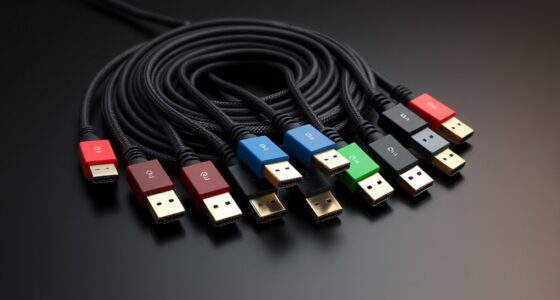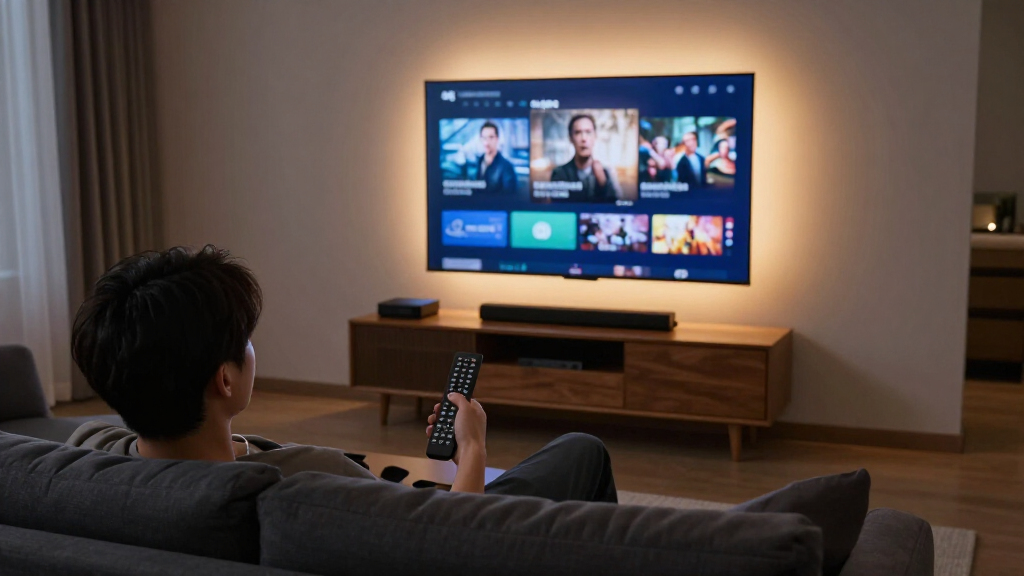

Among these 4K streaming media players, I’d make the Google TV Streamer 4K my best overall pick for its 32GB storage and Google TV interface; the Roku Ultra stands out for a dedicated player with wired connectivity, while the Roku Streaming Stick 4K suits a simpler, compact setup. The main tradeoffs are between a stick that keeps the TV area tidy, a box with more connection options, and a hybrid device such as the Roku Streambar SE that also adds sound. Dolby Vision, Dolby Atmos, Wi-Fi generation, and voice controls matter only when they match your TV, audio gear, network, and preferred apps. I’ve ranked the picks by how well their features serve distinct buyer needs, with usability and connection flexibility weighed alongside format support. Read on for the full comparison and a guide to choosing the right 4K streamer for your setup.

Get business pricing on your home office setup
- Business-only prices and quantity discounts
- Tax-exempt purchasing
- Multiple users, one account, clear invoices
Complete the kit


Key Takeaways
- The amazon.com/dp/B0F7Z4QZTT?tag=4kprojectorguide-20&ascsubtag=dc-1085002″ target=”_blank” rel=”nofollow sponsored noopener”>amazon.com/dp/B0FN1N8HGT?tag=4kprojectorguide-20&ascsubtag=dc-1085002″ target=”_blank” rel=”nofollow sponsored noopener”>Google TV Streamer 4K leads as the all-rounder: its 32GB storage and Google TV experience give it a broader role than a basic streaming stick.
- Roku’s lineup splits by setup: the Ultra is the feature-rich player, while the Streaming Stick 4K and Plus focus on compact simplicity with different picture-format support.
- The onn 4K Pro and Xiaomi TV Box S 3rd Gen emphasize hardware value: both pair Google TV with 32GB storage, while the onn adds 3GB RAM and Ethernet and Xiaomi lists Wi-Fi 6.
- The Fire TV Cube is the hands-free specialist: its Alexa controls and Wi-Fi 6E suit a voice-led setup, but those features matter less to viewers who prefer a remote.
- Two picks do more than stream: the Roku Streambar SE combines a 4K streamer with a soundbar, and TiVo Stream 4K offers an Android TV alternative for viewers drawn to its interface.
| Google TV Streamer 4K Streaming Device with Voice Remote, 32GB, Hazel |  | Best Overall | Product Type: Streaming media player | Video Support: Up to 4K HDR with Dolby Vision | Audio Support: Dolby Atmos-compatible | VIEW LATEST PRICE | See Our Full Breakdown |
| Roku Streaming Stick Plus with Voice Remote – 4K & HDR10+ |  | Best Value Pick | Form Factor: TV stick | Resolution: 4K | Connectivity: Bluetooth, Wi-Fi | VIEW LATEST PRICE | See Our Full Breakdown |
| Roku Ultra 4K Streaming Player for TV |  | Best Premium Performance | Product Type: Streaming media player | Video Support: 4K, HDR10+, Dolby Vision | Audio Support: Dolby Atmos | VIEW LATEST PRICE | See Our Full Breakdown |
| Roku Streaming Stick 4K with Voice Remote – HDR10+ & Dolby Vision |  | Best Compact Pick | Form Factor: TV stick | Resolution: 4K | HDR Support: Dolby Vision, HDR10+ | VIEW LATEST PRICE | See Our Full Breakdown |
| onn 4K Pro Streaming Device, Google TV with Gemini, 32GB Storage, 3GB RAM, Dolby Vision & Atmos, Find My Remote with Backlight, Ethernet Port |  | Best Budget Powerhouse | Platform: Google TV with Gemini | Resolution: 4K Ultra HD | Video Support: Dolby Vision | VIEW LATEST PRICE | See Our Full Breakdown |
| Xiaomi TV Box S 3rd Gen Android Google TV Streaming Box (DTS:X Bundle) |  | Best Home Theater Format Support | Operating System: Google TV | Resolution: 4K UHD (3840 x 2160) | HDR Support: HDR10+, Dolby Vision | VIEW LATEST PRICE | See Our Full Breakdown |
| Xiaomi TV Box S 3rd Gen 4K UHD Google TV Streaming Box (32GB Kit) |  | Best Complete Starter Kit | Operating System: Google TV | Resolution: 4K UHD (3840 x 2160) at 60FPS | HDR Support: Dolby Vision, HDR10+ | VIEW LATEST PRICE | See Our Full Breakdown |
| Amazon Fire TV Stick 4K Plus Streaming Media Player |  | Best Portable Streaming Stick | Resolution: Up to 2160p at 60 fps | HDR Support: Dolby Vision, HDR10, HDR10+, HLG | Audio Support: Dolby Atmos, 7.1 surround, 2-channel stereo | VIEW LATEST PRICE | See Our Full Breakdown |
| Roku Streambar SE – 4K Soundbar with Built-In Streaming |  | Best Two-in-One Audio Upgrade | Resolution: 4K HDR | Speakers: 2 premium speakers with dedicated bass port | Connectivity: Bluetooth | VIEW LATEST PRICE | See Our Full Breakdown |
| Amazon Fire TV Cube (3rd Gen) |  | Best Premium Power Pick | Generation: 3rd Gen | Resolution: 2160p, 1080p, 720p up to 60 fps | HDR Support: Dolby Vision, HDR10, HDR10+, HLG | VIEW LATEST PRICE | See Our Full Breakdown |
| TiVo Stream 4K Android TV Streaming Media Player |  | Best Cross-App Discovery Pick | Resolution: 4K UHD | HDR: Dolby Vision | Audio: Dolby Atmos | VIEW LATEST PRICE | See Our Full Breakdown |
| 4K streaming media player | Connectivity | Resolution | Audio Support |
|---|---|---|---|
| Google TV Streamer 4K Streamin | — | — | Dolby Atmos-compatible |
| Roku Streaming Stick Plus with | Bluetooth, Wi-Fi | 4K | — |
| Roku Ultra 4K Streaming Player | Wi-Fi 6, Ethernet | — | Dolby Atmos |
| Roku Streaming Stick 4K with V | Wi-Fi (long-range) | 4K | — |
| onn 4K Pro Streaming Device | Wi-Fi 6, Ethernet | 4K Ultra HD | Dolby Atmos |
| Xiaomi TV Box S 3rd Gen Androi | Wi-Fi 6, Bluetooth, HDMI 2.1, USB | 4K UHD (3840 x 2160) | Dolby Atmos, DTS:X |
| Xiaomi TV Box S 3rd Gen 4K UHD | Wi-Fi 6 dual-band, Bluetooth 5.2, HDMI 2.1, USB 2.0 | 4K UHD (3840 x 2160) at 60FPS | Dolby Audio, DTS:X |
| Amazon Fire TV Stick 4K Plus S | Wi-Fi 6 dual-band, Bluetooth 5.2 + BLE, HDMI 2.1 | Up to 2160p at 60 fps | Dolby Atmos, 7.1 surround, 2-channel stereo |
| Roku Streambar SE | Bluetooth | 4K HDR | — |
| Amazon Fire TV Cube | Wi-Fi 6E tri-band, Bluetooth 5.0 + LE, Ethernet 10/100Mbps | 2160p, 1080p, 720p up to 60 fps | Dolby Atmos, 7.1 surround sound, HDMI pass-through up to 5.1 |
| TiVo Stream 4K Android TV Stre | Wi-Fi | 4K UHD | — |
More Details on Our Top Picks
Google TV Streamer 4K Streaming Device with Voice Remote, 32GB, Hazel
This option stands out for balancing premium picture and audio formats with an interface that genuinely learns what you watch. Dolby Vision and Dolby Atmos support put it in the same tier as the Roku Ultra, but the Google TV platform aggregates recommendations across services more aggressively than Roku’s grid-style home screen, which saves time scrolling through individual apps. The 32 GB of storage also means far more room for apps than the Roku Streaming Stick 4K, which matters if you install a lot of channels. The tradeoff is honest: the HDMI 2.1 cable is sold separately, an annoyance Roku and onn avoid by including one, so factor that into the total cost before buying.
Pros:- Supports 4K HDR with Dolby Vision and Dolby Atmos-compatible audio
- 32 GB of storage holds far more apps than stick-class rivals
- Voice remote doubles as a smart home controller
- Access to over 800 free live channels through supported apps
Cons:- HDMI 2.1 cable is sold separately
- 4K HDR and Dolby Vision require a compatible TV and content
- Some features depend on individual app and service support
Best for: Households deep in the Google ecosystem who want personalized recommendations and smart home control from the remote
Not ideal for: Buyers on a strict budget, since the separately sold HDMI 2.1 cable adds to the upfront cost
- Product Type:Streaming media player
- Video Support:Up to 4K HDR with Dolby Vision
- Audio Support:Dolby Atmos-compatible
- Storage:32 GB
- Remote:Voice search remote with smart home control
- Live TV:Over 800 free channels via supported apps
- Connection:HDMI 2.1 cable required, sold separately
Our verdict“This is the pick for viewers who want a polished, recommendation-driven 4K experience and don’t mind buying the cable separately.”
Roku Streaming Stick Plus with Voice Remote – 4K & HDR10+
For shoppers who want 4K streaming without paying for formats their TV can’t display anyway, this model makes the most sense. Compared with the Roku Streaming Stick 4K, it covers the same core ground — 4K resolution, HDR color, a voice remote that controls TV power and volume — at a more accessible position in the lineup. What separates it from pricier boxes like the onn 4K Pro is restraint: no Ethernet port, no hands-free voice, but also fewer dollars spent on features many living rooms never use. The Bluetooth Headphone Mode is a genuinely useful extra that the Google TV Streamer can’t match at this size. The compromise is reliability — TV-powered setups don’t work with every television, and Wi-Fi is your only connection option.
Pros:- 4K streaming with HDR color at an accessible price point
- Compact stick design powered directly from the TV’s USB port
- Voice remote handles TV power, volume, and playback
- Bluetooth Headphone Mode enables private listening
Cons:- Full 4K and HDR benefits require a compatible 4K TV
- TV-powered setup may not work with every television
- No Ethernet option for wired connections
Best for: Budget-conscious buyers upgrading an older 4K TV who want simple streaming and private listening
Not ideal for: Homes with weak Wi-Fi near the TV, since there is no Ethernet fallback and performance depends entirely on the wireless connection
- Form Factor:TV stick
- Resolution:4K
- Connectivity:Bluetooth, Wi-Fi
- Connector:HDMI
- Ecosystem Compatibility:Alexa, Apple AirPlay and HomeKit, Google Home, Roku Smart Home
- Key Services:Apple TV+, Disney+, Hulu, Netflix, Prime Video
- Controller:Voice remote with TV power and volume control
Our verdict“A sensible low-cost way to get dependable 4K streaming and headphone mode without paying for extras you won’t use.”
Roku Ultra 4K Streaming Player for TV
This model is better suited to buyers who prioritize speed and connectivity flexibility over hiding hardware behind the TV. Roku claims it navigates roughly 30% faster than other Roku players, and that difference shows up in daily use — apps launch quickly and menus don’t lag the way they can on the Streaming Stick 4K with its 1 GB of RAM. Unlike every stick in this lineup, it offers both Wi-Fi 6 and Ethernet, which makes it the go-to choice for anyone whose router sits far from the living room. The rechargeable Voice Remote Pro with backlit buttons and a lost remote finder outclasses the remotes bundled with the Google TV Streamer. The drawbacks: it’s the most box-like commitment on this list, and the rechargeable remote means downtime when the battery runs flat instead of a quick battery swap.
Pros:- Roughly 30% faster navigation and app launches than other Roku players
- Supports 4K, HDR10+, Dolby Vision, and Dolby Atmos
- Rechargeable remote with backlit buttons, hands-free voice, and lost remote finder
- Both Wi-Fi 6 and Ethernet connectivity options
Cons:- Full picture and audio benefits require a compatible TV and sound system
- Rechargeable remote means waiting for a charge instead of swapping batteries
- Redundant for users whose TV already has capable built-in streaming apps
Best for: Home theater enthusiasts who want wired Ethernet, Wi-Fi 6, and the fastest Roku interface available
Not ideal for: Owners whose smart TV already streams smoothly, since the performance gains may not justify the upgrade
- Product Type:Streaming media player
- Video Support:4K, HDR10+, Dolby Vision
- Audio Support:Dolby Atmos
- Connectivity:Wi-Fi 6, Ethernet
- Remote:Rechargeable Roku Voice Remote Pro with backlit buttons, hands-free voice, and lost remote finder
- Special Features:Bluetooth Headphone Mode, free live TV
- Performance:30% faster than other Roku players
Our verdict“The right choice when raw speed, wired networking, and a premium remote matter more than a compact footprint.”
Roku Streaming Stick 4K with Voice Remote – HDR10+ & Dolby Vision
Where the Roku Ultra is a box that demands shelf space, this stick disappears entirely behind the TV — the hidden design avoids blocking neighboring HDMI ports, a small detail that matters on wall-mounted sets. It still covers both major HDR formats, Dolby Vision and HDR10+, matching formats found on the more expensive Google TV Streamer, and its long-range Wi-Fi is aimed squarely at homes where the router sits in another room. Compared with the Streaming Stick Plus, this model is the step-up pick for viewers whose TVs actually support Dolby Vision. The honest weakness is under the hood: 1 GB of RAM means navigation and app launches feel slower than the Ultra, and impatient viewers will notice.
Pros:- Supports 4K with both Dolby Vision and HDR10+
- Long-range Wi-Fi maintains stable streaming farther from the router
- Compact design stays hidden and doesn’t block neighboring HDMI ports
- Includes a voice remote for easy navigation
Cons:- Only 1 GB of RAM, which slows navigation compared with box-class players
- Requires a compatible 4K TV and sufficient Wi-Fi speed for best results
- Some apps and channels require separate subscriptions
Best for: Wall-mounted TV owners who want full HDR format support in a stick that stays invisible
Not ideal for: Impatient streamers who expect instant app launches, since the 1 GB of RAM slows navigation compared with box-class players
- Form Factor:TV stick
- Resolution:4K
- HDR Support:Dolby Vision, HDR10+
- Connectivity:Wi-Fi (long-range)
- RAM:1 GB
- Connector:HDMI
- Controller:Voice remote with TV control
Our verdict“The strongest choice when invisibility and dual HDR support matter more than raw processing speed.”
onn 4K Pro Streaming Device, Google TV with Gemini, 32GB Storage, 3GB RAM, Dolby Vision & Atmos, Find My Remote with Backlight, Ethernet Port
This pick makes the most sense for buyers who want the hardware credentials of a premium box without the premium price. With 3 GB of RAM, it triples the memory of the Roku Streaming Stick 4K and matches the app capacity of the Google TV Streamer’s 32 GB of storage, while adding an Ethernet port and Wi-Fi 6 that the Google TV Streamer’s ecosystem sibling lacks at this tier. The Gemini-powered Google TV interface delivers the same recommendation-heavy experience, and the backlit remote with a find-my-remote function borrows a page from the Roku Ultra’s playbook. The tradeoffs are polish-related: compared with the Google TV Streamer, the software experience is less refined, app support can lag behind flagship platforms, and advanced features depend on service availability.
Pros:- Supports 4K Ultra HD with Dolby Vision and Dolby Atmos
- 3 GB RAM and 32 GB storage deliver smooth performance and ample app space
- Both Wi-Fi 6 and Ethernet connectivity included
- Backlit remote with find-my-remote feature
Cons:- 4K performance requires a compatible TV and sufficient internet speed
- Some advanced features depend on app or service availability
- Interface polish trails flagship Google TV hardware
Best for: Value hunters who want Ethernet, Wi-Fi 6, and 3 GB of RAM for smooth 4K streaming at a lower price
Not ideal for: Buyers who prioritize a polished, tightly curated interface, since the software experience trails the flagship Google TV Streamer
- Platform:Google TV with Gemini
- Resolution:4K Ultra HD
- Video Support:Dolby Vision
- Audio Support:Dolby Atmos
- Storage:32 GB
- RAM:3 GB
- Connectivity:Wi-Fi 6, Ethernet
- Remote Features:Find My Remote, backlit remote
Our verdict“A smart buy for anyone who wants box-class specs and wired connectivity while spending noticeably less.”
Xiaomi TV Box S 3rd Gen Android Google TV Streaming Box (DTS:X Bundle)
Of the two Xiaomi TV Box S listings in this roundup, this one earns the home-theater slot because it pairs Dolby Vision with both Dolby Atmos and DTS:X — a codec combination most sticks at this size skip. If your AV receiver or soundbar leans on DTS soundtracks, this box decodes them natively, while the HDMI 2.1 output and Wi-Fi 6 keep 4K streams stable. Compared with the Fire TV Stick 4K Plus, the box form factor means it sits behind the TV with a full-size USB port and a 360° Bluetooth remote that doesn’t need line of sight. The tradeoff is the same one affecting its sibling listing: 2GB of RAM is tight if you bounce between apps quickly, and squeezing the best wireless speeds out of it assumes you already own a Wi-Fi 6 router.
Pros:- Full Dolby Vision, HDR10+, Dolby Atmos and DTS:X support for complete home theater coverage
- 360° Bluetooth voice remote works without line of sight
- 32GB of storage gives plenty of room for apps compared with 8GB streaming sticks
- Wi-Fi 6 and HDMI 2.1 deliver stable 4K playback on modern networks
Cons:- 2GB of RAM limits responsiveness when jumping between apps
- Wi-Fi 6 speeds require a compatible Wi-Fi 6 router to matter
- No wired Ethernet port, unlike the Fire TV Cube or onn 4K Pro
Best for: Home theater owners with DTS-capable sound systems who want full Dolby Vision and DTS:X decode support on Google TV
Not ideal for: Heavy multitaskers who constantly switch between apps — 2GB of RAM will feel sluggish compared with the onn 4K Pro’s 3GB
- Operating System:Google TV
- Resolution:4K UHD (3840 x 2160)
- HDR Support:HDR10+, Dolby Vision
- Audio Support:Dolby Atmos, DTS:X
- Processor:Quad-core ARM Cortex-A55, up to 2.5GHz (6nm)
- Memory / Storage:2GB RAM / 32GB
- Connectivity:Wi-Fi 6, Bluetooth, HDMI 2.1, USB
- Voice Control:Google Assistant via 360° Bluetooth remote
Our verdict“Buy this if you have a DTS-equipped sound system and want the widest audio format coverage on Google TV in a compact box.”
Xiaomi TV Box S 3rd Gen 4K UHD Google TV Streaming Box (32GB Kit)
This listing of the Xiaomi TV Box S 3rd Gen earns a separate slot for a simple reason: it ships as a complete out-of-the-box kit — box, voice remote, HDMI cable, and power adapter — so a first-time streamer has nothing else to buy. Compared with the Roku Streaming Stick 4K, it offers a friendlier ecosystem for anyone already in the Google/Android world, with Google Cast built in for flinging phone content to the TV and Google Assistant handling search. The tradeoff versus its sibling listing is subtle: audio tops out at Dolby Audio rather than full Atmos decode here, and the USB 2.0 port is dated for local media playback. With no Ethernet option listed, this is strictly a Wi-Fi device.
Pros:- Everything included in the box: remote, HDMI cable, and power adapter
- Google Cast and Google Assistant integrate well with Android phones and tablets
- 32GB of storage comfortably outclasses 8GB streaming sticks for app hoarding
- Compact 91g design hides easily behind any TV
Cons:- 2GB of RAM limits heavier multitasking and app switching
- USB 2.0 port is slow for external drive playback
- No wired Ethernet option listed for those who prefer a stable cable connection
Best for: First-time cord-cutters who want a Google TV box with every cable and accessory included in one package
Not ideal for: Buyers with large local media libraries — USB 2.0 speeds and 2GB of RAM make playback of big files frustrating
- Operating System:Google TV
- Resolution:4K UHD (3840 x 2160) at 60FPS
- HDR Support:Dolby Vision, HDR10+
- Audio Support:Dolby Audio, DTS:X
- Processor:Quad-core up to 2.5GHz with ARM G310 V2 GPU
- Memory / Storage:2GB RAM / 32GB
- Connectivity:Wi-Fi 6 dual-band, Bluetooth 5.2, HDMI 2.1, USB 2.0
- Dimensions:95.25 x 95.25 x 16.7 mm, 91.2 g
Our verdict“This kit makes the most sense for someone upgrading an older TV to Google TV with zero extra purchases required.”
Amazon Fire TV Stick 4K Plus Streaming Media Player
Where the Xiaomi boxes sit permanently behind a TV, the Fire TV Stick 4K Plus wins on portability and ecosystem: it plugs into any HDMI port, travels in a bag, and turns hotel or guest-room TVs into your own personalized streamer. The Alexa Voice Remote doubles as a TV controller and smart-home command center, and AV1 codec support future-proofs it against newer compression standards the older TiVo Stream 4K lacks. The standout extra is Xbox cloud gaming, which no other device in this lineup offers. The tradeoffs are real, though: just 8GB of storage fills up fast next to the Xiaomi boxes’ 32GB, and the Fire OS interface puts Amazon’s content front and center in a way some viewers find intrusive compared with Roku’s more neutral home screen.
Pros:- Pocket-sized design works on any TV with an HDMI port, ideal for travel
- AV1 codec support for efficient next-gen 4K streaming
- Alexa remote handles voice search, TV controls, and smart-home devices
- Xbox cloud gaming access unavailable on other devices in this lineup
Cons:- Only 8GB of storage, limiting how many apps you can install
- Wi-Fi 6 speeds depend on owning a compatible router
- Fire OS home screen heavily promotes Amazon content over third-party apps
Best for: Frequent travelers and Alexa households who want a pocketable 4K streamer that works on any HDMI TV
Not ideal for: App-heavy users — 8GB of storage is a fraction of what the Xiaomi or Google TV Streamer boxes provide
- Resolution:Up to 2160p at 60 fps
- HDR Support:Dolby Vision, HDR10, HDR10+, HLG
- Audio Support:Dolby Atmos, 7.1 surround, 2-channel stereo
- Processor:Quad-core 1.7 GHz
- Storage:8 GB
- Connectivity:Wi-Fi 6 dual-band, Bluetooth 5.2 + BLE, HDMI 2.1
- Video Codecs:H.265, H.264, VP9, AV1
- Voice Control:Alexa Voice Remote
Our verdict“Grab this if you want a take-anywhere 4K streamer tied into Alexa; pick a box with more storage if this is your only TV device.”
Roku Streambar SE – 4K Soundbar with Built-In Streaming
The Roku Streambar SE plays a different game from everything else here: instead of only feeding your TV a 4K signal, it fixes the sound too. Two premium speakers with a dedicated bass port replace the tinny audio built into most budget TVs, while the streaming side runs the same clean Roku interface you’d get from a Roku Streaming Stick 4K — meaning one remote, one input, and one setup process instead of two separate boxes. Enhanced Speech Clarity and automatic volume leveling quietly solve the two most common living-room complaints: mumbled dialogue and blaring commercials. The compromise is capability, not convenience: there’s no Dolby Atmos or true surround processing, and the compact frame runs out of steam in bigger rooms — the Fire TV Cube paired with a proper Atmos soundbar covers that ground better.
Pros:- Combines a 4K HDR streamer and soundbar in a single compact unit
- Enhanced Speech Clarity and auto volume leveling improve dialogue and tame loud ads
- One remote controls TV power, volume, and all streaming
- Bluetooth pairing for private headphone listening or music streaming
Cons:- No Dolby Atmos or advanced surround sound support
- Compact drivers lack the power to fill large rooms
- Costs more than a basic streaming stick while offering less streaming flexibility than a dedicated box
Best for: Owners of small-to-medium rooms with older TVs that have both weak speakers and no smart features
Not ideal for: Home theater enthusiasts in large rooms who want Dolby Atmos and real surround sound
- Resolution:4K HDR
- Speakers:2 premium speakers with dedicated bass port
- Connectivity:Bluetooth
- Audio Features:Enhanced Speech Clarity, automatic volume leveling
- Remote:All-in-one remote (TV power, volume, streaming)
- Setup:Guided setup, minutes to complete
Our verdict“This is the pick when your TV’s speakers are as bad as its missing smart features and you want one device to solve both.”
Amazon Fire TV Cube (3rd Gen)
The Fire TV Cube (3rd Gen) is the most capable hardware in this batch, with an octa-core processor Amazon rates twice as fast as the Fire TV Stick 4K Max — let alone the standard Fire TV Stick 4K Plus covered above. What justifies its premium role is versatility: built-in Ethernet and HDMI 2.1 pass-through make it friendlier to serious home setups than any stick here, and hands-free Alexa means you can change inputs, adjust a soundbar, or dim the lights without touching a remote. Compared with the Xiaomi boxes, you get far more processing headroom but half the storage (16GB), and the interface remains ad-heavy Fire OS. The catch is Wi-Fi 6E: it only shines on the 6 GHz band with WPA3, so older routers leave its best networking feature unused.
Pros:- Octa-core processor is twice as fast as the Fire TV Stick 4K Max for near-instant app loads
- Wi-Fi 6E plus built-in Ethernet for the most reliable streaming connection in this lineup
- Hands-free Alexa controls TV, soundbar, cable box, and smart home devices
- HDMI 2.1 input and output let it sit between other sources and your TV
Cons:- Wi-Fi 6E only works on the 6 GHz band with a WPA3 router
- Fire OS interface prioritizes Amazon content and ads more than Roku or Google TV
- Always-on microphones and larger footprint won’t suit every living room
Best for: Alexa-centric smart home owners who want the fastest interface, hands-free control, and a wired Ethernet option
Not ideal for: Viewers who dislike always-listening microphones or Amazon’s ad-heavy interface — a Roku Ultra is the better temperament match
- Generation:3rd Gen
- Resolution:2160p, 1080p, 720p up to 60 fps
- HDR Support:Dolby Vision, HDR10, HDR10+, HLG
- Audio Support:Dolby Atmos, 7.1 surround sound, HDMI pass-through up to 5.1
- Processor:Octa-core (4x 2.2GHz, 4x 2.0GHz)
- Memory / Storage:2GB RAM / 16GB
- Connectivity:Wi-Fi 6E tri-band, Bluetooth 5.0 + LE, Ethernet 10/100Mbps
- Ports:HDMI 2.1 in/out, USB-A 2.0, IR extender
Our verdict“Spend up for this if speed, voice-first control, and wired networking matter more to you than storage or a neutral interface.”
TiVo Stream 4K Android TV Streaming Media Player
I place the TiVo Stream 4K in this lineup for buyers who want one guide across many apps instead of opening each service separately. Its TiVo layer pulls cross-app search, recommendations, and watch lists into a single screen, which matters more than raw specs if you bounce among Netflix, Disney+, Peacock, and Prime Video. Compared with the Google TV Streamer 4K, the TiVo stick is less generous on storage and feels lighter on hardware headroom, but its interface is more focused on unified browsing. It still supports 4K UHD, Dolby Vision HDR, and Dolby Atmos, so it can fit a modern living-room setup. The tradeoff is that heavy app installers may fill 8 GB quickly, and the stick lacks the extra storage flexibility of box-style alternatives.
Pros:- Aggregates search, recommendations, and watch lists across supported streaming apps
- Supports 4K UHD, Dolby Vision HDR, and Dolby Atmos for modern TVs
- Runs Android TV with Google Assistant voice control and broad app access
- Compact HDMI stick design keeps setup simple
Cons:- 8 GB storage is limited next to 32 GB rivals such as the Google TV Streamer 4K
- 2 GB RAM gives less headroom for heavy app switching than larger boxes
- The TiVo interface may feel unnecessary to viewers who prefer a plain Android TV launcher
Best for: Viewers who subscribe to several streaming apps and want one search, browse, and watchlist layer across them.
Not ideal for: Users who install many large apps or want more local storage, since 8 GB is tight next to 32 GB rivals.
- Resolution:4K UHD
- HDR:Dolby Vision
- Audio:Dolby Atmos
- Operating System:Android TV
- Storage:8 GB
- RAM:2 GB
- Form Factor:TV Stick
- Connectivity:Wi-Fi
Our verdict“Choose the TiVo Stream 4K if your priority is one search and watchlist experience across many streaming apps, and skip it if you need lots of storage or extra hardware headroom.”
How We Picked
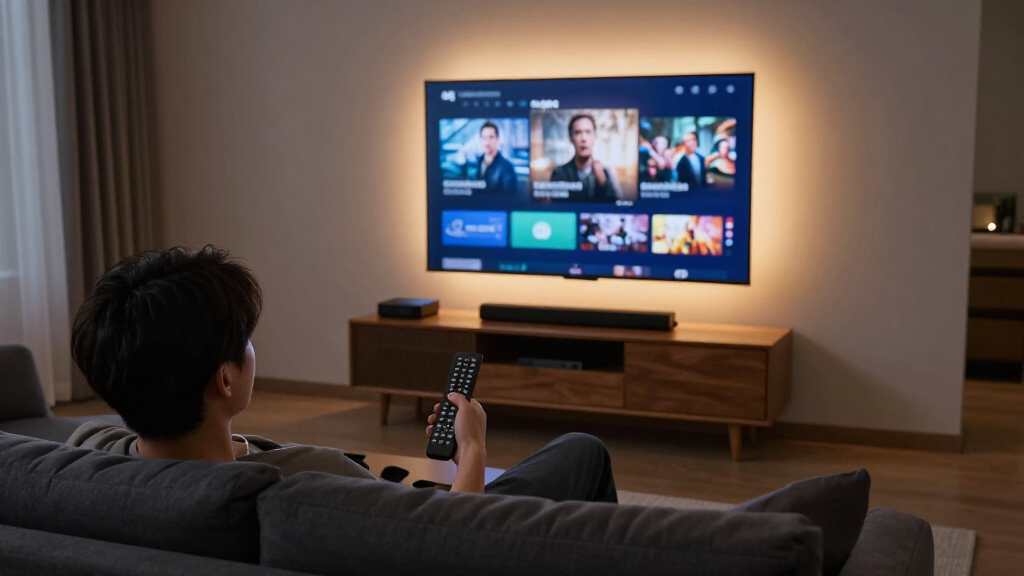
I compared these 11 players by 4K and HDR format support, audio compatibility, interface and voice-control approach, storage, network options, and the kind of TV setup each can serve. I gave more weight to features that can change daily use—such as Ethernet for a congested wireless network, hands-free control for a voice-led room, or a soundbar for a TV with weak built-in audio—than to specification differences with little practical effect for a typical viewer. Product names and listed features inform this comparison; app availability, format support, and performance can vary by region, service, TV, and connected equipment.
The ranking favors versatility and fit across common setups first, then specialized strengths. The Google TV Streamer takes the top spot for its combination of platform, storage, and general-purpose appeal; Roku Ultra ranks highly for buyers who want a dedicated box, while compact sticks earn places for uncomplicated installs. The Fire TV Cube, Streambar SE, and TiVo each serve narrower needs, so their distinct advantages do not make them the right default for every viewer. The two Xiaomi entries have closely related listed specifications, so buyers should check the exact model and included remote before choosing between them.
| 4K streaming media player | Audio Support |
|---|---|
| Google TV Streamer 4K Streamin | Dolby Atmos-compatible |
| Roku Streaming Stick Plus with | — |
| Roku Ultra 4K Streaming Player | Dolby Atmos |
| Roku Streaming Stick 4K with V | — |
| onn 4K Pro Streaming Device | Dolby Atmos |
| Xiaomi TV Box S 3rd Gen Androi | Dolby Atmos, DTS:X |
| Xiaomi TV Box S 3rd Gen 4K UHD | Dolby Audio, DTS:X |
| Amazon Fire TV Stick 4K Plus S | Dolby Atmos, 7.1 surround, 2-channel stereo |
| Roku Streambar SE | — |
| Amazon Fire TV Cube | Dolby Atmos, 7.1 surround sound, HDMI pass-through up to 5.1 |
| TiVo Stream 4K Android TV Stre | — |
Factors to Consider When Choosing 4K Streaming Media Players
Start with your existing TV and how you watch, then narrow the options by format compatibility, connection, and control style. A streamer cannot make a TV display a format it does not support, and a high-spec player may add little to a basic bedroom setup. These broader checks can help you avoid paying attention to features that your equipment or habits won’t use.
Match HDR and audio formats to the whole setup
Check the specifications for your TV, receiver, and soundbar before treating Dolby Vision or Dolby Atmos support as a deciding feature. The player, streaming service, content, and every link in the connection chain need to support the format for it to reach your screen or speakers. A TV with HDR10+ but no Dolby Vision may get more practical benefit from a player that supports HDR10+ than one promoted around Dolby Vision. Audio passthrough can also depend on how the player connects to a TV or receiver. If you mainly watch on an older 4K television, compare supported formats against its actual capabilities. This avoids choosing a streamer for a badge that your setup cannot use.
Choose a stick, box, or soundbar by placement
A stick is easy to hide behind a wall-mounted TV and usually keeps the setup visually simple, though the HDMI port and surrounding space need to accommodate it. A box takes up room on a shelf but may offer ports or wired networking that a compact stick lacks. Before buying, check whether your TV’s USB port can supply enough power; a dedicated adapter may be needed, and nearby HDMI ports can be awkwardly arranged. A streamer with a soundbar can reduce device clutter, but it is a bigger commitment to the room’s audio setup. Think about where the device will sit and how you’ll route power and cables. The best form factor is the one that fits the actual installation.
Treat Wi-Fi generation and Ethernet as different solutions
Newer Wi-Fi standards do not automatically fix weak coverage, interference, or a distant router. A reliable connection and steady bandwidth usually matter more to streaming than upgrading a Wi-Fi specification on paper. Ethernet can make sense when the TV is near a router or a mesh access point, especially if wireless playback is unreliable. If wiring is impractical, assess signal strength where the television sits rather than assuming the rest of the home’s Wi-Fi performance applies there. Also check whether your router supports the player’s Wi-Fi bands. Choose connectivity around the network you have, not a future upgrade you may never make.
Pick a platform around apps and household habits
List the streaming services your household actually uses and check their availability on the platform you’re considering. Interface layout, search, recommendations, and live-TV organization can shape daily use more than small differences in processor or memory. Voice search can help find a title across services, but it does not guarantee that every app will handle playback or account controls the same way. Consider who will use the remote, including guests or family members who may not want a heavily customized home screen. If you already rely on a particular voice assistant, confirm what the device can control and whether those features require extra setup. A familiar, direct interface is often a better match than a longer feature list.
Pay for extras only when they solve a recurring problem
More storage can help when you install many apps, but it is less valuable if you use only a few streaming services. Hands-free voice control is useful when you regularly operate a TV from across the room; otherwise, a standard remote may be simpler. A backlit remote can help in a dark room, while a remote finder matters most in a household where remotes often disappear. A bundled soundbar may address weak TV audio, but compare its role with what you already own before adding another speaker. Look for features tied to a repeated inconvenience rather than treating every extra as an upgrade. That approach helps separate meaningful convenience from unused hardware.
Check model names and included accessories before ordering
Similar product names can refer to different bundles or revisions, so confirm the exact model, remote, power adapter, and included cables in the listing. This is especially relevant when comparing two versions that appear to share the same core specifications. Regional versions can differ in app support, tuners, or voice features, so confirm local compatibility if you are buying outside the product’s primary market. Check whether setup requires a separate account or smartphone app if you prefer a self-contained installation. Keep the packaging and note the model identifier until the device is configured. Those checks can prevent a mismatch between the features you expect and the hardware you receive.
Frequently Asked Questions
Will a 4K streaming player make my non-4K TV show 4K video?
No. A 4K player sends a signal that a compatible 4K display can show, but it cannot add 4K resolution to a lower-resolution television. The TV may scale the picture, though that is different from displaying native 4K detail. Check the TV’s supported resolution and HDMI inputs before choosing a player around image quality. If you plan to replace the TV soon, a 4K streamer can still serve as a bridge, but its current picture will be limited by the display.
Should I choose Dolby Vision or HDR10+ support?
Choose based on the TV and services you use, since a format label helps only when the display, player, and content align. Some televisions support Dolby Vision, some support HDR10+, and some support both or neither. Check the TV manual and the services’ format support rather than relying on a streamer’s headline feature alone. If your TV supports both, interface, network connection, and remote usability may be better tie-breakers. Standard HDR support can still provide a good picture on sets that lack either format.
Is Ethernet worth prioritizing for a streaming player?
Ethernet is worth prioritizing when wireless playback regularly buffers and the TV can be connected conveniently to a router or access point. It can make the connection more consistent, but it will not improve a slow internet plan or a service outage. If Wi-Fi already streams reliably at the TV, a wired port may not change your experience. Test or check signal strength near the television before choosing a larger box for wired networking. A compact stick can be the better fit when cabling would be difficult.
Can one player control both my TV and sound system?
Often, a player’s remote can handle basic TV power and volume, but the available controls depend on the remote, TV, and audio connection. HDMI-CEC can let devices coordinate power and input changes, though behavior varies across brands and settings. If you use a receiver or soundbar, check whether the remote supports its volume controls and whether your setup passes commands correctly. Hands-free voice control, like that on the Fire TV Cube, is a separate convenience from full system control. Keep the original remotes nearby until you confirm the routine you want works.
Should I buy a streaming stick, a dedicated box, or a soundbar with streaming built in?
Choose a stick when a low-profile installation and straightforward app access matter most. A dedicated box makes more sense when you want a shelf-mounted device and features such as Ethernet or additional ports. A soundbar streamer is worth considering if you also want to address weak TV audio and are comfortable combining those jobs in one unit. Think about upgrade timing: replacing audio and streaming together can be convenient, while separate devices are easier to change independently. Match the form to the problem you want to solve instead of assuming one design is best for every room.
Conclusion
I’d choose the Google TV Streamer 4K as the best overall for a flexible, general-purpose setup, and the onn 4K Pro as the best value-focused feature set for buyers who want Google TV, added memory, and Ethernet in one device. For a premium, voice-led room, the Amazon Fire TV Cube is the standout; for beginners who want a straightforward stick, I’d start with the Roku Streaming Stick 4K. Buyers who want a compact Roku option with HDR10+ can compare the Streaming Stick Plus, while those needing a dedicated player with wired connectivity should look at the Roku Ultra. Choose the Roku Streambar SE if built-in streaming and a soundbar address two needs at once, or consider Xiaomi and TiVo when their platform and listed features fit your setup. The right pick is the one whose formats, controls, and connections match the television and network you already have.
Fall Picks
fall essentials
As an affiliate, we earn on qualifying purchases.