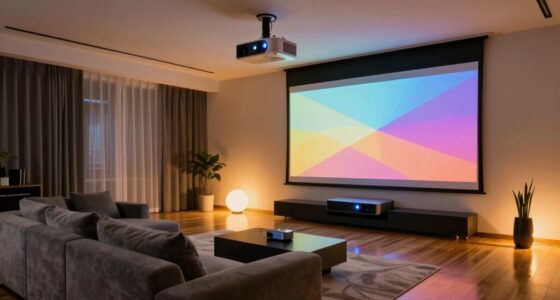
For most players, I’d start with the ViewSonic LX700-4K, a gaming-focused laser model that balances sharp 4K presentation with features aimed at responsive play. The ViewSonic PX749-4K is another strong contender for a dedicated gaming setup, while the Hisense M2 Pro suits buyers who want a portable, triple-laser option as well as a big screen. The main tradeoffs are gaming response and connection features versus brightness, portability, and ease of setup. Also, some projectors listed as 4K use pixel shifting or decode 4K sources rather than displaying native 4K, so the label alone does not tell the whole story. Read on for the full comparison and guidance on matching a projector to your games, room, and console or PC.

Get business pricing on your home office setup
- Business-only prices and quantity discounts
- Tax-exempt purchasing
- Multiple users, one account, clear invoices
Complete the kit


Key Takeaways
- The ViewSonic LX700-4K and PX749-4K lead this lineup for gaming intent: both are more directly positioned for play than the portable smart-projector options, which prioritize convenience and entertainment features.
- Not every “4K” label means the same thing: the KOGATA, ONOAYO ONO3Pro, and several other smart models specify 4K decoding, while native resolution and image presentation need separate verification.
- Portability comes with a different set of priorities: the Hisense M2 Pro and XGIMI Elfin Flip are easier to move or use in flexible spaces, but buyers should check gaming latency and connection details before choosing them for competitive play.
- Room conditions can matter more than extra smart features: brightness, screen size, ambient light, and throw distance determine whether a projector can deliver a usable gaming image in your actual setup.
- The lineup splits between gaming-first and all-in-one convenience: ViewSonic and BenQ options focus more directly on home entertainment and gaming, while MOVIN, VIDAA, and other smart OS models emphasize streaming, automatic setup, or portable use.


| 4K projectors for gaming | Native resolution | Brightness | Connectivity | Display type |
|---|---|---|---|---|
| ViewSonic LX700-4K 4K UHD Lase | 3840 x 2160 | 3,500 ANSI lumens | HDMI, USB 2.0 Type-A, 3.5mm audio | Laser |
| 4K Daylight Projector with MOV | — | 2,700 ANSI lumens | HDMI 2.1 eARC, USB, VGA, 3.5mm jack, Wi-Fi, Bluetooth | — |
| XGIMI Elfin Flip 4K Portable P | 3840 x 2160 | 1,600 lumens | Bluetooth, HDMI, USB, Wi-Fi | DLP |
| Hisense M2 Pro Triple Laser Po | — | 1,300 ANSI lumens | Wi-Fi, Bluetooth 5, HDMI, USB 3.0 | — |
| KOGATA Smart Projector with VI | 1080p | — | — | — |
| ViewSonic PX701-4K UHD DLP Pro | 3840 × 2160 | 3,200 ANSI lumens | — | DLP |
| ONOAYO ONO3Pro 2.0 Portable Pr | Not specified | Not specified | — | — |
| Outdoor-Projector-4K [VIDAA Li | 1920 × 1080 | 920 ANSI lumens | — | LED |
| ViewSonic PX749-4K 4K UHD Gami | 3840 × 2160 | 4,000 ANSI lumens | Ethernet, HDMI, USB 2.0 Type-A, USB-C | DLP |
| ONOAYO ONO5Pro 2.0 4K Smart Pr | Not specified | — | Wi-Fi 6, Bluetooth, HDMI 2.1, HDMI-CEC | — |
| BenQ TK700 4K HDR Home Enterta | 3840 x 2160 (4K UHD) | 3200 ANSI lumens | HDMI 2.0, USB 2.0 Type-A | DLP |
More Details on Our Top Picks
ViewSonic LX700-4K 4K UHD Laser Gaming Projector
The ViewSonic LX700-4K is the clearest fit here for players who prioritize responsiveness: its listed 4.2ms input lag and refresh rates up to 240Hz target fast play, while 4K UHD resolution keeps the image detailed. Compared with the more entertainment-focused Hisense M2 Pro, the LX700 puts more emphasis on gaming speed and offers substantially more stated brightness at 3,500 ANSI lumens. Its 1.36x optical zoom, lens shift, and keystone adjustments also give you more flexibility when positioning it. The tradeoff is that its gaming strengths do not make it equally convenient for every room: the listed throw range reaches 7 meters, and its source-life figures conflict, with 20,000 hours in one spec and up to 30,000 hours in the description. I’d choose it for a dedicated gaming setup, not as a portable all-in-one.
Pros:- Up to 240Hz refresh rate and listed 4.2ms input lag suit responsive gaming.
- 3,500 ANSI lumens give it more brightness headroom than the Hisense M2 Pro.
- Lens shift, 1.36x optical zoom, and keystone adjustments offer placement flexibility.
- 4K UHD resolution with HDR and HLG support.
Cons:- The listed light-source life is inconsistent: 20,000 hours in the specs versus up to 30,000 hours in the description.
- Its tabletop-focused setup and up-to-7-meter throw range may not suit every room.
- The supplied connectivity list does not specify HDMI 2.1.
Best for: Competitive console and PC players setting up a fixed gaming room who want high refresh rates, low stated input lag, and 4K detail.
Not ideal for: Gamers who need a portable projector, built-in streaming and audio in one unit, or a clearly consistent light-source life specification.
- Native resolution:3840 x 2160
- Brightness:3,500 ANSI lumens
- Display type:Laser
- Refresh rate:Up to 240Hz
- Input lag:4.2ms
- Optical zoom:1.36x
- Maximum image size:300 inches
- Connectivity:HDMI, USB 2.0 Type-A, 3.5mm audio
Our verdict“Choose the LX700-4K if fast, responsive gaming matters more than portability or built-in smart features.”
4K Daylight Projector with MOVIN OS 3.0, 2700 ANSI Lumens, Dolby Audio, and Auto Focus
This MOVIN OS projector makes the most sense for gaming in a shared room where lights may stay on. Its 2,700 ANSI lumens give it a brightness advantage over the portable XGIMI Elfin Flip 4K, and its 2.1 system with dual 38W speakers can make play feel more immersive without a separate audio setup. ToF autofocus and automatic keystone correction also reduce the fuss of moving it between locations. The gaming qualification is important, though: the description names a low-latency game mode but gives no input-lag figure or refresh-rate ceiling, so I would not rank it ahead of the ViewSonic LX700-4K for competitive play. Its 4K capability is described as decoding rather than native 4K projection technology, and its listed 32-foot maximum throw may constrain placement. This is the flexible room pick, not the performance-first choice.
Pros:- 2,700 ANSI lumens are better suited to some ambient-light use than the XGIMI Elfin Flip 4K’s 1,600 lumens.
- Dual 38W speakers in a 2.1 Dolby audio system provide substantial built-in sound.
- ToF autofocus and auto keystone correction simplify repositioning.
- MOVIN OS 3.0, 64GB storage, and HDMI 2.1 eARC add streaming and connection options.
Cons:- The product description characterizes 4K as decoding rather than native 4K projection technology.
- No specific input-lag or maximum refresh-rate figure is supplied for gaming.
- The listed maximum throw distance of 32 feet may limit setup options in some rooms.
Best for: Casual console players and households gaming in a living room with some ambient light who value built-in streaming and strong onboard audio.
Not ideal for: Competitive players who need a specified low input lag or high refresh-rate limit, or buyers who require confirmed native 4K projection.
- Resolution:4K (3840 x 2160)
- Brightness:2,700 ANSI lumens
- Contrast ratio:23,000:1
- Operating system:MOVIN OS 3.0
- Audio:76W Dolby DSP, dual 38W speakers, 2.1 system
- Storage and RAM:64GB storage, 2GB RAM
- Connectivity:HDMI 2.1 eARC, USB, VGA, 3.5mm jack, Wi-Fi, Bluetooth
- Image adjustments:ToF autofocus, auto keystone correction
Our verdict“Pick this projector for casual gaming in a brighter shared room when onboard sound and easy setup matter more than proven competitive response.”
XGIMI Elfin Flip 4K Portable Projector with Wi-Fi and Bluetooth, Google TV
The XGIMI Elfin Flip 4K stands out for players who want to move a 4K gaming setup between rooms or take it outdoors. Its portable form, 1ms stated latency, and listed VRR and ALLM support are a more compelling gaming combination than the feature set specified for the Hisense M2 Pro. A lossless optical zoom helps resize the image without relying solely on digital correction, while Google TV and Harman Kardon speakers make it useful for streaming and casual play between gaming sessions. Portability comes with a clear compromise: its 1,600 lumens are less suited to bright rooms than the ViewSonic LX700-4K’s 3,500 ANSI lumens. The supplied specs also list a 240V power requirement, which could rule it out for buyers in regions with standard 110V outlets. I’d favor it for flexible locations, not a bright dedicated competitive setup.
Pros:- Portable design is easier to move than the fixed-room-oriented ViewSonic LX700-4K.
- Listed 1ms latency, VRR, and ALLM support target responsive gameplay.
- Lossless optical zoom helps adjust screen size while retaining image quality.
- Google TV and dual Harman Kardon speakers support an all-in-one entertainment setup.
Cons:- Its 1,600-lumen brightness is less suited to bright environments than the ViewSonic LX700-4K.
- The listed 240V requirement limits compatibility in regions with standard 110V outlets.
- Its maximum image size is 200 inches, below the ViewSonic LX700-4K’s listed 300 inches.
Best for: Gamers who want a portable 4K projector for dim rooms, travel, or outdoor sessions and whose local power supply matches the listed 240V requirement.
Not ideal for: Players gaming in bright rooms, buyers using standard 110V power, or anyone prioritizing the higher listed brightness of the ViewSonic LX700-4K.
- Native resolution:3840 x 2160
- Display type:DLP
- Brightness:1,600 lumens
- Contrast ratio:20,000:1
- Latency:1ms stated
- Optical zoom:0.98–1.3:1
- Maximum image size:200 inches
- Connectivity:Bluetooth, HDMI, USB, Wi-Fi
- Power and voltage:120 watts, 240 volts
Our verdict“Choose the Elfin Flip 4K if you need portable gaming with low stated latency and can use it in a dim room with compatible power.”
Hisense M2 Pro Triple Laser Portable 4K UHD Smart Projector
The Hisense M2 Pro is a portable 4K option for gamers who care about vivid laser color and a large image as much as gaming-specific speed. Its triple-laser light source, Dolby Vision support, and optical zoom make it better equipped for mixed gaming and movie nights than a basic fixed-screen setup. Compared with the XGIMI Elfin Flip 4K, it offers a similarly portable format and 4K resolution, but its listed brightness is lower at 1,300 ANSI lumens and the supplied data does not give input lag, refresh rate, VRR, or ALLM. That makes its gaming performance less clearly documented. VIDAA and automatic screen adjustments aid casual use, while ceiling, tabletop, and rear mounting add flexibility. Its strongest fit is a dim room; buyers playing with lights on should look toward the brighter ViewSonic LX700-4K instead.
Pros:- Triple-laser light source and AI color enhancement are geared toward vivid image color.
- Optical zoom adjusts image size without depending only on digital scaling.
- VIDAA offers access to streaming apps including Netflix, YouTube, and Disney+.
- Tabletop, ceiling, and rear mounting support more placement styles than a tabletop-only setup.
Cons:- At 1,300 ANSI lumens, it is better suited to low-light rooms than the ViewSonic LX700-4K.
- The supplied product data gives no input-lag or refresh-rate figure for gaming.
- Active 3D requires separately obtained DLP-Link active shutter glasses.
Best for: Players who want a portable projector for cinematic, colorful gaming and movies in a dark or dim room, with flexible mounting options.
Not ideal for: Competitive gamers seeking published latency or refresh-rate figures, and households that need strong brightness in a lit room.
- Resolution:3840 x 2160 (4K UHD)
- Brightness:1,300 ANSI lumens
- Light source:Triple laser
- Contrast ratio:5,000:1
- Projection size:65–200 inches
- Optical zoom ratio:1.0–1.3:1
- Operating system:VIDAA
- Connectivity:Wi-Fi, Bluetooth 5, HDMI, USB 3.0
- Light-source life:25,000 hours
Our verdict“Choose the M2 Pro for portable, color-focused gaming and movie nights in a dim room, not for a clearly specified competitive gaming setup.”
KOGATA Smart Projector with VIDAA, Native 1080p, 4K Decoding, Wi-Fi 7 and Bluetooth
The KOGATA Smart Projector is the most entry-level gaming fit in this group: it offers convenient streaming, wireless sharing, and automatic image setup, but it is not a native 4K projector. Its 1080p native resolution is a meaningful distinction from the ViewSonic LX700-4K and Hisense M2 Pro, both of which specify 3840 x 2160 output. 4K decoding means it can accept 4K content, not display it at native 4K resolution. For casual gaming, MEMC, HDR10+, and automatic focus and keystone correction add practical flexibility, while VIDAA, AirPlay, and Dolby Audio support mixed household use. The supplied data does not give gaming input lag, refresh rate, or brightness, so I wouldn’t choose it for demanding play or bright-room use. It suits buyers who value smart convenience more than 4K pixel detail.
Pros:- VIDAA includes streaming apps, live TV, voice control, and parental controls.
- Auto focus, 6D keystone correction, obstacle avoidance, and screen alignment simplify setup.
- MEMC and HDR10+ support are included alongside 4K content decoding.
- AirPlay, Wi-Fi 7, Bluetooth, Dolby Audio, and DTS cover a broad set of entertainment connections.
Cons:- Native 1080p resolution does not deliver the 4K pixel detail specified by the ViewSonic LX700-4K or Hisense M2 Pro.
- No input-lag or refresh-rate figure is supplied to establish suitability for competitive gaming.
- The product information conflicts on Bluetooth version, listing 5.4 in one place and 5.3 in the description.
Best for: Casual gamers who want a smart projector for streaming and occasional play, and are comfortable with native 1080p rather than true 4K display resolution.
Not ideal for: 4K-focused gamers, competitive players who need stated latency and refresh-rate performance, or buyers who need a supplied brightness rating.
- Native resolution:1080p
- Supported content:4K decoding
- Operating system:VIDAA
- Picture features:HDR10+, MEMC, AI picture quality
- Audio:60W Dolby Audio, DTS support
- Wireless connectivity:Wi-Fi 7, Bluetooth
- Image adjustment:3-second autofocus, 6D keystone correction
- Noise level:26 dB
- Warranty:3 years
Our verdict“Pick the KOGATA for smart features and casual gaming if native 1080p is acceptable, but skip it if true 4K display detail is a priority.”
ViewSonic PX701-4K UHD DLP Projector
The PX701-4K is the gaming-first choice here: its stated 4.2ms input lag and refresh rates up to 240Hz suit players who value responsive controls over smart-TV convenience. Unlike the portable ONOAYO ONO5Pro 2.0, it specifies native 4K resolution and gives a clear gaming performance target, but you’ll need separate streaming gear. Its 3,200 ANSI lumens help when a room isn’t fully dark, while HDR/HLG support adds compatibility for supported content. Auto keystone and four-corner correction make positioning more forgiving, though they don’t change its stationary, ceiling-mount-oriented design. The main tradeoffs are a 6,000-hour lamp life and only 1.1× optical zoom, so this is less flexible for frequent room changes than portable smart projectors.
Pros:- Specified 4.2ms input lag and refresh rates up to 240Hz target responsive gaming.
- Native 3840 × 2160 resolution provides a clear 4K image.
- 3,200 ANSI lumens and HDR/HLG support suit mixed gaming and video use.
- Auto keystone and four-corner correction help simplify image alignment.
Cons:- Stationary, ceiling-mount-oriented design is less convenient to move between rooms.
- Listed 6,000-hour lamp life is a meaningful maintenance consideration.
- 1.1× optical zoom offers limited placement flexibility compared with the PX749-4K.
Best for: Competitive console and PC players setting up a permanent gaming room who want specified low input lag and high refresh-rate support.
Not ideal for: Buyers who want a portable projector with built-in streaming apps, or anyone who needs flexible placement and longer listed light-source life.
- Native resolution:3840 × 2160
- Display type:DLP
- Brightness:3,200 ANSI lumens
- Refresh rate:Up to 240Hz
- Input lag:4.2ms
- Optical zoom:1.1×
- Maximum image size:300 inches
- Light source operating life:6,000 hours
Our verdict“Choose the PX701-4K for a fixed gaming setup where responsive play and native 4K matter more than portability or built-in apps.”
ONOAYO ONO3Pro 2.0 Portable Projector with Smart TV OS 3.0, 4K Decoding, Wi-Fi 6, Bluetooth 5.4, and Dolby Audio
The ONOAYO ONO3Pro 2.0 is better suited to casual, movable gaming than to a dedicated 4K gaming rig. It decodes 4K video, but the supplied information does not state native resolution, measured brightness, or gaming input lag—important omissions beside the clearly specified performance of the ViewSonic PX701-4K. What it does offer is practical convenience: licensed streaming apps, Chromecast, Wi-Fi 6, and AI-assisted focus and alignment help it shift from a game session to streaming without extra devices. At 2.4 lb, it is far easier to relocate than either ViewSonic. Its dual 60W speakers and eARC connection also reduce audio setup work. The compromise is that gaming performance and image capability are harder to judge from the listed data, and automatic alignment may not suit buyers who prefer precise manual control.
Pros:- Lightweight 2.4 lb design and desktop, tripod, wall, and ceiling mounting options support portable use.
- Built-in licensed streaming apps and Chromecast reduce dependence on external devices.
- AI autofocus, keystone correction, screen fit, and obstacle avoidance simplify setup.
- Dual 60W speakers, Dolby Audio, and HDMI eARC offer flexible sound options.
Cons:- Native resolution and measured brightness are not specified in the supplied product data.
- No gaming input-lag or refresh-rate figure is provided.
- AI-led image adjustments offer less clearly documented manual control than the ViewSonic projectors.
Best for: Casual gamers who want a lightweight projector for shared indoor and outdoor use, with streaming apps and simple setup built in.
Not ideal for: Competitive players or buyers specifically seeking verified native 4K, measured brightness, and published input-lag figures.
- Video decoding:4K
- Native resolution:Not specified
- Brightness:Not specified
- Wireless connectivity:Wi-Fi 6, Bluetooth 5.4
- Audio:Dual 60W speakers with Dolby Audio
- Weight:2.4 lb
- Image adjustment:AI autofocus, keystone correction, obstacle avoidance, screen fit, and image shift
- Connections:HDMI with eARC, USB
Our verdict“Pick the ONO3Pro 2.0 for portable casual gaming and streaming, not for a performance-led 4K gaming setup.”
Outdoor-Projector-4K [VIDAA Live TV/40W Dolby/920 ISO] with WiFi6 and Bluetooth Compatible with Netflix, Smart Projector, AI Voice Control & Auto Focus, HDR10, Movie Proyector for Ceiling Home Theater
with WiFi6 and Bluetooth Compatible with Netflix, Smart Projector, AI Voice Control & Auto Focus, HDR10, Movie Proyector for Ceiling Home Theater” image=”https://m.media-amazon.com/images/I/81pt3e8j0JL._AC_SX300_SY300_QL70_ML2_.jpg” link=”0″]Best for Casual Outdoor Gaming
View Latest PriceThis VIDAA-equipped projector makes more sense as an outdoor entertainment screen that can also handle casual gaming than as a true 4K gaming projector. Its own specifications list native 1920 × 1080; “4K decoding” means 4K-source video is played at that resolution, not displayed in native 4K. That puts it well behind the ViewSonic PX749-4K for resolution and gaming-specific performance, since no refresh rate or input lag is stated here. The 920 ANSI lumens, built-in apps, AirPlay 2, and automatic focus and screen alignment make setup and general viewing appealing in flexible spaces. A 40W speaker system and multiple mounting options further support movie nights and watch parties. The catch for gaming is that image brightness and responsiveness may not satisfy buyers expecting a low-latency, high-refresh gaming display.
Pros:- Native 1080p resolution is stated clearly, avoiding confusion with its 4K decoding support.
- 920 ANSI lumens and HDR10 support are specified for general viewing.
- VIDAA streaming features and AirPlay 2 support reduce the need for separate streaming hardware.
- AI focus, keystone, obstacle avoidance, and screen fit help speed up setup.
Cons:- 4K content is decoded but displayed at native 1920 × 1080 resolution.
- No input-lag or refresh-rate figure is provided for gaming.
- 920 ANSI lumens may limit comfortable viewing in brighter outdoor conditions.
Best for: Casual players who want a 1080p projector for occasional console gaming alongside outdoor movies, streaming, and live TV.
Not ideal for: Buyers who require native 4K resolution, published gaming latency, or high-refresh-rate support for competitive play.
- Native resolution:1920 × 1080
- 4K support:4K decoding; displayed at native 1080p
- Brightness:920 ANSI lumens
- Display type:LED
- HDR:HDR10
- Audio:2 × 20W speakers with Dolby Audio
- Wireless connectivity:Wi-Fi 6, Bluetooth 5.4
- Maximum image size:200 inches
Our verdict“Choose this model for casual outdoor gaming and streaming if 1080p is acceptable and gaming performance figures are not your priority.”
ViewSonic PX749-4K 4K UHD Gaming Projector
The PX749-4K is the strongest fit in this batch for buyers who want gaming performance without giving up a large, bright 4K picture. Compared with the PX701-4K, it raises listed brightness from 3,200 to 4,000 ANSI lumens and adds a more generous 1.3× optical zoom, giving it an advantage in less-controlled lighting and installation flexibility. Its specified 4.2ms input lag and support for up to 240Hz, including 1440p at 120Hz, make the gaming case more explicit than the ONOAYO smart models. Native 4K and HDR/HLG add range for games and video, while USB-C expands connection choices. This is still a stationary projector, not a grab-and-go option, and its listed 4,000-hour light-source life is shorter than the PX701-4K’s. I’d favor it when brightness and gaming modes outweigh lamp-life concerns.
Pros:- 4,000 ANSI lumens provide more brightness headroom than the PX701-4K’s 3,200 ANSI lumens.
- 4.2ms input lag and support up to 240Hz are well matched to responsive gaming.
- Native 4K resolution with HDR/HLG support serves games and video.
- 1.3× optical zoom and USB-C give more setup and connection flexibility.
Cons:- Stationary ceiling-mount design is not suited to frequent relocation.
- Listed 4,000-hour light-source life is shorter than the PX701-4K’s 6,000 hours.
- No built-in streaming operating system is specified.
Best for: Console and PC gamers building a fixed setup in a room with some ambient light who want native 4K, high refresh-rate options, and flexible installation.
Not ideal for: People who need a portable smart projector, or buyers who prioritize a longer listed light-source life over brightness and zoom flexibility.
- Native resolution:3840 × 2160
- Display type:DLP
- Brightness:4,000 ANSI lumens
- Refresh rate:Up to 240Hz
- Input lag:4.2ms
- Optical zoom:1.3×
- Connectivity:Ethernet, HDMI, USB 2.0 Type-A, USB-C
- Light source operating life:4,000 hours
Our verdict“Choose the PX749-4K if you want a bright, fixed 4K gaming setup with high-refresh support and can accept its shorter listed light-source life.”
ONOAYO ONO5Pro 2.0 4K Smart Projector with Wi-Fi 6, Bluetooth, Dolby Audio, and AI Auto Calibration
The ONOAYO ONO5Pro 2.0 is the all-in-one convenience pick: it combines streaming, Chromecast, strong built-in audio, and a stated 18ms gaming input latency. That latency is much higher than the 4.2ms listed for the ViewSonic PX749-4K, so I’d reserve this model for casual console play rather than fast competitive games. The supplied data says it supports 4K but does not state native resolution or measured brightness, which makes its picture performance harder to compare with ViewSonic’s native-4K models. On the practical side, AI focus and screen fitting can reduce setup effort, while dual 80W Dolby Audio speakers may spare buyers an external sound system. HDMI 2.1 and HDMI-CEC round out a convenient console connection. Its strength is a self-contained entertainment setup, not class-leading gaming responsiveness.
Pros:- Specified 18ms gaming latency gives buyers a concrete figure for casual play.
- Dual 80W Dolby Audio speakers reduce reliance on separate speakers.
- Built-in streaming apps, Chromecast, and Wi-Fi 6 support connected entertainment.
- HDMI 2.1, HDMI-CEC, and AI-assisted setup add convenience to console use.
Cons:- 18ms input latency is substantially higher than the 4.2ms specified for the PX749-4K.
- Native resolution and measured brightness are not stated in the supplied data.
- The listed live-channel and app selection may depend on service availability or account access.
Best for: Casual console players who want built-in streaming, substantial onboard audio, and automated setup in one projector.
Not ideal for: Competitive gamers who need the lowest available input lag, or buyers who require confirmed native 4K resolution and measured brightness.
- Resolution support:4K
- Native resolution:Not specified
- Gaming input latency:18ms
- Audio:Dual 80W Dolby Audio speakers
- Operating system:Smart TV Pro OS 3.0
- Connectivity:Wi-Fi 6, Bluetooth, HDMI 2.1, HDMI-CEC
- Casting:Built-in Chromecast
- Dynamic zoom:50%–100%
Our verdict“Pick the ONO5Pro 2.0 for casual gaming and an all-in-one streaming-and-audio setup, but choose the PX749-4K for more responsive play.”
BenQ TK700 4K HDR Home Entertainment Gaming & Movie Projector
The BenQ TK700 earns its place for players who prioritize responsive console play over smart features or a compact setup. Its listed 4.2ms latency and 16ms input lag are aimed at keeping controls feeling immediate, while 4K UHD resolution gives game environments crisp detail. With 3200 ANSI lumens, it is better suited than many portable options, such as the XGIMI Elfin Flip, to rooms where some light is present. The tradeoff is a conventional standard-throw layout: you need enough space between projector and screen, unlike buyers seeking a more placement-flexible portable model. It also has HDMI 2.0 rather than a newer listed connection standard, and its 4000-hour light-source life may mean more frequent replacement planning than a laser-based alternative such as the ViewSonic LX700-4K. Choose it for gaming performance, not an all-in-one smart projector experience.
Pros:- 4K UHD resolution with HDR10 support for detailed, high-dynamic-range game images
- Listed 4.2ms latency and 16ms input lag suit responsive console gaming
- 3200 ANSI lumens help maintain a clear picture in rooms with some ambient light
- Supports PS5 and Xbox and includes a built-in speaker with Dolby Atmos support
Cons:- Standard-throw placement needs more room between the projector and screen than a short-throw design
- The listed 4000-hour light-source life is shorter than the expected appeal of a laser-based alternative
- HDMI 2.0 and the lack of listed smart TV features may limit appeal to buyers seeking a newer, all-in-one setup
Best for: PS5 or Xbox players setting up a dedicated screen in a room with enough throw distance who value low-latency play and bright images.
Not ideal for: Gamers in very small rooms, buyers who need a short-throw or highly portable setup, and anyone prioritizing a long-life laser light source or built-in smart TV platform.
- Native resolution:3840 x 2160 (4K UHD)
- Display type:DLP
- Brightness:3200 ANSI lumens
- Input lag:16ms
- Latency:4.2ms
- Connectivity:HDMI 2.0, USB 2.0 Type-A
- Throw type:Standard throw
- Image size range:60–200 inches
- Light source life:4000 hours
Our verdict“Choose the TK700 for responsive, bright 4K console gaming in a room with adequate throw distance, but skip it if compact placement or a laser light source matters more.”
How We Picked
I ranked these 4K projectors for gaming by how well their stated features match the needs of console and PC players: gaming-oriented positioning, 4K image handling, brightness, setup flexibility, and connectivity. A projector’s advertised resolution does not by itself establish native 4K output or low input lag, so I distinguish models described as 4K UHD from those that list 4K decoding and flag details buyers should verify before purchase. I also weighed whether a projector appears suited to a fixed gaming room or a more flexible entertainment setup.
The order favors models with a clearer gaming focus, then options that bring a useful balance of home gaming and other use cases. Smart platforms, autofocus, portability, and audio can make setup and everyday viewing easier, but they do not replace gaming performance data such as input lag at the resolution and refresh rate you plan to use. Several product listings provide limited detail about those measurements, so I avoid treating missing specifications as proof of performance. Before buying, check the manufacturer’s current documentation for supported refresh rates, input lag, HDMI features, and resolution behavior.
Factors to Consider When Choosing 4K Projectors For Gaming
Choosing a gaming projector is less about finding the longest feature list and more about matching the projector to your play style and room. I’d settle the connection, screen, and placement questions before choosing between gaming-oriented and portable smart models.
Check input lag at your actual gaming settings
Input lag determines how long your actions take to appear on screen, which matters most in fighting games, rhythm games, and competitive shooters. A number without its test conditions can be misleading: lag may change with resolution, refresh rate, and picture mode. Look for measurements at the settings you expect to use, such as 4K at 60 Hz or a supported high-refresh mode. Also check whether a dedicated game mode is available and whether enabling it disables image processing you value. If the listing does not provide clear figures, seek manufacturer documentation or reliable testing rather than assuming the word “gaming” guarantees a fast response. Story-driven and casual players may accept more latency than players who rely on precise timing.
Separate native resolution from 4K decoding
“4K” can describe different things: the projector’s display resolution, pixel-shifted image output, or its ability to accept and decode a 4K signal before displaying it at a lower resolution. Those distinctions affect detail, compatibility, and what you are paying for. Check the listed native resolution and the projector’s stated output method, not only the maximum input signal. A 4K source can still look good on a 1080p projector, but it does not make that projector native 4K. For a large screen viewed from close range, resolution differences can be easier to notice. For casual play at a typical seating distance, brightness, contrast, and low lag may matter more than a resolution claim alone.
Match brightness to the room, not the marketing label
Projector brightness affects whether a game remains clear when lights are on, curtains are open, or the image is spread across a large screen. Lumens figures are not always measured or reported in identical ways, so compare like with like and look for consistent brightness standards in the product documentation. A dark room and a modest screen can make a lower-output model more practical than a brighter projector used in a bright living room. Ambient light also washes out contrast, so adding brightness cannot fully compensate for a sunlit wall. Avoid choosing a projector based solely on an advertised lumen number without checking screen size and room conditions. If you game during the day, plan for light control or a screen designed for your environment.
Plan throw distance, mounting, and image geometry
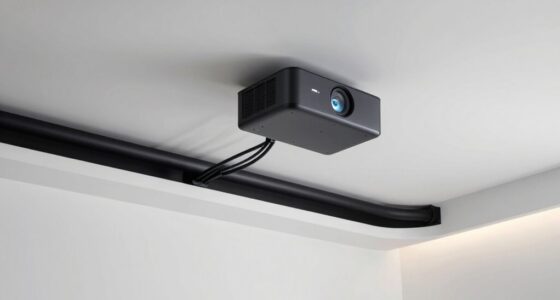
Throw ratio and lens shift determine where the projector can sit and what image size it can create from that position. Measure the distance from the intended mount or shelf to the screen before buying; a projector that cannot fill your space may force an awkward setup. Keystone correction and autofocus can help with quick placement, but digital correction may reduce usable image detail or introduce processing. For a permanent gaming room, physical alignment and lens controls are often preferable to relying on automatic correction. Portable models make flexible placement easier, yet their convenience does not guarantee a good fit for every screen or room. Check the manufacturer’s projection calculator and leave space for ventilation and cable routing.
Verify console and PC connection needs
Make a list of the devices you will connect, then check the projector’s HDMI version, available ports, and supported signal modes. A console may offer 4K, HDR, or higher refresh rates, but the projector must support the desired combination rather than each feature separately. PCs can add further demands, including variable refresh rate and specific resolution or refresh-rate combinations. An AV receiver, soundbar, or switch can also affect which signals reach the projector. Do not assume a smart operating system or wireless connection replaces a direct low-latency gaming connection. Confirm compatibility with your exact console, graphics card, and audio setup before choosing.
Decide whether portability and built-in streaming earn their place
Portable projectors and built-in smart platforms can make casual gaming and movie nights easier, especially when the unit moves between rooms or travels. The tradeoff is that compact convenience may bring different limits in brightness, cooling, speaker output, ports, or gaming response than a larger fixed-room projector. Built-in streaming can reduce cable clutter, but console play still depends on a stable direct connection and suitable input performance. If the projector will stay mounted near a console, gaming performance and placement may matter more than a built-in app library. If you need one device for gaming, streaming, and occasional outdoor viewing, flexibility can justify accepting compromises. Think about how often you will move it before paying for portability you may rarely use.
Frequently Asked Questions
Does a projector that accepts a 4K signal display games in native 4K?
No. Accepting or decoding a 4K signal is not the same as displaying a native 4K image. Some projectors use pixel shifting, while others process a 4K source and display it at a lower native resolution. Check the manufacturer’s specifications for native resolution and image-shifting details before comparing models. This distinction is especially useful when a listing emphasizes “4K decoding” but does not clearly state the display resolution.
Can I use a gaming projector in a bright living room?
Yes, but ambient light reduces contrast and makes dark game scenes harder to see. A higher brightness rating can help, though it cannot fully overcome direct sunlight or a washed-out screen. Consider curtains, a suitable screen, and a smaller image before assuming a brighter projector alone will solve the problem. Check brightness claims carefully, since measurement methods can differ between manufacturers.
Should I choose a portable smart projector or a gaming-focused model?
Choose a portable smart projector if you will move it regularly and value built-in streaming, quick setup, or flexible placement. Choose a gaming-focused model if low input lag, console connection options, or a permanent screen setup matter more. Portability and smart apps do not establish gaming responsiveness, so verify lag and supported signal modes either way. If gaming is your main use, treat convenience features as secondary until those performance details are clear.
What should I verify before connecting a PS5, Xbox, or gaming PC?
Check the projector’s supported resolution and refresh-rate combinations, HDMI capabilities, and input lag at those settings. Confirm whether HDR is supported in the mode you plan to use, since some features may not work together at every signal format. PC players should also check support for variable refresh rate if they rely on it. If an AV receiver or adapter sits between the source and projector, verify that it passes the same signals.
Is a projector a good choice for competitive gaming?
It can be, provided the model has measured low input lag at your chosen resolution and refresh rate. Competitive players should prioritize response data and connection support over built-in streaming, speakers, or automatic setup tools. A large image can also make it harder to see the whole play area if you sit too close, so match screen size to seating distance. If a product listing does not provide clear lag information, I would not assume it is suitable for competitive play based on its gaming label alone.
Conclusion
For a dedicated gaming setup, I’d choose the ViewSonic LX700-4K as the best overall starting point, with the ViewSonic PX749-4K as a strong gaming-focused alternative; compare their current lag, refresh-rate, and connection specifications before deciding. The BenQ TK700 is a sensible option for buyers who want a model positioned for both gaming and movies, while the Hisense M2 Pro is the best fit here for shoppers who value a portable triple-laser design. For value, compare the ViewSonic PX701-4K against the gaming features you actually need rather than paying for smart extras. Beginners who want easier setup may prefer a model with autofocus and a built-in smart platform, such as the XGIMI Elfin Flip or a listed MOVIN/VIDAA option, but should verify resolution and gaming response first. My final rule: prioritize proven latency and compatible inputs for competitive play, brightness and room control for daytime gaming, and portability only if you will move the projector often.