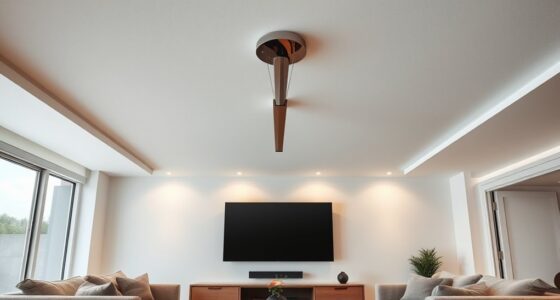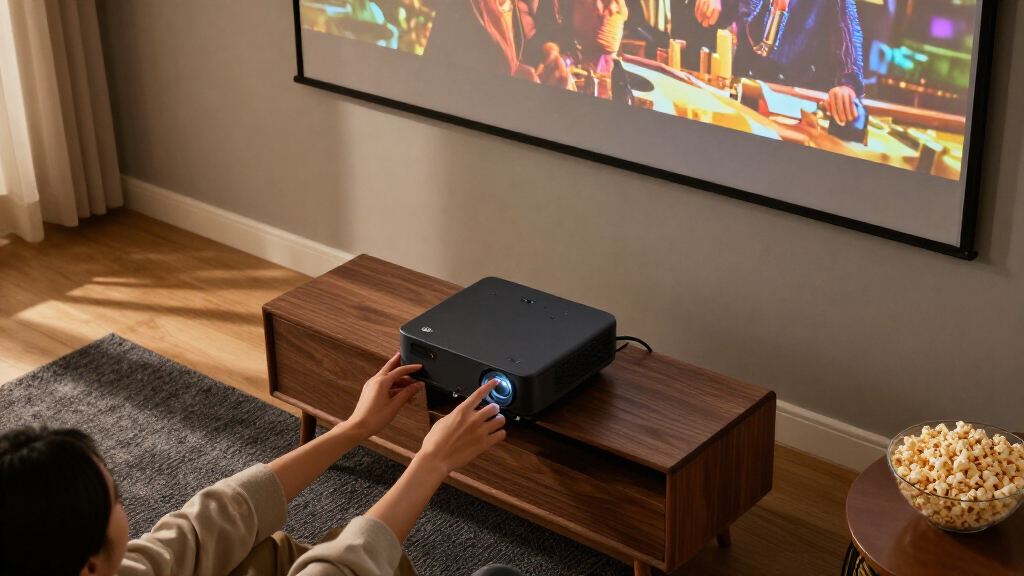
The Hisense PX3-PRO is my best overall pick among these 4K laser projectors, thanks to its ultra-short-throw design and triple-laser approach for a dedicated living-room setup. The ViewSonic LX700-4K is a standout for gaming, while the JMGO N1S pairs 4K triple-laser projection with Google TV for a more self-contained setup. The main tradeoffs are room placement, brightness in ambient light, color performance, and how much flexibility you need from the projector. Ultra-short-throw models keep equipment near the screen, while conventional and portable designs need more careful placement. Read on for the full breakdown and guidance on matching a projector to your room.

Get business pricing on your home office setup
- Business-only prices and quantity discounts
- Tax-exempt purchasing
- Multiple users, one account, clear invoices
Complete the kit


Key Takeaways
- The Hisense PX3-PRO leads this lineup for a living-room theater because its ultra-short-throw format addresses placement constraints that can make standard projectors awkward.
- Gaming priorities point toward the ViewSonic LX700-4K; its dedicated gaming positioning makes it a more focused choice than models aimed mainly at flexible home viewing.
- Triple-laser models appear across several distinct roles: the JMGO N1S and Valerion VisionMaster Pro2 suit feature-rich home setups, while the Hisense M2 Pro brings that approach to a portable form.
- Portable 4K laser designs involve a placement tradeoff: the XGIMI Elfin Flip and Hisense M2 Pro favor flexibility, while fixed-room models are better suited to repeatable theater setups.
- Ultra-short-throw is not a universal upgrade: the AWOL VISION Aetherion Pro, LTV-3000 Pro, and Hisense PX3-PRO make sense when near-screen placement matters, but conventional models offer different installation options.
| XGIMI Elfin Flip 4K Portable Projector |  | Best for Flexible Portable Setup | Resolution: 3840 x 2160 | Display type: DLP | Light source: RGB triple laser | VIEW LATEST PRICE | See Our Full Breakdown |
| JMGO IRIS Ultra 4K Triple Laser Projector |  | Best for Bright, Flexible Home Theater | Resolution: 3840 x 2160 | Brightness: 4,500 ISO lumens | Native contrast ratio: 7,000:1 | VIEW LATEST PRICE | See Our Full Breakdown |
| Hisense PX3-PRO Ultra Short Throw Triple Laser Projector |  | Best Ultra-Short-Throw Pick | Resolution: 3840 x 2160 | Brightness: 3,000 ANSI lumens | Light source: Triple laser with LPU technology | VIEW LATEST PRICE | See Our Full Breakdown |
| ViewSonic LX700-4K 4K UHD Laser Gaming Projector |  | Best for High-Refresh Gaming | Native resolution: 3840 x 2160 | Brightness: 3,500 ANSI lumens | Refresh rate: Up to 240Hz | VIEW LATEST PRICE | See Our Full Breakdown |
| JMGO N1S 4K Triple Laser Projector with Google TV |  | Best Compact Smart Projector | Native resolution: 3840 x 2160 | Display type: DLP | Brightness: 1,700 ISO lumens | VIEW LATEST PRICE | See Our Full Breakdown |
| Dangbei DBOX02 Pro 4K Laser Projector with Google TV |  | Best for Easy Setup | Native resolution: 3840 × 2160 | Brightness: 2,000 ISO lumens | Display type: Laser | VIEW LATEST PRICE | See Our Full Breakdown |
| XGIMI Horizon 30 Pro 4K Laser Projector |  | Best for Bright-Room Gaming | Resolution: 3840 × 2160 (4K) | Brightness: 4,800 ISO lumens | Display technology: DLP; RGB triple laser | VIEW LATEST PRICE | See Our Full Breakdown |
| Optoma UHZ36 4K UHD Laser HDR Home Theater Projector |  | Best for Traditional Home Theater | Native resolution: 3840 × 2160 | Brightness: 3,500 lumens | Display technology: DLP | VIEW LATEST PRICE | See Our Full Breakdown |
| XGIMI HORIZON 20 4K RGB Triple Laser Home Projector |  | Best for High-Refresh Gaming | Native resolution: 3840 × 2160 | Display technology: RGB triple laser | Brightness: 3,200 ISO lumens | VIEW LATEST PRICE | See Our Full Breakdown |
| ViewSonic LS901-4K 4K UHD Laser Projector |  | Best for Large-Scale Gaming and Installation Flexibility | Native resolution: 3840 × 2160 | Brightness: 5,500 ANSI lumens | Refresh rate: 240Hz | VIEW LATEST PRICE | See Our Full Breakdown |
| AWOL VISION Aetherion Pro 4K Ultra Short Throw Laser Projector |  | Best for UST Gaming | Native resolution: 3840 × 2160 | Brightness: 3000 ANSI lumens | Contrast ratio: 6000:1 native; up to 60,000:1 enhanced | VIEW LATEST PRICE | See Our Full Breakdown |
| Valerion VisionMaster Pro2 Triple Laser Projector 4K |  | Best for Flexible Room Setup | Resolution: 3840 × 2160 (4K UHD) | Light source: DLP RGB triple laser | Brightness: 3000 ISO lumens | VIEW LATEST PRICE | See Our Full Breakdown |
| Hisense M2 Pro Portable 4K UHD Triple Laser Projector |  | Best Portable Pick | Native resolution: 3840 × 2160 | Brightness: 1300 ANSI lumens | Light source: Triple laser | VIEW LATEST PRICE | See Our Full Breakdown |
| AWOL VISION LTV-3000 Pro 4K 3D Ultra Short Throw Triple Laser Projector |  | Best for Built-In Dialogue Audio | Resolution: 3840 × 2160 (4K UHD) | Light source: Triple laser | Brightness: 3000 ANSI lumens | VIEW LATEST PRICE | See Our Full Breakdown |
| 4K laser projector | Brightness | Image size | Native resolution | Light source |
|---|---|---|---|---|
| XGIMI Elfin Flip 4K Portable P | 1,600 ISO lumens | 40–200 inches | — | RGB triple laser |
| JMGO IRIS Ultra 4K Triple Lase | 4,500 ISO lumens | — | — | — |
| Hisense PX3-PRO Ultra Short Th | 3,000 ANSI lumens | — | — | Triple laser with LPU technology |
| ViewSonic LX700-4K 4K UHD Lase | 3,500 ANSI lumens | 30–300 inches | 3840 x 2160 | Laser |
| JMGO N1S 4K Triple Laser Proje | 1,700 ISO lumens | — | 3840 x 2160 | — |
| Dangbei DBOX02 Pro 4K Laser Pr | 2,000 ISO lumens | 40–300 inches | 3840 × 2160 | — |
| XGIMI Horizon 30 Pro 4K Laser | 4,800 ISO lumens | — | — | — |
| Optoma UHZ36 4K UHD Laser HDR | 3,500 lumens | — | 3840 × 2160 | Laser; rated up to 30,000 hours |
| XGIMI HORIZON 20 4K RGB Triple | 3,200 ISO lumens | 40–300 inches | 3840 × 2160 | — |
| ViewSonic LS901-4K 4K UHD Lase | 5,500 ANSI lumens | 30–150 inches | 3840 × 2160 | — |
| AWOL VISION Aetherion Pro 4K U | 3000 ANSI lumens | 80–200 inches | 3840 × 2160 | — |
| Valerion VisionMaster Pro2 Tri | 3000 ISO lumens | 40–300 inches | — | DLP RGB triple laser |
| Hisense M2 Pro Portable 4K UHD | 1300 ANSI lumens | 65–200 inches | 3840 × 2160 | Triple laser |
| AWOL VISION LTV-3000 Pro 4K 3D | 3000 ANSI lumens | 80–150 inches | — | Triple laser |
More Details on Our Top Picks
XGIMI Elfin Flip 4K Portable Projector
The XGIMI Elfin Flip pairs 4K resolution and an RGB triple-laser light source with optical zoom, letting you adjust image size without relying on digital scaling. That gives it more placement flexibility than the JMGO N1S, whose standout setup feature is its rotating gimbal rather than optical zoom. Built-in Google TV and Harman Kardon speakers make the Elfin Flip a self-contained choice for casual viewing, while VRR, ALLM, and 1ms latency cater to responsive gaming. Its 1,600 ISO lumens suit controlled-light rooms better than the much brighter JMGO IRIS Ultra. The tradeoff is a tabletop-only mounting approach, and its image-size range starts at 40 inches, so it is less suited to very small projections or permanent ceiling installations.
Pros:- 4K UHD DLP imaging with an RGB triple-laser light source
- Optical zoom adjusts image size without digital zoom
- Google TV and dual Harman Kardon speakers are built in
- 1ms latency, VRR, and ALLM support responsive gaming
Cons:- Tabletop mounting limits installation choices
- Brightness is modest beside the 4,500 ISO-lumen JMGO IRIS Ultra
- The listed image-size range starts at 40 inches
Best for: Portable-projector buyers who want optical image sizing, built-in Google TV, and responsive gaming for a bedroom or flexible living space.
Not ideal for: Viewers who need a bright picture in a sunlit room or want ceiling-mount placement; its 1,600 ISO lumens and tabletop mounting are limiting.
- Resolution:3840 x 2160
- Display type:DLP
- Light source:RGB triple laser
- Brightness:1,600 ISO lumens
- Optical zoom:0.98–1.3:1
- Image size:40–200 inches
- Smart TV platform:Google TV
- Audio:Dual Harman Kardon speakers
- Gaming features:1ms latency, VRR, and ALLM
Our verdict“Choose the Elfin Flip if you want a portable 4K laser projector with optical zoom and built-in entertainment, but skip it for bright-room viewing or fixed mounting.”
JMGO IRIS Ultra 4K Triple Laser Projector
The JMGO IRIS Ultra earns its role through a rare combination of 4,500 ISO lumens, RGB triple-laser color, and extensive placement adjustment. Its optical zoom and lens shift make it easier to fit into varied rooms than the Hisense PX3-PRO, which is built around an ultra-short-throw arrangement. With 110% BT.2020 coverage, Dolby Vision, and 4K at 120Hz, the IRIS Ultra can serve both movie nights and gaming without changing projectors. Google TV and dual 12.5W speakers also reduce the need for separate streaming and audio gear. The compromise is its 6.95 kg stationary form, which is far less convenient to move than the portable JMGO N1S. Its native contrast is 7,000:1, and dark-scene performance may call for careful room and aperture adjustment.
Pros:- 4,500 ISO lumens suit brighter rooms better than the portable Elfin Flip
- RGB triple-laser system covers 110% of BT.2020
- Optical zoom and extensive horizontal and vertical lens shift simplify placement
- 4K at 120Hz, Google TV, Dolby Vision, and integrated speakers support mixed use
Cons:- At 6.95 kg, it is less portable than the JMGO N1S
- Native contrast is 7,000:1, and dark scenes may require careful adjustment
- The duration of software update support is unspecified
Best for: Home-theater and gaming buyers who need high brightness, wide color, and lens flexibility for a fixed room with changing light conditions.
Not ideal for: People seeking a lightweight projector to move between rooms, or viewers who prioritize straightforward dark-room contrast without image adjustments.
- Resolution:3840 x 2160
- Brightness:4,500 ISO lumens
- Native contrast ratio:7,000:1
- Color gamut:110% BT.2020
- Refresh rate:120Hz at 4K; 240Hz at 1080p
- Optical zoom:0.88–1.7:1
- Lens shift:±130% vertical, ±53% horizontal
- Screen size:40–300 inches
- Weight:6.95 kg
Our verdict“Pick the IRIS Ultra for a bright, adjustable 4K home-theater setup that also handles gaming, provided portability and effortless dark-scene tuning are not priorities.”
Hisense PX3-PRO Ultra Short Throw Triple Laser Projector
The Hisense PX3-PRO is the lineup’s clear choice for buyers who want a large 4K picture without placing a projector across the room. Its ultra-short-throw design supports 80- to 150-inch images, unlike the conventional placement of the JMGO IRIS Ultra, which offers a wider 40- to 300-inch range but needs room for a longer throw. Triple-laser color, 110% BT.2020 coverage, Dolby Vision, and IMAX Enhanced target cinematic viewing, while Google TV and Dolby Atmos-capable Harman Kardon audio provide an all-in-one setup. Xbox-focused gaming and a 240Hz refresh rate add versatility. The main compromise is dependence on a suitable UST screen or well-prepared wall; its 3,000 ANSI lumens also trail the IRIS Ultra’s 4,500 ISO lumens for brighter spaces.
Pros:- Ultra-short-throw setup creates a large image from close to the screen
- Triple laser delivers 110% BT.2020 color coverage
- Google TV, Dolby Vision, IMAX Enhanced, and Dolby Atmos support a cinematic setup
- 240Hz refresh rate and Xbox-oriented features suit gaming
Cons:- Needs a compatible ultra-short-throw screen or carefully prepared wall for best results
- 3,000 ANSI lumens are below the JMGO IRIS Ultra’s stated brightness
- The 80-inch minimum image size rules out small-screen use
Best for: Living-room viewers who want an 80- to 150-inch 4K screen from a short projection distance, especially Xbox owners building a dedicated UST setup.
Not ideal for: Buyers who need a portable projector, a very small image, or maximum brightness in a strongly lit room.
- Resolution:3840 x 2160
- Brightness:3,000 ANSI lumens
- Light source:Triple laser with LPU technology
- Color gamut:110% BT.2020
- Projection size:80–150 inches
- Throw type:Ultra short throw
- Refresh rate:Up to 240Hz
- Smart platform:Google TV
- Light source life:25,000 hours
Our verdict“Choose the PX3-PRO when a large, close-range living-room image is the priority and you can provide a suitable UST screen or wall.”
ViewSonic LX700-4K 4K UHD Laser Gaming Projector
The ViewSonic LX700-4K puts gaming ahead of built-in streaming: its headline appeal is up to 240Hz refresh with 4.2ms input lag, plus golf simulation mode. That makes it a more purpose-built gaming pick than the XGIMI Elfin Flip, which lists 1ms latency and VRR but is designed as a portable, smart-TV-style projector. The ViewSonic also offers 3,500 ANSI lumens, 4K resolution, and a 1.36x optical zoom, giving it the brightness and image-sizing tools for a dedicated gaming room. Lens shift and keystone correction add setup flexibility. The tradeoff is a comparatively basic listed connection set and no stated built-in smart platform or speaker system. Its large-screen capability needs adequate projection space, and its stated 20,000-hour light-source life is shorter than some alternatives.
Pros:- Up to 240Hz refresh rate and 4.2ms input lag support fast gameplay
- 3,500 ANSI lumens provide stronger brightness than the portable Elfin Flip
- Optical zoom, lens shift, and keystone correction offer useful setup adjustments
- Supports HDR and HLG, with image sizes up to 300 inches
Cons:- The listed connectivity is limited to HDMI, USB 2.0 Type A, and 3.5mm audio
- No built-in smart TV platform or speaker system is specified
- The stated 20,000-hour light-source life is shorter than the Hisense PX3-PRO’s 25,000 hours
Best for: Console gamers and golf-simulation players setting up a dedicated room who value high refresh rates, low input lag, and a bright 4K image.
Not ideal for: Buyers who want built-in streaming and audio, an ultra-short-throw design, or a projector for a room without enough throw distance.
- Native resolution:3840 x 2160
- Brightness:3,500 ANSI lumens
- Refresh rate:Up to 240Hz
- Input lag:4.2ms
- Light source:Laser
- Light-source life:20,000 hours
- Image size:30–300 inches
- Optical zoom:1.36x
- Connectivity:HDMI, USB 2.0 Type A, 3.5mm audio
Our verdict“Choose the LX700-4K for a gaming-focused room where high refresh and projection flexibility matter more than integrated streaming or audio.”
JMGO N1S 4K Triple Laser Projector with Google TV
The JMGO N1S is the most travel-friendly choice here: it weighs about 4.4 lb and includes a carrying case, while its 127° rotating gimbal helps aim the picture without a complex mount. That makes it easier to reposition than the heavier JMGO IRIS Ultra, though the IRIS offers far more brightness and lens-shift range for a fixed theater. The N1S still brings 4K DLP imaging, RGB triple-laser color, and Google TV with licensed Netflix, so casual viewing does not require an external streaming stick. Autofocus and automatic keystone correction reduce setup work when moving between rooms. At 1,700 ISO lumens, though, it is best in a dim or controlled-light space, and its image-size range begins at 40 inches. The 10W speakers are convenient, but not a replacement for a fuller audio system.
Pros:- Approximately 4.4 lb body and included carrying case suit portable use
- 127° gimbal, autofocus, and auto keystone correction simplify repositioning
- Google TV includes licensed Netflix, with Wi-Fi 6 and Google Cast
- RGB triple-laser 4K imaging supports HDR10 and wide color coverage
Cons:- 1,700 ISO lumens perform best in dim or controlled-light rooms
- 10W speakers are less suited to room-filling sound than the IRIS Ultra’s dual 12.5W speakers
- The listed image-size range starts at 40 inches, and Blu-ray 3D needs compatible active glasses
Best for: People who want a carryable 4K laser projector for bedrooms, trips, or shared spaces, with built-in streaming and quick repositioning.
Not ideal for: Viewers building a bright-room or permanent home-theater setup, or anyone who needs a projection size below 40 inches.
- Native resolution:3840 x 2160
- Display type:DLP
- Brightness:1,700 ISO lumens
- Maximum image size:200 inches
- Throw distance:1–5 meters
- Audio:10W Dolby Audio
- Projection adjustment:127° vertical gimbal, autofocus, and auto keystone correction
- Connectivity:Wi-Fi 6, Bluetooth 5.2, HDMI 2.1 with eARC, USB 2.0
- Weight:Approximately 4.4 lb
Our verdict“Pick the N1S if portability and easy aiming matter more than the brightness and installation flexibility of a stationary projector.”
Dangbei DBOX02 Pro 4K Laser Projector with Google TV
The Dangbei DBOX02 Pro puts convenience first: Google TV is built in, and automatic focus, keystone correction, screen fit, and obstacle avoidance can reduce the adjustments needed after moving it. Its built-in gimbal stand also tilts and rotates, a practical advantage over the tabletop-only XGIMI Horizon 30 Pro when you need to aim the image at different parts of a room. At 2,000 ISO lumens, though, it is a less compelling fit for bright daytime viewing than that much brighter XGIMI. HDR10+ and HLG support add format flexibility, while dual 12W speakers can handle casual viewing without extra audio gear. The listed maximum throw distance of 1 meter needs clarification for buyers planning a particular screen setup, and the M25 mounting thread calls for a compatibility check before choosing an external mount.
Pros:- Automatic focus, keystone correction, screen fit, and obstacle avoidance simplify placement.
- Built-in Google TV with Wi-Fi 6 and Bluetooth 5.2.
- Gimbal stand offers 360-degree rotation and 120-degree tilt.
- HDR10+ and HLG support, with dual 12W speakers.
Cons:- The 2,000 ISO-lumen rating is less suited to rooms with substantial ambient light than the XGIMI Horizon 30 Pro’s stated output.
- Listed maximum throw distance is 1 meter, which may restrict placement options and merits verification.
- The M25 mount thread may not fit a chosen external stand or mount.
Best for: Buyers who want Google TV, automatic image adjustments, and a flexible built-in stand for a straightforward home-entertainment setup.
Not ideal for: People watching in bright rooms or planning a long-throw installation; its stated brightness is lower than the XGIMI Horizon 30 Pro, and the listed maximum throw distance is only 1 meter.
- Native resolution:3840 × 2160
- Brightness:2,000 ISO lumens
- Display type:Laser
- HDR formats:HDR10+, HLG
- Image size:40–300 inches
- Audio:Dual 12W speakers; Dolby Audio; DTS Virtual:X
- Connectivity:Wi-Fi 6, Bluetooth 5.2, HDMI, USB, VGA
- Automatic setup:Auto focus, real-time keystone correction, screen fit, obstacle avoidance
- Light source life:30,000 hours
Our verdict“Choose the DBOX02 Pro if automatic setup and a built-in adjustable stand matter more than high brightness or flexible long-throw placement.”
XGIMI Horizon 30 Pro 4K Laser Projector
The XGIMI Horizon 30 Pro is the brightness-led choice here, with a stated 4,800 ISO lumens that makes it better suited to sports and games in rooms where a darker theater setup is impractical. Its 4K-at-120Hz support, anti-rainbow-effect technology, and integrated Google TV give it a broad home-entertainment role, while 24W Harman Kardon audio can reduce the need for separate speakers. Compared with the XGIMI HORIZON 20, this model’s appeal is its higher stated brightness; the HORIZON 20 instead lists 240Hz gaming features and optical zoom and lens shift. The 30 Pro’s tabletop-only mounting and 5.7-meter maximum throw distance narrow installation choices, so it is a weaker match for fixed ceiling setups or unusually large rooms.
Pros:- 4,800 ISO lumens for viewing in brighter rooms.
- Supports 4K at 120Hz and includes anti-rainbow-effect technology.
- RGB triple-laser light source with Dolby Vision, HDR10+, and IMAX Enhanced support.
- Google TV and 24W Harman Kardon audio are integrated.
Cons:- Tabletop mounting limits installation flexibility compared with ceiling-mount models.
- Maximum listed throw distance of 5.7 meters may not suit very large rooms.
- Its high brightness is the main differentiator, while the XGIMI HORIZON 20 offers listed 240Hz gaming features and optical zoom and lens shift.
Best for: Gamers and sports viewers who need a bright 4K image in a room that cannot be fully darkened and want Google TV and integrated sound.
Not ideal for: Buyers planning a ceiling-mounted installation or a projection setup beyond the listed 5.7-meter maximum throw distance.
- Resolution:3840 × 2160 (4K)
- Brightness:4,800 ISO lumens
- Display technology:DLP; RGB triple laser
- Native contrast ratio:8,000:1
- HDR support:Dolby Vision, HDR10+, IMAX Enhanced
- Refresh rate:120Hz
- Audio:24W Harman Kardon
- Throw distance:0.87–5.7 meters
- Smart platform:Google TV
Our verdict“Pick the Horizon 30 Pro for bright-room viewing and 120Hz gaming, provided tabletop placement and its throw range fit your room.”
Optoma UHZ36 4K UHD Laser HDR Home Theater Projector
The Optoma UHZ36 takes a more conventional home-theater approach than the Google TV-equipped Dangbei DBOX02 Pro: it centers on 4K DLP projection, 3,500 lumens, and picture controls rather than a built-in smart platform. Filmmaker Mode is aimed at preserving a film’s frame rate, color, and aspect ratio, while PureMotion offers a separate option for smoothing movement. Its rated 30,000-hour laser life supports long-term use, and a listed throw range of 3.19–34.6 feet gives placement options across many rooms. The tradeoff is a relatively basic 15W speaker and HDMI, USB, and RCA connectivity rather than the Dangbei’s integrated Google TV and wireless feature set. At 10.4 pounds, it is also less convenient to move frequently than a compact, adjustable setup.
Pros:- 3,500-lumen output and 4K UHD DLP resolution.
- Filmmaker Mode and PureMotion provide distinct picture and motion options.
- Laser light source is rated for up to 30,000 hours.
- Listed throw range extends from 3.19 to 34.6 feet.
Cons:- The 15W speaker is less substantial than the integrated audio systems in the Dangbei DBOX02 Pro and XGIMI Horizon 30 Pro.
- No built-in smart platform is listed, so streaming may require an external device.
- At 10.4 pounds, it is less convenient to reposition than a more portable setup.
Best for: Home-theater buyers who prefer a conventional 4K laser projector with film-oriented picture modes and plan to use external streaming and audio equipment.
Not ideal for: People seeking a self-contained smart projector with robust built-in audio, or anyone who needs a lightweight model to move between rooms.
- Native resolution:3840 × 2160
- Brightness:3,500 lumens
- Display technology:DLP
- Light source:Laser; rated up to 30,000 hours
- Contrast ratio:1,500,000:1
- Maximum image size:300 inches
- Throw distance:3.19–34.6 feet
- Connectivity:HDMI, USB, RCA
- Speaker:15W
Our verdict“Choose the UHZ36 if you want a film-focused 4K laser projector for a fixed home-theater setup and are prepared to supply streaming and sound separately.”
XGIMI HORIZON 20 4K RGB Triple Laser Home Projector
The XGIMI HORIZON 20 is the gaming specialist in this group: its listed 240Hz refresh rate, 1ms response time, VRR, and ALLM make it the stronger fit for fast play than the XGIMI Horizon 30 Pro, which lists 4K at 120Hz. It also brings serious film and streaming credentials, including RGB triple laser, Google TV, Harman Kardon speakers, and Dolby Vision, HDR10+, and IMAX Enhanced support. For room setup, optical zoom and lens shift offer more positioning flexibility than a basic tabletop projector. Its 3,200 ISO-lumen rating is not directly comparable to models rated in other lumen standards, so brightness should not be judged from the number alone. The listed 220–240V requirement could also rule it out for buyers whose electrical setup does not match.
Pros:- Listed 240Hz refresh rate, 1ms response time, VRR, and ALLM.
- RGB triple-laser engine with Dolby Vision, HDR10+, and IMAX Enhanced support.
- Optical zoom and lens shift give more installation flexibility.
- Google TV and Harman Kardon speakers are built in.
Cons:- The listed 220–240V voltage may not suit every electrical setup.
- Its 3,200 ISO-lumen rating cannot be directly compared with ANSI-lumen figures such as the ViewSonic LS901-4K’s.
- Its maximum listed throw distance is 5.31 meters, which may not fit very large rooms.
Best for: Gamers seeking listed 240Hz, low-response-time, VRR, and ALLM support in a 4K laser projector that also includes Google TV and integrated speakers.
Not ideal for: Buyers who need a projector specified for 110–120V power or who want brightness figures directly comparable with ANSI-lumen models.
- Native resolution:3840 × 2160
- Display technology:RGB triple laser
- Brightness:3,200 ISO lumens
- Contrast ratio:100,000:1
- Refresh rate and response time:240Hz; 1ms
- HDR and video formats:IMAX Enhanced, Dolby Vision, HDR10+, Filmmaker Mode
- Image size:40–300 inches
- Throw distance:1.06–5.31 meters
- Smart platform and audio:Google TV; Harman Kardon speakers
Our verdict“Choose the HORIZON 20 for its listed 240Hz gaming features and flexible lens adjustments, after confirming power compatibility and room brightness needs.”
ViewSonic LS901-4K 4K UHD Laser Projector
The ViewSonic LS901-4K leads this set on stated brightness at 5,500 ANSI lumens, and its ceiling-mount design, 1.7x optical zoom, and broad listed throw range suit a more permanent installation than the tabletop XGIMI Horizon 30 Pro. Its 240Hz refresh rate and 4.2ms input lag also make it a strong pick for fast gaming, while 21:9 support targets wider-screen setups. The tradeoff is that its maximum image size is listed as 150 inches, half the 300-inch maximum claimed for the Optoma UHZ36 and several others. Its 20,000-hour light-source life is also shorter than the 30,000-hour ratings listed for the Optoma and Dangbei. Choose it for installation flexibility and gaming performance, not maximum screen size or smart-TV convenience.
Pros:- 5,500 ANSI lumens for a bright projection setup.
- 240Hz refresh rate and 4.2ms input lag suit fast gaming.
- Ceiling mounting, 1.7x optical zoom, and image-adjustment tools support flexible installation.
- Supports 21:9 projection and HDR/HLG.
Cons:- Maximum listed image size is 150 inches, below the 300-inch maximum listed for the Optoma UHZ36.
- Rated light-source life of 20,000 hours is shorter than the 30,000-hour figures listed for the Dangbei DBOX02 Pro and Optoma UHZ36.
- The provided specifications do not list a built-in smart-TV platform or integrated streaming apps.
Best for: Gamers and home-theater installers who want high stated ANSI brightness, ceiling mounting, optical zoom, and a 21:9 projection option.
Not ideal for: Buyers seeking a screen larger than 150 inches, a listed built-in smart-TV platform, or the longer rated light-source life offered by some alternatives.
- Native resolution:3840 × 2160
- Brightness:5,500 ANSI lumens
- Refresh rate:240Hz
- Input lag:4.2ms
- Aspect ratio:21:9
- Optical zoom:1.7x
- Image size:30–150 inches
- Throw distance:1–10.96 meters
- Light source life:20,000 hours
Our verdict“Pick the LS901-4K for a bright, ceiling-mounted gaming setup with flexible lens adjustment, but skip it if you need a screen beyond 150 inches.”
AWOL VISION Aetherion Pro 4K Ultra Short Throw Laser Projector
The Aetherion Pro is the strongest fit here for buyers who want an ultra-short-throw cinema setup that can also keep pace with fast gaming. Its 0.2:1 throw ratio lets it sit very close to the screen, while the 1080p/240 Hz mode and stated 1 ms input lag favor responsive play. Compared with the Valerion VisionMaster Pro2, it trades flexible long-throw placement for a cleaner low-cabinet setup and adds three HDMI 2.1 inputs. Dolby Vision, other HDR formats, and Google TV make it a capable movie hub too. The tradeoff is that UST alignment takes careful screen and cabinet positioning; its specified anti-rainbow-artifact feature also applies only at Warm 1 color temperature. I’d skip it if frequent repositioning matters more than a fixed theater arrangement.
Pros:- 0.2:1 throw ratio supports a large image from close to the screen
- Gaming modes reach 1080p at 240 Hz with stated 1 ms input lag
- RGB triple laser supports 4K, Dolby Vision, and multiple HDR formats
- Google TV, Wi-Fi 7, and three HDMI 2.1 inputs provide versatile connectivity
Cons:- Precise cabinet, screen, and projector alignment is needed for a clean UST image
- Anti-rainbow-artifact feature is specified only for the Warm 1 color temperature setting
- The one-year limited warranty is shorter than the stated 25,000-hour light-source life
Best for: Home-theater gamers who want a close-set projector, built-in streaming, and high-refresh gameplay without a ceiling-mounted long-throw setup.
Not ideal for: Buyers who move their projector between rooms or cannot carefully align a UST unit with a fixed screen.
- Native resolution:3840 × 2160
- Brightness:3000 ANSI lumens
- Contrast ratio:6000:1 native; up to 60,000:1 enhanced
- Throw ratio:0.2:1
- Image size:80–200 inches
- Gaming modes:1080p at 240 Hz or 120 Hz; 4K at 60 Hz
- Connectivity:3 HDMI 2.1 inputs, USB, Wi-Fi 7, Gigabit Ethernet, Bluetooth 5.4
- Smart platform and storage:Google TV; 8 GB RAM and 128 GB storage
- Light-source life:25,000 hours
Our verdict“Choose the Aetherion Pro for a carefully planned UST theater that needs both HDR movies and high-refresh gaming.”
Valerion VisionMaster Pro2 Triple Laser Projector 4K
The VisionMaster Pro2 is the more adaptable choice for a room where a projector cannot live right beside the screen. Its 0.9–1.5 throw ratio and stated 40-to-300-inch image range give it placement flexibility that the close-set AWOL Aetherion Pro and LTV-3000 Pro do not. The 15,000:1 contrast ratio and 110% Rec.2020 gamut are aimed at detailed, saturated cinema images, while 4 ms input lag and a 240 Hz refresh rate also suit gaming. Google TV+ and broad smart-home support reduce reliance on separate devices. Its main compromises are a listed ceiling-mount orientation and 3000 ISO lumens, which may not be enough for a room with substantial ambient light. I’d choose it over the Hisense M2 Pro for a more permanent installation, not portability.
Pros:- 0.9–1.5 throw ratio offers more placement range than the AWOL UST models
- 15,000:1 stated contrast ratio and 110% Rec.2020 color gamut target cinematic image depth and color
- 4 ms input lag and 240 Hz refresh rate support gaming use
- Google TV+, AirPlay 2, Chromecast, and smart-home integrations are built in
Cons:- Listed ceiling-mount installation can restrict use as a casual portable projector
- 3000 ISO lumens may struggle to maintain image impact in rooms with strong ambient light
- The supplied data does not specify a gaming resolution for the 240 Hz mode
Best for: Home-cinema buyers with a dedicated room who need adjustable throw distance, large image sizing, and integrated streaming and smart-home features.
Not ideal for: People seeking a portable tabletop projector or those projecting in bright rooms without light control.
- Resolution:3840 × 2160 (4K UHD)
- Light source:DLP RGB triple laser
- Brightness:3000 ISO lumens
- Contrast ratio:15,000:1
- Color gamut:110% Rec.2020
- Throw ratio:0.9–1.5
- Image size:40–300 inches
- Gaming:4 ms input lag; 240 Hz refresh rate
- Smart features:Google TV+, AirPlay 2, Miracast, Chromecast, Alexa, Google Home, Apple HomeKit
Our verdict“Pick the VisionMaster Pro2 if installation flexibility and a feature-rich permanent theater matter more than portability or bright-room use.”
Hisense M2 Pro Portable 4K UHD Triple Laser Projector
The M2 Pro gives buyers a more movable route to triple-laser 4K than the ceiling-oriented Valerion VisionMaster Pro2 or the fixed-position AWOL UST models. Its tabletop, ceiling, and rear mounting options, paired with a 1.0–1.3:1 optical zoom, make it easier to adapt to different rooms without relying on digital reframing. Dolby Vision, AI picture enhancements, and VIDAA streaming bring useful home-entertainment features along. The central compromise is 1300 ANSI lumens: this is better suited to dimmed rooms than daytime viewing, especially compared with the 3000-lumen AWOL and Valerion options. The 65-inch minimum image size also limits how small a picture it can project. Active 3D is supported, but the required DLP-Link shutter glasses are separate.
Pros:- Portable design supports tabletop, ceiling, and rear mounting
- Optical zoom adjusts image size without relying on digital zoom
- Triple laser, Dolby Vision, and AI picture enhancements support detailed movie viewing
- VIDAA includes streaming apps, with Bluetooth, HDMI, USB 3.0, and Wi-Fi connectivity
Cons:- 1300 ANSI lumens is better suited to controlled, low-light rooms than bright environments
- Minimum image size is 65 inches, limiting small-room viewing options
- Active 3D requires separately specified DLP-Link shutter glasses
Best for: Viewers who want a 4K triple-laser projector they can move between rooms and use on a tabletop, ceiling, or rear-projection setup.
Not ideal for: Daytime viewers who need a bright image with lights on, or buyers who need a compact image smaller than 65 inches.
- Native resolution:3840 × 2160
- Brightness:1300 ANSI lumens
- Light source:Triple laser
- Contrast ratio:5000:1
- Optical zoom ratio:1.0–1.3:1
- Image size:65–200 inches
- Throw distance:4.7–18.8 feet
- Operating system:VIDAA
- Light-source life:25,000 hours
Our verdict“Choose the M2 Pro if portability and multiple mounting options matter more than the brightness of the larger AWOL and Valerion models.”
AWOL VISION LTV-3000 Pro 4K 3D Ultra Short Throw Triple Laser Projector
The LTV-3000 Pro is aimed at a straightforward home-theater priority: a large, close-set screen with dialogue handled by the projector’s built-in center channel. That can simplify a living-room installation compared with the separate audio gear a buyer might pair with the Hisense M2 Pro. Its 0.25:1 throw ratio places it firmly in UST territory, and triple-laser color, Dolby Vision, HDR10+, and active 3D give it broad movie-format appeal. Against the newer Aetherion Pro, though, the LTV-3000 Pro is more limited for gaming and connection detail in the supplied specifications; its listed contrast ratio is also lower. Fixed UST placement needs careful cabinet depth, and bright rooms can wash out the image without an appropriate ALR screen. The audio feature helps, but it is not a substitute for a full surround system.
Pros:- Built-in center-channel speaker can simplify dialogue playback and initial setup
- 0.25:1 throw ratio supports close placement for an 80–150-inch image
- Triple laser supports a wide stated color gamut and Dolby Vision, HDR10+, and 3D
- Dolby Atmos support adds compatibility with an expanded home-audio setup
Cons:- Fixed ultra-short-throw placement calls for precise cabinet depth or a motorized slider
- Best suited to darker rooms; bright spaces may need a specialized ALR screen
- Active 3D requires additional shutter glasses and compatible content sources
Best for: Living-room theater buyers who want a close-set projector, built-in dialogue-focused audio, and support for HDR and 3D movies.
Not ideal for: Bright-room viewers without an ALR screen, or gamers seeking the Aetherion Pro’s specified high-refresh modes and low input lag.
- Resolution:3840 × 2160 (4K UHD)
- Light source:Triple laser
- Brightness:3000 ANSI lumens
- Contrast ratio:2500:1
- Throw ratio:0.25:1
- Image size:80–150 inches
- Color gamut:107% BT.2020; 147% DCI-P3
- Audio:Built-in center channel; Dolby Atmos support
- 3D support:Active shutter
Our verdict“Choose the LTV-3000 Pro for a close-set movie setup where built-in dialogue audio is useful and room lighting can be controlled.”
How We Picked
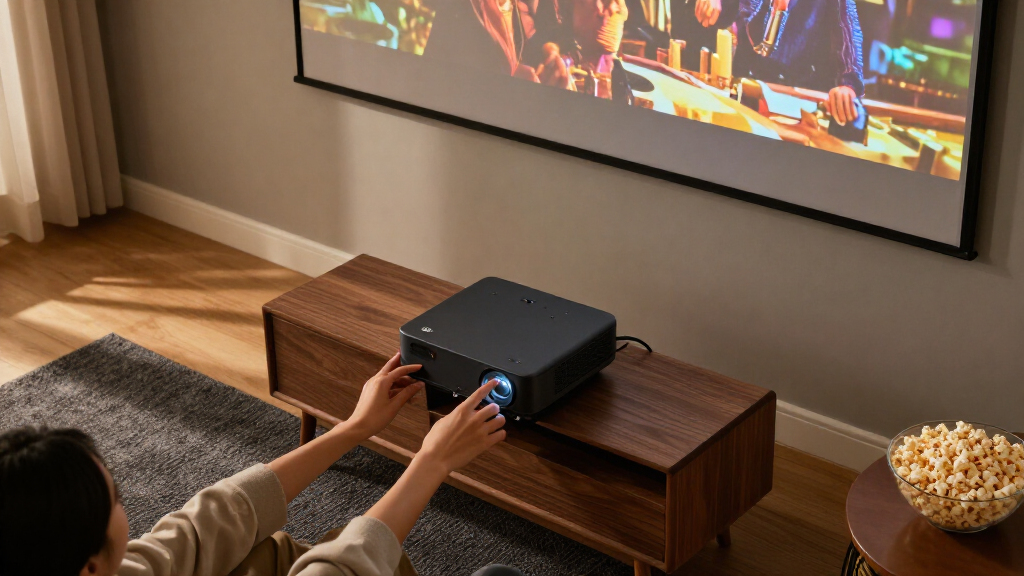
I ranked these 14 projectors around the decisions that most affect a 4K laser setup: image and color approach, brightness suitability, placement flexibility, gaming or streaming features, and the likely demands of installation and upkeep. I also looked at whether a model’s form factor matches its intended role, since a portable unit, an ultra-short-throw projector, and a fixed home-theater projector solve different problems. A feature only counted as an advantage when it could make setup or viewing more practical for a particular buyer.
The ranking gives priority to versatility for the top overall position, then gives specialist models room to lead in their own use cases. That is why the Hisense PX3-PRO ranks as the broad living-room pick, while the ViewSonic LX700-4K is more compelling for gaming and portable models are a better fit for mobility than permanent installations. I treat premium features as worthwhile only when they match a buyer’s room, screen, and viewing habits; a more specialized projector can be a weaker choice for someone who does not need its format.
| 4K laser projector | Light source |
|---|---|
| XGIMI Elfin Flip 4K Portable P | RGB triple laser |
| JMGO IRIS Ultra 4K Triple Lase | — |
| Hisense PX3-PRO Ultra Short Th | Triple laser with LPU technology |
| ViewSonic LX700-4K 4K UHD Lase | Laser |
| JMGO N1S 4K Triple Laser Proje | — |
| Dangbei DBOX02 Pro 4K Laser Pr | — |
| XGIMI Horizon 30 Pro 4K Laser | — |
| Optoma UHZ36 4K UHD Laser HDR | Laser; rated up to 30,000 hours |
| XGIMI HORIZON 20 4K RGB Triple | — |
| ViewSonic LS901-4K 4K UHD Lase | — |
| AWOL VISION Aetherion Pro 4K U | — |
| Valerion VisionMaster Pro2 Tri | DLP RGB triple laser |
| Hisense M2 Pro Portable 4K UHD | Triple laser |
| AWOL VISION LTV-3000 Pro 4K 3D | Triple laser |
Factors to Consider When Choosing 4K Laser Projectors
Before choosing a model, I would settle the room and screen plan first. Projector specifications cannot compensate for a poor throw-distance match, excessive ambient light, or a screen that does not suit the projector’s placement. These broader checks help separate meaningful upgrades from features that will not change your setup.
Match Throw Type to the Room
Start by measuring the distance between the planned projector position and the screen, including the space needed behind a ceiling-mounted unit. An ultra-short-throw projector can sit close to the wall, but it still needs a suitable screen surface and a level, stable console. A conventional projector gives you more freedom to place equipment away from the screen, though it may need a ceiling mount or a longer room. A common mistake is to buy for the advertised image size before checking whether the room can support that image at the required distance. I would also check the lens and mounting options before assuming digital correction can fix a poor physical position. Choose the format that fits the room rather than treating one throw style as inherently better.
Choose a Screen for Your Light Conditions
Projector brightness matters most when the room cannot be darkened, but the screen affects the result just as much. A large image spreads available light over more area, so the same projector can look less vivid at a bigger size. In a bright living room, room-darkening curtains or a screen designed for the projector’s placement may improve the picture more than moving up one model tier. Ultra-short-throw systems can be especially sensitive to screen texture and alignment, so check screen compatibility before buying. For a dedicated theater, controlled lighting lets you prioritize black-level and color goals instead of compensating for daylight. Avoid choosing a screen based only on diagonal size; consider gain, viewing angle, ambient light, and throw type together.
Understand What 4K Means in Practice
A 4K label alone does not tell you how a projector handles every source or how detailed an image will look from your seat. Check the resolution path for the content you watch, along with supported input formats and the capabilities of your streaming devices or game console. The screen size and viewing distance determine how much fine detail you can actually see, so a very large image is not automatically a sharper-feeling experience. If most of your viewing comes from streaming apps, built-in smart TV features can reduce device clutter, but external players may offer a familiar interface or broader app support. For gaming, verify the specific input and latency features you need rather than relying on a general gaming label. Match the signal chain to your sources before paying for a spec you may not use.
Separate Color Features From Real Room Fit
Triple-laser designs can appeal to buyers seeking vivid color, but that label should not replace a check of the complete picture and room setup. Color performance, brightness, image processing, and the surface receiving the projection all contribute to what you see. Some viewers may also notice laser speckle or other visual artifacts, so a return policy and an opportunity to assess the image in your own viewing conditions can matter. Compare models using the content you watch most, especially scenes with saturated colors, dark detail, and subtitles. Do not assume that more elaborate light-source terminology guarantees the best result for every viewer. If possible, prioritize a setup that lets you adjust image modes without making everyday viewing cumbersome.
Budget for the Whole Installation
The projector is only one part of a working system: screen, mount or furniture, cables, audio, and room treatment can all affect the final experience. Ultra-short-throw models can reduce the need for long cable runs, but a compatible screen and precise positioning may add complexity. Portable units can avoid permanent installation, yet they may need a separate stand, streaming device, or sound system depending on how you use them. Before paying more for premium features, list the accessories and changes your room will require. A lower-cost projector that fits your existing space may be a better purchase than a more capable model that forces a full rebuild. Leave room in your plan for setup and maintenance rather than spending the entire budget on the projector.
Prioritize the Use You Will Repeat
Think about the viewing habit that will happen most often, not the occasional feature that sounds appealing. A gamer should check supported refresh and input behavior for the consoles or PC in use, while a movie-focused buyer may care more about screen fit, dark-room performance, and image controls. If the projector will move between rooms, size and setup speed matter more than a fixed installation’s convenience. Built-in smart TV platforms can simplify casual viewing, but they should not decide the purchase if you already rely on an external streamer. A projector designed around one specialty may excel there and still be less satisfying for another job. I would rank needs as daily, weekly, and rarely used, then pay for the first group before the rest.
Frequently Asked Questions
Should I choose an ultra-short-throw projector or a standard-throw model?
I would choose ultra-short-throw when the projector needs to sit near the screen, such as on a living-room console where a ceiling mount is inconvenient. Standard-throw models can suit rooms with a suitable mounting distance and give you different placement options. The screen is part of the decision: ultra-short-throw systems can be less forgiving of an uneven surface or poor alignment. Measure the room and check the maker’s throw guidance before comparing image features. If you move the projector between rooms, a portable or conventional design may be easier to adapt.
Is a triple-laser projector the right choice if I watch in a bright room?
Not by itself. A triple-laser light source may be attractive for color, but daylight, screen size, screen material, and room reflections all affect perceived picture quality. A large image in a bright room can look washed out even when the projector has strong color capabilities. First consider reducing incoming light or choosing a screen suited to the room and projector placement. Then compare brightness and image modes for the size you plan to use. If you cannot control the room, prioritize the full setup rather than relying on a single light-source feature.
Can a portable 4K laser projector replace a fixed home-theater projector?
It can work for a flexible viewing setup, but portability and permanent-installation convenience are different strengths. A portable unit may be easier to move and store, while a fixed projector can be positioned and connected for repeat use without resetting the room. Consider whether you need to move it often, how you will provide power and audio, and whether the image can be aligned reliably in each location. A portable model may also need accessories or an external streaming device for your preferred setup. If movie nights happen in one dedicated room, a fixed design may be the simpler long-term fit.
What should I verify before buying a projector for console gaming?
Check the projector’s supported input modes against the console and games you actually use. Look for clear information on input latency, refresh-rate support, and which HDMI inputs accept the desired signal; a broad gaming claim does not answer those details. Also measure the throw distance and confirm that the planned screen size works with your room. If you play competitive games, responsiveness may matter more than a feature aimed at cinematic viewing. For mixed use, compare gaming behavior with the projector’s movie and streaming setup so one strength does not hide a daily inconvenience.
Do I need a special screen for an ultra-short-throw laser projector?
A compatible screen can make an ultra-short-throw setup easier to align and can help the image suit the room, particularly when there is ambient light. It is not safe to assume that every screen will perform equally well with light coming from a steep angle close to the wall. Check the projector and screen makers’ compatibility guidance, along with the wall or console dimensions and viewing positions. A flat, carefully installed surface matters because small alignment errors can be more apparent with this placement. If you plan to project directly onto a wall, check its smoothness and color before treating that as a permanent screen solution.
Conclusion
For the best overall living-room fit, I recommend the Hisense PX3-PRO; its ultra-short-throw layout is a strong match for buyers who want a large image without placing a projector across the room. For gaming, choose the ViewSonic LX700-4K, while the JMGO N1S is a sensible beginner-friendly option for buyers who value integrated Google TV and a less device-heavy setup. My premium shortlist includes the AWOL VISION Aetherion Pro and Valerion VisionMaster Pro2 for buyers seeking a more specialized feature set; compare their room fit and installation needs before committing. For buyers who need mobility, consider the Hisense M2 Pro or XGIMI Elfin Flip; for near-screen placement, compare the Hisense and AWOL ultra-short-throw options. I would pick by room and use first, then narrow the list by image features.
Black Friday Picks

Philips Hue Play Gradient Light Tube, Large, Black
As an affiliate, we earn on qualifying purchases.