
Shopping for 4K media streaming devices comes down to three core tradeoffs: price versus performance, ecosystem lock-in versus flexibility, and voice platform versus app selection. The onn 4K Pro Streaming Device with Google TV earns my best overall pick for delivering premium features like Gemini voice search and smooth 4K playback at a price that undercuts name-brand rivals by half. If you want a more polished experience, the Google TV Streamer 4K is the strongest premium option thanks to faster hardware and better smart-home integration, while the Roku Streaming Stick 4K remains the easiest pick for anyone who values a neutral, dead-simple interface. Budget hunters should note that even the cheapest device on this list handles 4K HDR, so what you’re really paying for is speed, remote quality, and ecosystem. Read on for the full breakdown of all ten devices.

Get business pricing on your home office setup
- Business-only prices and quantity discounts
- Tax-exempt purchasing
- Multiple users, one account, clear invoices
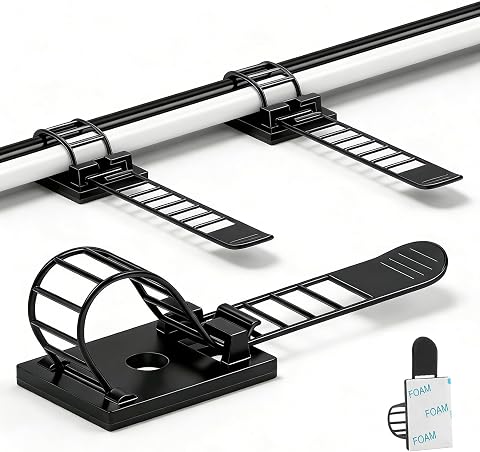
Complete the kit
![[313Pcs] Cable Management Kit, Reusable Computer Desk Cor...](https://m.media-amazon.com/images/I/71U1kll0LZL._AC_SL480_.jpg)

Key Takeaways
- The amazon.com/dp/B0B75QMC7X?tag=4kprojectorguide-20&ascsubtag=dc-643919″ target=”_blank” rel=”nofollow sponsored noopener”>onn 4K Pro with Google TV and Gemini delivered the best price-to-performance ratio in the lineup, matching devices costing twice as much on video quality and interface speed.
- The Google TV Streamer 4K justifies its premium price with faster processing and superior smart-home integration, but buyers locked into Alexa or Roku ecosystems won’t benefit from switching.
- Two near-identical Google TV Streamer models appear in this comparison, and the differences between them are minimal enough that price alone should decide which one you buy.
- Roku devices (Streaming Stick 4K and Ultra) remain the strongest picks for cross-platform neutrality, supporting both HDR10+ and Dolby Vision while avoiding pushes toward any single app store.
- The budget picks (onn Android TV, RockTek GX1, Fire TV Stick 4K Select) all cut the same corners: slower processors and cheaper remotes, which shows up as lag when loading apps and menus.


| 4k media streaming device | Resolution | Storage | HDR | Remote |
|---|---|---|---|---|
| ONN Android TV 4K UHD Streamin | 4K Ultra HD | — | — | Voice remote with Google Assistant |
| TiVo Stream 4K | 4K UHD | 8 GB | — | — |
| Google TV Streamer 4K with Voi | Up to 4K HDR | 32 GB | Yes (Dolby Vision) | Voice search remote |
| Google TV Streamer 4K with Voi | 3840 x 2160 (4K) | 32 GB | HDR, Dolby Vision | — |
| Fire TV Stick 4K Plus | Up to 2160p at 60 fps | 8 GB | — | — |
| Roku Streaming Stick 4K with V | 4K | — | Dolby Vision, HDR10+ | Voice remote included |
| RockTek GX1 UHD Streamer with | 4K UHD | — | — | Voice remote |
| onn 4K Pro Streaming Device wi | 4K Ultra HD | 32GB | Dolby Vision | — |
| Roku Ultra Streaming Player | 4K | — | HDR10+, Dolby Vision | Rechargeable Voice Remote Pro, backlit, hands-free |
| Amazon Fire TV Stick 4K Select | 4K Ultra HD (2160p up to 60 fps) | 8 GB | HDR10, HDR10+, HLG | — |
More Details on Our Top Picks
ONN Android TV 4K UHD Streaming Device with Voice Remote and HDMI Cable
Buyers on a tight budget get a genuinely complete package here: 4K output, the full Android TV app library, Google Assistant voice search, and — rare at this price — an HDMI cable in the box. Compared with the TiVo Stream 4K, the software experience is more basic and less polished, but the core streaming outcomes are similar: 4K picture, voice search, and casting from a phone. The tradeoffs are real. There’s no mention of Dolby Vision or Dolby Atmos, so home theater enthusiasts should step up to the Fire TV Stick 4K Plus or TiVo Stream 4K. Performance is also modest, with slower navigation than pricier rivals. This option makes the most sense as a first streaming device for a spare bedroom TV or a secondary setup where price matters more than premium formats.
Pros:- 4K Ultra HD resolution at a very low price
- Full Android TV app library with Google Play Store
- Voice remote with Google Assistant
- HDMI cable included for out-of-box setup
Cons:- No Dolby Vision, HDR10+, or Dolby Atmos support
- Slower interface performance than premium options
- Sparse documentation on storage and hardware specs
Best for: Budget-conscious buyers adding streaming to a spare or secondary 4K TV
Not ideal for: Home theater enthusiasts — no Dolby Vision or Atmos support limits picture and sound quality
- Resolution:4K Ultra HD
- Operating System:Android TV
- Remote:Voice remote with Google Assistant
- Included Accessories:High-speed HDMI cable
- Casting:Android and iOS devices
- Compatible TVs:ONN, Samsung, Sony, RCA, Vizio, Hisense, TCL, Philips, Magnavox
Our verdict“A cheap, complete entry point into 4K streaming for secondary TVs, as long as you don’t expect premium HDR formats.”
TiVo Stream 4K – Streaming Media Player with Android TV, 4K UHD, Dolby Vision HDR, Dolby Atmos Sound
What separates the TiVo Stream 4K from cheaper sticks like the ONN Android TV device is its unified guide — it merges Netflix, Prime Video, Sling, and live TV into a single browseable interface instead of forcing you to hop between apps. Picture and sound hold their own against the Fire TV Stick 4K Plus, with Dolby Vision HDR and Dolby Atmos both supported. The tradeoff is capacity: just 8 GB of storage, which fills up quickly if you install many apps, and TiVo’s recommendation layer can feel busy compared with the cleaner Google TV Streamer experience. This pick makes the most sense for cable-cutters who still want a channel-guide feel rather than an app-grid approach.
Pros:- Consolidates streaming apps and live TV into one interface
- Dolby Vision HDR and Dolby Atmos support
- Google Assistant voice control with smart home integration
- Compact stick design hides behind the TV
Cons:- Only 8 GB of internal storage
- Recommendation-driven interface can feel cluttered
- Occasionally complex initial setup compared with Roku or Fire TV
Best for: Cord-cutters who want live TV and streaming apps merged into one channel-style guide
Not ideal for: Heavy app installers — 8 GB of storage fills up fast and can’t be easily expanded
- Resolution:4K UHD
- Operating System:Android TV
- HDR/Audio:Dolby Vision HDR, Dolby Atmos
- RAM:2 GB
- Storage:8 GB
- Connectivity:Wi-Fi
- Form Factor:TV Stick (3.03″ x 2.09″ x 0.63″)
- Video Codec:VP9 Profile 2
Our verdict“The right choice if you want a traditional channel-guide experience layered over modern streaming apps.”
Google TV Streamer 4K with Voice Search Remote
The headline feature here is content volume: over 800 free channels plus personalized recommendations across paid services, all surfaced through Google’s aggregation rather than buried in separate apps. Picture quality matches the step-up Google TV Streamer with Voice Remote and HDR, including Dolby Vision and Dolby Atmos, but the annoyances are more visible: the HDMI cable is sold separately, and you’ll need a compatible one to actually get 4K HDR — an extra cost and hassle the ONN device avoids by bundling one. Compared with the TiVo Stream 4K, the interface is cleaner and recommendations are stronger, though TiVo still wins for live TV guide integration. This model suits viewers who graze on free ad-supported content and want it organized for them.
Pros:- Access to 800+ free live channels
- 4K HDR with Dolby Vision and Dolby Atmos
- Strong personalized recommendations across services
- Voice search remote included
Cons:- HDMI 2.1 cable sold separately
- 4K HDR playback depends on buying the right cable
- Storage details not clearly specified for app hoarders
Best for: Streamers who lean heavily on free ad-supported channels and want them organized automatically
Not ideal for: Plug-and-play buyers — the missing HDMI cable adds cost and setup friction
- Resolution:Up to 4K HDR
- HDR:Yes (Dolby Vision)
- Audio:Dolby Atmos
- Storage:32 GB
- Free Channels:800+
- Remote:Voice search remote
- HDMI Cable:Required, sold separately
Our verdict“Ideal for free-content-first viewers who don’t mind buying an HDMI cable separately.”
Google TV Streamer 4K with Voice Remote and HDR
This is the most hardware-complete streamer in the batch. With 4 GB of RAM and 32 GB of storage, it outclasses the TiVo Stream 4K and Fire TV Stick 4K Plus on sheer responsiveness and app capacity — menus stay fluid and there’s room to install without pruning. Unlike both stick-style rivals, it’s a set-top box with Ethernet, which means wired reliability for 4K streams when Wi-Fi gets congested. It also doubles as a smart home hub, which the ONN and TiVo options don’t attempt. The tradeoffs: the HDMI cable isn’t included, and it costs noticeably more than the budget picks here. Compared with the Google TV Streamer 4K with Voice Search Remote, this configuration adds fuller specs and Ethernet, making it the stronger main-TV choice for most households.
Pros:- 4 GB RAM keeps navigation fast under load
- 32 GB storage holds a large app library
- Ethernet port for stable wired streaming
- Built-in smart home control and personalized Google TV interface
Cons:- HDMI cable sold separately
- Higher price than budget stick alternatives
- Visible set-top box rather than a discreet stick
Best for: Households wanting one fast, roomy streamer as their main living room hub
Not ideal for: Buyers on a budget or those wanting a hidden stick — it’s a visible box and costs more than the ONN or TiVo
- Resolution:3840 x 2160 (4K)
- HDR:HDR, Dolby Vision
- RAM:4 GB
- Storage:32 GB
- Connectivity:Ethernet, Wi-Fi
- Video Codec:H.265
- Form Factor:TV Box (6.4″ x 3″ x 1″), 5.7 oz
- Services:Google TV, Hulu, Netflix, Prime Video, YouTube
Our verdict“The most complete all-around package for a main TV, provided you accept the higher price and separate cable.”
Fire TV Stick 4K Plus (2026 Model) with Alexa Voice Remote and Wi-Fi 6
This stick earns its spot through format coverage and connectivity: Dolby Vision, HDR10+, and Atmos all supported, plus Wi-Fi 6 and HDMI 2.1 — something neither the ONN nor the TiVo Stream 4K offers. That Wi-Fi 6 support translates into fewer buffering stalls in busy households with many connected devices. Unlike the Google TV Streamer 4K, the remote includes IR control, so it can replace your TV remote too, and the bonus of Xbox cloud gaming adds casual gaming without a console. The compromises: 8 GB of storage, and the interface puts Amazon’s content front and center, which can feel pushy if you subscribe mostly elsewhere. This option stands out for Alexa-equipped homes that want premium formats at a mid-range price.
Pros:- Dolby Vision, HDR10+, and Dolby Atmos support
- Wi-Fi 6 for stable streaming in busy homes
- Alexa remote with IR device control
- Xbox cloud gaming support without a console
Cons:- Only 8 GB of internal storage
- Interface heavily promotes Amazon content and services
- Best experience requires a compatible 4K HDR TV
Best for: Alexa smart-home households wanting premium HDR formats and cloud gaming at a mid-range price
Not ideal for: Streamers loyal to Google or Apple ecosystems — the Amazon-centric interface gets in the way
- Resolution:Up to 2160p at 60 fps
- HDR Formats:Dolby Vision, HDR10+, HLG
- Audio:Dolby Atmos, 7.1 surround, HDMI pass-through
- Processor:Quad-core 1.7 GHz
- Storage:8 GB
- Wi-Fi:Wi-Fi 6 dual-band (802.11 a/b/g/n/ac/ax)
- Bluetooth:5.2 + BLE
- HDMI:HDMI 2.1 with ARC support
- Dimensions:108 x 30 x 14 mm, 43.5 g
Our verdict“The strongest value for Alexa households that want flagship-format streaming without the Streamer’s price.”
Roku Streaming Stick 4K with Voice Remote – HDR10+ & Dolby Vision
The Roku Streaming Stick 4K earns the value slot because it delivers the two formats that matter most for picture quality — Dolby Vision and HDR10+ — at a price well below the Roku Ultra. Compared with the Amazon Fire TV Stick 4K Select, this stick offers the simpler, less ad-cluttered interface Roku is known for, plus long-range Wi-Fi that holds a signal in rooms where cheaper sticks stutter. The compact stick design hides behind the TV entirely, which the box-style onn 4K Pro can’t do. The tradeoff is performance: there’s no Dolby Atmos passthrough on par with the Ultra, and the remote lacks hands-free voice control or backlighting. Anyone wanting a fast, polished interface and a huge free channel library without paying premium prices will find this the sweet spot.
Pros:- Supports both Dolby Vision and HDR10+ at a budget price
- Long-range Wi-Fi maintains signal quality far from the router
- Compact stick design keeps HDMI ports accessible and hides behind the TV
- Access to over 500 free channels plus a genuinely easy setup
Cons:- No Dolby Atmos support, capping it at stereo audio on most setups
- Locked to the Roku app ecosystem, so some niche services are unavailable
Best for: Budget-conscious buyers who want full HDR format support and a clean, simple interface in a hidden-behind-the-TV design
Not ideal for: Home theater enthusiasts who need Dolby Atmos, Ethernet, or a backlit remote — the Roku Ultra covers those better
- Resolution:4K
- HDR:Dolby Vision, HDR10+
- Remote:Voice remote included
- Wi-Fi:Long-range Wi-Fi
- Compatibility:Any 4K TV
- Design:Compact HDMI stick
Our verdict“The smartest pick for buyers who want premium picture formats without paying Roku Ultra or Fire TV Stick 4K Plus prices.”
RockTek GX1 UHD Streamer with Google TV, 4K UHD, Dolby Vision & Atmos, WiFi 6
The RockTek GX1 stands out for tying streaming into the Google TV smart home ecosystem, letting one voice remote control both entertainment and compatible smart devices. Unlike the Roku Streaming Stick 4K, it pairs Dolby Vision with Dolby Atmos, so buyers get immersive audio the Roku stick simply can’t pass through. Wi-Fi 6 also puts it ahead of the Fire TV Stick 4K Select’s older dual-band radio for crowded-network households. The Realtek RTD1325 processor handles the Google TV interface smoothly, with personalized recommendations on the home screen. Tradeoffs are real, though: this is a lesser-known brand with a weaker app-support track record than Roku or Amazon, and the remote carries only a 3-month warranty — a short coverage window that matters for a device you’ll handle daily.
Pros:- Full Dolby Vision and Dolby Atmos support at a midrange price
- Google TV OS with personalized recommendations and smart home controls
- Wi-Fi 6 connectivity for stable streaming on busy networks
- Voice remote included for hands-on-free operation
Cons:- Remote is covered by only a 3-month warranty
- Full smart home features require compatible devices, adding hidden cost
- Smaller brand means less certain long-term app and firmware support
Best for: Google-centric households that want a streamer doubling as a smart home hub with Atmos audio on a budget
Not ideal for: Buyers who prioritize brand reliability and long-term firmware support — Roku and Amazon have stronger track records
- Processor:Realtek RTD1325
- Resolution:4K UHD
- HDR Support:Dolby Vision, HDR10+
- Audio:Dolby Atmos
- Connectivity:Wi-Fi 6
- Remote:Voice remote
- OS:Google TV
Our verdict“A sensible choice for Google ecosystem households who want Atmos and smart home control together, provided they accept the shorter warranty.”
onn 4K Pro Streaming Device with Google TV and Gemini
The onn 4K Pro punches far above its price class, pairing 3GB of RAM and 32GB of storage — double the storage of the Fire TV Stick 4K Select — with Wi-Fi 6 and a rare-at-this-price Ethernet port for rock-solid streaming. Gemini integration adds AI-powered search and recommendations that feel faster and more conversational than standard Google TV on the RockTek GX1. Performance-wise, that extra RAM makes navigation noticeably smoother than the Roku Streaming Stick 4K under heavy multitasking. The tradeoffs are practical rather than performance-related: it’s a box form factor at 1.49 pounds, so it sits visibly on a shelf rather than hiding behind the TV, and Walmart’s onn lineup historically gets slower firmware updates than first-party devices like the Google TV Streamer 4K. For raw specs per dollar, though, little else in this roundup competes.
Pros:- 3GB of RAM keeps Google TV responsive under heavy use
- Ethernet port plus Wi-Fi 6 for the most flexible connectivity in its price range
- 32GB of storage is generous compared with the Fire TV Stick’s 8GB
- Gemini AI features elevate search and content discovery
Cons:- Box design is bulkier and more visible than stick-style competitors
- 32GB storage still fills up for heavy app installers
- Walmart’s update cadence lags first-party Google and Roku hardware
Best for: Spec-focused buyers who want flagship-level RAM, storage, and wired networking without flagship pricing
Not ideal for: Minimalists who want an invisible stick behind the TV, or those who expect the fastest firmware updates of a first-party brand
- Resolution:4K Ultra HD
- HDR:Dolby Vision
- Audio:Dolby Atmos
- RAM:3GB
- Storage:32GB
- Connectivity:Wi-Fi 6, Ethernet port
- Dimensions:10 x 4 x 4 inches
- Weight:1.49 pounds
Our verdict“The best specs-per-dollar pick for buyers who care about RAM, storage, and wired connectivity more than brand polish.”
Roku Ultra Streaming Player – 4K, HDR10+, Dolby Vision, Dolby Atmos
The Roku Ultra takes the top spot because it removes nearly every compromise its siblings make. The Streaming Stick 4K caps out on audio and convenience; the Ultra adds Dolby Atmos, an Ethernet jack, Wi-Fi 6, and the Rechargeable Voice Remote Pro with backlit buttons and hands-free voice control. That interface runs about 30% faster than earlier Roku hardware, closing the speed gap with the onn 4K Pro while adding polish the budget box lacks. The killer feature for shared households is Bluetooth headphone mode — plug in earbuds for private late-night viewing, something no other device in this lineup offers as elegantly. The tradeoffs: it’s the most expensive Roku here, the remote needs periodic recharging, and its set-top form factor takes shelf space a stick wouldn’t. For buyers who want the complete package, that premium is justified.
Pros:- Full 4K, HDR10+, Dolby Vision, and Dolby Atmos support in one device
- Rechargeable remote with backlit buttons and hands-free voice control
- Bluetooth headphone mode for private listening
- Wi-Fi 6 plus Ethernet for dependable 4K streaming
Cons:- Highest price in the Roku lineup here
- Remote requires periodic recharging
- Set-top box design takes up shelf space versus stick-style devices
Best for: Households that want the fullest feature set — Atmos, Ethernet, hands-free voice, and private listening — in one polished box
Not ideal for: Casual streamers on a budget who would be equally happy with the Streaming Stick 4K at a much lower price
- Resolution:4K
- HDR:HDR10+, Dolby Vision
- Audio:Dolby Atmos
- Remote:Rechargeable Voice Remote Pro, backlit, hands-free
- Connectivity:Wi-Fi 6, Ethernet
- Additional Features:Bluetooth Headphone Mode
- Interface Speed:30% faster than previous generation
Our verdict“If budget allows, this is the most complete 4K streamer in the roundup — buy it for the features, not the savings.”
Amazon Fire TV Stick 4K Select (Newest Model)
The Fire TV Stick 4K Select makes the list for ecosystem reasons: it’s the natural choice for anyone already running Alexa speakers, Ring cameras, or Prime Video, with the Alexa Voice Remote handling searches and smart home commands the way Google TV does on the RockTek GX1. A standout differentiator is cloud Xbox gaming — no other device in this lineup streams console games — making it a rare hybrid for casual gamers. Compared with the Roku Streaming Stick 4K, the interface is busier and more ad-heavy, but content aggregation is stronger, surfacing shows across apps in one place. The compromises are clear: only 8GB of storage versus the onn 4K Pro’s 32GB, no Dolby Vision (HDR10+ only), and a 90-day warranty. At 1.5 ounces, it’s the most portable option here for travel.
Pros:- Xbox cloud gaming support is unique in this lineup
- Deep Alexa integration for voice control and smart home commands
- Strong cross-app content aggregation surfaces shows in one place
- Ultra-light 1.5 oz design travels easily
Cons:- No Dolby Vision support, only HDR10+
- 8GB of storage fills quickly with many apps installed
- Interface is ad-heavy compared with Roku’s cleaner layout
Best for: Alexa and Prime households, especially casual gamers who want Xbox cloud gaming on the same stick they stream with
Not ideal for: Dolby Vision TV owners or heavy app installers — the missing format and 8GB of storage are real limits
- Resolution:4K Ultra HD (2160p up to 60 fps)
- HDR:HDR10, HDR10+, HLG
- Processor:Quad-core 1.7 GHz
- Storage:8 GB
- Wi-Fi:Dual-band, dual-antenna MIMO
- Bluetooth:5.0
- Voice Support:Alexa Voice Remote
- Weight:1.5 oz
- Warranty:90 days
Our verdict“The right stick for Alexa-first households and casual gamers, as long as Dolby Vision isn’t on your requirements list.”
How We Picked
My ranking logic starts with one question: how well does each device handle actual 4K HDR streaming without friction? That means processing speed and interface responsiveness carried the most weight, because a slow menu or laggy app launch ruins the experience regardless of how good the picture looks. I also compared codec and HDR support — Dolby Vision, HDR10+, and Dolby Atmos — since these determine whether your 4K TV and sound system are being used to their full potential. Remote quality mattered more than most buyers expect, so voice search accuracy and shortcut buttons factored into the scores.
From there, I weighed ecosystem fit and value. A device that costs $50 but forces you into an app ecosystem you dislike is a worse buy than a $70 device that plays well with your existing setup, so I ranked products by who they serve best rather than raw specs alone. Wi-Fi 6 support, included HDMI cables, and power options (USB versus wall adapter) broke ties where performance was close. The result is a lineup ordered from best overall balance at the top to more specialized or compromised picks toward the bottom.
| 4k media streaming device | Remote | Connectivity | HDR | Audio |
|---|---|---|---|---|
| ONN Android TV 4K UHD Streamin | Voice remote with Google Assistant | — | — | — |
| TiVo Stream 4K | — | Wi-Fi | — | — |
| Google TV Streamer 4K with Voi | Voice search remote | — | Yes (Dolby Vision) | Dolby Atmos |
| Google TV Streamer 4K with Voi | — | Ethernet, Wi-Fi | HDR, Dolby Vision | — |
| Fire TV Stick 4K Plus | — | — | — | Dolby Atmos, 7.1 surround, HDMI pass-through |
| Roku Streaming Stick 4K with V | Voice remote included | — | Dolby Vision, HDR10+ | — |
| RockTek GX1 UHD Streamer with | Voice remote | Wi-Fi 6 | — | Dolby Atmos |
| onn 4K Pro Streaming Device wi | — | Wi-Fi 6, Ethernet port | Dolby Vision | Dolby Atmos |
| Roku Ultra Streaming Player | Rechargeable Voice Remote Pro, backlit, hands-free | Wi-Fi 6, Ethernet | HDR10+, Dolby Vision | Dolby Atmos |
| Amazon Fire TV Stick 4K Select | — | — | HDR10, HDR10+, HLG | — |
Factors to Consider When Choosing 4k Media Streaming Devices
Before settling on a specific device, it helps to understand the bigger decisions that shape satisfaction with any 4K streamer. These are the factors that separate a purchase you forget about because it just works from one you quietly resent every time you pick up the remote.Ecosystem Lock-In Is the Real Decision
The single biggest choice isn’t hardware — it’s whether you want to live inside Google TV, Fire TV, or Roku. Each platform curates its home screen differently, and two of the three actively prioritize their own services and app stores. Fire TV devices lean heavily into Amazon’s storefront and ads on the home screen, which annoys some buyers more than they expect. Google TV pushes YouTube and Google content but offers the most capable search across all your installed apps. Roku stays the most neutral, treating apps equally, which is why it’s often the safest choice for mixed households. A common mistake is buying based on a single spec like Dolby Vision while ignoring which ecosystem the people actually using the TV will tolerate daily.
HDR Format Support Actually Matters for Your TV
Not all HDR is the same, and mismatches here are one of the most frequent buyer regrets. Dolby Vision and HDR10+ are competing dynamic HDR formats, and most TVs only support one of them well — LG and Sony favor Dolby Vision, while Samsung backs HDR10+. Devices like the Roku Streaming Stick 4K and Roku Ultra support both formats, which future-proofs your purchase if you upgrade TVs later. Fire TV and Google TV devices typically favor one format over the other, so check your TV’s spec sheet before buying. Paying for a premium streamer that outputs an HDR format your TV can’t display is wasted money, and this is where the cheaper devices can actually outperform pricier ones if the formats align with your setup.
Processor Speed Determines Longevity
Streaming sticks are small computers, and like any computer they slow down as apps grow heavier each year. A budget device that feels fine today may struggle with menus and app launches within two years, which is why processing power matters more than sticker price suggests. The pricier options in this category — the Google TV Streamer 4K and Roku Ultra — carry meaningfully faster chips that keep the interface snappy and handle high-bitrate 4K streams without buffering hiccups. If you stream daily and hate waiting, spending the extra $30 to $50 pays for itself in patience saved. Casual viewers who watch a few hours a week can safely choose the cheaper tier, since they’ll notice lag less often.
Wi-Fi Standards and Your Home Network
Wi-Fi 6 support, found on the Fire TV Stick 4K Plus and RockTek GX1, isn’t marketing fluff if you have a modern router — it maintains steadier throughput on congested networks, which directly reduces buffering during 4K playback. But if your router is five years old, paying extra for Wi-Fi 6 compatibility buys you nothing. The mistake to avoid is assuming a new streamer will fix a weak network; a $20 Ethernet adapter paired with a wired connection often outperforms the most expensive wireless device in a house with thick walls or many connected devices. Match the streamer’s wireless capability to your actual network rather than the spec sheet.
Remote Quality Shapes Daily Use
The remote is the part of a streaming device you touch every single day, and it’s where budget models cut the most visible corners. Voice search quality varies widely — Google’s voice search (especially with Gemini on the onn 4K Pro) is the most conversational, Alexa excels at smart-home commands, and Roku’s is the simplest. Also check whether the remote includes TV power and volume buttons; without them, you’re juggling two remotes forever. Some models support a finder feature for lost remotes, which sounds trivial until it saves you ten minutes before a movie night. Never assume a remote includes features you’d consider basic — this is the most common surprise complaint on cheaper devices.
When to Pay More and When Not To
Spending more in this category buys speed, better remotes, and smarter integration — not better picture quality, since even $30 devices output genuine 4K HDR. Pay up if you stream daily, use the device as a smart-home hub, or own a high-end TV where input lag and bitrate handling become visible. Skip the premium tier if the device is for a guest room, a secondary TV, or a casual viewer who mostly watches one or two apps. The $30 to $50 range is the sweet spot for most buyers, while the $70-plus tier only makes sense for power users. One warning: avoid buying an older generation of a premium device to save money, since aging processors in premium lines age just as badly as budget ones.
Frequently Asked Questions
Is the onn 4K Pro actually as good as the more expensive name-brand streamers?
For core streaming tasks — 4K playback, app support, and interface speed — the onn 4K Pro holds its own against devices costing twice as much because it runs the same Google TV platform with the added Gemini voice features. Where it trails premium models is in build refinement: the remote feels lighter, the processor has less headroom for future app updates, and the power adapter arrangement is less elegant. Buyers who stream a few hours daily will be perfectly served, while those who want a device to stay snappy for five-plus years may still prefer the Google TV Streamer 4K. The value gap is real, but the performance gap is smaller than the price suggests.
Should I choose Roku or Google TV if I don’t care about ecosystems?
If you’re platform-agnostic, Roku’s simplicity wins for shared households and older family members because the interface is the least cluttered and most consistent year over year. Google TV pulls ahead for viewers who search a lot, since its cross-app search and recommendations are noticeably smarter, and Gemini voice interaction is the most natural in this lineup. Roku also plays neutral with HDR, supporting both Dolby Vision and HDR10+ on the same device, which removes a compatibility worry. Google TV’s weakness is a busier home screen that prioritizes recommended content over your installed apps. If in doubt, lean Roku for ease and Google TV for intelligence.
Do I need Wi-Fi 6 on a streaming device?
Only if your router also supports Wi-Fi 6 — otherwise the feature sits unused, since the streamer falls back to whatever standard your network provides. On a modern Wi-Fi 6 network, devices like the Fire TV Stick 4K Plus hold steadier connections when multiple devices compete for bandwidth, which reduces buffering during high-bitrate 4K streams. On an older router, a Wi-Fi 6 streamer performs the same as a Wi-Fi 5 one, so don’t pay extra for it. If 4K buffering is your recurring problem, upgrading your router or using a wired Ethernet connection will do far more than any wireless feature on the streamer itself.
What’s the difference between the Fire TV Stick 4K Plus and the Fire TV Stick 4K Select?
The 4K Plus sits higher in Amazon’s lineup with a faster processor and Wi-Fi 6, which translates to quicker app launches and steadier streaming on busy networks. The 4K Select is the newer budget tier — it handles 4K HDR playback capably but uses a slower chip and a more basic remote, so menus and app switching feel less immediate. Both run the same Fire TV interface with the same app selection and Alexa voice support, so the experience difference is speed rather than features. Choose the Select for a secondary TV or casual viewing, and the Plus for a main TV used daily. The price gap between them is usually small enough that daily viewers should take the Plus.
Can a cheap 4K streaming device make my TV look better than its built-in apps?
Yes, and this is one of the most underrated reasons to buy one. Many smart TVs ship with underpowered processors that slow down within a couple of years, and some manufacturers deprioritize app updates on older sets. Even a $30 streaming device often has a newer chip and fresher app versions than a three-year-old TV, resulting in faster launches, fewer crashes, and sometimes better codec support for formats your TV’s native apps never received. The picture quality itself is usually identical, since both output the same 4K signal — the improvement is in speed, reliability, and app freshness. If your TV’s apps frustrate you, an inexpensive streamer is a cheaper fix than a new television.
Conclusion
Mapping these ten devices to buyer types: the onn 4K Pro with Google TV is my best overall pick, offering the strongest balance of price, speed, and features for most households. The onn Android TV 4K UHD Streaming Device takes best value for anyone who wants functional 4K streaming at the lowest possible price. For the premium tier, the Google TV Streamer 4K earns best premium with its faster hardware, superior voice search, and smart-home depth, while the Roku Streaming Stick 4K is my best pick for beginners thanks to its foolproof interface and dual HDR support. The Roku Ultra suits power users who want wired Ethernet and maximum responsiveness, the Fire TV Stick 4K Plus is the clear choice for Alexa households, and the TiVo Stream 4K works well for viewers who want Google TV with a different remote and app bundle. Casual or secondary-TV buyers can happily grab the Fire TV Stick 4K Select or RockTek GX1 without regret. Whatever you choose, match the ecosystem to the people using it and the price to how often you stream — that pairing matters more than any single spec on the box.
Fall Picks
fall essentials
As an affiliate, we earn on qualifying purchases.