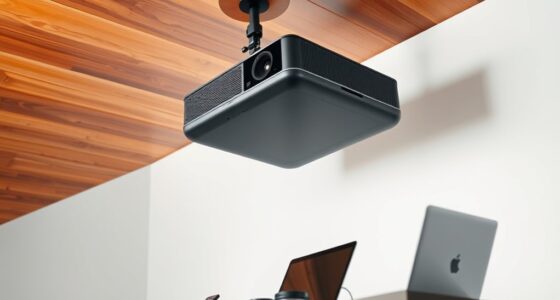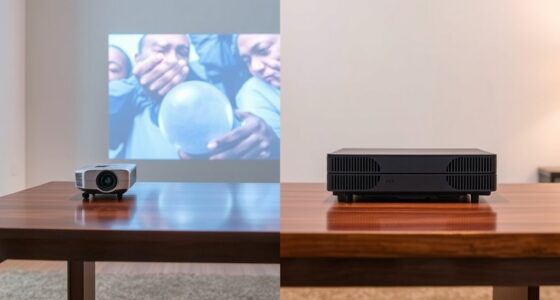

To get a perfectly aligned image, understanding the difference between keystone correction and lens shift is key. Keystone correction digitally adjusts distorted images caused by angled projection, but it can soften details and reduce picture quality. Lens shift physically moves the lens to reposition the image without distortion, ensuring sharpness and accuracy. While keystone is quick and flexible, lens shift provides precise alignment for ideal picture quality. Keep exploring to find out how to make the most of these features.
Key Takeaways
- Lens shift physically moves the lens to adjust image position without distortion, maintaining image quality.
- Keystone correction digitally adjusts distorted images but can soften details and cause pixelation.
- Lens shift offers precise, high-quality alignment ideal for permanent setups; keystone correction is quick and suitable for temporary use.
- Overusing keystone correction may degrade image sharpness, while lens shift preserves natural proportions and clarity.
- Combining both features allows for flexible placement while ensuring optimal image quality and alignment.

When setting up a projector, understanding the differences between keystone correction and lens shift is essential for achieving a clear, properly aligned image. Both features influence how you position your projector and impact the overall installation flexibility. Keystone correction allows you to fix distorted images caused by projecting at an angle, but it does this digitally, which can sometimes lead to image distortion. On the other hand, lens shift moves the lens internally, shifting the image without altering its shape, offering more precise adjustments without degrading picture quality.
If you’re installing a projector in a space where the mounting options are limited or uneven, lens shift provides a significant advantage. It lets you position the projector off-center or at an angle while maintaining the image’s proportions. This is especially useful in rooms with tight spaces or when ceiling mounting isn’t perfectly aligned with the screen. Because lens shift doesn’t digitally manipulate the image, you avoid the common problem of image distortion that can occur with keystone correction. This means you’ll get a sharper, more natural picture, even if your installation isn’t perfectly straight.
Achieving the optimal setup also involves understanding the importance of proper alignment in projector installation, which can greatly influence image quality and viewing experience.
Keystone correction, however, offers immediate convenience. When your projector is placed at an angle or too high or low relative to the screen, keystone correction digitally adjusts the image to fit the screen properly. It’s a quick fix that saves you from repositioning your entire setup. But keep in mind, heavy or frequent use of keystone correction can introduce some image distortion, softening details or creating slight pixelation. It’s a helpful feature for minor adjustments, but relying on it too much might compromise picture quality.
In terms of installation flexibility, lens shift is generally preferable because it allows for physical adjustments without impacting image quality. It’s especially beneficial in permanent installations or when you want the best possible picture. Keystone correction is more suited for temporary setups or when precise placement isn’t feasible, but it’s best used sparingly. Overusing keystone correction can lead to a less sharp image, which defeats the purpose of having a high-quality projector.
Ultimately, the choice between keystone correction and lens shift depends on your specific needs. If you want maximum installation flexibility with minimal image distortion, lens shift is the way to go. If you need quick adjustments or can’t reposition your projector easily, keystone correction offers a convenient solution—just be aware of its limitations. Balancing these features ensures you get a well-aligned, high-quality image every time.
Frequently Asked Questions
Can Keystone Correction Affect Image Quality?
Yes, keystone correction can affect image quality. When you adjust keystone, it often causes image distortion, making parts of the picture look stretched or compressed. Additionally, it may impact color accuracy, leading to less vibrant or slightly off hues. While it helps achieve a better fit on your screen, excessive correction can reduce sharpness and overall clarity, so use it sparingly for the best viewing experience.
Which Method Is Better for Gaming Projectors?
Lens shift is better for gaming projectors because it minimizes image distortion and keeps your setup simple. With lens shift, you can adjust the image without affecting picture quality or adding complexity to your installation. Keystone correction, on the other hand, can cause image distortion and requires more tweaking, making it less ideal for a smooth gaming experience. So, opt for lens shift for easier, clearer, and more reliable setup.
How Do I Adjust Lens Shift Precisely?
To adjust lens shift precisely, start by securing your projector with proper mounting techniques. Use the lens shift controls to fine-tune the image position, avoiding image distortion. Make small adjustments and check the alignment frequently, ensuring the projected image remains square and centered. If needed, slightly reposition the projector itself for better accuracy. This method helps you achieve a perfectly aligned image without introducing unnecessary distortion.
Are There Projectors Without Keystone or Lens Shift?
Imagine a projector that’s like a clear pond—no ripples or distortions. Some projectors, especially those designed for fixed, flush mounting options, don’t include keystone or lens shift features. Without these adjustments, you must carefully position the projector to avoid image distortion, often requiring precise mounting. These models are ideal if you want a straightforward setup and are willing to invest in proper mounting options, ensuring a clean, undistorted picture.
What Are the Long-Term Effects of Using Keystone Correction?
Using keystone correction over time can cause image distortion, which may affect your viewing experience. It forces the projector to digitally adjust the image, potentially leading to a loss of sharpness and detail. Long-term use can also complicate projector calibration, making it more challenging to achieve a perfectly aligned image. To minimize these effects, it’s best to position your projector correctly from the start or consider lens shift options.
Conclusion
So, whether you choose keystone correction or lens shift, remember that perfect alignment isn’t just about technology—it’s about patience and understanding your setup. Don’t get discouraged if it takes a little tweaking; even professionals spend time fine-tuning. By mastering both options, you’ll enjoy a crisp, undistorted image no matter your room’s layout. After all, the goal isn’t just a perfect picture, but a seamless viewing experience you can truly enjoy.