Knowing your projector’s lens shift limits is key to positioning your image correctly without losing quality or causing distortion. These limits are usually expressed as a percentage or ratio, indicating how far the lens can move from the center without issues. Staying within these bounds ensures your image remains sharp and proportionate, saving you time on adjustments later. Keep exploring to discover how understanding these limits can help you set up your projector perfectly.

Get business pricing on your home office setup
- Business-only prices and quantity discounts
- Tax-exempt purchasing
- Multiple users, one account, clear invoices
Key Takeaways
- Lens shift limits specify the maximum vertical and horizontal movement without image distortion.
- These limits are usually expressed as percentages or ratios from the central lens position.
- Exceeding lens shift ranges can cause image skew, cropping, or softness, reducing picture quality.
- Staying within the specified limits ensures sharp, proportionate images and easier calibration.
- Proper planning using lens shift specifications helps position the projector accurately for optimal viewing.
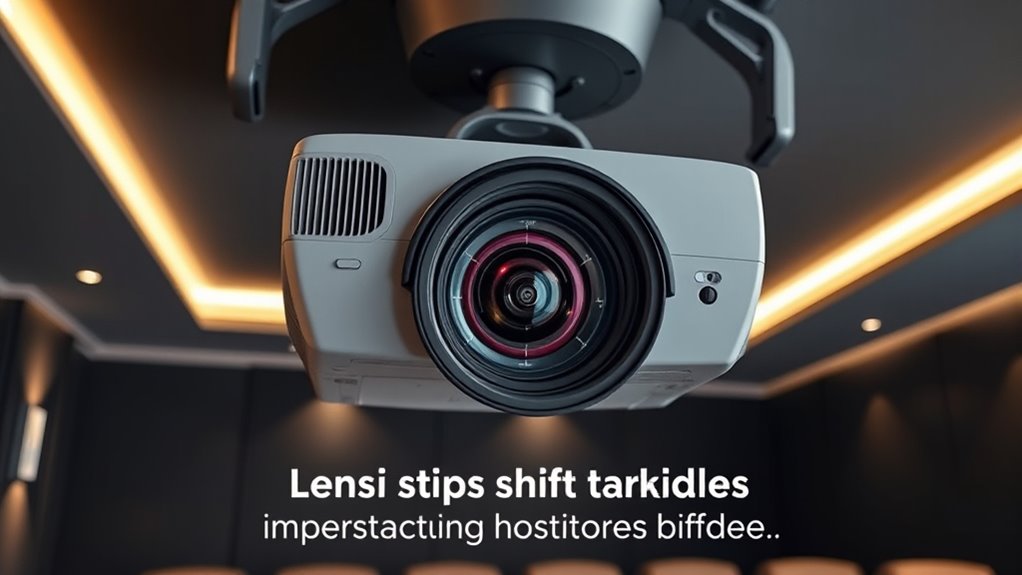
Lens shift limits determine how much you can move a projector’s lens vertically or horizontally without losing image quality or causing distortion. Understanding these boundaries is essential for proper projector setup, especially when it comes to achieving accurate projector calibration and seamless image alignment. When you adjust the lens beyond its specified shift range, you risk introducing distortions, such as keystone effects or uneven scaling, which can compromise the clarity and overall appearance of your projected image.
Exceeding lens shift limits causes distortion, compromising image quality and clarity.
Most projectors specify their lens shift capabilities in terms of percentage or ratio, indicating how far the lens can move from its central position. If you’re attempting to install a projector in a challenging space—like off-center or ceiling-mounted—you need to pay close attention to these limits. Moving the lens within the allowed range ensures your image remains sharp and proportionate, reducing the need for extensive image correction afterward. When you stay within the lens shift limits, your projector calibration becomes more straightforward, making it easier to achieve perfect image alignment without unnecessary adjustments. Proper calibration minimizes distortions and ensures your projected content looks exactly as intended.
If you push the lens beyond its limits, you might notice the image becoming skewed or parts of the picture getting cut off. This can lead to additional troubleshooting, such as using digital keystone correction, which often results in a softer, less detailed image. Instead of relying on digital adjustments, it’s better to position your projector within its specified lens shift range from the start. This not only preserves image quality but also simplifies the setup process. When you arrange your projector properly, you reduce the risk of needing frequent recalibration or dealing with image alignment issues later on.
Knowing your projector’s lens shift capabilities, especially in relation to the lens shift limits, allows you to plan your setup more effectively, ensuring that you can achieve a well-aligned, distortion-free image without unnecessary effort. Some projectors have generous lens shift capabilities, making them more flexible for various installation scenarios. Others are more limited, requiring precise positioning from the outset. Knowing your projector’s lens shift limits allows you to plan your setup more effectively, ensuring that you can achieve a well-aligned, distortion-free image without unnecessary effort. This preemptive approach enhances your overall viewing experience, especially in professional or home theater environments where image quality is paramount. Ultimately, respecting the lens shift limits is key to maintaining excellent image integrity and avoiding the pitfalls of over-adjustment or misalignment.
projector with high lens shift capability
As an affiliate, we earn on qualifying purchases.
As an affiliate, we earn on qualifying purchases.
Frequently Asked Questions
Can Lens Shift Damage My Projector Over Time?
Lens shift won’t damage your projector if used within its calibration limits. Excessive or frequent adjustments might affect projector stability over time, but standard use is safe. Make certain to follow the manufacturer’s lens shift calibration guidelines to prevent strain on internal components. Proper handling and avoiding aggressive shifts help ensure your projector stays in good condition, giving you clear images without risking long-term damage.
Do All Projectors Support the Same Amount of Lens Shift?
Not all projectors support the same amount of lens shift, so your projection alignment and lens positioning options vary. While some high-end models offer generous shift ranges, others have limited or no lens shift capabilities. This difference affects how flexibly you can position your projector without physically moving it. Always check your projector’s specifications to see if the lens shift limits meet your setup needs, ensuring a seamless and hassle-free installation.
How Does Lens Shift Affect Image Quality?
Lens shift can impact your image quality if it’s pushed too far, causing potential image distortion or color accuracy issues. When you move the lens beyond its ideal range, you might notice skewed images or washed-out colors. To avoid this, stay within the manufacturer’s recommended lens shift limits, ensuring your projector maintains sharpness and accurate colors without sacrificing image integrity. Proper adjustment keeps your picture clear and true to life.
Are There Specific Installation Tips for Maximizing Lens Shift?
Perfect your projector placement with precise positioning! To maximize lens shift, follow focused mounting techniques and alignment strategies. Secure your projector firmly, ensuring it’s level and centered. Use adjustable mounts for flexible fine-tuning, and double-check the lens’s range to avoid over-shifting. Carefully aligning the projector during installation prevents image distortion, keeps your setup sleek, and guarantees superior picture quality. Proper preparation pays off in flawless, flexible image projection.
Is Lens Shift Adjustable After the Projector Is Installed?
Yes, lens shift is adjustable after installation, allowing you to fine-tune your image alignment without moving the projector. You can easily tweak the projector positioning by shifting the lens vertically or horizontally within its limits, ensuring a perfect fit on your screen. This feature helps you achieve ideal image quality and alignment, making setup more flexible and less invasive, especially in tight or awkward spaces.
adjustable ceiling mount projector bracket
As an affiliate, we earn on qualifying purchases.
As an affiliate, we earn on qualifying purchases.
Conclusion
Knowing your projector’s lens shift limits helps you set up your space perfectly. Did you know that most projectors offer up to 50% vertical and 25% horizontal lens shift? That means you can often adjust your image considerably without moving the entire unit. By understanding these limits, you’ll enjoy flexible placement and a cleaner setup. So, next time you install your projector, remember these stats and make the most of your lens shift capabilities!
As an affiliate, we earn on qualifying purchases.
As an affiliate, we earn on qualifying purchases.
Halloween Picks
halloween
As an affiliate, we earn on qualifying purchases.