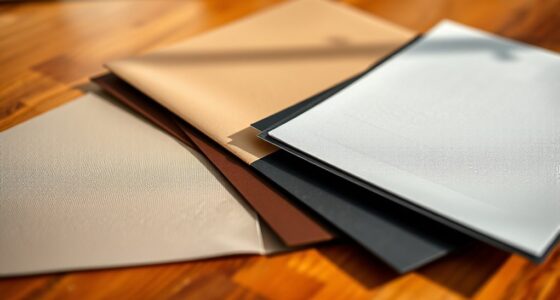
Choosing between white, gray, and ALR screens depends on your room’s lighting and picture quality needs. White screens offer bright images and work best in dark rooms, while gray screens reduce ambient light for better contrast in moderate lighting. ALR screens excel in bright or uncontrolled environments, rejecting ambient light for crisp images. Consider your space’s lighting conditions carefully—if you want to explore which option suits you best, keep going for more helpful details.
Key Takeaways
- White screens offer maximum brightness and vibrant images in dark, controlled environments, ideal for home theaters.
- Gray screens enhance contrast and black levels in rooms with moderate ambient light, providing richer picture quality.
- ALR screens excel in bright or uncontrolled lighting conditions by rejecting ambient light and maintaining high contrast.
- Choose white screens for dark rooms, gray screens for moderate lighting, and ALR screens for bright, well-lit spaces.
- Consider room lighting, projector brightness, and viewing environment to select the most suitable screen type.
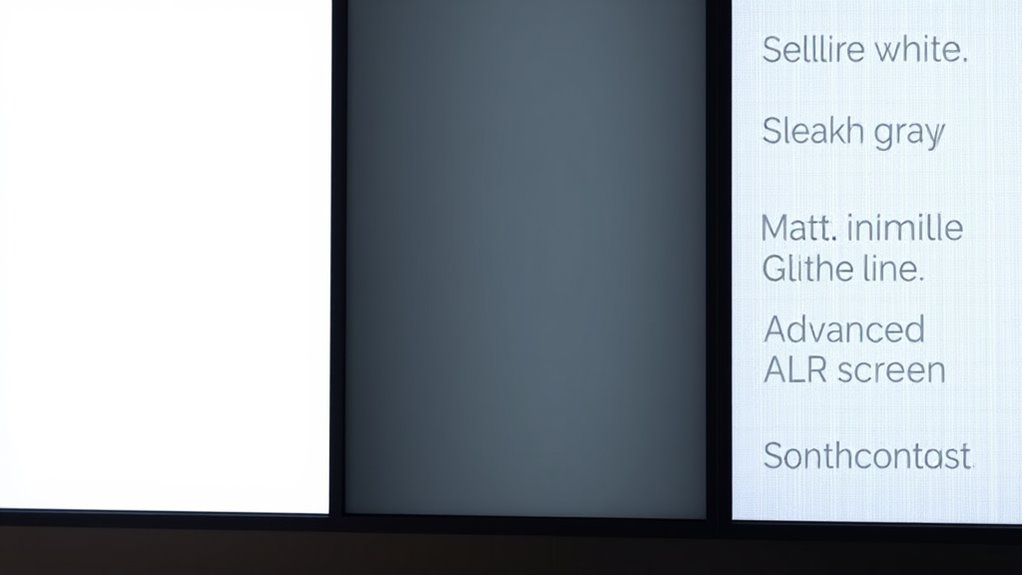
When choosing a projection screen, understanding the differences between white, gray, and ALR (Ambient Light Rejection) screens is essential to getting the best picture quality for your setup. Each type responds differently to ambient light and affects overall brightness, so knowing how they perform helps you make an informed decision. White screens are the most common and tend to offer high screen brightness, which is great if your room can be kept dark or if you have controlled lighting. They reflect the projector’s light evenly and produce a bright, vibrant image. However, in rooms with significant ambient light, their brightness can diminish, leading to washed-out visuals and less contrast. If you rely on a white screen, it’s best to minimize ambient light sources or use a projector with higher lumens to compensate for the brightness loss. Understanding the ambient light response of each screen type can help you select the best option for your environment. Gray screens, on the other hand, are designed to improve contrast by absorbing ambient light rather than reflecting it. They help prevent the washout effect caused by bright rooms, making black levels appear deeper and colors more vivid. Their ability to reject ambient light makes them ideal for spaces where controlling lighting is difficult. However, because they absorb some light, gray screens generally require a projector with higher brightness to deliver a comparable image to a white screen. If your room has moderate ambient light and you want richer blacks and more accurate color reproduction, a gray screen can enhance your viewing experience without sacrificing too much brightness. ALR (Ambient Light Rejection) screens take this concept further by actively rejecting ambient light from certain angles. These screens are specially coated or textured to reflect light from the projector directly back to you while minimizing the impact of ambient light coming from other directions. This makes ALR screens excellent choices for rooms with significant or uncontrolled lighting, as they maintain high screen brightness and contrast regardless of ambient light levels. They can deliver a clear, sharp picture even in well-lit environments, but they tend to be more expensive and require precise projector alignment to perform practically. If you’re in a space where controlling ambient light isn’t feasible or you want the best possible picture quality in a bright room, an ALR screen is often the best investment. In the end, your choice hinges on your room’s lighting conditions and the level of brightness you need. White screens excel in dark rooms with controlled lighting, gray screens shine where ambient light is moderate, and ALR screens provide superior performance in bright or uncontrolled environments. Understanding how each responds to ambient light and impacts screen brightness will help you select the right screen to enjoy a crisp, vibrant picture tailored to your viewing conditions.

Mdbebbron 120 inch Projector Screen 16:9 Foldable Anti-Crease Portable Projector Movies Screens for Home Theater Outdoor Indoor Support Double Sided Projection
CONVENIENT TO STORAGE AND CARRY : Compact one-piece,lightweight and folding design. You can fold the projector screen in…
As an affiliate, we earn on qualifying purchases.
As an affiliate, we earn on qualifying purchases.
Frequently Asked Questions
Are ALR Screens Suitable for Outdoor Use?
Yes, ALR screens are suitable for outdoor use because they typically offer good outdoor durability and UV resistance. You should look for models specifically designed for outdoor environments, as they withstand sunlight and weather conditions better. By choosing an ALR screen with high UV resistance, you guarantee it maintains image quality over time and resists fading, making it a reliable choice for outdoor home theaters or outdoor entertainment spaces.
How Do Ambient Light Conditions Affect Screen Choice?
Ambient light considerably impacts your screen choice, as it affects screen visibility. In bright rooms or spaces with lots of ambient light, you should opt for a screen that enhances contrast, like an ALR screen, to reduce glare and improve clarity. For darker environments, a white or gray screen works well, providing good image quality without losing detail. Always consider your typical ambient light conditions to guarantee ideal viewing experiences.
Can These Screens Be Used With 4K Projectors?
Sure, these screens work perfectly with 4K projectors, but don’t expect them to be as durable as your old TV. You might face installation challenges, especially with ALR screens, which are sensitive to mounting precision. Still, if you want stunning 4K visuals, these screens deliver. Just remember, their high-quality image might come with some compromises on durability and setup ease—so handle with care!
What Is the Maintenance Requirement for Each Screen Type?
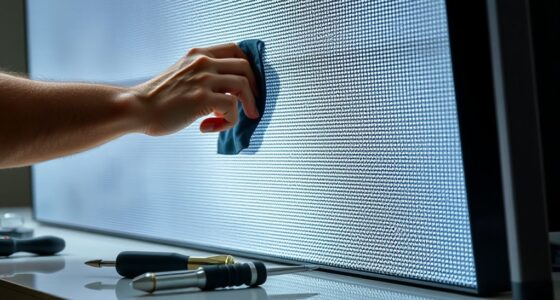
For each screen type, you should regularly perform screen cleaning to keep the surface dust-free and maintain image quality. Maintenance frequency varies: white screens generally need cleaning once every few months, gray screens may require less frequent cleaning, and ALR screens often need gentle cleaning monthly to preserve their reflective properties. Use a soft cloth and mild cleaner, avoiding harsh chemicals to prevent damage. Regular maintenance ensures ideal picture clarity and longevity.
Are There Any Health Concerns With Long-Term Use?
Long-term use of screens can pose health risks like eye strain, especially if you don’t take breaks or adjust brightness properly. White, gray, and ALR screens generally don’t cause direct health issues, but poor viewing conditions may lead to discomfort. To minimize eye strain, guarantee proper lighting, maintain an appropriate distance, and follow the 20-20-20 rule. Regular eye checkups can also help catch any issues early.
gray ambient light rejection projection screen
As an affiliate, we earn on qualifying purchases.
As an affiliate, we earn on qualifying purchases.
Conclusion
Ultimately, choosing the right screen depends on your room and viewing habits. Think of it like selecting a trusty steed from the medieval marketplace—each has its strengths. White screens brighten your space, gray screens excel in ambient light, and ALRs deliver cinematic quality. Don’t be swayed by the hype; like a well-placed “Ctrl+Z” in a game, pick what fits your needs best. Your perfect screen awaits—just avoid the digital equivalent of a Sauron eye!
ALR projection screen for bright rooms
As an affiliate, we earn on qualifying purchases.
As an affiliate, we earn on qualifying purchases.

AAJK ALR Projector Screen, 4K Movie Projector Screen 16:9 HD Foldable Anti-Crease Portable Projector, Movies Screen for Home Theater Outdoor Indoor Support (120in Pro)
【Watch What You Want, When You Want!】 Remember when you could only really use your projector at night?…
As an affiliate, we earn on qualifying purchases.
As an affiliate, we earn on qualifying purchases.