
To eliminate screen wrinkles and waves, start by gently cleaning your display with a soft cloth to remove debris. Carefully adjust the tension by applying soft, even pressure, avoiding forceful actions. You can also try brief heat or cold treatments using a cloth barrier, but never apply extreme temperatures directly. Properly maintaining and handling your screen can prevent future issues. If you want to learn more about safe techniques and preventive tips, keep exploring your options.

Get business pricing on your home office setup
- Business-only prices and quantity discounts
- Tax-exempt purchasing
- Multiple users, one account, clear invoices
Key Takeaways
- Gently adjust screen tension using soft pressure or non-abrasive tools to flatten wrinkles gradually.
- Use a cloth barrier and short heat or cold treatments (10-15 seconds) on small areas to relax the material.
- Ensure the screen is thoroughly cleaned and properly calibrated before attempting repairs.
- Avoid extreme temperatures and handle the screen with care to prevent further deformation.
- Regularly maintain and replace damaged protectors, and prevent environmental stressors to reduce future wrinkles.
As an affiliate, we earn on qualifying purchases.
Identifying the Causes of Screen Wrinkles and Waves

Screen wrinkles and waves often develop due to improper installation or environmental factors. One common cause is material fatigue, which weakens the screen’s surface over time, making it prone to warping. Improper mounting is another key factor; if the screen isn’t secured evenly or tightly, tension points can cause ripples and waves. Temperature fluctuations and humidity can accelerate material fatigue, further destabilizing the screen. Additionally, using incorrect mounting hardware or applying uneven pressure during installation can introduce stress that leads to wrinkles. Recognizing signs of material fatigue and ensuring proper mounting techniques are essential steps in preventing or addressing these problems effectively. Color accuracy is also impacted when screens are not properly tensioned, affecting overall image quality.
screen cleaning cloth for displays
As an affiliate, we earn on qualifying purchases.
As an affiliate, we earn on qualifying purchases.
Preparing Your Screen for Repair

Before you start repairing your display, it’s essential to prepare the surface properly. Begin with a thorough display cleaning to remove dust, fingerprints, and smudges that could interfere with the repair process. Use a soft, lint-free cloth and a gentle cleaner designed for screens. Once cleaned, consider performing a screen calibration to ensure your display is functioning correctly and to identify any remaining irregularities. Proper calibration helps you recognize if wrinkles or waves are due to display issues or physical damage. Additionally, assessing your screen’s filter replacement indicators can help detect if hardware issues are contributing to display distortions. Taking these steps ensures a smooth repair process and prevents further damage. Clear, clean, and calibrated screens provide a better surface for applying any repair techniques, reducing the risk of trapping debris or creating additional imperfections during the fix.
As an affiliate, we earn on qualifying purchases.
Using Gentle Methods to Remove Wrinkles and Waves

Gently easing out wrinkles and waves from your display is key to avoiding further damage. Start by adjusting the screen tension carefully, ensuring you don’t apply excessive force that could weaken the material’s flexibility. Use soft, even pressure with your hands or a smooth, non-abrasive tool to gently flatten the surface. Focus on areas where the material shows subtle bends, working gradually to restore a flat appearance. Remember, the flexibility of the screen material allows it to respond to gentle manipulation without tearing or cracking. Patience is essential—rushing could cause more harm than good. By maintaining a light touch and respecting the material’s inherent flexibility, you’ll help smooth out wrinkles safely and effectively.
As an affiliate, we earn on qualifying purchases.
Applying Heat or Cold Treatments Safely
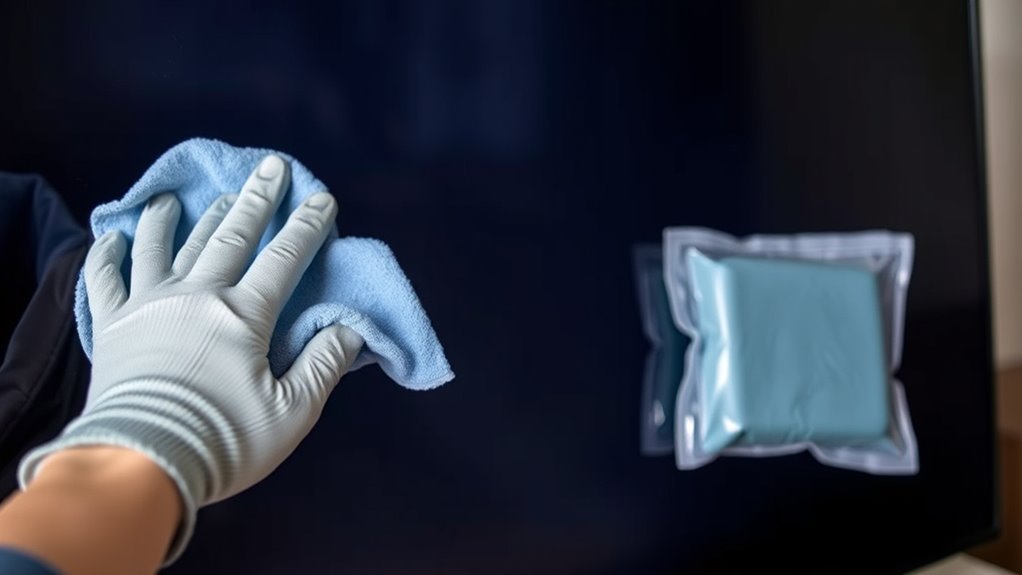
Using heat or cold treatments can effectively relax or tighten screen materials, but it’s crucial to do so safely to prevent damage. Incorrect application can cause further wrinkles or even harm your screen, leading to unnecessary screen cleaning or eventual screen replacement. To stay safe:
Carefully apply heat or cold with a barrier to safely reduce screen wrinkles without damage.
- Always test on a small, inconspicuous area first.
- Use a cloth barrier between the heat/cold source and the screen.
- Limit treatments to short durations, around 10-15 seconds.
- Never apply extreme temperatures directly to your screen.
- Be mindful of the protective styling benefits associated with careful handling to maintain your screen’s condition.
Properly controlled heat or cold can help reduce wrinkles without risking damage. Remember, if these methods don’t work, consulting a professional for screen cleaning or considering screen replacement may be your best options. Safety is key to maintaining your screen’s integrity.
Preventative Measures to Keep Your Screen Smooth
To keep your screen smooth and free of wrinkles, taking proactive steps to prevent damage is essential. Regular screen protector maintenance is key—clean it gently and replace it if scratched or bubbled. Proper display calibration ensures your screen stays aligned and minimizes stress that could cause waves. Avoid exposing your device to extreme temperatures and handle it carefully to prevent physical damage. Use a high-quality screen protector to shield against impacts and scratches. Additionally, calibrate your display periodically to maintain ideal image quality and prevent uneven tension. Here’s a quick guide:
| Step | Action | Benefit |
|---|---|---|
| Clean screen | Use microfiber cloth | Prevent dust buildup |
| Replace protector | When damaged | Avoid gaps that cause waves |
| Calibrate display | Regularly | Maintain smooth, even visuals |
| Avoid extreme temps | Keep device in moderate conditions | Prevent warping and wrinkles |
| Handle with care | Use gentle touch | Reduce physical stress on screen |
A balanced approach to lifestyle habits can also help reduce the risk of screen deformation over time.
Frequently Asked Questions
Can Professional Repair Services Effectively Remove Screen Wrinkles?
Yes, professional repair services can effectively remove screen wrinkles using specialized repair techniques. They assess the screen tension and identify underlying issues causing the waves. Skilled technicians then carefully adjust or replace components to restore proper tension, eliminating wrinkles and waves. Their expertise ensures that your screen is restored seamlessly, providing a clear, smooth display without further damage. Trusting professionals guarantees a durable fix and ideal visual quality.
Are There Specific Cleaning Products That Help Prevent Waves?
Yes, using specific cleaning products can help prevent waves on your screen. Opt for gentle screen cleaning solutions that are designed to avoid residue buildup, which can cause wrinkles or waves over time. Look for anti-wrinkle solutions that keep the screen smooth and clear. Regularly cleaning your screen with these products guarantees it stays flat and free from imperfections, enhancing your viewing experience and prolonging the lifespan of your display.
How Long Does It Typically Take for a Screen to Settle After Repair?
After repair, your screen usually takes about 24 to 48 hours to settle, depending on screen tension and repair timing. You might notice slight waves or wrinkles initially, but they should gradually smooth out as the tension stabilizes. To help speed up this process, avoid pressing or applying pressure to the screen during this period. Keep the device in a stable environment, and give it time for the tension to equalize naturally.
What Are the Signs That a Screen Needs Replacement Instead of Repair?
Did you know that over 60% of screen problems require replacement? If you notice persistent screen discoloration or touch sensitivity issues, it’s a clear sign you need a replacement rather than repair. Cracks, dead pixels, or flickering also indicate damage beyond simple fixes. Don’t ignore these signs—they could worsen or cause further damage. When in doubt, consult a professional to determine whether repair or replacement is the best option for your device.
Does Screen Material Affect the Ease of Removing Wrinkles?
Yes, screen material substantially affects how easy it is to remove wrinkles. If your screen fabric has high material flexibility, you’ll find it easier to smooth out wrinkles and waves. Flexible fabrics adapt better when you apply tension, making the process smoother. Conversely, stiffer materials resist stretching and may require more effort or professional help. Choosing a screen fabric with good flexibility can save you time and frustration when fixing wrinkles.
Conclusion
By understanding the causes and carefully preparing your screen, you can effectively eliminate wrinkles and waves. Using gentle methods and safe temperature treatments, you’ll notice a smoother surface returning—sometimes just when you least expect it. It’s funny how a simple fix can feel like a small victory, almost mirroring life’s unexpected moments of clarity. With consistent care, your screen stays flawless, reminding you that even minor details can make a big difference in the overall picture.
Fall Picks
fall essentials
As an affiliate, we earn on qualifying purchases.