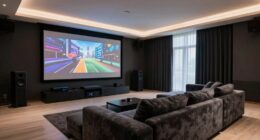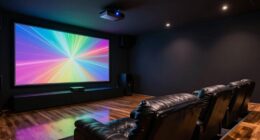
A screen gain calculator helps you find the best screen gain for your room by balancing projector brightness and ambient light. It considers your projector’s lumens and room lighting to suggest a gain that maximizes image clarity without glare or dullness. Higher gain screens reflect more light, making your image brighter, but too high can cause glare. If you keep exploring, you’ll discover how to optimize your entire projection setup effectively.
Key Takeaways
- The screen gain calculator helps determine the optimal screen reflectivity based on room lighting and projector brightness.
- It ensures the projected image is bright and clear without causing glare or washout.
- Proper gain selection balances ambient light with projector output for the best viewing experience.
- The calculator prevents choosing a gain level that could lead to dim images or excessive glare.
- Using automation alongside the calculator optimizes projection settings for consistent, high-quality images in varying conditions.
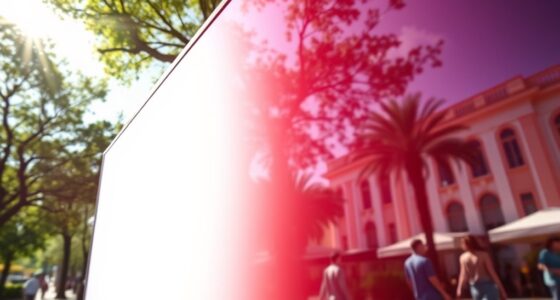
Have you ever wondered how to determine the best screen setup for your projector? One key factor to consider is the screen gain, which directly influences projection brightness and how well your image will appear in different lighting conditions. When you’re choosing a screen, understanding how projection brightness interacts with ambient light can make all the difference in creating a crisp, clear image. The screen gain calculator is a handy tool that helps you figure out the ideal gain for your space, ensuring your projector’s brightness is maximized without washing out the picture or losing detail. Additionally, understanding the role of automation in managing projection settings can help optimize your viewing experience further. Projection brightness is essential because it affects how vivid and sharp your image appears. If your room has a lot of ambient light—such as sunlight coming through windows or ceiling lights—then a higher gain screen can help compensate for the extra light. Higher gain screens reflect more light back to your eyes, making the image seem brighter and more visible even in less-than-ideal lighting conditions. Conversely, if you have a dark room with minimal ambient light, a lower gain screen can prevent glare and maintain natural color accuracy. Balancing these factors is vital; using a screen with the wrong gain can result in images that are either too dim or overly reflective, both of which diminish the viewing experience.

SUPER DEAL 120'' Projector Screen Projection Screen Manual Pull Down HD Screen 1:1 Format for Home Cinema Theater Presentation Education Outdoor Indoor Public Display, Black
Screen High-Definition Multimedia Presentations with this 120inch-in Diagonal Screens Manual Projector Screen. Our high gain screen delivers bright…
As an affiliate, we earn on qualifying purchases.
As an affiliate, we earn on qualifying purchases.
Frequently Asked Questions
Can Screen Gain Affect Color Accuracy?
Yes, screen gain can affect color accuracy. When you have a high gain display, it reflects more light, which can lead to reduced color fidelity and washed-out images. To maintain accurate colors, you should perform proper display calibration, adjusting brightness, contrast, and color settings. This ensures your screen’s gain doesn’t compromise color precision, giving you the best possible visual experience with true-to-life colors.
How Does Ambient Lighting Influence Screen Gain?
Ambient light considerably influences your screen gain, impacting visibility and glare. When there’s strong ambient light, higher screen gain can cause more glare, making it harder to see details clearly. To improve your viewing experience, you should adjust your screen’s gain or use glare reduction techniques, like matte screens or proper positioning, to minimize reflections. This helps you maintain ideal brightness and clarity despite changing ambient lighting conditions.
Is Higher Screen Gain Always Better?
Higher screen gain isn’t always better because it can diminish brightness uniformity and narrow your viewing angle. While a higher gain increases brightness, it may cause glare or hot spots, making images look uneven. If you prioritize consistent brightness across the screen and a wide viewing angle, a moderate gain level is preferable. Balance your screen gain with your environment to ensure clear, comfortable viewing without sacrificing image quality.
How Do I Calibrate My Screen Gain Settings?
Did you know that improper display settings can cause eye strain for 80% of users? To calibrate your screen gain, start with color calibration to match your environment. Adjust display settings like brightness, contrast, and gamma to achieve a balanced image. Use calibration tools or software for precision. Regularly revisiting these settings guarantees your screen remains optimized, reducing eye fatigue and improving overall viewing comfort.
Does Screen Gain Impact Energy Consumption?
Yes, screen gain can impact energy efficiency and display longevity. Higher gain settings often make your screen brighter, which can consume more power and strain components over time. Lower gain settings reduce energy use and help prolong your display’s lifespan. By adjusting gain appropriately, you optimize brightness without unnecessary energy consumption, ensuring your device stays energy-efficient and maintains display quality longer.

Silver Ticket Products STR Series 6 Piece White 1.1 Gain 120" Diagonal 16:9 Format Projection Screen, Aluminum Frame, Wall Mounted, 109.25×63.625 inches STR-169120
Wall Mounted Fixed Frame Projection Screen (Overall Size 63.625" Tall x 109.25" Wide) (Viewing Area 120" Diagonal x…
As an affiliate, we earn on qualifying purchases.
As an affiliate, we earn on qualifying purchases.
Conclusion
So, now that you’ve cracked the mysterious world of screen gain, you’re basically a lighting wizard. Who knew that understanding brightness could be so simple, right? Next time your projector’s looking dull, just whip out your trusty gain calculator—because nothing says “tech savvy” like turning brightness into a science project. Now go impress your friends with your newfound knowledge. Remember, in the world of screens, you’re officially the brightest star—literally.

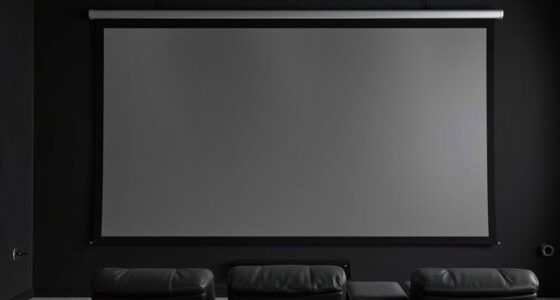
Projector Screen Material Ambient Light Rejecting Fabric 69×118 inch for Max 130 inch 16:9 Projection Screen DIY, Black Backing 4K Ultra HD Front Projection EVA Polymer Material (Grey)
This is a new type of multi-layer composite EPPE polymer projection screen fabric, which is different from conventional…
As an affiliate, we earn on qualifying purchases.
As an affiliate, we earn on qualifying purchases.

【Native 1080P & 800ANSI High Brightness】 Portable Projector with WiFi and Bluetooth,Smart Projector With AI Visual Calibration,230° Rotation,4K Projector Supports HDMI/USB/AUDIO
【Smart Projector with Built-in Apps】: This movie projector is powered by the advanced Android 14 operating system and…
As an affiliate, we earn on qualifying purchases.
As an affiliate, we earn on qualifying purchases.