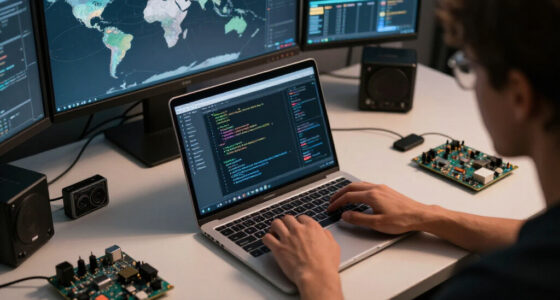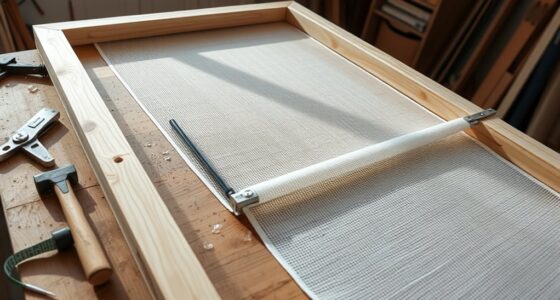
When projecting on uneven surfaces, consider using flexible or textured screens that conform to irregular shapes for a clearer image. Surface calibration tools and geometric correction features help minimize distortion, ensuring visuals stay sharp. You can also try covering surfaces with neutral fabrics or specialized materials to improve projection quality. Combining these screen alternatives with calibration techniques helps create seamless images in unique spaces—if you keep exploring, you’ll discover even more effective solutions.
Listen free for 30 days with Audible
Thousands of audiobooks and originals — cancel anytime.
As an affiliate, we earn on qualifying purchases.
Key Takeaways
- Flexible, textured, or custom-fit screens can conform to uneven surfaces, improving image stability and reducing distortion.
- Surface coverings like fabric or neutral materials help create a smoother projection area for better calibration.
- Using specialized curved or inflatable screens adapts to irregular shapes and enhances projection quality.
- Combining surface modifications with geometric correction tools or software compensates for surface irregularities.
- Selecting the right screen type depends on surface texture, shape, and size to optimize projection clarity.
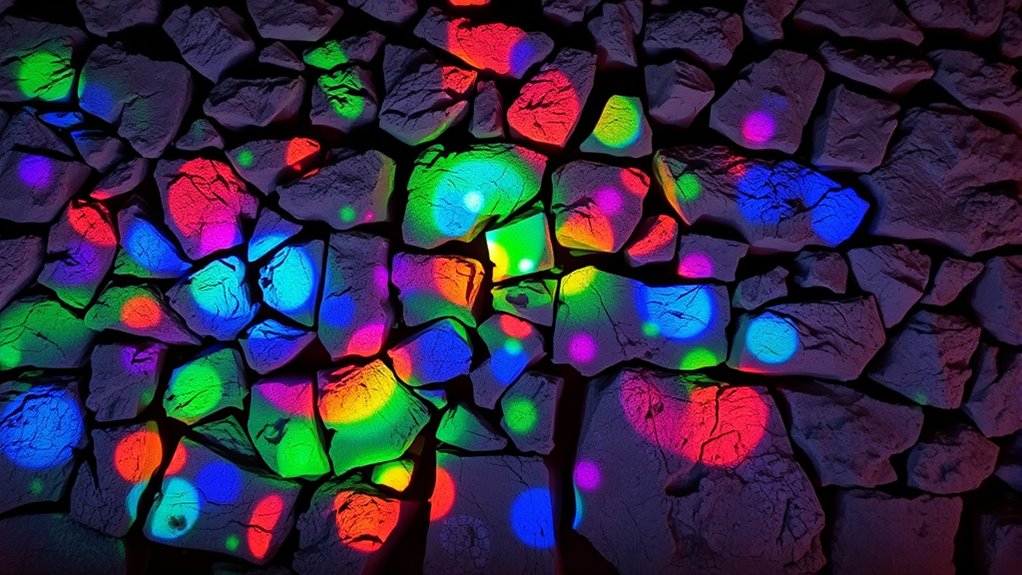
When projecting images or videos onto uneven surfaces, you face unique challenges that can distort your visuals. One of the main issues is managing surface calibration—making certain your projector adapts to irregularities in the surface’s shape and texture. Without proper calibration, your images won’t align correctly, leading to significant image distortion. The unevenness causes light to scatter unpredictably, making parts of your projection appear stretched, squashed, or misplaced. To counter this, you need to focus on surface calibration techniques that allow your projector to analyze the surface’s contours and adjust the image accordingly. Some advanced projectors have built-in sensors or software that map out the surface in real time, automatically compensating for irregularities. If your setup lacks these features, you might need to manually calibrate by adjusting keystone settings or using specialized software to create a virtual map of the surface. This process guarantees that your projected image remains consistent and accurate, even on challenging surfaces.
Dealing with image distortion becomes a vital part of your setup process. When the surface isn’t flat, the projected image can appear warped or skewed, ruining the visual experience. To minimize this, you should consider using correction tools within your projector or external software that enable geometric adjustments. These tools help you reshape and resize the image to fit the surface’s contours, reducing distortion effects. Keep in mind that the more irregular the surface, the more complex this process can be. Sometimes, slight modifications to the surface—such as applying a smooth, neutral-colored fabric or temporary wall covering—can make calibration easier and improve image fidelity. Remember, the goal is to create a seamless visual experience, so taking the time to properly calibrate and correct distortions is essential. Additionally, understanding the importance of surface calibration can significantly enhance your projection results, especially in unconventional spaces.
Furthermore, exploring screen alternatives designed for uneven surfaces can make your projection smoother and more dependable. These options include flexible, textured, or custom-fit screens that conform to irregular shapes, helping to stabilize the image and reduce distortion. When selecting a solution, consider the surface’s texture, size, and shape to find an option that offers the best fit. Whether you opt for a specialized projection screen or software-based correction, the key is to make certain your visuals stay clear and undistorted. Achieving high-quality projections on uneven surfaces demands attention to surface calibration and distortion correction, but with the right tools and techniques, you can turn even the most challenging spaces into mesmerizing visual displays.
flexible projection screen for uneven surfaces
As an affiliate, we earn on qualifying purchases.
As an affiliate, we earn on qualifying purchases.
Frequently Asked Questions
Can Projectors Automatically Adjust for Surface Irregularities?
Yes, many projectors now feature automatic adjustments that help with surface irregularities. They use advanced surface calibration technology to detect uneven surfaces and automatically adjust the image for a clear, sharp display. This means you don’t have to manually fine-tune the projector, making setup easier and more accurate. With these automatic adjustments, you can enjoy a seamless projection experience even on challenging or irregular surfaces.
Are There Portable Screen Options for Uneven Outdoor Areas?
Yes, you can find portable screens perfect for uneven outdoor areas. Look for flexible, lightweight options like inflatable or foldable screens designed for outdoor use. When paired with outdoor projectors, these portable screens are easy to set up on uneven surfaces, giving you a smooth viewing experience. Make sure to choose weather-resistant materials to withstand outdoor elements and enjoy your movie nights or presentations without hassle.
How Do Ambient Light Conditions Affect Projection on Uneven Surfaces?
Don’t let ambient light ruin your projection on uneven surfaces. Surface texture and light interference considerably impact image clarity, making it harder to see details. Bright environments cause glare and wash out the display, especially on textured or irregular surfaces. To improve visibility, use high-lumen projectors, adjust your screen or surface, and control ambient light whenever possible. These steps help you achieve a clearer, more vibrant projection despite challenging light conditions.
What Safety Considerations Exist When Installing on Textured Walls?
When installing on textured walls, you need to prioritize mounting stability to prevent accidents. Verify the wall surface is properly prepared, cleaning and smoothing rough areas to secure mounts effectively. Use appropriate anchors and brackets designed for uneven surfaces. Check that the installation is level and secure, avoiding loose fittings. These safety measures help prevent equipment damage or injury, ensuring your projector setup remains stable and safe on textured walls.
Can Projection Mapping Be Used for Complex Uneven Structures?
Imagine weaving light over jagged surfaces and twisting textures—that’s what projection mapping can achieve for complex uneven structures. You can use it to adapt to surface textures, but beware of projection distortion where the surface’s contours bend the image. By customizing the mapping, you transform irregular shapes into dynamic displays, turning rough, uneven structures into mesmerizing visual art. It’s a powerful way to bring complex architecture to life.
geometric correction software for projectors
As an affiliate, we earn on qualifying purchases.
As an affiliate, we earn on qualifying purchases.
Conclusion
Just like Da Vinci transformed blank walls into masterpieces, you can turn uneven surfaces into mesmerizing screens. With the right alternatives, you’re not limited by imperfections—you’re inspired by them. Think of your space as a canvas waiting for your creative touch, where every bump and curve becomes part of the story. Embrace these innovative solutions, and watch your unique spaces become the stage for visual storytelling, proving that sometimes, imperfections make the perfect backdrop.
inflatable projection screen for irregular shapes
As an affiliate, we earn on qualifying purchases.
As an affiliate, we earn on qualifying purchases.
surface calibration tools for projectors
As an affiliate, we earn on qualifying purchases.
As an affiliate, we earn on qualifying purchases.
Fall yard work Picks
leaf blowers
As an affiliate, we earn on qualifying purchases.