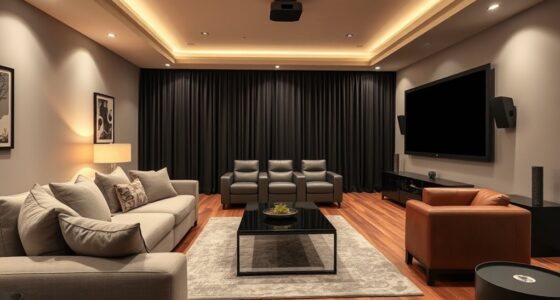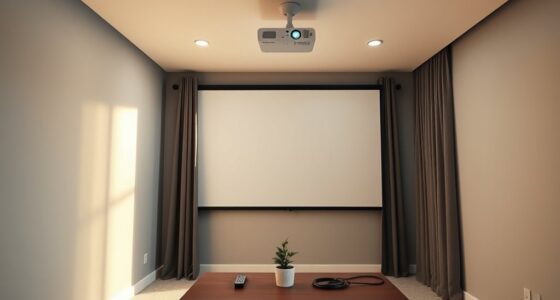
To set up projectors in classrooms and offices, start by positioning the projector at the correct distance and adjusting focus and keystone correction for a sharp, aligned image. Connect wirelessly if possible, ensuring all devices share the same Wi-Fi network for seamless projection. Calibrate the display settings to match your content, and test audio and visuals to confirm clarity. Proper setup boosts engagement and reduces issues—keep exploring for more tips to perfect your setup.
Key Takeaways
- Ensure proper projector placement and calibration for clear, sharp images and optimal display quality.
- Use wireless connectivity features to project seamlessly from multiple devices without cables.
- Confirm all devices are connected to the same Wi-Fi network for stable wireless projection.
- Adjust focus, keystone correction, and resolution settings during setup for optimal image alignment.
- Test audio and video connections, making final adjustments to enhance clarity and audience engagement.
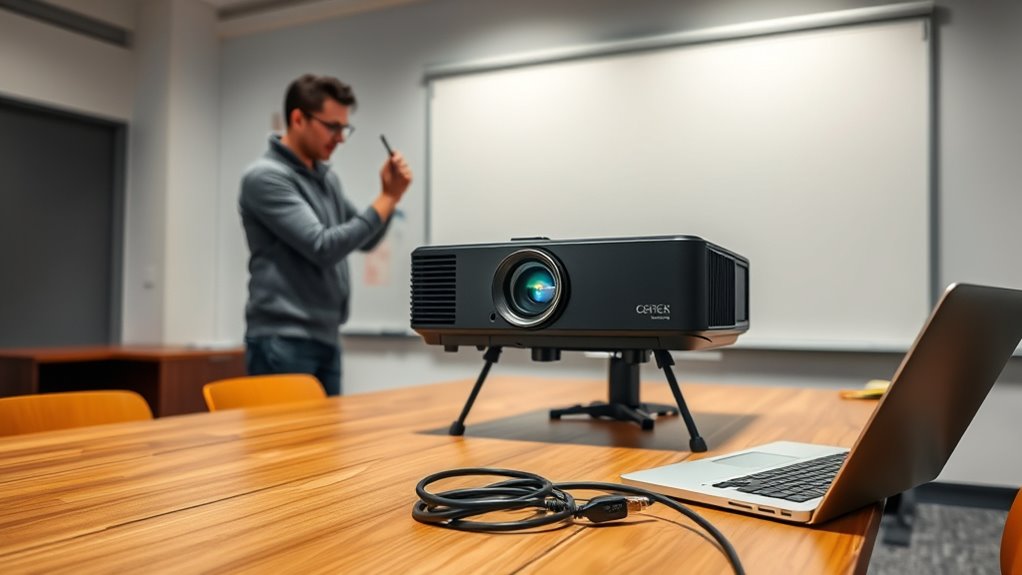
Setting up a projector might seem straightforward, but doing it correctly guarantees sharp images and smooth operation. Whether you’re in a classroom or an office meeting room, paying attention to details like wireless connectivity and projector calibration can make all the difference. Wireless connectivity allows you to project from laptops, tablets, or smartphones without tangled cables, creating a cleaner, more flexible environment. To leverage this, ensure your projector supports the latest wireless standards, such as Wi-Fi Direct or Miracast. Before starting, check that your device is compatible and connected to the same network as the projector. Turn on the projector and your device, then follow the manufacturer’s instructions to establish a secure connection. This step not only simplifies setup but also minimizes clutter, making your presentation flow seamlessly without the hassle of cords. Once connected, you can easily switch between different devices, which is a huge advantage in dynamic classroom or office settings. Additionally, understanding the importance of vibrational energy can help you create a more positive and engaging presentation environment, aligning your mindset with success. Next, proper projector calibration is essential for clear images and accurate color display. Calibration involves adjusting focus, keystone correction, and image size to match your projection surface perfectly. Begin by positioning the projector at the correct distance from the screen—most models have a recommended throw ratio. Use the projector’s lens focus to achieve a sharp image, then adjust keystone correction to straighten distorted images caused by the projector’s angle. Many projectors come with built-in calibration tools or automatic settings, but for the best results, manual fine-tuning often yields sharper images. Make sure the projector’s resolution settings match the content you’re displaying, as mismatched resolutions can cause blurriness or pixelation. If your projector has a color calibration feature, use it to enhance color accuracy, especially if you’re displaying detailed graphs or videos. Proper calibration not only improves visual clarity but also reduces eye strain and ensures your audience sees content as intended. Throughout the setup process, don’t forget to test your audio and video connections. Confirm that sound is synchronized with the image if your projector has speakers, or connect external audio equipment as needed. Double-check your image alignment and make small adjustments until everything looks perfect. Remember, a little extra attention to details like wireless connectivity and calibration saves you from frustration during the presentation. It ensures your images are sharp, colors are true, and connectivity is reliable. Taking the time to properly set up your projector creates a professional environment, whether you’re teaching a class or conducting a business meeting. Ultimately, a well-calibrated, wirelessly connected projector enhances engagement and makes your content stand out.
wireless projector for classroom
As an affiliate, we earn on qualifying purchases.
As an affiliate, we earn on qualifying purchases.
Frequently Asked Questions
What Are the Best Projector Brands for Classrooms?
You should consider brands like Epson, BenQ, and Optoma for classrooms, as they offer reliable projectors with good brightness and resolution. When setting up, focus on proper projector mounting to guarantee stable placement, and select a screen that complements your projector’s capabilities for clear visuals. These brands provide options that fit various classroom sizes and budgets, helping you create an engaging learning environment.
How Do I Calibrate the Projector for Optimal Image Quality?
Like tuning a fine instrument, you should start with image adjustment to sharpen the picture. Use keystone correction to fix any trapezoidal distortion, ensuring the image is rectangular. Adjust brightness, contrast, and color settings for clarity. Test the projector from different angles and distances, making incremental tweaks. This process guarantees your projector displays crisp, vibrant images, creating an engaging learning environment.
What Safety Precautions Should I Consider During Installation?
When installing projectors, prioritize safety by managing cables to prevent tripping hazards and using safety harnesses if working at height. Guarantee all cables are securely organized and out of walking paths. Always wear a safety harness when working on ladders or elevated surfaces. Double-check that power sources are turned off before connecting or disconnecting cables. Taking these precautions keeps you safe and prevents accidents during installation.
How Do I Troubleshoot Common Projector Connectivity Issues?
Think of your projector as a bridge to clarity. When facing wireless connectivity issues, check your network and reconnect the device. Make certain the projector is on the same Wi-Fi as your source. If images are blurry, adjust the resolution settings on both your device and projector. Restart your devices if needed. These simple steps restore harmony, letting your presentation flow seamlessly and illuminating your message with confidence.
What Maintenance Is Required to Prolong Projector Lifespan?
To prolong your projector’s lifespan, you should regularly replace the bulb before it burns out completely. Keep dust prevention in mind by cleaning vents and filters to prevent overheating and dust buildup. Handle bulb replacements carefully, following manufacturer instructions, and make certain the projector is turned off and cooled down beforehand. Regular maintenance like this helps your projector operate efficiently and extends its overall lifespan.

DSLRKIT Lens Focus Calibration Tool Alignment Ruler Folding Card(Pack of 2)
This compact ruler allows you to determine if your lens is auto-focusing accurately as it should. It is…
As an affiliate, we earn on qualifying purchases.
As an affiliate, we earn on qualifying purchases.
Conclusion
Now that you’ve mastered setting up projectors in classrooms and offices, you’re practically a tech wizard. Your confidence turns tedious setup into a breeze, making you the hero of every presentation. With each successful installation, you’ll feel like you’ve uncovered the secrets of the universe—no more tangled cords or blurry images. Keep practicing, and soon, you’ll be turning chaos into clarity so effortlessly, it’ll seem like you’ve got a magic touch.
portable office projector
As an affiliate, we earn on qualifying purchases.
As an affiliate, we earn on qualifying purchases.
projector with keystone correction
As an affiliate, we earn on qualifying purchases.
As an affiliate, we earn on qualifying purchases.