To improve your projector room, choose matte paints in dark or muted shades like navy or charcoal to reduce glare and enhance contrast. Use soft fabrics like velour or heavy curtains on walls to dampen sound and prevent reflections. Incorporate dimmable lighting with indirect options, such as wall sconces or LED strips, to control ambiance and avoid glare. Focusing on surfaces and lighting can considerably boost image clarity and sound quality—continue exploring for more tips to perfect your space.

Get business pricing on your home office setup
- Business-only prices and quantity discounts
- Tax-exempt purchasing
- Multiple users, one account, clear invoices
Key Takeaways
- Use matte, dark-colored paints like deep gray or navy to enhance contrast and minimize glare on walls and ceilings.
- Incorporate dimmable, indirect lighting to control ambient brightness and reduce reflections.
- Apply special projection paints to improve contrast and color accuracy for sharper images.
- Hang acoustic panels or fabric wall hangings to dampen sound and improve audio clarity.
- Combine soft fabrics with appropriate lighting to create a cozy, glare-free, and acoustically optimized viewing environment.
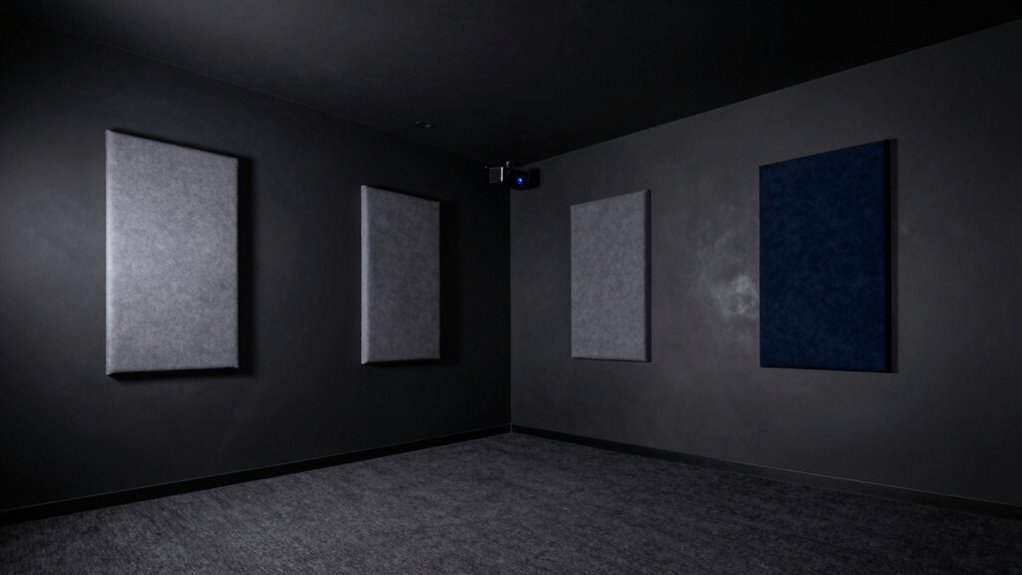
Have you ever struggled with poor image quality or distracting glare in your projector room? If so, you’re not alone. Achieving a perfect viewing environment requires more than just a good projector; it’s about creating the right atmosphere. One of the simplest ways to do this is by carefully choosing paint and fabric. The right colors and textures can considerably improve the lighting ambiance, reduce glare, and even enhance soundproofing options, making your space more comfortable and immersive.
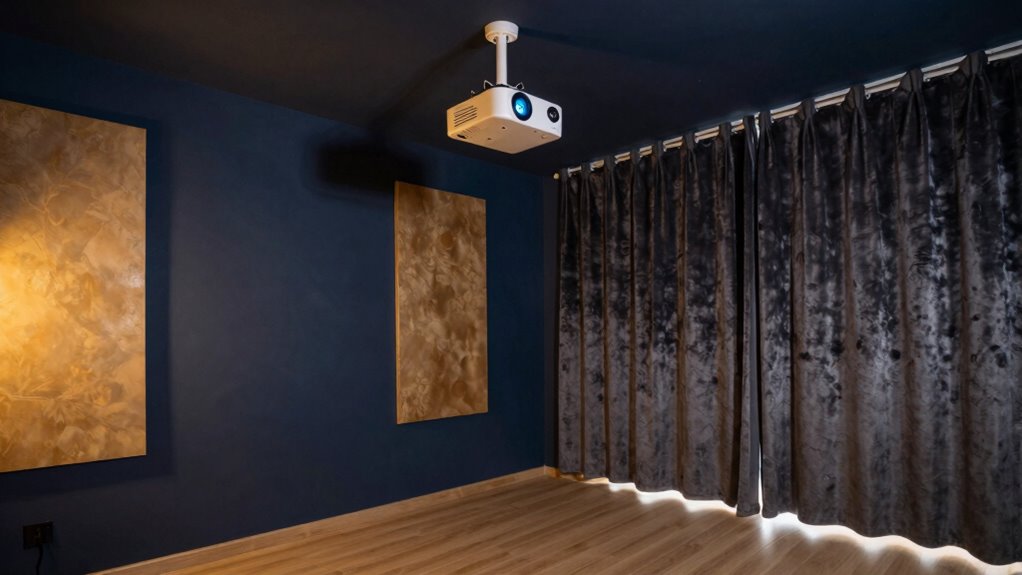
Start by selecting matte paints in dark or muted shades, such as deep gray, navy, or charcoal. These colors absorb light rather than reflect it, helping eliminate unwanted glare and bright spots that can distort your image. A darker wall color also enhances contrast, making your projector’s images stand out with more vividness. Avoid glossy or semi-gloss finishes, which reflect light and create distractions. Instead, opt for matte or flat finishes for walls and ceilings to keep reflections to a minimum. When choosing paint, consider using special projector-screen paints designed to enhance contrast and color accuracy, which can make a noticeable difference in image quality.
Matte, dark shades like navy or charcoal reduce glare and boost contrast for a crisper projector image.
Next, think about your lighting ambiance. Incorporate dimmable lighting options so you can control the brightness depending on your needs. Soft, indirect lighting works best; it minimizes glare and creates a cozy environment that’s gentle on the eyes. Installing wall sconces or LED strip lights with adjustable brightness allows you to set the perfect mood without washing out your screen. This flexibility ensures you can brighten the room for setup or cleaning, then dim the lights for ideal viewing. Remember, the goal is to reduce ambient light interference without sacrificing comfort, so carefully plan your lighting ambiance. Additionally, choosing appropriate lighting fixtures can further improve the overall viewing experience by reducing unwanted reflections and shadows. Incorporating specialized paint designed for projection surfaces can also significantly enhance image quality by increasing contrast and minimizing light reflection. Being mindful of lighting control can help you achieve a more consistent and enjoyable viewing environment.
Fabric also plays an essential role. Use acoustic panels or fabric-covered wall hangings to dampen sound and improve acoustics. Thick, plush fabrics absorb echoes and prevent sound from bouncing around, which enhances audio clarity and overall immersion. When selecting fabrics, opt for sound-absorbing materials like felt, velour, or heavy curtains. These not only improve soundproofing options but also add visual warmth, making the space more inviting. You can also hang fabric panels strategically around the room or even line the walls with soft fabric to further reduce noise and create a more focused viewing environment. Additionally, exploring soundproofing options can further optimize your space for the best viewing experience.
Products Worth Considering

Philips Hue Smart LED Candle Bulbs, B39, E12, White and Color Ambiance, 2-Pack

TCL 65-Inch QM6K QLED Mini-LED 4K HDR Smart Google TV, 144Hz

TCL 65 Inch QM8L Series SQD-Mini LED QLED 4K Smart Google TV
As an affiliate, we earn on qualifying purchases.
Frequently Asked Questions
What Type of Paint Is Best for Projector Walls?
You should choose matte or flat finish paint for projector walls, as they minimize reflections and glare. Opt for color options like light gray or muted shades, which enhance contrast without washing out the image. Avoid glossy or sheen finishes, as they reflect light. Picking the right finish and color helps improve picture clarity, making your projector room more immersive and enjoyable.
How Do I Prevent Fabric From Sagging Over Time?
To prevent fabric from sagging over time, focus on fabric tension and sag prevention techniques. Make certain you stretch the fabric tightly when installing, using professional-grade staples or adhesives for a secure hold. Regularly check and re-tighten the fabric if needed, especially after seasonal changes or humidity fluctuations. Using a frame or tensioning system also helps maintain fabric tension, reducing the risk of sagging and keeping your projector room looking sleek and professional.
Can I Use Multiple Fabric Layers for Better Sound Absorption?
Yes, using multiple fabric layers can improve sound absorption, but it’s more effective when combined with acoustic panels and soundproofing techniques. Layering fabrics adds density, reducing sound leakage and echo. Guarantee each layer is tightly stretched to prevent sagging. Incorporate acoustic panels behind the fabric layers to absorb mid and high frequencies. This combination enhances overall soundproofing, creating a better projector room experience.
How Do I Clean and Maintain Painted and Fabric Surfaces?
To keep your painted and fabric surfaces in top shape, follow simple cleaning tips and maintenance routines. Use a soft, damp cloth with mild soap for painted walls, avoiding harsh cleaners that can damage the finish. For fabric surfaces, vacuum regularly and spot clean stains promptly with gentle fabric cleaners. Keep the room well-ventilated to prevent mold and grime buildup, ensuring your projector room stays fresh and inviting.
What Lighting Considerations Should I Keep in Mind?
Did you know that 80% of viewers say lighting impacts their viewing experience? You should prioritize adjustable ambient lighting to reduce glare and enhance contrast. Focus on selecting lights with a warm color temperature around 2700K to 3000K, which minimizes eye strain and improves image quality. Keep lighting indirect or dimmable, so you can easily control brightness levels, creating a perfect environment for projector use.
Conclusion
Think of your projector room as a canvas waiting for your touch. With the right paint and fabric, you’re painting a sanctuary where every movie becomes a voyage and every scene, a story. As the colors and textures embrace the space, they symbolize your dedication to creating a haven of imagination. So, take those brushes and fabrics—your masterpiece is just a few thoughtful strokes away, turning your room into a portal to endless adventures.