
Heat in projectors comes from internal components like lamps and electronics that convert electrical energy into light and warmth. Proper ventilation guarantees this heat escapes, preventing overheating and damage. Key cooling parts include fans, heat sinks, and airflow pathways that guide hot air away from sensitive parts. If your projector gets too hot, it might shut down or produce strange sounds. Keep vents clear and free of dust to maintain safe temperatures—more tips await to help you keep things cool.

Get business pricing on your home office setup
- Business-only prices and quantity discounts
- Tax-exempt purchasing
- Multiple users, one account, clear invoices
Key Takeaways
- Heat is generated by projector lamps and electronics, requiring cooling to prevent damage.
- Cooling methods include heat sinks, fans, and liquid cooling to manage internal temperatures.
- Proper ventilation involves strategic vent placement and clear airflow pathways to expel hot air effectively.
- Signs of overheating include loud fans, shutdowns, error messages, and hot surfaces needing maintenance.
- Maintaining airflow and temperature with insulation and regular cleaning extends projector lifespan and ensures performance.
As an affiliate, we earn on qualifying purchases.
What Is Heat in Projectors?

Have you ever wondered what causes a projector to get warm during use? It all comes down to heat, which is a natural byproduct of the device’s operation. Inside, components like the lamp and processors generate energy that’s converted into light and heat. To prevent overheating, projectors rely on thermal regulation systems, which help maintain safe operating temperatures. Heat sensors play a vital role here; they detect temperature levels and trigger cooling mechanisms when needed. Without proper heat management, components could overheat, leading to malfunction or damage. Proper ventilation and cooling systems are essential for maintaining optimal device performance and prolonging lifespan. So, understanding what heat is in projectors helps you see why effective ventilation and cooling are essential for keeping your device running smoothly and extending its lifespan.
As an affiliate, we earn on qualifying purchases.
How Do Projectors Generate Heat?

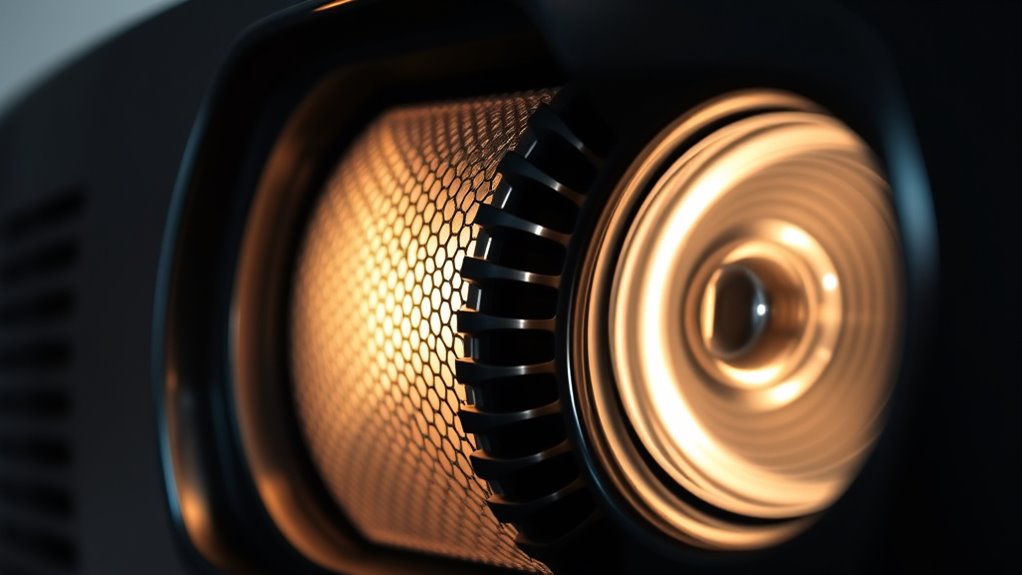
Projectors generate heat primarily through their light source and internal electronics, which convert electrical energy into usable light and images. The high-intensity lamp or LED produces significant heat as it operates, while the internal circuits and processors also generate warmth during functioning. To manage this heat, projectors often include cooling fans that actively pull air through the device, helping to dissipate excess warmth. Additionally, heat sinks are attached to critical components, such as the lamp and circuit boards, to absorb and spread out heat efficiently. These components work together to prevent overheating, ensuring the projector runs smoothly without damage. Proper heat management keeps your projector operating reliably and extends its lifespan. Effective heat dissipation is essential for maintaining optimal performance and preventing hardware failure.
As an affiliate, we earn on qualifying purchases.
Understanding Ventilation and Why It Matters

Effective ventilation is crucial for maintaining your projector’s performance and longevity. Proper airflow helps prevent overheating, which can damage internal components. Without adequate ventilation, thermal insulation can trap heat, raising the ambient temperature inside and around your projector. This can cause overheating, reducing its lifespan and image quality. To guarantee ideal ventilation, consider these points:
- Keep vents clear of dust and obstructions to promote airflow.
- Use fans or cooling systems to regulate ambient temperature.
- Place your projector in a well-ventilated area, avoiding enclosed spaces that trap heat.
Understanding how ventilation interacts with thermal insulation and ambient temperature helps you create the best environment, protecting your projector from heat buildup and ensuring reliable operation.
As an affiliate, we earn on qualifying purchases.
Key Components That Help Cool Your Projector

To keep your projector cool and functioning properly, several key components work together to regulate temperature. These include thermal insulation, which minimizes heat transfer, and fans that expel hot air. The projector’s internal heat sink absorbs excess heat from the lamp and electronics, preventing overheating. Additionally, ambient temperature affects how efficiently these components work; cooler surroundings help maintain ideal operation. Here’s a quick overview:
| Component | Function | Importance |
|---|---|---|
| Thermal Insulation | Reduces heat transfer from outside environment | Keeps internal temperature stable |
| Fans | Circulate air to remove heat | Prevents overheating |
| Heat Sink | Dissipates heat from internal parts | Maintains component longevity |
| Ambient Temperature | External temperature influences cooling efficiency | Affects overall performance |
| Air Filters | Keep dust out, aiding cooling | Ensures proper airflow |
A well-designed cooling system also relies on proper ventilation, which allows for efficient heat dissipation throughout the projector.
Airflow: The Path for Heat to Escape

To keep your projector cool, you need to guarantee proper airflow for heat to escape effectively. Pay attention to vent placement, avoid obstructions, and plan airflow direction to maximize cooling. These strategies help prevent overheating and keep your projector running smoothly. Incorporating fabric decorating markers can also be useful for labeling or marking ventilation areas to ensure proper airflow.
Proper Vent Placement
Proper vent placement is essential for guaranteeing that heat generated by the projector can escape efficiently. Correct placement helps cooling fans work effectively and prevents overheating. To optimize vent placement, keep these tips in mind:
- Position vents where airflow naturally moves, avoiding corners or enclosed spaces.
- Ensure vents are not blocked by furniture or other objects, allowing unobstructed heat escape.
- Place vents near the cooling fans to facilitate smooth airflow out of the device.
- Consider the top 10 anime films to inspire creative and efficient vent positioning that maximizes airflow.
Obstructions to Avoid
Obstructions in the airflow path can substantially hinder heat from escaping your projector, increasing the risk of overheating. Ventilation obstructions, like dust, debris, or placed objects, can create airflow blockages that trap heat inside. These blockages force your projector’s cooling system to work harder, which may reduce its lifespan and cause shutdowns. To prevent this, keep vents clear and avoid placing objects directly in front of or around the projector’s ventilation openings. Make sure nothing is blocking the air intake or exhaust areas, and regularly clean dust buildup. Staying vigilant about ventilation obstructions ensures proper airflow, keeps your projector cool, and maintains ideal performance without risking overheating or damage. Proper airflow management is essential for preserving the longevity and optimal function of your projector.
Airflow Direction Strategies
Effective airflow direction is essential for guaranteeing heat escapes your projector efficiently. Proper airflow patterns prevent overheating and maintain ideal performance. To achieve this, pay attention to vent orientation; position vents to promote smooth airflow and avoid blockages. Here are three airflow direction strategies:
- Align vents with airflow patterns to guide heat toward exhaust areas.
- Use directional vents to direct warm air away from sensitive components.
- Maintain unobstructed pathways for airflow to prevent turbulence and ensure consistent heat removal.
- Regularly inspect and replace filters as needed to sustain optimal airflow and filtration efficiency HEPA filtration.
Common Cooling Systems in Projectors

You’ll find that most projectors use various air circulation methods to keep heat moving away from critical components. Active cooling options, like fans or liquid cooling, provide extra heat removal when needed. Understanding heat dissipation techniques helps you choose the right system for effective and reliable projector operation.
Air Circulation Methods
How do projectors stay cool during operation? They rely on effective air circulation methods that manage airflow control and ventilation design. These systems ensure heat is expelled efficiently, preventing overheating. Here are three common air circulation methods:
- Passive Ventilation – Uses natural airflow through vents, relying on temperature differences to move air without fans.
- Fan-Driven Ventilation – Incorporates fans to actively draw in cool air and push out warm air, optimizing airflow control.
- Heat Sinks and Ducts – Use metal components and designed channels to direct heat away from critical parts, enhancing ventilation design. Additionally, some systems incorporate cooling technology to further improve heat dissipation.
Active Cooling Options
Active cooling systems are essential in preventing projectors from overheating during extended use. They work by actively removing heat through fans, heat sinks, or liquid cooling, ensuring the device stays within safe temperature limits. These systems often incorporate thermal insulation to protect sensitive components from external heat, enhancing efficiency. Unlike passive cooling, which relies on natural heat dissipation, active cooling provides rapid and controlled temperature regulation. This is especially important in high-performance projectors or environments with limited airflow. By actively managing heat, these systems help maintain image quality and prolong the projector’s lifespan. Proper active cooling options are crucial for ensuring reliable operation, reducing the risk of thermal shutdowns, and optimizing overall performance during long sessions.
Heat Dissipation Techniques
Heat dissipation techniques are essential for maintaining ideal performance in projectors, as they help remove excess heat generated during operation. Effective methods prevent overheating and extend your device’s lifespan. Common cooling systems include:
- Heat sinks: These metal components absorb heat from internal parts and dissipate it into the air, often enhanced with thermal insulation to improve efficiency.
- Fans with thermal insulation: Fans actively move air through the projector, while thermal insulation prevents heat buildup around sensitive components.
- Liquid cooling: Some high-end projectors use liquid cooling systems to transfer heat away from critical parts more efficiently than air-based methods. Proper heat dissipation prevents damage and ensures optimal projector performance.
Signs Your Projector Might Be Overheating

If your projector is overheating, you’ll likely notice certain warning signs that indicate it’s working beyond its normal temperature range. One common sign is the cooling fan running loudly or constantly, trying to dissipate excess heat. You may also see or hear the projector shutting down unexpectedly or displaying error messages related to thermal issues. Thermal sensors inside the device monitor temperature levels; if they detect excessive heat, they trigger these alerts or automatic shutdowns to prevent damage. You might also notice a burning smell or the projector feeling unusually hot to the touch. Ignoring these signs can lead to hardware failure, so pay attention to any abnormal noises or behaviors that suggest your projector is overheating. Additionally, ventilation and airflow are crucial for maintaining proper cooling and preventing overheating issues.
Best Practices for Proper Ventilation Setup

Proper ventilation is essential to keep your projector cool and functioning reliably. To set up effective airflow, consider these best practices:
- Position your projector away from lighting placement that generates heat or blocks vents, ensuring unobstructed air circulation.
- Use soundproofing techniques around the ventilation area to minimize noise without restricting airflow.
- Keep vents clean and free of dust, and avoid placing the projector in confined spaces, which can trap heat.
These steps help maintain ideal temperature levels, preventing overheating. Proper placement of lighting and soundproofing ensures your projector stays cool and operates smoothly. Remember, good ventilation not only prolongs your projector’s life but also enhances its performance.
Tips to Prevent Overheating and Extend Your Projector’s Life

To prevent your projector from overheating, make sure it has enough space around it for proper airflow. Regularly clean the filters to keep dust from blocking ventilation, and avoid running the projector nonstop for long periods. These simple steps can help extend your projector’s lifespan and keep it running smoothly.
Maintain Adequate Ventilation Space
Ensuring there’s enough space around your projector for air to circulate is essential for preventing overheating. Proper ventilation spacing helps maintain ideal airflow and keeps the device cool. To meet clearance requirements, follow these tips:
- Keep at least 12 inches of space behind and above the projector for adequate airflow.
- Avoid placing objects or walls too close, which can block ventilation openings.
- Check the manufacturer’s guidelines for specific clearance requirements, as they vary by model.
Maintaining these clearances ensures heat dissipates efficiently, reducing the risk of overheating. Proper ventilation spacing prolongs your projector’s lifespan and keeps it running smoothly. Always monitor the space around your projector and adjust as needed to prevent heat buildup.
Keep Filters Clean Regularly
Have you ever noticed your projector overheating or shutting down unexpectedly? Regular filter maintenance is key to preventing this. Dust buildup inside the filters can block airflow, causing the device to overheat. By keeping filters clean, you guarantee proper dust prevention and maintain effective ventilation. Check and clean your filters frequently, especially if you use the projector in dusty environments. Use a soft brush or compressed air to remove dirt and debris without damaging the filter. Avoid neglecting this step, as dirty filters restrict airflow and can shorten your projector’s lifespan. Maintaining clean filters not only helps keep your projector cool but also improves image quality and performance. Make filter cleaning part of your routine to extend your projector’s life and avoid unnecessary overheating issues.
Avoid Extended Continuous Use
Extended continuous use can considerably increase your projector’s risk of overheating, which may lead to hardware damage or shortened lifespan. To prevent this, avoid running your projector nonstop for long periods. Proper thermal insulation around the device helps maintain heat resistance, reducing overheating risks. Here are three tips:
- Turn off your projector when not in use to give it time to cool down.
- Use a cooling pad or external fan to assist heat dissipation.
- Ensure proper ventilation and avoid blocking air vents during operation.
Simple Ways to Maintain Effective Heat Management

Maintaining effective heat management for projectors doesn’t have to be complicated. Simple steps can prevent overheating and prolong your device’s life. First, ensure proper ventilation around your projector, allowing heat to escape easily. Using thermal insulation around the unit can help reduce unwanted heat transfer, keeping internal components cooler. Regularly clean air filters to prevent dust buildup that hampers airflow. Position your projector in a cool, shaded area away from direct sunlight.
| Tip | Benefit |
|---|---|
| Keep vents unobstructed | Improve airflow and cooling efficiency |
| Use thermal insulation | Minimize heat transfer and maintain stable temps |
Following these straightforward practices helps maintain ideal heat levels and prevents damage.
Frequently Asked Questions
How Often Should I Clean My Projector’s Vents?
You should clean your projector’s vents every 3 to 6 months to prevent dust buildup and guarantee proper airflow. Regular filter maintenance helps keep the internal components cool and functioning efficiently. If you notice excessive dust or reduced ventilation, clean the vents more often. Use compressed air or a soft brush to remove dust, and replace filters as recommended by the manufacturer to prolong your projector’s lifespan.
Can External Fans Improve My Projector’s Cooling?
Adding an external fan can be a game-changer for your projector’s cooling. Its benefits include boosting airflow and helping prevent overheating during long sessions. By enhancing projector airflow, it keeps internal components at ideal temperatures, which may extend your device’s lifespan and improve performance. Just make certain the fan is correctly positioned to maximize airflow. With this simple upgrade, you’ll enjoy quieter operation and fewer worries about heat-related issues.
What Temperature Is Considered Too Hot for a Projector?
You should consider your projector too hot when it reaches around 35-40°C (95-104°F), as excessive heat can damage internal components. To prevent this, focus on proper projector placement to guarantee good airflow and regularly perform cooling system maintenance. External fans can also help improve cooling, especially if your projector tends to overheat. Keeping it well-ventilated and clean helps maintain safe operating temperatures and extends its lifespan.
Are There Specific Environments Where Projectors Overheat More?
Think of a projector as a delicate dancer on a hot stage—certain environments can make it overheat easily. If you place your projector in poorly ventilated rooms, near heat sources, or in high humidity areas, it’s like giving it a hot flash. These conditions increase overheating risks because they hinder proper ventilation requirements. To keep it cool, make sure your space has good airflow and avoids extreme temperatures.
How Does Ambient Temperature Affect Projector Cooling Efficiency?
Higher ambient temperatures reduce your projector’s cooling efficiency because they hinder air circulation and temperature regulation. When the surrounding air is hot, it becomes harder for the projector’s cooling system to dissipate heat effectively, risking overheating. To prevent this, keep the environment cool and well-ventilated, ensuring good air circulation. Regularly check and maintain the ventilation system so your projector stays within safe operating temperatures.
Conclusion
By paying attention to your projector’s heat and airflow, you’re gently guiding it to perform at its best longer. Think of proper ventilation as a warm hug that keeps your device comfortable and happy. With simple tips and mindful setup, you can help prevent any overheating hiccups. Keep your projector cool and content, and it’ll be ready to shine brilliantly whenever you need it. A little care goes a long way in ensuring smooth, uninterrupted viewing.
Columbus Day / Indigenous Peoples' Day Picks
long weekend sales
As an affiliate, we earn on qualifying purchases.