
Choosing between 60Hz and 120Hz refresh rates for your projector affects how smoothly fast-moving scenes like sports or gaming appear. At 60Hz, images may look choppy or blurry during quick action, while 120Hz delivers smoother motion and reduces judder. If you want sharp, fluid visuals for fast-paced content, a higher refresh rate is better. Keep exploring to find out how to match your device’s capabilities for the best viewing experience.
Key Takeaways
- 120Hz projectors deliver smoother, more fluid motion ideal for fast-paced content like gaming and sports.
- 60Hz projectors are suitable for casual viewing but may exhibit choppiness during rapid movements.
- Higher refresh rates reduce motion blur and judder, enhancing image clarity during quick scenes.
- Compatibility between the projector and source device ensures optimal performance and prevents artifacts.
- Choice depends on primary content type; 120Hz benefits high-speed visuals, while 60Hz suffices for standard viewing.
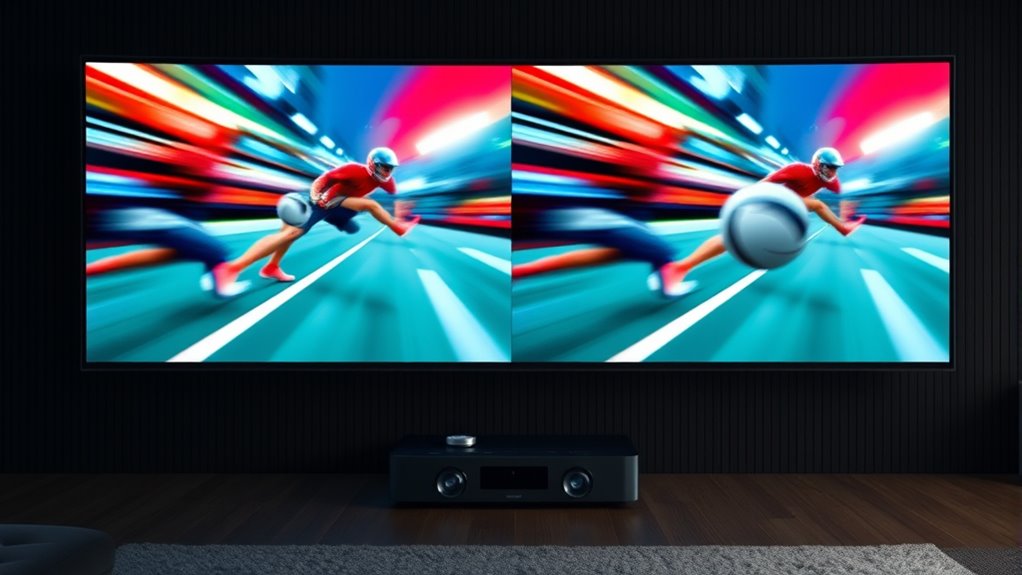
When choosing a projector, understanding refresh rates is key to guaranteeing smooth, flicker-free images, especially during fast-paced scenes or gaming. Refresh rate compatibility plays a crucial role in how well your projector handles motion, and it directly impacts the viewing experience. Higher refresh rates, like 120Hz, can deliver smoother visuals, reducing motion blur and judder, which is particularly noticeable during quick movements or action-packed scenes. Conversely, a 60Hz refresh rate might suffice for casual viewing but can struggle with fast motion, leading to choppiness or flickering.
Motion smoothing is an important feature to contemplate, especially if you watch content with rapid movement. It works by interpolating additional frames to create a more fluid picture. However, motion smoothing effectiveness depends on the projector’s refresh rate compatibility. A projector with a 120Hz refresh rate can handle this process more seamlessly, providing a more natural and blur-free image during intense scenes. On the other hand, with a 60Hz refresh rate, motion smoothing can sometimes introduce artifacts or seem less effective, because the projector isn’t updating images as frequently.
When selecting between 60Hz and 120Hz, you should think about the type of content you mostly enjoy. If you’re into fast-paced gaming, sports, or action movies, a higher refresh rate like 120Hz is advantageous. It ensures that fast movements appear smoother, reducing motion artifacts and making gameplay more immersive. For everyday TV shows, movies, or presentations, 60Hz may be sufficient, but keep in mind that some quick motions might still appear slightly less fluid.
Compatibility with your existing devices is another factor. Many modern gaming consoles and high-end media players support 120Hz output, so pairing them with a projector that also supports 120Hz refresh rates guarantees top performance. If your equipment only supports 60Hz, then a projector with the same refresh rate will match well, ensuring you don’t encounter issues like tearing or stutter.

ViewSonic PX700HDH 3700 Lumens 1080p Projector, High Brightness and Supercolor Technology for Smooth Home Entertainment, 1.1x Optical Zoom, and Vertical Keystone for Flexible Setup, and Dual HDMI
- Resolution: Full HD 1920x1080p
- Brightness: 3700 Lumens
- Throw Ratio: 1.5-1.6
As an affiliate, we earn on qualifying purchases.
As an affiliate, we earn on qualifying purchases.
Frequently Asked Questions
Do Higher Refresh Rates Reduce Eye Strain During Extended Use?
Higher refresh rates can improve your visual comfort by reducing eye fatigue during extended use. When your device refreshes images more frequently, your eyes work less to process flickering or motion blur, which often causes strain. So, if you’re spending long hours on screens or projectors, opting for a higher refresh rate can help keep your eyes more comfortable and lessen the chances of tiredness and discomfort.
Can a 120HZ Projector Improve Gaming Experiences?
A 120Hz projector can profoundly improve your gaming experience by providing smoother motion and reducing motion blur. It minimizes input lag, so your reactions feel more responsive, especially in fast-paced games. However, features like motion smoothing might cause artifacts, so check if your projector supports customizable settings. Overall, a higher refresh rate creates a more immersive, fluid gaming environment, giving you an edge in competitive play.
Are There Compatibility Issues With 120HZ Projectors and Older Devices?
Yes, you may encounter compatibility issues with 120Hz projectors and older devices. These devices might have limitations that prevent them from outputting high refresh rates, leading to flickering or no display at all. To avoid problems, check your device’s specifications and verify it supports 120Hz output. If not, you might need an upgrade or use lower refresh rates to match your device’s capabilities.
How Does Refresh Rate Affect 4K or HDR Content Projection?
A higher refresh rate, like 120Hz, improves 4K or HDR content projection by reducing motion blur and enhancing motion smoothness. This results in better color accuracy and more realistic visuals, especially during fast-paced scenes. You’ll notice less ghosting and jitter, making your viewing experience more immersive. Keep in mind, though, that some older devices may struggle to match these higher refresh rates, which can affect overall performance.
Is There a Noticeable Difference Between 60HZ and 120HZ in 3D Projection?
You’ll notice a clear difference between 60Hz and 120Hz in 3D projection. At 120Hz, motion blur reduces markedly, providing smoother, sharper visuals. This higher refresh rate also helps maintain color accuracy during fast movements, making 3D effects more immersive. With 60Hz, you might experience more motion blur and slight flickering, which can detract from the 3D experience. So, if you want better clarity, 120Hz is worth the upgrade.

Aurzen Roku TV D1R Smart Portable Outdoor Projector with WiFi and Bluetooth
- Activation Requirement: Roku account and internet needed
- Streaming Platform: Access to top streaming apps and channels
- User Interface: Simple, intuitive home screen and remote
As an affiliate, we earn on qualifying purchases.
As an affiliate, we earn on qualifying purchases.
Conclusion
Understanding refresh rates helps you choose the right projector for your needs. Whether you opt for 60Hz or 120Hz, remember that “you get what you pay for.” Higher refresh rates can deliver smoother motion, especially for fast-paced content. But if you’re mainly watching movies or static images, a lower rate might suffice. Ultimately, pick what fits your viewing style—after all, the proof of the pudding is in the eating.
![Outdoor-Projector-4K [VIDAA Live TV/40W Dolby/920 ISO] with WiFi6 and Bluetooth Compatible with Netflix, Smart Projector, AI Voice Control & Auto Focus, HDR10, Movie Proyector for Ceiling Home Theater](https://m.media-amazon.com/images/I/5127Br3WkBL._SL500_.jpg)
Outdoor-Projector-4K [VIDAA Live TV/40W Dolby/920 ISO] with WiFi6 and Bluetooth Compatible with Netflix, Smart Projector, AI Voice Control & Auto Focus, HDR10, Movie Proyector for Ceiling Home Theater
- Smart TV-like VIDAA OS: Fast, stable, secure with cloud storage
- Extensive App Selection: Over 1,000 live channels and popular streaming apps
- High Brightness & 4K Decoding: 920 ANSI lumens, native 1080P, HDR10 support
As an affiliate, we earn on qualifying purchases.
As an affiliate, we earn on qualifying purchases.

Mini Pico Projector with WiFi & Padding, Movie Projector 1080P HD Support Motion Keystone Correction, 180° Rotatable, Compatible with Sticks, HDMI, USB, Smart Handphones, Laptop (Black)
- Built-In Smart Apps: Pre-installed apps for instant entertainment
- WiFi & Bluetooth Connectivity: Supports seamless streaming and device pairing
- High-Resolution Display: Supports 1080P and 4K for clear images
As an affiliate, we earn on qualifying purchases.
As an affiliate, we earn on qualifying purchases.