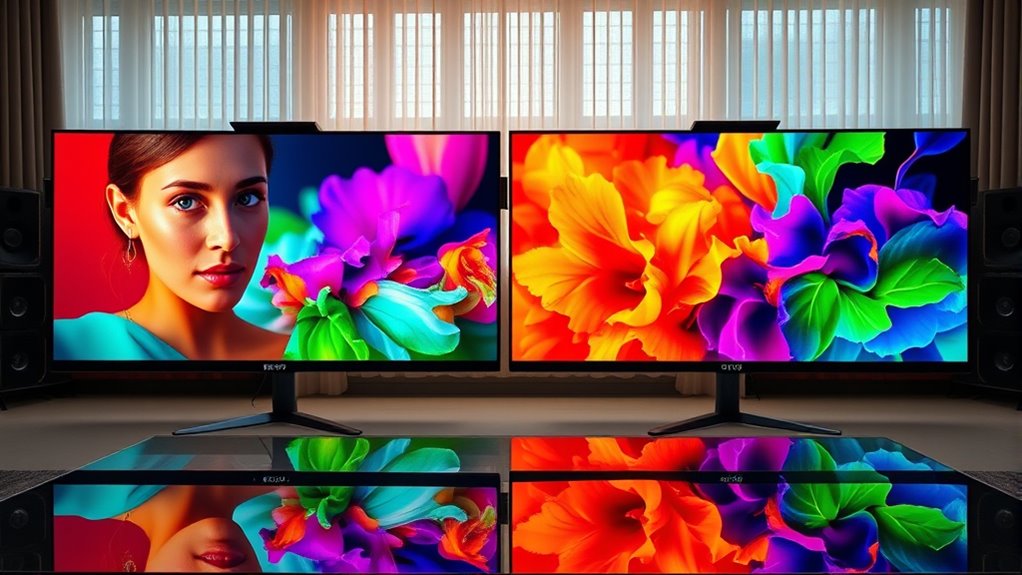

To achieve true Rec.709 and Rec.2020 colors at home, invest in a reliable calibration device like a colorimeter or spectrophotometer, and use calibration software to adjust your display’s brightness, contrast, gamma, and color temperature. Set your white point and color balance accurately, following industry standards. Regularly recalibrate to maintain accuracy and create a consistent viewing environment. Keep going, and you’ll discover the simple steps to transform your display into a professional-grade color machine.
Key Takeaways
- Use a reliable colorimeter or spectrophotometer with calibration software to precisely adjust your display.
- Set your monitor’s white point to 6500K for Rec.709 and follow recommended settings for Rec.2020.
- Select or create calibration profiles tailored for Rec.709 and Rec.2020 to ensure accurate color reproduction.
- Regularly recalibrate your display to maintain color accuracy over time and prevent drift.
- Calibrate in a controlled environment with minimal ambient light to achieve consistent, true-to-standard colors.

Achieving true Rec.709 and Rec.2020 color is vital for delivering accurate and vibrant visuals in professional video production and display calibration. When you’re working to perfect your display, color calibration becomes your most important step. It’s not just about making things look good; it’s about guaranteeing that what you see on your screen matches the intended colors of the original content. Your goal is display accuracy — a precise reproduction of colors that stay consistent across different devices and media. Without proper calibration, your monitor may produce images that are dull, oversaturated, or off-color, which can ruin the quality of your work or viewing experience.
Proper calibration ensures accurate, vibrant colors and consistent quality across all screens and media.
To start, you need a reliable calibration tool, such as a colorimeter or spectrophotometer, paired with calibration software. These devices measure the display’s output and help you adjust its settings to meet industry standards. The software guides you through the process, adjusting brightness, contrast, gamma, and color temperature. For Rec.709, which is the standard for HD television and many online videos, calibration guarantees that reds, greens, and blues are balanced correctly, providing natural skin tones and vibrant but true-to-life colors. Rec.2020, used for ultra-high-definition and HDR content, covers a much wider color gamut, allowing you to produce richer and more vivid images. Achieving precision in both standards guarantees your content looks its best on all screens.
Another key aspect is selecting the right display profile. Many professional monitors and even high-end consumer models come with preset modes for Rec.709 and Rec.2020. These modes are designed to optimize the display’s output, making calibration easier. However, for the most precise results, manual adjustments are often necessary. Adjust your display’s white point, typically to 6500K for Rec.709 and a slightly cooler temperature for Rec.2020, and fine-tune the color balance until the colors look natural and consistent. It’s also imperative to work in a controlled environment with minimal ambient light, as reflections and room lighting can distort your perception of colors and hinder calibration accuracy. Proper environment setup enhances calibration precision and ensures consistent results.
Finally, don’t forget to periodically recalibrate your display. Displays can shift over time due to aging, temperature changes, or software updates. Regular calibration guarantees ongoing display accuracy and keeps your colors true to the original standards. With patience and the right tools, you’ll stop guessing and confidently produce content with authentic, vibrant colors that meet professional standards. Achieving true Rec.709 and Rec.2020 colors at home is entirely possible when you prioritize proper calibration, guaranteeing your visuals are both accurate and stunning.

datacolor Spyder – Monitor Calibrator for Graphic Designers, Photographers, and Content Creators, Shows You True Colors, Works on OLED Monitors & LED Screens, Easy-to-Use Color Calibration Tool
Color “Surprises” Are a Thing of the Past: Datacolor’s exclusive DevicePreview TM Beta feature simulates what your photos…
As an affiliate, we earn on qualifying purchases.
As an affiliate, we earn on qualifying purchases.
Frequently Asked Questions
What Are the Common Mistakes When Calibrating for Rec.709?
You often make calibration errors like ignoring color mismatch, which skews the display’s accuracy, or relying solely on default settings instead of precise adjustments. Don’t forget to use proper calibration tools and test patterns to identify subtle color inconsistencies. Overlooking ambient light and not verifying calibration results can also lead to inaccuracies. By paying attention to these details, you guarantee your display truly matches Rec.709 standards for ideal color accuracy.
How Often Should I Recalibrate My Display for Accurate Colors?
You should recalibrate your display every 4 to 6 weeks to maintain accurate colors, as calibration frequency depends on how quickly your screen experiences color drift. Over time, factors like temperature changes and usage can cause color accuracy to diminish. Regular recalibration ensures your display stays true to Rec.709 or Rec.2020 standards, preventing color shifts and ensuring consistent, professional-quality visuals for your projects or viewing experience.
Can Consumer-Grade Monitors Properly Display Rec.2020 Colors?
Like a modern-day alchemist, you might hope your consumer-grade monitor can display Rec.2020 colors, but it’s limited by its hardware. These displays often have narrow color gamuts, restricting calibration accuracy for true Rec.2020. While they handle Rec.709 well, achieving full Rec.2020 range isn’t feasible without professional-grade equipment. For accurate colors, consider high-end monitors designed with broader color gamuts and better calibration capabilities.
What Tools Are Essential for Professional Color Calibration at Home?
You need essential color calibration tools and professional calibration accessories to get accurate colors at home. Invest in a high-quality colorimeter or spectrophotometer to measure your monitor’s output precisely. Use calibration software compatible with your device to adjust brightness, contrast, and color balance. These tools help you achieve true Rec.709 and Rec.2020 color accuracy, ensuring your display shows colors as intended, whether for professional work or high-quality viewing.
Is There a Visible Difference Between Rec.709 and Rec.2020 on Standard Screens?
You probably won’t notice a significant difference between Rec.709 and Rec.2020 on standard screens because many displays can’t fully reproduce the wider Rec.2020 color gamut. While Rec.2020 offers a broader range of colors, your current display’s capabilities limit visible improvements. Upgrading to a high-end TV or monitor with advanced color reproduction can make the differences more noticeable, but most regular screens will still look similar for everyday viewing.

Visible Spectrophotometer, 350-1020nm Lamp Digital Lab Spectrophotometer with Backlit LCD Display for Laboratories, Research Institutions, Environmental Monitoring
【Build to Last】: Made of premium plastic, this product is wear-resistant and not easy to deform, ensuring a…
As an affiliate, we earn on qualifying purchases.
As an affiliate, we earn on qualifying purchases.
Conclusion
Think of your home display as a painter’s canvas. When you aim for true Rec.709 and Rec.2020 colors, you’re not just adding paint—you’re selecting the perfect pigments to bring scenes to life with vibrancy and accuracy. By calibrating your screen, you’re guiding your brushstrokes, turning a blank canvas into a masterpiece. With the right tools and settings, you’ll craft a viewing experience as vivid and true as an artist’s most cherished creation.
datacolor Spyder – Monitor Calibrator for Graphic Designers, Photographers, and Content Creators, Shows You True Colors, Works on OLED Monitors & LED Screens, Easy-to-Use Color Calibration Tool
Color “Surprises” Are a Thing of the Past: Datacolor’s exclusive DevicePreview TM Beta feature simulates what your photos…
As an affiliate, we earn on qualifying purchases.
As an affiliate, we earn on qualifying purchases.
Rec.709 Rec.2020 color calibration kit
As an affiliate, we earn on qualifying purchases.
As an affiliate, we earn on qualifying purchases.