To master projector white balance and grayscale, start by using high-quality test patterns to fine-tune color temperature and RGB controls, ensuring whites appear neutral and free of color casts. Adjust incrementally, and perform checks in a dim environment. Regularly revisit calibration, especially if ambient lighting changes. Understanding your projector’s specific controls helps achieve accurate tones and natural colors. Keep practicing these steps to release the best picture quality—more essential tips await as you explore further.
Key Takeaways
- Use high-quality test patterns and calibration discs to accurately adjust white balance and grayscale.
- Fine-tune RGB gain and bias controls incrementally for neutral whites and smooth tonal transitions.
- Perform calibration in a controlled, dim environment to minimize ambient light interference.
- Regularly revisit and recalibrate to maintain color accuracy over time.
- Confirm proper test pattern display and reset projector settings if whites appear off before adjusting.
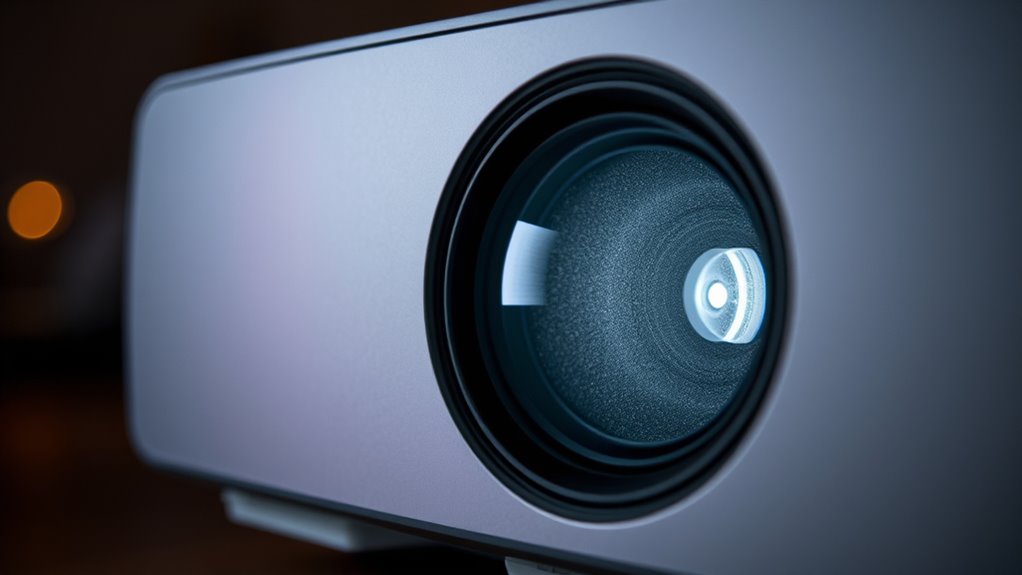
Achieving accurate colors on your projector starts with mastering white balance and grayscale calibration. These are essential steps to guarantee your projected images look natural and true to life. Proper calibration techniques allow you to fine-tune your projector’s color output, making sure whites are genuinely white and that all other colors are balanced correctly. When you start calibration, begin by adjusting the white balance controls—usually labeled as color temperature or RGB gain and bias—until white appears neutral and free of color casts. Use a high-quality test pattern or a calibration disc designed for projectors to guide your adjustments. This process isn’t a one-and-done task; it requires patience and precise tweaking to get the best results. Additionally, understanding the grayscale calibration process helps ensure your images display smooth tonal transitions from black to white. Troubleshooting tips come in handy when your calibration attempts don’t yield the expected results. If whites still look off, double-check your test pattern to ensure it’s properly displayed and that your projector’s settings are correctly reset or defaulted before you start. Sometimes, external lighting or ambient conditions can influence your calibration, so perform your adjustments in a controlled environment, ideally in a dimly lit room. If colors seem skewed or uneven after calibration, revisit your calibration techniques—adjust the RGB gain and bias incrementally, checking your progress after each change. Remember that some projectors have preset modes or auto-calibration features; if these are available, use them to establish a baseline before making manual tweaks.
projector white balance calibration tool
As an affiliate, we earn on qualifying purchases.
As an affiliate, we earn on qualifying purchases.
Frequently Asked Questions
Can White Balance Adjustments Affect Projector Color Accuracy Over Time?
Yes, white balance adjustments can influence your projector’s color accuracy over time. If you don’t regularly calibrate, you might notice a color shift that reduces calibration longevity. As the projector ages or heats up, colors may drift away from the original settings, making consistent adjustments necessary to maintain accurate colors. Regularly rechecking and fine-tuning white balance helps ensure your projector stays true to its intended color performance.
What Are the Best Tools for Calibrating Grayscale on a Projector?
You should use a reliable colorimeter calibration tool paired with grayscale software to calibrate your projector’s grayscale accurately. Colorimeters measure the light output, ensuring precise adjustments, while grayscale software helps you analyze and fine-tune the tonal range. Regular calibration with these tools maintains color accuracy over time, preventing shifts that can degrade image quality. Invest in trusted products for consistent, professional results and ideal viewing experiences.
How Often Should White Balance and Grayscale Be Recalibrated?
You should recalibrate your projector’s white balance and grayscale every 3 to 6 months, depending on usage and environmental factors. Incorporate this into your maintenance schedule to guarantee ideal image quality. Regular calibration maintains color accuracy and prevents color shifting over time. If you notice dull or inaccurate colors, it’s a good sign to revisit your calibration routine sooner rather than later. Consistent maintenance keeps your projector performing at its best.
Do Different Projector Brands Require Distinct Calibration Procedures?
Yes, different projector brands often require brand-specific calibration procedures because of projector model differences. You’ll find that each brand may have unique settings, menus, and calibration tools, so following the manufacturer’s guidelines guarantees ideal results. Always check your projector’s manual or support site for detailed instructions tailored to your specific model, as generic calibration methods might not address all the nuances of each brand or model.
Can Ambient Lighting Impact the Effectiveness of Color Calibration?
Ambient lighting definitely impacts your color calibration by affecting your color perception. When the lighting is too bright or uneven, your eyes may misjudge colors, leading to less accurate calibration. To guarantee the best results, you should calibrate your projector in a controlled environment with consistent, dim lighting that mimics typical viewing conditions. This way, your colors stay true, and your calibration remains effective across different lighting scenarios.
projector grayscale calibration disc
As an affiliate, we earn on qualifying purchases.
As an affiliate, we earn on qualifying purchases.
Conclusion
Mastering projector white balance and grayscale may seem intricate, but with practice, it becomes second nature. Don’t let the technicalities intimidate you—attention to detail really pays off in picture quality. Remember, even seasoned professionals refine their setups regularly. By investing a little time now, you ensure your images are consistently sharp and accurate. Ultimately, mastering these adjustments elevates your viewing experience, proving that precision truly makes all the difference.
colorimeter for projector calibration
As an affiliate, we earn on qualifying purchases.
As an affiliate, we earn on qualifying purchases.

Artibetter Lens Test Chart Color Calibration Card Lens Focus Adjustment Chart Color Wheel CCTV Camera Calibration Tool Testing Card for Monitoring Systems
Paper imaging: makes cameras deliver crisp and clear images, enhancing the of monitoring systems.
As an affiliate, we earn on qualifying purchases.
As an affiliate, we earn on qualifying purchases.