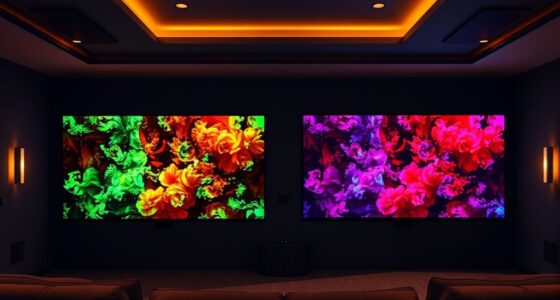

If your projector’s colors aren’t vibrant, it could be due to calibration issues, an aging lamp, or dust buildup on the lens and vents. Poor input signals or low lamp brightness can also dull the image. Regular maintenance, adjusting color settings, or replacing the lamp can restore vibrancy. To guarantee your projector performs at its best, it’s worth exploring these solutions further.
Key Takeaways
- Calibration issues over time can cause colors to appear dull or off-tone.
- Aged lamps reduce brightness, leading to less vibrant colors.
- Dust buildup on lenses or vents diminishes image clarity and color vibrancy.
- Poor input signals or low-quality cables can result in muted colors.
- Regular maintenance and timely lamp replacement restore optimal color brightness.
Have you ever noticed that your projector’s colors look dull or faded? If so, you’re not alone. Often, the reason behind lackluster colors comes down to adjustments in color calibration or issues with lamp brightness. Addressing these factors can dramatically improve your viewing experience and restore vibrant, true-to-life colors.
Dull projector colors often stem from calibration issues or lamp brightness, but adjustments can restore vibrant, true-to-life images.
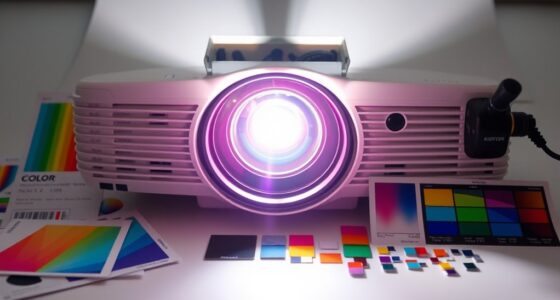
First, consider your projector’s color calibration. Over time, factory settings may drift, especially if the projector has been moved, bumped, or used extensively. When colors aren’t calibrated correctly, they can appear washed out or off-tone. Most projectors have a menu option to fine-tune color settings, allowing you to adjust hue, saturation, and contrast. Proper calibration ensures that reds, blues, and greens appear as they should, resulting in richer, more accurate colors. It’s worth spending a few minutes to run through the calibration process and see if your picture improves. Many projectors also offer preset modes, such as “Cinema” or “Vivid,” which are optimized for different viewing scenarios. Experimenting with these presets can sometimes provide a quick fix if manual calibration feels overwhelming.
Another key factor is lamp brightness. If your projector’s lamp isn’t bright enough, colors can appear muted or washed out, especially in well-lit rooms. Dimming ambient light or increasing the lamp brightness setting within the projector’s menu can help. Keep in mind that lamps have a finite lifespan and may gradually lose brightness over time. If you notice a significant dimming, replacing the lamp might be necessary. When the lamp is nearing the end of its life, colors will often look less vibrant regardless of calibration. Regularly checking the lamp’s status and replacing it when needed ensures you maintain ideal brightness and color quality. Additionally, the lamp brightness can be affected by the type of bulb used and its age, influencing overall color vibrancy.
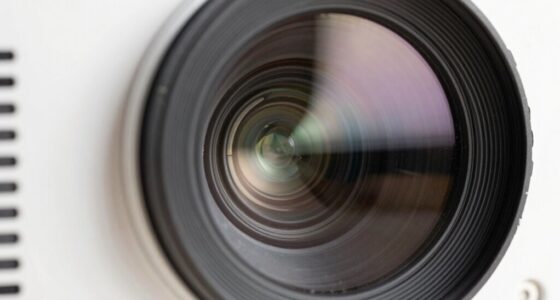
Additionally, ensure your projector is clean and free from dust, especially around the lens and air vents. Dust can dim the image and affect color accuracy. Using a soft, dry cloth to clean the lens periodically helps maintain sharp, vibrant images. Also, verify that your input source is set to the highest quality possible and that your cables are secure and undamaged. Sometimes, poor signal quality can lead to subdued colors, making calibration and brightness adjustments less effective.
projector color calibration tool
As an affiliate, we earn on qualifying purchases.
As an affiliate, we earn on qualifying purchases.
Frequently Asked Questions
Can Ambient Lighting Affect Projector Color Vibrancy?
Yes, ambient light can considerably affect your projector’s color vibrancy. In a bright viewing environment, the excess ambient light washes out colors, making them appear dull and less vibrant. To improve, minimize ambient light by dimming or turning off lights and using darker walls or curtains. Creating a controlled viewing environment helps your projector display richer, more accurate colors, enhancing your overall viewing experience.
Does Projector Lens Cleanliness Influence Color Quality?
Think of your projector lens as the window to vibrant colors—if it’s dirty, the view gets blurry. Regular lens maintenance ensures light passes through clearly, preventing dullness. Additionally, proper color calibration adjusts settings for true-to-life hues. When you keep the lens spotless and calibrate your projector, you’ll notice brighter, richer colors, transforming your viewing experience from a foggy window to a crystal-clear masterpiece.
Are Certain Screen Types Better for Vibrant Colors?
You’ll find that screen technology plays a big role in vibrant colors. Matte screens tend to diffuse light, reducing color intensity, while high-gain or glass screens reflect more light, enhancing color brightness. To get the best results, guarantee your projector’s color calibration is accurate. Using a screen designed for your projector type can notably improve color vibrancy, making your images look more vivid and true to life.
How Does Projector Placement Impact Color Accuracy?
Think of your projector as a painter’s brush; its placement influences the masterpiece you see. Proper projection alignment ensures the image isn’t skewed or distorted, which can dull colors. Position it at the right distance and angle for maximum focus. Additionally, good color calibration, adjusted for ambient lighting and screen type, makes hues pop vividly. When you fine-tune these elements, your colors become vibrant, lively, and true to life.
Do Different Content Sources Affect Perceived Color Vibrancy?
Yes, different content sources can affect your perceived color vibrancy. If your source, like a Blu-ray or streaming app, has higher color saturation, it’ll look more vibrant on your projector. Conversely, lower-quality or compressed videos may seem dull. Your perception of color depends on the source’s quality and color profile, so using high-resolution, well-encoded content enhances overall color perception and makes your projected images appear more vivid and true to life.
As an affiliate, we earn on qualifying purchases.
Conclusion
If your projector’s colors still lack vibrancy, don’t give up hope. Sometimes, it’s just a small tweak away from brilliance, like a painter sharpening their brush before creating a masterpiece. By checking your settings, cleaning the lens, or adjusting the bulb, you can bring your images back to life. Remember, your projector is a window to your world—let it shine brightly and vividly, turning every scene into a memorable masterpiece.
lens cleaning kit for projectors
As an affiliate, we earn on qualifying purchases.
As an affiliate, we earn on qualifying purchases.
As an affiliate, we earn on qualifying purchases.