
Dynamic tone mapping on modern 4K projectors actively analyzes each scene in real-time, adjusting brightness and contrast to guarantee visuals are vivid and balanced. It uses sophisticated image processing techniques to optimize color accuracy, prevent oversaturation, and preserve detail in both shadows and highlights. This continuous adjustment makes images look natural and immersive, regardless of scene lighting or content type. If you keep exploring, you’ll uncover how these advanced technologies enhance your viewing experience even further.
Key Takeaways
- Dynamic tone mapping analyzes each scene in real-time to adjust brightness and contrast for optimal visual impact.
- It compresses or expands luminance levels to handle HDR content effectively, ensuring vivid and balanced images.
- The technique continuously refines color and luminance, preventing oversaturation or dullness across different scenes.
- It enhances details in both bright and dark areas, maintaining depth and realism throughout the viewing experience.
- The process creates seamless visual transitions, delivering lifelike, vibrant images on 4K projectors.
Have you ever wondered how modern 4K projectors deliver stunning visuals with incredible detail and contrast? The secret lies in their sophisticated image processing techniques, especially dynamic tone mapping. This technology adjusts the image in real-time, ensuring each scene looks vibrant and true to life. When you’re watching a movie or playing a game, your projector constantly analyzes the content, making precise adjustments to optimize the visual experience. One key aspect it handles is color accuracy, which ensures that colors appear natural and consistent across different scenes. Instead of static settings that might fail to adapt to changing lighting conditions or scene brightness, dynamic tone mapping actively refines color reproduction, making images pop without oversaturating or dulling hues.
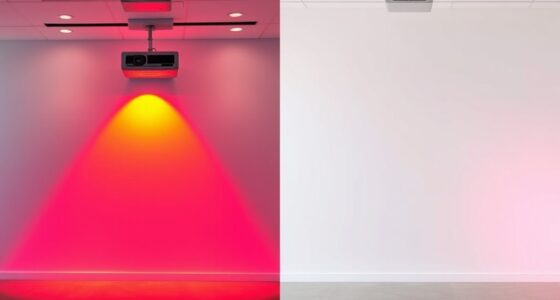
Brightness adjustment is another critical component of this process. As scenes shift from dark to bright or vice versa, the projector recalibrates its brightness levels on the fly. This prevents details from getting lost in shadows or highlights, maintaining clarity throughout. For example, when a scene transitions from a dimly lit room to a sunlit outdoor shot, the projector emphasizes the necessary contrast and brightness to keep both dark and bright areas visible without sacrificing detail. This real-time adjustment creates a seamless viewing experience, where every detail is preserved regardless of the scene’s lighting complexity. Additionally, the ability to adapt to different content types ensures consistent quality across various media formats.
Dynamic tone mapping also enhances the overall contrast, giving images depth and richness. By intelligently balancing highlights and shadows, it ensures that bright objects don’t appear washed out and dark areas retain detail. This process is particularly noticeable in HDR content, where the range of luminance is wider. Your projector adapts dynamically, compressing or expanding luminance levels as needed, so the picture remains vivid and balanced. Additionally, the effectiveness of this technology depends on content analysis, which allows the projector to adapt accurately to different scenes and lighting conditions. This continuous optimization not only improves the visual fidelity but also reduces eye strain by presenting images that are easier to interpret and more comfortable to watch for extended periods.
In essence, what makes modern 4K projectors stand out is their ability to adapt to each scene through dynamic tone mapping. By focusing on precise color accuracy and real-time brightness adjustment, they deliver images that are strikingly clear, colorful, and lifelike. This technology ensures your viewing experience feels natural and immersive, regardless of the content or environment. It’s this seamless, intelligent processing that transforms a standard projection into a captivating visual journey, making every movie night or presentation feel more vibrant and engaging.
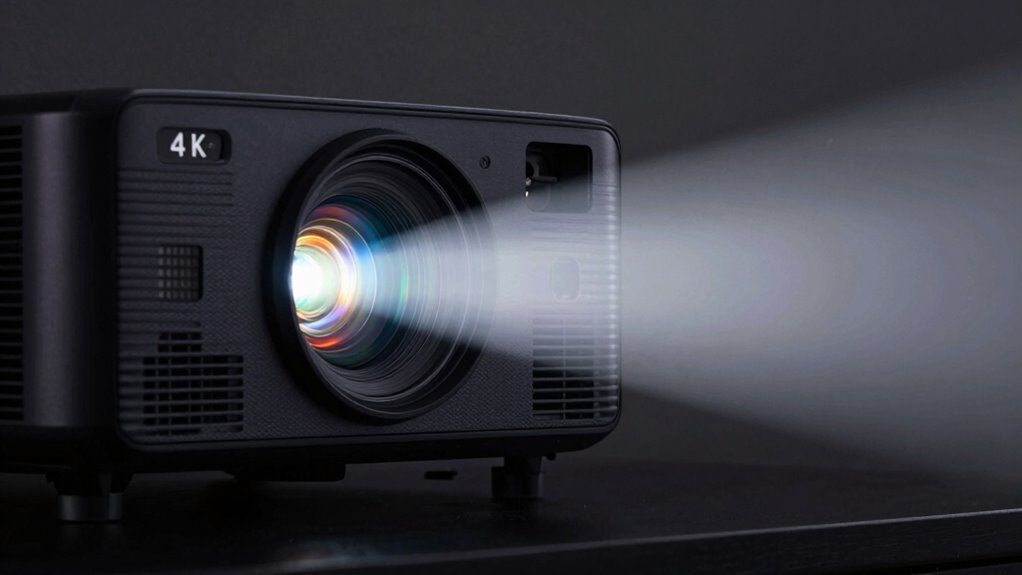
4K projector with dynamic tone mapping
As an affiliate, we earn on qualifying purchases.
As an affiliate, we earn on qualifying purchases.
Frequently Asked Questions
Does Dynamic Tone Mapping Improve Gaming Experience on 4K Projectors?
Yes, dynamic tone mapping improves your gaming experience on 4K projectors by enhancing HDR quality and optimizing contrast. It adjusts brightness and color in real-time, making dark scenes darker and bright scenes more vivid. This process creates a more immersive and visually striking experience, allowing you to see details that might otherwise be lost. Overall, it delivers a richer, more vibrant image that elevates your gaming sessions.
How Does Ambient Lighting Affect Tone Mapping Performance?
Ambient light can challenge your projector’s contrast optimization, making tone mapping less effective. If your room is brightly lit, the projector struggles to maintain rich blacks and vibrant colors, reducing image quality. To get the best results, minimize ambient light with curtains or dim lighting. This helps the projector adapt better, optimizing contrast and ensuring dynamic tone mapping delivers vivid, lifelike images even in less-than-ideal lighting conditions.
Can Users Manually Adjust Tone Mapping Settings?
Yes, you can manually adjust tone mapping settings on many modern 4K projectors. This manual control allows for user customization, giving you the ability to fine-tune brightness, contrast, and gamma to match your viewing environment or personal preferences. By tweaking these settings, you optimize image quality, ensuring your content looks its best regardless of ambient light conditions or specific display needs.
What Are the Energy Consumption Differences With Dynamic Tone Mapping?
Dynamic tone mapping generally improves energy efficiency by adjusting brightness levels based on the content, which can reduce power consumption. Since the projector adapts its output dynamically, it often uses less energy during scenes with darker images, compared to constant high-brightness settings. Overall, this feature helps optimize power consumption, making your projector more energy-efficient while delivering high-quality visuals. You might notice lower energy use and better performance with dynamic tone mapping enabled.
How Does Tone Mapping Impact Color Accuracy on Projectors?
Tone mapping influences color accuracy on your projector by adjusting the color gamut and brightness levels for ideal display. It guarantees that colors are true to life, even in high dynamic range scenes, by preventing oversaturation or loss of detail. This process enhances brightness enhancement, allowing you to enjoy vivid, accurate visuals without sacrificing color fidelity, ultimately delivering a more immersive and true-to-source viewing experience.
As an affiliate, we earn on qualifying purchases.
Conclusion
So, now you see how dynamic tone mapping enhances your 4K projector’s picture, delivering stunning visuals with rich contrast and vibrant colors. You might think it’s just a fancy feature, but it truly elevates your viewing experience, especially in challenging lighting scenes. Don’t worry—this technology works seamlessly behind the scenes, so you get incredible images without any extra effort on your part. Embrace it, and enjoy your movies like never before!
high contrast 4K home theater projector
As an affiliate, we earn on qualifying purchases.
As an affiliate, we earn on qualifying purchases.
4K projector for vivid picture quality
As an affiliate, we earn on qualifying purchases.
As an affiliate, we earn on qualifying purchases.