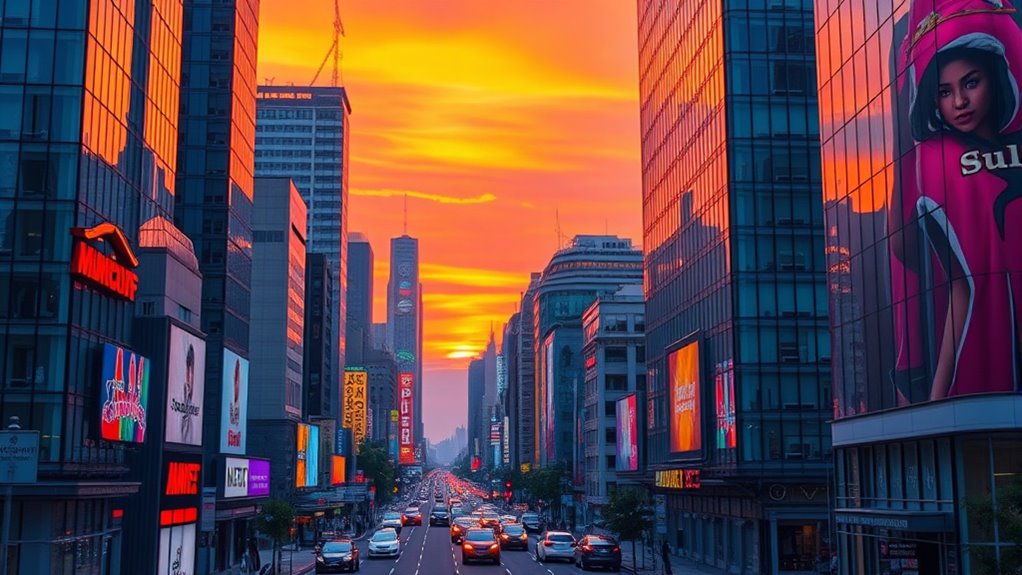

Using oversaturated picture modes might make images look more vibrant at first, but they hide real costs. These settings strain your eyes, cause discomfort, and lead to eye fatigue over time. They also increase power consumption, which can shorten your device’s lifespan and cause it to wear out faster. Plus, calibration becomes harder, making your colors less accurate in the long run. Keep going to discover how to achieve natural, healthier picture quality.

Get business pricing on your home office setup
- Business-only prices and quantity discounts
- Tax-exempt purchasing
- Multiple users, one account, clear invoices
Key Takeaways
- Oversaturated modes distort natural colors, making calibration difficult and reducing overall image accuracy.
- Excessive brightness and vividness increase eye strain and cause discomfort during prolonged viewing.
- High saturation levels lead to greater power consumption and accelerate device wear and degradation.
- Relying on exaggerated modes can cause long-term health issues like eye fatigue and headaches.
- Calibrating displays to realistic settings preserves content integrity, improves comfort, and extends device lifespan.
While oversaturated picture modes can make your display look more vibrant and eye-catching, they often hide significant hidden costs that can impact your viewing experience and device longevity. These exaggerated colors may seem appealing at first, but they pose real calibration challenges. When you rely on preset modes that boost saturation beyond natural levels, it becomes difficult to achieve accurate color reproduction. Your eyes can be tricked into perceiving more vivid images, but this often results in a distorted view of the content. Over time, you may find it hard to calibrate your display properly, especially if you switch between different modes or devices. This inconsistency can lead to frustration and compromised image quality, particularly if you’re aiming for professional-grade color accuracy or simply want a more true-to-life picture.
Oversaturated modes distort colors, cause calibration issues, and reduce display accuracy over time.
Another major concern is viewer fatigue. Oversaturated images draw your attention with their intensity, but they can also strain your eyes after extended viewing sessions. Bright, overly vivid colors demand more visual effort to process, which can cause discomfort or headaches. If you spend hours watching movies or gaming with these exaggerated modes, you might notice increased eye strain, reduced focus, and even headaches. This fatigue isn’t just uncomfortable—it can diminish your overall enjoyment and even affect your concentration during work or entertainment. The allure of eye-catching colors quickly wears off when you start feeling physically drained from the exaggerated display.
Beyond the immediate visual discomfort, these modes can also affect your device’s longevity. Excessive saturation often corresponds with higher power consumption, especially on OLED and LCD screens. Pushing your display into unnatural color ranges can cause more heat generation, which over time, may degrade the panel’s lifespan. This means your device might need repairs or replacements sooner than expected, adding to your expenses. Additionally, the constant strain on internal components due to higher brightness and color processing can accelerate wear and tear, ultimately shortening the useful life of your monitor, TV, or mobile device.
In short, while oversaturated picture modes may seem like an easy way to enhance your viewing experience, they come with hidden costs. Calibration challenges make it hard to achieve accurate colors, viewer fatigue affects your comfort and health, and the strain on your device can lead to premature failure. Moving towards more realistic, properly calibrated settings not only preserves your device’s longevity but also ensures you enjoy content in a way that’s healthier and more true to life.
Frequently Asked Questions
How Do Oversaturated Modes Affect Long-Term Display Health?
Oversaturated modes can harm your display’s longevity by accelerating panel degradation. Constantly pushing colors beyond their normal range stresses the screen components, causing faster wear and tear. Over time, this can lead to reduced brightness, color accuracy, and overall panel health. To protect your display, avoid using overly saturated settings, and opt for more natural color profiles that help maintain panel integrity and extend its lifespan.
Can Oversaturation Cause Eye Strain or Visual Fatigue?
Oversaturation can definitely cause eye strain and visual fatigue, making you feel like you’re staring into a neon nightmare. When colors are overly intense, your eyes work harder to process them, reducing visual comfort and distorting your color perception. This constant effort leads to discomfort, headaches, and tired eyes over time. To protect your vision, opt for more natural display settings that preserve true colors and support better visual health.
Are There Specific Content Types Best Suited for Oversaturated Modes?
You’ll find oversaturated modes work best for vivid animation and bright gaming content. These modes make colors pop, enhancing the visual experience and immersing you in action-packed scenes. However, avoid using them for professional editing or realistic photography, as they can distort true colors. For casual gaming or animated videos, oversaturation adds excitement, but always be mindful of eye strain and visual fatigue during extended viewing sessions.
How Do Oversaturated Modes Impact Color Calibration Accuracy?
Oversaturated modes negatively impact color calibration accuracy by skewing color fidelity, making it harder for you to achieve true-to-life hues. These modes introduce calibration challenges because they alter the display’s intended color output, leading to inconsistent and exaggerated colors. As a result, you may find it difficult to rely on your monitor for tasks requiring precise color accuracy, such as photo editing or professional design work.
What Are the Legal or Copyright Issues With Color Manipulation?
You should be aware that color copyright can restrict how you manipulate or alter images, especially if they involve copyrighted artwork or branding. Manipulation restrictions may limit your ability to modify colors without infringing on copyright laws. Always guarantee you have proper permission or licenses before adjusting colors in copyrighted materials. Ignoring these rules could lead to legal issues or copyright infringement claims, so stay informed about relevant laws.
Conclusion
By choosing natural over oversaturated modes, you save yourself from false colors, distorted details, and eye strain. You avoid misleading visuals, compromised accuracy, and unnecessary fatigue. You embrace realism, comfort, and true-to-life images. When you prioritize authenticity over exaggeration, you enhance your viewing experience, protect your vision, and enjoy clearer, more accurate colors. Make mindful choices, see the difference, and enjoy the beauty of true, balanced visuals every time you watch.
Halloween Picks
halloween
As an affiliate, we earn on qualifying purchases.