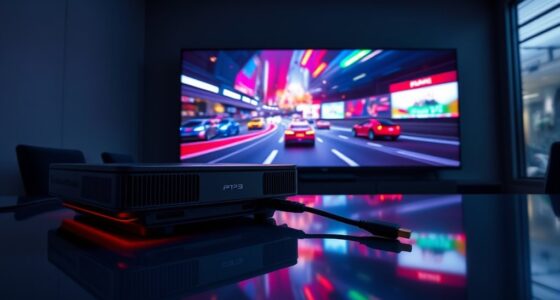
To combat lag and glare when gaming with a projector in bright rooms, start by controlling ambient light with blackout curtains and dimming nearby lights. Choose a high-lumen projector (at least 2,500 lumens) to brighten your image and reduce reflections. Position your projector and screen to minimize glare, using matte surfaces if possible. Adjust your projector’s settings for ideal contrast and brightness, and explore features like gaming modes. Keep exploring for more tips to create an immersive, glare-free gaming setup.
Key Takeaways
- Use high-lumen projectors (at least 2,500 lumens) to ensure bright, visible images amid ambient light.
- Control room lighting with blackout curtains and dimmable lights to reduce glare and improve contrast.
- Position the projector and seating to avoid reflections and glare, and consider matte or anti-glare screens.
- Optimize projector settings by increasing contrast, brightness, and enabling gaming modes to reduce input lag.
- Regularly adjust projector angle, keystone correction, and use high-quality screens to enhance image clarity and minimize distractions.

Playing games with a projector in a bright room might seem challenging, but advances in technology have made it more feasible than ever. The key to a successful gaming experience in well-lit environments is understanding how ambient light and screen glare can affect your visuals. Ambient light, which comes from windows, lamps, or other sources, can wash out projected images, reducing contrast and making details hard to see. To combat this, you need to minimize the impact of ambient light by controlling your room’s lighting. Using blackout curtains or heavy drapes can substantially reduce sunlight, while turning off or dimming other light sources helps improve image clarity. If you can’t darken the room completely, choosing a projector with high lumen output becomes essential. Look for models with at least 2,500 lumens, as they can produce brighter images that stand out even in brighter settings.
Screen glare is another challenge that affects visibility and can cause eye strain during extended gaming sessions. Glare occurs when light reflects off the projector’s surface or surrounding objects, creating distracting spots or washed-out areas on the screen. To reduce glare, position your projector and seating to avoid direct reflections from windows or shiny surfaces. Using a matte screen or a screen with anti-glare coating can also help diffuse reflected light, making images clearer and easier to see. Additionally, adjusting the projector’s angle and placement can prevent unwanted reflections and improve image uniformity. If your projector has a zoom or keystone correction feature, use it to optimize the image and reduce distortions caused by improper placement.
Furthermore, choosing the right projector settings can make a big difference. Increase the contrast and adjust the brightness settings to compensate for ambient light, ensuring your game visuals stay vibrant. Many projectors also have a gaming mode that reduces input lag, which is essential when playing fast-paced games. Keep in mind that even with these adjustments, some ambient light is unavoidable. In such cases, investing in a high-quality, high-lumen projector paired with a good screen can create a more immersive gaming environment. High lumen output is particularly crucial for maintaining bright and crisp images in bright rooms. Remember, the goal is to make the projected image as vivid and clear as possible while minimizing distractions from ambient light and glare. With the right setup and adjustments, you’ll find that gaming in a bright room isn’t just possible—it can be an enjoyable experience.

GooDee 4K Smart Projector with WiFi & Bluetooth – 3000 ANSI UHD, ToF Auto Focus Keystone MEMC, Dolby Audio Home Theater Video Projector Built-in Streaming Apps, Indoor & Outdoor Movies, Gaming
【Smart Projector with Built-in Streaming Apps】 GooDee’s outdoor projector features an intelligent system deeply integrated with the global…
As an affiliate, we earn on qualifying purchases.
As an affiliate, we earn on qualifying purchases.
Frequently Asked Questions
Can Gaming Projectors Be Used Outdoors During Daytime?
You can use gaming projectors outdoors during daytime, but outdoor lighting can wash out the image. To get a clear picture, choose a projector with high lumens, ideally over 3,000. Make sure you have a reliable power source nearby, and position your projector in the shade if possible. Using a weatherproof setup and adjusting brightness helps you enjoy gaming without glare or lag, even in daylight.
What Is the Ideal Projector Brightness for Bright Rooms?
In bright rooms, you should aim for a projector brightness of at least 3,000 lumens to counteract ambient lighting effectively. This ensures your image remains clear and vibrant, maintaining color accuracy despite the glare. Higher brightness helps cut through ambient light, giving you a sharp, colorful display. Look for models with adjustable settings so you can fine-tune the brightness and optimize image quality for your environment.
How Do I Reduce Audio Lag During Gaming?
Ever notice that split second of audio delay when gaming? To reduce it, you can enable low-latency modes on your sound system or gaming device, and make sure your audio and video are synchronized. Using wired connections instead of wireless can also minimize lag. Adjusting your audio settings for sound synchronization guarantees your audio matches your actions, creating a seamless gaming experience. Don’t let audio delay ruin your immersion—optimize your setup now.
Are There Specific Projector Features for Competitive Gaming?
Yes, for competitive gaming, look for projectors with a high refresh rate and low input lag. A refresh rate of 120Hz or higher helps smooth out fast movements, while low input lag guarantees your commands are reflected instantly on-screen. These features reduce delay, giving you a competitive edge. Always check the projector’s specifications to make sure it’s optimized for gaming, especially in bright rooms where glare can also impact visibility.
What Maintenance Is Required for Gaming Projectors?
To keep your gaming projector in top shape, regularly replace the projector bulb when it dims or burns out. Keep the lens clean by gently cleaning it with a soft cloth to prevent glare and maintain sharp visuals. Also, check the air filters and vents to avoid overheating. Routine maintenance guarantees minimal lag and glare, providing smooth, immersive gaming experiences in bright rooms.

Mdbebbron 120 inch Projector Screen 16:9 Foldable Anti-Crease Portable Projector Movies Screens for Home Theater Outdoor Indoor Support Double Sided Projection
CONVENIENT TO STORAGE AND CARRY : Compact one-piece,lightweight and folding design. You can fold the projector screen in…
As an affiliate, we earn on qualifying purchases.
As an affiliate, we earn on qualifying purchases.
Conclusion
Don’t let bright rooms hold you back from enjoying immersive gaming. With the right strategies—like using high-lumen projectors, anti-glare screens, and adjusting your settings—you can minimize lag and glare effectively. Some might think it’s too complicated or costly, but investing in these solutions enhances your gaming experience and keeps you engaged. Remember, a brighter room doesn’t have to mean a compromised game—it’s all about smart choices and making the most of your setup.

MIULEE Black Blackout Curtains for Bedroom Living Room 63 Inches Long 2 Panels, Thermal Insulated Room Darkening Drapes Solid Grommet Top Noise Reduction Light Blocking Halloween Window Treatments
Pair Sold: Each package includes 2 panels of blackout curtains. Each panel measures 40"W x 63"L, with a…
As an affiliate, we earn on qualifying purchases.
As an affiliate, we earn on qualifying purchases.

BenQ TH671ST | 1080p Short Throw Gaming Projector | Gaming Mode for Intense Low Input Lag Action | 3000 Lumens | Auto Vertical Keystone | Universal Connectivity | Built in speaker
UNPARALLELED PICTURE QUALITY: TV Projector, comes with Native Full HD 1080p Resolution, 92% Rec. 709 Color Accuracy, 3000…
As an affiliate, we earn on qualifying purchases.
As an affiliate, we earn on qualifying purchases.