
Many gamers mistake response time for input lag, but they impact different things. Response time is how quickly pixels change color, mainly affecting motion clarity and reducing ghosting. Input lag is the delay from your action to on-screen response, influencing how responsive your gameplay feels. Knowing the difference helps you pick better monitors or TVs. Keep going to discover how these metrics work together for the best gaming experience.
Key Takeaways
- Input lag measures delay between user action and on-screen response; response time measures pixel color change speed.
- Lower response time improves visual clarity, but input lag directly affects game responsiveness and reaction time.
- High refresh rates and low response times together reduce motion blur and choppiness, enhancing gameplay experience.
- Response time alone doesn’t determine motion smoothness; refresh rate also significantly impacts visual fluidity.
- Prioritizing both low input lag and fast response time ensures minimal lag, motion artifacts, and optimal responsiveness.
When choosing a gaming monitor or TV, understanding the difference between input lag and response time is essential, as both considerably impact your gaming experience. These two terms often get confused, but they serve different purposes. Response time refers to how quickly a pixel can change from one color to another, affecting how smooth and clear fast-moving visuals appear. A lower response time reduces motion blur, making fast action look sharper and more precise. Refresh rate, meanwhile, indicates how many times per second your display updates the image. A higher refresh rate, such as 120Hz or 144Hz, results in a smoother picture, which is especially beneficial in fast-paced games where quick reactions are essential.
However, response time alone doesn’t tell the full story of motion clarity. Even with a fast response time, a low refresh rate can cause motion artifacts, making fast-moving objects look blurry or choppy. Conversely, a high refresh rate paired with a slow response time can still produce ghosting and motion blur, undermining the benefits of the higher refresh rate. When you’re gaming, these factors combine to influence how smoothly action appears and how quickly you can react to on-screen movements. A monitor with a high refresh rate and low response time minimizes motion blur, giving you a clearer, more responsive experience.
It’s a common misconception that response time is the main factor in reducing motion blur, but refresh rate plays a crucial role too. Motion blur isn’t just about response time; it’s also about how many frames your display can show each second. The higher the refresh rate, the less motion blur you’ll typically see, assuming the response time is also fast enough to keep up. This synergy is vital for fast-paced games, where every millisecond counts. So, when you’re shopping, prioritize a display with both a high refresh rate and a low response time. This combo ensures your screen updates frequently and pixels change quickly, delivering a crisp, smooth picture that reduces motion artifacts and lag.
Frequently Asked Questions
How Does Input Lag Affect Online Gaming Performance?
Input lag can critically impact your online gaming performance by causing noticeable delays between your controller actions and in-game responses. Controller latency adds to this delay, making your movements feel sluggish. Network delay also plays a role, especially if your internet connection is unstable or slow. Together, these factors can hinder your reaction times, making it harder to compete effectively, so minimizing both controller latency and network delay is essential.
Can Response Time Impact Fast-Paced FPS Games?
Imagine your screen is a race track, and response time is the car’s acceleration. In fast-paced FPS games, quick response times mean your actions translate instantly, giving you an edge. A high refresh rate reduces display latency, making movements smoother. If response time is slow, it’s like a sluggish car, causing delays in your reactions. So, fast response times and high refresh rates together guarantee you stay ahead in the game.
Is Higher Refresh Rate Related to Input Lag?
A higher refresh rate can decrease your input lag because it updates the screen more frequently, making your actions appear faster. While refresh rate mainly affects how smooth the visuals look, it also helps minimize the delay between your input and the display. Pixel response time is separate but still important; quicker response times ensure that images change faster, further decreasing perceived lag and improving your gaming experience.
Do Gaming Monitors Have Lower Input Lag Than TVS?
Did you know gaming monitors typically have 1-4ms input lag compared to TVs, which often range from 20-50ms? Gaming monitors are designed for fast response times, making them better for competitive play. When comparing monitor vs TV, gaming monitor types prioritize lower input lag and quicker response times. So, if speed is your priority, a gaming monitor will generally give you a more responsive experience than a TV.
How Do I Measure My Monitor’s Input Lag at Home?
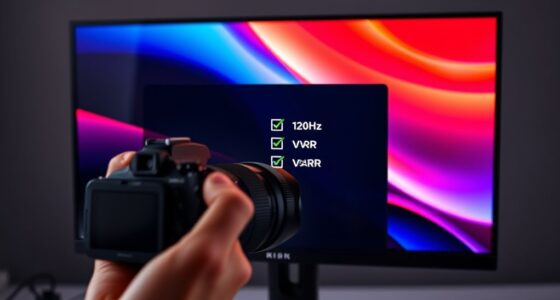
To measure your monitor’s input lag at home, use a stopwatch or a specialized tool like a lag test software. Adjust your display settings and calibrate your monitor for accurate results. Connect a camera to record the response time of an on-screen stimulus when you press a key or click. Review the footage to estimate the delay between your action and the display’s response, helping you understand your monitor’s performance more precisely.
Conclusion
Understanding the difference between input lag and response time is like knowing the difference between a captain’s commands and a ship’s speed—they both matter, but serve different purposes. Don’t let misconceptions steer you off course, just as a sailor trusts the compass over the waves. By grasping these concepts, you gain control over your gaming experience, steering clear of illusions that can mislead you. Remember, clarity in understanding guides you toward smoother, more responsive gameplay.