To enhance your projector’s audio for gaming in just 15 minutes, start by placing external speakers or a soundbar at ear level and facing your seating area. Use your system’s calibration tools to balance volume, bass, and treble for clear sound. Avoid placing speakers too close to walls or furniture. Fine-tuning these simple steps can vastly improve sound clarity and immersion—keep going, and you’ll discover even more ways to perfect your setup.

Get business pricing on your home office setup
- Business-only prices and quantity discounts
- Tax-exempt purchasing
- Multiple users, one account, clear invoices
Key Takeaways
- Position speakers at ear level and angle toward the seating area for immediate sound clarity.
- Use built-in calibration tools to quickly balance volume, bass, and treble settings.
- Place soundbar directly below or above the projector screen, facing the seating zone.
- Test with familiar game scenes, adjusting placement and audio settings for optimal immersion.
- Keep external speakers away from walls and furniture to reduce echo and muddy bass.

If you’ve ever struggled to hear game sounds clearly from your projector setup, you’re not alone. Many gamers face issues with audio clarity, especially when relying on built-in projector speakers or poorly placed external ones. The good news is, within just 15 minutes, you can dramatically improve your audio experience by focusing on a few simple adjustments. The key lies in proper speaker placement and sound calibration, which can make a noticeable difference in how immersive your gaming sessions feel.
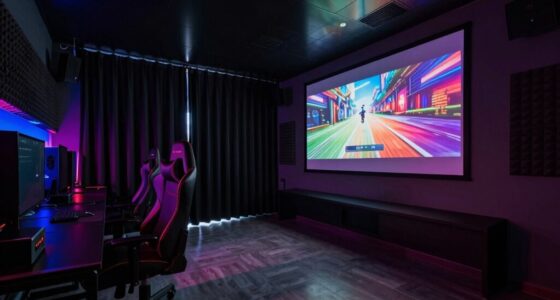
Start by examining your current speaker placement. If your speakers are tucked away or placed too far from your seating area, the sound may become muffled or uneven. For ideal audio, position your speakers at ear level, angled toward your seating spot. If you’re using external speakers, place them symmetrically on either side of your projector, ensuring they’re not obstructed by furniture or objects. Avoid placing speakers behind furniture or too close to walls, as this can cause echo or bass muddiness. If you’re using a soundbar, position it directly below or above your projector screen, ensuring it faces your seating area directly. Proper placement helps create a balanced soundstage, making it easier to hear subtle game cues and directional audio cues.
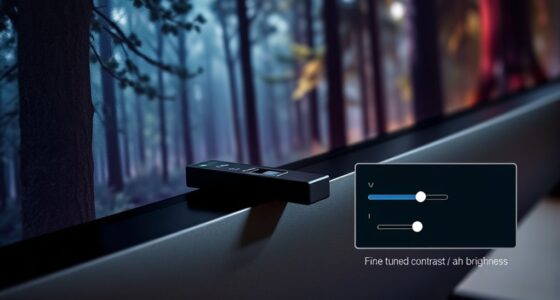
Once your speakers are positioned correctly, move on to sound calibration. Many projectors and external sound systems come with built-in audio settings—take a few minutes to access these menus. Use test sounds or calibration tools, if available, to adjust volume levels, bass, treble, and balance. Focus on creating a natural, even sound that doesn’t overwhelm certain frequencies. Calibration ensures that dialogue, sound effects, and background music are all balanced, so nothing gets lost. If your setup supports it, consider using a dedicated audio source, like a gaming headset or external receiver, for more precise control. Don’t forget to check the environment: small adjustments in volume or equalizer settings can greatly improve clarity, especially in a room with reflective surfaces or noise. Additionally, understanding the importance of sound quality can help you better optimize your setup for immersive gaming experiences.
Finally, take a moment to test your setup by playing a familiar game scene with rich audio cues. Move around your seating area and listen critically. If some sounds still seem off or muffled, revisit your speaker placement and calibration until everything feels right. Remember, small tweaks can make a big difference, and you don’t need complex equipment or hours of effort. With just a few minutes focused on positioning and sound calibration, you’ll notice a more immersive, clear, and dynamic audio experience that elevates your gaming to the next level.
external soundbar for projector gaming
As an affiliate, we earn on qualifying purchases.
As an affiliate, we earn on qualifying purchases.
Frequently Asked Questions
Can I Improve Projector Audio Without Additional Equipment?
Yes, you can improve your projector audio without extra equipment by optimizing wireless solutions and speaker placement. Try adjusting your existing speakers to face directly toward you for clearer sound. If your projector supports wireless audio, connect it to your device or speakers seamlessly. Additionally, lowering background noise and reducing echo in your room can enhance audio clarity, making your gaming experience more immersive without needing new gear.
Will These Audio Upgrades Affect My Gaming Latency?
Sure, upgrading your audio can seem like a noble quest, but beware—it might secretly sabotage your gaming performance by increasing audio latency. While these upgrades boost sound quality, they can introduce delays, making your game feel sluggish. So, if you’re chasing perfection, weigh the thrill of improved audio against the risk of lag. After all, nothing kills a good game faster than delayed sound ruining your immersion.
Are There Budget-Friendly Options for Better Sound?
Yes, you can find budget-friendly sound solutions for better gaming audio. Wireless options like affordable Bluetooth speakers or compact soundbars are great choices. Look for soundbars with good reviews and compatible with your projector’s connectivity, as they often deliver improved sound without breaking the bank. These wireless solutions are easy to set up, reduce clutter, and enhance your gaming experience without impacting latency.
How Do I Connect External Speakers to My Projector?
You can connect external speakers to your projector using the audio output options, like a headphone jack or an HDMI ARC port. For wireless connectivity, consider Bluetooth speakers that pair easily with your projector’s Bluetooth feature. Simply enable Bluetooth on your projector, put your speakers in pairing mode, and connect. This setup provides flexible audio options, enhances your gaming experience, and requires minimal setup time.
Can These Tips Work With All Types of Projectors?
Did you know that over 70% of gamers complain about poor audio quality? The tips can work with most projectors, but projector compatibility varies. Check your device’s audio outputs first, as some projectors support Bluetooth or auxiliary connections, while others don’t. If your projector isn’t compatible, using an external speaker system or an audio transmitter can still boost sound quality. Always verify compatibility to guarantee seamless audio improvements.
gaming speakers for projector setup
As an affiliate, we earn on qualifying purchases.
As an affiliate, we earn on qualifying purchases.
Conclusion
So, there you have it—15 minutes to turn your tiny projector speakers into a booming sound system. Who knew that better audio for gaming was just a quick plug-and-play away? Now, instead of pretending you’re immersed in a cinematic universe, you can actually hear the explosions and enemy footsteps. Because nothing says ‘professional gamer’ like finally upgrading your sound and saving your ears from that dreadful tin-can effect. Happy gaming, sound warrior!
projector audio calibration tools
As an affiliate, we earn on qualifying purchases.
As an affiliate, we earn on qualifying purchases.
wireless external speakers for gaming
As an affiliate, we earn on qualifying purchases.
As an affiliate, we earn on qualifying purchases.
Fall Picks
fall essentials
As an affiliate, we earn on qualifying purchases.