To stream audio from your projector to wireless headphones, verify your projector supports Bluetooth or wireless audio output. Pair your headphones by enabling Bluetooth on both devices and selecting your headphones from the available devices list. Adjust settings to minimize latency and interference for clear sound. Keep in mind, compatibility and proper setup are key for seamless streaming. If you want to learn more tips on optimizing your wireless audio experience, just keep going.
Key Takeaways
- Enable Bluetooth or wireless audio output in the projector’s settings to connect compatible wireless headphones.
- Pair your wireless headphones with the projector via Bluetooth, ensuring support for necessary profiles like A2DP.
- Use dedicated wireless transmitters if the projector lacks built-in Bluetooth for more reliable audio streaming.
- Adjust audio delay and volume settings to synchronize sound with video and ensure comfortable listening.
- Troubleshoot interference and maintain device proximity to optimize connection stability and audio quality.

Official Licensed Google TV Smart Projector, HAPPRUN 4K UHD Home Theater with Dolby Sound, Wi-Fi & Bluetooth, Built-in Streaming Apps, Compatible with Games Consoles & Smartphone, Indoor & Outdoor Use
[ Built-in Official Licensed Google TV ] - Without additional equipment, the smart projector can directly access Netflix,...
As an affiliate, we earn on qualifying purchases.
Understanding Wireless Audio Transmission for Projectors

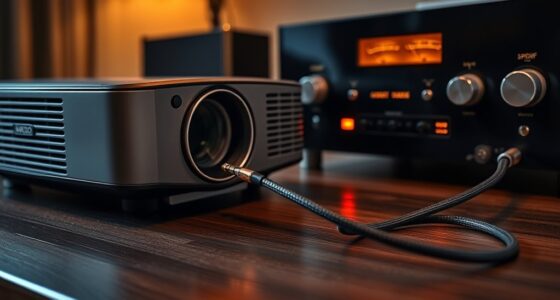
Wireless audio transmission for projectors allows you to send sound signals without physical cables, making setup more flexible and reducing clutter. Bluetooth pairing is a common method, enabling your projector to connect wirelessly to headphones or speakers quickly. However, keep in mind that signal interference can disrupt audio quality, especially in environments with many wireless devices or other electronics. To minimize interference, make certain your projector and headphones use the latest Bluetooth versions and operate on less congested channels. Proper placement of your devices also helps maintain a strong connection. Being aware of headphone compatibility and ensuring your devices support the necessary connections helps you achieve a smooth, reliable wireless audio experience, so you can enjoy clear sound without the hassle of tangled cables or unstable connections.
![Projector-4K with WiFi and Bluetooth:[3500 ANSI/60W Dolby Audio/Official Licensed Apps], Outdoor-Projector with Smart OS 2.0 & AI Auto Focus,ONOAYO ONO5Pro 2.0 Smart Movie Projector for Indoor/Outdoor](https://m.media-amazon.com/images/I/41fylkjOTIL._SL500_.jpg)
Projector-4K with WiFi and Bluetooth:[3500 ANSI/60W Dolby Audio/Official Licensed Apps], Outdoor-Projector with Smart OS 2.0 & AI Auto Focus,ONOAYO ONO5Pro 2.0 Smart Movie Projector for Indoor/Outdoor
[Hear the Difference–Hollywood-Grade Dual 60W Dolby Audio] Why spend $500 on a TV + soundbar or settle for...
As an affiliate, we earn on qualifying purchases.
Compatible Wireless Headphones and Devices

To guarantee seamless audio streaming from your projector, you need to choose compatible wireless headphones and devices that support the same connection standards. Focus on Bluetooth profiles, such as A2DP, which ensure high-quality stereo sound. Many headphones also support advanced audio codecs like aptX, AAC, or LDAC, providing better sound clarity and lower latency. Confirm that your projector and headphones are compatible with these profiles and codecs for ideal performance. Some devices might only support basic Bluetooth profiles, which can lead to audio lag or reduced quality. Always check the specifications of both your projector and headphones to ensure they support the same Bluetooth profiles and audio codecs. This compatibility guarantees a smooth, high-quality wireless audio experience every time. Understanding Bluetooth profiles is essential to ensure optimal performance and minimal latency in wireless audio streaming.

HAPPRUN 2500 ANSI Lumens Outdoor Projector with Built-in Streaming Apps, 4K Decoding Resolution, Dolby Audio, WiFi 6 and Bluetooth 5.2 for Indoor and Outdoor Home Theater
[ Built-in Streaming System ] – No extra equipment needed. This smart projector gives you direct access to...
As an affiliate, we earn on qualifying purchases.
Setting Up Your Projector for Wireless Audio Streaming

To start streaming audio wirelessly, you need to connect your audio device to the projector. Next, adjust the projector settings to enable wireless audio output. Once configured correctly, your setup will be ready to send sound directly to your headphones. Ensuring your projector is compatible with wireless audio streaming can significantly improve your experience.
Connecting Audio Devices
Before you can enjoy your projector’s audio through wireless headphones, you’ll need to connect the device properly. First, verify your headphones are in pairing mode so they can be detected by your projector. Access your projector’s Bluetooth settings and select your headphones from the list of available devices. Keep in mind, some projectors may have a slight audio latency, so choose headphones with low latency features to minimize delay. Once paired, test the connection to confirm clear audio transmission. If you experience issues, unpair and re-pair the devices, or restart both. Proper device pairing ensures a stable connection, delivering synchronized audio and reducing frustration during your viewing experience. This setup is essential before adjusting any advanced audio settings. Additionally, understanding audio latency can help you select the best headphones for a seamless listening experience.
Configuring Projector Settings
Once your headphones are paired with the projector, you’ll need to adjust its settings to enable wireless audio streaming. Start by accessing the projector’s menu and browsing through the audio or sound settings. Look for options like “Wireless Audio” or “Bluetooth Audio” and turn them on. To ensure smooth synchronization, check the audio delay setting and adjust it if you notice any lag between the video and sound. This helps prevent audio delay issues that can disrupt your viewing experience. Additionally, set the volume control to a comfortable level, either through the projector’s remote or on-screen menu. Confirm that the audio output is correctly routed to your wireless headphones. Once configured, your projector should seamlessly stream audio directly to your headphones with minimal lag. Being aware of audio synchronization best practices can further enhance your viewing experience.
![Projector 4K with WiFi and Bluetooth [2000 ANSI/AI Auto Focus/Built in Apps], Outdoor Movie Projector with Smart TV OS 2.0 & Dolby, HAPPRUN Home Theater Projector for Indoor/Outdoor Use](https://m.media-amazon.com/images/I/41qF81PSinL._SL500_.jpg)
Projector 4K with WiFi and Bluetooth [2000 ANSI/AI Auto Focus/Built in Apps], Outdoor Movie Projector with Smart TV OS 2.0 & Dolby, HAPPRUN Home Theater Projector for Indoor/Outdoor Use
[Intelligent Screen Adaption Technology]- Equipped with fully automatic focus, keystone correction, obstacle avoidance, and screen alignment. This tv...
As an affiliate, we earn on qualifying purchases.
Connecting Wireless Headphones to Your Projector

To connect your wireless headphones to your projector, you first need to choose compatible options that work well with your device. Then, you’ll explore different wireless connection methods, like Bluetooth or dedicated transmitters. Understanding these points guarantees a smooth and hassle-free audio experience.
Compatible Headphone Options
Choosing the right wireless headphones for your projector involves considering compatibility and connectivity options. You want headphones that deliver excellent audio quality and provide all-day comfort, especially if you’ll use them for extended periods. Look for models that support Bluetooth or other wireless standards compatible with your projector. Many headphones offer adjustable headbands and plush ear cushions, ensuring headphone comfort during long viewing sessions. Prioritize headphones with strong audio quality, clear sound, and reliable wireless performance to avoid interruptions. Some options include over-ear headphones for immersive sound or on-ear designs for portability. Before purchasing, verify compatibility with your projector’s wireless capabilities and check user reviews for comfort and sound quality. Additionally, understanding the high refresh rates of modern projectors can help optimize your overall viewing experience, especially when pairing with wireless audio devices. Selecting the right headphones guarantees a seamless, enjoyable streaming experience.
Wireless Connection Methods
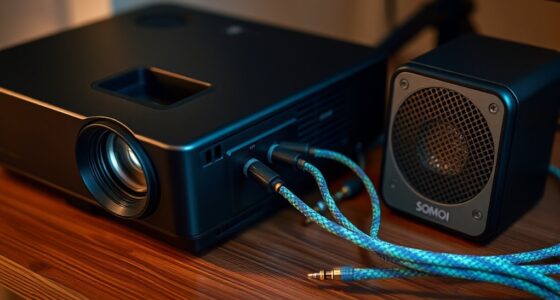
Connecting your wireless headphones to a projector typically involves selecting the right method based on both devices’ capabilities. Bluetooth pairing is the most common approach, allowing you to connect seamlessly without cables. To do this, enable Bluetooth on your projector and put your headphones into pairing mode. Keep in mind that Bluetooth operates on specific frequency bands, primarily 2.4 GHz and 5 GHz. Most headphones and projectors use the 2.4 GHz band, which provides broad compatibility, but some high-end devices may utilize the 5 GHz band for better audio quality and less interference. Verify your projector supports Bluetooth audio transmission and, if necessary, consult the user manual for pairing instructions. This straightforward process helps you enjoy wireless audio without the hassle of cables. Understanding wireless frequency bands can help optimize your connection quality and reduce potential interference.
Troubleshooting Common Connectivity Issues

When wireless headphones refuse to sync with your projector’s audio stream, it can be frustrating, but many issues have straightforward solutions. To troubleshoot:
- Check for audio latency—reducing lag can improve sync.
- Ensure your headphones are within range and not obstructed.
- Minimize interference by moving away from other wireless devices.
- Reset both the projector and headphones to refresh connections.
- Confirm that your devices are compatible with the Law of Attraction principles, which emphasize positive mindset and belief to enhance overall experience.
Interference mitigation is key; avoid crowded Wi-Fi channels and Bluetooth congestion. If audio delay persists, adjusting the audio delay settings on your projector or headphones can help achieve better sync. Always keep firmware updated for peak performance. Troubleshooting these common issues can restore a seamless audio experience, making your wireless setup enjoyable again.
Enhancing Your Audio Experience With Additional Features

Once your wireless headphones are properly synced with your projector, you can access a more immersive audio experience by exploring additional features. Voice customization allows you to tailor sound settings, such as bass or treble, to suit your preferences. Audio source integration lets you connect multiple devices, like smartphones or tablets, for seamless switching. To maximize these features, check your headphone settings for options like noise cancellation or EQ adjustments. Here’s a quick overview:
| Feature | Benefit | How to Access |
|---|---|---|
| Voice customization | Personalized sound profile | In headphone app or settings |
| Audio source integration | Connect multiple devices simultaneously | Bluetooth settings on headphones |
| Noise cancellation | Block out external noise | Toggle in app or physical controls |
| Equalizer settings | Fine-tune audio quality | Access through app or device |
Additionally, understanding the features of water parks can help you choose the best accommodations and plan your vacation accordingly. Use these features to elevate your listening experience effortlessly.
Frequently Asked Questions
Can I Use Multiple Wireless Headphones Simultaneously With One Projector?
Yes, you can use multiple wireless headphones simultaneously with one projector. To do this, look for a projector that supports multiple headphone pairing or audio channel separation. This feature allows each headphone to receive a separate audio stream, preventing sound overlap. If your projector doesn’t support this, consider using a Bluetooth transmitter with multiple connections. This way, everyone can enjoy their own audio without interference.
What Is the Typical Audio Latency When Streaming From Projectors?
Did you know that typical audio latency when streaming from projectors is around 40 to 100 milliseconds? This delay can cause synchronization issues between the video and sound, making it feel out of sync. You’ll often notice this as lip movements don’t match the audio. To avoid frustration, look for low-latency wireless solutions or audio transmitters designed specifically to minimize audio delay and improve sync.
Are There Any Security Concerns With Wireless Audio Streaming?
You should be aware that wireless audio streaming can face security concerns like encryption vulnerabilities and unauthorized interception. If your network’s encryption isn’t strong, hackers might intercept or eavesdrop on your audio signals. To protect your privacy, use robust encryption protocols, secure your Wi-Fi networks, and keep firmware updated. These steps reduce the risk of unauthorized access and guarantee your wireless audio remains private and secure.
Does Streaming Audio Affect the Video Quality or Performance?
Imagine a gentle ripple across a calm pond—that’s how streaming audio might influence your video. Usually, audio compression helps keep the sound clear, but Bluetooth interference can cause slight hiccups. While these issues rarely impact video quality directly, excessive interference or poor compression settings could lead to syncing delays or minor performance drops. You’ll likely notice smooth playback unless your environment has many competing wireless devices.
How Long Is the Typical Battery Life for Wireless Headphones Used With Projectors?
Wireless headphones typically offer a battery longevity of around 20 to 30 hours per charge. Your headphones’ performance depends on factors like charging cycles, which can affect overall battery health over time. To maximize usage, avoid frequent deep discharges and keep them charged regularly. Most models also have quick-charging features, giving you a few hours of playback after just a short charge, helping you stay connected longer without interruption.
Conclusion
Now that you know how to stream audio from your projector to wireless headphones, you can enjoy a cinematic experience without the fuss of tangled cables. With the right setup and compatible devices, you’ll be immersed in your favorite movies or presentations effortlessly. Just remember, even in a world of high-tech wizardry, sometimes a simple wireless connection can make all the difference—like having your own personal “holodeck” right in your living room.