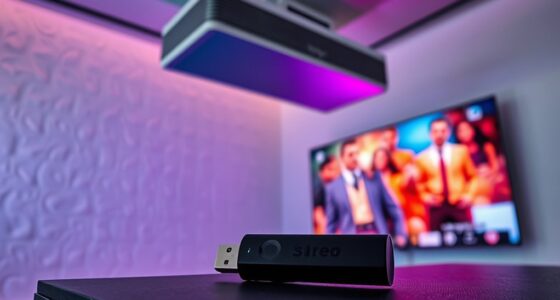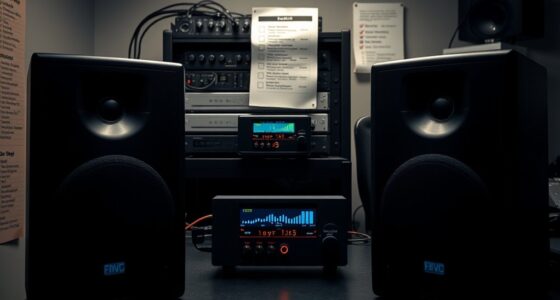
To simplify daily use in your projector-based home theater, consolidate controls with a universal remote or smart home app, so you can power everything on with one press. Regularly calibrate your projector to maintain image quality, and keep equipment clean and connections secure. Organize and label cables for quick input switching, and set up automation for one-touch setup. When these steps become routine, you’ll enjoy a seamless and more enjoyable home theater experience—there’s more to explore for even smoother operation.

Get business pricing on your home office setup
- Business-only prices and quantity discounts
- Tax-exempt purchasing
- Multiple users, one account, clear invoices
Key Takeaways
- Use a universal remote or smartphone app to control all devices easily from one location.
- Regularly calibrate the projector for optimal image quality with minimal effort.
- Program one-touch automation for powering on all equipment simultaneously.
- Maintain equipment regularly by cleaning lenses, filters, and checking connections.
- Organize and label cables for quick input switching and streamlined setup.
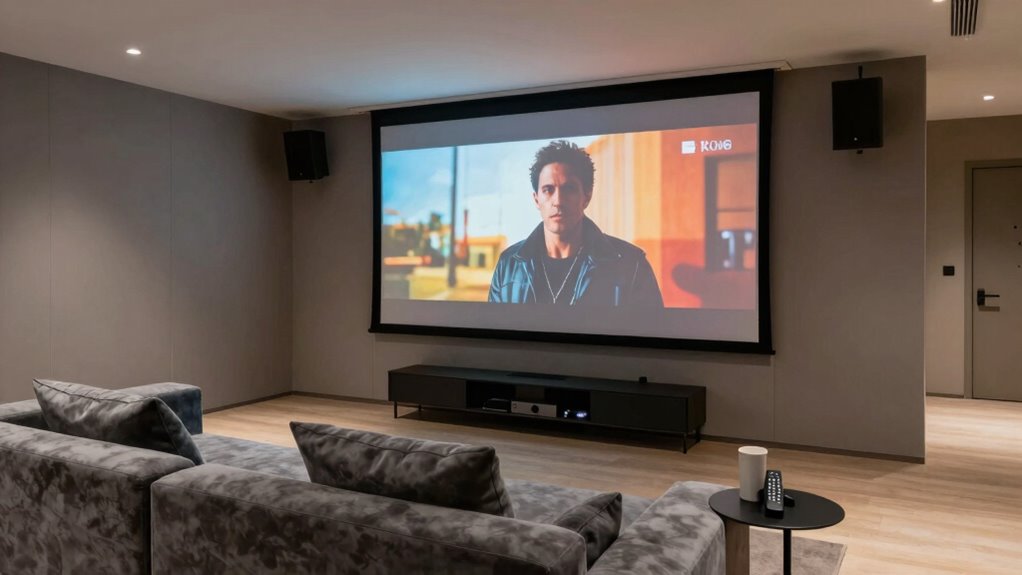
Creating a projector-based home theater can transform your viewing experience, but it often comes with daily use challenges. One common frustration is managing the remote control, which can become cluttered or confusing over time. To streamline your experience, consider consolidating your remote controls into a universal remote that can handle multiple devices, including your projector, sound system, and streaming devices. This reduces the hassle of hunting for the right remote and simplifies your setup. Keep your remote in a consistent, accessible spot, so you’re not wasting time searching when you want to start a movie.
Another important factor is screen calibration, which can considerably impact your viewing quality. Over time, the projector’s image might shift or lose clarity, making it harder to enjoy the picture to its full potential. Regularly calibrate your screen to guarantee ideal color accuracy, contrast, and brightness. Use built-in calibration tools or a calibration disc to fine-tune the image. Proper calibration minimizes frustration and ensures every viewing session is crisp and vibrant. Additionally, consider investing in a calibration device that can automate the process, saving you time and effort.
Regularly calibrate your projector for optimal color, contrast, and brightness, ensuring crisp, vibrant viewing every time.
Daily use becomes even easier when you automate or simplify your setup. For example, program your remote to turn on your projector, sound system, and streaming device with a single press. Many modern projectors offer smart home integration, allowing you to operate everything through voice commands or smartphone apps. This cuts down on the number of steps needed to start your movie night, making the process seamless. Also, keep cables organized and labeled so you can quickly troubleshoot or switch inputs without confusion. Implementing smart home technology can further streamline your setup, enabling you to control everything effortlessly.
Maintaining your equipment regularly is another key to simplifying daily use. Clean your projector’s lens and filters to prevent dust buildup that can degrade image quality. Check connections periodically to make sure everything stays secure, preventing any interruptions during viewing. By establishing a routine maintenance schedule, you avoid unexpected issues that could complicate your experience.
In the end, improving your projector-based home theater’s daily usability comes down to smart organization, regular calibration, and thoughtful automation. With a well-set-up system and a little routine maintenance, you’ll spend less time troubleshooting and more time enjoying your favorite shows and movies. Simplifying your setup ensures that your home theater remains an enjoyable retreat, not a source of frustration.
universal remote control for home theater
As an affiliate, we earn on qualifying purchases.
As an affiliate, we earn on qualifying purchases.
Frequently Asked Questions
How Often Should I Calibrate My Projector for Optimal Image Quality?
You should calibrate your projector every 6 to 12 months to maintain ideal image quality. Regular calibration guarantees color accuracy, keeping colors vibrant and true to life. It also helps monitor lamp lifespan, preventing premature wear. If you notice color fading, dimming, or image distortion, calibrate sooner. Consistent calibration keeps your viewing experience sharp and vibrant, guaranteeing your home theater always looks its best without unnecessary strain on the projector.
What Are the Best Remote Control Options for Easy Operation?
You should consider universal remotes and smartphone apps for easy operation. Universal remotes streamline control by managing multiple devices with one device, reducing clutter and confusion. Smartphone apps offer convenience, allowing you to operate your projector and connected devices from your phone, whether you’re relaxing on the couch or away. Both options simplify daily use, enhance convenience, and make your home theater experience more enjoyable without the hassle of juggling multiple remotes.
How Can I Prevent Projector Overheating During Long Use?
To prevent your projector from overheating during long use, guarantee proper ventilation by keeping it in a well-ventilated area. Use cooling fans directed at the projector’s vents to improve airflow, and regularly clean or replace air filters. Consider installing an advanced ventilation system if necessary. These steps help maintain ideal temperature, prevent shutdowns, and extend your projector’s lifespan, ensuring smooth, uninterrupted viewing sessions.
Is It Necessary to Install a Screen for Better Picture Clarity?
Installing a screen isn’t always necessary for better picture clarity; you can consider screen alternatives like a plain wall or specialized paint for a clear image. Keep in mind, a good screen or quality surface enhances picture sharpness, especially in brighter rooms. Additionally, adding sound enhancement options, like speakers or soundbars, improves overall viewing, making your home theater experience more immersive without the need for a dedicated screen.
What Maintenance Tasks Are Needed to Keep the Projector in Top Condition?
Think of your projector as a vintage jukebox—regular upkeep keeps it singing. You should routinely clean the lens to prevent dust buildup that dims the picture, and replace the bulb when it starts to dim or flicker. Keep an eye on filters and vents to prevent overheating. By staying proactive with lens cleaning and timely bulb replacement, you guarantee your home theater projector remains in top condition for countless movie nights.
smartphone app for projector control
As an affiliate, we earn on qualifying purchases.
As an affiliate, we earn on qualifying purchases.
Conclusion
Imagine your home theater as a well-tuned orchestra, where each component plays in harmony. Simplifying daily use is like arranging the instruments for easy access, so you can effortlessly enjoy the symphony of movies and shows. When your setup is streamlined and user-friendly, every evening becomes a smooth, uninterrupted performance. With a little preparation, your projector becomes the conductor, guiding you seamlessly into an immersive world of entertainment—no fuss, just pure cinematic harmony.
As an affiliate, we earn on qualifying purchases.
cable organization labels for home theater
As an affiliate, we earn on qualifying purchases.
As an affiliate, we earn on qualifying purchases.
Fall Picks
fall essentials
As an affiliate, we earn on qualifying purchases.