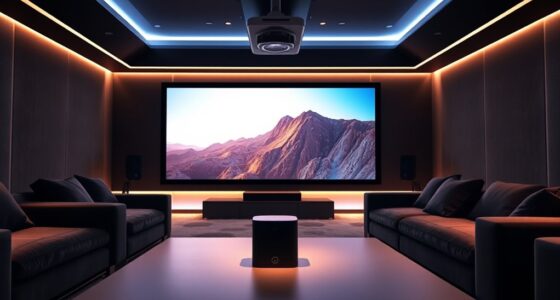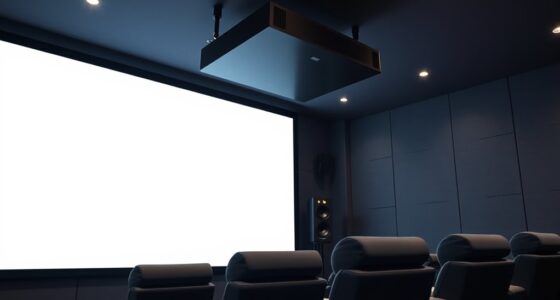
To get immersive Dolby Atmos sound with your projector setup, you’ll need well-placed speakers—front, surround, and ceiling or upward-firing models—to reflect sound around the room. Optimize your room acoustics with soft furnishings and acoustic treatments, and choose compatible equipment like a Dolby Atmos-enabled AV receiver. Proper calibration also guarantees balanced audio. Paying attention to these details will help create a truly immersive experience—keep exploring to learn how to perfect your setup.
Key Takeaways
- Use ceiling-mounted or upward-firing Dolby Atmos speakers strategically placed around the room for immersive overhead sound.
- Ensure your AV receiver supports Dolby Atmos and is compatible with your projector setup.
- Optimize room acoustics with soft furnishings and acoustic treatments to enhance sound clarity and reduce echoes.
- Calibrate speakers and settings with room correction software for balanced, accurate audio performance.
- Integrate Atmos-enabled speakers seamlessly with your projector for synchronized visuals and immersive three-dimensional sound.
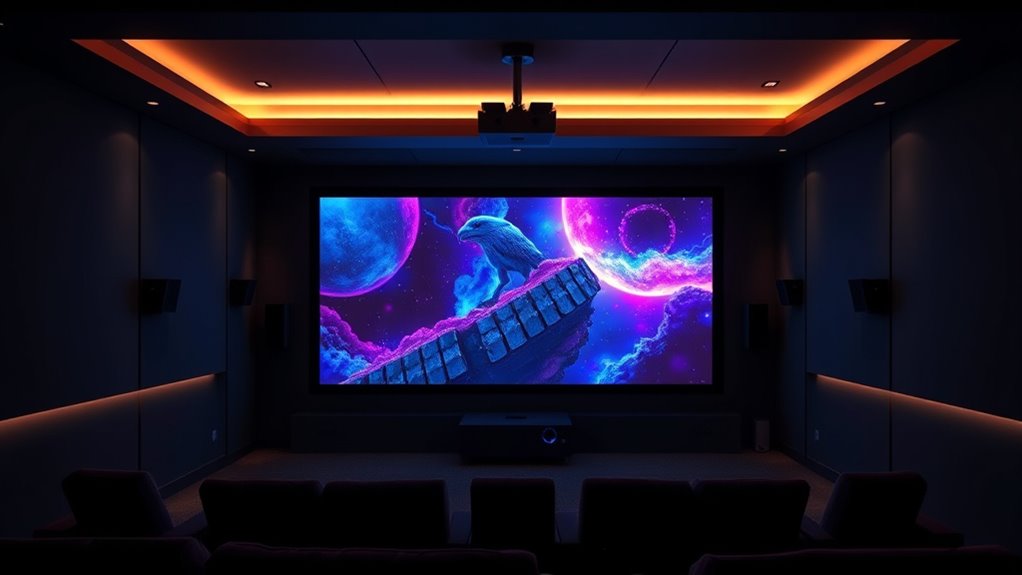
If you’re looking to create a truly immersive home theater experience, combining Dolby Atmos with projectors can deliver stunning audio-visual quality. Achieving this level of immersion starts with understanding the importance of speaker placement and room acoustics. Proper speaker placement is vital because it ensures that sound is evenly distributed and that Atmos effects are fully realized. Ideally, you want your speakers positioned to create a seamless soundscape, with front left and right speakers, a center channel, and surround speakers placed at ear level around your seating area. For Atmos, upward-firing speakers or ceiling-mounted speakers should be positioned to direct sound towards the ceiling, allowing it to reflect for a three-dimensional effect. This setup helps create the sensation of sound coming from above, which is essential for Dolby Atmos.
Room acoustics also play a significant role in delivering rich, clear sound. Hard surfaces like glass, tile, or hardwood floors tend to reflect sound waves, potentially causing echoes or muddiness in the audio. To counteract this, you can add soft furnishings such as carpets, curtains, and upholstered furniture, which absorb excess sound and improve clarity. Also, consider the size and shape of your room, as irregularly shaped spaces can scatter sound waves and disrupt the balanced audio experience. Using acoustic panels or diffusers strategically placed on walls can help manage reflections and improve the overall sound quality. When integrating Dolby Atmos with a projector setup, you want to create an environment where sound can move freely and reflect naturally, enhancing the three-dimensional audio effects. Additionally, selecting vetted speaker brands and ensuring compatibility with your AV receiver can significantly impact your system’s performance.
Another key point is making sure your speakers are compatible with Dolby Atmos technology and that your AV receiver supports this surround sound format. Once you have the right equipment, fine-tuning speaker placement based on room acoustics is necessary to optimize sound quality. Calibration tools and room correction software can help you adjust speaker levels and distances for the best results. Remember, even the best projector won’t deliver an immersive experience without proper sound setup. The combination of strategic speaker placement and a well-treated room will allow Atmos effects to shine, making you feel like you’re right in the middle of the action. By paying close attention to these details, you’ll maximize your home theater’s audio performance and truly enjoy the stunning clarity and depth that Dolby Atmos can provide.
Frequently Asked Questions
Can I Upgrade My Existing Projector for Dolby Atmos Compatibility?
Yes, you can upgrade your existing projector for Dolby Atmos compatibility by adding a compatible soundbar, ensuring it supports Atmos for immersive audio. Check your screen size considerations; larger screens might require more powerful audio setups. Make sure your receiver and soundbar are compatible, and position speakers appropriately for the best experience. Upgrading is often simpler than replacing your entire setup, letting you enjoy enhanced sound without major changes.
Do All Movies Support Dolby Atmos With Projector Setups?
Not all movies support Dolby Atmos with projector setups. You need to check movie compatibility because many films aren’t mixed with Atmos audio. To guarantee the best experience, perform sound calibration on your system, adjusting speaker levels and positioning. This way, you’ll enjoy immersive sound when Atmos-compatible movies play, but keep in mind that non-Atmos content will revert to standard audio, so your setup’s versatility depends on the media you watch.
Is Additional Calibration Needed for Optimal Atmos Sound With Projectors?
Yes, additional calibration is needed for essential Atmos sound with projectors. You should follow calibration procedures to fine-tune your system, ensuring your speakers are correctly positioned and balanced. Proper speaker placement is vital for immersive sound, so take your time to adjust angles and distances. Using calibration tools or a professional setup can help maximize your Dolby Atmos experience, delivering the full immersive sound that projectors can provide.
How Does Room Size Affect Dolby Atmos Performance With Projectors?
Room size considerably impacts Dolby Atmos performance with projectors. Larger rooms can enhance immersion if you refine room acoustics and speaker placement, allowing sound to fill the space evenly. In smaller rooms, you might need to adjust speaker placement and acoustics to prevent sound reflections and muddiness. Proper calibration ensures Atmos effects are clear and immersive, regardless of room size, but understanding your space helps tailor the setup for ideal sound quality.
Are There Specific Projector Brands Known for Better Atmos Integration?
You should look for projector brands like Sony, Epson, and JVC, which prioritize better Atmos integration. To optimize sound, focus on proper speaker placement and consider acoustic treatment to improve audio clarity. These brands often support advanced audio formats and feature settings that enhance Atmos performance. Combining quality projectors with strategic speaker placement and acoustic treatment helps you create a truly immersive sound experience in your space.
Conclusion
With Dolby Atmos and projectors working together, you’re creating a home theater experience as immersive as stepping into a movie. By choosing the right equipment and setting it up properly, you’ll feel like you’re right there in the action, surrounded by sound from every direction. It’s like opening the door to a new world of entertainment, where every whisper and explosion pulls you deeper into the story. Get ready to enjoy cinema-quality sound right in your living room.