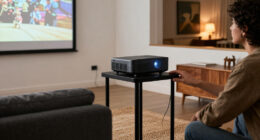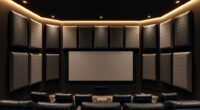
In 2026, choosing a low input lag ultra-short throw (UST) projector means balancing gaming performance with visual quality and setup ease. The NexiGo Aurora Pro MKII stands out for its stunning 4K resolution, high contrast, and immersive features suited for serious gamers and home theater enthusiasts. Meanwhile, the Optoma GT2400HDR offers a more budget-friendly yet bright and durable option, perfect for smaller spaces or casual gaming. Both models excel in low latency, but each comes with tradeoffs—higher price and complexity for advanced features or a simpler, more affordable build. Here’s what you need to know to pick the right one for your setup.

Get business pricing on your home office setup
- Business-only prices and quantity discounts
- Tax-exempt purchasing
- Multiple users, one account, clear invoices
Complete the kit


Key Takeaways
- The NexiGo Aurora Pro MKII delivers 4K resolution with ultra-low latency suitable for competitive gaming.
- Optoma GT2400HDR offers a bright, full HD picture with a laser lifespan of 30,000 hours, ideal for smaller rooms.
- Both projectors feature laser light sources, but the Aurora’s advanced laser engine adds significant cost and complexity.
- Latency differences are minimal—around 4.2ms to 8ms—making both options highly responsive for gaming.
- Choosing between them depends on your space, resolution needs, and budget for advanced features.
| NexiGo Aurora Pro MKII 4K Tri-Color Laser UST Projector |  | Best Overall for High-End Gaming and Home Theater | Contrast Ratio: 30,000:1 | Brightness: 2,400 lumens | Color Gamut: 107% BT.2020 | VIEW ON AMAZON | See Our Full Breakdown |
| Optoma GT2400HDR Full HD 1080p Short Throw Laser Projector |  | Best Budget-Friendly Low Input Lag UST | Resolution: Full HD 1080p | Brightness: 4,200 lumens | Light Source: Laser, 30,000 hours | VIEW ON AMAZON | See Our Full Breakdown |
| low input lag ust projector | Brightness | Resolution | Contrast Ratio | Color Gamut |
|---|---|---|---|---|
| NexiGo Aurora Pro MKII 4K Tri- | 2,400 lumens | 4K | 30,000:1 | 107% BT.2020 |
| Optoma GT2400HDR Full HD 1080p | 4,200 lumens | Full HD 1080p | — | — |
More Details on Our Top Picks
NexiGo Aurora Pro MKII 4K Tri-Color Laser UST Projector
The NexiGo Aurora Pro MKII stands out for its stunning 4K resolution paired with a contrast ratio exceeding 30,000:1, thanks to advanced laser technology. Its support for Dolby Vision, HDR10+, and Dolby Atmos creates immersive visuals and audio. The low input latency, ranging from 4.2ms to 8ms, makes it suitable for fast-paced gaming at 120Hz, rivaling dedicated gaming monitors in responsiveness. Compared with the Optoma, it offers richer color and better contrast, but at a higher price and larger footprint. Its laser engine lifespan of 30,000 hours ensures long-term durability, though replacements could be costly. This model makes the most sense for those who want premium visuals, excellent gaming response, and a cinematic experience in a dedicated home theater or gaming room.
Pros:- Exceptional 4K resolution with Dolby Vision and HDR10+
- High contrast ratio for vivid images
- Ultra-low latency suitable for competitive gaming
- Built-in 60W speakers with Dolby Atmos support
Cons:- Requires a large space for optimal projection
- High cost due to advanced laser tech
- Laser lifespan may lead to costly replacements
Best for: High-end gaming and immersive home theater setups
Not ideal for: Small rooms with limited space or budget-conscious buyers
- Contrast Ratio:30,000:1
- Brightness:2,400 lumens
- Color Gamut:107% BT.2020
- Laser Engine:ALPD 5.0
- Lifespan:30,000 hours
- Throw Ratio:0.21:1
- Resolution:4K
- Input Latency:4.2ms ~ 8ms
- Speaker Power:60 W
Our verdict“The Aurora Pro MKII excels for those seeking premium, responsive visuals with rich audio, but its cost and size may be prohibitive for casual users.”
Optoma GT2400HDR Full HD 1080p Short Throw Laser Projector
The Optoma GT2400HDR is a versatile short throw projector offering full HD resolution with 4,200 lumens brightness, making it suitable for rooms with ambient light. Its laser light source, rated for 30,000 hours, ensures long-term use with minimal maintenance. While it doesn’t offer 4K, its fast response times—comparable to the Aurora—make it excellent for gaming and quick-paced content. Its bright output helps in well-lit environments, and the laser’s dust protection enhances durability. Compared to the Aurora, it compromises on resolution but wins in affordability and space efficiency, especially for smaller rooms or casual gaming. The lack of detailed connectivity options and no built-in speakers are minor tradeoffs for its simplicity and durability.
Pros:- High brightness suitable for well-lit rooms
- Laser lifespan of 30,000 hours for durability
- Short throw design perfect for small spaces
- Dust protection for prolonged use
Cons:- Limited connectivity details available
- No built-in audio system
- Higher cost relative to non-laser projectors
Best for: Smaller spaces, casual gaming, and budget-conscious buyers
Not ideal for: Those seeking 4K resolution or premium cinematic quality
- Resolution:Full HD 1080p
- Brightness:4,200 lumens
- Light Source:Laser, 30,000 hours
- Dust Protection:IP6X-rated
Our verdict“The Optoma GT2400HDR offers a reliable, bright, and responsive option for smaller spaces and casual gaming, with a focus on durability and cost-effectiveness.”

How We Picked
Our selection focuses on low input lag performance, image quality, build durability, and feature set. We prioritized models with sub-10ms latency, laser light sources for longevity, and compatibility with gaming and home theater use. Cost and space considerations also influenced rankings, favoring models that balance performance with practical setup options. We compared specs, user reviews, and tech specs to identify the most capable projectors for gamers seeking ultra-short throw convenience in 2026.
Factors to Consider When Choosing Low Input Lag Ust Projector
Selecting a low input lag UST projector involves balancing resolution, response time, and setup space. For gamers, responsiveness is key, but visual quality and durability also matter. Understanding laser lifespan, brightness, and latency will help narrow choices to models that fit your specific needs—whether you want cutting-edge 4K visuals or a more budget-friendly, responsive full HD experience.
Latency and Response Time
When choosing a projector for gaming, low input lag is the top priority. Both models reviewed here deliver latency below 10ms, with the Aurora Pro MKII offering around 4.2ms to 8ms, making it suitable for competitive gaming. The Optoma, while slightly less advanced in features, still provides response times quick enough for most casual gamers. The key is that both will feel highly responsive, but if you play fast-paced shooters or esports titles, the lower latency of the Aurora gives it an edge.
Resolution and Image Quality
The Aurora’s 4K resolution provides sharper, more detailed images—ideal for cinematic experiences or immersive gaming. The Optoma’s full HD 1080p resolution is sufficient for most gaming and entertainment needs but won’t match the clarity of the higher-end model. Your choice here depends on whether you prioritize visual crispness over cost and space, with 4K being more demanding in terms of setup and budget.
Brightness and Room Conditions
Bright projectors like the Optoma excel in well-lit rooms due to its 4,200 lumens, making it versatile for different lighting conditions. The Aurora’s 2,400 lumens is adequate for darker rooms or dedicated home theaters. If your space isn’t easily darkened, the Optoma’s brightness helps maintain image clarity without dimming lights or blackout curtains.
Durability and Maintenance
Laser light sources with a lifespan of 30,000 hours, as seen in both models, significantly reduce maintenance costs and downtime. The Aurora’s more advanced laser engine may incur higher replacement costs but is designed for premium longevity with rich visual features. The Optoma’s dust protection enhances durability, especially in dusty environments, making it suitable for long-term use without frequent service.
Frequently Asked Questions
What is input lag and why does it matter for projectors?
Input lag refers to the delay between a signal being sent from your gaming console or PC and the image appearing on the screen. For gamers, especially in fast-paced genres like shooters or racing games, lower input lag means more responsive gameplay and less delay, which can be the difference between winning and losing. Both projectors reviewed here have low input lag, making them suitable for competitive gaming in addition to media consumption.
How does laser technology affect projector lifespan and maintenance?
Laser light sources generally last around 30,000 hours, much longer than traditional lamps, reducing replacement costs and effort. This longevity makes laser projectors more suitable for continuous use, such as gaming marathons or daily movie nights. While initial costs are higher, the reduced maintenance and longer lifespan can offset this over time, especially for dedicated entertainment spaces.
Is 4K resolution necessary for gaming on a projector?
While 4K resolution offers sharper and more detailed images, it also demands more from the projector and source device, often increasing cost. For competitive gaming or casual play, full HD (1080p) like in the Optoma GT2400HDR is usually sufficient, providing responsiveness and clarity without the higher expense. However, for immersive cinematic experiences or high-end gaming, 4K like in the Aurora Pro MKII can be a worthwhile upgrade.
What size projection can I expect from these projectors?
The NexiGo Aurora Pro MKII can project images up to 150 inches, ideal for creating a home theater experience. The Optoma GT2400HDR, while capable of large images, typically performs well at sizes up to 100-120 inches, making it better suited for smaller rooms. Your space and viewing distance will determine the best fit, especially considering the optimal projection size for each model.
Are built-in speakers enough for gaming or movies?
The Aurora Pro MKII features powerful 60W speakers with Dolby Atmos support, providing immersive audio without additional equipment. The Optoma lacks built-in speakers, meaning you’ll need external audio solutions, such as soundbars or speakers, which can add to the overall cost and setup complexity. If audio quality and simplicity are priorities, the Aurora offers a clear advantage.
Conclusion
If you prioritize cinematic quality, ultra-low latency, and immersive audio, the NexiGo Aurora Pro MKII is the best choice, especially for dedicated home theater or high-end gaming setups. For those with smaller spaces, a limited budget, or casual gaming needs, the Optoma GT2400HDR offers a bright, reliable, and long-lasting solution that balances performance with affordability. Your decision should hinge on resolution needs, space constraints, and whether advanced features justify the higher price.
Evergreen bestsellers Picks

Ninja Prestige Smart XL Pro Cook System 10-in-1 Air Fryer and Countertop Oven, Stainless Steel, DT551

De'Longhi Rivelia Automatic Espresso Machine with Milk Frother
Apple AirPods Pro Wireless Earbuds
As an affiliate, we earn on qualifying purchases.