TL;DR
Home theater projectors can give you a cinema-sized image, but the room and screen shape the result as much as the projector does. Match brightness to ambient light, check how a model produces 4K, confirm throw distance and gaming features, and budget for sound and a suitable screen.
A projector can turn a blank wall into a screen wider than your sofa, but that giant image can look flat and washed out if sunlight spills across it. The room is part of the picture. Home theater projectors reward a little planning with movie nights that feel larger than life, from the rumble of a spaceship to the flicker of a candle in a dark scene.

Get business pricing on your home office setup
- Business-only prices and quantity discounts
- Tax-exempt purchasing
- Multiple users, one account, clear invoices
This guide helps you decide what matters most when choosing a projector: brightness, resolution, placement, light source, gaming, and sound. You’ll also see why a screen and a dim room can improve the image more than a bigger specification on a product page. For example, a modest projector in a darkened room may give you richer blacks than a brighter model pointed at a sunlit wall.
Think of your setup as a small theater, not a single box. The projector paints the image, but your room acts like the canvas and the lighting crew. Get those pieces working together, and that wide image can feel immersive instead of merely oversized.
Choose brightness for your room lighting, screen size, and viewing habits; lumen figures may use different measurement methods.
Check whether a 4K projector uses native imaging or pixel shifting, then weigh that against screen size, seating distance, and content.
Use the exact model’s throw calculator and measure your room before choosing a standard, short-throw, or ultra-short-throw projector.
Compare lamp replacement and light-source lifespan alongside the purchase price; LED and laser sources still need eventual service.
Verify gaming features at the resolution and refresh rate you plan to use, and budget for the screen and sound your room needs.
Match projector brightness to your room
Brightness, measured in lumens, affects how well a projector holds its image when room lights or daylight are present. A dark room needs less light output than a living room with uncovered windows, and a bigger screen spreads the projector’s light across more area. Before comparing numbers, check how manufacturers measured them; ratings from different methods may not line up neatly.
Imagine watching a film at 3 p.m. with pale curtains glowing behind you. A projector that looks vivid after sunset may seem faded in that room, with black scenes turning smoky gray. Closing the curtains can improve perceived contrast right away, while a brighter model may help if you need the room to stay partly lit.
More lumens do not automatically mean a better picture. They cannot restore deep blacks in a bright room, and a high-brightness mode may change how colors look. Start by deciding when you’ll watch, how large an image you want, and whether you can control the light.
- Dark movie room: prioritize contrast and balanced image quality.
- Multipurpose living room: consider more brightness and a screen suited to the room.
- Daylight viewing: close blinds where you can; no projector setup fully duplicates a TV’s performance in a bright room.
One household might choose a smaller evening screen and enjoy dark, detailed scenes; another might accept a slightly washed-out afternoon picture to keep the family room open and bright. Your viewing routine sets the target.
Products Worth Considering

LG OLED evo C4 55-Inch 4K Smart OLED TV (OLED55C4PUA) with 144Hz Refresh Rate, HDMI Cable, 24-Month Protection Plan, and Streaming Bundle

Dyson V15 Detect Cordless Vacuum

eufy Security eufyCam C37 4-Camera Kit with 360° Pan, Tilt, and Auto Tracking
As an affiliate, we earn on qualifying purchases.
Choose 4K for the screen and seat you have
Home theater projectors offer different routes to a detailed image, and the label “4K” can mean native 4K imaging or pixel shifting that creates a 4K-like picture. Both can look sharp, but they are not the same design. Resolution tends to matter more when you sit close, use a large screen, or watch high-quality 4K content.
Picture a 120-inch screen with your sofa only a few feet away: fine detail in a landscape or a character’s face is easier to appreciate than it would be from the back of a long room. If you sit farther away and mostly stream older or compressed video, you may notice less difference between a good 1080p model and a 4K option. A higher resolution cannot make a soft source magically crisp.
Compare the projector’s imaging method, the content you watch, your seating distance, and your budget. Native 4K models can cost more, while pixel-shifted designs may offer a useful balance. Check the specifications for the exact model rather than assuming all “4K” claims describe the same technology.
For instance, a movie fan planning a large screen and front-row seating may value 4K detail. Someone using a smaller image for occasional sports might put that money toward a better screen or soundbar instead. The right choice depends on what you’ll actually see from your seat, not just the number on the box.
Plan placement before you buy the projector
Throw distance determines how far your projector must sit from the screen to create your intended image width. A projector’s throw ratio and lens range give you the starting point, while zoom and lens shift can make placement more flexible. A short-throw model sits closer to the screen; an ultra-short-throw model can sit just in front of the wall or screen.
Measure the room before shopping. If your sofa faces a wall across a narrow den, a short-throw model might avoid a ceiling mount and keep people from walking through the beam. In a larger room, a standard projector may fit neatly on a shelf behind the seating. Use the manufacturer’s calculator for the exact model and lens, since the same screen width can require different distances across projectors.
Ultra-short-throw projectors have become a popular TV alternative because they can make a large image without a long mount. Yet they demand careful placement: shifting the unit a little can skew the image, and a wavy wall makes alignment harder. A compatible screen often helps, particularly with ultra-short-throw designs.
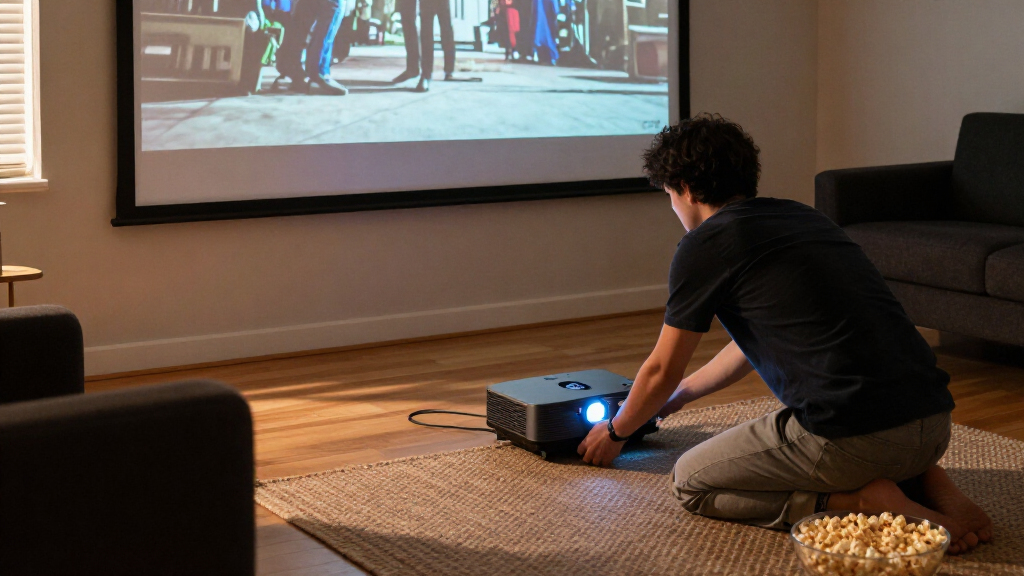
Before ordering, mark the screen width and projector position with painter’s tape. Check power access, cable routes, ventilation space, and whether the beam will cross a walkway. That quick mock-up can reveal that a “giant” image would crowd a doorway or put the projector directly above a ceiling fan.
Compare light sources by cost and convenience
Lamp, LED, and laser projectors trade upfront cost for maintenance and convenience. Traditional lamps often cost less to buy, but replacement becomes part of ownership. LED and laser light sources typically last longer and start quickly; laser models can also deliver high brightness, though they often cost more.
Think about a family that watches a film every weekend. With a lamp model, they may need to budget for a replacement later, depending on the manufacturer’s life rating and their usage. An LED or laser model can reduce that maintenance, but “long life” does not mean the entire projector will never need service, and brightness may decline over time.
Check the published lifespan and operating modes for the specific model. A rating may describe expected light-source life under stated conditions, not a promise that every component will last that long. If you often switch the projector on for a short episode, quick start-up can feel more valuable than it does to someone who only uses it for long movie nights.
Price the whole ownership picture: purchase cost, likely lamp replacements, electricity, and how much you value quick start-up. A lower-priced lamp projector may be a smart fit for occasional use. For frequent viewing, the convenience of a longer-lasting source can make the higher initial price easier to live with.
Check gaming and connections before game night
A projector can work well for gaming when its input lag, refresh rate, and resolution match your games. These specifications can depend on each other: an advertised maximum refresh rate may only work at a certain resolution or with particular settings. Check which features operate together on the exact model, including variable refresh rate if you use it.
For a racing game, low input lag can make steering feel more immediate. For a slower role-playing game, a slightly longer response may matter less than a huge, colorful world filling the wall. If you play competitively, look beyond a single “fast” marketing claim and find the stated lag for the resolution and refresh rate you plan to use.
Also count your connections. Check for enough HDMI inputs, audio return support for your soundbar or receiver, and control connections that fit your equipment. Built-in streaming apps can be handy for a spontaneous show, but app support and software can vary, and they do not replace a dedicated streamer or home theater receiver in every setup.
A practical check is to list your console, streaming device, receiver, and sound system before shopping. If you have two consoles and a receiver, make sure the signal path supports the features you want. It’s a small bit of planning that can prevent a night of swapping cables while the opening credits roll.
Build the image and sound around the room
The screen and room can matter as much as the projector because ambient light washes out contrast, and the screen surface changes how the image looks. A smooth, neutral wall can work for casual viewing. A dedicated screen usually offers a more consistent surface, while some screen materials suit particular lighting or projector placements better than others.
For example, a pale wall with a slight texture may look fine during cartoons but reveal uneven patches in a slow, dark film. A screen can smooth out that distracting surface and give you a more predictable image. An ambient-light-rejecting screen may help in some brighter rooms, but its performance depends on the projector’s position and the direction of the room light.
Sound needs a plan too. Built-in speakers make setup simple, but they rarely match a separate sound system for weight and space. A soundbar can give dialogue more clarity; a receiver and speakers can make a spacecraft’s low rumble feel like it crosses the room.
Try the simplest setup first if your budget is tight: control the light, use a clean wall, and listen to the built-in speaker in your room. If the picture looks uneven or dialogue gets lost under music, you’ll know where an upgrade will help. The projector is the painter; the screen is the canvas, and the room decides which colors survive.
Frequently Asked Questions
Is a projector better than a TV for a home theater?
A projector can give you a much larger image, which makes films feel more theatrical. A TV is usually brighter and more convenient in daylight or for frequent everyday viewing. If you can control room light and want a very large screen, a projector may suit your home theater better.
How many lumens do I need?
It depends on room light, screen size, and screen type. A dark theater can use less brightness than a living room with windows or lights on. Compare ratings carefully because manufacturers may use different measurement methods.
Can I use a projector in daylight?
Yes, but daylight reduces contrast and can make the image look washed out. Closing blinds and choosing a brighter projector or an appropriate screen can help. A bright room still tends to favor a TV’s image performance.
Is 4K worth paying extra for?
It can be worthwhile on a large screen, from close seating, or with high-quality 4K content. Check whether the projector uses native 4K imaging or pixel shifting, and compare the price with upgrades to the screen or sound system. Your viewing distance and budget change the value.
How far should the projector sit from the screen?
Use the projector’s throw ratio and desired screen width to estimate the distance. The exact lens and zoom range matter, so use the calculator for the specific model you’re considering. Marking the position in your room with tape can catch placement problems early.
Do I need a special screen?
Not always; a smooth, neutral wall can be fine for casual viewing. A screen gives you a more consistent surface, and some room layouts or ultra-short-throw projectors benefit from a screen designed for that setup. Screen material and placement affect the final image.
Are built-in projector speakers good enough?
They can handle casual viewing, but a soundbar often gives dialogue more clarity and a separate audio system can sound fuller. Try the built-in speaker in your own room before deciding. The projector’s placement and the room’s acoustics also shape what you hear.
Conclusion
Choose the projector that fits your room, screen, seating, and routine. Measure the throw distance, decide when you’ll watch, and check the actual resolution and gaming features before paying for a headline number.
Then dim the lights, settle into your seat, and let the wall become a window wide enough to hold the whole night sky.