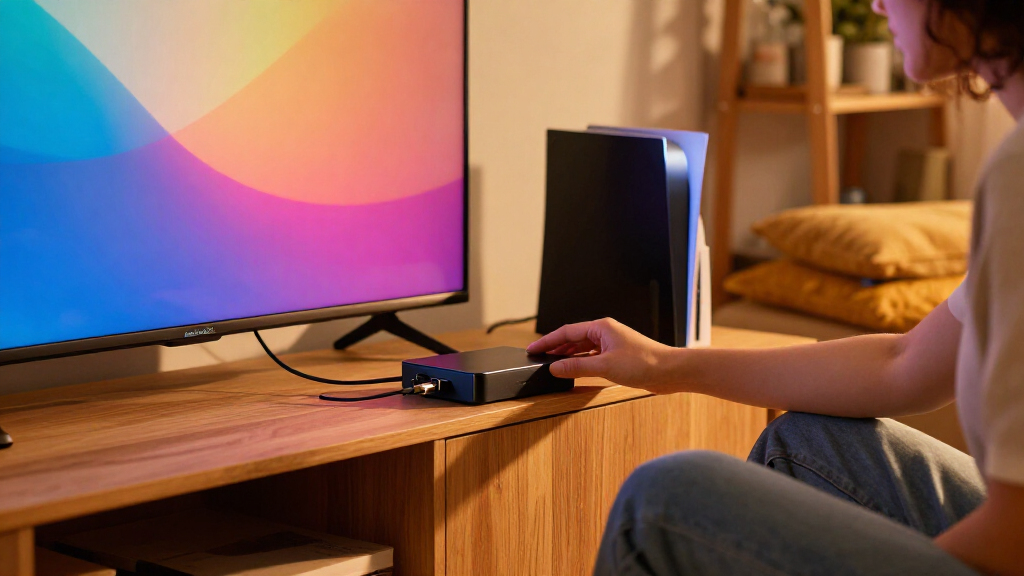
Choosing the best HDMI sync boxes requires balancing video fidelity, latency, and ecosystem compatibility. The Philips Hue Play HDMI Sync Box 8K stands out as the premier choice for users demanding color accuracy and seamless smart home integration. For those prioritizing affordability without sacrificing basic immersion, the Govee HDMI 2.1 AI Sync Box 2 offers a compelling alternative with vibrant RGBWIC lighting. The main tradeoff lies between the premium build and software stability of established brands versus the feature-rich but sometimes buggy implementations of newer competitors. Continue reading to see how these options compare in latency, setup complexity, and long-term reliability.

Get business pricing on your home office setup
- Business-only prices and quantity discounts
- Tax-exempt purchasing
- Multiple users, one account, clear invoices
Complete the kit


Key Takeaways
- The Philips Hue Play HDMI Sync Box 8K remains the benchmark for latency and color precision, making it the only viable option for serious competitive gamers and high-end home theater enthusiasts.
- Budget alternatives like the Fancyleds and ROOKIELEDS kits have closed the gap significantly on raw brightness and color range, though they often lack the refined software smoothing algorithms found in premium units.
- HDMI 2.1 support is no longer a luxury but a necessity for next-gen consoles and high-refresh-rate monitors, effectively ruling out older HDMI 2.0 models for future-proofed setups.
- Ecosystem lock-in is a major differentiator; Philips Hue requires a Bridge for full functionality, while competitors like Govee and WiZ offer more standalone flexibility or broader smart home compatibility.
- Installation complexity varies wildly; units with pre-mounted light bars offer a cleaner aesthetic and easier setup compared to adhesive strip kits that require manual alignment and trimming.
| Philips Hue Play HDMI Sync Box 8K and Gradient 75-Inch TV Light Strip |  | Best Overall for Large-TV Hue Setups | HDMI device capacity: Up to 4 devices | Video support: 8K at 60 Hz; 4K at 120 Hz | HDR support: Dolby Vision; HDR10+ | VIEW LATEST PRICE | See Our Full Breakdown |
| Linkind HDMI 2.1 Sync Box with TV Backlight |  | Best for Flexible Large-TV Coverage | HDMI passthrough: HDMI 2.1 | Maximum video support: 8K at 60 Hz; 4K at 120 Hz | HDR support: HDR10+; Dolby Vision | VIEW LATEST PRICE | See Our Full Breakdown |
| Philips Hue Play HDMI Sync Box 4K + 65-Inch Play Gradient Smart TV Strip Light |  | Best Hue Pick for 65-Inch TVs | Video support: 4K at 60 Hz | Included light strip: 65-inch Play Gradient Smart TV strip | TV size compatibility: 65 inches and larger | VIEW LATEST PRICE | See Our Full Breakdown |
| Philips Smart Lighting HDMI 2.1 Sync Box 8K with TV Backlight (75–85-Inch TVs) |  | Best for WiZ and Multi-Light Expansion | Video support: 4K at 120 Hz; 8K at 60 Hz | HDR support: SDR, HDR, HDR10, HDR10+, Dolby Vision | TV size compatibility: 75–85 inches | VIEW LATEST PRICE | See Our Full Breakdown |
| Fancyleds 3-Port HDMI 2.1 Sync Box with RGBW LED Backlight (24–55-Inch TVs) |  | Best Compact Pick for Smaller TVs | HDMI connectivity: HDMI 2.1; 3 ports | Video support: 4K at 144 Hz; 8K at 60 Hz | Gaming and signal features: HDR, Dolby Vision, ARC, ALLM, VRR | VIEW LATEST PRICE | See Our Full Breakdown |
| ROOKIELEDS HDMI 2.1 Sync Box R1 Backlight Kit |  | Best for High-Refresh Gaming | Brand: ROOKIELEDS | Model: HSR10R-US | TV Compatibility: 39–65 inches | VIEW LATEST PRICE | See Our Full Breakdown |
| homilumi HDMI Sync Box with Cuttable TV Backlight LED Strip |  | Best Value for Custom Sizing | Brand: homilumi | Model: XW-LS-1 | Strip Length: 16.4 ft | VIEW LATEST PRICE | See Our Full Breakdown |
| Fancyleds 2.0 HDMI Sync Box with RGB TV Backlight |  | Best for Large Screen Movies | Brand: Fancyleds | Model: FSB1P2.0 | TV Size Compatibility: 70–90 inches | VIEW LATEST PRICE | See Our Full Breakdown |
| Govee HDMI 2.1 AI Sync Box 2 with RGBWIC Light Strip |  | Best Premium Smart Integration | Compatibility: 55-65 Inch TVs | Resolution Support: 8K @ 60Hz, 4K @ 144Hz | Interface: HDMI 2.1 | VIEW LATEST PRICE | See Our Full Breakdown |
| LightingWill HDMI 2.0 Sync Box LED TV Backlight Strip Kit |  | Best for Multi-Source Switching | Brand: LightingWill | Model Number: CST3 | Compatibility: 75-85 Inch TVs | VIEW LATEST PRICE | See Our Full Breakdown |
| WiZ Connected HDMI Sync Box with RGBIC TV Backlight for 75–85-Inch TVs |  | Best for Large Screens | Brand: WiZ Connected | Model Number: 640060 | Compatible TV Size: 75–85 inches | VIEW LATEST PRICE | See Our Full Breakdown |
| LightingWill HDMI 2.0 TV Backlight Sync Box Kit for 50–65-Inch TVs | | Best Multi-Source Value | Brand: LightingWill | TV Size Compatibility: 50–65 inches | HDMI Inputs: 2 | VIEW LATEST PRICE | See Our Full Breakdown |
| Philips Hue Play HDMI Sync Box 4K |  | Best Premium Ecosystem Integration | Brand: Philips Hue | Model Name: Sync Box 4K | Resolution: 4K (3840 pixels) | VIEW LATEST PRICE | See Our Full Breakdown |
| Fancyleds 2.1 Fancy Sync Box TV LED Backlight with HDMI 2.1 (24″-55″ TVs) |  | Best for High-Refresh Gaming | Brand: Fancyleds | Model: FSB1P2.1 | TV Size Compatibility: 24″ to 55″ | VIEW LATEST PRICE | See Our Full Breakdown |
| HDMI sync boxe | Video support | Brand |
|---|---|---|
| Philips Hue Play HDMI Sync Box | 8K at 60 Hz; 4K at 120 Hz | — |
| Linkind HDMI 2.1 Sync Box with | — | — |
| Philips Hue Play HDMI Sync Box | 4K at 60 Hz | — |
| Philips Smart Lighting HDMI 2. | 4K at 120 Hz; 8K at 60 Hz | — |
| Fancyleds 3-Port HDMI 2.1 Sync | 4K at 144 Hz; 8K at 60 Hz | — |
| ROOKIELEDS HDMI 2.1 Sync Box R | — | ROOKIELEDS |
| homilumi HDMI Sync Box with Cu | — | homilumi |
| Fancyleds 2.0 HDMI Sync Box wi | 4K at 60Hz with HDR and Dolby Vision | Fancyleds |
| Govee HDMI 2.1 AI Sync Box 2 w | — | — |
| LightingWill HDMI 2.0 Sync Box | 4K HDR @ 60Hz | LightingWill |
| WiZ Connected HDMI Sync Box wi | 4K at 60Hz, HDR10+, Dolby Vision | WiZ Connected |
| LightingWill HDMI 2.0 TV Backl | 4K HDR at 60Hz | LightingWill |
| Philips Hue Play HDMI Sync Box | — | Philips Hue |
| Fancyleds 2.1 Fancy Sync Box T | — | Fancyleds |
More Details on Our Top Picks
Philips Hue Play HDMI Sync Box 8K and Gradient 75-Inch TV Light Strip
For a large-screen setup, I rank this Philips Hue bundle first because it pairs HDMI 2.1 passthrough with a fitted 75-inch Gradient light strip and support for up to four HDMI devices. Its 4K at 120 Hz and 8K at 60 Hz support keeps it suited to current high-refresh gaming and video gear, while Dolby Vision and HDR10+ passthrough cover major HDR formats. Unlike the Linkind HDMI 2.1 Sync Box, this kit ties into the Hue Bridge and Hue app ecosystem, which may appeal to buyers already using Hue lights. That ecosystem comes with a catch: the Bridge is required, and neither this system nor Linkind syncs content from built-in TV apps. The bundled strip is also intended for TVs 75 inches and larger, so smaller-screen owners should look at the Hue 65-inch bundle instead.
Pros:- Supports 4K at 120 Hz and 8K at 60 Hz with Dolby Vision and HDR10+ passthrough.
- Connects up to four HDMI devices, reducing the need to swap sources.
- Includes a 75-inch Gradient strip for multicolor effects around a large screen.
- Works with Alexa, Google Assistant, and Apple HomeKit.
Cons:- Requires a Hue Bridge.
- Cannot sync directly with apps running on the TV.
- The included strip is sized for TVs 75 inches and larger.
Best for: Owners of 75-inch-or-larger TVs who use HDMI-connected consoles or streamers and want Hue lighting control across a larger smart-home setup.
Not ideal for: Viewers who mainly use built-in TV apps, lack a Hue Bridge, or have a TV smaller than 75 inches.
- HDMI device capacity:Up to 4 devices
- Video support:8K at 60 Hz; 4K at 120 Hz
- HDR support:Dolby Vision; HDR10+
- Included light strip:75-inch Gradient LED strip
- TV size compatibility:75 inches and larger
- Smart home compatibility:Alexa, Google Assistant, Apple HomeKit
- Bridge requirement:Hue Bridge required
- Sync source limitation:HDMI devices only; TV apps are not supported
Our verdict“Choose this bundle for a large TV and an HDMI-based Hue setup; skip it if you need app-based TV syncing or a smaller-screen strip.”
Linkind HDMI 2.1 Sync Box with TV Backlight
The Linkind is my pick for buyers who want HDMI 2.1 gaming support and a light strip that can cover a wide range of large screens. Its 20-foot strip is trimmable and rated for TVs up to 90 inches, giving it more sizing flexibility than the fixed 75-inch strip in the Philips Hue 8K bundle. It also passes 4K at 120 Hz and 8K at 60 Hz, alongside VRR and ALLM, so compatible gaming gear can use variable refresh and low-latency modes. App and voice control, music sync, and customizable zones add ways to tailor the effect. The tradeoff is that Linkind captures color only from external HDMI sources; like the Hue options here, it cannot sync built-in TV apps. Buyers should also check that their preferred voice-control setup is supported, since the supplied details do not name specific assistants.
Pros:- Trimmable 20-foot strip fits TVs up to 90 inches.
- Passes 8K at 60 Hz and 4K at 120 Hz.
- Supports Dolby Vision, HDR10+, VRR, and ALLM passthrough.
- Includes app control, voice control, music sync, and customizable lighting zones.
Cons:- Does not sync content from built-in smart TV apps.
- Requires an external HDMI source for lighting sync.
- The listed specifications do not identify which voice assistants are supported.
Best for: Large-TV owners who use HDMI-connected consoles or streamers and want a cut-to-fit strip with gaming passthrough features.
Not ideal for: People who watch mainly through smart TV apps or want a specifically documented integration with a particular voice assistant.
- HDMI passthrough:HDMI 2.1
- Maximum video support:8K at 60 Hz; 4K at 120 Hz
- HDR support:HDR10+; Dolby Vision
- Gaming features:VRR; ALLM; dedicated game sync modes
- Light strip:20 ft (6 m), trimmable
- Maximum TV size:Up to 90 inches
- Controls and effects:App and voice control; music sync; customizable zones and scenes
- TV app compatibility:Built-in smart TV apps are not supported
Our verdict“Pick Linkind for a large, adjustable installation with gaming features, but not if your viewing is centered on TV apps.”
Philips Hue Play HDMI Sync Box 4K + 65-Inch Play Gradient Smart TV Strip Light
This Hue bundle suits buyers who want synchronized lighting on a 65-inch-or-larger TV but do not need the 8K and 4K-at-120-Hz support of the Hue 8K kit. The listed video support is 4K at 60 Hz, a sensible match for viewers whose sources and display run at that rate. Its 65-inch Gradient strip gives it a better size fit than the 75-inch Hue bundle for many living rooms, while Hue app controls and compatibility with major smart-home platforms keep it within the same ecosystem. The step down is clear: compared with the Linkind box, its stated refresh support is lower, and the description does not specify a number of HDMI inputs. It also needs a Hue Bridge and works from HDMI sources rather than apps running directly on the TV.
Pros:- Includes a 65-inch Gradient strip suited to TVs smaller than the 75-inch Hue bundle supports.
- Supports 4K at 60 Hz for compatible HDMI sources.
- Works with Alexa, Google Assistant, Apple HomeKit, and Matter.
- Offers multicolor lighting and adjustable warm-to-cool white settings.
Cons:- Does not list 4K at 120 Hz or 8K support, unlike the Hue 8K bundle and Linkind box.
- Requires a separate Hue Bridge for full functionality and remote access.
- Cannot sync content from built-in smart TV apps.
Best for: Hue users with 65-inch-or-larger TVs who want synced lighting for HDMI-connected streaming devices and consoles at up to 4K 60 Hz.
Not ideal for: Competitive gamers seeking 4K at 120 Hz, buyers without a Hue Bridge, or viewers who primarily use built-in TV apps.
- Video support:4K at 60 Hz
- Included light strip:65-inch Play Gradient Smart TV strip
- TV size compatibility:65 inches and larger
- Light source:LED
- White brightness:1650 lumens
- Power:20 watts; corded electric
- Smart home compatibility:Alexa, Google Assistant, Apple HomeKit, Matter
- Bridge requirement:Hue Bridge required for full functionality and remote access
Our verdict“Choose this Hue bundle for a 65-inch screen and 4K-at-60-Hz sources; step up to an HDMI 2.1 option for higher-refresh gaming.”
Philips Smart Lighting HDMI 2.1 Sync Box 8K with TV Backlight (75–85-Inch TVs)
This Philips WiZ-based option stands out for buyers who want a large-screen RGBIC backlight and the ability to coordinate it with other Connected by WiZ lights. It supports 4K at 120 Hz and 8K at 60 Hz, with Dolby Vision and HDR10+ among its listed formats, putting its video support alongside the Philips Hue 8K and Linkind boxes. The key difference is the control ecosystem: this model uses the WiZ app and lists Alexa, Google Home, and Apple Home compatibility rather than Hue Bridge control. Its fit is narrower, however, at 75 to 85 inches. It also has only one HDMI connection to the TV and requires an HDMI switch if you want several sources connected, whereas the Hue 8K bundle lists capacity for four devices.
Pros:- Supports 4K at 120 Hz and 8K at 60 Hz.
- Lists SDR, HDR, HDR10, HDR10+, and Dolby Vision support.
- RGBIC strip can show multiple colors across the backlight at once.
- Can sync with additional Connected by WiZ lights and supports app and voice control.
Cons:- Designed for TVs between 75 and 85 inches.
- Requires an HDMI switch to connect multiple sources simultaneously.
- Uses external HDMI sources rather than built-in TV apps for sync.
Best for: Owners of 75–85-inch TVs who use WiZ-compatible lighting and want to expand synchronized color effects beyond the TV.
Not ideal for: People with smaller or larger TVs, multiple HDMI sources who do not want an HDMI switch, or viewers relying on built-in TV apps.
- Video support:4K at 120 Hz; 8K at 60 Hz
- HDR support:SDR, HDR, HDR10, HDR10+, Dolby Vision
- TV size compatibility:75–85 inches
- Light type:RGBIC LED strip
- Brightness:600 lumens
- Power:36 watts; 120 volts
- Control methods:WiZ app, voice, accessories
- Smart home compatibility:Alexa, Google Home, Apple Home
Our verdict“Choose this model for a 75–85-inch WiZ lighting setup, but favor the Hue 8K bundle if you need multiple HDMI inputs in the box.”
Fancyleds 3-Port HDMI 2.1 Sync Box with RGBW LED Backlight (24–55-Inch TVs)
For a desk display or smaller living-room TV, this Fancyleds kit fills a size gap the larger Hue and Philips WiZ bundles do not: its strip is made for 24–55-inch screens. The sync box offers three HDMI ports and unusually broad stated gaming support, including 4K at 144 Hz, 8K at 60 Hz, VRR, and ALLM. Its 96 RGBW LEDs per meter add dedicated white LEDs, which can produce more natural white backlighting than an RGB-only strip. Compared with the Linkind system, Fancyleds is a better fit for compact screens and lists a specific three-port capacity, but it is not recommended for PCs and still cannot sync apps running directly on a smart TV. That makes the source setup and display size decisive before choosing it.
Pros:- Supports 4K at 144 Hz, 8K at 60 Hz, VRR, and ALLM.
- Three HDMI ports accommodate multiple connected sources.
- High-density RGBW strip uses 96 LEDs per meter for added white-light capability.
- Includes a universal power adapter and a two-year warranty.
Cons:- Limited to TVs between 24 and 55 inches.
- Not recommended for PC use.
- Does not sync content from built-in smart TV apps.
Best for: Console gamers with 24–55-inch TVs who want multiple HDMI inputs and high-refresh passthrough in a compact backlight kit.
Not ideal for: PC users, owners of TVs larger than 55 inches, or viewers who want lighting sync from built-in TV apps.
- HDMI connectivity:HDMI 2.1; 3 ports
- Video support:4K at 144 Hz; 8K at 60 Hz
- Gaming and signal features:HDR, Dolby Vision, ARC, ALLM, VRR
- Compatible TV size:24–55 inches
- LED density:96 RGBW LEDs per meter
- Included items:Sync box, RGBW LED strip, HDMI cable, corner brackets, universal power adapter
- Warranty:2 years
- PC use:Not recommended
Our verdict“Pick Fancyleds for a small-screen, console-focused setup with high-refresh HDMI sources; skip it for a PC or a larger TV.”
ROOKIELEDS HDMI 2.1 Sync Box R1 Backlight Kit
This kit is engineered for gamers who refuse to compromise on frame rates while wanting ambient lighting. Unlike the homilumi model, which caps out at 4K/60Hz, the R1 supports 4K at 144Hz and 8K at 60Hz, making it suitable for next-gen consoles and high-end PCs. The inclusion of VRR and ALLM ensures that variable refresh rates pass through without causing sync issues, a critical feature for competitive play. However, the tradeoff is compatibility; like many in this class, it does not work with built-in TV apps, forcing you to route all streaming through an external box. The RGBCW-IC strip offers better white tones than standard RGB strips found in cheaper kits, but the limited TV size range (39–65 inches) excludes larger living room setups.
Pros:- Supports HDMI 2.1 bandwidth up to 48 Gbps
- Includes VRR and ALLM for low-latency gaming
- RGBCW-IC strip provides accurate white and warm tones
- Complete kit includes HDMI cable and mounting brackets
Cons:- No support for eARC or QMS
- Limited to TVs between 39 and 65 inches
- Color accuracy may drift with HDR content
Best for: Gamers with 4K/144Hz monitors or TVs who use external streaming devices and need VRR support.
Not ideal for: Users with TVs larger than 65 inches or those who rely exclusively on built-in TV apps like Netflix.
- Brand:ROOKIELEDS
- Model:HSR10R-US
- TV Compatibility:39–65 inches
- HDMI Bandwidth:48 Gbps
- Display Support:4K at 144 Hz; 8K at 60 Hz
- Supported Features:FRL6, VRR, ALLM, QFT, Dolby Vision, HDR10, HDR10+, CEC bypass, ARC bypass
- Lighting Type:RGBCW-IC, 5-color mixing
- Power Source:Corded electric
- Warranty:1 year
Our verdict“Choose this if you prioritize high-refresh-rate gaming performance over large-screen compatibility.”
homilumi HDMI Sync Box with Cuttable TV Backlight LED Strip
The homilumi sync box stands out for its flexibility, featuring a 16.4 ft trimmable LED strip that allows users to customize the length for various TV sizes. While it lacks the high-bandwidth HDMI 2.1 support of the ROOKIELEDS R1, capping at 4K/60Hz, it offers a more affordable entry point for casual viewers who do not need 144Hz support. The multizone control ensures smooth color transitions, and the integration with Tuya and Smart Life apps provides robust voice control via Alexa and Google Assistant. The main limitation is the same as its competitors: it cannot sync with native TV apps. However, its low power consumption (5 watts) and simple setup make it a practical choice for those who already own a 4K/60Hz capable setup.
Pros:- Trimmable 16.4 ft LED strip for custom fit
- Compatible with Alexa, Google Assistant, and Tuya app
- Low power consumption at 5 watts
- Real-time signal analysis for low latency
Cons:- Limited to 4K at 60 Hz resolution
- No support for built-in TV app synchronization
- Basic RGB lighting lacks dedicated white LEDs
Best for: Budget-conscious buyers who want customizable strip lengths and smart home integration without needing 144Hz support.
Not ideal for: Gamers requiring VRR or 4K/120Hz+ support, or users with non-standard TV shapes where cutting strips is difficult.
- Brand:homilumi
- Model:XW-LS-1
- Strip Length:16.4 ft
- TV Compatibility:40–65 inch TVs
- HDMI Support:4K at 60 Hz
- Wattage:5 watts
- Control:Tuya or Smart Life app, Alexa, Google Assistant
- Warranty:2 years
Our verdict“A flexible, budget-friendly option for standard 4K/60Hz setups that require custom strip lengths.”
Fancyleds 2.0 HDMI Sync Box with RGB TV Backlight
Designed specifically for 70–90 inch TVs, the Fancyleds 2.0 fills a niche that many compact sync boxes miss. It supports 4K at 60Hz with HDR and Dolby Vision, providing adequate bandwidth for movie watching, though it falls behind the Govee AI Sync Box in terms of gaming features like VRR. The system uses a camera-free signal extraction method, which avoids the latency issues sometimes associated with camera-based systems, but it is explicitly not recommended for PC use. This makes it a dedicated home theater accessory rather than a multi-purpose device. The included RGB strip is sized for large panels, but the HDMI 2.0b standard means it cannot handle future-proof 8K or high-refresh-rate gaming signals.
Pros:- Optimized for large 70–90 inch TV panels
- Supports HDR and Dolby Vision passthrough
- Fast synchronization without camera latency
- Includes universal power adapter and corner brackets
Cons:- Not recommended for PC or laptop use
- Limited to HDMI 2.0b speeds (no 4K/120Hz+)
- No support for built-in TV app synchronization
Best for: Home theater enthusiasts with 70–90 inch TVs who primarily watch movies and use external media players.
Not ideal for: PC gamers, users with TVs under 70 inches, or those needing HDMI 2.1 features like VRR.
- Brand:Fancyleds
- Model:FSB1P2.0
- TV Size Compatibility:70–90 inches
- Video Support:4K at 60Hz with HDR and Dolby Vision
- Lighting:RGB LED strip included
- Special feature:CEC enabled
- Warranty:2 years
Our verdict“The ideal choice for large-screen movie buffs who use external streaming devices and don’t need gaming specs.”
Govee HDMI 2.1 AI Sync Box 2 with RGBWIC Light Strip
The Govee HDMI 2.1 AI Sync Box 2 represents the cutting edge of this category, combining high-bandwidth performance with advanced smart home features. It supports 8K@60Hz and 4K@144Hz, matching the technical specs of the ROOKIELEDS R1, but adds Matter, Alexa, and SmartThings ecosystem support for seamless automation. The AI-driven CogniGlow technology automatically adjusts lighting effects based on content type, reducing the need for manual calibration. However, the RGBWIC LED strip, while offering purer whites, may see reduced saturation in HDR modes. Unlike some competitors, it lacks automatic signal switching for multiple connected devices, requiring manual input selection. It is a premium choice for those deeply invested in smart home automation.
Pros:- AI CogniGlow technology for automated scene matching
- Supports Matter, Alexa, and SmartThings ecosystems
- RGBWIC LEDs provide superior white light quality
- Full HDMI 2.1 support with VRR and ALLM
Cons:- No automatic signal switching between sources
- Color saturation can drop in HDR modes
- Higher price point compared to basic HDMI 2.0 kits
Best for: Smart home power users who want Matter integration and high-end gaming specs with automated lighting scenes.
Not ideal for: Users looking for a plug-and-play multi-source switcher, as it lacks automatic signal switching.
- Compatibility:55-65 Inch TVs
- Resolution Support:8K @ 60Hz, 4K @ 144Hz
- Interface:HDMI 2.1
- LED Density:75 LEDs/m
- Brightness:450 lumens/m
- Smart Home Integration:Matter, Alexa, SmartThings
- Water Resistance:IPX0 (Not Water Resistant)
Our verdict“A top-tier choice for smart home enthusiasts who demand high-performance gaming specs and ecosystem integration.”
LightingWill HDMI 2.0 Sync Box LED TV Backlight Strip Kit
The LightingWill kit distinguishes itself with a sync box that includes two HDMI inputs and one output, allowing users to switch between devices like a PS5 and a streaming stick without unplugging cables. While it operates on HDMI 2.0 (4K@60Hz), limiting it compared to the Govee AI Sync Box 2‘s 144Hz support, it offers superior convenience for mixed-source setups. The high-density LED strip (72 LEDs/m) ensures smooth color gradients, and the 1700 lumens brightness is competitive for ambient lighting. Like most in this group, it cannot sync with built-in TV apps. Its strength lies in its practical design for living rooms where multiple consoles or players are common, offering a balance of brightness and connectivity.
Pros:- Built-in HDMI switch with 2 inputs and 1 output
- High brightness of 1700 lumens for ambient light
- High-density LEDs (72/m) for smooth color transitions
- Compatible with Alexa, Google Assistant, and app
Cons:- Limited to HDMI 2.0 standards (no 4K/120Hz+)
- No support for built-in Smart TV app synchronization
- Not water-resistant
Best for: Users with multiple external HDMI sources (consoles, players) who want easy switching without unplugging.
Not ideal for: Competitive gamers needing 144Hz support or users who rely solely on their TV’s native apps.
- Brand:LightingWill
- Model Number:CST3
- Compatibility:75-85 Inch TVs
- LED Density:72 LEDs/m
- Brightness:1700 Lumens
- Video Support:4K HDR @ 60Hz
- Connectivity:HDMI 2.0 (2 Inputs, 1 Output)
- Control Methods:App, Alexa, Google Assistant, Button, Sync Box
Our verdict“The most convenient option for households with multiple gaming consoles or media players due to its built-in switching.”
WiZ Connected HDMI Sync Box with RGBIC TV Backlight for 75–85-Inch TVs
This system is specifically engineered for larger displays, targeting TVs between 75 and 85 inches. Unlike the Fancyleds 2.1, which caps out at 55 inches, the WiZ kit includes a longer 11.15-foot strip that adequately covers the perimeter of big screens. It delivers 4K at 60Hz with HDR10+ support, ensuring the ambient light matches the dynamic range of modern content. However, it is limited to a single HDMI input, meaning users with multiple consoles or streaming devices will need an external switch, unlike the LightingWill kit which offers two ports. The integration with the WiZ ecosystem is seamless for existing users, but those outside this brand may find the ecosystem lock-in restrictive compared to more universal options.
Pros:- Long 11.15-foot light strip covers large TV perimeters without gaps
- Supports high-end video formats like 4K 60Hz, HDR10+, and Dolby Vision
- Seamless integration with existing WiZ smart lights for whole-room sync
Cons:- Only one HDMI input requires an external switch for multiple devices
- Does not work with built-in smart TV apps, forcing use of external sources
- Ecosystem lock-in limits compatibility with non-WiZ lighting products
Best for: Owners of 75–85 inch TVs who are already invested in the WiZ lighting ecosystem.
Not ideal for: Gamers with multiple consoles who want a single hub, or users with TVs smaller than 75 inches.
- Brand:WiZ Connected
- Model Number:640060
- Compatible TV Size:75–85 inches
- Video Support:4K at 60Hz, HDR10+, Dolby Vision
- Light Strip Length:11.15 ft
- HDMI Inputs:1
- Connectivity:Wi-Fi and Bluetooth
Our verdict“A solid choice for large-screen owners already using WiZ lights, provided they don’t mind needing an HDMI switch.”
LightingWill HDMI 2.0 TV Backlight Sync Box Kit for 50–65-Inch TVs
The LightingWill kit distinguishes itself by offering two HDMI inputs, a feature often reserved for higher-end models. This allows users to connect two devices, such as a console and a streaming stick, without needing a separate switch, a clear advantage over the single-input WiZ Connected model. The 9.8-foot strip with 72 LEDs per meter provides decent coverage for mid-sized TVs (50–65 inches). While it supports 4K HDR at 60Hz, it lacks the HDMI 2.1 high-refresh-rate capabilities found in the Fancyleds 2.1, making it less ideal for competitive gaming. The inclusion of Alexa and Google Assistant support adds convenience, though the sync quality is standard rather than premium.
Pros:- Dual HDMI inputs allow connection of two devices without an external switch
- High-density 72 LEDs per meter creates smoother color transitions
- Compatible with Alexa and Google Assistant for voice control
Cons:- Limited to 4K 60Hz, lacking high-refresh-rate support for gaming
- Not water-resistant and strictly for indoor use
- Sync functionality is disabled for native smart TV apps
Best for: Users with 50–65 inch TVs who need to connect two HDMI sources without buying a switch.
Not ideal for: High-refresh-rate gamers requiring 120Hz support or owners of TVs larger than 65 inches.
- Brand:LightingWill
- TV Size Compatibility:50–65 inches
- HDMI Inputs:2
- Video Support:4K HDR at 60Hz
- LED Density:72 LEDs per meter
- Voice Assistants:Alexa, Google Assistant
- Warranty:1 year
Our verdict“The best budget-friendly option for dual-source setups on mid-sized TVs, though it lags in gaming performance.”
Philips Hue Play HDMI Sync Box 4K
For those already living in the Philips Hue ecosystem, this Sync Box is the definitive choice. It offers superior light quality and color accuracy compared to standalone kits like the WiZ Connected or LightingWill options, which rely on integrated strips. This box syncs with any existing Hue bulb or strip in your room, creating a truly immersive environment rather than just backlighting the TV. The tradeoff is significant cost and complexity: you must purchase a Hue Bridge separately to sync more than one light, and the device itself does not include a light strip. It supports 4K 60Hz and HDR10+, but lacks the 8K or high-refresh-rate HDMI 2.1 specs found in newer competitors like the Fancyleds 2.1.
Pros:- Integrates with the vast Philips Hue ecosystem for whole-room immersion
- Compact design blends easily into existing entertainment centers
- High-quality color reproduction and reliable app-based customization
Cons:- Requires a separate Hue Bridge for full functionality (sold separately)
- Does not include a TV light strip; users must buy Hue lights separately
- Limited to 4K 60Hz, lacking HDMI 2.1 high-refresh-rate support
Best for: Existing Philips Hue users who want to integrate their entire room’s lighting with their TV.
Not ideal for: Budget-conscious buyers or those unwilling to purchase a Hue Bridge and separate light strips.
- Brand:Philips Hue
- Model Name:Sync Box 4K
- Resolution:4K (3840 pixels)
- HDR Support:HDR10, HDR10+
- Connectivity:HDMI, Bluetooth, Zigbee
- Max Lights Synced:10 (with Bridge), 1 (without Bridge)
- Control Method:App Control
Our verdict“The ultimate choice for Hue loyalists seeking premium integration, but overkill for those without existing Hue lights.”
Fancyleds 2.1 Fancy Sync Box TV LED Backlight with HDMI 2.1 (24″-55″ TVs)
This unit is built for performance-driven gamers, featuring HDMI 2.1 support that enables 4K at 144Hz and 8K at 60Hz. This places it far ahead of the LightingWill and WiZ models, which are capped at 60Hz. The 96 RGBW LEDs per meter provide excellent density and white balance accuracy, crucial for matching on-screen content precisely. However, its utility is limited to TVs between 24 and 55 inches, making it unsuitable for the larger screens preferred by many home theater enthusiasts. Unlike the Philips Hue box, this is a complete kit with the strip included, but the manufacturer explicitly warns against using it with PCs, limiting its versatility.
Pros:- HDMI 2.1 support enables 4K 144Hz and 8K 60Hz for next-gen gaming
- High-density 96 RGBW LEDs per meter ensure uniform, accurate lighting
- Includes universal power adapters for global compatibility
Cons:- Strictly limited to TVs sized 24 to 55 inches
- Manufacturer explicitly recommends against using with PC sources
- Does not sync with built-in smart TV apps
Best for: Competitive gamers with 24–55 inch monitors or TVs who need low-latency, high-refresh-rate sync.
Not ideal for: Home theater users with large screens or anyone planning to use the box with a desktop PC.
- Brand:Fancyleds
- Model:FSB1P2.1
- TV Size Compatibility:24″ to 55″
- Supported Resolutions:4K 120Hz/144Hz, 8K 60Hz
- LED Density:96 RGBW LEDs per meter
- Connectivity:HDMI 2.1
- Warranty:2 year manufacturer warranty
Our verdict“A specialized tool for small-screen gamers demanding high refresh rates, but too limited in size for general home theater use.”
How We Picked
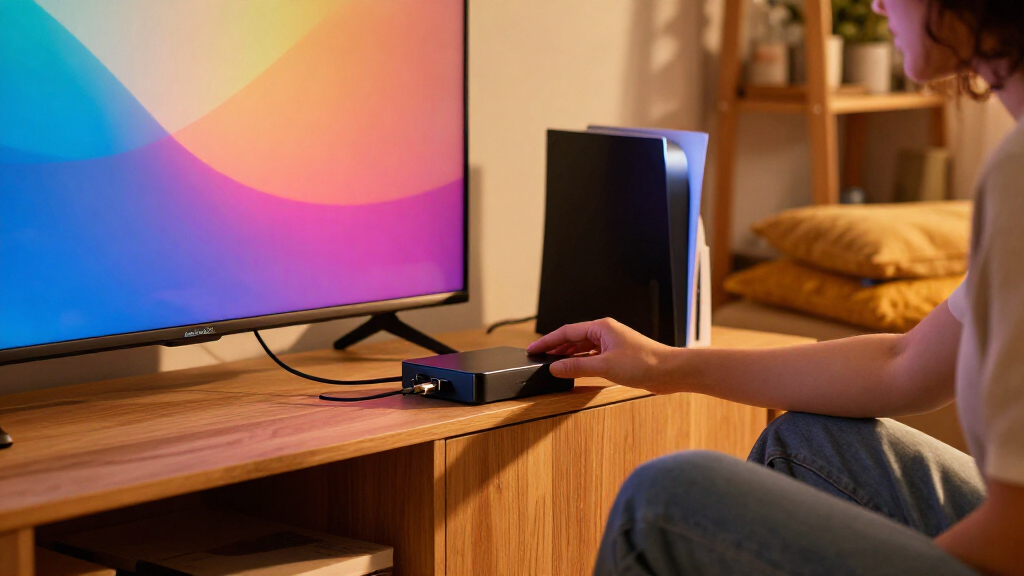
I evaluated these fourteen options based on three primary pillars: technical performance, ecosystem integration, and ease of installation. For technical performance, I prioritized devices supporting HDMI 2.1 standards, as this ensures compatibility with 4K 120Hz and 8K signals, which are becoming standard for modern consoles and PCs. I also examined reported latency metrics, because even a slight delay between the screen action and the ambient light change can break immersion during fast-paced gaming or movie scenes. Build quality was assessed by looking at the durability of the HDMI ports and the thermal management of the box itself, as overheating can lead to signal dropouts.
Secondarily, I considered the user experience regarding software stability and app responsiveness. A sync box is only as good as the software that controls it; frequent crashes or complicated pairing processes detract from the daily utility. I ranked products higher if they offered intuitive mobile apps with customizable profiles for movies, games, and music. Finally, I weighed the total cost of ownership, including the need for additional hubs or bridges, ensuring that the value proposition matched the price point for each category.
| HDMI sync boxe | Brand |
|---|---|
| Philips Hue Play HDMI Sync Box | — |
| Linkind HDMI 2.1 Sync Box with | — |
| Philips Hue Play HDMI Sync Box | — |
| Philips Smart Lighting HDMI 2. | — |
| Fancyleds 3-Port HDMI 2.1 Sync | — |
| ROOKIELEDS HDMI 2.1 Sync Box R | ROOKIELEDS |
| homilumi HDMI Sync Box with Cu | homilumi |
| Fancyleds 2.0 HDMI Sync Box wi | Fancyleds |
| Govee HDMI 2.1 AI Sync Box 2 w | — |
| LightingWill HDMI 2.0 Sync Box | LightingWill |
| WiZ Connected HDMI Sync Box wi | WiZ Connected |
| LightingWill HDMI 2.0 TV Backl | LightingWill |
| Philips Hue Play HDMI Sync Box | Philips Hue |
| Fancyleds 2.1 Fancy Sync Box T | Fancyleds |
Factors to Consider When Choosing Best HDMI Sync Boxes
Selecting the right sync box involves more than just picking the brand with the best marketing. You must align the hardware capabilities with your specific viewing habits and existing smart home infrastructure. Here are the critical factors to weigh before making your purchase.
HDMI Version and Bandwidth Requirements
The most significant technical distinction among modern sync boxes is the HDMI version. Many budget models still rely on HDMI 2.0, which caps out at 4K resolution at 60Hz. If you plan to use a PlayStation 5, Xbox Series X, or a high-end PC, you need HDMI 2.1 support to handle 4K at 120Hz or variable refresh rates (VRR). Using an HDMI 2.0 box with a 2.1 source often results in downgraded video output or black screens. Always verify that the box supports the specific resolution and refresh rate you intend to use, as this is the most common compatibility failure point. Ignoring this spec can render a sync box useless for your primary gaming rig.
Latency and Color Processing Algorithms
Raw hardware specs do not guarantee a smooth visual experience. The quality of the color processing algorithm determines how accurately the lights match the on-screen action and, more importantly, how quickly they react. Premium units like the Philips Hue utilize sophisticated smoothing algorithms that prevent the lights from strobing or lagging during rapid scene changes. Cheaper alternatives may have faster raw reaction times but can appear jittery or disconnected from the subtle gradients in movies. I recommend looking for reviews that specifically mention latency consistency during dark scenes, as this is where poor algorithms tend to fail most noticeably. A box that handles dark mode or low-light content well will feel more integrated into your viewing experience.
Ecosystem Integration and Smart Home Compatibility
How you control your lights matters as much as how they sync. Philips Hue devices require a Hue Bridge for full functionality, which adds cost but ensures robust Zigbee connectivity and integration with Apple HomeKit. In contrast, brands like Govee and WiZ often use Wi-Fi or Bluetooth, allowing for standalone operation without a central hub. If you already have a robust smart home setup, check if the sync box integrates with your existing ecosystem or if it requires a separate app. Fragmented control schemes can be frustrating; you do not want to open three different apps to manage your living room lighting. Prioritize boxes that offer voice assistant compatibility if hands-free control is a priority for you.
Physical Form Factor and Installation Complexity
There are two main types of hardware: standalone boxes with adhesive LED strips and all-in-one units with rigid light bars. Adhesive strips offer flexibility for irregular TV shapes or curved screens but require careful manual application to avoid peeling or uneven light distribution. Rigid bars provide a uniform look and are easier to mount but may not fit perfectly on every TV model without gaps. Consider the aesthetics of your living room; exposed wiring and uneven strips can look messy in daylight. For a clean, built-in look, rigid bars are superior, but for maximum coverage on oversized or uniquely shaped TVs, flexible strips are often the only practical choice. Factor in the time required for installation and potential repositioning if you move your TV.
Port Selection and Input Flexibility
Check the number of HDMI inputs on the box. Some models offer only one input, meaning you must switch cables manually if you have multiple sources like a cable box and a game console. Multi-port models automatically detect the active source, providing a seamless experience when switching between devices. This convenience is often worth the slight premium in price. Additionally, look for USB power options; some boxes can be powered by the TV’s USB port, reducing cable clutter behind the entertainment center. A lack of automatic input switching is a frequent complaint in user feedback, so verify this feature if you have multiple video sources connected to your TV.
Frequently Asked Questions
Do HDMI sync boxes work with smart TV apps like Netflix or Disney+?
Generally, no. Most HDMI sync boxes only process video signals coming through the HDMI ports, not the internal smart TV apps. To sync lights with content from Netflix or YouTube, you typically need to connect a streaming device (like a Roku, Apple TV, or Fire Stick) to the sync box’s HDMI input. Some newer TV-specific solutions or apps might offer limited integration, but the standard hardware limitation remains that the box cannot read the internal video stream of the TV. Always plan to route your streaming sources through the box if you want synchronized lighting for movies and shows.
Is an HDMI 2.1 sync box necessary if I only watch movies?
For pure movie watching, an HDMI 2.1 box is not strictly necessary if your content is capped at 4K 60Hz, which is the standard for most streaming services and Blu-rays. An HDMI 2.0 model will handle these signals perfectly fine and is often more affordable. However, if you anticipate upgrading to 8K content in the future or want to use the box for PC gaming with higher refresh rates, investing in HDMI 2.1 is a smarter long-term decision. If your primary use is strictly cinematic viewing at standard frame rates, you can save money by choosing a high-quality HDMI 2.0 unit from a reputable brand.
Can I use multiple sync boxes to cover a very large TV?
Technically, yes, but it is rarely recommended due to synchronization issues. Running two separate sync boxes usually results in noticeable latency differences between the two halves of the TV, creating a disjointed light effect. Some premium brands offer daisy-chaining capabilities or specific multi-zone systems, but most consumer-grade boxes are designed to operate independently. If your TV is larger than what a single box supports, it is better to purchase a model with a longer or more powerful light strip rather than trying to combine two units. Check the manufacturer’s specifications for maximum TV size coverage before buying.
Do I need a Hue Bridge for the Philips Hue Play HDMI Sync Box?
Yes, a Hue Bridge is required for the full functionality of the Philips Hue ecosystem. While the sync box itself connects to your Wi-Fi, the Hue lights it controls communicate via Zigbee, which requires the Bridge to interface with your network and the mobile app. Without the Bridge, you cannot configure scenes, schedules, or the specific synchronization settings that make the Hue system popular. This is a hidden cost for new users, so budget for the Bridge if you do not already own one. Competitor brands like Govee or WiZ often do not require a separate hub, offering a more streamlined setup process.
How much latency is acceptable for gaming with a sync box?
For casual gaming, a delay of up to 100ms might be tolerable, but for competitive or fast-paced action games, you want latency under 50ms to maintain immersion. Premium boxes like the Philips Hue are engineered to keep this delay minimal and consistent, ensuring the lights react almost instantly to on-screen flashes. Budget options may exhibit variable latency, where the lights lag noticeably during complex scenes. If you play rhythm games or shooters, check specific user reviews for latency reports, as this is the most critical performance metric for gaming applications. A slight delay can make the effect feel like a distraction rather than an enhancement.
Conclusion
To summarize, the Philips Hue Play HDMI Sync Box 8K is the best overall choice for users who prioritize reliability, color accuracy, and seamless integration with a premium smart home setup. It justifies its higher cost through superior software and build quality. For those seeking best value, the Govee HDMI 2.1 AI Sync Box 2 delivers impressive performance and vibrant lighting without the need for expensive proprietary hubs, making it ideal for budget-conscious gamers and movie fans. If you are a beginner looking for the easiest entry point, consider the WiZ Connected HDMI Sync Box for its straightforward setup and good ecosystem compatibility. Ultimately, match your choice to your specific needs: choose Philips for precision and ecosystem depth, Govee for value and brightness, and WiZ for simplicity and modern connectivity.