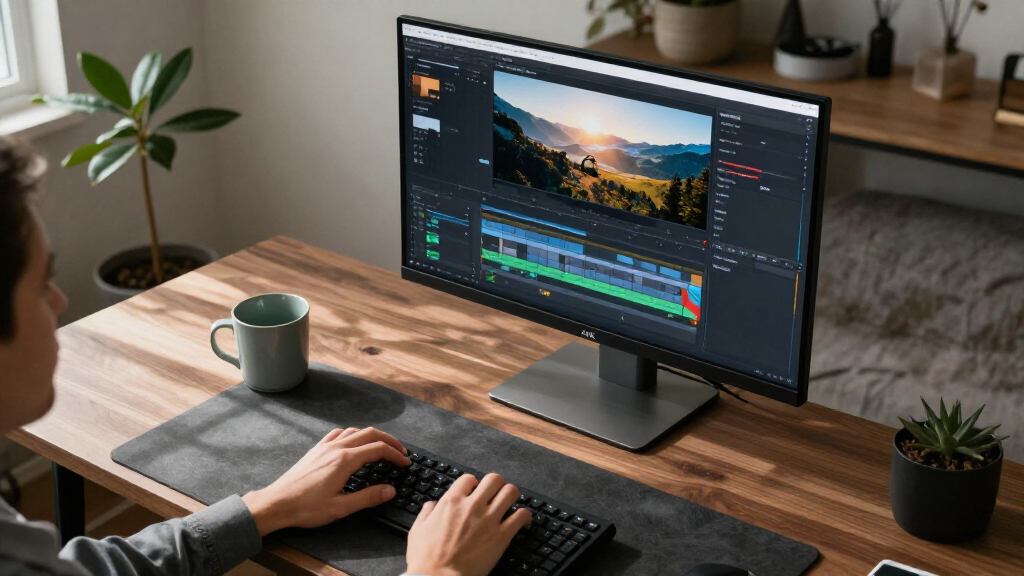
For most home offices, I’d start with the LG 27UP850K-W: its 27-inch 4K IPS panel and USB-C connectivity make it a flexible choice for laptop-based work. The Dell 27 Plus 4K stands out if you want a higher refresh rate, while the Samsung 32-inch ViewFinity S8 offers more room for side-by-side windows. The main tradeoff is between desk space and screen area, with connectivity and refresh rate also shaping how well a monitor fits your routine. A sharp 4K panel alone does not guarantee a simpler setup or a comfortable viewing distance. Read on for the full comparison and recommendations by home-office need.

Get business pricing on your home office setup
- Business-only prices and quantity discounts
- Tax-exempt purchasing
- Multiple users, one account, clear invoices
Complete the kit


Key Takeaways
- The LG 27UP850K-W is the most balanced pick in this group, combining a practical 27-inch 4K IPS format with USB-C for laptop-centered desks.
- The Dell 27 Plus 4K is the refresh-rate outlier at 120Hz, making it a stronger fit for smoother scrolling and mixed work and play than the standard office-focused choices.
- Two Samsung 32-inch options and the LG 32U701B-B favor screen area, but their larger panels need more desk depth and may not suit compact workspaces.
- The ASUS ProArt PA279CV targets color-conscious work; buyers who mainly use documents and browser tabs may get more practical value from a simpler 27-inch model.
- Several 27-inch IPS models overlap heavily, so the deciding factors are often USB-C, intended workload, and stand or connectivity needs rather than 4K resolution itself.
| Samsung 32″ ViewFinity S8 (S80UH) 4K UHD Monitor |  | Best for One-Cable Laptop Setups | Screen size: 32 inches | Resolution: 3840 × 2160 (4K UHD) | Panel type: VA | VIEW LATEST PRICE | See Our Full Breakdown |
| Samsung 27″ ViewFinity S7 (S71H) 4K UHD IPS Monitor |  | Best for a Simple, Compact 4K Desk | Screen size: 27 inches | Resolution: 3840 × 2160 (4K UHD) | Panel type: IPS | VIEW LATEST PRICE | See Our Full Breakdown |
| LG 27UP850K-W 27-Inch 4K UHD IPS Monitor |  | Best for Creative Home Offices | Screen size: 27 inches | Resolution: 3840 × 2160 (4K UHD) | Panel type: IPS | VIEW LATEST PRICE | See Our Full Breakdown |
| LG 27UP650K-W 27-Inch 4K UHD IPS Monitor |  | Best for Adjustable Ergonomics | Screen size: 27 inches | Resolution: 3840 × 2160 (4K UHD) | Panel type: IPS | VIEW LATEST PRICE | See Our Full Breakdown |
| LG 32U701B-B 32-inch UltraFine 4K UHD Monitor |  | Best for a Large, High-Contrast Screen | Screen size: 32 inches | Resolution: 3840 × 2160 (4K UHD) | Panel technology: VA | VIEW LATEST PRICE | See Our Full Breakdown |
| ASUS VY27UQ 27-Inch 4K UHD IPS Computer Monitor |  | Best for Eye-Care Features | Screen size: 27 inches | Resolution: 3840 x 2160 (4K UHD) | Panel: IPS | VIEW LATEST PRICE | See Our Full Breakdown |
| Dell 27 Plus 4K USB-C Monitor, 27-inch IPS, 120Hz, FreeSync Premium |  | Best for Laptop-Based Home Offices | Screen size: 27 inches | Resolution: 3840 x 2160 (4K UHD) | Panel: IPS LED | VIEW LATEST PRICE | See Our Full Breakdown |
| ASUS VP327Q 31.5-Inch 4K UHD Monitor |  | Best for a Spacious Single-Screen Workspace | Screen size: 31.5 inches | Resolution: 3840 x 2160 (4K UHD) | Panel: IPS | VIEW LATEST PRICE | See Our Full Breakdown |
| ASUS ProArt PA279CV 27-Inch 4K UHD USB-C Professional Monitor |  | Best for Color-Critical Creative Work | Screen size: 27 inches | Resolution: 3840 x 2160 (4K UHD) | Panel: IPS | VIEW LATEST PRICE | See Our Full Breakdown |
| Samsung ViewFinity S7 (S70H) 32-Inch 4K UHD Monitor |  | Best for Contrast and Screen-Splitting | Screen size: 32 inches | Resolution: 3840 x 2160 (4K UHD) | Panel: VA | VIEW LATEST PRICE | See Our Full Breakdown |
| LG 27US500-W 27-Inch 4K UHD IPS Monitor |  | Best for a Simple 4K Workspace | Screen size: 27 inches | Resolution: 3840 × 2160 (4K UHD) | Panel: IPS | VIEW LATEST PRICE | See Our Full Breakdown |
| LG 27US550-W 27-inch UltraFine IPS 4K UHD HDR10 Computer Monitor, White |  | Best for Ergonomic Adjustability | Screen size: 27 inches | Resolution: 3840 × 2160 (4K UHD) | Panel: IPS | VIEW LATEST PRICE | See Our Full Breakdown |
| 4K computer monitors for home office | Screen size | Resolution | Refresh rate | Brightness |
|---|---|---|---|---|
| Samsung 32" ViewFinity S8 | 32 inches | 3840 × 2160 (4K UHD) | 60 Hz | 350 cd/m² |
| Samsung 27" ViewFinity S7 | 27 inches | 3840 × 2160 (4K UHD) | 60 Hz | 300 cd/m² |
| LG 27UP850K-W 27-Inch 4K UHD I | 27 inches | 3840 × 2160 (4K UHD) | — | 400 cd/m² |
| LG 27UP650K-W 27-Inch 4K UHD I | 27 inches | 3840 × 2160 (4K UHD) | 60 Hz | 400 cd/m² |
| LG 32U701B-B 32-inch UltraFine | 32 inches | 3840 × 2160 (4K UHD) | — | 250 cd/m² |
| ASUS VY27UQ 27-Inch 4K UHD IPS | 27 inches | 3840 x 2160 (4K UHD) | 60 Hz | — |
| Dell 27 Plus 4K USB-C Monitor | 27 inches | 3840 x 2160 (4K UHD) | Up to 120 Hz | — |
| ASUS VP327Q 31.5-Inch 4K UHD M | 31.5 inches | 3840 x 2160 (4K UHD) | 60 Hz | — |
| ASUS ProArt PA279CV 27-Inch 4K | 27 inches | 3840 x 2160 (4K UHD) | 60 Hz | — |
| Samsung ViewFinity S7 | 32 inches | 3840 x 2160 (4K UHD) | 60 Hz | 300 cd/m² |
| LG 27US500-W 27-Inch 4K UHD IP | 27 inches | 3840 × 2160 (4K UHD) | 60 Hz | 300 cd/m² |
| LG 27US550-W 27-inch UltraFine | 27 inches | 3840 × 2160 (4K UHD) | 60 Hz | 300 cd/m² |
More Details on Our Top Picks
Samsung 32″ ViewFinity S8 (S80UH) 4K UHD Monitor
The 32-inch ViewFinity S8 pairs a roomy 4K workspace with USB-C charging up to 90W, data transfer, and built-in LAN. That makes it a stronger fit for a home office centered on a laptop than the Samsung 27-inch ViewFinity S7, whose listed ports are limited to HDMI and DisplayPort. Its VA panel’s 3000:1 contrast can give documents and video more depth, while tilt and swivel help position the larger screen. The tradeoff is that 32 inches takes up more desk space, and the 60 Hz refresh rate and 5 ms response time are aimed at everyday work rather than fast gaming. Choose it for a convenient desktop connection and a large canvas; skip it if you need a compact monitor or height adjustment.
Pros:- 32-inch 4K screen provides a broad workspace for documents and side-by-side windows.
- USB-C supports up to 90W charging and data transfer, with built-in LAN listed.
- VA panel has a 3000:1 contrast ratio.
- Stand supports tilt and swivel.
Cons:- Large footprint may be awkward on a small home-office desk.
- Stand adjustments do not include height.
- 60 Hz refresh rate and 5 ms response time are limited for fast-paced gaming.
Best for: Laptop-based home workers who want a large 4K workspace and USB-C charging, data, and LAN through one monitor.
Not ideal for: People with shallow or crowded desks, or buyers who need height adjustment or a high-refresh display.
- Screen size:32 inches
- Resolution:3840 × 2160 (4K UHD)
- Panel type:VA
- Refresh rate:60 Hz
- Brightness:350 cd/m²
- Contrast ratio:3000:1
- Connectivity:DisplayPort, HDMI, USB Type-C
- Stand adjustments:Tilt and swivel
Our verdict“Choose the ViewFinity S8 if your laptop-based home office needs a large 4K screen and a capable USB-C connection.”
Samsung 27″ ViewFinity S7 (S71H) 4K UHD IPS Monitor
The 27-inch ViewFinity S7 makes sense for a home office where crisp text and a modest footprint matter more than a built-in docking setup. Its 4K IPS panel offers wide viewing angles, useful when the screen is shared or viewed off-center, and the matte finish helps keep reflections from distracting during desk work. Compared with the 32-inch Samsung ViewFinity S8, this model is easier to fit on a smaller desk, but it gives up USB-C charging, a USB hub, and the larger viewing area. HDR10 and Eye Saver Mode add useful viewing options, though the listed 300 cd/m² brightness and 1000:1 contrast ratio are more modest than the LG 27UP850K-W’s figures. Its simple HDMI and DisplayPort selection suits a single-computer setup; buyers juggling peripherals may want more ports.
Pros:- 27-inch 4K IPS display fits more readily on compact desks.
- 178-degree viewing angle supports consistent viewing from off-center positions.
- Matte screen finish helps manage reflections.
- Eye Saver Mode and flicker-free technology are listed for long work sessions.
Cons:- Connectivity is limited to one HDMI port and DisplayPort, with no USB hub listed.
- 300 cd/m² brightness and 1000:1 contrast are lower than the LG 27UP850K-W specifications.
- 60 Hz refresh rate and 5 ms response time are not suited to high-frame-rate gaming.
Best for: Home-office users with limited desk space who want sharp 4K text and an IPS screen for shared viewing.
Not ideal for: Laptop users seeking USB-C charging or workers who need a built-in USB hub for several accessories.
- Screen size:27 inches
- Resolution:3840 × 2160 (4K UHD)
- Panel type:IPS
- Refresh rate:60 Hz
- Brightness:300 cd/m²
- Contrast ratio:1000:1
- Screen finish:Matte
- Ports:1 HDMI, DisplayPort
Our verdict“Pick the ViewFinity S7 for a compact, straightforward 4K IPS workspace when you do not need USB-C docking.”
LG 27UP850K-W 27-Inch 4K UHD IPS Monitor
For design and photo work at home, the LG 27UP850K-W offers a more flexible feature mix than the Samsung 27-inch ViewFinity S7. Its IPS panel covers up to 95% DCI-P3, and the listed DisplayHDR 400 support and 400 cd/m² brightness give creative work and video more color range and headroom than the Samsung’s listed 300 cd/m². USB-C with up to 90W power delivery can charge a laptop while carrying data; two HDMI ports, DisplayPort, and two USB 3.0 ports also make it easier to keep desk gear connected. The height-, tilt-, and pivot-adjustable stand helps tailor the viewing position, and built-in speakers can handle basic calls or video. The tradeoffs are a 60 Hz refresh rate and 5 ms response time, plus a feature set that may be unnecessary for routine office documents.
Pros:- IPS display covers up to 95% DCI-P3.
- USB-C provides data transfer and up to 90W power delivery.
- Stand supports height, tilt, and pivot adjustments.
- Includes two HDMI ports, DisplayPort, two USB 3.0 ports, and built-in stereo speakers.
Cons:- 60 Hz refresh rate and 5 ms response time limit its appeal for fast gaming.
- Creative-focused color and connectivity features may be unnecessary for basic office work.
- 27-inch workspace is smaller than the 32-inch Samsung ViewFinity S8.
Best for: Home-based designers and photo editors who want a 27-inch 4K IPS display with broad color coverage and USB-C laptop charging.
Not ideal for: Buyers focused on basic office documents who do not need the extra color coverage, connections, or adjustable stand.
- Screen size:27 inches
- Resolution:3840 × 2160 (4K UHD)
- Panel type:IPS
- Color gamut:Up to 95% DCI-P3
- Brightness:400 cd/m²
- HDR:VESA DisplayHDR 400, HDR10
- USB-C power delivery:Up to 90 W
- Stand adjustments:Height, tilt, and pivot
- Connectivity:USB-C, DisplayPort, 2 × HDMI, 2 × USB 3.0, headphone jack
Our verdict“Choose the LG 27UP850K-W if color-focused work and a USB-C laptop connection matter more than screen size or gaming speed.”
LG 27UP650K-W 27-Inch 4K UHD IPS Monitor
The LG 27UP650K-W is a practical pick for a home office where screen positioning and color coverage take priority over laptop docking. Its 27-inch 4K IPS screen covers up to 95% DCI-P3 and lists DisplayHDR 400 support, while the height-, tilt-, and pivot-adjustable stand offers more positioning options than the Samsung 27-inch ViewFinity S7. Compared with the LG 27UP850K-W, it keeps the adjustable stand and similar stated brightness and color coverage but drops the listed USB-C charging, USB hub, and speakers. That makes it a more focused choice for a desktop computer with its own connections. Reader Mode and Flicker Safe are aimed at extended viewing, while gaming features add flexibility for breaks. Its 60 Hz refresh rate and 5 ms response time still make it a work-first screen.
Pros:- 4K IPS panel covers up to 95% DCI-P3.
- Stand offers height, tilt, and pivot adjustment.
- DisplayHDR 400 support and 400 cd/m² listed brightness.
- Reader Mode and Flicker Safe support extended desk sessions.
Cons:- No USB-C charging or USB hub is listed, unlike the LG 27UP850K-W.
- 60 Hz refresh rate and 5 ms response time are modest for gaming.
- Listed connections do not include DisplayPort.
Best for: Desktop users who want a color-capable 27-inch 4K IPS monitor with height, tilt, and pivot adjustment.
Not ideal for: Laptop-first workers who want USB-C charging and a USB hub, or anyone seeking a high-refresh display.
- Screen size:27 inches
- Resolution:3840 × 2160 (4K UHD)
- Panel type:IPS
- Refresh rate:60 Hz
- Brightness:400 cd/m²
- Color gamut:Up to 95% DCI-P3
- Ports:2 HDMI, 1 USB, 2 component outputs
- Stand adjustments:Height, tilt, and pivot
Our verdict“Choose the 27UP650K-W if you want an adjustable stand and broad color coverage for desktop-based home-office work.”
LG 32U701B-B 32-inch UltraFine 4K UHD Monitor
The LG 32U701B-B suits home workers who want a big 4K canvas for spreadsheets, documents, and video without paying for a long list of docking features. Its 32-inch VA panel has a 3000:1 contrast ratio and 99% sRGB coverage, giving it a different emphasis from the color-focused IPS LG 27UP850K-W. HDMI and DisplayPort cover common desktop connections, while Reader Mode and Flicker Safe are intended for extended viewing. The compromises matter for desk planning: the listed brightness is 250 cd/m², and the stand offers only tilt, so it is less flexible to position than either the LG 27UP850K-W or 27UP650K-W. It also lacks the USB-C charging and hub features of the 27UP850K-W. Pick it for screen area and contrast, not an ergonomic or one-cable setup.
Pros:- 32-inch 4K screen offers generous room for multiple windows.
- VA panel has a 3000:1 contrast ratio.
- 99% sRGB coverage and HDR10 support are listed.
- HDMI and DisplayPort support common computer connections.
Cons:- 250 cd/m² brightness is lower than the LG 27UP850K-W and 27UP650K-W.
- Stand supports tilt only, with no height or swivel adjustment.
- No USB-C charging or USB hub is listed.
Best for: Home-office users who want a large 32-inch 4K screen for spreadsheets and general work, with strong VA contrast.
Not ideal for: Workers in bright rooms who need higher listed brightness, an adjustable-height stand, or USB-C laptop charging.
- Screen size:32 inches
- Resolution:3840 × 2160 (4K UHD)
- Panel technology:VA
- Brightness:250 cd/m²
- Contrast ratio:3000:1
- Color gamut:99% sRGB
- HDR support:HDR10
- Connectivity:HDMI, DisplayPort, headphone
- Weight:6.2 kg
Our verdict“Choose the LG 32U701B-B for a spacious, high-contrast 4K screen if brightness and stand flexibility are secondary.”
ASUS VY27UQ 27-Inch 4K UHD IPS Computer Monitor
The ASUS VY27UQ suits a home office where long reading sessions and visual comfort matter more than a high refresh rate. Its 27-inch 4K IPS panel gives documents and side-by-side windows a sharp workspace, while the blue-light filter and flicker-free operation add useful viewing options. Compared with the larger ASUS VP327Q, this model takes up less desk space, though it offers less room for oversized windows. Adaptive Sync can smooth casual gaming and video, but the 60 Hz limit makes it a weaker choice for fast-paced play than the 120 Hz Dell 27 Plus. The matte finish may look less crisp to some viewers, and the built-in speakers are best treated as a backup. Its antibacterial bezel treatment is a distinctive extra, not a substitute for routine cleaning.
Pros:- 4K resolution on a compact 27-inch IPS screen
- Blue-light filter and flicker-free operation
- Adaptive Sync for smoother casual gaming and video
- Antibacterial treatment on the bezel and hotkeys
Cons:- 60 Hz refresh rate falls short of the Dell 27 Plus for high-frame-rate gaming
- Matte finish may look less crisp than a glossy screen
- Built-in speakers are limited compared with dedicated audio
Best for: Home-office users who spend long hours reading or working at a 27-inch desk and want adjustable eye-care features.
Not ideal for: Competitive gamers or buyers who want a large workspace, higher refresh rate, or strong built-in audio.
- Screen size:27 inches
- Resolution:3840 x 2160 (4K UHD)
- Panel:IPS
- Refresh rate:60 Hz
- Connectivity:2x HDMI, 1x DisplayPort
- Audio:Built-in speakers
- Weight:11.2 lbs
- Warranty:3 years
Our verdict“Choose the ASUS VY27UQ if eye-care options and a compact 4K workspace matter more than fast refresh or premium sound.”
Dell 27 Plus 4K USB-C Monitor, 27-inch IPS, 120Hz, FreeSync Premium
The Dell 27 Plus is the most flexible pick here for someone who docks a laptop at a home desk. Its USB-C connection with up to 65W power delivery can carry video and charge a compatible laptop through one cable, while the 27-inch 4K IPS screen keeps text and spreadsheets crisp. The 120 Hz refresh rate also makes scrolling and pointer movement feel smoother than on the 60 Hz ASUS ProArt PA279CV. That ProArt remains the more focused choice for color-critical work, with stated factory calibration and full sRGB coverage; Dell lists 99% sRGB instead. FreeSync Premium helps with compatible gaming, though this is still a productivity display first. A matte finish reduces reflections, and ComfortView Plus adds low-blue-light support. The listed warranty is one year, shorter than the ProArt’s registered coverage.
Pros:- USB-C supports up to 65W laptop power delivery
- 120 Hz refresh rate is smoother than the 60 Hz options
- 99% sRGB coverage on a 4K IPS panel
- ComfortView Plus and built-in speakers
Cons:- One-year warranty is shorter than the ASUS ProArt PA279CV’s stated registered coverage
- Color accuracy is not specified as factory calibrated
- USB-C charging depends on the laptop’s power needs and compatibility
Best for: Laptop users who want a single USB-C cable for display and charging, plus smoother scrolling and occasional gaming.
Not ideal for: Color-critical creators seeking factory-calibration details or buyers who prioritize a longer warranty.
- Screen size:27 inches
- Resolution:3840 x 2160 (4K UHD)
- Panel:IPS LED
- Refresh rate:Up to 120 Hz
- Color gamut:99% sRGB
- Connectivity:HDMI, USB-C
- USB-C power delivery:Up to 65W
- Warranty:1-year Advanced Exchange Service & Premium Panel Exchange
Our verdict“Pick the Dell 27 Plus for a tidy laptop desk where one-cable USB-C convenience and 120 Hz responsiveness lead the priorities.”
ASUS VP327Q 31.5-Inch 4K UHD Monitor
The ASUS VP327Q gives home-office users a larger canvas than the 27-inch ASUS VY27UQ, making it easier to keep documents, reference material, and a video call visible together. Its 31.5-inch 4K IPS panel pairs that extra space with 99% sRGB coverage and wide viewing angles, while HDR-10 support and Adaptive-Sync broaden its use for media after work. The tradeoff is a standard 60 Hz refresh rate, so the 120 Hz Dell 27 Plus is the better fit for smoother motion. This ASUS also needs more desk room; the supplied dimensions list a 28.1-inch width, so measure the available surface before choosing it. Dual HDMI, DisplayPort, and VESA compatibility offer flexible setup options, but the listed features do not include USB-C laptop charging.
Pros:- 31.5-inch 4K IPS display provides more room than 27-inch alternatives
- 99% sRGB gamut and HDR-10 support
- Dual HDMI, DisplayPort, and VESA compatibility
- Flicker-free and low-blue-light features
Cons:- 60 Hz refresh rate is less fluid than the Dell 27 Plus at 120 Hz
- Large listed width may not fit every desk
- No USB-C power delivery is listed
Best for: People who want a large 4K screen for multitasking across documents, calls, and reference windows without using multiple monitors.
Not ideal for: Small-desk users or laptop owners who want USB-C charging and a higher refresh rate.
- Screen size:31.5 inches
- Resolution:3840 x 2160 (4K UHD)
- Panel:IPS
- Refresh rate:60 Hz
- Color gamut:99% sRGB
- HDR:HDR-10
- Connectivity:Dual HDMI, DisplayPort
- Mounting:VESA compatible
Our verdict“Choose the ASUS VP327Q if a roomy 31.5-inch 4K workspace matters more than compact dimensions or USB-C docking.”
ASUS ProArt PA279CV 27-Inch 4K UHD USB-C Professional Monitor
The ASUS ProArt PA279CV is the strongest fit in this group for a home office that doubles as a design or photo workspace. Its Calman Verified calibration, Delta E below 2, and 100% sRGB and Rec. 709 coverage give buyers specific color targets to work from; the Dell 27 Plus lists 99% sRGB but does not provide the same calibration details. USB-C with 65W power delivery, a four-port USB hub, and an adjustable stand also make it easier to connect and position a laptop setup. These creator-focused strengths come with a 60 Hz refresh rate and 5 ms response time, so the Dell is better for fluid motion and casual gaming. No built-in speakers are listed, and reaching the extended warranty term requires registration.
Pros:- Calman Verified calibration with Delta E < 2
- 100% sRGB and 100% Rec. 709 coverage
- USB-C delivers up to 65W and connects to a USB hub
- Stand adjusts for height, tilt, swivel, and pivot
Cons:- 60 Hz refresh rate and 5 ms response time are less suited to fast gaming than the Dell 27 Plus
- Built-in speakers are not listed
- Five-year warranty requires registration for the two-year extension
Best for: Designers, photographers, and video editors who need stated sRGB and Rec. 709 coverage and calibrated color at a home desk.
Not ideal for: Competitive gamers or buyers who need built-in speakers and a high refresh rate.
- Screen size:27 inches
- Resolution:3840 x 2160 (4K UHD)
- Panel:IPS
- Color coverage:100% sRGB, 100% Rec. 709
- Color accuracy:Delta E < 2, Calman Verified
- USB-C power delivery:65W
- Refresh rate:60 Hz
- Ergonomics:Height, tilt, swivel, and pivot adjustments
- Warranty:5 years with registration (3 years plus 2-year extension)
Our verdict“Choose the ProArt PA279CV when documented color accuracy and a flexible laptop workstation matter more than gaming speed or built-in audio.”
Samsung ViewFinity S7 (S70H) 32-Inch 4K UHD Monitor
The Samsung ViewFinity S7 combines a large 32-inch 4K workspace with a VA panel and stated 3000:1 contrast ratio, making dark text and shaded content stand out against bright backgrounds. Its matte screen and Eye Saver Mode suit a desk near windows or long work sessions, while Samsung Display Manager adds screen-splitting, KVM, and picture-in-picture controls for juggling devices and tasks. Compared with the IPS ASUS VP327Q, the Samsung emphasizes contrast and workflow tools; the ASUS lists 99% sRGB coverage and VESA mounting, which may matter more for color-focused work or flexible installation. This model is limited to 60 Hz and has just one HDMI port, and its one-year warranty is shorter than the ASUS models’ listed three-year coverage.
Pros:- 32-inch 4K screen supports broad desktop layouts
- VA panel with 3000:1 contrast ratio
- Matte finish and Eye Saver Mode
- Display Manager includes screen-splitting, KVM, and picture-in-picture controls
Cons:- 60 Hz refresh rate is slower than the Dell 27 Plus
- Only one HDMI port
- One-year warranty is shorter than the ASUS VP327Q’s listed three years
Best for: Multitaskers who want a large 32-inch screen, strong stated contrast, and software controls for splitting work across sources.
Not ideal for: Color-focused creators who want listed sRGB coverage, frequent port switching via HDMI, or a longer warranty.
- Screen size:32 inches
- Resolution:3840 x 2160 (4K UHD)
- Panel:VA
- Refresh rate:60 Hz
- Contrast ratio:3000:1
- Brightness:300 cd/m²
- Ports:1 HDMI, DisplayPort
- HDR:HDR10
- Warranty:1 year
Our verdict“Pick the ViewFinity S7 if screen area, contrast, and built-in multitasking controls matter more than refresh rate or connection variety.”
LG 27US500-W 27-Inch 4K UHD IPS Monitor
The LG 27US500-W suits a home office where sharp text, a matte screen, and straightforward connections matter more than stand flexibility. Its 27-inch 4K IPS panel gives documents and side-by-side windows fine detail, while the wide viewing angles help keep colors consistent when you shift in your chair. HDR10 and up to 90% DCI-P3 coverage add range for occasional photo and video work, though 300 cd/m² brightness and a standard IPS contrast ratio limit its impact in bright rooms or dark scenes.
Compared with the LG 27US550-W, this model has a simpler tilt-only stand, so it makes more sense if your monitor height is already right or you use a riser. Both are limited to 60 Hz; neither is the pick for high-frame-rate gaming. The 27US500-W keeps the home-office setup uncomplicated, but buyers wanting easy posture adjustments should choose the 27US550-W.
Pros:- 4K resolution provides fine detail for text and multiple windows
- IPS panel offers wide viewing angles
- Matte finish helps reduce reflections
- HDMI and DisplayPort support common desktop and laptop connections
Cons:- Stand adjusts only by tilt
- 60 Hz refresh rate is limited for high-frame-rate gaming
- 300 cd/m² brightness and 1000:1 contrast are modest for bright rooms and dark imagery
Best for: Home-office users who want a sharp 27-inch screen for documents, browsing, and occasional color-focused creative work, and already have a suitable desk height.
Not ideal for: People who need frequent height, swivel, or portrait adjustments, or who work in a very bright room and need more screen brightness.
- Screen size:27 inches
- Resolution:3840 × 2160 (4K UHD)
- Panel:IPS
- Refresh rate:60 Hz
- Color gamut:Up to 90% DCI-P3
- HDR:HDR10
- Brightness:300 cd/m²
- Connectivity:HDMI, DisplayPort
Our verdict“Choose the LG 27US500-W for a clear, no-fuss 4K office display if tilt adjustment is enough for your desk.”
LG 27US550-W 27-inch UltraFine IPS 4K UHD HDR10 Computer Monitor, White
The LG 27US550-W is the more adaptable choice for a shared or changing home-office setup. Its stand adjusts for height, tilt, swivel, and pivot, making it easier to set the screen at eye level or turn it vertically for long documents and code. The 27-inch 4K IPS panel keeps text and images crisp, and 90% DCI-P3 coverage plus HDR10 support suit light creative work as well as everyday office tasks.
Compared with the LG 27US500-W, the main advantage is ergonomics and the included LG Switch app for screen splitting and device management; both share 60 Hz refresh, 300 cd/m² brightness, and 1000:1 contrast. That means the 27US550-W is easier to position, but it does not solve limited brightness in sunlit rooms or provide the smoother motion of the roundup’s 120 Hz Dell 27 Plus. Its 15-pound weight also makes it less convenient to move around.
Pros:- Height, tilt, swivel, and pivot adjustments support more comfortable positioning
- 4K IPS panel combines sharp detail with wide viewing angles
- 90% DCI-P3 coverage and HDR10 suit occasional creative work
- LG Switch app supports screen splitting and device switching
Cons:- 60 Hz refresh rate does not suit high-frame-rate gaming
- 300 cd/m² brightness may be limited in very bright rooms
- 1000:1 contrast is modest for dark scenes
Best for: People who alternate between sitting and standing, rotate between documents and spreadsheets, or share a monitor across different desk setups.
Not ideal for: Buyers with a fixed desk position who do not need ergonomic adjustments, or users prioritizing high refresh rates, stronger contrast, or high brightness.
- Screen size:27 inches
- Resolution:3840 × 2160 (4K UHD)
- Panel:IPS
- Refresh rate:60 Hz
- Color gamut:90% DCI-P3
- HDR:HDR10
- Brightness:300 cd/m²
- Stand adjustments:Tilt, height, swivel, pivot
- Connectivity:HDMI, DisplayPort
Our verdict“Pick the LG 27US550-W if flexible positioning and portrait rotation matter more to your home-office routine than higher refresh or brightness.”
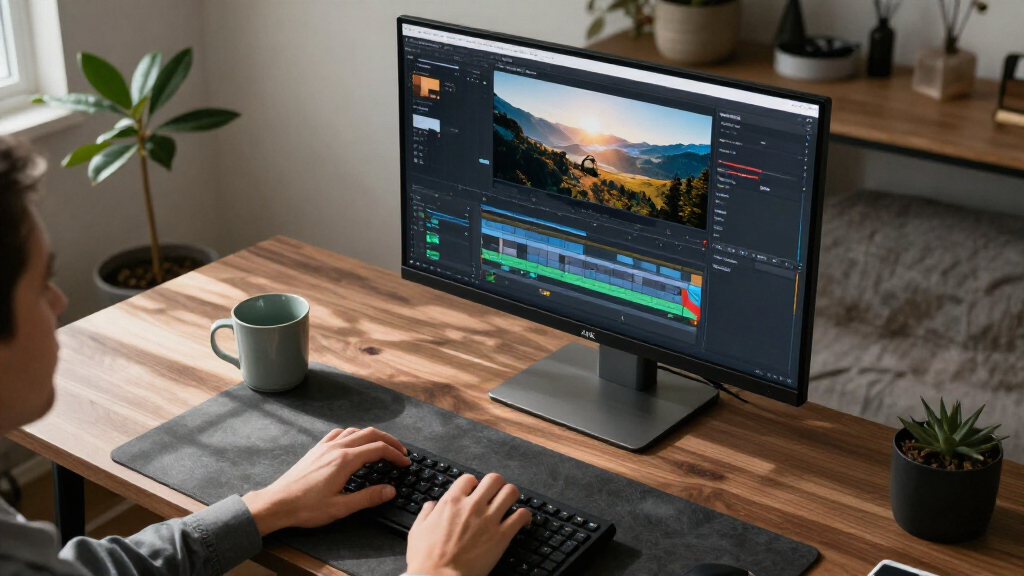
How We Picked
I ranked these monitors around the demands of a home office: readable workspace, sensible screen size, useful connections, and a feature set that fits the work rather than inflating it. I gave extra weight to USB-C models because a single connection can reduce cable clutter and simplify laptop docking, and I treated the Dell’s 120Hz refresh rate and the ProArt’s professional positioning as advantages for narrower use cases.
The order favors balanced everyday utility first, then models with a clear strength such as a larger canvas, a more specialized color workflow, or a simpler entry point. Similar 27-inch 4K IPS displays are separated by their connectivity and intended buyer, while larger 32-inch picks rank lower for general home offices because they take more room. Each option has a tradeoff: the best fit depends on desk depth, laptop ports, work type, and whether extra features will see regular use.
Factors to Consider When Choosing 4K Computer Monitors For Home Offices
Choosing a 4K display is less about chasing the longest feature list and more about matching screen size, connection setup, and daily workload. I’d settle those practical questions before comparing model names.
Match screen size to viewing distance
A 27-inch 4K monitor suits many desks where the screen sits at a typical arm’s length, while a 32-inch panel gives spreadsheets and side-by-side windows more physical space. The larger display can feel less cramped, but it also occupies more of your field of view and desk depth. A common mistake is choosing by diagonal size alone without measuring where the stand and keyboard will sit. Check that you can place the monitor far enough back to scan the whole screen comfortably. If your desk is shallow, a 27-inch model may be the easier fit even when you often work across multiple windows.
Check USB-C power and docking needs
USB-C can carry video, data, and laptop charging through one cable, but not every USB-C monitor provides the same power delivery or hub features. Before buying, check your laptop’s charging needs and the monitor’s stated output; a low-power connection may still leave you reaching for the original charger. Think about peripherals too: keyboard, mouse receiver, webcam, and wired network may call for a monitor with a useful USB hub. If you use a desktop tower, USB-C charging may have little value, so a less connected model can be a sensible choice. The goal is to simplify the setup you actually have.
Choose resolution and scaling for your work
4K gives you fine detail and room for dense documents, but at 27 inches many people will use operating-system scaling to keep text comfortable to read. Scaling changes the effective workspace, so the number of pixels does not translate directly into more usable columns or larger text. Check how your main applications handle scaling, especially if you rely on older software or remote desktop tools. A 32-inch screen can make the same resolution feel less cramped, though it needs more space. Prioritize legible text and a comfortable viewing distance over maximizing visible content.
Pay for refresh rate when motion matters
Most office tasks work well at standard refresh rates, while a higher rate can make scrolling and pointer movement look smoother. The Dell 27 Plus 4K’s 120Hz specification gives it a distinct role for people who mix productivity with gaming or simply prefer smoother motion. That feature does not improve document sharpness or make a panel larger. If your day is mostly email, spreadsheets, and video calls, you may benefit more from USB-C or a better physical fit. Decide based on how much time you spend with moving content.
Separate color-critical work from general office use
Design, photo, and video work can place more weight on color coverage, calibration options, and consistent image presentation than ordinary office tasks. A professional line such as ASUS ProArt is aimed at that kind of workflow, but a product label alone does not tell you whether a display meets a particular project’s color requirements. Check the specific color gamut, calibration claims, and any external validation your work requires. If you mainly edit slides and write documents, those capabilities may not justify giving up a feature you use daily. Match color features to deliverables and client standards.
Measure the whole setup, including the stand
A monitor’s footprint includes its stand, not just the panel, and that can determine whether a large screen fits beside a laptop or desk lamp. Check height adjustment, tilt, swivel, and VESA compatibility against your preferred posture and mount. A fixed-height screen can leave you stacking books or buying an arm later, even if the image is excellent. Also account for sunlight and overhead lighting, since reflections can affect comfort more than a small difference in panel specifications. Measure the workspace and your eye line before placing an order.
Frequently Asked Questions
Is a 27-inch or 32-inch 4K monitor better for a home office?
I’d choose 27 inches when desk depth is limited or you sit relatively close, and 32 inches when you want larger text or more comfortable side-by-side work. Both sizes can show 4K detail, but the physical scale changes how the screen feels at your viewing distance. A larger panel is not automatically more productive if you have to turn your head to follow content. Measure the desk and consider how far back the screen can sit. For a mixed laptop-and-monitor workspace, 27 inches is often easier to place.
Should I prioritize USB-C or a higher refresh rate?
Prioritize USB-C if you connect a laptop every day and want one cable for display and charging. Prioritize a higher refresh rate if smooth motion matters to your work or you also play games on the monitor. These features solve different problems, so neither is a universal upgrade. Check the USB-C power output against your laptop’s requirements and confirm that the refresh rate is supported at the resolution you plan to use. If neither benefit is central to your routine, focus on size, stand fit, and image needs.
Will 4K make text too small on a 27-inch monitor?
Text may look small at the default scaling, but most current operating systems let you scale the interface while retaining the panel’s fine detail. The tradeoff is that scaling reduces the amount of content that fits on screen at once. Try the scaling settings on your current display if you can, or check your workplace’s standard setup before choosing. If you prefer large text and do not need a very dense workspace, a 32-inch 4K model may feel more comfortable. Viewing distance also affects perceived text size.
Do I need a professional monitor for spreadsheets and video calls?
Usually, a professional monitor is most useful when your work depends on reliable color decisions, such as photo editing or design reviews. For spreadsheets and calls, a suitable screen size, readable text, and a convenient webcam or laptop connection may matter more. The ASUS ProArt PA279CV has a clearer case when color-focused work is part of your day. Before paying for professional positioning, identify a requirement your current setup cannot meet. If you cannot name one, a general-purpose 4K IPS model may be a better match.
Can a 4K monitor replace a laptop dock?
It can replace some dock functions if it has USB-C video, enough power delivery, and the ports you need for peripherals. It may not replace a dock if you need more connections, wired networking, multiple displays, or charging beyond the monitor’s output. Compare the monitor’s port list with every device you normally plug in. Also check whether your laptop supports video over its USB-C port, since the connector shape alone does not guarantee that capability. A connection checklist can prevent a setup that still needs a separate hub.
Conclusion
For a balanced home-office setup, I’d choose the LG 27UP850K-W as best overall, especially for laptop users who value USB-C. The LG 27US500-W or LG 27UP650K-W are sensible value-oriented choices for buyers who want a straightforward 27-inch 4K IPS screen without making docking or specialized color tools the priority. For color-focused creative work, I’d look to the ASUS ProArt PA279CV; for beginners, a familiar 27-inch IPS option such as the ASUS VY27UQ keeps the choice focused on core display needs. Choose the Dell 27 Plus 4K for its 120Hz refresh rate, or one of the 32-inch Samsung and LG models when extra screen area is worth the added desk footprint.