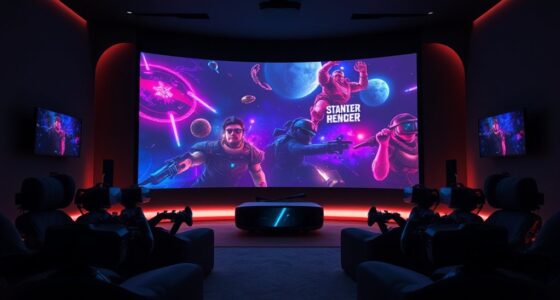
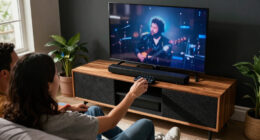
The best LED bias lighting kits for projector rooms should fit the screen or wall setup, provide comfortable light behind the viewing area, and avoid competing with the projected image. My best overall pick is the LEDGlow 4-Piece Million Color Kit, whose corner tubes suit a four-sided layout; the 18-foot HAMLITE True White kit is a stronger fit for very large screens, while the Power Practical 78-inch strip offers a straightforward color-and-dimmer setup. The main tradeoffs are screen coverage, white-light quality, installation flexibility, and whether you want color effects or restrained ambient light. Several kits are designed around TVs, so projector owners should check how the strip can be mounted around a screen or viewing wall. Read on for the ranking, buying advice, and a closer look at which kit fits each room.

Get business pricing on your home office setup
- Business-only prices and quantity discounts
- Tax-exempt purchasing
- Multiple users, one account, clear invoices
Complete the kit


Key Takeaways
- LEDGlow ranks first for flexible layouts: its four corner tubes suit a four-sided arrangement better than fixed-length strips, though the pieces may take more planning to position.
- HAMLITE’s 18-foot true-white kit is the clearest large-screen match: its length and 6500K light target broad coverage, but its sizing is described for TVs rather than projector screens.
- The 78-inch Power Practical strip is the simpler color pick: remote control, multiple colors, and brightness modes offer flexibility, while a single strip may not fit every large or unusually shaped screen.
- Luminoodle’s two kits serve different spaces: the 6.6-foot version is aimed at 24-to-60-inch displays, while the small true-white version is intended for monitors up to 24 inches; neither is the obvious choice for a large projector screen.
- USB power and TV-sync features need a projector-room check: a projector may not provide a convenient USB port or TV-style power behavior, so outlet access and manual switching can affect the final setup.


| led bias lighting kits for projector room | Strip length | Color temperature | Color options | Power |
|---|---|---|---|---|
| Luminoodle Color Bias Lighting | 78 inches (6.6 feet) | 6500K | 15 colors | USB, 5V |
| HAMLITE TV Backlight 55 inch | 11.5 feet | 5000K white | 17 | USB |
| Luminoodle Bias Lighting | 39 inches (1 meter) | 6500K | — | — |
| Power Practical LED TV Backlig | 78 inches | 6500K | 15 | USB, 5V |
| HAMLITE TV Bias Lighting 6500K | 18 feet | 6500K | 17 listed in specifications; description states 18 | USB, 5V, 1A required |
| LEDGlow 4-Piece Million Color | — | — | — | — |
More Details on Our Top Picks
Luminoodle Color Bias Lighting, USB TV and Monitor Backlight LED Strip Lights Kit with Dimmer, Remote – 6.6 ft for 24″ to 60″ TV – Medium
For a projector room with a separate screen frame or nearby display, the 78-inch strip and remote-controlled color and brightness give this Luminoodle more flexibility than the small, fixed-white Luminoodle Bias Lighting strip. Its listed size range is broad, but the description also identifies a 24–29-inch installation, so I would check the actual route around your screen before buying rather than assume it covers a large projector screen. The 6500K white mode suits viewers who want a neutral backlight option, while 15 colors allow a moodier setup when color accuracy matters less. USB power keeps installation simple, but a projector itself may not provide a convenient USB port that switches with the projector. It is a practical choice for compact installations, not a purpose-built long-run screen kit.
Pros:- Remote adjusts among 15 colors and 10 brightness levels.
- 6500K white mode offers a neutral option for routine viewing.
- USB power and adhesive backing keep setup straightforward.
- 78-inch length can suit smaller screens and monitor-sized installations.
Cons:- The listed screen-size guidance is inconsistent, making fit less certain.
- USB power may require a separate adapter if the projector has no suitable port.
- Not water resistant and intended for indoor use.
Best for: Projector-room owners adding bias light to a compact screen frame or secondary 24–29-inch display who want remote color and brightness control.
Not ideal for: Owners of wide projector screens who need a clearly specified perimeter-length strip or automatic power syncing with the projector.
- Strip length:78 inches (6.6 feet)
- Color temperature:6500K
- Color options:15 colors
- Brightness levels:10
- Power:USB, 5V
- Wattage:5W
- Control:Wireless remote
- Water resistance:Not water resistant
Our verdict“Choose this Luminoodle for a compact projector-room installation that needs color control, but measure the route carefully before relying on it for a larger screen.”
HAMLITE TV Backlight 55 inch, 11.5Ft Led Strip Lights USB Powered with Remote -Curve Design Sync on/Off with TV, Changing LED Background Bias Lighting for Living Room Decor, Gaming Decor
The 11.5-foot W-shaped strip is the standout here: it is designed to bend around corners and cover all four sides of a 50–55-inch TV, a routing approach that can help when a projector screen frame has awkward corners. Compared with the 18-foot HAMLITE kit for very large TVs, this is a better match for a modest screen or a shorter perimeter, though neither is specifically sized for projector screens. It offers 17 colors, 10 brightness levels and dynamic modes, plus a 5000K white setting rather than the 6500K white found on several alternatives. USB power and claimed TV on/off syncing make operation convenient in a TV setup; with a projector, automatic syncing is less certain and depends on the connected USB power behavior. Its strengths are fit flexibility and effects, not strict reference-white bias lighting.
Pros:- 11.5-foot W-shaped strip is designed to route around corners.
- 17 colors, 10 brightness levels and dynamic modes provide varied ambience.
- RF remote control can be useful when the controller is not directly in view.
- USB power simplifies installation around a powered display.
Cons:- 5000K white differs from the 6500K setting on the Luminoodle options.
- Automatic on/off syncing is described for TVs, not projector systems.
- The 50–55-inch fit guidance may not translate to a projector screen perimeter.
Best for: Projector-room owners with a roughly 50–55-inch screen frame, tight corners and a preference for adjustable color effects.
Not ideal for: Viewers seeking 6500K reference-style white or a documented projector-triggered power connection.
- Strip length:11.5 feet
- Suggested display size:50–55 inches
- Color temperature:5000K white
- Color options:17
- Brightness levels:10
- Power:USB
- Controller:RF remote
- Wattage:5W
Our verdict“Pick the HAMLITE 11.5-foot kit when corner routing and color effects matter more than 6500K white or reliable projector-linked switching.”
Luminoodle Bias Lighting, Backlight Kit for Monitors up to 24″ – USB LED Light Strip – Computer Monitor Backlight – True White Adhesive Strip – White – Small (<24" TV)
This is the simplest option in the group: a 39-inch strip with 6500K white light, USB power and adhesive backing. That combination makes sense behind a small desktop display in a projector room, or for a short screen edge where colored effects would be distracting. It is much shorter and less configurable than the 78-inch Luminoodle Color Bias Lighting kit, so I would not choose it for a large projection screen; the listed fit is for monitors up to 24 inches. Its USB connection can turn on and off with a display when that port supplies power accordingly, but USB behavior varies and the product information calls for a 5V, 1A source. The tradeoff is clear: neutral, compact illumination over broad coverage and remote-adjustable colors.
Pros:- 6500K white light offers a consistent neutral color rather than changing hues.
- 39-inch length fits small monitors and compact display installations.
- USB power and adhesive installation keep the setup uncomplicated.
- Can switch with a display when its USB port powers down with the screen.
Cons:- The 39-inch strip is too short for most projector-screen perimeters.
- No color-changing modes are described for this white-only version.
- Requires a 5V, 1A USB source, and display USB power behavior can vary.
Best for: Projector-room users who want a short 6500K white strip behind a small monitor or compact display and have a suitable USB power source.
Not ideal for: Owners of large projector screens, or anyone who wants color modes, remote brightness control or a longer perimeter run.
- Strip length:39 inches (1 meter)
- Suggested display size:Monitors up to 24 inches
- Color temperature:6500K
- Power input:5V, 1A USB
- Wattage:5W
- Adhesive:3M adhesive backing
- Indoor/outdoor use:Indoor
Our verdict“Choose this compact Luminoodle for a small display needing simple 6500K backlighting, not for lighting a full-size projector screen.”
Power Practical LED TV Backlight Strips with Remote, 15 Colors, 10 Brightness Modes, 78-inch, USB Powered
The Power Practical strip brings the core features many small-screen setups need: 78 inches of USB-powered lighting, a remote, 15 colors and 10 brightness levels. That makes it more adjustable than the fixed-white Luminoodle Bias Lighting strip, while its stated 24–29-inch TV range gives a clearer small-display target than the HAMLITE kits designed around larger televisions. For a projector room, that is useful around a compact frame or secondary display, but the length is unlikely to wrap a typical large projection screen. The 6500K specification offers a white setting suited to neutral viewing, although the product description emphasizes colors and does not detail how the strip is routed around screen corners. The simple adhesive installation is convenient, but the CR2 remote battery and limited stated size range are practical constraints.
Pros:- 15 colors and 10 brightness levels allow adjustment for viewing or ambient effects.
- 6500K color temperature provides a neutral-white option.
- USB power and 3M adhesive support a simple installation.
- Remote control avoids needing direct access to the strip.
Cons:- The 78-inch length and 24–29-inch guidance limit its usefulness on large screens.
- Corner routing and full-perimeter coverage are not specified.
- Remote requires one CR2 battery.
Best for: Buyers adding adjustable backlighting to a 24–29-inch display in a projector room who want a straightforward USB kit and remote.
Not ideal for: Projector owners lighting a large screen perimeter or seeking an installation explicitly designed for four-sided corner routing.
- Strip length:78 inches
- Suggested TV size:24–29 inches
- Color temperature:6500K
- Color options:15
- Brightness levels:10
- Power:USB, 5V
- Wattage:5W
- Remote battery:1 CR2 battery
Our verdict“This Power Practical kit suits compact displays that need remote color adjustment, but its stated size range makes it a poor fit for most full-size projector screens.”
HAMLITE TV Bias Lighting 6500K True White for 70 72 75 80 82 85 Inch TV, 18Ft USB TV LED Backlight with RF Remote Cover 4 Sides Behind TV Background Room Decor Gaming Light for Men Ambient Mood Light
Among these options, the 18-foot W-shaped strip is the strongest candidate for a large projector screen frame: HAMLITE specifies four-sided coverage for 70–85-inch TVs, while the 78-inch Luminoodle and Power Practical strips are aimed at much smaller displays. Separate 6500K white LEDs give this kit a more clearly defined neutral-white mode than the 5000K HAMLITE 11.5-foot version, and its RF remote, color choices, modes and memory function add flexibility between sessions. The catch is that TV size labels do not guarantee a fit around a projector screen; measure the frame route, corners and power location first. USB power requires a 5V, 1A source, and syncing is stated for most TVs, not projectors. It is the most plausible large-screen pick here, but not a projector-specific system.
Pros:- 18-foot length is the longest among the reviewed kits and targets large displays.
- Separate 6500K white LEDs provide a neutral-white mode.
- W-shaped routing is designed to bend around corners.
- RF remote, memory function, color choices and modes add control flexibility.
Cons:- Coverage is described for TVs, so projector-screen fit still needs measurement.
- USB syncing is not guaranteed with projectors and is only claimed for most TVs.
- Requires a 5V, 1A power source and is not water resistant.
Best for: Owners of large projector screens or frames who can verify that an 18-foot run fits and want 6500K white plus color effects.
Not ideal for: Small-screen setups, buyers needing guaranteed projector on/off syncing, or anyone without a suitable 5V, 1A USB power source.
- Strip length:18 feet
- Suggested TV size:70–85 inches
- Color temperature:6500K
- Color options:17 listed in specifications; description states 18
- Lighting modes:10 dynamic modes listed
- Power:USB, 5V, 1A required
- Controller:RF remote
- Water resistance:Not water resistant
Our verdict“Choose the 18-foot HAMLITE when a large screen frame needs extensive coverage and you can confirm the route and USB power behavior in advance.”
LEDGlow 4-Piece Million Color LED Home Theater TV Accent Bias Lighting Kit with 90-Degree Corner Tubes
The LEDGlow is a four-tube kit with 90-degree corners, giving smaller screens a segmented lighting layout rather than the continuous strip used by options such as the Luminoodle Color Bias Lighting kit. Its four tubes contain 54 LEDs and are designed for 32–40-inch TVs, so it suits a compact screen where flexible colors and lighting modes matter more than covering a large projection wall. The included remote, control box, mounting hardware, and power supplies make it a more complete package than a basic strip, though the control box and separate tubes can make installation feel less straightforward.
For a projector room, the main limitation is fit: the product is specified for small TVs, not large screens or projection surfaces. Compared with the longer Luminoodle strip, it offers a more structured corner-tube arrangement but less adaptable coverage. It also needs a mains outlet, so placement depends on nearby power.
Pros:- Four corner tubes create a defined layout behind a compatible small TV
- 54 LEDs provide multi-color accent lighting
- Remote control adjusts colors and lighting modes
- Mounting hardware, control box, and power supplies are included
Cons:- Designed for 32–40-inch TVs, limiting use with larger displays and projector screens
- Corded electric power requires access to a mains outlet
- Separate tubes and a control box may take more planning to install than a single LED strip
Best for: Owners of a compact 32–40-inch TV in a projector room who want changeable accent colors and a tube-based layout.
Not ideal for: Projector owners seeking even illumination around a large screen or wall, or anyone who needs USB power and a flexible long strip.
- Light source:LED
- LED count:54
- Lighting layout:Four 90-degree corner tubes
- Compatible TV size:32–40 inches
- Power source:Corded electric
- Voltage:120 volts
- Material:Polycarbonate (PC)
- Item weight:2.5 pounds
Our verdict“Choose the LEDGlow for a compact TV setup that prioritizes configurable color and corner tubes, but skip it for large projector screens.”

How We Picked
I compared the six kits through the needs of a projector room: coverage and shape, the type of white or color light available, installation flexibility, controls, and how clearly each product’s stated size fits a viewing setup. I gave extra weight to options that can plausibly cover a wide screen or adapt to corners, while treating TV-size labels as a guide rather than proof of compatibility with a projector screen.
The ranking favors the LEDGlow kit for its four-piece format, then the long HAMLITE true-white strip for large display coverage. Power Practical follows as a practical color option; the two Luminoodle kits rank by their smaller stated display ranges, and the 55-inch HAMLITE model sits below the longer version because its curve design and TV-sync behavior may be less useful around a fixed projector screen. None of the listed product details establish projector-specific mounting, so I also account for the likely need to plan power and placement independently.
| led bias lighting kits for projector room | Power |
|---|---|
| Luminoodle Color Bias Lighting | USB, 5V |
| HAMLITE TV Backlight 55 inch | USB |
| Luminoodle Bias Lighting | — |
| Power Practical LED TV Backlig | USB, 5V |
| HAMLITE TV Bias Lighting 6500K | USB, 5V, 1A required |
| LEDGlow 4-Piece Million Color | — |
Factors to Consider When Choosing Led Bias Lighting Kits For Projector Rooms
Projector rooms change the usual bias-lighting checklist: the kit has to work with a screen or wall, not just a television’s rear panel. I would start with the room layout and mounting surface, then choose the light type and power arrangement that will be easiest to control during viewing.
Match coverage to the screen perimeter
Measure the rear perimeter or available mounting path before choosing a kit by its advertised TV size. A projector screen can have a different aspect ratio, border, frame depth, or wall clearance than a similarly sized television, so diagonal size alone can mislead. Decide whether you want light on all four sides or only along the sides and top; a partial outline can be a better fit where a screen sits close to a wall or furniture. Leave room for corners and cable exits rather than assuming every inch of strip will adhere cleanly. Longer strips offer more reach, but extra length may need careful routing and can make an uneven layout more visible. For complex corners, a modular kit may be easier to arrange than one continuous strip, though it can add placement steps.
Choose light behavior for the room, not the remote
Color effects can suit gaming or a multipurpose media room, but changing hues may distract during films or alter how the room’s colors feel. A fixed white setting is often the simpler choice when the goal is a steady glow behind the screen. Check whether a product specifies a white color temperature or only lists colors and modes; those descriptions are not interchangeable. Brightness control matters because a light that seems subtle in a bright room may feel intrusive during a dark scene. Avoid treating more modes as a sign of better image-related performance. Choose the light character you will actually use, then weigh extra effects against their control complexity.
Plan USB power and switching before mounting
Many kits in this roundup use USB power, but projector installations do not always have a convenient USB port near the screen. Check where the projector, screen, and nearest outlet sit, and whether the cable can reach without crossing a walkway or visible wall area. A television’s USB port may switch with the TV; a projector may behave differently or lack a suitable port altogether. That can mean manually powering the lights or using a separate USB power source. Confirm the control method and access to its receiver or remote before hiding the strip behind a screen. A tidy power plan often matters more than a small difference in strip length.
Check the mounting surface and room access
Adhesive strips are easiest to place on a clean, smooth surface, but projector screens may use fabric, textured frames, or materials not suited to direct adhesive mounting. Avoid attaching lights to a viewing surface unless the product and screen maker allow it; light leakage onto the image can undermine the purpose of bias lighting. A wall-mounted screen may offer a better route around its frame, while a fixed-frame screen may need separate mounting points behind the perimeter. Check whether the installation can be removed or repositioned without harming paint, fabric, or the screen frame. If the screen is hard to reach, favor a layout that can be installed and controlled without repeated adjustments.
Set brightness with the room’s ambient light
Bias lighting is meant to create a modest glow around the viewing area, not illuminate the whole room. A brighter setting may be useful when the room is not fully dark, while a dimmer setting can keep the surrounding wall from drawing attention during a film. The wall color and distance between screen and wall also affect how noticeable the glow appears. Light-colored walls can reflect more light than dark finishes, so the same kit may look stronger in one room than another. Start with low brightness and adjust from the seat where you watch, rather than judging the effect up close. Keep the light source out of direct view to limit glare.
Pay for useful flexibility, not unused features
A longer strip or modular layout can justify choosing a different kit when your screen is large, unusually shaped, or difficult to reach. For a small monitor or compact secondary display, a short strip may reduce excess cable and simplify installation. Color controls and multiple modes are useful if the room also serves gaming or casual entertainment, but they add little if you plan to leave the light on one white setting. Before paying for a feature-heavy kit, ask whether it solves a specific problem in your room, such as corner coverage or convenient control. A projector owner may get more benefit from a clean mounting and power plan than from extra effects. Match the kit to your actual perimeter and habits instead of buying by feature count alone.
Frequently Asked Questions
Can a TV bias lighting kit work with a projector screen?
It can, if the strip or light pieces can be mounted behind or around the screen without shining onto the projected image. TV-size labels are only rough guidance for a projector screen because its frame shape, aspect ratio, and wall clearance can differ. Measure the usable perimeter and check the mounting surface before choosing a length. Also plan where the power cable and controls will sit, since a projector setup may not offer the same access as a television. If the kit relies on a TV-style USB port or sync behavior, do not assume a projector will provide the same function.
Should I pick true-white lighting or a multicolor kit for movie watching?
Choose true white if you want a consistent glow and expect to leave the lights on one setting. A multicolor kit makes more sense for a room used for gaming or changing ambience, but color effects can pull attention away from a film. Product descriptions may list white as one of many colors without specifying a dedicated white temperature, so check the stated light type rather than assuming all white modes are alike. Brightness control is useful either way because wall reflectivity changes how strong the glow looks. For a dedicated cinema room, restrained light and easy dimming usually deserve more weight than a large mode list.
How much LED strip length do I need for a projector screen?
Measure the route you intend to light, including the sides and top or bottom if you want a full outline. Do not calculate from screen diagonal alone: screen proportions, frame depth, cable exits, and corner spacing affect the required length. A little extra reach can help with routing, but excess strip may create awkward loops or uneven spacing. Modular pieces can suit screens with tricky corners, while a continuous strip may be simpler on a clean rectangular frame. Compare the product’s stated length with your measurement and confirm whether connectors or gaps reduce usable coverage.
Will USB-powered bias lights switch on and off with my projector?
Not necessarily. A kit connected to a television’s USB port may follow the TV’s power state, but a projector’s USB port can behave differently or may not be available near the screen. Check the projector manual for USB power behavior and whether the port stays powered in standby. If it does not match your routine, a separate USB power source or manual switching may be needed. Plan cable routing before installation so the power arrangement does not become a visible or inconvenient part of the room. Product claims about TV sync should not be treated as proof of projector compatibility.
Where should I mount bias lighting if my screen is wall-mounted?
Mount the light behind the screen or around its rear frame so the glow falls on the wall, not across the projection surface. Leave enough distance from the screen edge to prevent direct light from spilling into the image, and keep the source itself out of the viewer’s line of sight. A wall-mounted screen may leave room for perimeter mounting, but brackets and cables can interrupt the path. Check that the chosen surface can hold adhesive or use a suitable alternate mounting method. Test the layout at low brightness before settling on a permanent position.
Conclusion
For most projector-room buyers choosing among these six, I would start with the LEDGlow 4-Piece Million Color Kit as the best overall option because its separate corner tubes offer layout flexibility. The HAMLITE 18-foot 6500K kit is my best pick for very large screens and steady white light, while Power Practical is the best value-style choice for buyers who want color modes and straightforward remote control without prioritizing a modular layout. Beginners with a compact display can start with the small Luminoodle true-white kit; it has a more limited stated size range, which may make planning less involved. For a medium-size TV-adjacent setup, the 6.6-foot Luminoodle or 55-inch HAMLITE may fit, but check screen measurements and projector power behavior first. If your room has an especially large screen, start with the long HAMLITE; if its mounting path is awkward, favor LEDGlow’s separate pieces.