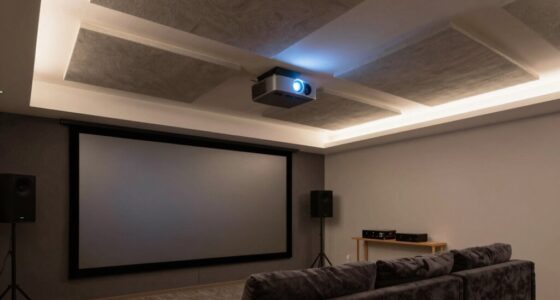

To create a balanced space, focus on the triangle between your TV mount, screen, and furniture. You want the mount at eye level for comfort, the TV proportional to your wall and furniture, and your furniture arranged for natural sightlines and ease of viewing. Proper placement makes your room look cohesive and feels welcoming. Each element should work together seamlessly—ignoring this balance can hurt both style and comfort. Keep exploring to discover how to perfect this essential setup.
Key Takeaways
- Achieving ergonomic height for the mount ensures comfortable viewing without neck strain or fatigue.
- Balancing TV size with wall space and furniture maintains visual harmony and proportionality.
- Proper furniture placement directs sightlines toward the screen, enhancing both aesthetics and viewing comfort.
- Mounting and lighting choices influence visual flow, reducing glare and creating a cozy, inviting atmosphere.
- Effective cable management and hardware compatibility create a clean, cohesive look within the mount-screen-furniture triangle.
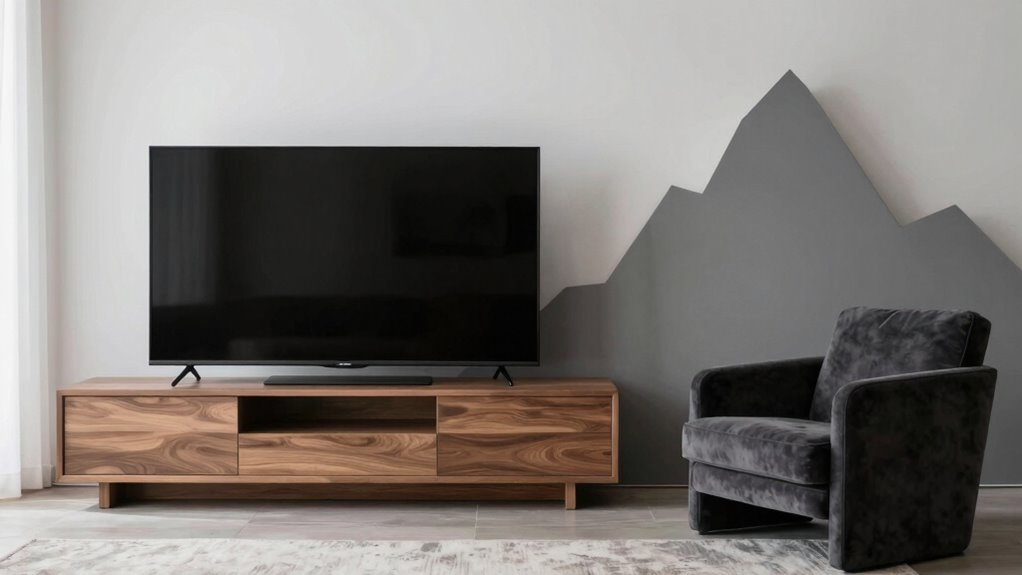
The arrangement of your TV, furniture, and mounting setup considerably impacts both your viewing experience and room aesthetics. When you’re designing or rearranging, it’s easy to focus solely on placement and forget the subtle yet essential balance between ergonomic design and aesthetic harmony. The way you position your screen and furniture creates a visual flow that influences how comfortably you watch and how well your space feels. Prioritizing these elements isn’t just about convenience; it’s about crafting a space that feels natural, inviting, and functional.
Balancing your TV, furniture, and mount creates a comfortable, stylish, and inviting viewing space.
A key factor is making certain your TV is mounted at eye level. When your screen is too high or too low, it strains your neck and disrupts the ergonomic design of your setup. Proper height minimizes discomfort during extended viewing, keeps your posture aligned, and reduces fatigue. This attention to ergonomic details makes your viewing experience more enjoyable and less fatiguing over time. But it’s not just about comfort—your setup should also promote aesthetic harmony. Achieving this means coordinating the size of your TV with your furniture and wall space so everything looks balanced. A large screen on a tiny wall can feel overwhelming, while a small TV in a large room might seem out of place. Striking the right proportionality helps your room look cohesive and thoughtfully curated.
The placement of your furniture around the screen also influences both ergonomics and aesthetic harmony. You want your sofa or chairs to face the TV directly, ideally within a comfortable viewing distance. Too close, and you might strain your eyes; too far, and the picture loses detail. The furniture arrangement should promote a natural line of sight, avoiding awkward angles or clutter. When your furniture complements your TV’s position, it creates a unified look that’s pleasing to the eye and comfortable to use. This careful balancing act ensures your space feels welcoming rather than cluttered or disconnected. Additionally, considering the mounting height and positioning can help optimize the overall visual flow, making your setup feel more intentional and polished. Incorporating lighting considerations can further enhance your viewing experience by reducing glare and creating a cozy ambiance. Properly integrating space planning can also ensure your room remains functional and inviting without feeling cramped. Moreover, selecting furniture styles that match your room’s theme can significantly boost the overall aesthetic appeal.
Furthermore, paying attention to template compatibility for your mounting hardware and furniture ensures that all elements work together seamlessly, avoiding mismatched styles or incompatible fixtures. Finally, cable management plays a surprisingly essential role in this triangle. Hidden wires and tidy cords contribute to a clean, streamlined appearance that enhances aesthetic harmony. When everything is organized, your eye isn’t distracted by chaos, and your space looks more intentional. In the end, paying attention to the interplay between your mount, screen, and furniture isn’t just about aesthetics—it’s about creating a space where comfort, convenience, and visual appeal come together seamlessly. When you get this triangle right, your room transforms into a functional yet stylish haven for relaxing and enjoying your favorite shows.
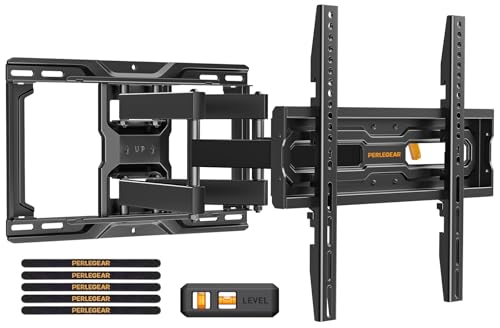
Perlegear Full Motion TV Wall Mount for 26-74 inch TVs, Height Adjustable TV Mount, Pre-Assembled Wall Mount TV Bracket with Tool-Free Tilt, Swivel, Fits 16” Studs, 99 lbs, Max VESA 400x400mm, PGMF21
- Universal Compatibility: Fits 26-74 inch TVs up to 99 lbs
- VESA Compatibility: Supports 100x100mm to 400x400mm patterns
- Easy Installation: Pre-assembled arms and hardware for quick setup
As an affiliate, we earn on qualifying purchases.
As an affiliate, we earn on qualifying purchases.
Frequently Asked Questions
How Do Lighting Choices Impact the Triangle’s Effectiveness?
Lighting choices directly impact the triangle’s effectiveness by guiding focus and creating mood. Ambient lighting sets the overall tone, ensuring the space feels inviting without causing glare. Task illumination highlights specific areas like the screen or furniture, making tasks easier and visuals clearer. If you balance ambient lighting with targeted task illumination, you’ll improve visibility and comfort, ensuring the Mount, Screen, and Furniture work harmoniously for a best viewing or work experience.
Can Budget Constraints Limit Optimal Triangle Setup?
Budget limitations can considerably limit your ideal triangle setup, forcing setup compromises that cast shadows on your scene’s clarity and balance. Imagine trying to paint a masterpiece with limited colors—your scene may lack depth, feeling flat and unrefined. When funds restrict your choices, you might sacrifice perfect placements, resulting in uneven lighting or awkward angles. These compromises can diminish the visual harmony, making your production feel less polished and emotionally engaging.
What Are Common Mistakes in Balancing the Three Elements?
You often make mistakes by neglecting decorative accents and color coordination, which disrupts the balance among the mount, screen, and furniture. For example, choosing mismatched colors or cluttered accents can draw attention away from the main setup. You might also focus too much on one element, like the screen, while ignoring how decorative accents and furniture complement each other. Striking a harmonious balance requires mindful coordination of all three components.
How Does Room Acoustics Influence the Triangle?
Think of your room like a concert hall—sound reflection shapes how you experience your space. Room acoustics influence the triangle by either enhancing or muddying sound clarity. Proper acoustic treatment minimizes unwanted echoes and vibrations, helping balance the mount, screen, and furniture. When you control reflections, you create a harmonious environment where visuals and sound work together seamlessly, making your space feel professional and inviting.
Are There Universal Standards for the Triangle’s Dimensions?
There aren’t strict universal standards for the triangle’s dimensions, but ideal screen placement and furniture arrangement are key. You should position your screen at eye level and maintain a comfortable distance, usually 1.5 to 2.5 times the screen’s diagonal. Keep furniture arranged to promote good sightlines and sound flow, ensuring the triangle feels balanced. Adjust based on your space and preferences to create an optimal viewing and listening experience.

Mount-It! Height Adjustable TV Wall Mount – Full Motion, Pull Down and Vertical Adjustment, Fits 23-55 Inch Screens, Max VESA 400x400mm, Swivel and Tilt Capabilities, 50.6 Lbs Capacity
- Adjustable Height and Pull-Down: Vertical and pull-down adjustments for comfort
- Full Motion Flexibility: Tilt, swivel, and smooth height adjustments
- VESA Compatibility: Supports up to 400x400mm VESA patterns
As an affiliate, we earn on qualifying purchases.
As an affiliate, we earn on qualifying purchases.
Conclusion
Understanding the mount, screen, and furniture triangle transforms your space from cluttered chaos into sleek harmony. When you prioritize this balance, functionality meets style effortlessly. No longer do you settle for awkward angles or uncomfortable views; instead, you create a seamless flow. It’s about embracing simplicity over clutter, comfort over compromise. In this dance of design, mastering the triangle means you’re not just setting up a space—you’re crafting a sanctuary that feels just right, every time.

Perlegear Full Motion Sliding TV Wall Mount for 42-95 inch TVs up to 150 lbs with Cable Management, Fits 12″/16″/24″ Wood Studs, Swivel TV Mount Bracket, Tool-Free Tilt, Max VESA 600x400mm PGTVM41B
- Compatibility: Fits 42-95 inch TVs with VESA 200×100 to 600x400mm
- Wall Compatibility: Suitable for wood studs, concrete, brick walls
- Easy Centering: Horizontal shift for perfect TV positioning
As an affiliate, we earn on qualifying purchases.
As an affiliate, we earn on qualifying purchases.

USX MOUNT Full Motion TV Wall Mount for Most 32-70 inch TVs up to 99 lbs, Wall Mount Bracket with Dual Articulating Arms, Swivel, Tilt, Max VESA 400x400mm, TV Mount Fits 12”/16” Wood Studs
- Universal Compatibility: Fits 32-70 inch TVs up to 99 lbs
- VESA Compatibility: Supports 75x75mm to 400x400mm VESA patterns
- Wall Compatibility: Mounts on wood studs, concrete, or brick walls
As an affiliate, we earn on qualifying purchases.
As an affiliate, we earn on qualifying purchases.