To make a laser TV setup feel more like a traditional TV, focus on proper calibration for natural colors, brightness, and contrast that mimic standard TV images. Invest in quality sound systems like soundbars to enhance audio clarity and immersion. Choose an easy setup process with automatic calibration features and place the screen at eye level for comfortable viewing. When these elements come together, your laser TV will look and feel just like a familiar television—learn how to perfect your setup, if you keep exploring.
Listen free for 30 days with Audible
Thousands of audiobooks and originals — cancel anytime.
As an affiliate, we earn on qualifying purchases.
Key Takeaways
- Proper calibration ensures vibrant, TV-like image quality with accurate colors and contrast.
- Positioning the laser TV at eye level mimics traditional TV viewing comfort.
- Using built-in automatic calibration features simplifies setup and enhances picture consistency.
- Upgrading sound systems like soundbars creates immersive audio similar to standard TVs.
- Selecting models with user-friendly menus and quick setup options reduces technical complexity.
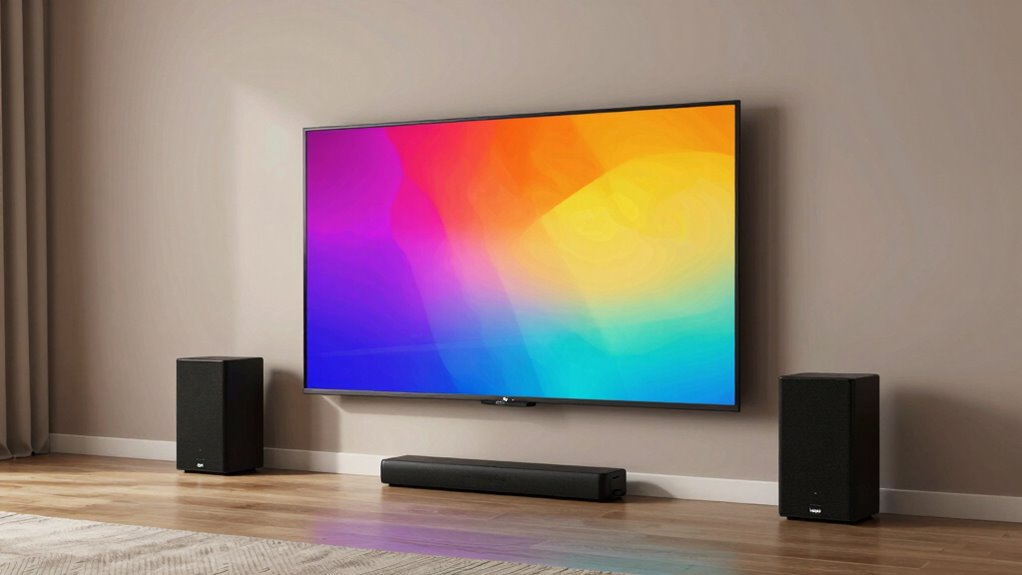
When setting up a laser TV, it’s natural to want the experience to feel seamless and familiar, just like watching your regular television. To achieve this, paying attention to screen calibration is essential. Proper calibration ensures that colors are accurate, brightness levels are balanced, and contrast is just right. You don’t want a washed-out or overly dark picture that makes the viewing experience less natural. Take the time to fine-tune the settings either manually or through the built-in calibration tools. This step helps your laser TV produce sharp, vibrant images that resemble those from a traditional TV, eliminating the typical “projector” look of uneven brightness or color inconsistencies.
Equally important is the sound system. Many people overlook this aspect when setting up a laser TV, but it plays a critical role in creating a familiar, TV-like experience. Built-in speakers are often underwhelming, so investing in a quality soundbar or home theater system can make a significant difference. When your sound system is well-integrated, dialogue becomes clear, and sound effects are immersive, mimicking the audio clarity of standard television viewing. Position the speakers correctly and connect them seamlessly to your laser TV to avoid any audio lag or disjointed sound. This setup guarantees that you’re not just visually engaged but also fully immersed in the audio, bringing your viewing experience closer to that of a traditional TV.
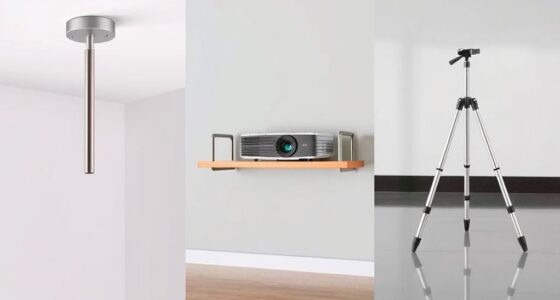
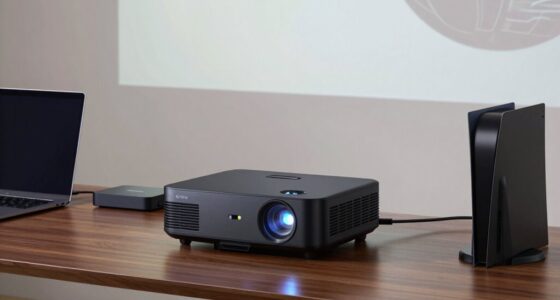
Another factor that helps your laser TV feel more like a TV is minimizing setup complexity. Choose a model with easy-to-use menus and quick setup options. Many laser TVs now come with automatic screen calibration features that simplify the process—use these to save time and guarantee ideal picture quality without needing technical expertise. Also, place your laser TV at eye level or at a comfortable viewing height, similar to how you would position a regular TV. This minimizes eye strain and helps create a more natural, familiar experience.
As an affiliate, we earn on qualifying purchases.
Frequently Asked Questions
How Does Ambient Light Affect Laser TV Image Quality?
Ambient light can considerably impact your laser TV image quality by reducing brightness and contrast. When there’s too much ambient light, your screen may appear washed out, making it harder to see details clearly. To maintain ideal image clarity, you should control ambient light by dimming or closing curtains. A well-lit room diminishes the laser TV’s brightness, so minimizing ambient light helps preserve vivid colors and sharpness for a more TV-like experience.
Can Laser TVS Be Wall-Mounted Like Traditional TVS?
Yes, laser TVs can be wall-mounted like traditional TVs, providing a sleek, space-saving setup. Wall mounting not only keeps your viewing area clean and organized but also allows you to position the screen at the perfect height for comfortable watching. With the right mounting bracket and professional installation, you can enjoy a modern, integrated look that maximizes space and enhances your viewing experience.
What Is the Typical Lifespan of a Laser Tv’s Light Source?
The laser source in your laser TV typically lasts around 20,000 to 30,000 hours, thanks to its high durability. You’ll find that laser source durability means less frequent replacements and lower maintenance requirements. This longevity allows you to enjoy vibrant images without worry. To keep it performing well, regular cleaning and avoiding excessive heat are simple steps that help maximize your laser TV’s lifespan.
Are Laser TVS More Energy-Efficient Than Projectors?
Laser TVs are generally more energy-efficient than projectors, using about 30% less power on average. An energy comparison shows that laser TVs consume less electricity, which can lead to lower utility bills over time. This makes them more cost-efficient, especially if you watch frequently. Plus, their integrated components streamline setup, reducing energy waste and making your viewing experience both eco-friendly and economical.
How Easy Is It to Set up a Laser TV Compared to a Projector?
You’ll find setting up a laser TV easier than a projector since it often requires minimal calibration tips and is designed for quick installation. Laser TVs typically come pre-calibrated, and their fixed screen size options make positioning straightforward. Unlike projectors, which need precise alignment and space calculations, laser TVs are more plug-and-play, letting you enjoy your entertainment faster with less hassle.
As an affiliate, we earn on qualifying purchases.
Conclusion
By focusing on a sleek, simple setup, you turn a laser TV into more than just a projector—you create a true TV experience. Clear sound, minimal clutter, and easy access turn your space into a dedicated entertainment hub. Instead of fussing over shadows or screen size, you enjoy seamless viewing—comfortable, convenient, and immersive. It’s not just a projector; it’s your everyday TV, blending convenience with stunning visuals in perfect harmony.
As an affiliate, we earn on qualifying purchases.
laser TV screen calibration tools
As an affiliate, we earn on qualifying purchases.
As an affiliate, we earn on qualifying purchases.
Flea & tick season Picks
flea and tick prevention
As an affiliate, we earn on qualifying purchases.