
Projector calibration fixes common issues like geometric distortions, color inaccuracies, and brightness problems by adjusting keystone, sharpness, contrast, and color settings. It helps guarantee images fit surfaces properly, appear natural, and are comfortable to view. However, calibration can’t repair hardware damages, such as broken lenses or bulbs, or fix issues like flickering and dead pixels caused by internal faults. To discover more about what calibration can and can’t do, keep exploring the details below.

Get business pricing on your home office setup
- Business-only prices and quantity discounts
- Tax-exempt purchasing
- Multiple users, one account, clear invoices
Key Takeaways
- Calibration fixes geometric distortions, color accuracy, contrast, and brightness for improved image quality.
- It cannot repair hardware issues like damaged lenses, bulbs, or internal components.
- Calibration cannot resolve persistent flickering, dead pixels, or dust inside the projector.
- It does not compensate for low native resolution or poor input sources.
- Calibration cannot fix physical damage or degraded parts requiring repairs or replacements.
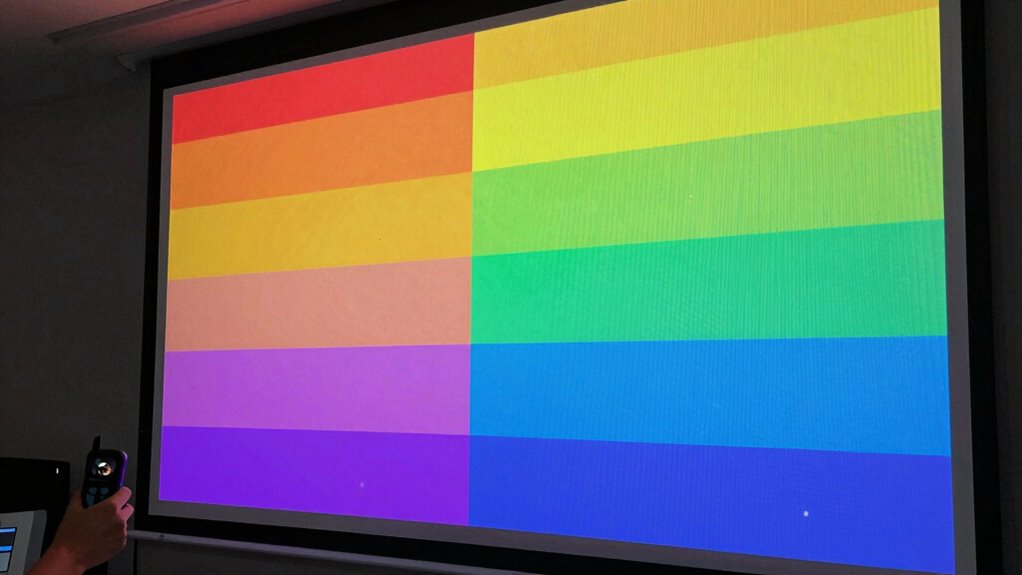
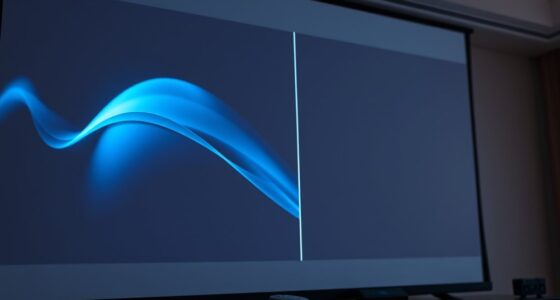
If your projector’s image appears distorted or misaligned, calibration is often the solution. Proper calibration can markedly improve the sharpness, color accuracy, and overall quality of your projected image. When you calibrate a projector, you’re adjusting settings to correct issues like skewed keystone distortion, uneven brightness, and inaccurate colors. Keystone correction, in particular, helps fix the trapezoidal distortion caused by projecting at an angle. It allows you to reshape the image to fit the screen properly, ensuring the sides are parallel and the picture appears rectangular. This process is essential if you’re projecting onto a wall or screen that isn’t perfectly aligned with your projector’s lens. Additionally, calibration can help fine-tune color accuracy, making sure the hues and shades look natural and true to life. This is especially important for presentations, movies, or gaming where color fidelity enhances the experience. Proper calibration also involves adjusting contrast and brightness levels to match ambient lighting conditions, which can significantly improve viewing quality. Achieving accurate calibration can also prevent eye strain and improve overall viewing comfort during extended use.
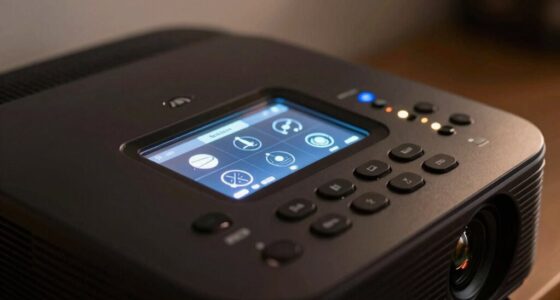
However, calibration isn’t a fix-all. It’s effective for correcting geometric distortions and improving image quality but won’t fix hardware issues such as a damaged lens, a malfunctioning bulb, or a broken color wheel. If your projector displays flickering images, persistent lines, or dead pixels, calibration won’t resolve these problems. These are hardware failures that require repairs or replacements. Similarly, if your projector’s image quality is compromised by dust inside the lens or a degraded bulb, calibration won’t restore clarity or brightness. In such cases, cleaning or replacing components is necessary. Hardware failures such as a broken lens or malfunctioning bulb are outside the scope of calibration and need physical repair. Furthermore, calibration cannot fix issues caused by poor-quality input sources, which can introduce artifacts or reduce the overall image fidelity regardless of calibration efforts. Ensuring you use a good quality cable and a stable signal is essential before attempting calibration. Furthermore, calibration cannot compensate for fundamental limitations in your projector’s native resolution. If you’re projecting a high-definition source onto a low-resolution projector, adjusting settings won’t make the image sharper or more detailed. You’ll need a projector with a higher native resolution for a better picture. Recognizing these limitations can help you set realistic expectations and avoid unnecessary adjustments or expenses.
As an affiliate, we earn on qualifying purchases.
Frequently Asked Questions
Can Calibration Improve Image Contrast Significantly?
Yes, calibration can considerably improve image contrast by optimizing brightness enhancement and black level settings. When you calibrate your projector, you enhance the difference between the darkest and brightest parts of the image, making scenes look more vivid and detailed. Proper calibration ensures black levels are deeper and brightness is balanced, resulting in a more dynamic and immersive viewing experience. However, it can’t fix hardware limitations or poor source quality.
Does Calibration Fix All Color Accuracy Issues?
A stitch in time saves nine, and calibration can improve color accuracy, but it doesn’t fix all issues. While it enhances color consistency and brightness uniformity, some problems like inherent panel limitations or external lighting conditions remain. Calibration adjusts settings to match standards, but it can’t achieve perfect color fidelity if the projector’s hardware or environment has fundamental flaws. So, it’s a helpful tool, but not a magic fix.
How Often Should I Calibrate My Projector?
You should calibrate your projector regularly, ideally every 3 to 6 months, to maintain brightness consistency and accurate colors. Frequent use, changing environments, or significant temperature shifts can affect calibration. Also, whenever you adjust keystone correction or notice image distortions, it’s a good idea to verify calibration. This ensures your projector delivers the best image quality and true color reproduction, keeping your viewing experience sharp and consistent over time.
Will Calibration Resolve Image Distortion Problems?
Calibration can help with image warping and minor distortion issues, but it won’t completely fix severe distortions. Using keystone correction, you can adjust the image to appear more rectangular and aligned, reducing distortion caused by improper projector placement. However, if the distortion stems from lens issues or hardware damage, calibration alone won’t resolve it. For persistent problems, consider repositioning the projector or consulting a professional.
Is Calibration Effective for Older Projector Models?
Calibration can be somewhat effective for older models, but you should be aware of calibration limitations. As projectors age, their internal components may wear out, making precise calibration harder to achieve. While calibration can improve image quality, it might not fully fix issues caused by hardware degradation. For ideal results, consider upgrading to a newer model if you notice persistent image problems that calibration alone can’t resolve.
As an affiliate, we earn on qualifying purchases.
Conclusion
Think of projector calibration as tuning a musical instrument—you can sharpen the notes and bring harmony, but you can’t change the song itself. It fixes color accuracy, geometry, and clarity, making your images pop like vivid paintings. But it can’t turn a blurry picture into a crystal-clear masterpiece or fix hardware flaws. Calibration is your brush, not a magic wand; it enhances what’s within reach, leaving the rest to the artistry of your projector’s true potential.
As an affiliate, we earn on qualifying purchases.
As an affiliate, we earn on qualifying purchases.
Fall Picks
fall essentials
As an affiliate, we earn on qualifying purchases.