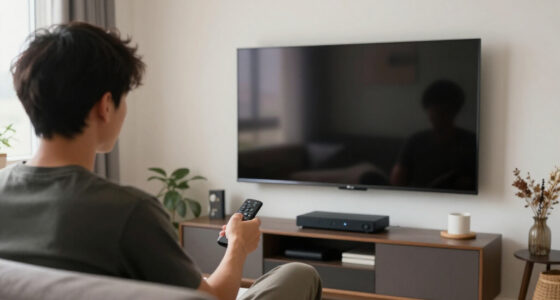
To avoid buying the wrong screen aspect ratio, first identify your main activities, like gaming, streaming, or multitasking, and choose a ratio that suits those needs. Take into account how the display size and resolution match your workspace and hardware capabilities to prevent pixelation or performance issues. Don’t just follow trends—think about what feels comfortable and practical for your daily use. Keep these tips in mind, and you’ll be better prepared to select the right screen. There’s more to consider to make a truly informed choice.

Get business pricing on your home office setup
- Business-only prices and quantity discounts
- Tax-exempt purchasing
- Multiple users, one account, clear invoices
Key Takeaways
- Assess your primary activities to choose an aspect ratio that enhances gaming, streaming, or multitasking needs.
- Match the display size with appropriate resolution to prevent pixelation and ensure clear visuals.
- Research typical aspect ratios for your intended use, such as 16:9 for media or 4:3 for productivity.
- Consider hardware capabilities to support your desired resolution and aspect ratio without performance issues.
- Measure your workspace to select a monitor size and aspect ratio that comfortably fits your environment.
Choosing the right screen aspect ratio is vital to guarantee your device meets your needs, whether for gaming, streaming, or work. The aspect ratio influences how content appears on your screen, impacting your overall experience. To avoid ending up with a display that doesn’t suit your preferences, you need to understand how screen resolution and display size play into the equation. Screen resolution refers to the number of pixels displayed on the screen, which affects image clarity and detail. Meanwhile, display size determines how large the screen appears physically, influencing your comfort and immersion. Both factors work together to define the ideal aspect ratio for your specific use.
When selecting a screen, start by considering what you’ll mostly do with it. If you’re into gaming or watching movies, a wider aspect ratio like 16:9 or even 21:9 offers a more cinematic view, providing a broader field of vision. For work tasks that involve reading or multitasking, a more square-like ratio such as 4:3 might be preferable, but most modern monitors lean toward widescreen formats. Be mindful that a larger display size combined with a high screen resolution (like 4K) can produce stunning clarity, but it also requires more processing power and may be more expensive. Conversely, a smaller display with a lower resolution can still serve well for basic tasks but won’t deliver the crisp visuals you want for high-end gaming or creative work.
It’s crucial to match your display size with the screen resolution you desire. A 24-inch monitor with 1080p resolution is common and offers decent clarity, but if you increase the display size without upgrading the resolution, images might appear pixelated or blurry. Additionally, larger displays with high resolutions can better utilize the benefits of high resolution and provide more detailed images, especially for professional editing or gaming. Conversely, a smaller display with a high resolution can maximize detail and sharpness without overwhelming your workspace. Consider how much space you have for your setup and whether you prefer a more compact monitor or a larger one for more immersive experiences. Additionally, being aware of the display resolution can help you better plan your setup to match your hardware capabilities and avoid performance issues. Ensuring you understand the relationship between screen resolution and display size can help you select a setup that balances visual quality and hardware performance.
Furthermore, understanding the relationship between screen resolution and display size can help prevent potential frustrations and ensure your device performs optimally for your needs. In the end, choosing your screen aspect ratio involves balancing your display size, resolution, and intended use. Don’t just pick based on trends or looks—think about how the screen’s dimensions will fit into your daily routine. By understanding how screen resolution and display size influence the overall picture, you can make an informed decision that’s tailored to your needs, avoiding the disappointment of buying a screen that doesn’t quite fit your expectations.
As an affiliate, we earn on qualifying purchases.
Frequently Asked Questions
Can Aspect Ratio Affect Gaming Performance?
Yes, the aspect ratio can affect your gaming performance. An incompatible aspect ratio may cause screen distortion, making objects look stretched or squished, which can distract you or hinder your gameplay. Ensuring aspect ratio compatibility with your game helps maintain visual clarity and accuracy. When choosing a monitor, pick one with the right aspect ratio to avoid these issues and enhance your gaming experience.
How Does Aspect Ratio Influence Video Editing?
Just as Da Vinci mastered visual balance, your aspect ratio choices influence editing precision. Aspect ratio considerations determine how your footage fits within the frame, affecting composition and storytelling. A wider ratio can enhance cinematic effects, while a standard one offers flexibility. Using visual framing techniques aligned with your aspect ratio guarantees your edits look polished, maintaining focus and clarity. Choosing the right ratio helps you craft compelling, professional videos that truly resonate.
Are There Universal Aspect Ratios for All Devices?
There aren’t universal aspect ratios that fit all devices perfectly. Your choice depends on the screen size and content fit you require. For example, smartphones often use 16:9 or 19.5:9, while movies typically prefer 2.39:1. Consider what device you’ll use most and the type of content you’ll view or create. Prioritizing flexibility guarantees your screen size and content fit are optimized for your needs.
What Is the Best Aspect Ratio for Streaming?
The best aspect ratio for streaming is typically 16:9, as it’s widely supported and matches most content. To get the best viewing experience, you should do screen calibration and adjust your aspect ratio settings accordingly. This guarantees videos aren’t stretched or squished, maintaining proper proportions. Always check your device’s display settings and content requirements, so you enjoy clear, undistorted streaming without compromising quality.
Can I Change the Aspect Ratio on My Monitor?
Yes, you can change the aspect ratio on your monitor through screen calibration and aspect ratio settings. Many monitors let you adjust these settings via the on-screen display menu, giving you a visual representation of your changes. Keep in mind, altering aspect ratio settings might cause image distortion or black bars, but this helps you customize your display for ideal viewing. Always check your monitor’s manual for specific instructions.
As an affiliate, we earn on qualifying purchases.
Conclusion
To avoid buying the wrong screen aspect ratio, always consider what you’ll use your screen for and check compatibility beforehand. Remember, over 60% of users report dissatisfaction with their screens because they overlooked aspect ratios. By doing your research and measuring your space, you can guarantee a perfect fit. Don’t rush your decision—taking a moment now saves you from costly returns later. Stay informed, and you’ll enjoy a screen that truly meets your needs.
4:3 aspect ratio monitor for productivity
As an affiliate, we earn on qualifying purchases.
As an affiliate, we earn on qualifying purchases.
4K high resolution computer monitor
As an affiliate, we earn on qualifying purchases.
As an affiliate, we earn on qualifying purchases.
Fall Picks
fall essentials
As an affiliate, we earn on qualifying purchases.