To build a projector room in your basement, start by soundproofing using dense materials like acoustic panels and sealing gaps around doors and windows. Install blackout curtains and adjustable lighting for ideal viewing. Make sure proper ventilation with quiet fans to keep the space comfortable. Set up your projector on a stable surface, align it with a high-quality screen, and organize cables neatly. If you keep exploring, you’ll discover how to create an immersive and cozy entertainment space.

Get business pricing on your home office setup
- Business-only prices and quantity discounts
- Tax-exempt purchasing
- Multiple users, one account, clear invoices
Key Takeaways
- Use dense soundproofing materials and seal gaps to minimize noise transfer and enhance audio quality.
- Install blackout curtains and dimmable lighting for optimal picture clarity and adjustable ambiance.
- Incorporate quiet ventilation systems to ensure fresh air without noise disruption.
- Position the projector and seating for ideal viewing angles and comfortable distances.
- Organize cables with conduits for safety, and ensure proper room layout for immersion and safety.
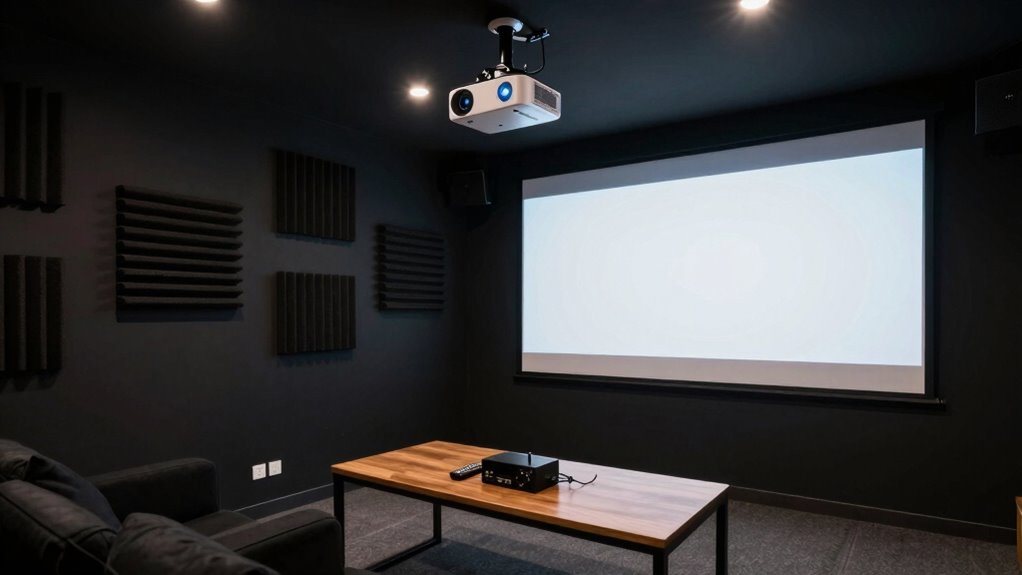
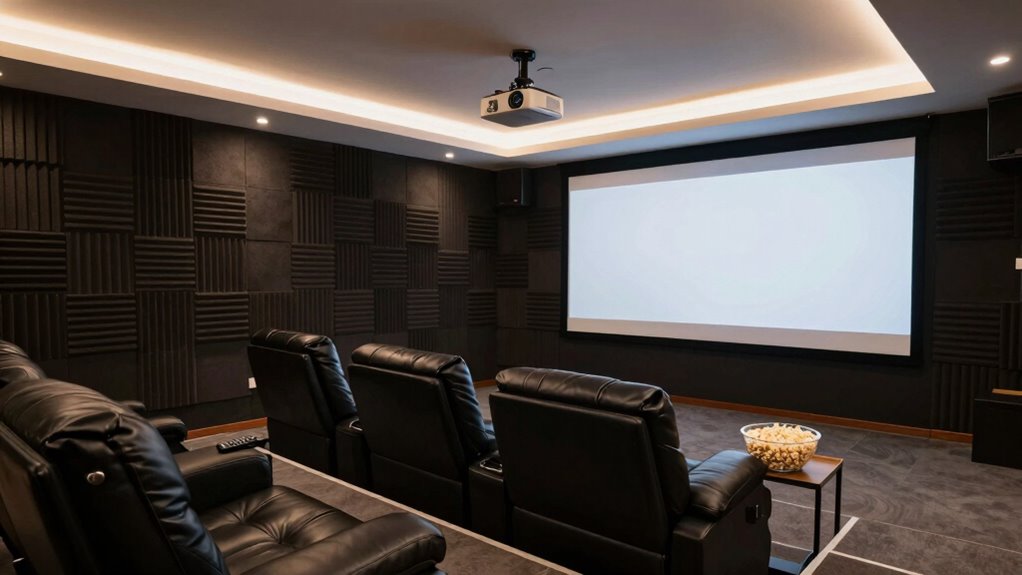
Creating a dedicated projector room in your basement can substantially enhance your home entertainment experience. It’s the perfect way to enjoy movies, sports, or gaming sessions without interruptions or distractions. To achieve this, you need to consider several key factors, starting with soundproofing techniques. Basements are often ideal because they’re naturally secluded, but you still want to minimize noise transfer to other parts of your house. Use dense materials like mass-loaded vinyl or acoustic panels on the walls and ceiling to absorb sound waves. Installing insulation within the walls also helps, especially if your basement shares walls with living areas or bedrooms. Additionally, sealing gaps around doors and windows prevents sound leaks, ensuring that audio from your projector and speakers stays within the room, creating an immersive experience.
Enhance your basement with soundproofing to enjoy immersive, interruption-free entertainment.
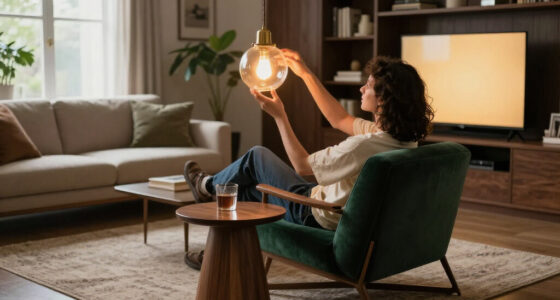
Lighting control solutions are equally essential for a true home theater atmosphere. You want to be able to darken the space completely during movie nights, so installing blackout curtains or heavy drapes over any windows is a must. For ceiling lighting, consider dimmable LED fixtures or smart lighting systems that allow you to adjust brightness with ease. Installing wall-mounted dimmers gives you instant control, enabling you to set the perfect ambiance for any viewing. If you prefer a more automated setup, smart lighting solutions can be programmed to turn on or dim at specific times, enhancing convenience. Remember, glare and reflections can ruin your viewing, so positioning lights away from the screen and using indirect lighting options helps maintain picture clarity. Incorporating soundproofing techniques can further improve the room’s acoustics and prevent noise disturbance. Additionally, choosing appropriate lighting ensures minimal glare and reflections, preserving image quality. Properly ventilating the space with noise-free ventilation** is also crucial for maintaining comfort without disrupting the audio experience. Including ventilation systems designed for quiet operation can help keep the room fresh without sacrificing tranquility. Furthermore, considering air quality** and humidity control can contribute to a more comfortable environment, especially during long viewing sessions.
When designing your projector room, think about the layout carefully. Place the projector on a stable surface or mount it securely to the ceiling, ensuring it’s aligned with your screen for a sharp, clear picture. Position the seating for ideal viewing angles, maintaining distance from the screen to avoid eye strain. Use a high-quality screen that complements your projector’s capabilities, and consider soundproofing your audio setup with acoustic panels or bass traps to improve sound clarity and bass response. Keep cables organized with conduits or cable management systems to maintain a clean look and prevent tripping hazards.
Finally, don’t forget ventilation. Basements can get stuffy, so incorporate quiet fans or ventilation systems that don’t generate noise, maintaining a comfortable environment without disrupting your viewing. By integrating soundproofing techniques and lighting control solutions thoughtfully, you’ll create a basement projector room that’s perfect for immersive, uninterrupted entertainment.
Products Worth Considering

Bose Lifestyle Ultra Wireless Home Speaker, White Smoke

Arlo Pro Wireless Security Camera, 2K HDR, 6th Gen, 4-Camera Kit

Philips Hue Starter Kit with Bridge Pro and 4 Retrofit LED Recessed Downlights
As an affiliate, we earn on qualifying purchases.
Frequently Asked Questions
What Is the Ideal Size for a Basement Projector Room?
The ideal size for your basement projector room is around 12×15 feet, giving enough space for comfortable seating and equipment. To enhance your space, consider decorating ideas like dark walls or blackout curtains to improve picture quality. Lighting options should include dimmable lights or LED strips, so you can create the perfect ambiance. Keep enough room to move freely and optimize acoustics for an immersive viewing experience.
How Much Does It Cost to Build a Projector Room?
A penny saved is a penny earned, so budget wisely. Building a projector room costs between $5,000 and $20,000, depending on size and features. You’ll need to take into account lighting control systems to prevent glare and optimize picture quality, along with comfortable seating arrangements. High-quality screens, soundproofing, and proper wiring also impact the total cost. Planning carefully guarantees you create a cozy, immersive space without overspending.
What Are the Best Soundproofing Options?
You should prioritize using high-quality acoustic panels to absorb sound and reduce echo, creating a better viewing experience. Combine them with effective insulation materials like foam or mineral wool in walls and ceilings to prevent sound leakage. Seal gaps around doors and windows with weather stripping or acoustic caulk. This combination of acoustic panels and insulation will provide ideal soundproofing, ensuring your basement projector room stays quiet and immersive.
How Do I Prevent Moisture and Mold?
Think of moisture and mold as silent enemies lurking in your basement. To stop them, you need good air circulation and proper ventilation systems. Keep humidity levels low with a dehumidifier, and guarantee your space has consistent airflow. Installing vents or an exhaust fan helps remove excess moisture. Regularly check for leaks or condensation, and keep the area dry to prevent mold growth, protecting your projector room’s longevity.
Can I Install a Projector Ceiling Mount Myself?
Yes, you can install a ceiling mount for your projector yourself with DIY installation. Start by choosing the right ceiling mount compatible with your projector. Use a stud finder to locate ceiling joists, then drill and secure the mount into the joists using appropriate anchors and screws. Follow the manufacturer’s instructions carefully, ensuring the mount is stable and level. With patience, you can successfully complete the installation on your own.
Conclusion
Now that you know how to build your perfect projector room, it’s time to enjoy it. Create a space that’s comfortable, soundproof, and optimized for viewing. Choose the right lighting, set up your equipment correctly, and add personal touches that make it yours. Whether for movie nights, gaming, or presentations, this space will transform your basement into an entertainment haven. Build it with care, use it with passion, and enjoy countless unforgettable moments.