Projector cooling systems influence both noise levels and your device’s longevity. Larger fans can move more air but tend to be louder, while quieter fans may not cool as effectively. Efficient cooling prevents overheating, which can damage internal parts and shorten your projector’s lifespan. Proper maintenance helps keep noise low and cooling efficient. If you want to discover how to optimize your projector’s cooling and maximize its durability, keep exploring these key details.

Get business pricing on your home office setup
- Business-only prices and quantity discounts
- Tax-exempt purchasing
- Multiple users, one account, clear invoices
Key Takeaways
- Larger and faster fans improve cooling but tend to generate more noise, impacting user comfort.
- Efficient cooling prevents overheating, reducing thermal stress on components and extending projector lifespan.
- Advanced cooling technologies like liquid cooling and heat pipes enhance heat dissipation while maintaining quieter operation.
- Regular maintenance of filters and airflow pathways ensures optimal cooling and reduces noise levels.
- Balancing fan size, speed, and innovative cooling solutions can optimize both noise reduction and device longevity.
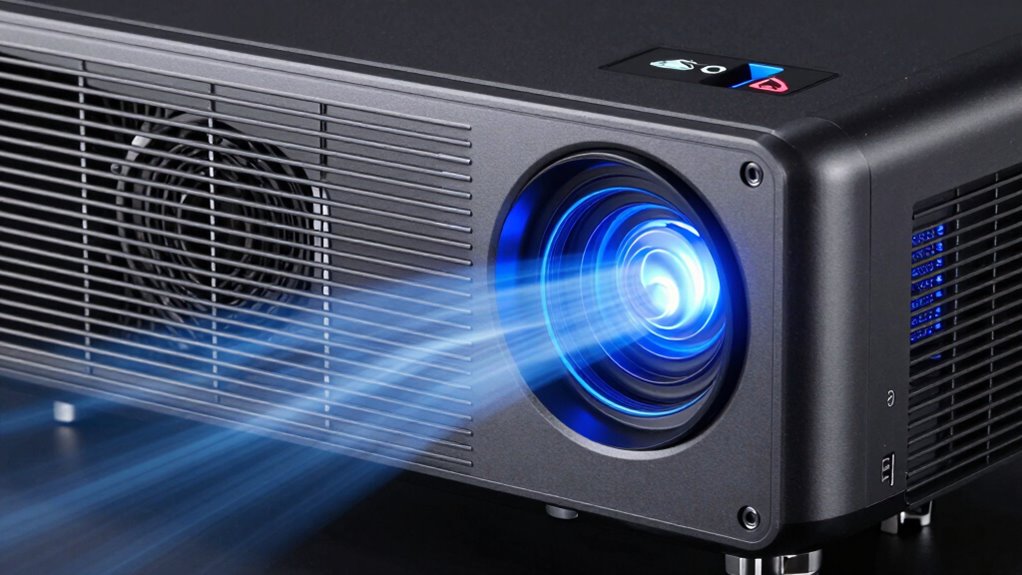
When a projector operates for extended periods, it generates significant heat that can compromise its performance and lifespan. To prevent overheating, most projectors are equipped with cooling systems designed to manage heat dissipation effectively. These systems often include fans that draw in cool air and expel hot air, maintaining a stable internal temperature. However, the way these cooling systems are designed impacts not only the projector’s longevity but also your viewing experience. You might notice that some projectors produce noticeable fan noise, which can be distracting during quiet scenes or presentations. This noise level depends on the size and speed of the cooling fan, as well as the overall design of the heat dissipation system. Larger fans tend to move more air and cool more efficiently but can generate louder noise, whereas quieter fans may compromise heat dissipation to some extent. Manufacturers aim to strike a balance between effective heat management and minimal noise, but it’s not always perfect. When the cooling system works efficiently, it keeps internal components at safe operating temperatures, reducing wear and tear over time. Proper heat dissipation prevents components like the lamp, optical engine, and electronic circuits from overheating, which can lead to early failure or degraded image quality. Overheating can cause the projector to shut down unexpectedly or reduce brightness to protect its internal parts, both of which hinder your experience. Additionally, advancements in cooling technology have contributed to quieter and more efficient systems in recent models. Modern cooling methods are also designed with noise reduction in mind, further enhancing user comfort. A well-designed cooling system extends the lifespan of your projector by maintaining ideal operating conditions. Good heat dissipation ensures that internal components don’t operate under stress, reducing the risk of thermal damage. Regular maintenance practices such as cleaning filters and inspecting airflow pathways help sustain optimal cooling performance. Some advanced models incorporate quieter fans or alternative cooling methods like liquid cooling or heat pipes, which improve heat dissipation without generating excessive noise. These innovations help create a more pleasant environment for viewers and prolong the projector’s life. Ultimately, the effectiveness of your projector’s cooling system plays a vital role in balancing noise levels and durability. If you notice persistent loud fan noise or overheating issues, it might be time to clean or upgrade the cooling system. Proper maintenance, like cleaning filters or ensuring unobstructed airflow, further enhances heat dissipation and keeps your projector running smoothly for years to come.
As an affiliate, we earn on qualifying purchases.
Frequently Asked Questions
Do Cooling Systems Impact Projector Image Quality?
Cooling systems do impact your projector’s image quality. Effective cooling maintains ideal temperature, preventing overheating that can cause image clarity issues like flickering or color distortion. Additionally, noise reduction from quieter cooling fans enhances your viewing experience, making the image appear sharper without distracting background noise. Proper cooling ensures your projector operates smoothly, preserving both image quality and lifespan, so you get clear visuals and reliable performance over time.
Can Overheating Damage Projector Components Beyond the Cooling System?
Overheating risks can seriously damage your projector components beyond just the cooling system. When a projector overheats, it accelerates component degradation, leading to potential failures in the lamp, color wheel, or motherboard. This damage isn’t always obvious immediately, but it can drastically reduce your projector’s lifespan and performance. To avoid this, make certain proper ventilation and clean filters regularly, helping to prevent overheating and protect your investment.
Are There Eco-Friendly Cooling Options Available?
Yes, eco-friendly alternatives exist for projector cooling, promoting sustainable cooling solutions. These options often use energy-efficient fans, environmentally safe refrigerants, or passive cooling designs that reduce energy consumption and minimize environmental impact. By choosing sustainable cooling, you not only help lower your carbon footprint but also potentially extend your projector’s lifespan through gentler, more efficient temperature regulation. Embracing these eco-conscious choices aligns with environmentally responsible technology use.
How Often Should Cooling Systems Be Maintained or Replaced?
You should check your cooling system’s maintenance frequency every 3 to 6 months to guarantee peak performance. Regular maintenance helps extend cooling system longevity by preventing dust buildup and overheating. Replace filters or fans when they show signs of wear or become noisy. Keeping your cooling system well-maintained not only boosts your projector’s lifespan but also minimizes noise, ensuring smoother operation and better image quality over time.
Do Cooling Fans Contribute Significantly to Power Consumption?
Cooling fans do contribute to power consumption, but their impact is usually minimal compared to the overall energy efficiency of your projector. Modern fans are designed to operate efficiently, balancing noise reduction with energy use. While they do draw some power, upgrading to quieter, energy-efficient fans can help reduce noise and lower energy costs, ensuring your projector runs smoothly without considerably increasing electricity bills.
As an affiliate, we earn on qualifying purchases.
Conclusion
So, next time you’re in a silent room, thankful for your noisy projector’s cooling fan, just remember it’s actually working overtime to keep your movie marathon alive. Without these cooling systems, your projector’s lifespan would be as short as your patience during a buffering video. In the grand drama of tech, it’s the fans that truly deserve the applause—quiet, loyal, and tirelessly battling heat so you can enjoy the show without a hitch.
As an affiliate, we earn on qualifying purchases.
As an affiliate, we earn on qualifying purchases.
Halloween Picks
halloween
As an affiliate, we earn on qualifying purchases.