Your HDMI settings on your console directly impact your projector gaming performance by guaranteeing the right resolution, refresh rate, and color modes are used. Proper calibration helps deliver sharp, vibrant visuals, while matching the console’s output with your projector’s capabilities prevents blurriness or flickering. Adjusting audio settings ensures sound syncs perfectly with visuals. Fine-tuning these options enhances your experience overall, and exploring these adjustments further can open even better picture and audio quality.
Key Takeaways
- Proper HDMI resolution and refresh rate matching prevent blurry images and ensure sharp, smooth gameplay visuals.
- Enabling HDR and deep color modes can enhance picture quality if supported by the projector.
- Incorrect HDMI settings may cause color banding, flickering, or washed-out colors during gaming.
- Ensuring HDMI compatibility avoids visual artifacts and maintains optimal image clarity.
- Correct audio settings via HDMI ensure synchronized sound and clear audio during gameplay.
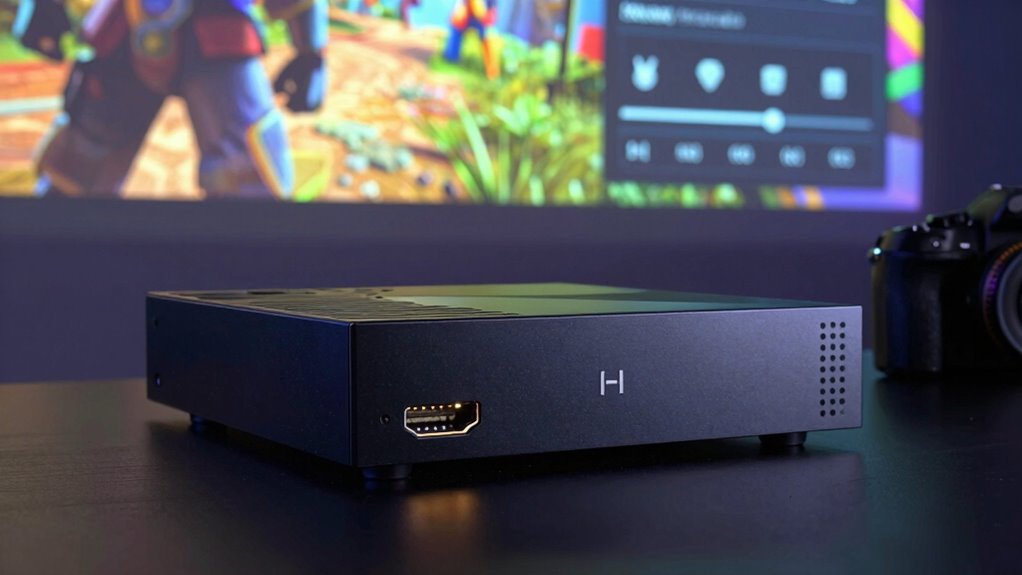
Setting up your gaming console’s HDMI settings properly can substantially enhance your gaming experience. When you connect your console to a projector, the right HDMI configuration ensures that visuals are sharp, colors are accurate, and audio is synchronized perfectly. The first step is to focus on screen calibration. Proper calibration adjusts the projector’s settings for optimal picture quality, making every scene clear and vibrant. If your HDMI settings aren’t aligned with your projector’s capabilities, you might notice blurry images, washed-out colors, or flickering, which can ruin your immersion. To prevent this, dive into your console’s display settings and select the correct resolution and refresh rate that match your projector’s specifications. This ensures you’re not overshooting the projector’s capabilities or underutilizing its features, allowing for a crisp and smooth picture.
Next, consider the importance of audio configuration. HDMI carries both video and audio signals, so setting this up correctly makes a big difference in your overall gaming experience. If your audio isn’t properly configured, you could face issues like muffled sound, audio lag, or no sound at all. Make sure your console’s audio output is set to HDMI and that the audio format matches what your projector or connected sound system can handle. Some projectors have built-in speakers, but for better sound quality, you might want to connect external speakers or a soundbar. Adjusting the audio settings ensures synchronization, so you don’t experience delays between what you see and what you hear, keeping your gameplay immersive. Additionally, many projectors and consoles offer advanced HDMI options, like HDR or deep color modes. Turning these on can significantly improve picture quality, but only if your projector supports these features. Otherwise, enabling them might cause issues like color banding or flickering. Always check your projector’s manual and match the settings accordingly. Proper HDMI setup can prevent compatibility issues and ensure your gaming system operates at peak performance, especially when you understand the importance of video and audio signals in delivering the best experience. Incorporating knowledge about compatibility and specifications can help optimize your setup further. Ensuring your system components are compatible and properly configured can also minimize potential connection issues, leading to a smoother gaming session.
As an affiliate, we earn on qualifying purchases.
Frequently Asked Questions
Do HDMI Settings Impact Audio Quality on Projectors?
Yes, HDMI settings can impact audio quality on projectors. Adjusting these settings helps improve audio synchronization, ensuring sound matches visuals perfectly. If your projector’s speakers aren’t compatible, you might experience poor audio quality or no sound at all. By configuring HDMI audio options, you can enhance compatibility with external speakers or sound systems, resulting in clearer, more immersive audio during your gaming sessions.
Can Changing HDMI Settings Improve Lag Times During Gaming?
Think of HDMI settings like tuning a musical instrument; adjusting them can sharpen your gaming performance. Changing the refresh rate and ensuring a smooth HDMI handshake reduces lag times during gaming. When you set your console to match your projector’s ideal refresh rate, it minimizes delays, making gameplay more responsive. Proper HDMI handshake establishes a solid connection, preventing lag spikes, so you experience smoother, more immersive gaming sessions.
Are There Specific HDMI Settings Recommended for 4K Gaming?
For 4K gaming, you should set your HDMI to support high HDMI bandwidth, typically HDMI 2.0 or higher, ensuring smooth 4K at 60Hz. Check your console’s HDMI compatibility with your projector, and enable settings like HDMI UHD Deep Color if available. These adjustments maximize image quality and reduce lag, giving you ideal 4K gaming performance. Always use high-quality HDMI cables rated for 4K content.
How Do HDMI Color Settings Affect Image Clarity on Projectors?
HDMI color settings directly impact your projector’s image clarity by affecting color accuracy and overall image resolution. Proper color calibration guarantees vibrant, true-to-life visuals, making details sharper and more distinct. When you adjust these settings, you enhance the clarity, reducing color distortion or muddiness. Optimizing HDMI color settings helps your projector display clearer, more precise images, creating a better gaming experience with vivid visuals and accurate color representation.
Do HDMI Port Versions Influence Gaming Performance?
Yes, HDMI port versions influence gaming performance. Higher versions like HDMI 2.0 or 2.1 support increased bandwidth, allowing for higher resolutions and faster refresh rates, which improves your gaming experience. To maximize this, guarantee your console’s HDMI compatibility matches your projector’s capabilities and use high-quality cables. Poor cable quality can bottleneck performance, even with the latest HDMI ports, so investing in good cables is essential for smooth gameplay.
As an affiliate, we earn on qualifying purchases.
Conclusion
Adjusting your HDMI settings on consoles is like tuning a finely crafted instrument; it guarantees your gaming experience hits the perfect note. When you optimize these settings, your projector can deliver sharper images and smoother gameplay, transforming your space into an engaging theater. Don’t let hidden settings hold you back—embrace the power of proper configuration. With a little attention, you’re opening the door to a world where every game feels alive, vibrant, and unforgettable.

Smart Projector【Compatible with Netflix】4K Projector with WiFi 6 and 2-Way Bluetooth, AI Auto Focus & Keystone, 20W Dolby Audio,Built-in Apps,TOPTRO A1 Portable Proyector for Outdoor / Home Movie
- 4K Resolution with HDR10+: Vibrant, true-to-life colors and HDR support
- Built-in Streaming Apps: Netflix, Prime Video, YouTube ready
- WiFi 6 and Bluetooth Connectivity: Seamless wireless streaming and pairing
As an affiliate, we earn on qualifying purchases.
As an affiliate, we earn on qualifying purchases.

Assistrust Sound Bar for Smart TV, Soundbar with Bluetooth/ARC/Opt/AUX Connect, Auto Volume Boost, 3 Equalizer Modes, 2 in 1 Detachable Soundbar for TV/PC/Gaming/Projectors
- Auto Volume Boost: Automatic loudness enhancement for clarity
- Multiple Placement Options: Horizontal, vertical, tabletop, wall mount
- Powerful 80W Sound: Rich audio with 4 drivers for immersive experience
As an affiliate, we earn on qualifying purchases.
As an affiliate, we earn on qualifying purchases.