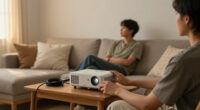
Among these 4K projectors for sports fans, I rank the BenQ TK700 as the best overall for its blend of 4K HDR home entertainment and gaming focus, while the ViewSonic PX749-4K stands out for high refresh-rate play and the JMGO O2S Ultra for a premium short-throw setup. The lineup also includes bright outdoor-oriented models with built-in smart features, plus more compact and budget-minded options. The main tradeoff is choosing between brightness for daytime or outdoor viewing, motion performance for fast action, and easy placement or built-in streaming. A projector’s “4K support” does not always mean native 4K resolution, so I weigh that distinction alongside the rest of the feature set. Read on for the full breakdown and a guide to matching a projector to your viewing space.

Get business pricing on your home office setup
- Business-only prices and quantity discounts
- Tax-exempt purchasing
- Multiple users, one account, clear invoices
Complete the kit


Key Takeaways
- The BenQ TK700 is my best overall pick because its home-entertainment and gaming positioning makes it a stronger fit for sports motion than generic smart-projector feature lists alone.
- The ViewSonic PX749-4K separates itself with 240Hz refresh-rate capability, a specific advantage for fast action and sports gaming, though buyers should still check the source device and connection requirements.
- The JMGO O2S Ultra is the premium placement choice: its ultra-short-throw design can suit a room where a projector cannot sit far back, but it is a specialized alternative to conventional long-throw models.
- Outdoor brightness claims are not directly interchangeable. The AuKing and Voplls list high ANSI-lumen figures, while the WIMIUS K14 gives an ISO ANSI figure; compare measurement types and plan for darkness rather than assuming any projector will overpower sunlight.
- Several models advertise 4K support rather than native 4K resolution. The WIMIUS K14 explicitly lists native 1080p, so buyers seeking native 4K should verify resolution details instead of relying on a 4K label.
| AuKing 5000 ANSI & 70W Dolby 4K Outdoor Projector with Auto Focus |  | Best for Bright Outdoor Game Days | Brightness: 5000 ANSI lumens | Resolution: Native 1080P with 4K HDR support | Color gamut: 99.8% | VIEW ON AMAZON | See Our Full Breakdown |
| Voplls 4700 ANSI 4K Projector with 60W Dolby Audio & Auto Focus |  | Best for Built-In Streaming Convenience | Brightness: 4700 ANSI lumens | Resolution: Supports native 4K signals; downscales to 1080P | HDR: HDR10+ | VIEW ON AMAZON | See Our Full Breakdown |
| WIMIUS K14 Outdoor Projector with VIDAA Smart OS, 1450 ISO ANSI Lumens, Native 1080P, HDR10, Dolby Audio, WiFi 6, and AI Auto Focus |  | Best for Evening Viewing and Gaming | Brightness: 1450 ISO ANSI lumens | Resolution: Native 1080P; 4K decoding | HDR: HDR10 | VIEW ON AMAZON | See Our Full Breakdown |
| GOODEE 4K Smart Projector with AI ToF Auto Focus, WiFi 6 & Bluetooth |  | Best for Flexible Home Setup | Native resolution: 1920 × 1080 | Maximum resolution: 4096 × 2160 pixels | Brightness: 4000 lm | VIEW ON AMAZON | See Our Full Breakdown |
| BenQ TK700 4K HDR Home Entertainment Gaming & Movie Projector |  | Best for Native 4K Sports and Console Gaming | Native resolution: 3840 × 2160 | Display type: DLP | Brightness: 3200 lumens | VIEW ON AMAZON | See Our Full Breakdown |
| Google TV 14.0 Smart Projector with 4K Support, 1100 ANSI, Dolby Audio, WiFi 6, Bluetooth, Auto Focus |  | Best for Easy Setup and Streaming | Native resolution: 1080p | 4K support: 4K decoding | Brightness: 1100 ANSI | VIEW ON AMAZON | See Our Full Breakdown |
| JMGO O2S Ultra 4K Ultra Short Throw Triple Laser Projector with Dolby Vision and Dynaudio Speakers |  | Best Premium Native 4K Pick | Native resolution: 3840 × 2160 | Display type: Laser, RGB triple laser | Brightness: 3600 lumens (also listed as 3600 ANSI lumens) | VIEW ON AMAZON | See Our Full Breakdown |
| HAPPRUN 3000 ANSI Lumens Outdoor Projector with Google TV |  | Best for Backyard Game Nights | Native resolution: 1920 × 1080 | 4K support: 4K visuals supported | Brightness: 3000 ANSI lumens | VIEW ON AMAZON | See Our Full Breakdown |
| Outdoor 4K Projector with VIDAA OS, Dolby Audio, and AI Auto Focus |  | Best for VIDAA and Apple Casting | Native resolution: 1080p | 4K support: 4K decoding | Brightness: 920 ANSI lumens | VIEW ON AMAZON | See Our Full Breakdown |
| 4K Outdoor Projector with Google TV, WiFi, and Bluetooth |  | Best for Flexible Short-Throw Placement | Native resolution: 1920 × 1080 | Maximum supported resolution: 3840 × 2160 | Display type: LCD | VIEW ON AMAZON | See Our Full Breakdown |
| 4K Projector for Golf Simulator, Home Theater & Gaming, 2200 ANSI Lumens |  | Best for Golf-Sim Rooms | Brightness: 2200 ANSI lumens | Native resolution: 1920 x 1080 | Maximum resolution: 3840 x 2160 | VIEW ON AMAZON | See Our Full Breakdown |
| Mini Projector with 4K Support, Portable Short Throw |  | Best Compact Pick | Native resolution: 1080p | 4K support: Accepts 4K input | Image size: Up to 200 inches | VIEW ON AMAZON | See Our Full Breakdown |
| ViewSonic PX749-4K 4K UHD Gaming Projector with 4000 Lumens and 240Hz Refresh Rate |  | Best for Bright-Room Sports | Native resolution: 3840 x 2160 | Brightness: 4000 lumens | Display type: DLP | VIEW ON AMAZON | See Our Full Breakdown |
| Outdoor 4K Projector with WiFi, Bluetooth, HDR10+, and Smart Features |  | Best Outdoor Watch-Party Pick | Brightness: 5000 ANSI lumens | Resolution: 4K support | HDR: HDR10+ | VIEW ON AMAZON | See Our Full Breakdown |
| 4k projectors for sports fan | Brightness | Native resolution | Connectivity | Contrast ratio |
|---|---|---|---|---|
| AuKing 5000 ANSI & 70W Dolby 4 | 5000 ANSI lumens | — | — | — |
| Voplls 4700 ANSI 4K Projector | 4700 ANSI lumens | — | — | — |
| WIMIUS K14 Outdoor Projector w | 1450 ISO ANSI lumens | — | WiFi 6, Bluetooth 5.4, HDMI 2.1, AirPlay | — |
| GOODEE 4K Smart Projector with | 4000 lm | 1920 × 1080 | — | 2000:1 |
| BenQ TK700 4K HDR Home Enterta | 3200 lumens | 3840 × 2160 | HDMI, USB 2.0 Type A | 10000:1 |
| Google TV 14.0 Smart Projector | 1100 ANSI | 1080p | WiFi 6, Bluetooth 2-Way, HDMI ARC, USB, HDMI 2.1 | — |
| JMGO O2S Ultra 4K Ultra Short | 3600 lumens (also listed as 3600 ANSI lumens) | 3840 × 2160 | — | 4000:1 |
| HAPPRUN 3000 ANSI Lumens Outdo | 3000 ANSI lumens | 1920 × 1080 | Bluetooth, HDMI, USB, Wi-Fi | 20000:1 |
| Outdoor 4K Projector with VIDA | 920 ANSI lumens | 1080p | WiFi 6, Bluetooth 5.4, HDMI ARC and CEC, USB, 3.5 mm jack | — |
| 4K Outdoor Projector with Goog | Described as at least 50% higher than a claimed 5000 lumens; ANSI figure not specified | 1920 × 1080 | — | — |
| 4K Projector for Golf Simulato | 2200 ANSI lumens | 1920 x 1080 | HDMI, USB, Wi-Fi, Bluetooth, 3.5mm jack | 23000:1 |
| Mini Projector with 4K Support | — | 1080p | 3.5mm jack, HDMI, USB | 20000:1 |
| ViewSonic PX749-4K 4K UHD Gami | 4000 lumens | 3840 x 2160 | Ethernet, HDMI, USB | 12000:1 |
| Outdoor 4K Projector with WiFi | 5000 ANSI lumens | — | Wi-Fi 6, Bluetooth 5.4, HDMI ARC and CEC, Chromecast, AirPlay 2 | 50,000:1 |
More Details on Our Top Picks
AuKing 5000 ANSI & 70W Dolby 4K Outdoor Projector with Auto Focus
For sports fans who want a large image outside before sunset, the AuKing’s stated 5000 ANSI lumens gives it the strongest brightness claim among these five picks. That makes it a better fit for a patio or backyard with some ambient light than the WIMIUS K14, whose 1450 ISO ANSI lumens are better suited to darker viewing. Its fast autofocus and automatic keystone correction can cut down setup fuss when moving between locations, while the rotating foldable stand adds placement flexibility.
The tradeoff is resolution: this is native 1080P with 4K HDR support, not a native 4K projector like the BenQ TK700. The listed Dolby Audio and built-in streaming apps make an all-in-one setup appealing, though the supplied details do not specify app selection. I’d pick it for outdoor brightness and convenience, not for buyers prioritizing native 4K detail.
Pros:- Stated 5000 ANSI lumens suits outdoor viewing with more ambient light than the WIMIUS K14 can handle.
- Fast autofocus and automatic keystone correction simplify setup after repositioning.
- Foldable stand rotates 360° horizontally and tilts 180° vertically for flexible placement.
- WiFi 6, Bluetooth 5.2, and built-in streaming apps support a less equipment-heavy setup.
Cons:- Native resolution is 1080P; 4K support is HDR/input support rather than native 4K display.
- The Linux OS app selection is not specified in the supplied product details.
- No input-lag figure is provided, making it a less certain choice for responsive live gaming.
Best for: Sports fans hosting backyard games who need a bright, quick-to-position projector and plan to watch in 1080P.
Not ideal for: Buyers who want native 4K resolution or mainly watch in a dark, fixed home theater where the BenQ TK700’s native 4K image is a stronger match.
- Brightness:5000 ANSI lumens
- Resolution:Native 1080P with 4K HDR support
- Color gamut:99.8%
- Focus:Automatic; 0.2 seconds
- Keystone correction:Automatic
- Audio:Dolby Audio
- Wireless:WiFi 6, Bluetooth 5.2
- Stand:Foldable; 360° horizontal rotation and 180° vertical tilt
- Operating system:Linux OS
Our verdict“Choose the AuKing for a flexible, bright backyard sports setup, but skip it if native 4K detail is your priority.”
Voplls 4700 ANSI 4K Projector with 60W Dolby Audio & Auto Focus
The Voplls is the convenient pick for fans who want to launch a game without adding a streaming stick: its listed Netflix, Prime Video, and YouTube apps sit alongside WiFi 6 and automatic setup tools. Its stated 4700 ANSI lumens also give it a brighter-use case than the WIMIUS K14, whose lower brightness is a better fit for evening viewing. For a sports room or backyard where ambient light cannot be fully controlled, that brightness claim is useful.
There is an important resolution caveat: the Voplls supports native 4K signals but downscales to 1080P, so it does not deliver the pixel detail of the BenQ TK700’s native 4K panel. The 60W Dolby Audio system may reduce the need for separate speakers, though the projector’s weight and size are not specified. I’d favor it for simple app-based viewing, not for native-4K purists.
Pros:- Built-in Netflix, Prime Video, and YouTube apps make common streaming sources easy to access.
- Stated 4700 ANSI lumens suit brighter viewing spaces better than the WIMIUS K14.
- 0.2-second autofocus and automatic keystone correction help with quick placement.
- WiFi 6, Bluetooth 5.2, HDMI, USB, and a 3.5mm jack offer varied connection options.
Cons:- Native 4K signals are downscaled to 1080P, unlike the BenQ TK700’s native 4K output.
- The product details do not give an input-lag figure for fans who also play sports games.
- Portability is harder to judge because product weight and dimensions are not provided.
Best for: Sports fans who want streaming apps built into a bright projector and prefer not to connect a separate streaming device.
Not ideal for: Viewers seeking native 4K image detail or a proven low-latency gaming setup, since the image is downscaled to 1080P and no input-lag figure is listed.
- Brightness:4700 ANSI lumens
- Resolution:Supports native 4K signals; downscales to 1080P
- HDR:HDR10+
- Color gamut:99.8%
- Built-in apps:Netflix, Prime Video, YouTube
- Audio:60W Dolby Audio
- Focus:Automatic; 0.2 seconds
- Wireless:WiFi 6, Bluetooth 5.2
- Connections:HDMI, USB, 3.5mm jack
Our verdict“Pick the Voplls if built-in streaming and bright-room flexibility matter more than native 4K resolution.”
WIMIUS K14 Outdoor Projector with VIDAA Smart OS, 1450 ISO ANSI Lumens, Native 1080P, HDR10, Dolby Audio, WiFi 6, and AI Auto Focus
The WIMIUS K14 is the lower-brightness, feature-rich option for fans who watch after dark and also connect a console. Its under-30ms input lag gives it a clearer gaming advantage than the AuKing and Voplls, which list no latency figure. Native 1080P is still below the BenQ TK700’s native 4K resolution, but the K14 pairs its image with VIDAA streaming apps, 60W Dolby Audio, and flexible placement from a rotating stand.
Its 1450 ISO ANSI lumens are the key compromise: compared with the AuKing’s stated 5000 ANSI lumens, the K14 is much better suited to a dark room or nighttime backyard than daytime outdoor sports. AI autofocus, 6D keystone, and obstacle avoidance can make setup easier, but they do not solve the brightness limit. I’d choose it for evening game nights and casual console play, not sunlit viewing.
Pros:- Listed input lag below 30ms makes it a more documented gaming choice than the AuKing or Voplls.
- VIDAA Smart OS provides access to major streaming apps without a separate streaming stick.
- AI autofocus, 6D keystone, and obstacle avoidance help simplify setup.
- Rotating stand supports flexible projection angles, while WiFi 6 and Bluetooth 5.4 add connection options.
Cons:- 1450 ISO ANSI lumens are a poor match for bright daytime outdoor viewing.
- Native resolution is 1080P; 4K is decoded rather than displayed natively.
- No throw-distance or screen-size guidance is included in the supplied specifications.
Best for: Fans who watch sports in a darkened room or at night and want an integrated smart OS plus a stated low-lag console connection.
Not ideal for: Daytime backyard viewers who need high brightness, or buyers who require native 4K rather than 1080P with 4K decoding.
- Brightness:1450 ISO ANSI lumens
- Resolution:Native 1080P; 4K decoding
- HDR:HDR10
- Operating system:VIDAA Smart OS
- Audio:Dolby Audio; 2 × 30W speakers
- Input lag:Less than 30ms
- Connectivity:WiFi 6, Bluetooth 5.4, HDMI 2.1, AirPlay
- Setup features:AI autofocus, 6D keystone, obstacle avoidance
- Noise level:30dB in standard mode
Our verdict“Choose the K14 for dark-room sports and casual gaming with smart features, but not for daytime outdoor matches or native 4K.”
GOODEE 4K Smart Projector with AI ToF Auto Focus, WiFi 6 & Bluetooth
GOODEE is aimed at fans who want one projector to move between a home sports room and occasional outdoor viewing. Its AI ToF autofocus and automatic keystone correction are useful when the projector is set up in different spots, and the stated 60W Dolby Audio reduces reliance on an external sound system. Compared with the WIMIUS K14, GOODEE lists 4000 lumens rather than 1450 ISO ANSI lumens, while the K14 has a stated input-lag figure that GOODEE does not.
The main resolution caveat is easy to miss: its native resolution is 1920 × 1080, with 4K listed as the maximum supported input. That is not equivalent to the BenQ TK700’s native 3840 × 2160 image. Its 400-inch maximum image size also calls for ample space, and 180W operating power may matter in frequent-use setups. I’d choose it for flexible placement and built-in sound, not native-4K sports detail.
Pros:- AI ToF autofocus and automatic keystone correction support repeatable setup in different locations.
- Stated 4000 lumens give it a brighter-use profile than the WIMIUS K14.
- Built-in 60W Dolby Audio can fill a viewing space without separate speakers.
- WiFi 6, Bluetooth 5.4, AirPlay, and Miracast provide varied wireless options.
Cons:- Native resolution is 1920 × 1080, unlike the BenQ TK700’s native 4K resolution.
- No input-lag figure is provided for console gaming.
- The 400-inch maximum image claim requires a large projection area, and listed power consumption is 180W.
Best for: Households that move a projector between a media room and occasional outdoor viewing and value easy setup and built-in sound.
Not ideal for: Sports fans who want native 4K resolution, a documented low-lag gaming mode, or a projector for a small room.
- Native resolution:1920 × 1080
- Maximum resolution:4096 × 2160 pixels
- Brightness:4000 lm
- Contrast ratio:2000:1
- Display type:LCD
- Maximum image size:Up to 400 inches
- Audio:60W Dolby Audio speakers
- Wireless:WiFi 6, Bluetooth 5.4
- Maximum throw distance:19 feet
Our verdict“Pick GOODEE for flexible placement and strong built-in sound, but choose the BenQ TK700 if native 4K is the priority.”
BenQ TK700 4K HDR Home Entertainment Gaming & Movie Projector
The BenQ TK700 is the clearest choice here for fans who value actual 4K detail and also play on a console. Its native 3840 × 2160 resolution separates it from the AuKing, Voplls, WIMIUS, and GOODEE, whose listed native resolutions are 1080P. The supplied product description also cites 4.2ms latency, though a separate spec lists 16ms; either way, it is the only model in this group with a stated low-lag focus. HDR10 and Black Detail Enhancement add useful control for darker scenes.
Its 3200 lumens are below the AuKing’s and Voplls’s brightness claims, so it is a stronger fit for a controlled-light room than a bright backyard afternoon. It also lacks listed built-in streaming apps and relies on HDMI or USB connections, so an external source may be needed. I’d pick it for native 4K sports and gaming, not for the simplest all-in-one outdoor setup.
Pros:- Native 3840 × 2160 resolution provides true 4K display detail, unlike the four 1080P-native alternatives.
- Product information lists low input latency, making it a strong fit for console gaming alongside sports viewing.
- HDR10 and Black Detail Enhancement support more controlled rendering of dark scenes.
- 3200 lumens suit a home entertainment room with some control over ambient light.
Cons:- Its 3200-lumen brightness is lower than the AuKing and Voplls claims for brighter viewing spaces.
- No built-in streaming apps or WiFi connectivity are listed, so external source equipment may be needed.
- The supplied details conflict on input lag, citing both 4.2ms and 16ms; buyers should verify the figure for their setup.
Best for: Sports fans with a dimmable media room who want native 4K image detail and also connect a gaming console.
Not ideal for: Daytime outdoor viewers prioritizing maximum brightness or buyers who want built-in streaming apps and wireless-first setup.
- Native resolution:3840 × 2160
- Display type:DLP
- Brightness:3200 lumens
- Contrast ratio:10000:1
- Projection features:HDR10, Black Detail Enhancement
- Input lag:Product details cite 4.2ms and 16ms
- Connectivity:HDMI, USB 2.0 Type A
- Throw distance:2.5–5 meters
- Warranty:3 years
Our verdict“Choose the BenQ TK700 for native 4K sports and console gaming in a controlled-light room, not for a bright, app-driven outdoor setup.”
Google TV 14.0 Smart Projector with 4K Support, 1100 ANSI, Dolby Audio, WiFi 6, Bluetooth, Auto Focus
For sports fans who want a straightforward streaming setup, this model pairs Google TV 14.0 with auto-focus and keystone correction, reducing the fiddling before kickoff. Its 1100 ANSI brightness is a more modest fit for controlled lighting than the HAPPRUN’s stated 3000 ANSI, so I’d favor it for evening games rather than a bright patio. The key resolution distinction is easy to miss: it accepts 4K content but displays it at native 1080p. That is still a practical choice for a large game-night screen, but it is not the pick for buyers seeking native 4K detail. A 30W Dolby Audio system and HDMI ARC add useful flexibility, though a soundbar may suit fans who want more stadium-like impact.
Pros:- Google TV 14.0 provides an integrated streaming interface
- Auto-focus, auto-keystone, and obstacle avoidance simplify setup
- 1100 ANSI brightness suits dim-room and evening viewing
- 30W Dolby Audio and HDMI ARC offer flexible sound options
Cons:- Native display resolution is 1080p, despite 4K decoding support
- Brightness is less suited to bright outdoor daytime viewing
- Large-screen projection calls for ample space
Best for: Sports fans who want Google TV streaming and automatic picture setup for evening viewing in a dim living room or backyard.
Not ideal for: Buyers who need native 4K resolution or plan to watch daytime games in a bright outdoor space.
- Native resolution:1080p
- 4K support:4K decoding
- Brightness:1100 ANSI
- HDR:HDR10
- Audio:30W Dolby Audio
- Smart platform:Google TV 14.0
- Connectivity:WiFi 6, Bluetooth 2-Way, HDMI ARC, USB, HDMI 2.1
- Auto setup:Auto-focus, auto-keystone, obstacle avoidance
Our verdict“Choose this for easy Google TV sports streaming after dark, but skip it if native 4K or strong daylight performance is your priority.”
JMGO O2S Ultra 4K Ultra Short Throw Triple Laser Projector with Dolby Vision and Dynaudio Speakers
The JMGO O2S Ultra is the clearest choice here for fans who want native 4K, rather than the 4K decoding paired with 1080p displays on the Google TV 14.0 and VIDAA outdoor models. Its ultra-short-throw design can create a screen up to 150 inches without placing a projector far behind the seats—a helpful layout for a compact den or a living room where people might cross the beam. Triple-laser imaging, Dolby Vision, and 3600 listed lumens make it the most cinema-oriented option in this group, though the description still calls for a relatively dark room for best viewing. The built-in Dynaudio sound supports an all-in-one setup, but its 20W system may not deliver the scale of a dedicated surround system for a crowd.
Pros:- Native 3840 × 2160 resolution displays 4K without relying on decoding alone
- Ultra-short-throw design can produce a screen up to 150 inches
- Triple-laser display with Dolby Vision support
- Built-in Dynaudio audio supports a streamlined setup
Cons:- Best viewing is described as requiring a relatively dark room
- Built-in 20W audio may be limited for larger groups seeking stadium-scale sound
- Warranty and software-update details are not specified
Best for: Fans building a premium, space-conscious indoor sports setup who want native 4K and a large image from a short throw.
Not ideal for: Budget-conscious buyers, bright-room viewers, or anyone who needs detailed warranty and software-support information before buying.
- Native resolution:3840 × 2160
- Display type:Laser, RGB triple laser
- Brightness:3600 lumens (also listed as 3600 ANSI lumens)
- Contrast ratio:4000:1
- Maximum image size:150 inches
- Throw distance:1–4 meters
- Picture and audio formats:Dolby Vision, Dolby Atmos, DTS:X
- Smart features:Google TV, native Netflix
Our verdict“Pick the JMGO for native 4K sports on a big screen in a compact, light-controlled room, not for budget or bright-daylight viewing.”
HAPPRUN 3000 ANSI Lumens Outdoor Projector with Google TV
For an outdoor watch party, the HAPPRUN’s standout is its stated 3000 ANSI lumens, giving it a brightness advantage over the 920-ANSI VIDAA outdoor projector and the 1100-ANSI Google TV 14.0 model. That makes it the more plausible pick for a backyard that is not fully dark, although I would still plan sports viewing for after sunset rather than assume daylight performance. It pairs Google TV with auto-focus and keystone correction, so streaming and setup are less of a project before guests arrive. The limitation is resolution: it accepts 4K visuals but has a native 1080p LCD panel. The claimed image size reaches 300 inches, but a very large image can trade away perceived brightness, so a more moderate screen is the safer choice for a crisp, lively game.
Pros:- Stated 3000 ANSI brightness is higher than the 920-ANSI and 1100-ANSI models in this batch
- Built-in Google TV provides access to streaming apps
- Auto-focus and keystone correction help speed up setup
- Supports an image size up to 300 inches
Cons:- Native resolution is 1920 × 1080, not 4K
- Large projected images can reduce perceived brightness
- The listed 240-volt requirement may limit compatibility in some regions
Best for: Backyard hosts who want a bright, easy-to-stream projector for evening games on a large outdoor screen.
Not ideal for: Fans seeking native 4K detail, daytime outdoor viewing, or a compact projector for frequent transport.
- Native resolution:1920 × 1080
- 4K support:4K visuals supported
- Brightness:3000 ANSI lumens
- Contrast ratio:20000:1
- Display type:LCD
- Maximum image size:300 inches
- Connectivity:Bluetooth, HDMI, USB, Wi-Fi
- Smart platform:Google TV
Our verdict“Choose the HAPPRUN for brighter evening backyard sports and simple streaming, but not for native 4K or daytime play.”
Outdoor 4K Projector with VIDAA OS, Dolby Audio, and AI Auto Focus
This VIDAA model suits fans who want built-in streaming and casting options without depending on Google TV. VIDAA OS, AirPlay 2, and HomeKit give it a different smart-home angle from the Google TV-based HAPPRUN and Google TV 14.0 projectors. Its 920 ANSI lumens are the lowest stated brightness among those options, so I’d reserve it for a dark room or nighttime outdoor viewing; it is not the strongest choice when ambient light lingers. Like the Google TV 14.0 model, it decodes 4K but displays sports at native 1080p, which matters for buyers prioritizing fine detail on a very large screen. AI focus, obstacle avoidance, and 6D keystone correction ease placement, while dual 20W Dolby Audio speakers give it a substantial built-in sound specification.
Pros:- VIDAA OS offers an alternative to Google TV
- AirPlay 2 and HomeKit support suit compatible Apple-device households
- AI auto-focus, obstacle avoidance, and 6D keystone correction simplify placement
- Two 20W speakers with Dolby Audio provide substantial built-in sound
Cons:- Native resolution is 1080p; 4K content is decoded rather than displayed natively
- 920 ANSI lumens are less suited to ambient light than the HAPPRUN’s stated 3000 ANSI
- Setup and connected features may take more effort for less technical users
Best for: Apple-device households and VIDAA users who want wireless casting, automatic setup, and built-in audio for dim-room sports.
Not ideal for: Fans who watch in bright spaces or want native 4K resolution for a very large screen.
- Native resolution:1080p
- 4K support:4K decoding
- Brightness:920 ANSI lumens
- HDR:HDR10
- Audio:2 × 20W with Dolby Audio
- Smart platform:VIDAA OS
- Connectivity:WiFi 6, Bluetooth 5.4, HDMI ARC and CEC, USB, 3.5 mm jack
- Setup features:AI auto setup, auto-focus, 6D keystone correction, obstacle avoidance
Our verdict“Choose this for VIDAA and Apple-friendly casting in a dark viewing space, but favor a brighter or native-4K model for larger, light-filled rooms.”
4K Outdoor Projector with Google TV, WiFi, and Bluetooth
The VOPLLS G7 earns its place for flexible placement: its 1.24:1 throw ratio can help fans create a larger screen without positioning the projector far across the room. That is useful in a living room or backyard setup where seating and equipment locations are fixed. It also brings Google TV app access, Chromecast, AirPlay, and Miracast, giving a group several ways to get a game onto the screen. The 4K label needs qualification, however: the listed native resolution is 1920 × 1080, with 4K listed as the maximum supported resolution. Brightness is described relative to a claimed 5000 lumens rather than as a clear ANSI figure, so it is harder to compare directly with the HAPPRUN’s stated 3000 ANSI. Auto setup and a rotating stand add convenience, but this is not the lineup’s native-4K choice.
Pros:- 1.24:1 throw ratio supports flexible placement in tighter spaces
- Google TV ecosystem and broad listed app compatibility
- AirPlay, Miracast, and Chromecast offer multiple casting options
- Auto setup and portable rotating stand help with changing locations
Cons:- Native resolution is 1920 × 1080, despite 4K support claims
- Brightness is not provided as a clear ANSI-lumen figure
- Stable Wi-Fi is needed for streaming apps and casting
Best for: Sports fans who need short-throw placement, a rotating stand, and multiple casting routes for shared indoor or outdoor viewing.
Not ideal for: Buyers who require confirmed native 4K resolution or a clearly stated ANSI brightness figure for bright-room comparisons.
- Native resolution:1920 × 1080
- Maximum supported resolution:3840 × 2160
- Display type:LCD
- Throw ratio:1.24:1
- Brightness:Described as at least 50% higher than a claimed 5000 lumens; ANSI figure not specified
- Audio:16W dual Dolby Audio with DSP chip
- Connectivity and casting:Bluetooth 5.2, HDMI, USB, Wi-Fi, AirPlay, Miracast, Chromecast
- Setup features:Auto-focus, 6D keystone, AI auto setup, rotating stand
Our verdict“Choose the VOPLLS G7 for adaptable short-throw placement and casting flexibility, but look elsewhere for confirmed native 4K or directly comparable brightness data.”
4K Projector for Golf Simulator, Home Theater & Gaming, 2200 ANSI Lumens
For sports fans who also want a golf simulator, this projector pairs 2200 ANSI lumens with auto-focus, MEMC, and low-latency gaming support. Its flexibility suits a room that alternates between live games, simulation software, and streaming through built-in Google TV. Compared with the ViewSonic PX749-4K, it gives up native 4K resolution and the ViewSonic’s stated 240Hz refresh rate, but adds a smart-TV platform and a more general-purpose setup. The key room constraint is distance: a 100-inch image needs at least 9.18 feet, so this is not the pick for a compact den. Golf footage also has to come through a computer. I’d choose it for a multipurpose simulator space, not for buyers whose main goal is native 4K sports playback.
Pros:- 2200 ANSI lumens and HDR10 support for a bright, vivid image
- Auto-focus and keystone correction simplify flexible placement
- Built-in Google TV provides streaming and app access
- Low-latency support and MEMC suit gaming and simulated play
Cons:- Native resolution is 1920 x 1080; 4K is a supported input rather than native output
- A 100-inch image requires at least 9.18 feet of throw distance
- Golf footage must be routed through a computer
Best for: Golf-simulator owners who want one projector for computer-based simulation, streaming, and occasional sports viewing in a room with ample throw distance
Not ideal for: Buyers seeking native 4K detail, a short-throw installation, or a simple direct way to display golf footage without a computer
- Brightness:2200 ANSI lumens
- Native resolution:1920 x 1080
- Maximum resolution:3840 x 2160
- Display type:LCD
- Contrast ratio:23000:1
- Image size:50 to 300 inches
- Connectivity:HDMI, USB, Wi-Fi, Bluetooth, 3.5mm jack
- Display features:Auto-focus, HDR10, MEMC, Dolby Audio
Our verdict“Choose this for a roomy golf-sim space where smart streaming and gaming flexibility matter more than native 4K resolution.”
Mini Projector with 4K Support, Portable Short Throw
This compact projector’s main advantage for sports fans is placement: its short-throw range starts at 2.5 feet, making a large watch-party image more practical in a small room or temporary setup. The 270-degree rotating stand and electric focus also help when the projector has to move between rooms or an outdoor gathering. Unlike the ViewSonic PX749-4K, though, it is 1080p native; 4K support means it accepts a 4K signal, not that it displays sports in native 4K. Its listed specs also omit brightness, which makes it harder to judge how well it will hold up with ambient light. Wired HDMI and USB connectivity are useful, but the lack of Bluetooth and built-in apps means more device juggling than with the Google TV golf-simulator model.
Pros:- Short-throw placement supports a large image in tighter rooms
- Portable form factor with a 270-degree rotating stand
- Electric focus and digital keystone correction ease setup
- Accepts 4K input and supports images up to 200 inches
Cons:- Native resolution is 1080p, not 4K
- No Bluetooth or built-in apps are listed
- iOS mirroring requires a wired connection, and brightness is not specified
Best for: Sports fans in small rooms who want a portable projector for occasional game nights and can connect a streaming device or laptop by cable
Not ideal for: Buyers who want native 4K, wireless streaming or mirroring, or a stated brightness figure for evaluating performance in lit spaces
- Native resolution:1080p
- 4K support:Accepts 4K input
- Image size:Up to 200 inches
- Throw distance:2.5 to 16.5 feet
- Contrast ratio:20000:1
- Light source:LED
- Connectivity:3.5mm jack, HDMI, USB
- Stand:270-degree rotatable
Our verdict“Pick this for compact, cable-connected sports viewing where easy placement matters more than native 4K or wireless features.”
ViewSonic PX749-4K 4K UHD Gaming Projector with 4000 Lumens and 240Hz Refresh Rate
The ViewSonic is the strongest fit here for fans who want native 4K sports detail and a brighter image for a room that is not fully dark. Its 4000-lumen rating and HDR support give it a clear advantage over the 2200-ANSI-lumen golf-simulator model when brightness and resolution take priority. The stated 240Hz refresh rate and 4.2ms input lag also favor fast gaming between matches, though those figures are gaming credentials rather than a guarantee that every broadcast source will use those rates. Its tradeoff is convenience: there is no built-in smart platform listed, and optimal installation may call for ceiling mounting. Compared with the portable GO2, the ViewSonic offers native 4K but lacks the GO2’s listed streaming apps and integrated 65W sound.
Pros:- Native 3840 x 2160 resolution for detailed sports viewing
- 4000-lumen brightness suits more ambient light than lower-brightness options
- 240Hz refresh rate and stated 4.2ms input lag support fast gaming
- Projection size reaches up to 300 inches
Cons:- No built-in streaming platform or integrated sound specifications are listed
- Ceiling mounting may be needed for an optimal permanent setup
- Lamp life is listed as 4000 hours
Best for: Sports and gaming fans setting up a dedicated room who prioritize native 4K, high brightness, and fast console response
Not ideal for: People who want a portable all-in-one projector with built-in streaming apps and strong onboard sound, or renters unable to mount equipment
- Native resolution:3840 x 2160
- Brightness:4000 lumens
- Display type:DLP
- Contrast ratio:12000:1
- Maximum image size:300 inches
- Refresh rate:Up to 240Hz
- Input lag:4.2ms
- Connectivity:Ethernet, HDMI, USB
Our verdict“Choose the ViewSonic for a fixed sports-and-gaming room where native 4K and brightness outweigh smart features and portability.”
Outdoor 4K Projector with WiFi, Bluetooth, HDR10+, and Smart Features
For a backyard game, the GO2 puts the most of the viewing setup in one unit: 5000 ANSI lumens, built-in streaming apps, wireless casting options, and 65W 360-degree sound. Its 1:1 throw ratio and claimed 4-to-25-foot projection range offer flexible placement, while auto-focus and obstacle avoidance can reduce setup fuss when the viewing area changes. Compared with the ViewSonic PX749-4K, the GO2 emphasizes portability, smart streaming, and onboard audio rather than listing a native 3840 x 2160 panel; its resolution is described as 4K support, so buyers should not assume native 4K. The large 50-to-500-inch range is appealing, but image quality at the largest sizes will depend on placement and conditions. Its feature-rich design may also be more gear than a simple indoor sports setup needs.
Pros:- 5000 ANSI lumens and HDR10+ support for vivid viewing
- Built-in apps plus Wi-Fi 6, Chromecast, and AirPlay 2 reduce external-device needs
- 65W 360-degree sound with Dolby Audio supports group viewing without a separate speaker
- Auto-focus, keystone correction, and obstacle avoidance assist flexible setup
Cons:- Resolution is listed as 4K support, not confirmed native 4K
- Heavy, large design may limit portability
- Feature-rich controls and setup may take time to learn
Best for: Backyard hosts who want a bright, self-contained projector with streaming, wireless casting, and powerful built-in sound for game gatherings
Not ideal for: Buyers who require confirmed native 4K resolution, a lightweight unit for frequent carrying, or a simple projector with few setup features
- Brightness:5000 ANSI lumens
- Resolution:4K support
- HDR:HDR10+
- Contrast ratio:50,000:1
- Image size:50 to 500 inches
- Projection distance:4 to 25 feet
- Sound:65W 360-degree SRS HiFi with Dolby Audio
- Connectivity:Wi-Fi 6, Bluetooth 5.4, HDMI ARC and CEC, Chromecast, AirPlay 2
Our verdict“Choose the GO2 for outdoor sports gatherings where brightness, onboard sound, and streaming convenience matter more than confirmed native 4K.”

How We Picked
I ranked these projectors around the needs that most affect a sports viewing session: motion handling, practical brightness, resolution clarity, placement flexibility, and ease of getting a live game on screen. Gaming-oriented models get credit for features relevant to fast movement, while outdoor models are judged on stated light output, smart access, and setup aids—not on brightness numbers alone, since measurement standards and viewing conditions differ. I also distinguished native 4K claims from 4K signal support, and treated built-in streaming, autofocus, and audio as useful conveniences rather than substitutes for picture performance.
The order reflects how broadly each model appears suited to sports fans, then how well its stated strengths address a particular viewing problem. The BenQ TK700 leads as a balanced home-entertainment choice; the ViewSonic and JMGO rank as compelling specialists for motion and placement, respectively. Outdoor and smart-projector options follow where their listed features can simplify setup, while models with less specific performance information or clear resolution caveats rank lower. I do not treat an unprovided specification as proof of performance, and buyers should confirm throw distance, input lag, refresh-rate support, and streaming compatibility for their setup.
Factors to Consider When Choosing 4k Projectors For Sports Fans
Sports viewing puts demands on a projector that ordinary movie-focused comparisons can miss. Before choosing a model, I would start with the room and the way you watch: a shaded backyard, a bright living room, and a dedicated theater each reward different strengths.
Match Brightness to the Light You Cannot Control
Brightness matters most when you cannot fully darken the viewing area, but a lumen figure is not a guarantee of a vivid image in every space. Direct sunlight washes out projection, so even a high-output outdoor model is better suited to evening viewing or a shaded screen than to a sunny afternoon. At home, closing curtains and using a screen with suitable gain can help more than moving up to a projector with a bigger advertised number. Compare the measurement standard behind competing claims, and avoid treating ANSI and ISO figures as automatically equivalent. If your games are mostly at night, prioritize contrast and image quality alongside brightness rather than paying solely for output.
Check What “4K” Means Before You Buy
A listing may describe a projector as 4K because it accepts a 4K input, even when its imaging panel is not native 4K. That distinction can affect fine detail, but it should not be the only deciding factor for sports: screen size, seating distance, source quality, and focus all shape what you actually see. Look for an explicit native-resolution statement in the manufacturer’s specifications, then check whether the projector supports the video formats used by your streaming device or broadcast equipment. If a model lists native 1080p and 4K support, treat it as a 1080p projector that can accept 4K sources unless its documentation says otherwise. This prevents paying for a label that does not match your expectation.
Prioritize Motion Features That Fit Your Source
Fast camera pans, balls in flight, and quick player movement can expose motion blur or judder more readily than a static movie scene. A high refresh-rate specification can help in compatible gaming setups, but it does not automatically mean every live sports broadcast will display at that rate. Your streaming box, console, cable or satellite receiver, connection, and chosen video mode all affect the signal the projector receives. For ordinary sports streams, a projector’s processing and supported input formats may matter more than a headline refresh number. Check the exact resolution and refresh-rate combinations supported before paying extra for a feature your source cannot use.
Measure Throw Distance and Screen Size First
Throw distance determines where the projector must sit to create the screen size you want. A conventional projector may need a shelf or ceiling mount well behind the seating area, while an ultra-short-throw model can sit close to the wall but calls for careful alignment and a suitable screen surface. Do not assume autofocus or keystone correction can fix every placement problem; heavy digital correction can reduce usable image detail. Measure the room, intended screen width, and mounting location, then check the manufacturer’s throw calculator or placement chart. This is one of the easiest ways to avoid buying a projector that cannot fit your room.
Decide Whether Built-In Streaming and Audio Are Enough
Smart operating systems and built-in apps can reduce setup time for a backyard game, but app availability and ongoing software support can vary. Before relying on built-in streaming, confirm that the services you use are supported and that the projector can connect reliably to your network where it will sit. Integrated speakers are handy for casual viewing, yet they may not provide clear commentary or enough volume for a group outdoors. A separate soundbar or portable speaker can improve dialogue and atmosphere, but check the projector’s audio outputs and Bluetooth behavior first. Convenience features are most valuable when they solve a real setup problem rather than duplicating equipment you already own.
Plan for Outdoor Setup and Weather
Calling a projector “outdoor” does not mean it is weatherproof. Keep the projector protected from rain, condensation, dust, and temperature extremes, and bring it indoors after viewing unless the manufacturer explicitly rates it for outdoor exposure. A stable stand, power access, a screen that resists movement in wind, and a safe cable route can matter more than another convenience feature. Ambient noise also changes the value of built-in speakers, especially when a group is spread across a yard. For occasional outdoor games, favor easy transport and quick setup; for frequent gatherings, plan the screen, seating, sound, and storage as a complete system.
Frequently Asked Questions
Can I watch a live game outdoors before sunset with these projectors?
Usually, direct daylight is the hardest condition for a projector, and a high advertised brightness figure does not remove that limitation. Shade, a smaller image, and a screen positioned away from reflected light can improve visibility, but evening viewing is a safer expectation for most portable outdoor setups. The AuKing and Voplls list high ANSI-lumen outputs, yet those claims should not be read as a promise of sunlight performance. If daytime games are a regular requirement, compare verified brightness measurements and consider whether a television is the more practical display.
Does 4K support mean I will see a native 4K image?
No. Some projectors accept a 4K video signal but display it at a lower native resolution, so the phrase “4K support” alone does not settle image detail. The WIMIUS K14 listing explicitly states native 1080p alongside 4K-related features, which makes the distinction especially relevant in this roundup. Check the manufacturer’s technical specifications for native resolution and supported input formats before choosing. Also consider how far away you sit and how large the projected image will be, since those factors affect whether the extra detail is noticeable.
Is a 240Hz projector a better choice for watching live sports?
A 240Hz specification can be appealing for fast motion and compatible gaming, but it does not mean every broadcast or stream will run at 240 frames per second. The source device and the projector’s supported resolution-and-refresh combinations determine what you can actually use. The ViewSonic PX749-4K is the standout here for its stated 240Hz capability, especially for sports gaming, but a viewer who mainly streams live matches may benefit more from good setup, stable focus, and suitable brightness. Check the input requirements before treating the refresh number as a reason to choose one model.
Should I pick an ultra-short-throw projector if my room is small?
An ultra-short-throw model can create a large image from a position close to the wall, which may help when there is no space for a rear shelf or ceiling mount. It is not automatically easier in every small room: alignment, screen flatness, and the wall surface can have a strong effect on the result. The JMGO O2S Ultra is the dedicated short-throw option in this lineup, while models with conventional placement may suit rooms that already have a clear throw path. Measure the intended screen and consult the placement guide before deciding that short throw is necessary.
Do I need an external speaker for a backyard game?
It depends on the number of viewers, the distance from the projector, and the ambient noise. Built-in Dolby audio or a high-wattage speaker can make casual viewing simpler, but speaker labels alone do not tell you how clearly commentary will carry across a yard. For a small, quiet setup, integrated audio may be sufficient; for a group, an external speaker can make dialogue easier to hear. Check which audio connections the projector supports and whether Bluetooth introduces delay before pairing it with a separate system.
Conclusion
My best overall recommendation is the BenQ TK700 for sports fans who want a home-entertainment projector with a gaming focus. Choose the AuKing 5000 ANSI or Voplls 4700 ANSI as value-oriented outdoor candidates when their stated high output and setup conveniences suit evening viewing, but verify the brightness claims and your placement needs. For a premium, space-saving setup, the JMGO O2S Ultra is the specialist pick; for a beginner who values built-in streaming and autofocus, compare the Google TV and VIDAA models based on app support and room fit. The ViewSonic PX749-4K is my pick for sports gaming and high-refresh use, while buyers seeking native 4K should verify resolution carefully, especially with models that advertise 4K support rather than native 4K. Match the projector to your light conditions, source equipment, and throw distance before choosing.