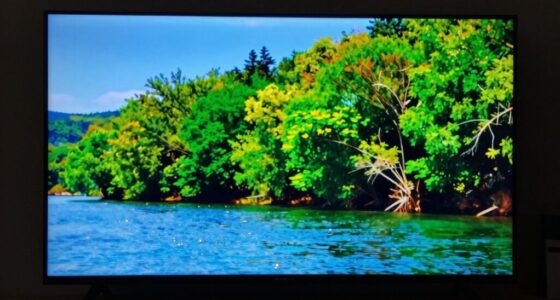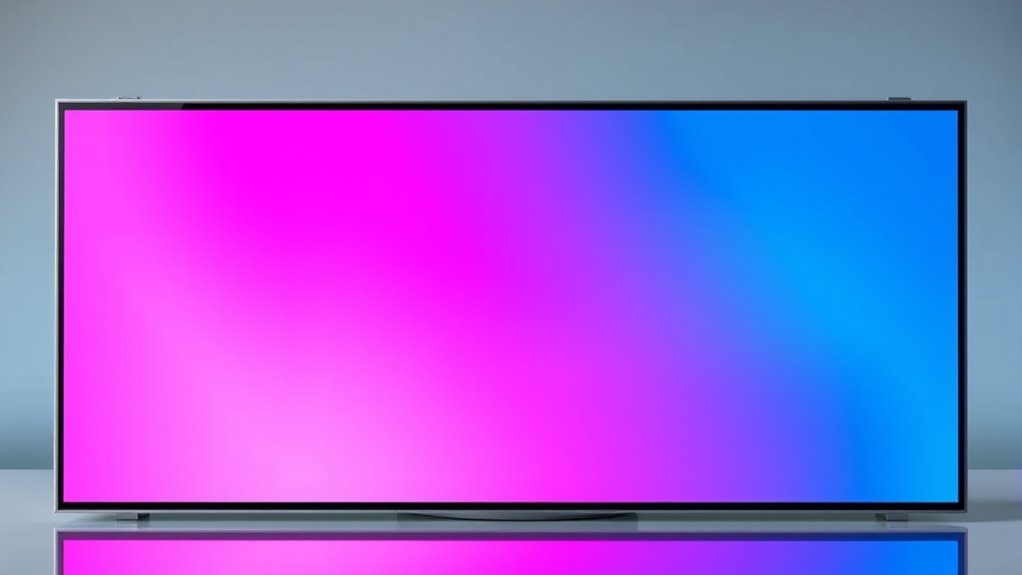

If your screen shows pink or blue discoloration on one side, it’s likely due to polarizer alignment issues or internal panel damage. These problems happen when the polarizers shift or get damaged from impacts or temperature changes, causing uneven light filtering and color distortion. You might need professional repair or realignment to fix the issue. Keep exploring to find out more about the causes and solutions for this common display problem.
Get ready for Prime Big Deal Days — try Prime free
Exclusive member deals on October 6–7, plus fast free delivery. Cancel anytime.
As an affiliate, we earn on qualifying purchases.
Key Takeaways
- Discoloration on one side often indicates polarizer misalignment or damage affecting light filtering.
- Pink or blue tint may result from internal display panel damage or impact-related issues.
- Proper polarization alignment is crucial; misalignment causes uneven color distribution.
- Physical impacts or temperature fluctuations can disrupt polarizer or liquid crystal layer functionality.
- Repair may involve realignment or professional panel replacement depending on the damage severity.

Have you ever noticed that one side of your image appears discolored or faded? This common problem often points to issues with the display’s internal components, specifically related to polarizer alignment or display panel damage. When you see a pink or blue tint on just one side, it’s essential to understand how these factors influence the overall picture quality and what steps you can take to fix them. Polarizer alignment plays a critical role in how your display renders colors and contrast. Inside your screen, polarizers are thin sheets that control light passing through the liquid crystal layer. If these polarizers become misaligned or damaged, the light isn’t filtered correctly, resulting in uneven color distribution. When the polarizer alignment shifts, one side of the screen may absorb or block light differently, causing a noticeable discoloration—pink, blue, or other hues—on only one portion of the image. This misalignment can happen over time due to manufacturing defects, physical impacts, or temperature fluctuations. It’s a common culprit behind the uneven discoloration you observe. Additionally, display technology has advanced rapidly, but issues like polarizer misalignment or panel damage can still occur regardless of quality. Display panel damage is another frequent cause. If the screen has suffered a crack, pressure, or impact, it can disrupt the delicate layers inside. Damage to the liquid crystal cells or the polarizer layers can lead to color distortion confined to one area. For example, a small impact might cause the affected section’s liquid crystals to malfunction, resulting in a color shift like pink or blue. Sometimes, internal damage isn’t immediately visible, but the discoloration reveals underlying issues with the display’s integrity. When panel damage occurs, it often requires professional repair or replacement because the internal structure is compromised beyond simple adjustments.
As an affiliate, we earn on qualifying purchases.
Frequently Asked Questions
Can External Factors Cause Color Discoloration on One Side of the Image?
Yes, external factors like external light and environmental influences can cause color discoloration on one side of the image. If your display is exposed to uneven lighting or direct sunlight, it may affect the color balance, leading to pink or blue tints on one side. Additionally, environmental factors such as temperature and humidity can impact internal components, causing these color shifts. Protect your screen from harsh lighting and environmental stressors to maintain consistent image quality.
How Long Does It Typically Take to Fix Polarizer Issues?
Think of fixing your polarizer like tending a garden; it usually takes a few hours to a day for a repair turnaround. If you need a polarizer replacement, your technician will carefully remove the old one and install a new one, often within a few hours. While some repairs are quick, complex issues might take longer. Trust the process, and you’ll have clear images again soon.
Are There Specific Models More Prone to Image Discoloration?
Some models are more prone to image discoloration due to manufacturer defects or design flaws. You’ll find that certain brands or series, especially older or budget models, have higher susceptibility to polarizer issues. Research the manufacturer’s history and user reviews before buying. If you notice discoloration, it’s often related to these specific models, making them more likely to require repairs or replacements over time.
Does Cleaning the Lens or Filter Help Resolve Color Imbalance?
Cleaning the lens and maintaining your filter often clears up color imbalances. Dust, smudges, or fingerprints on the lens or filter act like a fog, distorting colors. Regular lens cleaning and filter maintenance keep your images crisp and true to life. Think of it as giving your gear a tune-up—small tweaks can make a big difference in color accuracy and overall picture quality.
Can Software Adjustments Correct the Discoloration Problem?
Yes, software calibration and color correction can often fix discoloration issues. You can adjust the color balance and hue settings to counteract the pink or blue tint on one side of the image. Use your camera or monitor’s calibration tools to fine-tune these settings, ensuring accurate colors. Keep in mind, though, that software fixes might be temporary if underlying hardware problems persist, so consider hardware checks if issues continue.
As an affiliate, we earn on qualifying purchases.
Conclusion
Think of your projector like a pair of sunglasses—if one lens is tinted, everything looks off. When you notice pink or blue discoloration on one side, it’s often a convergence or polarizer issue. Just like fixing a crooked lens restores clarity, addressing these problems can bring back sharp, true images. Don’t ignore the warning signs; catching the problem early keeps your visuals crisp and vibrant, much like a clear, sunny day.
display panel replacement for LED screen
As an affiliate, we earn on qualifying purchases.
As an affiliate, we earn on qualifying purchases.
As an affiliate, we earn on qualifying purchases.
Fall Picks
fall essentials
As an affiliate, we earn on qualifying purchases.