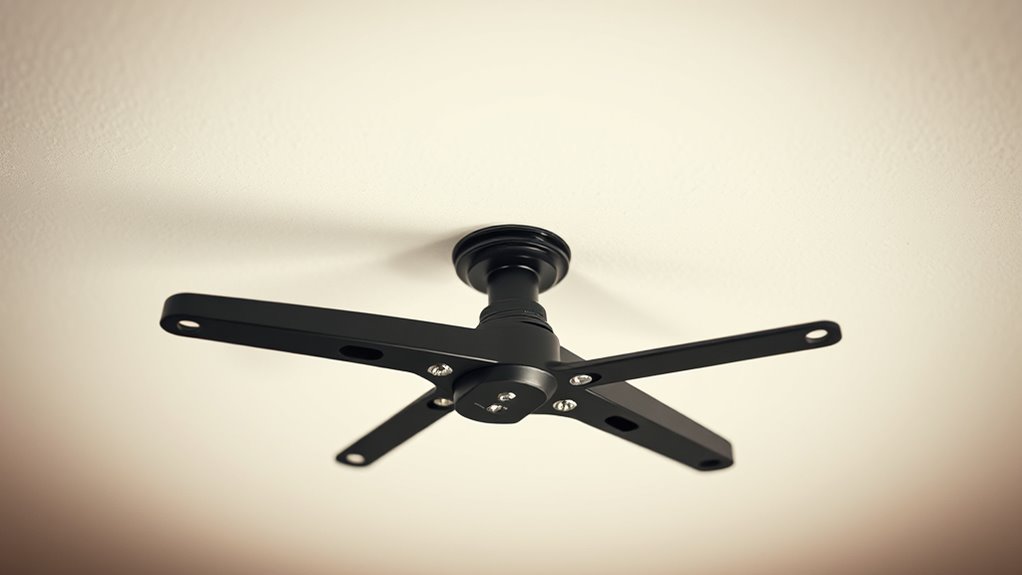
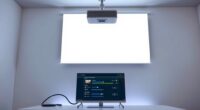
To guarantee your ceiling can safely support your projector and its mount, you need to check both the mount’s weight capacity and your ceiling’s structural integrity. Confirm that the mount’s maximum weight matches or exceeds your projector’s weight and that your ceiling can handle the combined load. Evaluate the ceiling material and use the appropriate hardware to secure everything firmly. Continue exploring how to make your setup both safe and stable for long-term use.

Get business pricing on your home office setup
- Business-only prices and quantity discounts
- Tax-exempt purchasing
- Multiple users, one account, clear invoices
Key Takeaways
- Verify the projector mount’s maximum weight capacity matches your projector’s weight before installation.
- Assess your ceiling’s structural strength to support the combined weight of the mount and projector.
- Use appropriate anchors and hardware tailored to your ceiling material for secure mounting.
- Follow manufacturer installation guidelines to ensure proper hardware use and mounting techniques.
- Consult a professional or structural engineer if unsure about ceiling support or mounting requirements.

When choosing a projector mount, understanding its weight capacity is fundamental for safety and stability. If the mount isn’t rated to support your projector’s weight, it can lead to dangerous situations, damage to the equipment, or costly repairs. To avoid these issues, you need to carefully review the installation guidelines provided by the manufacturer. These guidelines typically include maximum weight limits, recommended mounting techniques, and specific hardware requirements. Following these instructions guarantees that you install the mount correctly and securely, preventing accidents or instability over time. Additionally, considering the structural integrity of your ceiling ensures that it can safely bear the combined weight of the mount and projector. Before you begin, it’s imperative to evaluate your ceiling’s structure to confirm it can handle the weight of the projector mount and the projector itself. Not all ceilings are created equal; some may require additional reinforcement or specialized hardware. If you’re unsure, consulting a professional or a structural engineer can save you trouble down the line. Once you confirm that your ceiling can support the weight, you can explore various mounting options. Ceiling mounts come in different styles, such as fixed, tilting, or full-motion mounts, each suited for different setups. Ensure that the mounting option you choose aligns with your viewing preferences and space limitations. Installation guidelines play a significant role in guaranteeing safety and durability. These guidelines specify the recommended tools, hardware, and techniques necessary to secure the mount properly. For example, using the correct anchors and screws designed for your ceiling material—be it drywall, concrete, or wood—is essential. Improper installation can cause the mount to loosen or detach, risking damage or injury. Always double-check that all screws and bolts are tightened securely and that the mount is level. Some mounts include adjustable features, but these should be used within the manufacturer’s specified weight limits to prevent stress on the mount or ceiling.
Frequently Asked Questions
What Materials Are Safest for Ceiling Mounts?
You should opt for ceiling mounts made of sturdy materials like steel or heavy-duty aluminum, as they provide excellent support and durability. Consider your ceiling material—drywall, concrete, or wood—since this affects mount compatibility. For drywall, use anchors or toggle bolts to ensure safety. Steel and concrete ceilings naturally support heavier mounts, making them safer choices. Always verify the mount’s weight capacity aligns with your ceiling’s material and build for maximum safety.
How Often Should I Check the Mount’s Stability?
You should perform a mount inspection and weight testing every six months to keep things secure. Regular checks help you catch any signs of wear or looseness early, ensuring your setup remains stable and safe. By staying proactive, you prevent potential issues before they become costly. Trust your instincts and schedule routine inspections, especially if you notice any vibrations or shifting. Your peace of mind depends on consistent maintenance.
Can I Retrofit Older Ceilings for Projector Mounts?
Yes, you can retrofit older ceilings for projector mounts. Start by evaluating the ceiling’s current structure and, if needed, add ceiling reinforcement to support the weight capacity of the mount. You may need to install additional joists or use heavy-duty anchors. Always ensure that the ceiling can handle the mount’s weight to prevent accidents. Consulting a professional can help guarantee a safe and secure installation.
Are There Specific Safety Certifications to Look For?
You should look for projector mounts with proper mount certification and adherence to safety standards. Certifications like UL or ETL guarantee the mount meets safety and quality benchmarks. Always verify that the product complies with relevant safety standards, especially if you’re retrofitting older ceilings. This guarantees your installation remains secure, preventing accidents or damage. Prioritize certified mounts to ensure your setup is both safe and reliable for long-term use.
How Does Ambient Temperature Affect Mount Safety?
Ambient temperature impacts mount safety by causing thermal expansion, which can weaken the mount’s attachment points over time. If the environment gets too hot or cold, materials may expand or contract, risking instability. Insulation considerations help maintain a stable temperature, preventing these shifts. You should verify your ceiling and mount materials tolerate temperature variations, reducing stress and ensuring long-term safety. Proper ventilation and climate control are essential to avoid thermal-related issues.
Conclusion
Remember, your projector mount is the backbone of your setup—like a sturdy bridge supporting your entertainment. Always double-check your ceiling’s weight capacity and choose a mount that matches your projector’s weight. When in doubt, consult a professional to guarantee safety. Think of it as building a fortress; a solid foundation keeps everything secure. By taking these steps, you’ll keep your viewing experience smooth and worry-free, with your ceiling standing strong beneath your projector’s weight.
Fall Picks
fall essentials
As an affiliate, we earn on qualifying purchases.